Streaks Clone
Streaks clone · Habit tracker app · built by the Vibecode team
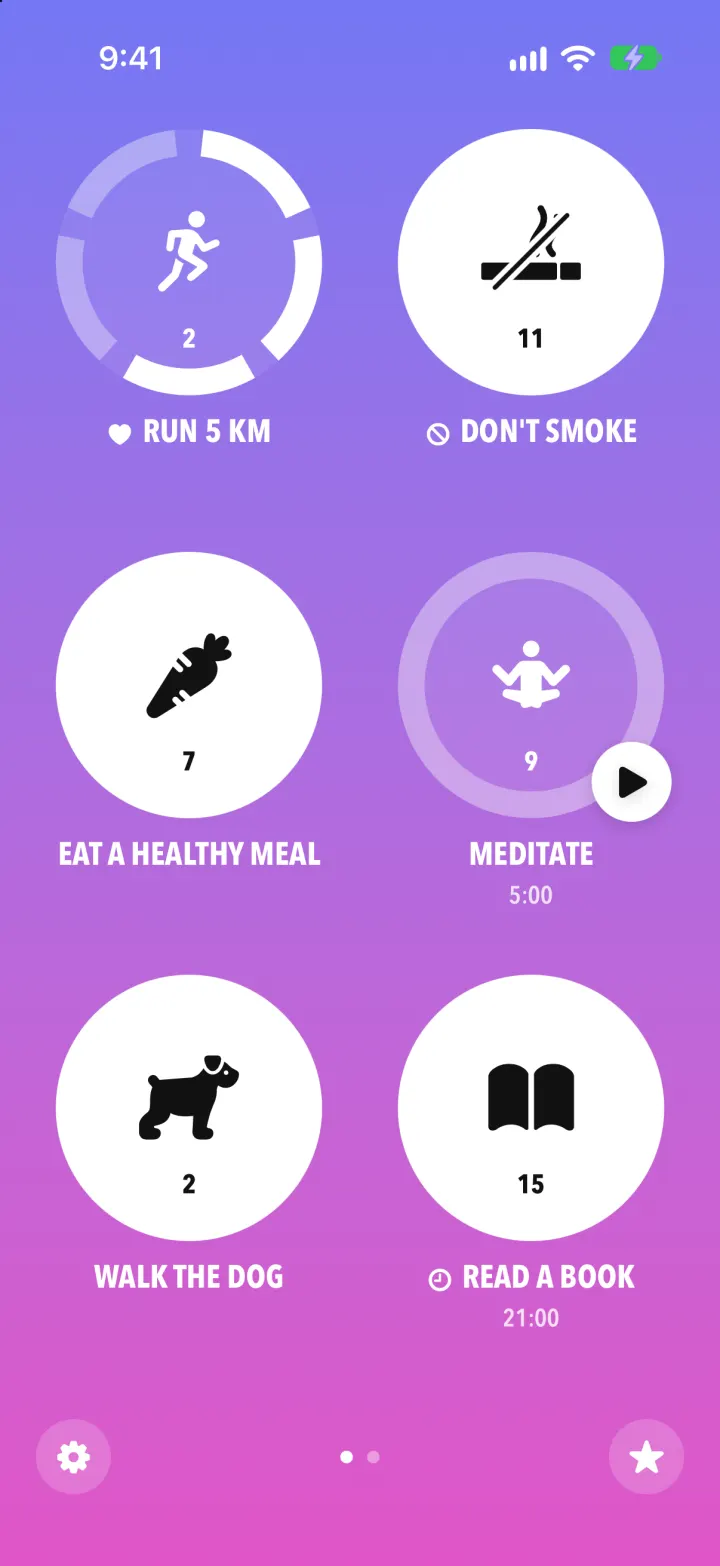
Streaks Clone rebuilds Streaks, the habit tracker, with its real name, gradient pages and heavy condensed caps. Up to 24 habits sit as big circles on swipeable pages: tap and hold one and its ring fills segment by segment until it turns solid white, with the streak number counting up. Tap a habit for its week, streaks, notes, skip and stats; the star opens Stats with best streak, completion rate, a trend line and completions by weekday and hour. Add Task offers health, eating, timed and negative presets (Don't Smoke, No Phone in Bed), timed tasks run a countdown from a play badge, and reminders schedule real notifications.
- iPhone · Swift
- Hand-built
- Free to remix

Remix copies the working app into your account for free, exactly as we built it. It runs in Vibecode's cloud iOS simulator, in your browser.
The prompt that builds it
We wrote Streaks Clone by hand. This prompt describes the finished app: paste it into a new app to build your own version, or change it first.
Prompt · 848 words
Build a polished native iOS clone of Streaks (the Apple Design Award habit tracker) in SwiftUI with SwiftData: up to 24 habits shown as big circles on swipeable gradient pages, completed by tapping and holding, with stats, notes, timers and reminders.

It is Streaks on screen: its name and its words ("ADD TASK", "Confirm Task", "SAVE TASK", "BEST STREAK", "ALL TIME", "COMPLETIONS", "Task Days", "times/day", "allowed before miss", "DONE"). Type is a heavy condensed sans in ALL CAPS for task names and numbers (Avenir Next Condensed Bold). Icons are SF Symbols; draw a cigarette in code for "Don't Smoke".

SHELL
No tab bar. Opens straight on page 1: no splash, onboarding, login, paywall or permission prompt. Each page is a full-bleed vertical gradient with its own theme: Dusk #7477F4 to #E055C8, Lagoon #33BDCB to #8A5BE5, Coral #FB7F5C to #EE4E67, Lemon #F6F56C (dark text). Pages swipe horizontally (paging). Bottom bar: a gear in a translucent circle (left), page dots (centre), a star in a translucent circle (right).

SCREENS
1. Home: a 2 x 3 grid of circles per page, up to 4 pages (24 tasks); the slot after the last task is "+ ADD TASK". An open task is a thick translucent ring (cut into segments when it is several times a day) around a white glyph, with the current streak number small under the glyph; a done task is a solid white disc with a black glyph. Under each circle the caps title, prefixed by a heart (health task), a no-entry sign (negative task) or a clock (has a reminder), and a second small line with the reminder time or the timer length. Tap and hold 0.55 s: the next segment fills while you hold, the circle squeezes slightly, then checks in with a success haptic and the circle turns solid once the goal is met. Tap opens the task menu. Timed tasks have a white play badge: tap it to start a countdown shown under the title; the ring fills and the task completes at zero.
2. Task menu (sheet in the page's gradient): X, "3 OF 5 TODAY", edit pencil; the circle; the title; a week strip (narrow weekday letters over dots, checked when done); CURRENT STREAK / BEST STREAK / ALL TIME %; the latest note card; buttons CHECK IN or UNDO, SKIP TODAY (or TIMER), STATS, NOTES.
3. Stats (white sheet): a theme-coloured pill "ALL TIME" that cycles THIS YEAR, LAST 30 DAYS, LAST 7 DAYS; a faint wallpaper of tiny icons behind the top; a row of every task's icon in coloured discs (tap one to focus it, others fade); BEST STREAK, the range's completion %, COMPLETIONS in big condensed numbers; a smooth line chart of the completion rate with "JUL 30, 2026 . 102 DAYS . TODAY" under it; COMPLETIONS by weekday (thin rounded bars) and by time of day (curve with dots, 06:00 and 18:00 labels); for one task, a month calendar heatmap. Bottom: share, dots, X.
4. Add Task (page-colour sheet): X, "Add Task", search; five category circles (check, heart, fork and knife, clock, no-entry) with a one-line explanation; list rows (icon disc, optional heart, title, chevron) of presets per category plus "CREATE A CUSTOM TASK".
5. Confirm Task / Edit Task: a big white disc with the glyph, four tick marks around it and a "..." button that opens an icon grid; the caps title; "TITLE:" field with "11 / 28"; rows with round icons: task type (Daily, Health, Timed, Negative), Days (S M T W T F S toggles), "4 times/day" with round - and + ("3 allowed before miss" for negative tasks), Timer minutes, Reminder toggle with a time picker; dark "SAVE TASK"; Delete Task when editing.
6. Notes: the task's icon, "Today, Nov 8" with < > arrows to other days, a text box, DONE.
7. Settings: a theme per page (gradient swatches), notifications status, task count "11 of 24", Reset Demo Data.

DATA
Tasks with fictional history generated relative to today (seeded RNG, identical on every install): Run 5 km (health, 5/day, 3 done today, streak 2), Don't Smoke (negative, streak 11), Eat a Healthy Meal (3/day, 2 done, streak 6), Meditate (timed 5:00, streak 9), Walk the Dog (streak 1), Read a Book (reminder 21:00, done, streak 15); page 2: Drink 8 Cups of Water, Take Vitamins (streak 42), Learn a Language (20:00), No Phone in Bed, Stretch (weekdays). A few notes. Demo rows are flagged and slide forward to today on every launch so streaks never go stale.

RULES
Each hold is a Completion row; done when today's count reaches the goal; negative tasks are done until slips reach the goal; a skip keeps the streak without adding to it; today never breaks a streak until it is over. Reminders schedule local notifications and ask permission only when a task gets one. Launch args -DemoTour YES (plays holds, stats, add a Yoga task, start its timer), -DemoScreen <name>, -ResetDemo YES.

REMIX-READY
Brand.swift (name, font, words), Themes.swift (gradients), Fixtures.swift (demo data), one feature per folder, files under 300 lines, README with the file map.
More templates
All templates- View template
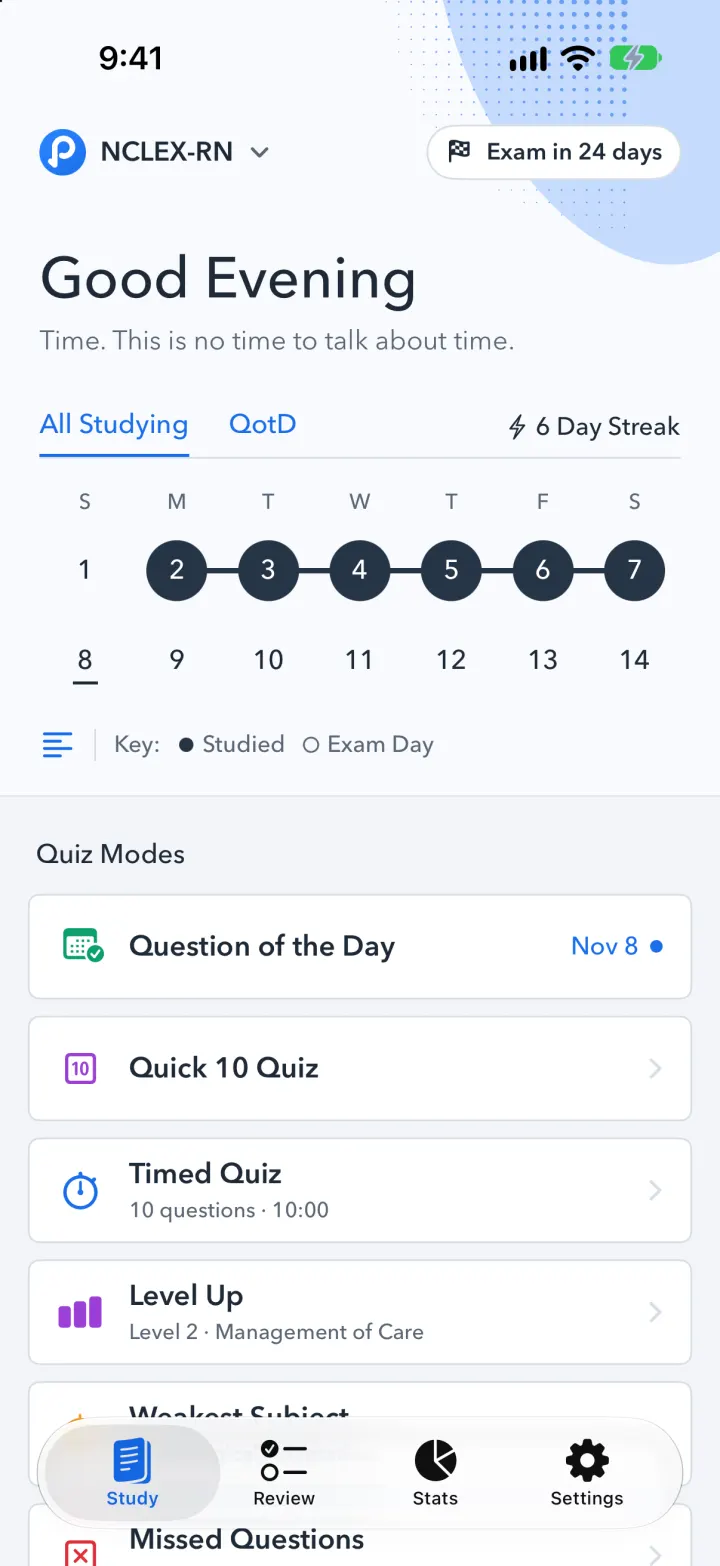
Pocket Prep Clone
iOSPocket Prep's NCLEX quiz app: streak calendar, 8 study modes, explanations and an AI tutor
- View template
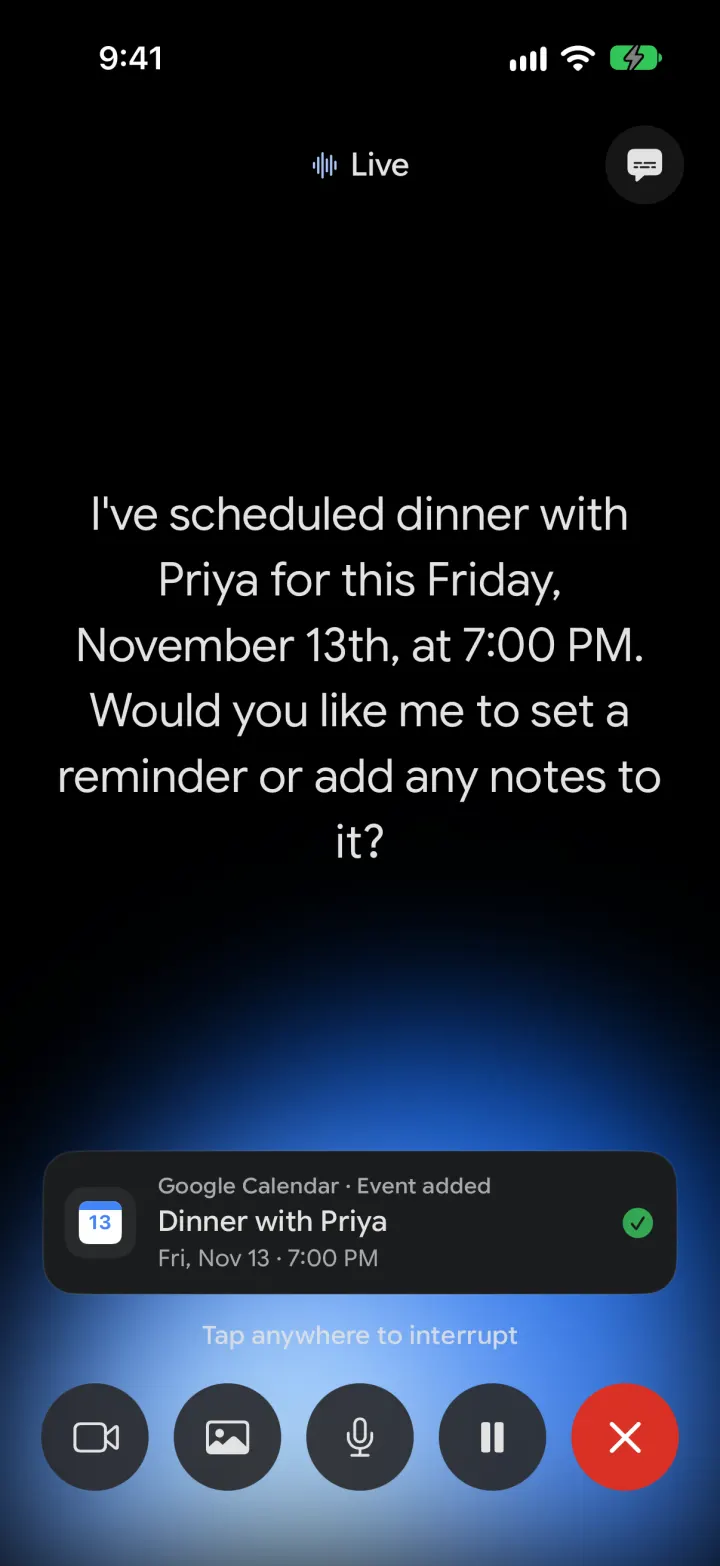
Google Gemini Clone
iOSGemini with real models: streamed chat with Google Search, Nano Banana images and Gemini Live voice
- View template
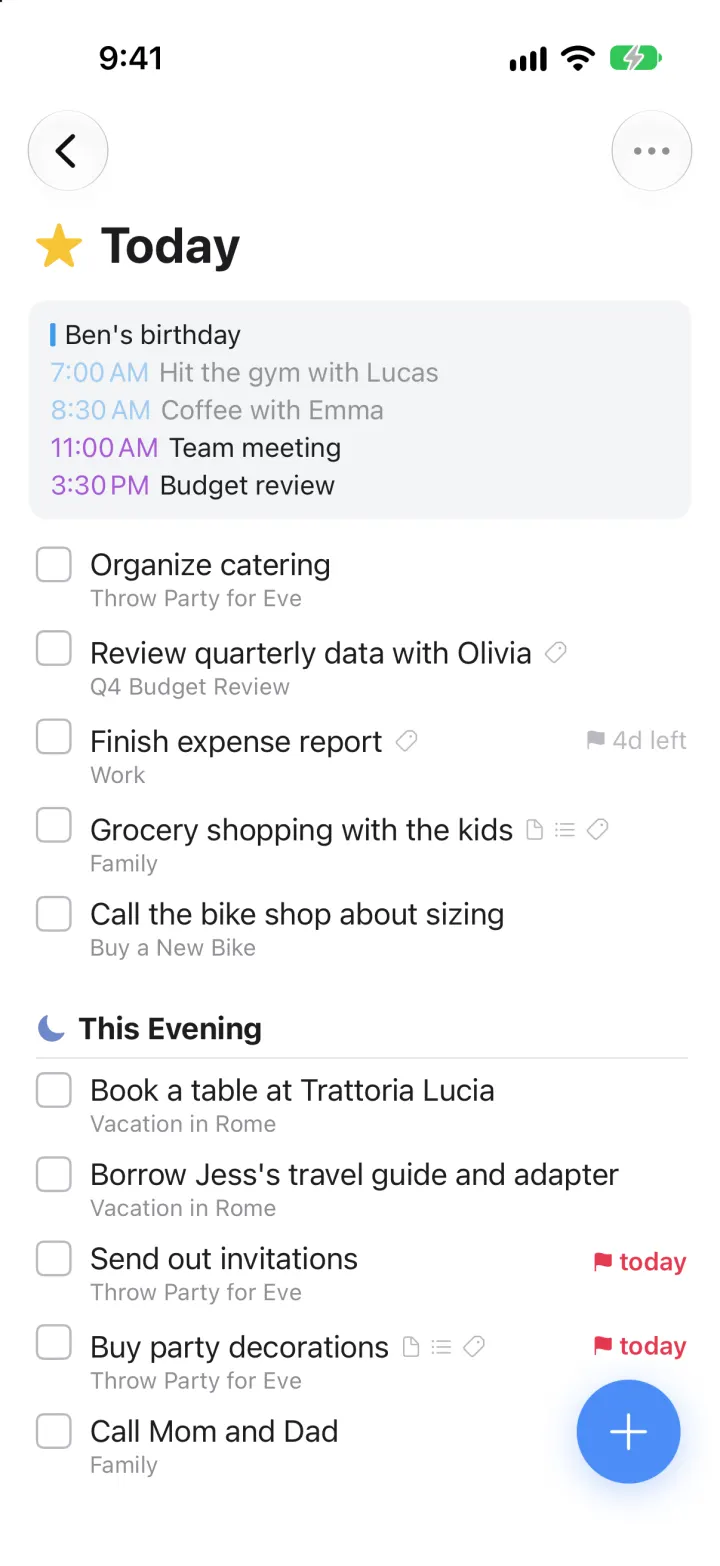
Things 3 Clone
iOSToday, This Evening, the Magic Plus and the dark When picker: the award-winning to-do app, ready to remix
- View template
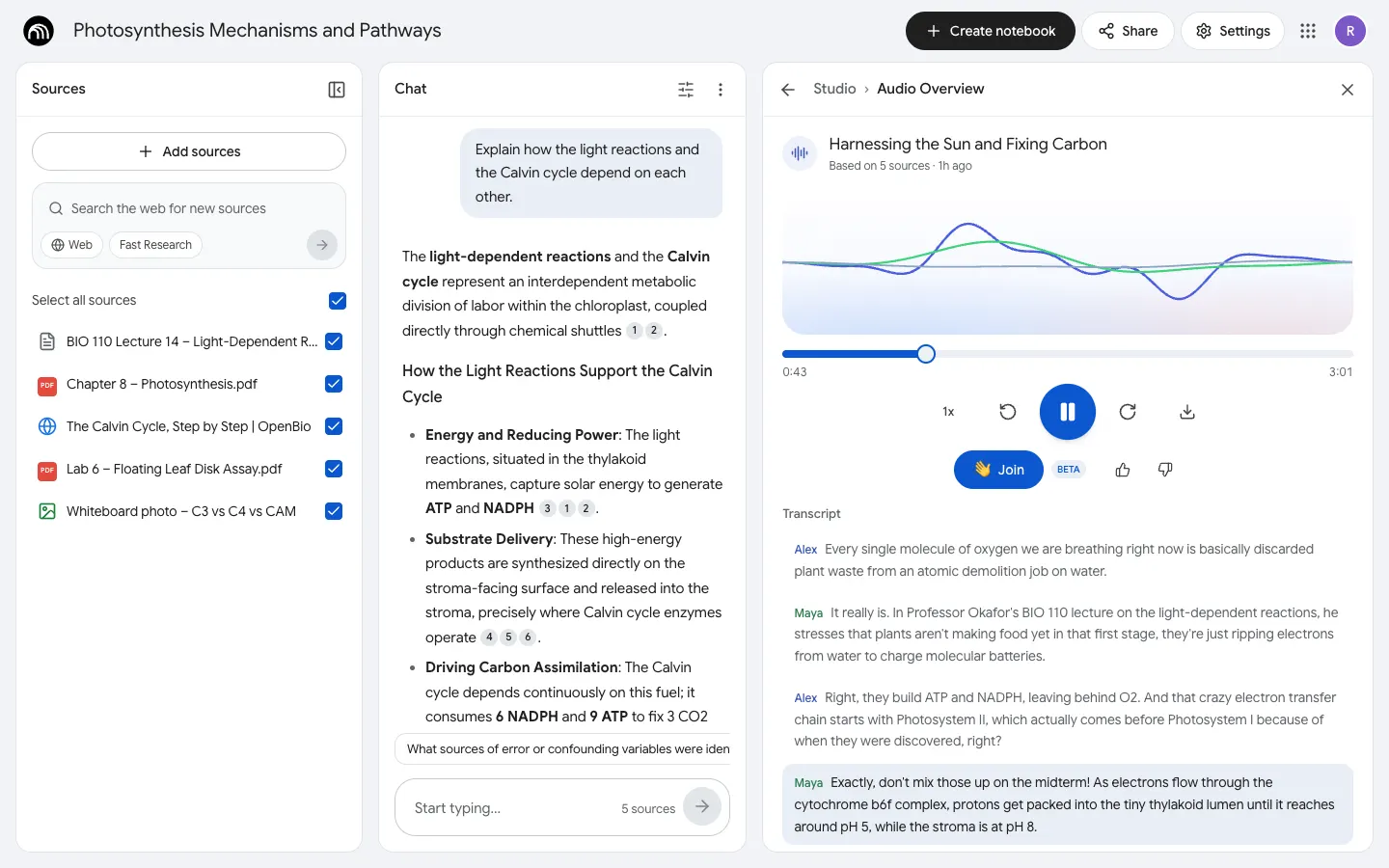
NotebookLM Clone
WebDrop in notes, PDFs and links, chat with cited answers, then hear two AI hosts talk them through.