AI iOS app builder

Build native Swift iPhone apps with AI

Vibecode's AI writes a real SwiftUI app for iPhone and iPad, compiles it on cloud Macs, streams it to a live iOS Simulator in your browser, and submits it to the App Store. No Mac, no Xcode, no code.

First build free for new accounts. App Store publishing from $20 a month, plus Apple's $99-a-year developer membership.

Updated

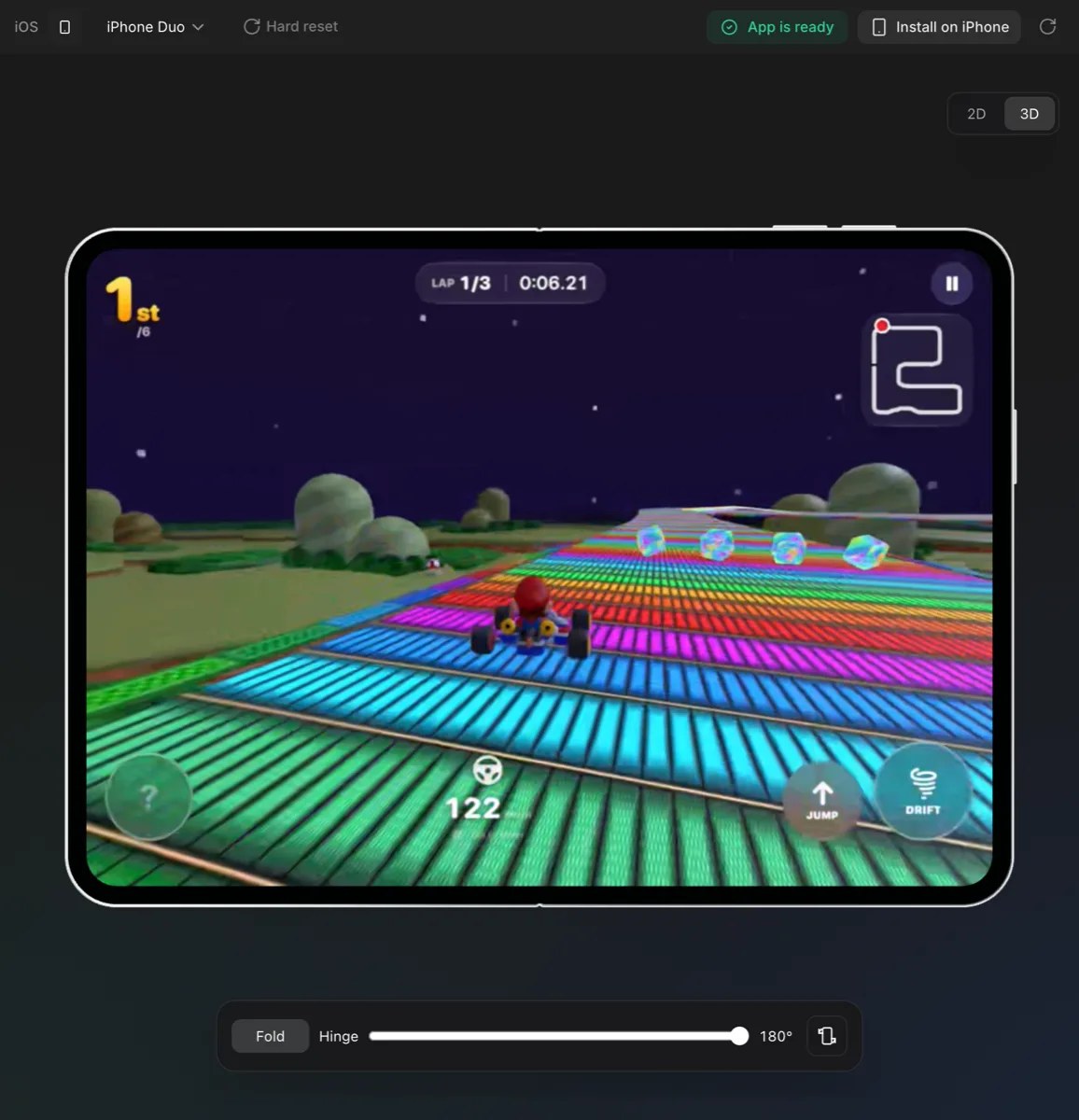
Tilt Kart, a native Swift 3D kart racing game built with Vibecode, mid-race in the Vibecode iOS Simulator in the browser on an unfolded iPhone Duo
A Swift app running in the live iOS Simulator, streamed to the browser. No Mac needed.

The short answer

Vibecode is an AI iPhone app builder. Its iOS app projects are native Swift and SwiftUI, not React Native or a website in a wrapper. You describe the app, watch it run in a live iOS Simulator in your browser, install it on your own iPhone, and publish it to the App Store from the same place.

It is the right pick when the app should feel like an Apple app. If you need Android from the same codebase, use a React Native project in Vibecode or another AI app builder.

From idea to the App Store

  1. Step 1

    Describe your iPhone app

    Choose iOS app and describe it. The agent writes Swift and SwiftUI, adds Swift packages when it needs them, and builds after every change.

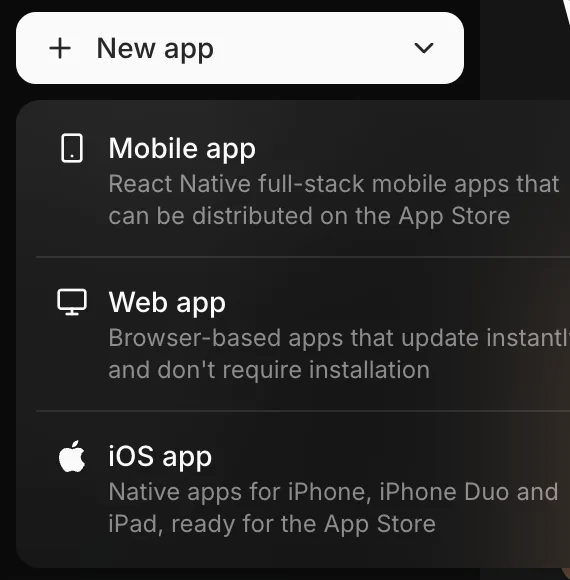
    The Vibecode New app menu with three choices: Mobile app (React Native), Web app, and iOS app (native)
    Pick a project type: native iOS (Swift), Mobile (React Native for iOS and Android) or Web.
  2. Step 2

    Install it on your iPhone

    Connect your Apple Developer account once. Vibecode registers your phone, signs the build and gives you an install link.

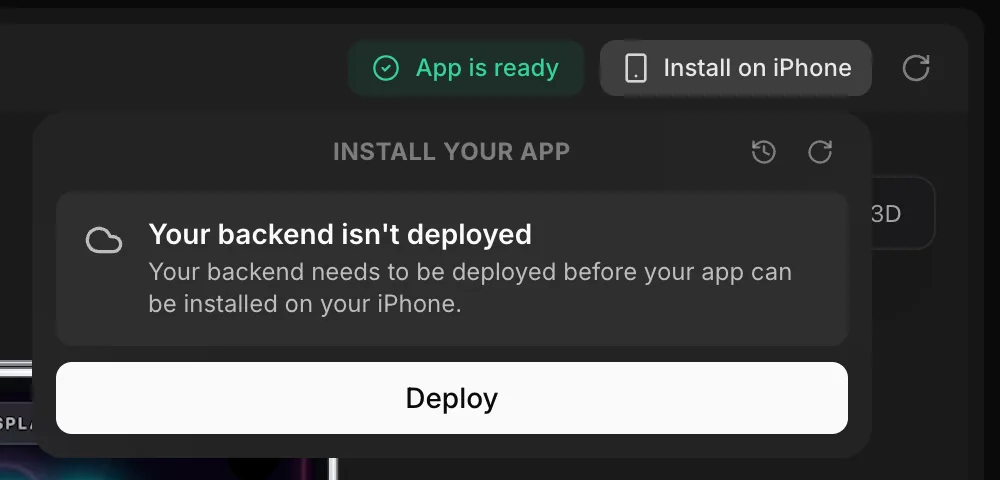
    The Vibecode Install on iPhone panel asking to deploy the backend before building
    Install on iPhone builds and signs the app with your Apple Developer account.
  3. Step 3

    Submit to the App Store

    Publish to App Store builds, signs and uploads the app, waits for Apple to process it and submits it for review. TestFlight on request.

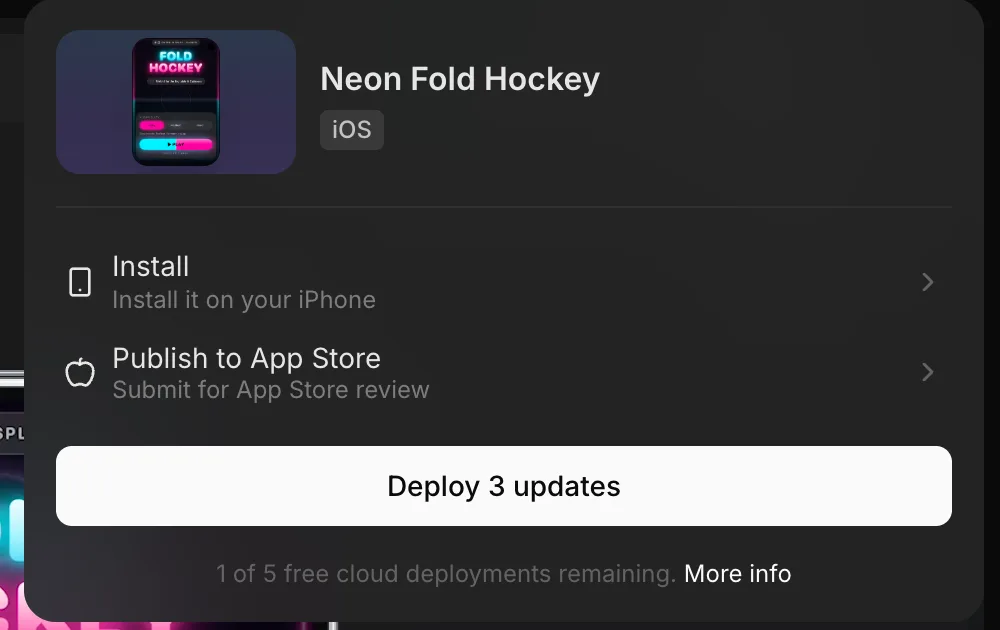
    The Vibecode Publish menu for an iOS project with Install on your iPhone and Publish to App Store options
    Publish: install on your iPhone or submit to the App Store for review.

A real iOS Simulator, in your browser

Your Swift app runs in an iOS Simulator on a cloud Mac. What you see is a live video stream, and your taps go back to it, so it works in any browser and nothing runs on your own device while you build.

Switch the preview between iPhone and iPhone Duo, the foldable iPhone, and fold or unfold it to test both screens. While the agent works it tests in the same simulator: it opens your app and taps through what it changed.

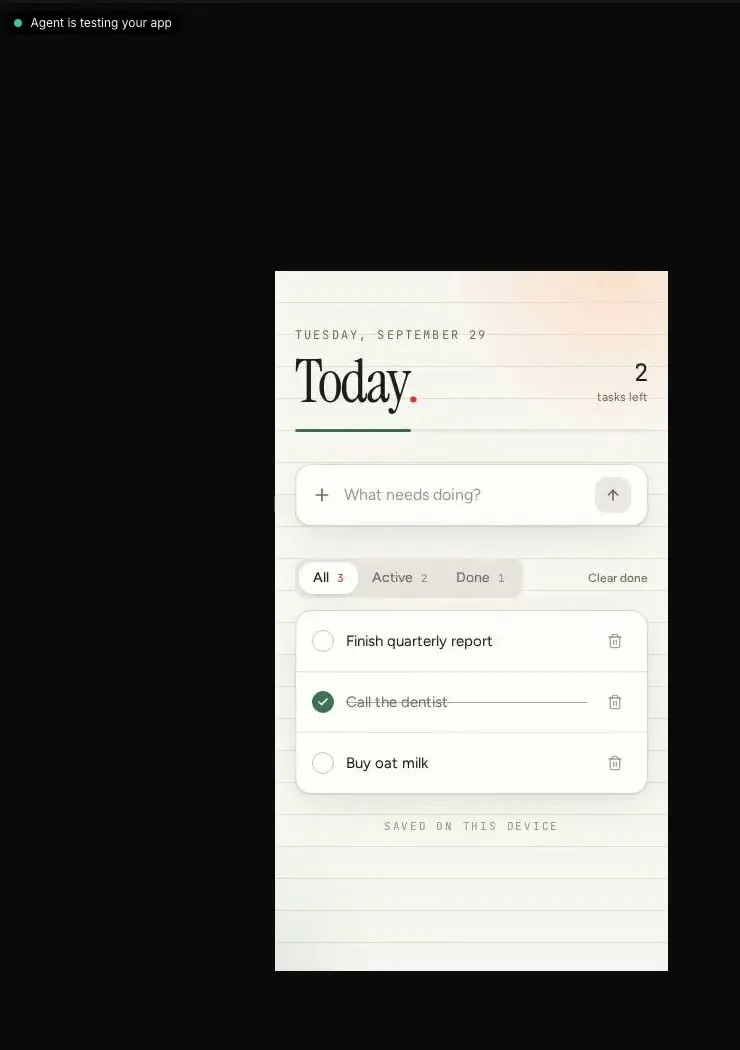
A to-do app in the Vibecode preview with the label 'Agent is testing your app'
After each change the agent opens the app and taps through what it built.

Native Swift vs React Native vs web wrappers

"iPhone app" can mean three different things. Here is what each one is and which Vibecode project type makes it.

Native Swift, React Native and web-wrapper iPhone apps compared
ApproachWhat it isHow it feelsAndroid too?In Vibecode
Native Swift (SwiftUI)The app is written in Apple's own language and UI framework, compiled with Xcode.Feels like an Apple app: system controls, gestures, haptics, widgets.No. iPhone and iPad only.iOS app projects
React Native (Expo)One TypeScript codebase that renders real native controls on iPhone and Android.Close to native for most apps; some platform features need extra work.Yes, from the same code.Mobile app projects
Web app in a wrapperA website packaged inside an app shell (a web view).Often feels like a website rather than an app.Yes.Not offered. Web apps deploy to the web instead.

Your code is a normal Xcode project

Native iOS projects are standard Xcode projects that use Swift Package Manager. On Pro and Max you can download the code or connect over SSH and open it in Xcode, so a developer can take over at any point. You own the code and data you create.

iPhone apps built with Vibecode

More than 800 apps built with Vibecode were live on the App Store as of October 2026. A few of them:

What it costs

US dollars, checked against the pricing page. Credits pay for AI usage and roll over while your plan is active.

Vibecode plans: monthly price, annual price, credits and what each includes
PlanMonthlyAnnualCreditsIncludes
Free$0—First app build free
  • Your first app build is free for new accounts that sign up with Google or Apple
  • Premium AI models, no API keys needed
Plus$20/mo$200/yr$20 credits/mo
  • Access to Premium models
  • Build any AI apps with just prompts, no API keys required
  • Generate custom image and sound assets
  • Connect database and authentication for each project
  • App store submission
Pro$50/mo$500/yr$55 credits/mo
  • Access to Premium models
  • Build any AI apps with just prompts, no API keys required
  • Generate custom image and sound assets
  • Connect database and authentication for each project
  • App store submission
  • Download source code
  • SSH to Cursor
Max$200/mo$2,000/yr$220 credits/mo
  • Access to Premium models
  • Build any AI apps with just prompts, no API keys required
  • Generate custom image and sound assets
  • Connect database and authentication for each project
  • App store submission
  • Download source code
  • SSH to Cursor
  • 24/7 priority support

Compare iPhone app builders

iOS app builder FAQ

What is the best AI app builder for iPhone apps?

If you want a real native iPhone app, look for one that writes Swift and SwiftUI rather than wrapping a website or using a cross-platform framework. Vibecode writes native Swift apps, runs them in a live iOS Simulator in your browser and submits them to the App Store for you. If you also need Android from the same code, a React Native builder (including Vibecode's Mobile app projects) is the better fit.

Can AI build a native iOS app in Swift?

Yes. Choose iOS app in Vibecode and the agent writes a SwiftUI app as a standard Xcode project that uses Swift Package Manager. It builds the app after each change and tests it in the simulator.

Do I need a Mac or Xcode to build an iPhone app?

Not with Vibecode. Apps compile on cloud Macs and the iOS Simulator is streamed to your browser or the Vibecode iPhone app, so you can build from a Windows PC, a Chromebook or a phone.

Is Vibecode React Native or native Swift?

Both, and you choose per project. iOS app projects are native Swift and SwiftUI for iPhone and iPad. Mobile app projects are React Native and Expo, for one codebase on iPhone and Android.

How do I publish an iPhone app to the App Store without Xcode?

In Vibecode, click Publish, choose Publish to App Store, connect your Apple Developer account (sign in with your Apple ID or add an App Store Connect API key) and confirm the bundle ID. Vibecode builds, signs and uploads the app, waits for Apple to process it, updates your listing and submits it for review.

Can I test on my own iPhone before publishing?

Yes. Click Publish and choose Install. Vibecode registers your iPhone with your Apple Developer account, builds and signs the app, and gives you an install link. You can also ask the agent to upload a build to TestFlight.

What do I need to publish an iPhone app?

A paid Apple Developer Program membership ($99 a year, paid to Apple) and a Vibecode Plus plan ($20 a month) or higher. Apple reviews every app before it goes live.

Does it work for iPad and the foldable iPhone?

Native iOS projects are built for iPhone and iPad. The preview runs as an iPhone or an iPhone Duo, the foldable iPhone, and you can fold and unfold it in the browser to test both screens.

Can I open my app in Xcode later?

Yes. On Pro and Max you can download the code or connect over SSH. The project is a normal Xcode project, so a developer can take it over at any point.

Is Vibecode still on the App Store?

Yes. The Vibecode iPhone app is live on the App Store (app ID 6742912146) and was last updated in October 2026; Apple did not remove it. That app is for building from your phone. The apps you build in Vibecode are published to the App Store under your own Apple Developer account.

What doesn't work for native iOS projects yet?

A native app can't run from a web link, so a share link for an iOS project opens its public page, where others can remix it; use Install to put the app itself on a phone. RevenueCat and Expo-only integrations such as Expo push notifications are for React Native projects. If you need Android as well, start a Mobile app project instead.

Describe your app. Get a working one.

Your first build is free. Preview it live, keep editing in plain English, and publish when it's ready.