Linear Clone
Project management app · built by the Vibecode team
Linear Clone opens on the fictional Acme workspace: three teams, 140 issues, three cycles, five projects and nine AI-generated teammates. Issues are grouped by status with Linear's own status and priority icons, labels, estimates and avatars, and switch to a board you can drag cards across. Press C to create an issue, ⌘K for the command menu, J/K to move and S, P or A to change status, priority or assignee on one issue or a whole multi-selection. Cycles show a burn-up chart, projects carry milestones and posted updates, and Triage and Inbox take in new work. Every change saves to the database instantly, in a dark or light theme, and the layout works on a phone.
- Web app
- Built in 5 prompts
- Free to remix
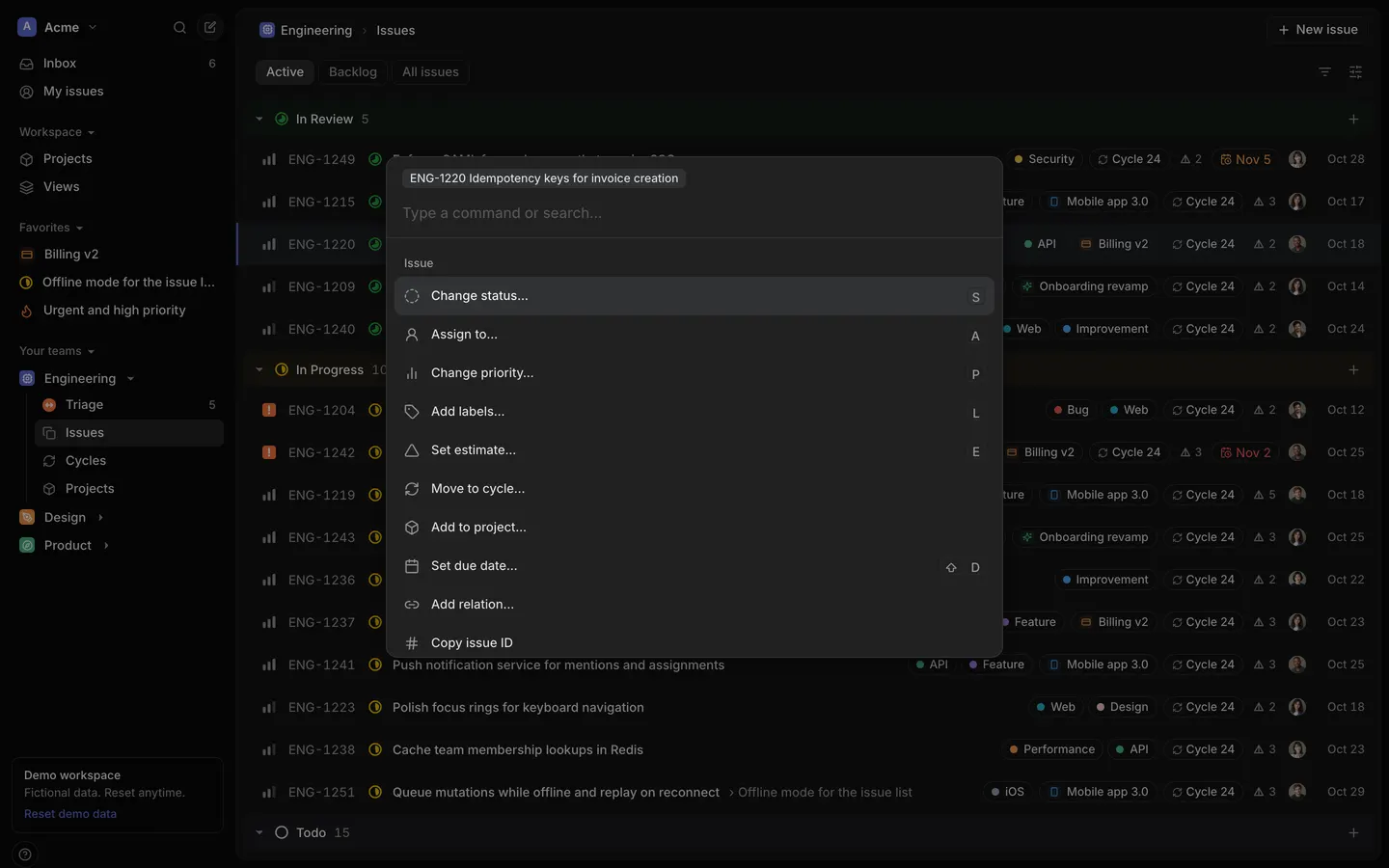
Remix copies the working app into your account for free, exactly as we built it. It runs in your browser.
The prompt that builds it
We built Linear Clone in 5 prompts. Here they are folded into one, so a single paste into a new app builds the finished version.
Prompt · 5,094 words
Build a web clone of Linear (linear.app), the issue tracker, using Opus 5.5. Use Linear's real name, colours, words and layout, but a fictional company: the workspace "Acme" with 3 teams, 140 issues, 3 cycles, 5 projects and 9 fictional people. It must look and feel like the real Linear web app: dense, quiet, keyboard-first, instant. Clone it exactly, including the visual design, layout, interactions, animations, typography, spacing and all states.

Design references (the original screenshots are not included; build from these descriptions):
- Reference: team issues list grouped by status (light theme): row anatomy, group headers, label chips, multi-select bar at the bottom
- Reference: the dark theme: sidebar, inset main panel, issue page, activity (ignore the AI agent panel on the right)
- Reference: board view: columns, cards, "Hidden columns"
- Reference: issue detail: sub-issues, activity, comment, Properties / Labels / Project cards on the right
- Reference: the create issue modal
- Reference: Inbox: notification list on the left, the issue on the right
- Reference: project overview: properties, latest update, milestones, progress chart, activity
- Reference: cycle progress panel with the burn-up chart (Scope / Started / Completed)
- Reference: Triage list (dark)
- Reference: project overview (dark)
- Reference: the command menu (Cmd K) in dark
Then download the seed data: `curl --create-dirs -o backend/src/seed/seed.json https://vibecode-template-data.beacon.host/linear-web/seed.json` and read its `_readme`. It is the complete demo workspace (people, teams, workflow states, labels, cycles, projects with milestones, 140 issues with descriptions, comments, relations, project updates, notifications, saved views, favorites). Use it exactly; do not invent other issues or people.

## Stack and architecture
- Use the workspace as set up: React + Vite + Tailwind in webapp/, Hono on Bun in backend/. Add a database with Prisma (follow the database-auth skill for the database part only). No sign-in wall: the app always acts as the seeded owner, Maya Chen (Admin), so the owner is visible on first run. Send the current user as an `x-user-id` header (default "maya", stored in localStorage) so a "Switch user (demo)" menu can act as any of the 9 people.
- Seeding: on server start, if the database has no issues, seed it from backend/src/seed/seed.json. Every time in the seed is an offset (`createdDaysAgo`, `startedDaysAgo`, `completedDaysAgo`, `canceledDaysAgo`, `addedToCycleDaysAgo`, `createdHoursAgo`, `dueInDays`, `startsDaysAgo`, `endsInDays`, `targetInDays`…): resolve them against the moment of seeding so the demo always looks current (the current cycle is always "current"). Generate an IssueHistory trail per issue from those timestamps (created, added labels, moved to In Progress, moved to Done…). `POST /api/demo/reset` wipes and re-seeds. Commit the SQLite database (backend/prisma/dev.db with its -wal and -shm files): before recycling an idle sandbox the platform saves the workspace with `git add --all`, which skips ignored files, and a remix copies only what is in git, so an ignored database loses everything a user entered. Store the day the demo was seeded; at startup, before the server answers, and then hourly, move every seeded demo timestamp forward by the whole calendar days since then, leaving rows a user created or edited alone, so dated views look as they did on seed day. Never store a visitor's IP address or user agent on sessions (blank both in a Better Auth databaseHooks.session hook).
- Prisma models: User, Team, TeamMember, WorkflowState, Label, Issue (number, identifier like "ENG-1219", title, description markdown, stateId, priority 0-4, estimate, assigneeId, creatorId, teamId, projectId, milestoneId, cycleId, parentId, dueDate, sortOrder, source, createdAt, updatedAt, startedAt, completedAt, canceledAt, addedToCycleAt), IssueLabel, IssueRelation (blocks / related / duplicate), Comment, IssueHistory (actor, type, from, to, createdAt), Subscription, Cycle, Project, ProjectTeam, Milestone, ProjectUpdate (health onTrack / atRisk / offTrack), Notification (recipient, actor, type, issue or project, readAt, snoozedUntil), View (name, icon, colour, filters JSON), Favorite.
- API (all under /api, Zod schemas in backend/src/types.ts): `GET /api/bootstrap` returns the whole workspace in one response (it is small). `POST /api/issues`, `PATCH /api/issues/:id`, `PATCH /api/issues/bulk` ({ids, changes}), `DELETE /api/issues/:id`, comments CRUD, relations add/remove, `POST /api/projects`, `PATCH /api/projects/:id`, `POST /api/projects/:id/updates`, notifications (read / unread / snooze / delete / read-all), views CRUD, favorites add/remove, `POST /api/demo/reset`. The server writes an IssueHistory row for every property change and creates Notifications (assignment, @mention, comment on a subscribed issue, status change on a subscribed issue, new triage issue, project update) for the right people. Test every route with curl against $BACKEND_URL.
- Client data layer like Linear's sync engine: load `/api/bootstrap` once into a Zustand store and render every screen from memory, so navigation is instant and never shows a spinner. Every mutation is optimistic: update the store first (including a local activity entry), then call the API; if it fails, roll back and show a toast "Couldn't save. Your change was undone." with "Retry". Client-generated ids so a created issue appears instantly; the server confirms its number.
- Libraries: zustand, react-router, @dnd-kit/core + @dnd-kit/sortable (board), @tiptap/react + starter-kit + placeholder + task-list + tiptap-markdown (description editor), recharts (charts), cmdk is fine for the command menu, lucide-react for generic icons, @fontsource-variable/inter, sonner for toasts (restyled).

## Design system (match Linear exactly; no gradients, no glass, no emoji icons, no default shadcn look; override all shadcn tokens)
Font: "Inter Variable" everywhere, tabular numbers for ids, counts and dates. Sizes: 11, 12, 13 (lists, sidebar, menus), 15 (descriptions, comments), 18, 24 (issue title), 28 (project name). Weights: 450 body, 500 labels and row titles, 600 headings. Spacing on a 4px grid. Radii: 6 rows and chips, 8 buttons and inputs, 10 cards, popovers and menus, 12 main panel and modals. Accent (one colour): #5E6AD2, hover #6E79D6; focus ring 1px #5E69D1.
Dark theme (default), Linear's real tokens:
- app background and sidebar #09090A; main panel #121213; raised surfaces (cards, comment boxes, board cards) #161617; hover row #18191B; active sidebar item #232325; popover/menu bg #1C1C1E with border #2A2A2D; command menu bg #212122, border #323336, selected row #313234
- borders #1A1B1D (panel, dividers), #232426 (controls, cards), #28282B (strong)
- text #F7F8F8 primary, #E3E4E6 secondary (row titles, body), #959597 tertiary (ids, dates, meta), #565759 quaternary (placeholders); icons #929294
Light theme: app background and sidebar #F3F3F4; main panel #FDFDFD; cards #FFFFFF; hover #F4F4F5; active sidebar item #E6E6E8; menus #FFFFFF with border #E6E6E8; borders #ECECEE / #E6E6E8 / #DCDCDF; text #1C1D21 / #3C3D42 / #6B6F76 / #A0A2A8; icons #6B6F76.
Theme: dark by default; toggle from the workspace menu, the command menu ("Change theme to light"/"dark") and Settings; saved in localStorage; class on <html>.

Exact icons (make React components; 14x14 for status, 16x16 for priority):
- Status icons are a 14x14 svg with an outer ring `<circle cx="7" cy="7" r="6" fill="none" stroke-width="1.5">` plus an inner pie `<circle cx="7" cy="7" r="2" fill="none" stroke-width="4" stroke-dasharray="11.31 22.62" transform="rotate(-90 7 7)">` whose stroke-dashoffset sets how full it is.
  - Backlog: colour #BEC2C8, ring dashed (stroke-dasharray "1.4 1.74"), empty pie (dashoffset 11.31)
  - Todo: #E2E2E2 (light theme #B4B5B9), solid ring, empty pie
  - In Progress: #F0BF00, solid ring, half pie (dashoffset 5.65)
  - In Review: #27A644, solid ring, three-quarter pie (dashoffset 2.83)
  - Done: #5E6AD2 filled circle with a white check
  - Canceled and Duplicate: #95A2B3 filled circle with a white x
  - Triage: #FC7840 filled circle with a white two-way arrow
- Priority (16x16, colour = icon colour): High = three bars `<rect x="1.5" y="8" width="3" height="6" rx="1">`, `<rect x="6.5" y="5" width="3" height="9" rx="1">`, `<rect x="11.5" y="2" width="3" height="12" rx="1">`; Medium = same with the third bar at fill-opacity 0.4; Low = second and third at 0.4; No priority = three short dashes `<rect y="7.25" height="1.5" width="3" rx="0.5">` at x 1.5 / 6.5 / 11.5; Urgent = a 14px rounded square (rx 3) filled #FC7840 with a white "!".
- Estimate: a small outlined triangle icon followed by the points number. Project icons: a lucide glyph tinted with the project colour on a 10%-tinted rounded square. Team icons: the team's lucide icon on a rounded square in the team colour (ENG #5E6AD2, DES #F2994A, PRO #4CB782). Workspace logo: 20px rounded square #5E6AD2 with a white "A".
- Labels: chip 22px tall, fully rounded, 1px border (#28282B dark / #E6E6E8 light), 8px colour dot + name 12px. Health: On track #4CB782, At risk #F2C94C, Off track #EB5757 (small icon + word); in the light theme the health and overdue text uses darker shades for contrast (On track #2E9A68, At risk #B07D05, Off track and overdue #D24141) while icons keep their colours.
- Avatars: round, 18px in rows, 20px in properties, 28px in Inbox; unassigned = dashed-circle person icon.

## App shell (desktop)
- Sidebar 244px on the app background, no border. Items 28px tall, radius 6px, 13px weight 500, 16px icons.
  - Top row: workspace button (logo + "Acme" + chevron), then a search icon button and a round "New issue" button (pencil-on-square icon) on the right. Workspace menu: "Acme · Demo workspace", "Signed in as Maya Chen (Admin)", Settings, Change theme, Switch user (demo) ›, Reset demo data, Keyboard shortcuts.
  - "Inbox" (unread count on the right), "My issues".
  - Section "Workspace ▾": "Projects", "Views".
  - Section "Favorites ▾": starred projects, issues and views (seeded: Billing v2, the Offline mode issue, "Urgent and high priority").
  - Section "Your teams ▾": Engineering, Design, Product, each expandable with indented children on a thin vertical guide: "Triage" (count), "Issues", "Cycles" (Engineering only), "Projects". Engineering is expanded by default.
  - Bottom: a small bordered card "Demo workspace" / "Fictional data. Reset anytime." with a "Reset demo data" link, and a round "?" button that opens the keyboard shortcuts panel.
- Main panel: inset 8px from the top, right and bottom, radius 12px, 1px border, panel background. Header row 44px with a breadcrumb (team icon "Engineering" › "Issues", 13px) + a star (favorite) toggle; on the right a bell button and "+ New issue". Second row: view tabs as pills, 26px tall, radius 7px: "Active", "Backlog", "All issues" (inactive: transparent with 1px border, #959597 text; active: #29292B bg, white text; light: #E6E6E8 / #1C1D21), then on the far right three 28px square icon buttons: Filter, Display options, and a details-panel toggle.
- Page titles like Linear: "Engineering › Active issues", "ENG-1219 Offline mode for the issue list", "Inbox".
- URLs: /acme/inbox, /acme/my-issues/assigned, /acme/team/ENG/active | backlog | all | triage | cycles, /acme/team/ENG/cycle/24, /acme/team/ENG/projects, /acme/projects/all, /acme/project/<slug>/overview | updates | issues, /acme/issue/ENG-1219, /acme/views, /acme/view/<id>, /acme/settings. "/" redirects to /acme/team/ENG/active.

## Screens
1. Team issues list (refs 01, 02). Groups by status in this order: In Review, In Progress, Todo, Backlog, Done, Canceled, Duplicate ("Active" = Todo + In Progress + In Review; "Backlog" = Backlog; "All issues" = everything except Triage). Group header 36px, inset 8px, radius 6px, background = the status colour at 6% over the panel: caret (collapses), status icon, name (13px 500), count in #959597, "+" on the right that opens Create issue with that status. Issue row 44px: [checkbox on hover / when selected] priority icon, identifier (#959597, 72px wide), status icon, title (13px 500, truncates), for sub-issues " › Parent title" in #959597, a sub-issue progress pill ("1/3") on parents; right side: label chips, project chip (icon + name, max 160px), cycle chip ("Cycle 24"), estimate, due date (red when overdue), assignee avatar, date ("Oct 30", #959597). Within a group sort by priority (Urgent, High, Medium, Low, No priority) then most recently updated. Clicking the status icon, priority, assignee, labels or estimate opens that property menu in place without opening the issue; clicking elsewhere opens the issue. Hover #18191B; the row under the mouse is the keyboard target, exactly like Linear (it gets the focus state, and S, P, A, L, E, Shift D, X, Enter/O and Cmd/Ctrl K act on it when nothing is selected; J/K continue from it); the keyboard-focused row is slightly brighter with a 2px accent bar on the left; selected rows tinted with the accent at 14% and a filled accent checkbox.
2. Property menus (popovers, 240px, menu bg, radius 10, 32px rows): a search input at the top ("Change status…", "Change priority…", "Assign to…", "Add labels…", "Set estimate…", "Move to cycle…", "Add to project…", "Set due date…"), options with icons, a check on the current value and number shortcuts on the right (1-7); typing filters, ↑/↓ + Enter selects. Status menus never offer "Triage" unless the issue is already in Triage. Assignee menu: "No assignee", then "Maya Chen (you)", then the rest with avatars. Labels menu has checkboxes and stays open. Due date menu: "Tomorrow", "End of this week", "In one week", "In two weeks" plus a small calendar.
3. Filter and Display options. Filter menu: Status, Assignee, Priority, Labels, Project, Cycle, Creator → sub-menus with checkboxes. Applied filters show as chips under the tabs ("Priority | is | Urgent, High | ×") with "Clear" and "Save" (save as a view) on the right. Display options popover: Layout (List / Board icons), Grouping (Status, Assignee, Project, Priority, Cycle, No grouping), Ordering (Priority, Last updated, Last created, Manual), toggles "Show sub-issues" and "Show empty groups", and "Display properties" toggle chips (ID, Status, Priority, Labels, Project, Cycle, Estimate, Due date, Assignee, Created). Remember per view in localStorage.
4. Board (ref 03; Cmd/Ctrl B or Display options). Columns 320px with 12px gaps on the panel background; header: status icon, name, count, "…" and "+" on hover. Cards: raised surface, 1px border, radius 8px, padding 12px: identifier (+ " › Parent") with the assignee avatar top right; status icon + title (max 2 lines); a row of small bordered chips (priority icon, labels, due date, project). Hovering a card makes it the keyboard target, as in the list. Drag and drop between columns changes the status, within a column reorders (sortOrder); the card lifts with a shadow and a 1.5° tilt, the other cards make room smoothly, the change is optimistic and logged in activity. "Hidden columns" list on the right (Backlog, Canceled, Duplicate in the Active view); dropping on one works.
5. Issue detail (refs 02, 04) at /acme/issue/ENG-1219. Header: breadcrumb "Engineering › ENG-1219 Offline mode for the issue list", star, "…" menu (Copy ID, Copy link, Copy git branch name, Delete), and on the right "3 / 33" with up/down arrows (and J/K) to step through the list it was opened from. Under the header on the right, round 28px buttons: copy link, copy ID, copy branch name ("maya/eng-1219-offline-mode-for-the-issue-list"). Two columns. Left (max 720px, padding 32px 48px): editable title (24px 600), Tiptap description (15px/24px, placeholder "Add description…", markdown shortcuts: #, -, 1., [ ], ```, **bold**, `code`, task lists; autosave 600 ms after typing stops), "Sub-issues" section (caret, progress "1/3", "+" to add inline; rows with status, title, labels, priority, avatar; "+ Add sub-issues" when empty), relations ("Blocked by", "Blocks", "Related to", "Duplicate of" with linked issue rows, added from the "…" menu or command menu), a divider, then "Activity" (heading + "Subscribe"/"Unsubscribe" + subscriber avatars): timeline lines in 13px #959597 with names in #E3E4E6 ("Priya Nair created the issue · 16d ago", "Lucas Moreau moved from Todo to In Progress · 1d ago", "Kwame Mensah changed priority from Medium to High · 2h ago") and comments as cards (avatar, name, "4h ago", markdown body, hover "…" with Edit and Delete). Comment composer at the end: card with "Leave a comment…", grows on focus, round ↑ send button enabled when not empty, Cmd/Ctrl Enter sends; typing @ opens a people picker and the mention notifies that person. Right column 300px of cards (1px border, radius 10): "Properties ▾" (status, priority or "Set priority", assignee or "Assign", estimate or "Set estimate" for Engineering, due date or "Set due date", cycle or "Add to cycle" for Engineering), "Labels ▾" (chips + "+" / "Add label"), "Project ▾" (project + its milestone on an indented connector, or "Add to project"). Every property opens the same menus as the list.
6. Create issue modal (ref 05; key C, the sidebar button, "+ New issue", or a group's "+"). Width 720px at 15vh from the top, radius 12, menu bg, backdrop black at 45% (light 20%). Top row: team chip ("ENG", switchable) › "New issue", expand and close buttons on the right. Title input (18px 600, "Issue title"), description ("Add description…"). Chip row (28px, bordered): status (default Todo, or the group's), "Priority", "Assignee", "Project", "Estimate" (Engineering), "Labels", "…" (Cycle, Due date, Parent issue). Footer: "Create more" switch and the accent button "Create issue" (tooltip "⌘ Enter"); disabled while the title is empty. Cmd/Ctrl Enter submits, Esc closes. After creating: the modal closes (unless Create more), a toast bottom-right shows the status icon, "ENG-1258 created", the title on one truncated line and a "View issue" text button; the list scrolls the new row into view and gives it a 1.2 s highlight fade. Switching between list and board never shows a toast.
7. Command menu (ref 11; Cmd/Ctrl K, also from search). 640px wide at 18vh, command menu colours, radius 12, input 52px tall 15px "Type a command or search…", rows 40px (16px icon, 14px label, shortcut keycaps on the right in 11px bordered chips), section headers 12px #9C9D9F. If an issue is focused, selected or open, a context chip sits above the input ("ENG-1219 Offline mode…" or "3 issues") and an "Issue" section comes first: Change status… (S), Assign to… (A), Change priority… (P), Add labels… (L), Set estimate…, Move to cycle…, Add to project…, Set due date…, Add relation…, Copy issue ID, Copy issue URL, Delete issue. Other sections: "Create" (Create new issue… C, Create new project, Create new view), "Navigation" (Go to Inbox G I, Go to My issues G M, Go to Active issues G A, Go to Backlog G B, Go to All issues G E, Go to Triage G T, Go to current cycle G C, Go to Projects G P, Go to Views G V, Go to Settings G S, Go to Engineering / Design / Product), "Preferences" (Change theme to light/dark, Switch to board/list layout ⌘B, Show keyboard shortcuts ?, Reset demo data). Typing filters commands fuzzily and also shows up to 8 matching issues by identifier or title ("Issues" section: status icon, id, title); an identifier ("ENG-1219", "eng 1219" or just "1219") puts that issue first; Enter opens. With an empty query and no issue context, a "Recent" section comes first with the last 5 issues you opened (newest first, kept in localStorage). Choosing "Change status…" (or assignee, priority, labels…) swaps the list for that menu inside the palette, with Backspace on an empty input or Esc going back; the choice applies to every context issue at once, optimistically. ↑/↓, Enter, Esc; mouse hover moves the selection.
8. Keyboard shortcuts (ignored while typing in an input): C create, Cmd/Ctrl K command menu, / search, J/K and ↓/↑ move focus in lists, Enter or O open, Esc back/close/clear selection, X select the focused issue, Shift X or Shift click select a range, Cmd/Ctrl click toggle, Cmd/Ctrl A select all, S status, P priority, A assignee, L labels, E estimate, Shift D due date, Cmd/Ctrl B board/list, F filter, G then I/M/A/B/E/T/C/P/V/S navigation, ? opens a shortcuts panel (right sheet listing every shortcut in groups). S/P/A/L/E apply to the selection when there is one, otherwise to the focused or open issue.
9. Multi-select bulk edit (ref 01). With issues selected a pill floats at the bottom centre (menu bg, 40px, radius 10): "6 selected" · "×" · divider · "Status", "Priority", "Assignee", "Labels", "Actions ⌘K". One `PATCH /api/issues/bulk` per change, optimistic.
10. My issues: tabs "Assigned", "Created", "Subscribed"; same list grouped by status across all teams. Empty: "No issues assigned to you".
11. Inbox (ref 06) at /acme/inbox. Left pane 380px: header "Inbox" with "…" (Mark all as read, Delete all read notifications) and filter/display buttons. Rows 56px: actor avatar 28px with a 12px badge for the issue status (or the project icon), line 1 unread dot (6px accent) + "ENG-1251 Title" (13px 500, truncates), line 2 the event in #959597 ("Jonah Reyes mentioned you", "Priya Nair assigned the issue to you", "Hannah Weiss commented: “Customer is waiting on a refund…”", "Aiko Tanaka changed status to In Review", "Kwame Mensah posted an update · At risk", "New issue in Triage · via Intercom", "Due tomorrow"), time on the right ("2h", "1d"). Selected row is highlighted. Right pane: the full issue detail (same component), or the project update card for project notifications. Opening marks read. U toggles read, Backspace deletes (toast with Undo), H snoozes with a menu ("An hour from now", "Tomorrow", "Next week", "A month from now", each with its date, e.g. "Tue, Nov 4, 9:00 AM"). Empty: "You're all caught up" / "New notifications will show up here". The sidebar badge shows the unread count.
12. Triage (ref 09) at /acme/team/ENG/triage. Same two panes. Rows: title (13px 500) with the identifier on the right, below it the source (Intercom, Slack or Sentry with a generic lucide icon, or the creator's avatar and name) and the age ("6m ago"). The right pane shows the issue with an action bar on top: "Accept" (accent, key 1), "Decline" (2), "Mark as duplicate" (3, opens an issue picker), "Snooze" (H). Accept moves it to Todo and out of Triage with a short collapse animation and a toast "ENG-1240 accepted" with "Undo"; Decline sets Canceled; Duplicate sets Duplicate and adds the relation. Empty: "Triage is empty" / "Issues from integrations and other teams land here first."
13. Cycles (Engineering). List at /acme/team/ENG/cycles with sections "Current", "Upcoming", "Completed": rows 64px with a progress-ring icon, "Cycle 24" + dates "Oct 28 → Nov 10", issue count and points, a 120px progress bar (completed accent, started yellow) and "27%". Cycle page /acme/team/ENG/cycle/24: title "Cycle 24", a "Current" pill, dates and "8 days left"; main area = the issue list for the cycle (grouped by status, same component, list/board toggle, with the cycle chip hidden on its rows); right panel 340px like ref 08: "Progress ▾" with three stats ("■ Scope 75", "■ Started 31 · 41%", "■ Completed 18 · 24%", in points, grey / yellow / accent squares) and a burn-up chart (Recharts): one point per day from the cycle start to the end, Scope as a grey step line with a faint fill, Started as a yellow line with a 12% fill, Completed as an accent line with a 16% fill, a dashed accent target line from 0 to the scope, a "Today" marker, diagonal hatching over the future part, 4 date labels on the x axis with the start date at the far left and the end date at the far right (Cycle 24: "Oct 28", "Nov 2", "Nov 6", "Nov 11"), a hover tooltip with the day's values. Compute it from the issues: scope(day) = points of issues whose addedToCycleAt ≤ day, started(day) = points with startedAt ≤ day, completed(day) = points with completedAt ≤ day (unestimated issues count as 1). Below the chart tabs "Assignees", "Labels", "Projects", each row with an avatar or dot, a name and "73% of 15" with a small ring. Completed cycles show final numbers and a "Completed" pill.
14. Projects. /acme/projects/all: header "Projects", "+ New project"; table with column headers (12px #959597) "Name", "Health", "Priority", "Lead", "Target date", "Status" and 44px rows (icon + name; health icon + "On track"; priority icon; lead avatar; "Nov 15"; progress ring + "62%"), sorted In Progress, Planned, Completed. Team "Projects" pages show the same table filtered to that team. New project modal: name, summary, lead, target date, teams.
15. Project page (refs 07, 10) /acme/project/billing-v2/overview with pill tabs "Overview", "Updates", "Issues". Overview left column (max 760px): icon tile, name (28px 600), summary (15px #959597), "Properties" row of chips (status "In Progress", priority, lead avatar + name, dates "Oct 1 → Nov 15", teams), "Latest update" card (raised surface, radius 10, padding 16: health pill, author avatar + name, "1d ago", markdown body; an "Update" button with a pencil icon in the card header), "Description" (markdown), "Milestones" (diamond icon filled by progress, name, "62% of 8", target date). Right column 320px: "Progress ▾" (Scope / Started / Completed and the same burn-up chart from project start to target, milestones as diamonds on the x axis), tabs "Assignees" / "Labels" with rings, "Activity ▾" + "See all" (last 5 events). Write update: "Update" opens a composer with health pills (On track, At risk, Off track), a markdown editor "Write a project update…" (focused on open, and focus returns to it after a health pill is clicked) and "Post update"; it shows instantly as the latest update, at the top of Updates, and as Inbox notifications for project members. Updates tab: update cards newest first, interleaved with property changes ("Target date changed to Nov 15"). Issues tab: the issue list filtered to the project (project chip hidden on its rows), groupable by milestone.
16. Views: /acme/views table (icon in colour + name, owner avatar, "Updated Oct 30"), "+ New view". A view page is the issue list across teams with the saved filters as editable chips and "Save".
17. Settings /acme/settings: "Preferences" (Theme: Dark / Light / System), "Members" (the 9 people with avatar, name, email, title, role), "Demo data" (Reset demo data button with a confirm dialog).

## States
- Only the very first load may show a loader: the app background with the Acme logo pulsing (under a second). After that nothing ever shows a spinner.
- Every empty state: a 32px line icon in #565759, a 14px 500 title, one 13px #959597 sentence and one button. Search with no results: "No results for “xyz”".
- Bootstrap failure: centred "Couldn't load your workspace" with "Try again". Missing issue: "Issue not found" with "Go to My issues".
- Dates are human: lists "Oct 30" (add the year only when it isn't this year), activity "just now", "2h ago", "3d ago", tooltips "Thursday, Oct 30, 2026 at 3:15 PM". Never show ISO strings or seconds.
- Motion: popovers and menus 120 ms fade + 4px slide, modals 160 ms, toasts slide up 180 ms, status icon cross-fade 150 ms, no bouncy springs, respect prefers-reduced-motion.

## Phone layout (390 px wide; must be clean)
- No sidebar; a top bar 52px with a menu button (opens the sidebar as a 300px left drawer over a dimmed backdrop; the whole drawer is one scrollable column with the "Demo workspace" card at the end, never over the team items), the page title in the centre, and search + new issue buttons on the right.
- A bottom tab bar 64px (+ safe area): Inbox (badge), My issues, Issues (current team), Projects, More (opens the drawer). Active tab white, others #959597, panel background, top border.
- The main panel fills the screen (no inset, no radius). View tabs scroll horizontally; filter and display buttons stay on the right.
- List rows become 2 lines (~60px): status icon + title (up to 2 lines); then id · priority icon · up to 3 label dots · due date, avatar on the right. Group headers stick to the top.
- Board columns are 85vw with scroll snap. Issue detail is one column: title, then property chips that wrap (each opens its menu as a bottom sheet), description, sub-issues, activity, with the comment composer fixed above the tab bar. Inbox and Triage open on the list (no item auto-selected on phone); tapping opens the detail full screen with "‹ Inbox" / "‹ Triage", and back returns to the list at the same scroll position. Triage detail on phone: "‹ Triage" alone in the top bar, then one row of four equal-width buttons "Accept" (accent), "Decline", "Duplicate", "Snooze". On the cycle page the Progress panel sits in normal flow under the cycle header as a collapsible "Progress ▾" section (collapsed: the three numbers in one row; expanded: the chart at full width and the tabs), the star sits at the right end of the title row, and the issue list follows; project side panels move below the content with the chart full width. Nothing may overlap. The command menu becomes a full-screen sheet with 44px rows. Create issue is a true full-screen sheet covering the whole viewport (nothing of the page behind shows): header with the team chip, "New issue" and close, then title and description, property chips wrapping onto as many rows as needed, and a bottom bar fixed above the safe area with "Create more" and a full-height "Create issue" button. The bulk-edit pill sits above the tab bar.
- Touch targets ≥ 40px, every text block wraps inside 390 px, no page scrolls sideways, no text under 12px.

## Images, favicon and sharing
- Generate the 9 avatars with the image model `gpt-image-2.5-flare` through the project's proxied OPENAI_API_KEY (run env to find it; POST https://api.openai.com/v1/images/generations). Use each person's `avatarPrompt` from the seed: "Natural-light headshot photo of a fictional {avatarPrompt}, plain warm-grey studio background, soft light, shoulders up, friendly, realistic, 85mm". Resize to 256x256 webp and save to webapp/public/avatars/<handle>.webp. These are AI people only. Until an avatar exists show initials on a coloured circle.
- No Vibecode branding anywhere: replace the favicon with an SVG of the Acme logo (rounded #5E6AD2 square with a white "A") plus a 180px PNG apple-touch icon; set the title "Linear" and description "Plan and build your product. A Linear clone with the Acme demo workspace."; create public/og.png (1200x630, #09090A background, a panel with six issue rows drawn from the seed, and "Linear clone · Acme workspace" in white Inter 600) rendered from SVG with @resvg/resvg-js; point og:image and twitter:image at it and remove the old og-base references.

## Build order
Work in small source files (under 250 lines each) so progress lands incrementally, and get a first version running before polishing: 1) download refs and seed; 2) Prisma schema, seed-on-boot and the API, tested with curl; 3) tokens, fonts and the icon components; 4) store, API client and optimistic helper; 5) shell: sidebar, panel header, tabs, routing; 6) issue list with property menus, selection and keyboard focus; 7) issue detail with editor, sub-issues, relations, activity and comments; 8) create issue modal and toasts; 9) command menu and shortcuts; 10) board with drag and drop; 11) Inbox, My issues, Triage; 12) cycles and the burn-up chart; 13) projects, project page and updates; 14) views, filters, display options, settings; 15) the phone layout; 16) avatars, favicon, og image. Then click through every flow yourself: create an issue, change status from the list, the board, the command menu and the keyboard, bulk-edit 3 issues, comment with an @mention, accept a triage issue, post a project update, switch themes, reload and confirm everything persisted. Fix every TypeScript, build and console error.

Build it fully, run it, and fix every error. Deliver the complete app, not a plan.
More templates
All templates- View template
ChatGPT Clone (Web)
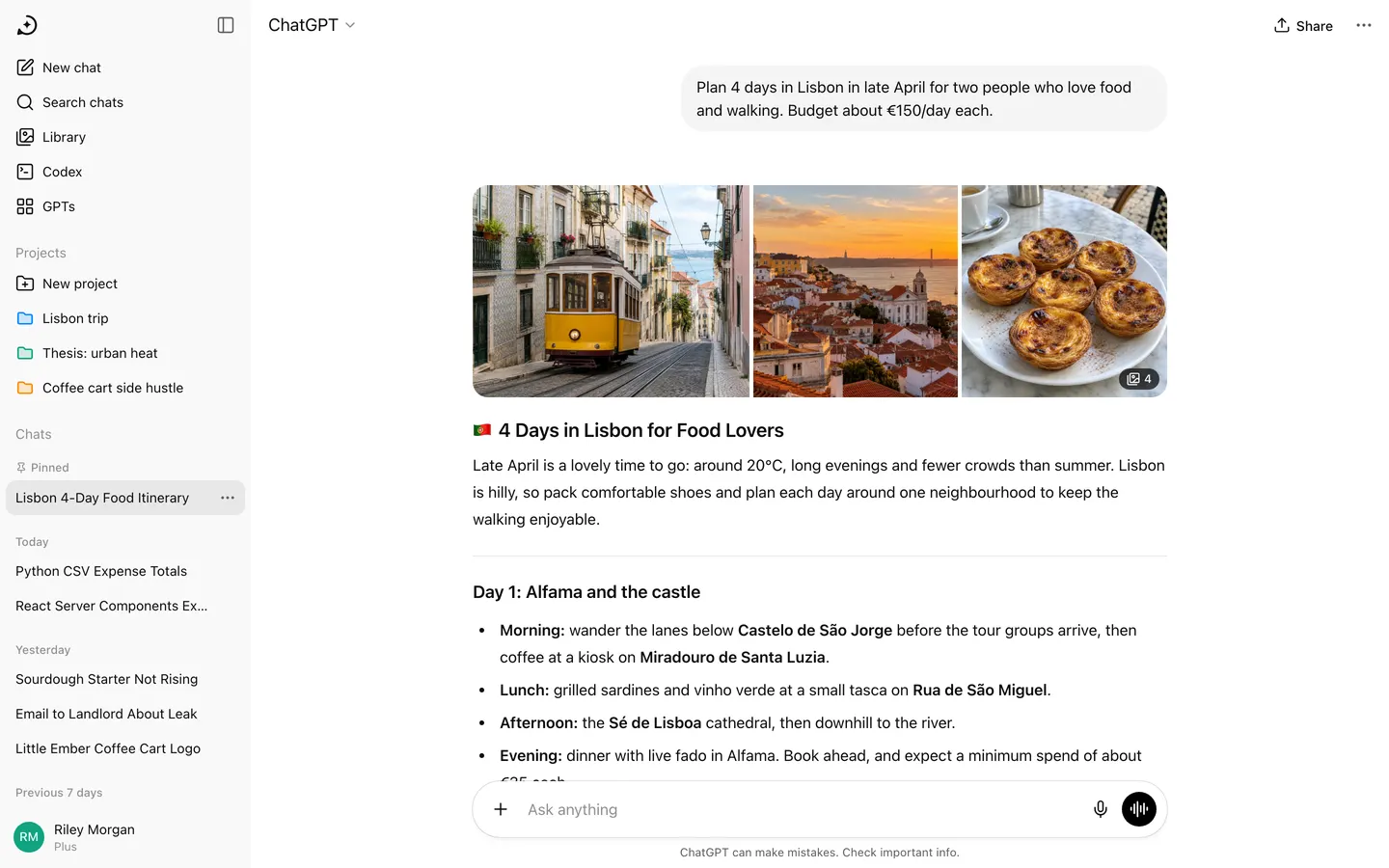
WebChatGPT's web app with a real AI inside: streamed answers, code blocks, image generation and PDF summaries.
- View template
Notion Clone
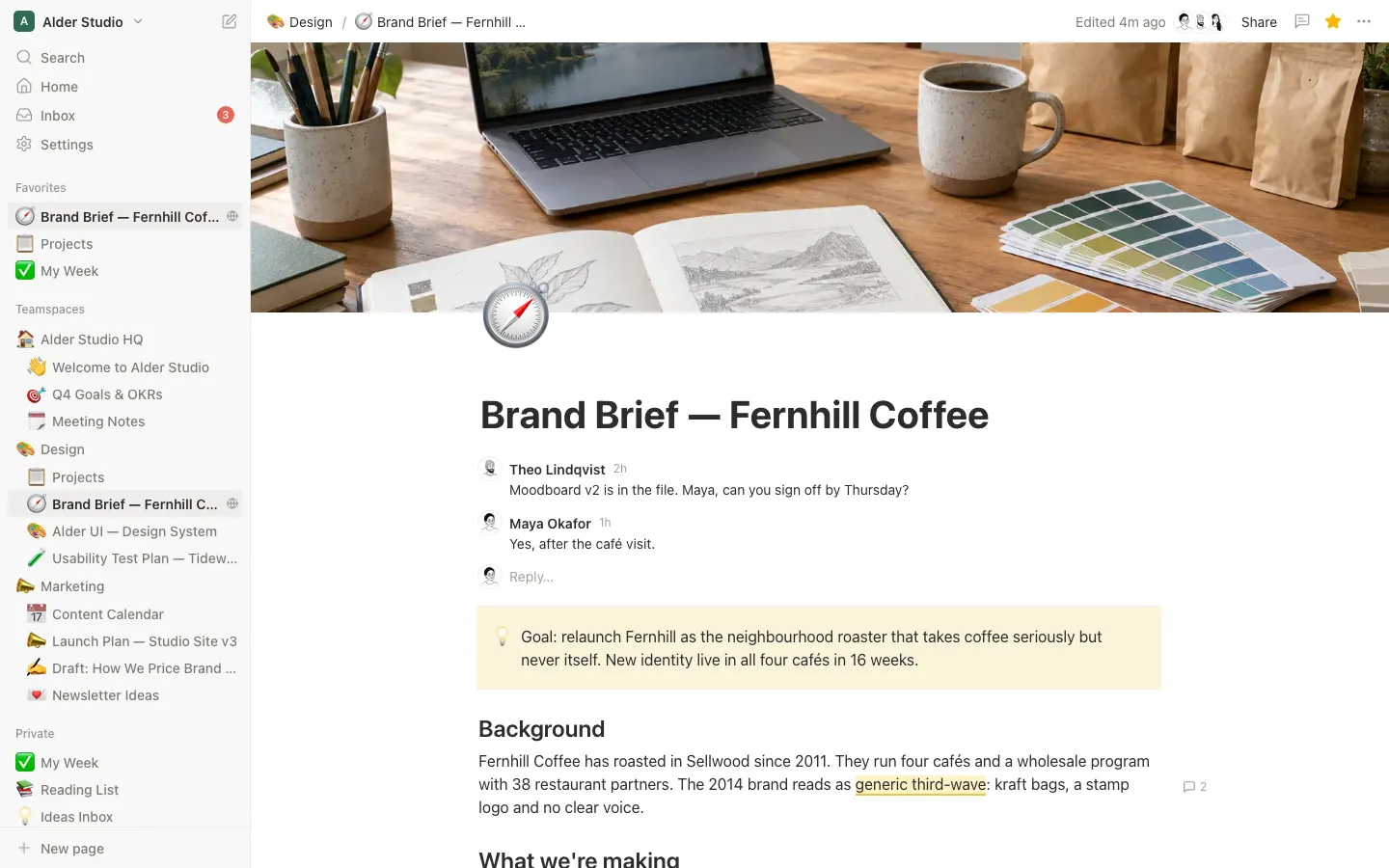
WebNotion with a working block editor, / menu, inline comments, page history and four live database views.
- View template
Ellipsus
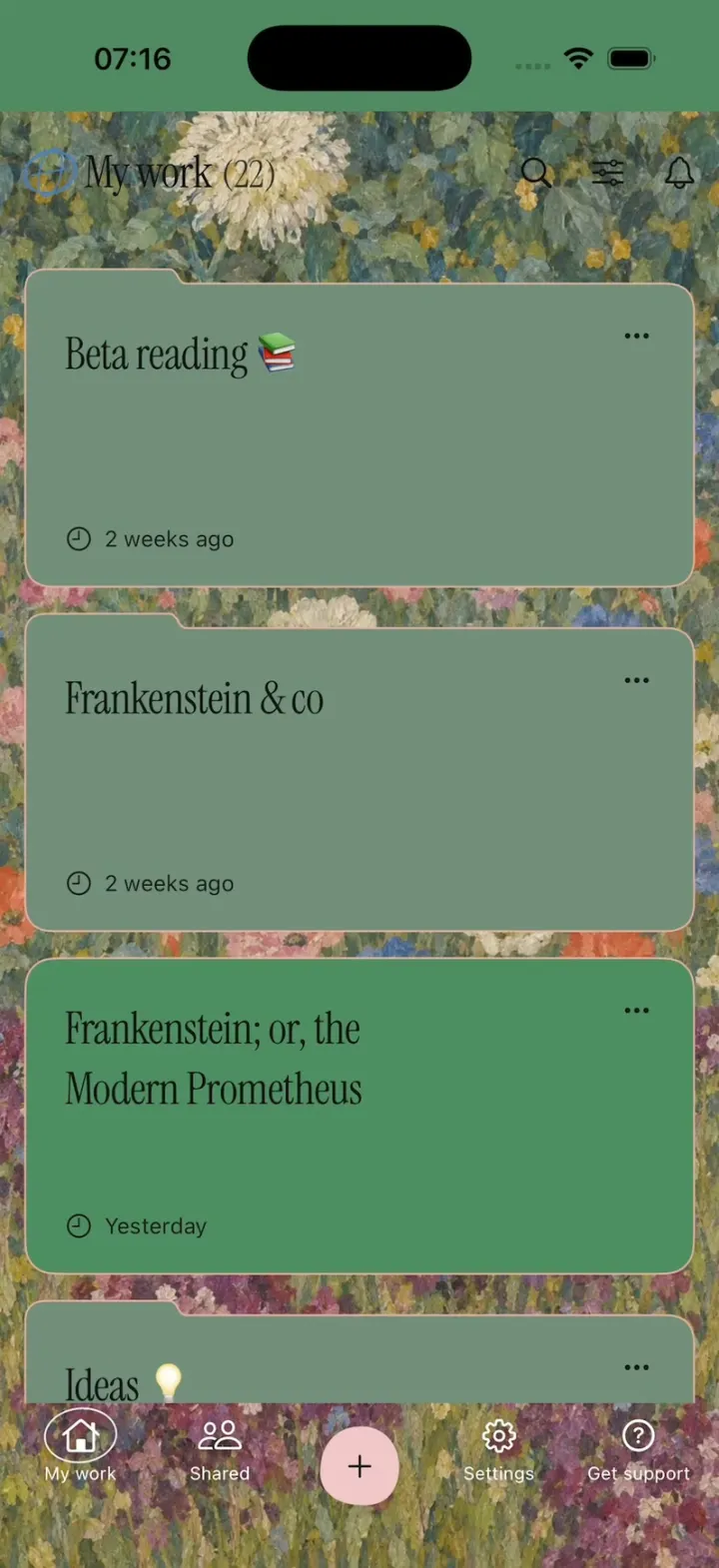
iOSEllipsus's new writing app: a painted My work home, live word count, GIF replies, red and green diffs, Merge.
- View template
Hermes Agent
iOSHermes Agent's iPhone app: a breathing Live Mode orb, routines to Discord, one-tap skills, a Midnight theme.