Hermes Agent
AI agent app · built by the Vibecode team
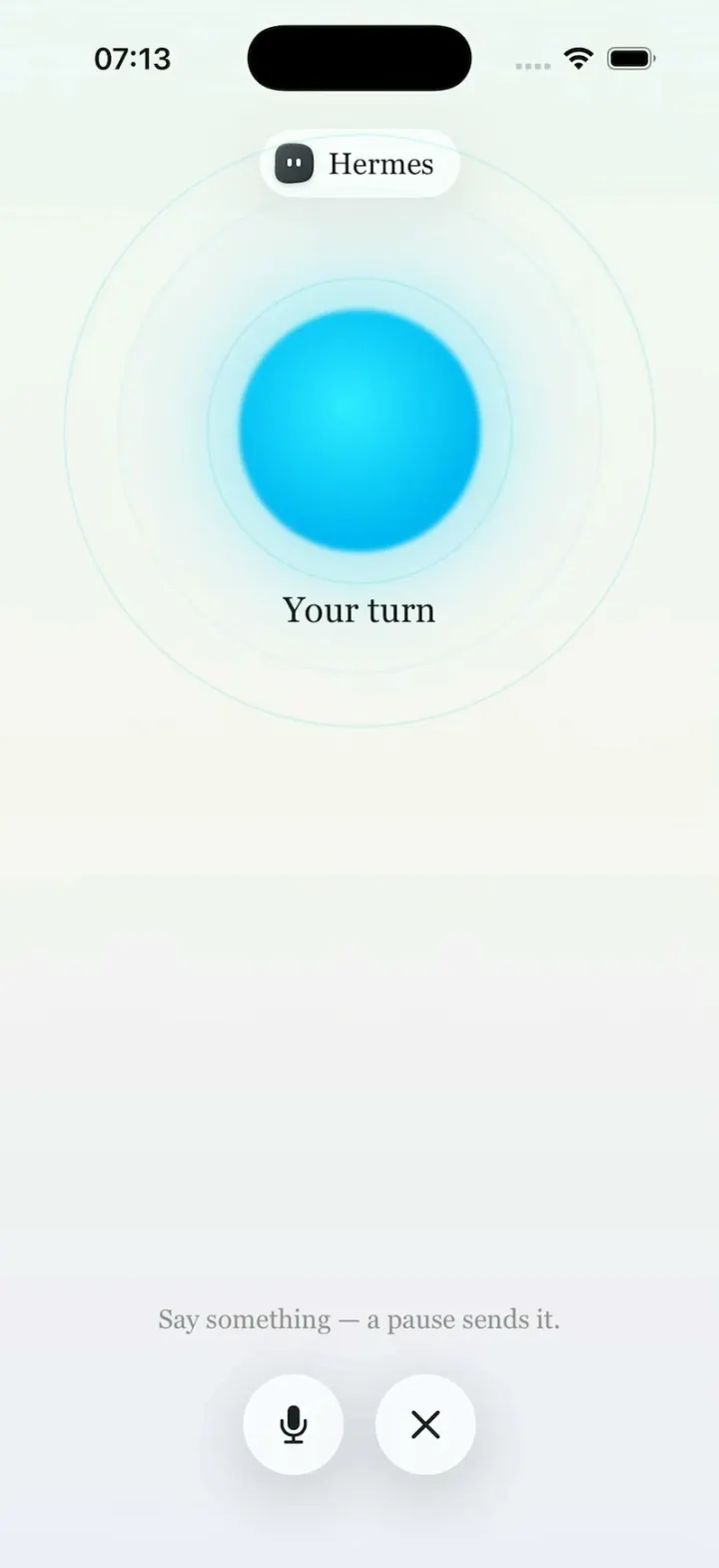
Hermes Agent rebuilds the new iPhone app for Nous Research's Hermes Agent in its Paper White look, set in Georgia with a teal accent. Long-press the clover for Live Mode, a glowing cyan orb that breathes and cycles through Listening, Thinking and Speaking. The Agent tab lists skills, connections, plugins, MCP, routines and Kanban: build a weekday 9:00 AM routine that delivers to Discord, install a skill in one tap for the green 'Installed agentmail.' toast, or scroll 50+ services to connect. Chats open sessions where the agent runs web_search, web_extract and write_file before answering. Look & Feel switches Light to Midnight, recolours the whole app with ten accent colours and picks from fifteen character app icons.
- iPhone · Swift
- Built in 2 prompts
- Free to remix
Remix copies the working app into your account for free, exactly as we built it. It runs in Vibecode's cloud iOS simulator, in your browser.
The prompt that builds it
We built Hermes Agent in 2 prompts. Here they are folded into one, so a single paste into a new app builds the finished version.
Prompt · 3,526 words
Clone the app shown in this post exactly: the official Hermes Agent iPhone app (Nous Research's mobile app for its Hermes Agent, just released in open beta), including its visual design, layout, interactions, animations, typography, spacing and all visible states. Make it functional and runnable in the simulator. Reference: https://x.com/HermesWatcher/status/2116621114969571509 ("The official Hermes Agent app is in open beta on iOS and Android. Chat with your agent and watch it work through its tools. Live Mode: talk to it out loud, a pause sends it. Routines on a schedule that deliver to Telegram, Discord, Slack or Teams. One-tap skill installs. Connect services like Shopify, Stripe, Notion, Linear and Slack. Plugins, MCP, projects, artifacts and a Kanban board. Usage and spend tracking. Terminal over SSH or Mosh, plus your agent's files and config. Light and dark themes, accent colors and custom app icons."). The brief below transcribes the whole 72-second launch film screen by screen; treat it as the source of truth.

Build a native SwiftUI iOS app named Hermes using Opus 5.5 (display name "Hermes"). Use the real Hermes Agent / Nous Research names and copy. The agent in the app is called "Hermes". Do NOT put a fake handset frame inside the app; the simulator provides that. Use realistic deterministic fixture data so every screen is rich without permissions or backend.

Observed video sequence (0-72 s):
0-2.7 s: "The Hermes Agent app is here." with the app icon (a black-and-white manga ink drawing of a girl with straight black bangs, shoulder-length black hair and a white headband).
3.3-4 s: the icon is tapped on the home screen and the app opens.
4-8.3 s: LIVE MODE: an agent pill at the top, a big glowing cyan orb that breathes inside a faint thin ring, "Your turn" under it, "Say something — a pause sends it." near the bottom, and two round glass buttons (mic, X).
8.3-14 s: "Just talk. A pause sends it." Live Mode in a hand; the status text changes ("Getting ready…" -> "Your turn").
14-22 s: "Your whole agent. Skills, plugins, routines, all of it." The AGENT tab: avatar + name, a dark "NOUS PORTAL / PAY AS YOU GO" banner, then grouped rows Model, Skills 53, Integrations (Connections, Plugins 54, MCP), Work (Projects, Routines …).
22-30 s: "Give it a routine. Every weekday. 9:00 AM." The New Routine sheet: frequency pills with Weekly selected, weekday circles M T W T F filled teal, S S empty, Time "9:00 AM".
30-34 s: "Send it to (Discord, Slack) Telegram and Teams too." New Routine scrolled down: Send to = Discord, Advanced, Create Routine.
34-38 s: "New skill? One tap." The Skills hub list with Install buttons; a finger taps Install and a green toast "Installed agentmail." slides in at the top.
38-42 s: "Plug it into your whole stack." The Connections list scrolls fast through dozens of services with Connect buttons.
42-49 s: "Terminal. Kanban. Usage. Toolsets. Even the YAML." Terminal empty state, Kanban New Task sheet, Usage charts, Toolsets toggles, Raw YAML editor.
49-55 s: "Light by day. Midnight by night." Look & Feel: Appearance is switched from Light to Dark and the whole app turns dark.
55-58.5 s: "Make it yours." Look & Feel in dark mode scrolls: Font (Georgia), Text Size slider, Accent Color grid with the cyan swatch selected (ring + check + glow), Loading Indicator tiles.
58.5-63 s: "Themes. Glow. Even the app icon." Look & Feel scrolls to the App Icon grid of cute character icons.

GLOBAL STYLE
- Typeface: Georgia everywhere (Font.custom("Georgia", size:) and "Georgia-Bold"; it ships with iOS). Screen titles 17-18 pt Georgia-Bold, row labels 16-17 pt Georgia, section headers 13 pt Georgia grey, descriptions 12-13 pt Georgia grey. Skill names are serif CAPS with 0.5 letter spacing. Numbers use Georgia too (old-style figures, like "9:00 AM").
- LIGHT theme ("Paper White"): canvas #F2F0E9 with a very soft warm gradient; cards #FAF9F5 with a 1 pt white top-highlight stroke, a hairline #E4E0D6 border and a soft shadow (y 4, radius 14, 6% black), corner radius 22. Primary text #1B1F1F, secondary #8B8D88. Default accent is teal: selected pills/circles fill #6BAAA3 with bold dark text #0F2E2B; toggles #3E8E87; Connect/Install buttons are small glass capsules with a pale mint fill #E3F0EC and dark teal text.
- DARK theme ("Midnight"): canvas #1E2425, cards #2B3233 with a 1 pt #3A4344 stroke, text #E7ECEC, secondary #8C9898, accent = the chosen accent color (cyan #3CCFE0 when Cyan is picked).
- Top bars are floating glass: use iOS 26 Liquid Glass (.glassEffect(.regular.interactive(), in: .capsule)) when available, else .ultraThinMaterial capsules with a white highlight stroke. Detail screens have a round glass back button (chevron.left) at the left and the title centered in Georgia-Bold.
- Sheets (New Routine, New Task, Look & Feel, Terminal) are large detents with a grabber, rounded 32 pt, over a dimmed blurred parent.
- Every top bar (the status bar, round back button and title row, the sheet headers, and the Agent and Chats tabs under their floating glass capsules) has a soft progressive backing in the current canvas colour: opaque behind the status bar and title row, then a ~24 pt gradient fade to clear, plus a light .ultraThinMaterial blur, so scrolling content fades out under the header instead of colliding with the title. It follows the theme (Paper White in light, Midnight in dark). On Connections the "Search services" field and the filter chips stay pinned under the title while the list scrolls.
- All state changes use springs (response ~0.4, damping ~0.8) and light haptics on taps.

APP STRUCTURE
Two root tabs switched from the top-left glass capsule, which holds two icons: a chat bubble (Chats) and a four-dot clover glyph (Agent); the selected one sits in a darker glass circle. The top-right glass capsule holds "+" (new chat) and a gear (App Settings). No bottom tab bar. The app launches on the Agent tab.

SCREEN 1 - AGENT tab ("Your whole agent")
- Centered avatar: an 84 pt dark charcoal (#3C4144) rounded "blob" (squircle with slightly irregular soft edges) with two small white vertical oval eyes. Below: "Hermes" (Georgia-Bold 22).
- Banner card (full width, 64 pt tall, radius 18): dark indigo #1B1F6B to #2A2F8F, with a faint engraved classical statue image on the right (generate it, see IMAGES), text "NOUS PORTAL" (thin light caps, letter-spaced) followed by a boxed tag "PAY AS YOU GO" (1 pt light border), chevron at the right.
- Card: "Model" (cpu icon) with right-aligned "GPT-6.1 Sol" and a tiny grey second line "ChatGPT or Codex Subscription", chevron; "Skills" (cube icon) "53" chevron.
- Header "Integrations", card: "Connections" (three-node icon), "Plugins" (puzzle icon) "54", "MCP" (plug icon).
- Header "Work", card: "Projects", "Routines", "Artifacts", "Kanban".
- Header "Agent", card: "Soul", "Memory", "Usage". Then a card "Advanced" (with "Toolsets" and "Raw YAML" inside it).
- Every row navigates to its screen. The rows press with a slight scale.

SCREEN 2 - CHATS tab (use the current theme)
- A list of agents with their latest sessions: a colored blob avatar, the agent name (Georgia-Bold), a status at the right ("Working 20d" in accent teal, or "3 weeks ago" grey), then 2 session titles with time stamps, then "N more sessions >". Agents: Hermes ("Yes—the audit and final report are f…", "Run bounded 14-day…"), developer, researcher, joovoice-setup, hermes-gpt-pm, test-watchdog, discoverability, finance, product, outreach, ops, design, writer.
- Bottom: a glass search field "Search agents and sessions" + a compose button.
- Tapping a session opens a CHAT: user bubble "Find the 3 most-discussed Hermes posts today and draft a summary", then the agent's turn with collapsible tool rows (glass chips with a spinner then a check: "web_search · hermes agent mobile app", "web_extract · 3 pages", "write_file · summary.md"), then the answer in Georgia. Composer at the bottom: "+" button, "Message Hermes…" field, mic, and a round accent "waveform" button that opens LIVE MODE.

SCREEN 3 - LIVE MODE (full-screen cover)
- Background: a soft pale gradient (#EEF6F3 top, #F5F5F1 middle, a faint lavender #EEEDF6 at the bottom).
- Top center: a glass capsule pill with a small dark blob avatar + "Hermes" (Georgia 17).
- Below it a 130 pt orb: radial gradient #2EEBFF center -> #00B8F2 edge with a soft cyan glow (blurred copy behind). It breathes (scale 0.94-1.06, 2.2 s ease-in-out loop) and a faint 1 pt cyan ring (radius ~165 pt, 30% opacity) slowly pulses outward and fades, continuously.
- Status text under the orb (Georgia 20): on open "Getting ready…" for 1.2 s, then "Your turn". Tapping the mic: "Listening…" (orb pulses faster with fake audio levels) for 2.5 s -> "Thinking…" (orb shrinks to 0.85 with a shimmer) 1.5 s -> "Speaking…" (orb wobbles) 2.5 s -> "Your turn".
- Near the bottom: "Say something — a pause sends it." (Georgia 15, grey), and two 56 pt round glass buttons side by side: mic.fill and xmark (closes Live Mode with a fade).
- Also reachable by long-pressing the clover tab icon.

SCREEN 4 - ROUTINES -> NEW ROUTINE
- Routines list: one existing routine card "Morning brief" ("Weekdays at 8:00 AM · Discord") and a glass "+" in the top bar that opens the NEW ROUTINE sheet.
- New Routine sheet, title "New Routine" (Georgia-Bold), then:
  - a name field, placeholder "Morning summary (optional)".
  - label "When", then a card: 6 capsule pills in a 3x2 grid: Daily, Weekly, Monthly / Repeat, Once, Custom. The sheet OPENS WITH DAILY selected. Selected pill = accent fill + bold text; others = white glass capsules with a hairline border.
  - When Weekly is tapped, an "On" row springs open: 7 circles M T W T F S S (40 pt). Tapping a circle toggles it: it fills accent teal with a little bounce (scale 1.15 -> 1). Initially none are selected.
  - "Time" row with a capsule "9:00 AM" at the right; tapping it opens a wheel time picker.
  - A small grey summary line that updates live: "Weekly on Mon, Tue, Wed, Thu, Fri at 9:00 AM" (or "Every day at 9:00 AM" for Daily).
  - label "What should it do?" and a text area, placeholder "Every morning, check the weather and my calendar and send me a short summary of the day…".
  - a card row "Send to" (paperplane icon) with a capsule menu at the right showing "Nowhere ⌃⌄". Its menu: Nowhere, Discord, Slack, Telegram, Teams (each with a small brand-colored glyph). Picking one updates the capsule ("Discord ⌃⌄"). Under it: "Results are always kept in the routine's history too." (grey 12).
  - a card row "Advanced" (sliders icon) with a chevron.
  - grey italic hint "This routine needs a prompt, a skill, or a script."
  - a wide "Create Routine" button (grey glass while the prompt is empty, accent when filled). Creating adds the routine to the list.

SCREEN 5 - SKILLS
- Title "Skills", a segmented glass control "Installed 53 · Hub". It opens on Hub.
- Hub: a list where each row has the skill name in serif CAPS (Georgia-Bold 15, letter-spaced), a 2-line grey description, a faint category word, and at the right a small glass capsule "⊕ Install" (arrow.down.circle + "Install"). Rows in this order: 3-STATEMENT-MODEL "Build integrated IS/BS/CF financial workbooks in Excel." (finance); ACCELERATE "Run PyTorch training across GPUs with minimal changes." (mlops); ACTUAL-SETUP "Set up Actual Computer (actual.inc) inference in Hermes." (devops); ADVERSARIAL-UX-TEST "Roleplay a hostile user to find and triage UX pain points." (design); AGENT-MERGE-CONFLICT-ARBITER "Neutral arbiter for merge conflicts between two agents." (engineering); AGENTMAIL "Give your agent its own inbox to send, receive and search email." (communication); AI-PRESENTER-VIDEO "Make a verified AI presenter video from script + image." (media); AIRTABLE "Airtable REST API via curl. Records CRUD, filters, upserts." (productivity); ANATOMY "Explain an idea as an interactive isometric machine figure." (creative); ANTIGRAVITY-CLI "Operate the Antigravity CLI (agy): plugins, auth, sandbox." (devtools); APPLE-NOTES; APPLE-REMINDERS; ARCHITECTURE-DIAGRAM; ARXIV; ASCII-ART; AUDIOCRAFT; BROWSER-USE; CALENDAR-SYNC (give each a plausible description).
- Tapping Install: the capsule shows a spinner for 0.4 s, then becomes "✓ Installed" (accent), and a GREEN TOAST slides down from under the status bar: a full-width capsule (#A9E8B8 fill, soft shadow) with a green #2DBA5A circle check and bold Georgia text "Installed <lowercase name>." (e.g. "Installed agentmail."). It stays 2.4 s and slides back up. The Installed count goes up by one.
- Installed tab: rows with a toggle on the right (AGENT-MAIL-SETUP, AIRTABLE, ANATOMY, APPLE-NOTES, APPLE-REMINDERS, ARCHITECTURE-DIAGRAM, ARXIV …).

SCREEN 6 - CONNECTIONS
- Title "Connections" with a grey "1 connected" at the right, a glass search field "Search services" (filters live), and a row of filter chips: All, Commerce, Communication, Data, Design, Developer, Files.
- Sections and rows (brand-colored rounded-square logo tile 36 pt, name in Georgia 16, 2-line grey description, a glass "Connect" capsule at the right; tapping it -> spinner 0.5 s -> "Connected" with check, accent fill, and the count goes up):
  This Device: Device Access "Let the agent use this phone's health, calendar, reminders, contacts and location." (already Connected).
  Commerce: Shopify "Manage products, orders, and customers"; Stripe "Read and manage customers, products, and payments".
  Communication: Discord Bot "Post and moderate in a server as a bot"; Resend "Send and manage transactional email"; SendGrid "Send email and manage templates"; Slack "Read and post messages, and search channels".
  Data and monitoring: Better Stack "Investigate monitors, incidents, and logs"; ClickHouse "Query ClickHouse Cloud data"; Datadog "Investigate metrics, logs, incidents, and dashboards"; Metabase "Run questions and read dashboards"; PostHog "Query product analytics and feature flags"; Semrush "Research keywords, domains, and competitors"; Sentry "Investigate issues, events, and releases".
  Design and media: Canva "Find, create, and edit designs"; Figma; Higgsfield.
  Developer: Adobe Marketing Agent, Ahrefs, Amplitude, Cashfree Payments, Clerk, ClickUp, Cloudflare "Manage zones, DNS, Workers, and more", Coinbase Agents "Use Coinbase Agents through Hermes", Coinbase Wallet "Use Coinbase Wallet through Hermes", Greptile, Linear, Memelord, Mintlify "Search and read product documentation", Neon "Manage Postgres projects and branches", Plaid, Pylon, Railway, Ramp, Statsig, Supabase, Todoist, Turso, Vercel, Wope Flow.
  Files and docs: Airtable, Box, Dropbox, Google Drive, Notion.
- Draw each logo as a simple brand-like mark in SwiftUI (brand color tile + white glyph/letter or SF Symbol; Slack = four colored rounded bars; Discord = #5865F2 tile with a white controller-face glyph; Stripe = #635BFF tile with "S"; Shopify = #95BF47 with bag.fill; Datadog = purple with pawprint.fill; ClickHouse = black with yellow vertical bars; Canva = cyan-to-violet gradient circle with "C"). The list must be long (50+ rows) so it scrolls for a while.

SCREEN 7 - WORK + AGENT detail screens
- Terminal (sheet from Projects or Advanced): path rows "Hermes · Hermes" and "/opt/data", empty state terminal icon, "Connect a Terminal", "Add SSH or Mosh access to Hermes to open a terminal in this chat's working folder.", accent capsule "+ Add SSH or Mosh".
- Kanban: board "Default ⌄" with stage tabs TRIAGE · TODO · SCHEDULED · READY · BLOCKED · DONE, a few task cards, "+" opens NEW TASK sheet: avatar + "Hermes", card "Let the dispatcher choose" (toggle ON, "Leaves the task unassigned for the dispatcher to route."), "What should happen?" (placeholder "Ship the onboarding redesign"), "Brief" ("Context, constraints, and what done looks like (optional)"), "Stage" pills Triage (selected) / Todo / Ready / Blocked / Done, and an "Add Task" button.
- Usage: title "Usage", capsule "30D" at the right. "Overview" card: a flat teal line chart with a sharp spike near the end, x labels Oct 3, Oct 11, Oct 19, Oct 27; "AVG / DAY $0.26", "PEAK Oct 30 · $0.52". Stats card: SESSIONS 5, API CALLS 109, PER SESSION $0.10, PER 1M TOKENS $0.12. "Volume" card: TOKENS "4.5M" "Last 30 days · 109 calls", a second spike chart, a stacked bar, legend Input 259K 6%, Output 30K 1%, Cache read 4.2M 93%, Reasoning 14K 0%. Animate the line drawing in on appear.
- Toolsets: "Profile capabilities 27", dotted leader rows "ENABLED …… 20", "READY …… 27", then "Toolsets" rows with toggles and a green "READY" tag: Web Search & Scraping (web_search, web_extract · CLI · 2 tools), Browser Automation (navigate, click, type, scroll · CLI · 14 tools), Terminal & Processes (terminal, process · CLI · 2 tools), File Operations (read, write, patch, search · CLI · 4 tools), Code Execution (execute_code), Vision / Image Analysis (vision_analyze), Video Analysis (OFF, "video_analyze (requires video-capable model)"), Image Generation (image_generate), Video Generation (OFF).
- Raw YAML: segmented "Form | Raw YAML", path "/opt/data/config.yaml", a monospaced editor with a realistic commented Hermes config (database: journal_mode: wal …, model: provider …, toolsets: …), "✓ Save" button.
- Plugins (54 rows with toggles), MCP (servers JOOVOICE http, NEXUS stdio, REA stdio, TYPEFULLY http, VERCEL http with toggles), Projects, Artifacts, Soul (description card), Memory (stored memory sizes) can be simple but real-looking.

SCREEN 8 - APP SETTINGS -> LOOK & FEEL
- Gear -> "App Settings": the same Nous Portal banner, then rows Instances 1, Security Off, Caching On, Look & Feel Automatic, Chat Bubbles, Notifications, Contact, Documentation. "Look & Feel" opens as a sheet.
- Look & Feel sheet, title "Look & Feel", sections (each a card with a small icon + title):
  - "Appearance": 3 tiles with "Aa": Automatic (diagonal half dark/half light), Light (paper tile, accent border when selected), Dark (navy #1C2340 tile). Caption "Whether the app follows the system setting or stays in light or dark mode."
  - "Light Canvas": White and Paper White tiles (Paper White selected). Caption "The paper the app is printed on while it is in light mode."
  - "Font": a menu "Georgia ⌃⌄", "Traditional serif", sample "A clear view of your conversations.", caption "Sets the typeface for interface labels, navigation, and conversations throughout the app."
  - "Text Size": "Extra Small" and a slider with small "A" and big "A" at the ends (thumb at 1/3), caption "The first step follows your iPhone text size. Drag to choose an app-wide override."
  - "Accent Color": 10 circles (34 pt) in 2 rows: blue #4C7CF0, azure #1E90FF, periwinkle #8A93F5, cyan #3CCFE0, green #4ADE80 / yellow #F5D547, orange #F9A23C, coral #F26D6D, pink #F28FD0, and a rainbow (angular gradient). The selected one gets a 3 pt ring in its own color, a white checkmark and a soft glow. Tapping changes the accent across the whole app with a spring. Caption "Used for links, loaders, and other emphasized controls throughout the app."
  - "Loading Indicator": a row of 5 animated dot-matrix tiles (5x5 tiny squares lighting up in patterns) and a row of 5 animated glowing orb tiles, in the accent color; one is selected.
  - "App Icon", subheader "Single Characters": a 3-column grid of 15 character icons, each a 56 pt dark rounded-square tile (#3A4243 in dark, #EDEBE4 in light) holding a glossy, softly 3D character with two small dark eyes, its name below (Georgia 12) and a radio circle under the name: Lagoon (teal blob), Sky Ghost (light blue ghost), Citrus Sun (orange spiky sun), Dusk Bloom (lilac-pink flower), Candy Heart (lavender heart), Mint Clover (green four-leaf clover), Golden Tri (yellow rounded triangle), Twilight Drop (blue-violet drop), Coral Pebble (coral pebble), Violet Quad (violet rounded square), Rose Pear (pink pear), Cloud Nine (cyan cloud), Ink Ghost (black ghost), Chalk Heart (white heart), Silver Bloom (silver flower). Draw them in SwiftUI with gradient fills, a white specular highlight and a soft inner shadow. Then a second subheader "Character Lineups" with 6 more tiles showing 2-3 small characters together. Tapping one fills its radio with the accent color and shows a small "Icon set to <name>" toast (do not call setAlternateIconName, so no system alert appears).
- Tapping Dark: the WHOLE app (this sheet and the screens behind it) cross-fades to the Midnight theme in ~0.5 s. Light/Automatic switch back.
- Save the appearance, accent, and app icon choices in @AppStorage. A fresh install starts in Light with the teal accent.

IMAGES: generate with gpt-image-2.5-flare. Run env and use the project's proxied OPENAI_API_KEY with https://api.openai.com/v1/images/generations, save into the asset catalog. Needed: (1) the APP ICON: a black-and-white manga ink illustration of a girl with straight blunt black bangs, shoulder-length straight black hair and a thin white headband, three-quarter view, on a white background, bold clean ink lines, square, no text; set it as the AppIcon; (2) the Nous Portal banner art: a monochrome blue engraving of a classical marble statue head on a dark indigo background, high contrast, wide 3:1.

Build it in small source files (design system and fixtures, then the Agent tab, Live Mode, Chats and the chat screen, Routines, Skills, Connections, the Work and Agent detail screens, and App Settings with Look & Feel), and keep SwiftUI types simple and split complex view bodies. Build fully, run compile/build validation, resolve all errors, and launch in the web simulator on an iPhone. Prioritize fidelity to the reference and these interactions: Live Mode's breathing orb and status changes, the New Routine pills (Daily -> Weekly, weekday circles filling, Send to -> Discord), one-tap skill Install with the green "Installed agentmail." toast, the long Connections list, the Light -> Dark switch, accent colors and the App Icon grid. Deliver the complete implementation rather than a plan.
More templates
All templates- View template
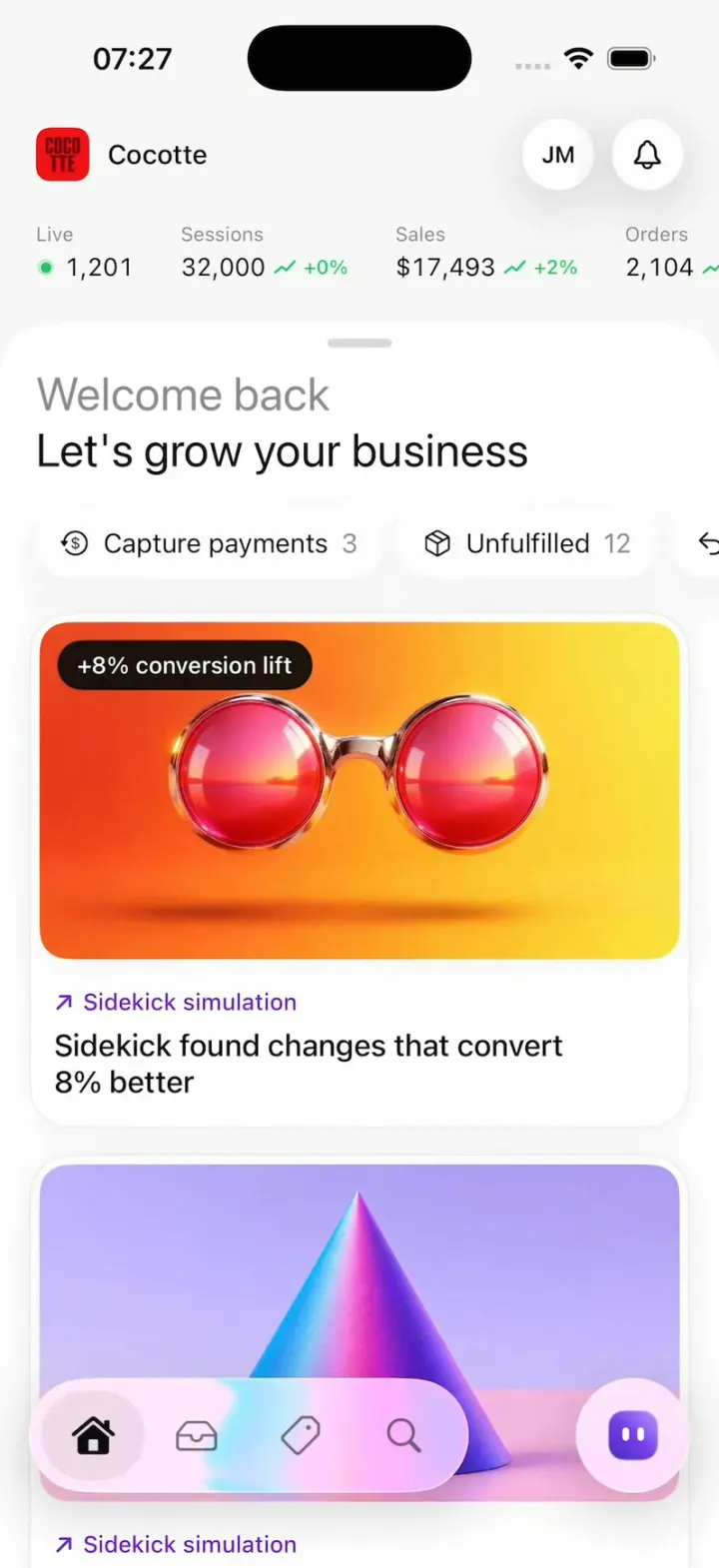
Shopify Admin
iOSShopify's rebuilt app: drag down for sales, tap morphing risk pills and buttons, catch first-order coins.
- View template
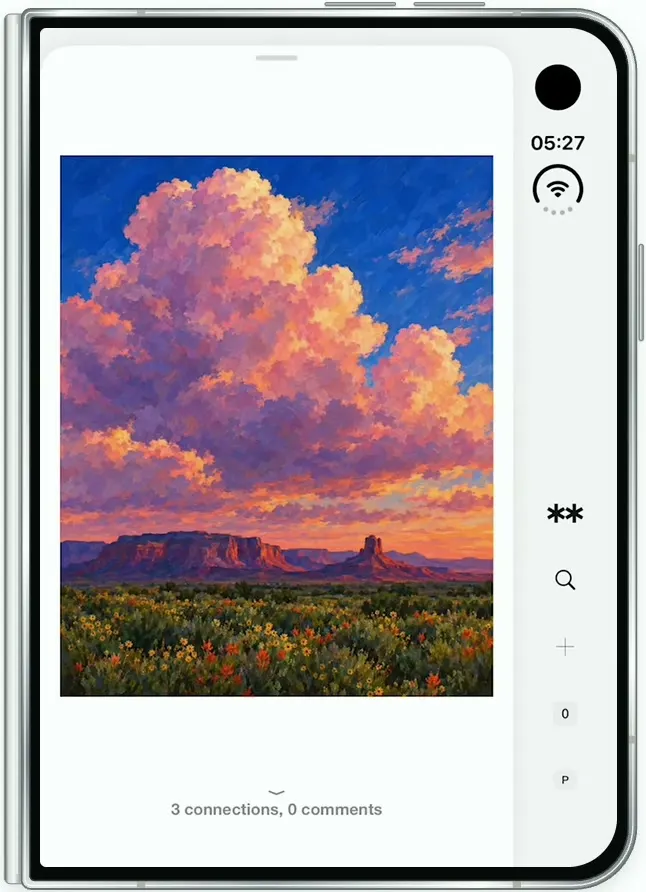
Are.na
iOSAre.na on the folded iPhone Duo: channels of art, a swipeable block viewer, full-screen images and details.
- View template
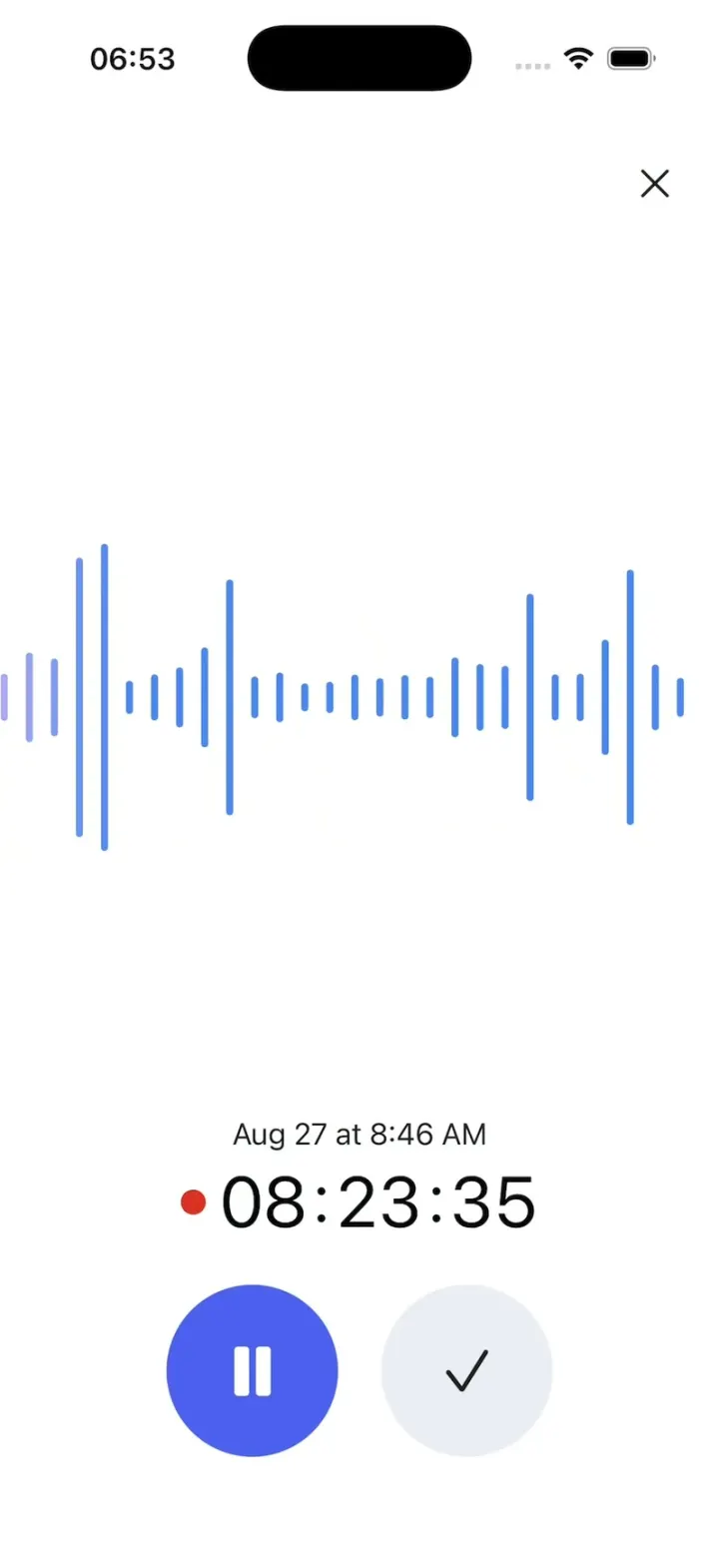
Gemini Notebook
iOSRecord a lecture with a live waveform, then ask it anything and get answers cited back to the transcript.
- View template
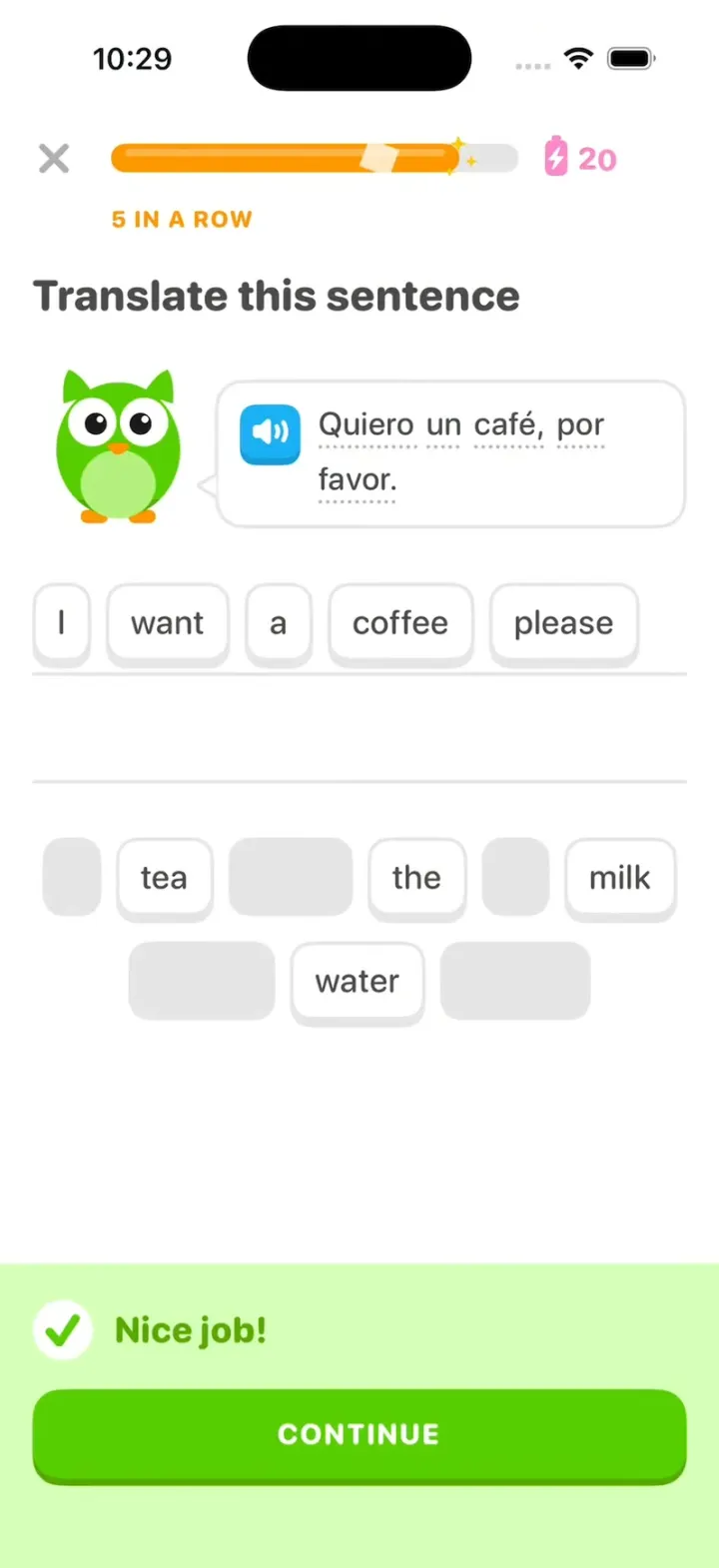
Duolingo Clone
iOSDuolingo with its real look: word chips fly to the line, "Nice job!" slides up and your streak rolls to 28.