Ellipsus
Writing app · from our videos on X
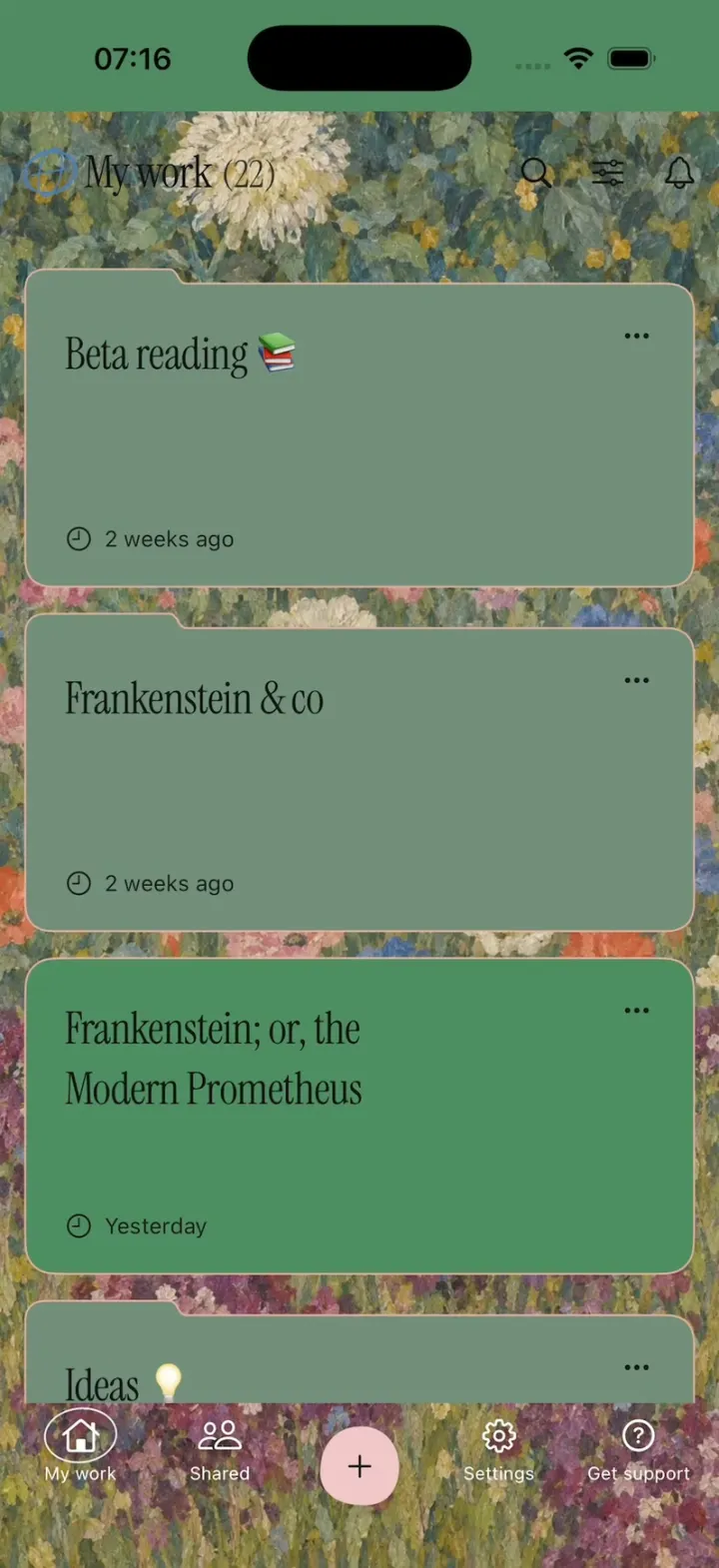
Ellipsus rebuilds the collaborative writing app's new iPhone app, with its real names and look: folder-shaped cards over a painted flower garden under "My work (22)", a cream Paper editor with teal tools and a live word count, and a deep teal Midnight theme. Open Frankenstein, slide in the side panel and scroll Lord Byron's comment thread down to Percy Shelley's "NO" GIF. Compare changes shows deleted words as crimson bars and added words in green; Merge pops the "Merge draft?" dialog, resolves every highlight and toasts "Draft merged". Share opens the story as a reader page on ellipsus.com with comments and claps, and the pink + makes a new document from the teal sheet.
- iPhone · Swift
- Built in 1 prompt
- Free to remix
Remix copies the working app into your account for free, exactly as we built it. It runs in Vibecode's cloud iOS simulator, in your browser.
Watch the video on X@ios_app_builder · Nov 3, 2026The prompt that builds it
We built Ellipsus in one prompt. Paste it into a new app to build your own copy, or change it first.
Prompt · 2,346 words
[image attached][image attached][image attached][image attached][image attached][image attached][image attached][image attached][image attached][image attached][image attached][image attached][image attached]
Clone the Ellipsus iOS app shown in this post exactly, including its visual design, layout, interactions, animations, typography, spacing, and all visible states. Make it functional and runnable in the simulator. Match the reference as closely as possible and include every interaction shown in the source. Reference: https://x.com/ellipsus_writes/status/2117286035462017450 (Ellipsus's own 40-second iOS launch film). The attached screenshots are phone-screen crops of that film, in order (00-12). Read every one of them before writing code; they are the source of truth for layout, colours and copy.

Build a native SwiftUI iOS app named Ellipsus using Opus 5.5. Ellipsus is a collaborative writing app for writers (documents, drafts, comments, compare/merge, sharing, offline), demonstrated on an iPhone. Do NOT put a fake handset frame inside the actual app; the simulator provides that. Use realistic deterministic fixture data so every screen is rich and usable without permissions, accounts or a backend. Do not publish externally.

Observed video sequence (0-40 s):
- 1.9-5.6 s WRITE (screenshot 00): the "Paper" editor (cream page, teal accents) with the keyboard up; the writer types "The red light blinded me. It was to be a hot hot day. I went by round the well." at the end of the story and the word count in the top bar reads 381 words.
- 5.6-7.7 s COLLABORATE (01, 02): the same app in its dark teal "Midnight" theme on the Frankenstein document; a right-hand panel shows menu rows Format / Outline / Find and replace above a comment thread ("6 / 6", "View all"); the thread scrolls up to reveal Percy Shelley's GIF reply (a cartoon rabbit with pursed lips and a big white "NO"), with a "Reply..." field at the bottom.
- 7.7-9.0 s EDIT (03, 04): "Compare changes" view of the draft. It scrolls quickly from the title "The Monster Awakes!" and "Letter 1" down into the body, where deleted words are solid crimson-red blocks and added words are green text on a dark green tint.
- 9.0-11.4 s (05): tapping the bottom "Merge" button pops a "Merge draft?" dialog over the compare view.
- 11.4-13.4 s SHARE (06): the shared reader page (opened from the app, Safari-style view) "The Monster Awakes!" / "Letter 1" scrolls up.
- 15.8-17.7 s (07): close-up of the home screen header "My work (22)" over a painted flower garden, first card "Beta reading 📚" "2 weeks ago".
- 19.8-23.2 s NAVIGATE (08, 09): the home screen "My work (22)" scrolls through its folder cards; then the pink "+" in the bottom bar opens a teal sheet (10) with DOCUMENTS and FOLDERS actions.
- 23.2-25.8 s OFFLINE (11): tapping "Blank document" shows the "Create new document" modal with "Untitled" pre-selected and the keyboard up; the writer types "Sketch for a story" over it.
- 35.3-40 s (12): the editor in the plain white theme on "Chapter 5" with a Drafts popover listing draft cards (one tagged "MERGED").

Fonts: body text everywhere is a bookish serif (use the iOS built-in "Iowan Old Style", regular, ~17pt, line spacing ~1.45, first-line paragraph indents). Big titles ("My work", "Compare changes", "The Monster Awakes!", "Letter 1", "Beta reading", card titles) use a light, high-contrast display serif: download Instrument Serif (OFL, Google Fonts) into the workspace and bundle it; if that fails, use "Didot"/"Bodoni 72" from iOS. "Merge draft?" uses the display serif at ~40pt with a thin hand-drawn swash underline under "draft?". UI labels, buttons and small meta text use the system sans (SF Pro).

SCREEN 1: HOME "My work" (screenshots 07, 08, 09). This is the launch screen.
- Full-screen background: a painted Klimt-style flower garden (dense dabs of sage green, teal, cream, yellow, coral and violet flowers). Generate it with gpt-image-2.5-flare (run env and use the project's proxied OPENAI_API_KEY with https://api.openai.com/v1/images/generations; save into the workspace assets). Status-bar area tint #518964.
- Header row: a small globe/logo glyph, then "My work" in the display serif ~34pt and "(22)" in a lighter weight, right side: magnifier, sliders icon, bell.
- Vertical list of folder-shaped cards (a rounded rectangle with a small raised tab on its top-left edge, like a file folder), sage green #728E7B at ~92% opacity with a thin lighter top edge, 16pt corner radius, ~170pt tall, 14pt gaps, 16pt side margins. Title in the display serif ~24pt top-left, "..." top-right, bottom-left a clock icon + relative time in small sans. Cards in order:
  1. "Beta reading 📚" - "2 weeks ago"
  2. "Frankenstein & co" - "2 weeks ago"
  3. "Ideas 💡" - "6 months ago"
  4. "Terra, Chronicles of Earth" - "3 hours ago", a branch icon with "2", and two overlapping round avatars bottom-right
  5. "Frankenstein; or, the Modern Prometheus" - "Yesterday"
  6. "Letters to Mrs. Saville" - "3 weeks ago"
  7. "Poems (unsorted) 🌙" - "1 month ago"
- Bottom bar floating over the painting: icons with tiny labels "My work", "Shared", a centred raised pink (#F3C6C9) circle with a dark "+", "Settings", "Get support".
- Tap card 4 opens SCREEN 2. Tap card 5 opens SCREEN 3. Other cards open SCREEN 2 with their own title and a few paragraphs.
- Tap "+" slides up the TEAL SHEET (screenshot 10): background #7CCFC8, grabber at the top, section label "DOCUMENTS" then rows with line icons: "Blank document", "From template", "Import Markdown (.md)", "Import DOCX (.docx)"; a divider; "FOLDERS" then "New folder". Spring animation up, the home dims behind it.
- Tap "Blank document" closes the sheet and shows the CREATE NEW DOCUMENT modal (screenshot 11) centred in the upper half: a teal card (#7CCFC8) with a darker sage header strip (file icon + "Create new document" + "×"), "Document name*" label and a field holding "Untitled" with the whole word selected (blue selection), "Description" label and a tall field with placeholder "Write a description...", bottom row "Cancel" (plain) and "Create" (filled muted teal #5FA9A5, white text). The name field is focused immediately so the keyboard is up; typing replaces the selected "Untitled" (e.g. "Sketch for a story"). "Create" opens a blank SCREEN 2 with that title; "Cancel" closes.
- Long-press the "My work" title = DEMO RESET: return every screen to its first state (typed text removed, word count back, comments scrolled to the top, merge undone, sheets closed) and stay on home.

SCREEN 2: PAPER EDITOR (screenshot 00) for "Terra, Chronicles of Earth".
- Status-bar band and top bar: teal #7BC5C4 behind the status bar; under it the cream bar (#F2EAD3): left a hamburger "☰" and a small round logo badge (teal circle); right "381 words" (live count, small sans), an hourglass icon, a bell, and a sidebar icon. A thin divider.
- Formatting toolbar row (cream): undo arrow, a gap, then three square teal (#7CC7C0) buttons with dark icons (a "T" text style, an image, a table), then "T" with an underline and a highlighter pen icon, row scrolls horizontally.
- Page: cream #F3EBD4 with dark ink text #2B2B2B, 20pt margins, the serif body. Fixture text (the story continues above; open scrolled to the end):
  "...no."
  "Another groan —this time in abeyance. Sweeping my feet out from under the tartan, I started up. Mother watched me. Groggy, with mother's eyes on me, I shuffled lightly, towards the the thin triangle of light outside our datcha."
  then an empty new paragraph with the caret.
- Tapping the page (or opening the screen) focuses the text at the end and raises the keyboard. Real typing works and the word count updates live; make the starting count 363 so that after typing "The red light blinded me. It was to be a hot hot day. I went by round the well." it reads 381 words. Use a UITextView-backed editor so the caret, autocorrect bar and keyboard behave natively.
- "☰" opens a small menu with "My work" (back home), "Share", "Theme: Paper / Midnight / Light".

SCREEN 3: MIDNIGHT EDITOR + PANEL (screenshots 01, 02) for "Frankenstein; or, the Modern Prometheus".
- Theme background #0B415B (deep teal-blue), text #E6EEF0. Top bar: "☰", round logo badge; right: sidebar icon and gear. Toolbar: undo, redo, divider, "T". Title "The Monster Awakes!" in the display serif ~30pt, then "Letter 1" and Walton's first letter as the body (use the real public-domain text of Frankenstein, Letter 1, from "To Mrs. Saville, England." / "St. Petersburgh, Dec. 11th, 17—." / "You will rejoice to hear that no disaster has accompanied the commencement of an enterprise which you have regarded with such evil forebodings..." through at least 6 paragraphs).
- The sidebar icon toggles a RIGHT PANEL that slides in from the right edge (~62% of the screen width, slightly lighter teal #0F4E6B with a soft left shadow), with:
  - menu rows, each with a rounded teal icon tile, label and chevron: "Format", "Outline", "Find and replace", "Drafts", "Compare changes".
  - a comment navigator row: "←  6 / 6  →" and "View all".
  - the comment thread (scrollable): a card with a small header "QUOTED TEXT MISSING" (tiny caps); avatar (painted portrait) "Lord Byron" "6 days ago", a check-circle and "..."; text "Perhaps a tad too much description?"; a quoted box "This breeze, which has traveled from the regions t..." with a "+" and the note "Deleted from document." Then a reply: avatar "Percy Shelley" "6 days ago" "...", an image reply (the GIF: a cartoon grey rabbit with half-closed eyes and big pursed red lips, a bold white "NO" bottom-left, pink background; generate it with gpt-image-2.5-flare and give it a subtle looping zoom so it reads as a GIF), then the text "Have to disagree with you Byron". More replies below: "Mary Shelley" "5 days ago" "Boys. The breeze stays." and "Lord Byron" "5 days ago" "Fine. But the frost goes."
  - pinned at the bottom: a "Reply..." text field with a light outline.
- When the panel opens, the thread starts scrolled so that Lord Byron's comment is at the top and only the top of the GIF shows; a normal upward swipe on the thread scrolls the GIF fully into view (screenshot 02).
- Panel row "Compare changes" (or "Drafts") opens SCREEN 4 with a crossfade.
- "☰" opens the same small menu as SCREEN 2, whose "Share" opens SCREEN 5.

SCREEN 4: COMPARE CHANGES (screenshots 03, 04, 05).
- Background #0F141C (near-black navy), text #D9DCE0. Top bar: "←" left, "Compare changes" centred in the display serif ~22pt, a lock icon in a thin circle on the right. Segmented tabs below as plain text "Active draft" and "Main + changes" (selected tab brighter with a thin underline). A doc row: file icon + "Frankenstein; or, the Modern Prometh..." truncated + a small outlined badge "MAIN + CHANGES". Thin dividers.
- Body: "The Monster Awakes!" title, "Letter 1", "To Mrs. Saville, England.", "St. Petersburgh, Dec. 11th, 17—.", then the Letter 1 paragraphs. In the "Main + changes" tab, inside paragraphs 3-5, about 12 phrases are marked: deleted words drawn as solid crimson blocks (#8E1530 background, text same colour so they read as red bars) and added words in green text (#6BD38A) on a dark green tint (#1E3B2A), e.g. added "fervent and", "more", "delight", "every"; deleted phrases next to them. Switching tabs morphs between versions: changed words fade/blur in place with a staggered 0.4 s animation (red blocks shrink away, green words grow in).
- Bottom: a full-width crimson (#A3124A) rounded button with a branch-merge icon and "Merge", floating above the text.
- Tap "Merge": the MERGE DRAFT dialog (screenshot 05) pops in with a spring scale from 0.92 + fade, over a dimmed compare view: dark card #12171F with a hairline border, "×" top-right, a centred thin-line branch icon (two small circles joined), "Merge draft?" in the display serif with the hand-drawn swash under "draft?", body in sans centred: "Merging will update your document with the text from the current draft. Merged drafts will be closed, but you can always view them in the editor.", buttons "Cancel" (outlined, white text) and "Merge" (filled crimson #B0164F). "Merge" closes the dialog, plays the morph so all highlights resolve into clean text, and shows a toast "Draft merged" before returning to SCREEN 3; "Cancel"/"×" closes.

SCREEN 5: SHARE READER (screenshot 06).
- A light warm page #FBEED9 like a shared web page: top-left breadcrumb "◀ Ellipsus" under the status bar, title "The Monster Awakes!" (display serif ~30pt, centred), then "Letter 1" (bold serif, centred), "To Mrs. Saville, England." (italic, centred), "St. Petersburgh, Dec. 11th, 17—." (italic, right-aligned), then the body paragraphs, justified serif.
- Bottom: a translucent cream bar (#EFE0BE) with a comment bubble "2 ˅" on the left and a clapping-hands icon "73" on the right; below it a Safari-style bottom toolbar: back chevron, a pill showing a reader icon + "ellipsus.com" + reload, and "...". Scrolls natively; "◀ Ellipsus" returns to SCREEN 3.

SCREEN 6 (lower priority): LIGHT EDITOR + DRAFTS (screenshot 12). From the ☰ menu "Theme: Light": white page, top bar copy icon + logo badge, "2654 words", hourglass, bell with a red dot, "☰"; toolbar undo, redo, "T", highlighter, B, I, U; heading "Chapter 5" and the body "It was on a dreary night of November that I beheld the accomplishment of my toils..." (real public-domain text). The copy icon opens a DRAFTS popover of stacked white cards (title, "...", avatars, relative time), the last tagged with an outlined "MERGED" badge.

Interactions everywhere: native spring animations and gestures, smooth scroll, no static screenshots. Back arrows and "My work" return home. Keep the status bar visible (dark content on light screens, light on dark).

Keep every file you create inside /home/user/workspace (fonts, generated images, scripts): tool access to /tmp and other paths outside the workspace is denied in this sandbox.

Build fully, run compile/build validation, resolve all errors, and launch in the web simulator on an iPhone. Prioritize fidelity to the attached screenshots and the functional main flow: home -> Terra (typing), home -> Frankenstein -> panel comments -> Compare changes -> Merge draft?, Share reader, + sheet -> Create new document. Deliver the complete implementation rather than a plan.
More templates
All templates- View template
Hermes Agent
iOSHermes Agent's iPhone app: a breathing Live Mode orb, routines to Discord, one-tap skills, a Midnight theme.
- View template
Shopify Admin
iOSShopify's rebuilt app: drag down for sales, tap morphing risk pills and buttons, catch first-order coins.
- View template
Are.na
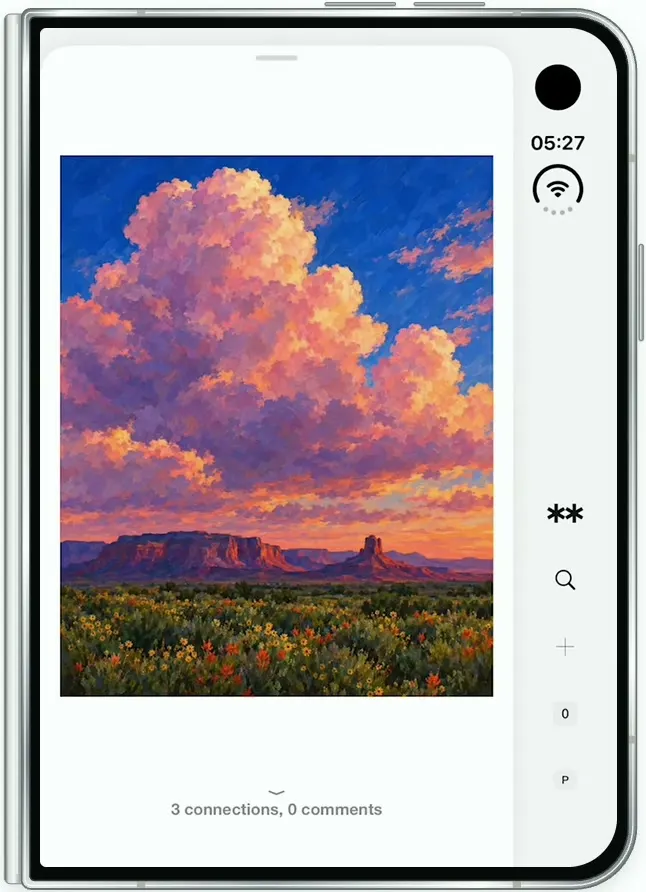
iOSAre.na on the folded iPhone Duo: channels of art, a swipeable block viewer, full-screen images and details.
- View template
Gemini Notebook
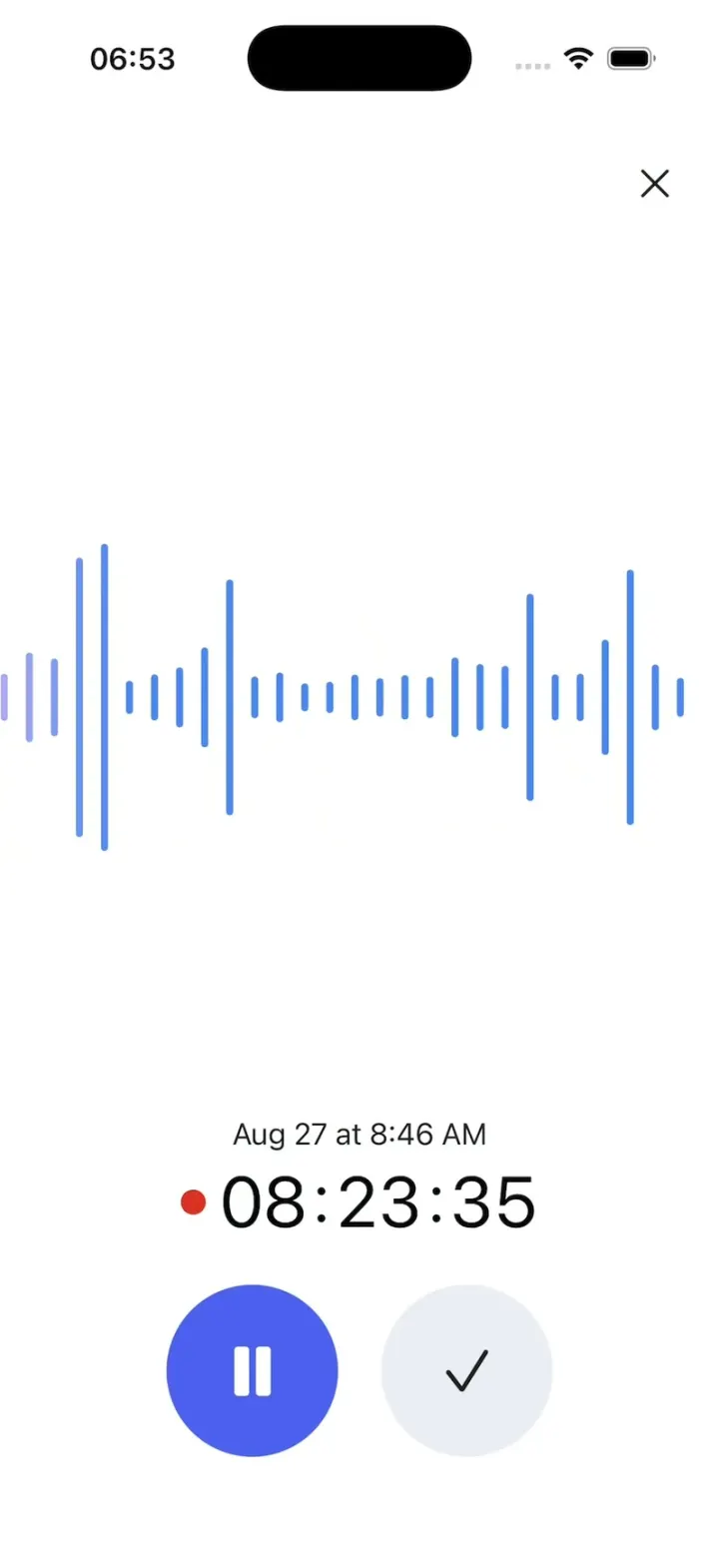
iOSRecord a lecture with a live waveform, then ask it anything and get answers cited back to the transcript.