Glass Intro
Design app · from our videos on X
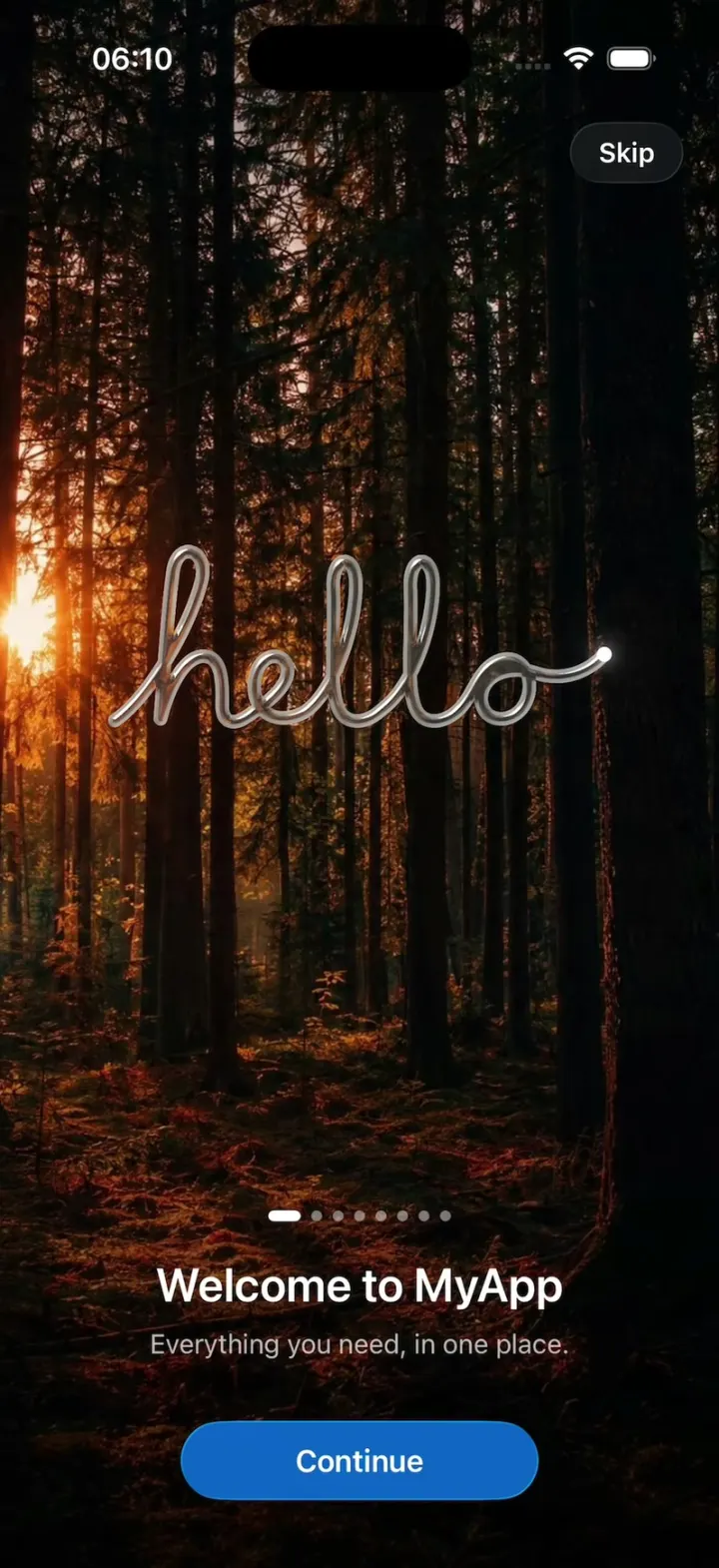
Glass Intro is a first-launch intro made of Liquid Glass and light. Tap Play and a pearl on frosted glass shrinks to a pen that writes "hello" in a glass tube over a forest, then each Continue turns the same glass into the next picture: a glass mark, sixteen symbols bursting into a ring, a lens that opens onto a live 3D cube you can spin, a glowing graph, nodes that fall under real physics, and a coral app icon with a check badge. Get Started turns "Welcome to MyApp" in glass words, and the mark fills with colour before it dissolves into the app. A settings screen picks the pages, the mark and the opening.
- iPhone · Swift
- Built in 1 prompt
- Free to remix
Remix copies the working app into your account for free, exactly as we built it. It runs in Vibecode's cloud iOS simulator, in your browser.
Watch the video on X@ios_app_builder · Nov 19, 2026The prompt that builds it
We built Glass Intro in one prompt. Paste it into a new app to build your own copy, or change it first.
Prompt · 1,980 words
[image attached][image attached][image attached][image attached][image attached][image attached][image attached][image attached][image attached][image attached][image attached][image attached][image attached][image attached][image attached][image attached][image attached][image attached][image attached]
Download/reference the app shown in this post and clone it exactly, including the iPhone visual design, layout, interactions, animations, typography, spacing, and all visible states. Make it functional and runnable in the simulator. Match the reference as closely as possible and include any interaction shown in the source. Reference: https://x.com/protoduct_ai/status/2123286552537342427. The attached screenshots are frames of that 57-second recording, in order: (1) the settings screen, (2) the launch: the mark on frosted glass, (3) "hello" half written in glass, (4) the greeting page, (5) the mark page, (6) the mark melting into a symbol as symbols scatter, (7) the symbols page, (8) the symbols gathered back into the mark, (9) the 3D scene page, (10) the glass point the graph's wire shoots from, (11) the graph page, (12) the nodes falling onto the line, (13) the physics page, (14) glass gathering into an app icon, (15) the icon page, (16) the last page, (17) the ending's first word in glass, (18) the mark filled with colour, (19) the app after the intro. Look at every screenshot before writing code.

Build a native SwiftUI iOS app named Glass Intro using Opus 5.5. It is a first-launch intro made of Liquid Glass and light: a settings screen with a Play button, then an intro that plays one picture after another, each page carrying straight on from the one before (the same piece of glass morphs into the next picture, never a cut or a plain crossfade), ending in the app. Use iOS 26 Liquid Glass (glassEffect, GlassEffectContainer, glassEffectID morphs) for every glass shape and button, SwiftUI Canvas/TimelineView and Metal shader effects (layerEffect/colorEffect/distortionEffect in a .metal file) for light, refraction and blur, SceneKit for the 3D cube. Portrait only. Do NOT put a fake handset frame inside the actual app; the simulator provides that. Use realistic deterministic content so every screen is rich without permissions or backend. Do not publish externally.

SETTINGS SCREEN (attached 1, light, iOS grouped style, background #F2F2F7): a round blue glass Play button (52 pt, #0A84FF, white play.fill) at the top right; large title "GlassIntroKit" (34 pt bold). Section "App": a text field row "MyApp"; "Mark" with value "Standard ⌃⌄" (menu: Standard, Symbol); "Opening" with value "Straight from the Mark ⌃⌄" (menu: Straight from the Mark, Stage). Section "Pages": rows with blue SF Symbols and green toggles: Greeting (hand.wave.fill) on, Mark (circle.circle) on, Symbols (sparkles) on, 3D Scene (cube.fill) on, Graph (point.3.connected.trianglepath.dotted) on, Physics (arrow.down) on, Icon (app.badge.fill) on, Card (rectangle.on.rectangle) off. Footer note: "Pages play in the order shown, each carrying straight on from the one before. In code, pages come in any order." Play starts the intro with the enabled pages, every time (no first-launch-only gate).

THE MARK: a white pearl (about 100 pt across on the launch, slightly off-white with a soft grey shadow below it) with a round yellow light (#F7C934 to #F2B705, about 45% of the pearl's width) set into it high on its LEFT. In glass, the mark is a clear glass sphere with that same circle cut out of it high on the left (attached 5: on blue it reads as a blue glass ball with a darker round dimple top-left and a bright rim).

THE INTRO, beat by beat (times are from the reference recording; the intro is about 50 s with a reader tapping Continue):
1. Launch (attached 2), 0.0-2.5 s: the screen is a pale frosted white (#F2F2F0) and the pearl mark sits in the centre on frosted glass, breathing very slightly.
2. 2.5-3.5 s: the background fades through grey to pure black while the pearl stays put and grows a little; then the pearl shrinks to a tiny bright white dot, the tip of a pen.
3. Greeting (attached 3 and 4), 3.6-6.5 s: the dot draws "hello" in one continuous cursive stroke, left to right, the stroke turning into a thick clear glass tube (refractive, bright specular edges, about 7 pt thick) as it is drawn; the dot stays lit at the pen tip. While it writes, a dark forest photo (tall pine trunks, low sun flaring through the canopy, warm reddish ground glow at the bottom) fades in behind it, blurred at first and sharpening. The glass "hello" sits in the middle third, ~280 pt wide, and refracts the forest behind it. Then the page text fades up from the bottom: a page indicator (8 dots, the current one a short white pill), title "Welcome to MyApp" (20 pt semibold white), message "Everything you need, in one place." (13 pt, white 70%), and a blue capsule "Continue" button (#0A63C8 glass-tinted, 150x36 pt, 14 pt semibold white).
4. Continue: the text fades down and blurs out, the forest blurs and darkens, the glass "hello" gathers back into a single glass drop that becomes the glass mark.
5. Mark page (attached 5): background a vertical gradient, royal blue (#0A3BD9) at the top left, violet (#8A3FE0) on the right, near-black navy at the bottom, softly lit behind the mark. The glass mark sits in the upper-middle (centre at ~38% of the height), about 100 pt, its cut-out detail opening from a plain sphere to the full dimple as it arrives. Title "Simple, by Design", message "One calm place for all of it.", indicator dot 2.
6. Continue: the background cools to graphite (radial, #5A5E66 centre to #0B0C0E edges); the mark melts into a glass symbol and glass SF Symbols burst out of it (attached 6) and settle in a loose ring around it (attached 7): sun.max, map, tram.fill, star.fill, suitcase.rolling.fill, airplane, leaf.fill, film, bed.double.fill, photo, figure.walk, mappin.and.ellipse, fork.knife, binoculars.fill, music.note, camera.fill. Each symbol is frosted grey glass (~26-32 pt), springing out from the centre with slight overshoot, the mark back in the middle. Title "Everything in Reach", message "Maps, photos, and music gather around you.", dot 3.
7. Continue: every symbol flies back into the mark (attached 8), the mark becomes a round glass lens (~130 pt) and inside the lens a live 3D scene appears: a white rounded cube on a grey studio floor. The lens grows until it fills the whole screen (its round edge sweeping off the bottom), revealing the scene (attached 9): a soft white cube (slightly rounded edges, ~150 pt), seen from slightly above, one dark side face, lit from the upper left, a soft contact shadow and a faint reflection on a matte grey floor (#4A4A4C fading to #2B2B2D at the top, a lighter warm floor band below the cube). The scene is first flat and unlit, then it is "raised" level by level: a thin bright vertical line sweeps across the screen from left to right and the lighting, shadow and reflection come on behind it. The cube turns slowly on a turntable and can be dragged left/right to turn it with momentum. Title "Seen in Depth", message "A live 3D preview. Drag to turn it.", dot 4.
8. Continue: the scene draws back into a round lens around the cube, the lens shrinks to the white pearl, the background turns teal (radial #14B38A centre to #04261F edges, dark at the top and bottom), the pearl shrinks to a glowing point (attached 10), and a glowing glass wire shoots out of it horizontally from the left edge to the point; then the graph grows column by column (attached 11): a glass node (rounded square ~44x32 pt, frosted teal glass with a white SF Symbol) with airplane at the left-centre, its wire splitting into two curved branches up-right and down-right to two nodes, bed.double.fill and fork.knife, each growing in as its wire reaches it. Wires are thin luminous glass tubes. Title "Connected", message "A change in one place updates the rest.", dot 5.
9. Continue: the wires dissolve and the three nodes fall under gravity (attached 12) onto a thin horizontal line at about 62% of the height, bouncing and settling face up with real rigid-body physics (airplane rests on the left, fork.knife on the right with bed.double.fill landing on top of it). As they fall the background shifts from teal through olive to a warm orange glow (radial #E36A1E centre, #3A1630 plum edges, black at the bottom). Title "Feels Real", message "Everything responds the way you expect.", dot 6.
10. Continue: the nodes lift off the line and gather into one blob of glass (attached 14) that settles into a rounded-square app icon (~76 pt, corner radius 18) of coral glass (#F07A6E to #E85A5A), the background turning rose (radial #E87C78 centre to #3A1530 edges); a light sheen sweeps across the icon diagonally, a white shippingbox.fill symbol appears on it, and a small white checkmark badge pops onto its top-right corner (attached 15). Title "Ready When You Are", message "Packed and ready to go.", dot 7.
11. Continue: the icon draws in to nothing where it is (shrinks to a point and fades) as the background blurs to violet, then the last page (attached 16): deep blue radial (#0A84FF centre to #021033 edges), centred near the middle: the indicator (dot 8 active), "Let's Begin" (24 pt semibold white) and a small glass capsule button "Get Started" (13 pt semibold white on a blue glass capsule).
12. Get Started: the ending. On the same blue, words of glass turn in one after another in the centre, each about 2 s, thin and very large (48-56 pt, ultralight rounded, clear glass with blue refraction and bright edges, rotating in from slightly turned away, then fading): "Welcome" (attached 17), then "to", then "MyApp" coming in from below.
13. The blue fades to black; a dark glass mark forms at the centre from a small point, then fills with colour (attached 18): it lights up into the white pearl with its yellow light, with a soft warm glow around it, the glow then settles.
14. The background goes light (grey to #F7F7F7) and the mark dissolves where it is (blurs, brightens, fades), revealing the app (attached 19): white background, centred "Hello" (40 pt bold), "Welcome to MyApp" (16 pt semibold), "Everything is ready. Your first day starts here." (13 pt grey, centred, 2 lines), and a small round glass button with slider.horizontal.3 at the top right that goes back to the settings screen.

GENERAL: every page change is ~0.8-1.2 s with spring easing; the text block (indicator, title, message, Continue) fades and blurs out when Continue is tapped and fades back up after the picture has arrived. A small glass "Skip" capsule sits at the top right during the welcome and jumps to the ending. The status bar shows over everything (white on dark pages, black on light ones). For the forest photo, generate it with gpt-image-2.5-flare: run env and use the project's proxied OPENAI_API_KEY with https://api.openai.com/v1/images/generations (portrait 1024x1536, "dark pine forest at golden hour, tall straight trunks, low sun flaring through the canopy, warm reddish light on the forest floor, cinematic, moody") and bundle it as an asset.

Keep every file you create inside /home/user/workspace (fonts, generated images, scripts): tool access to /tmp and other paths outside the workspace is denied in this sandbox.

Build it in small source files, in this order: Theme (colours, the mark), MarkView, SettingsView, IntroState (page sequence and timings), GlassText ("hello" path + glass words), one view per picture (Launch, Greeting, MarkPage, Symbols, Scene3D with SceneKit, Graph, Physics, Icon, LastPage, Ending), PageChrome (indicator, title, message, Continue, Skip), Shaders.metal, AppHome. Get a first version compiling and running before polishing; keep SwiftUI types simple and split complex view bodies. Build fully, run compile/build validation, resolve all errors, and launch in the web simulator. Test it yourself: tap Play, tap Continue through every page, drag the cube, tap Get Started, and screenshot each page against the attached frames. Prioritize fidelity to the reference and the attached screenshots. Deliver complete implementation rather than a plan.
More templates
All templates- View template
Apple Clock Clone
iOSThe iPhone Clock app: the iOS 26 alarm with slide to stop, a snooze countdown, laps, timers and world clocks.
- View template
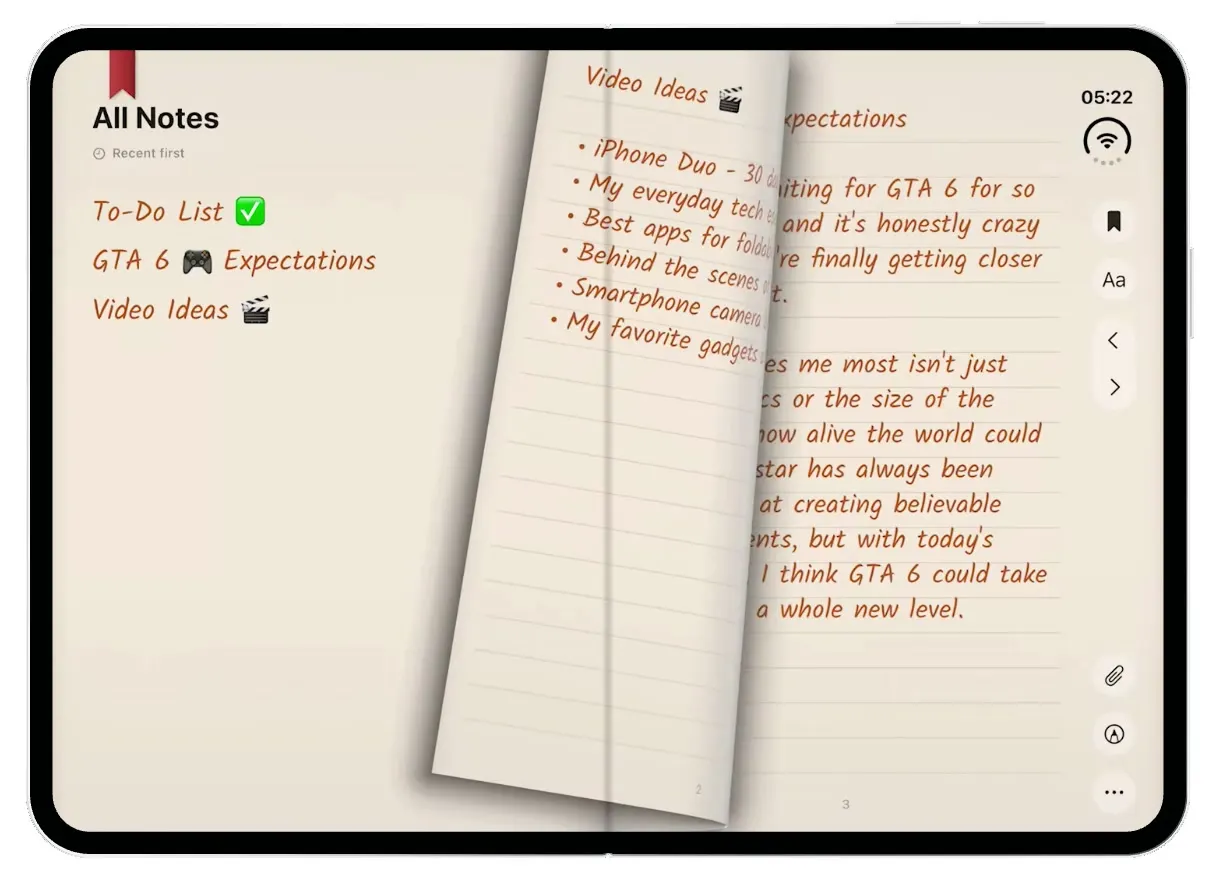
TypeDraw
iOSA leather notebook for the iPhone Duo: open the cover, flip pages with a real page curl and write in ink.
- View template
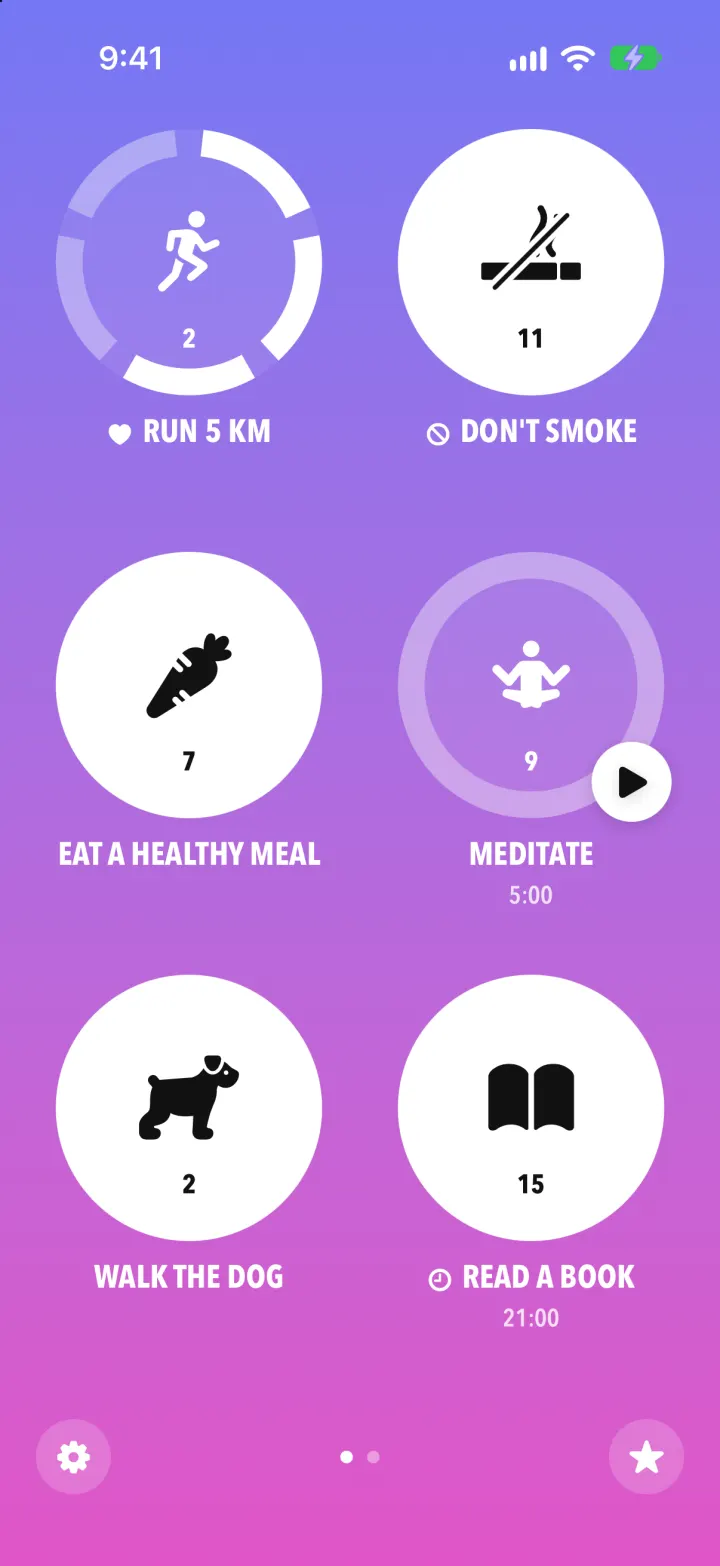
Streaks Clone
iOSStreaks with its real look: hold a circle to check in, watch the ring fill and the streak count climb.
- View template
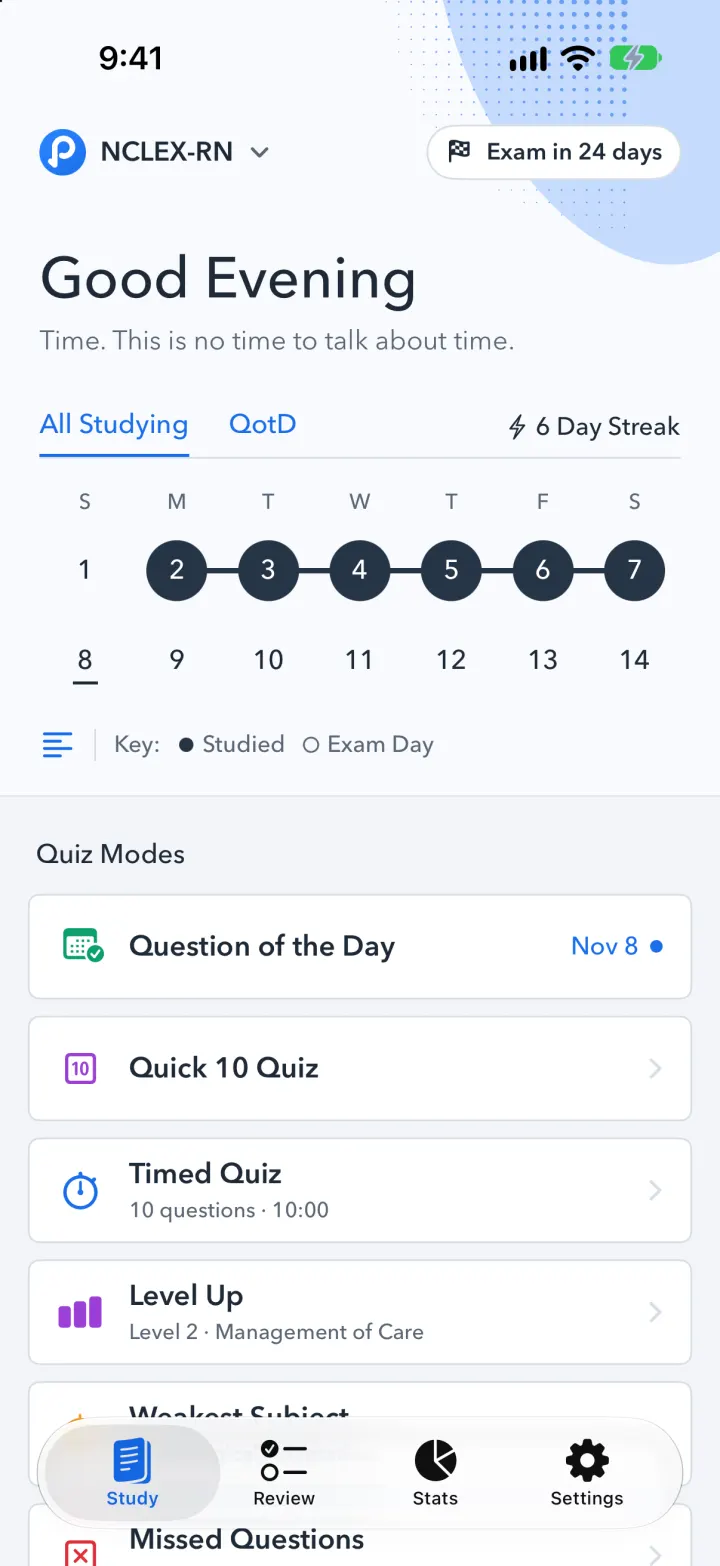
Pocket Prep Clone
iOSPocket Prep's NCLEX quiz app: streak calendar, 8 study modes, explanations and an AI tutor