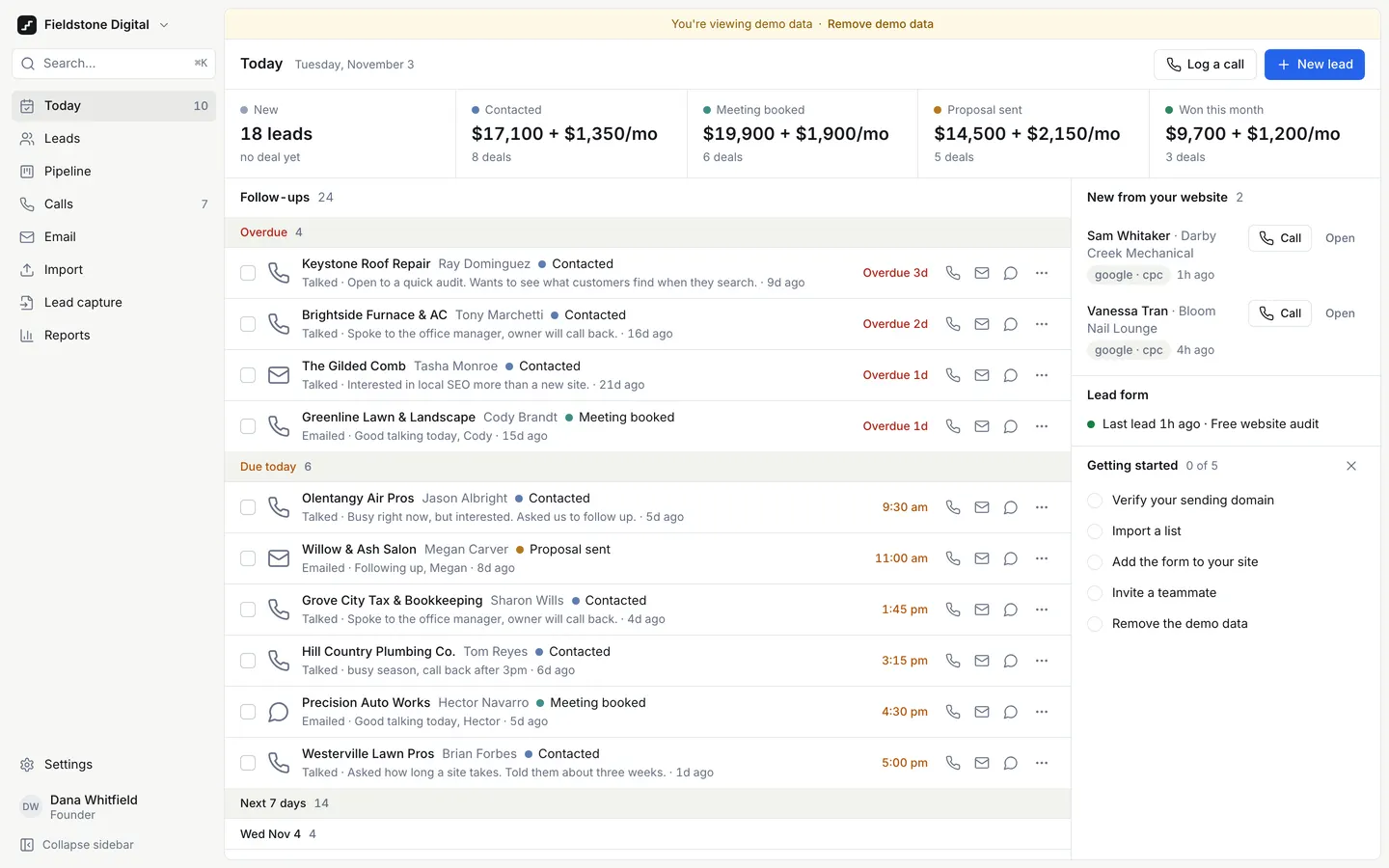
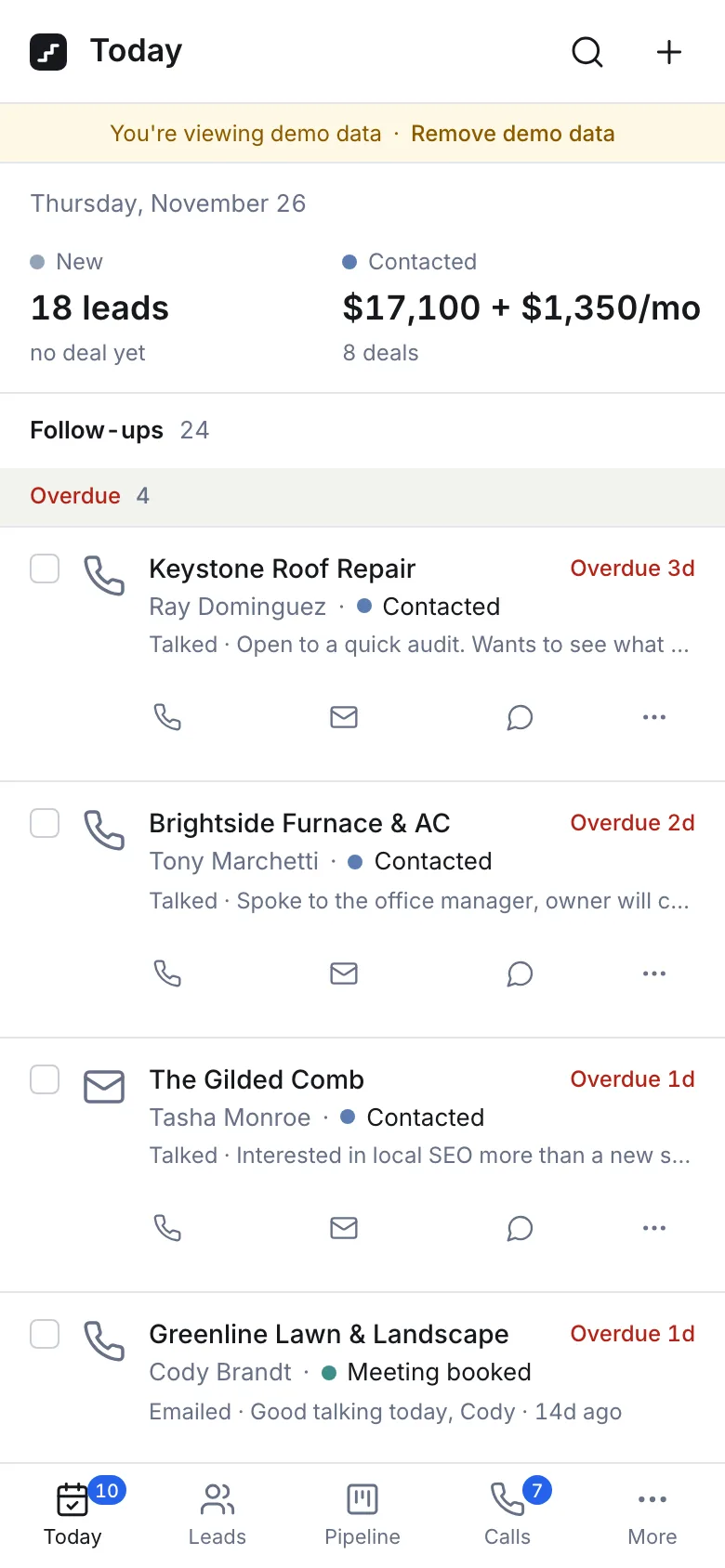
For agencies and consultants who sell by phone. Today's follow-ups come first, with one-tap calls and a next step on every lead.
CRM templates
Working CRM apps for small businesses, agencies and real estate agents who've outgrown spreadsheets. Each one is free to remix, then you change it by chatting in Vibecode.
TL;DR
What is a CRM template?
A CRM template is a ready-made tracker for leads, deals and follow-ups, so you don't start from a blank spreadsheet.
Most CRM templates online are Excel or Google Sheets files. These 3 are working web apps with a real database. Remix one and it's $0 on a new account!
- Each one comes with sign-in, demo data and a working pipeline board
- Change stages, fields and colors by chatting. We turned one into a wedding photographer's CRM in 11 minutes
- Want a native iPhone CRM? Our prompt below built one in about 15 minutes
3 working apps you can remix
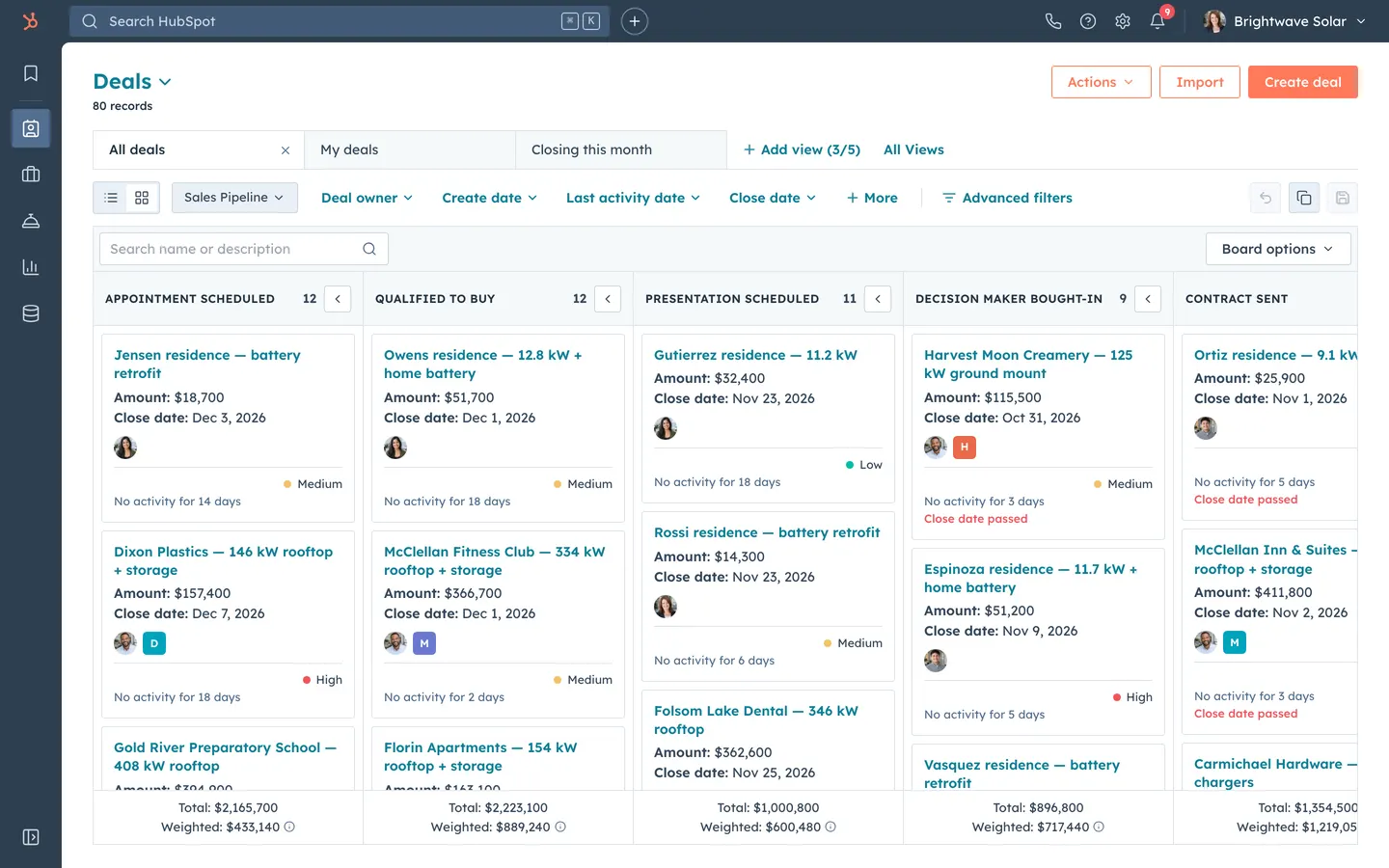
For sales teams who know HubSpot and want their own. Starts with 400 demo contacts, a drag-and-drop deal pipeline, an inbox, email sequences and reports.
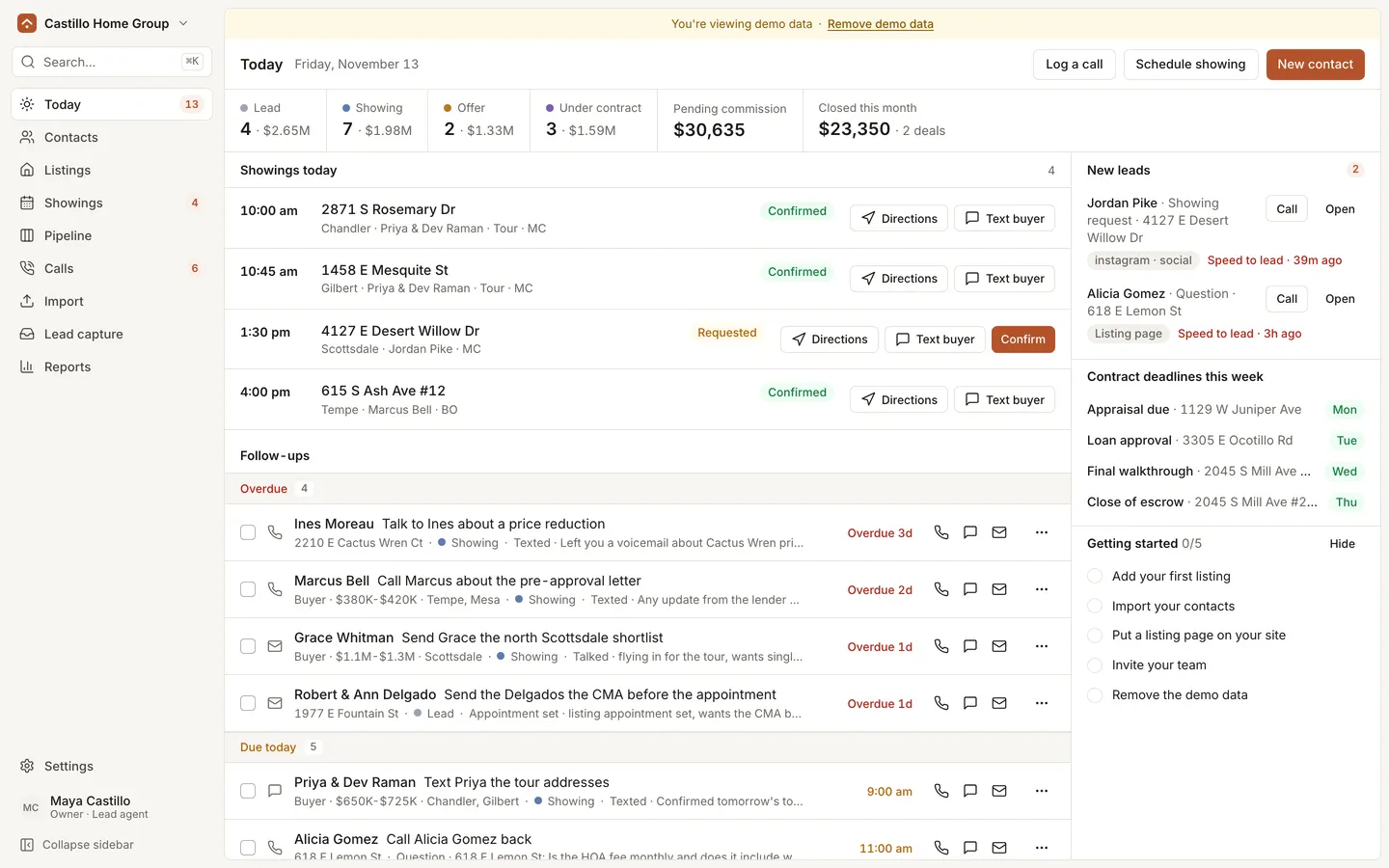
For real estate agents. Today's showings come first, every listing gets a page where buyers request tours, and each deal shows your commission.
- Get the prompt
Build a native iPhone CRM
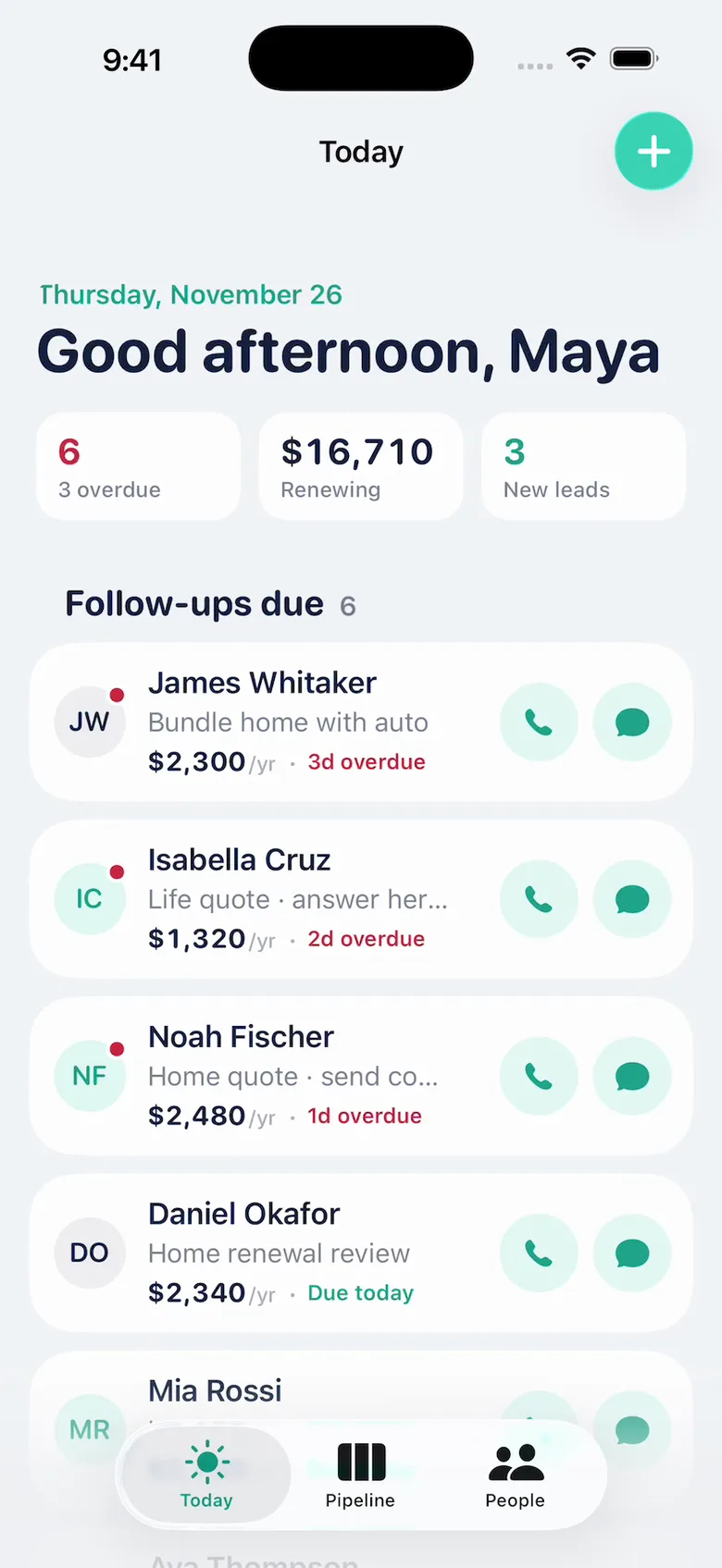
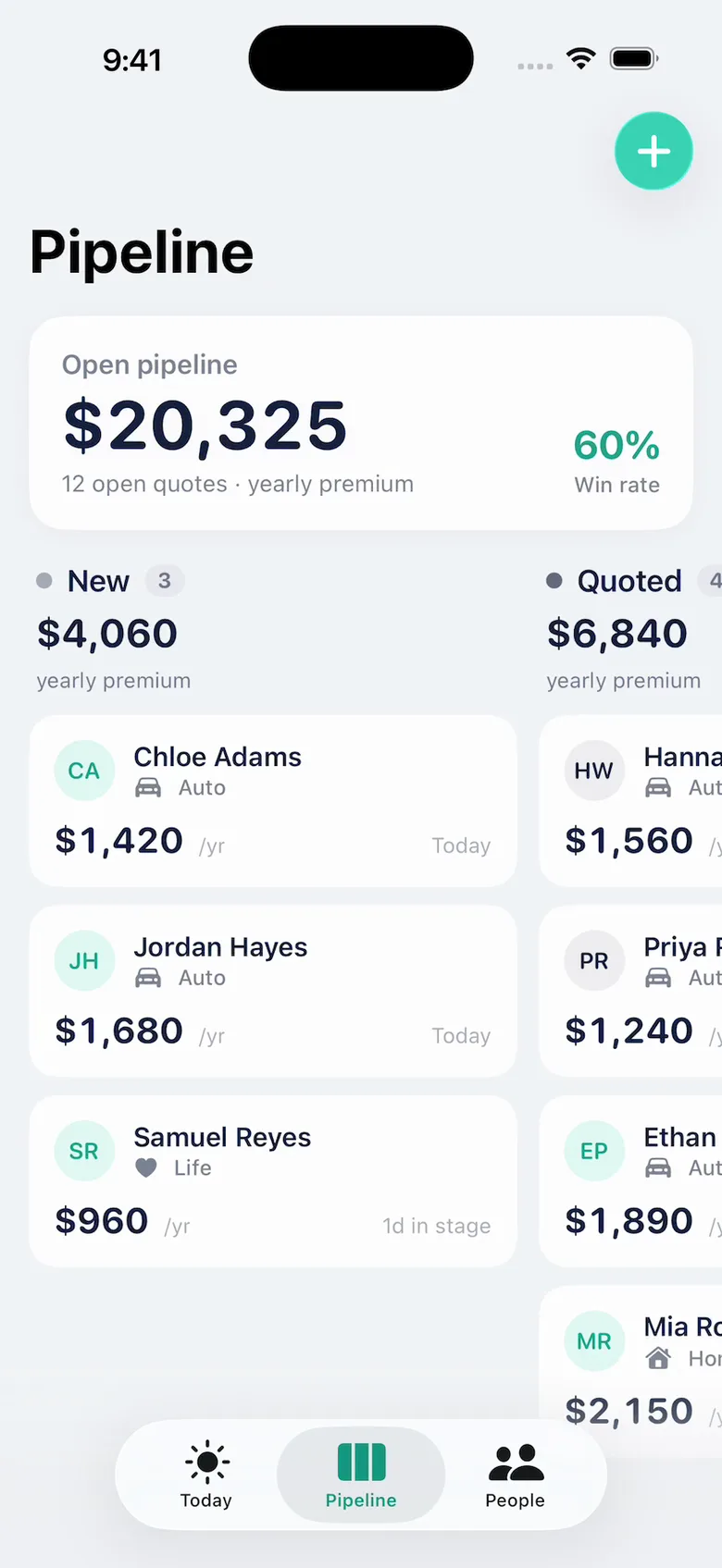
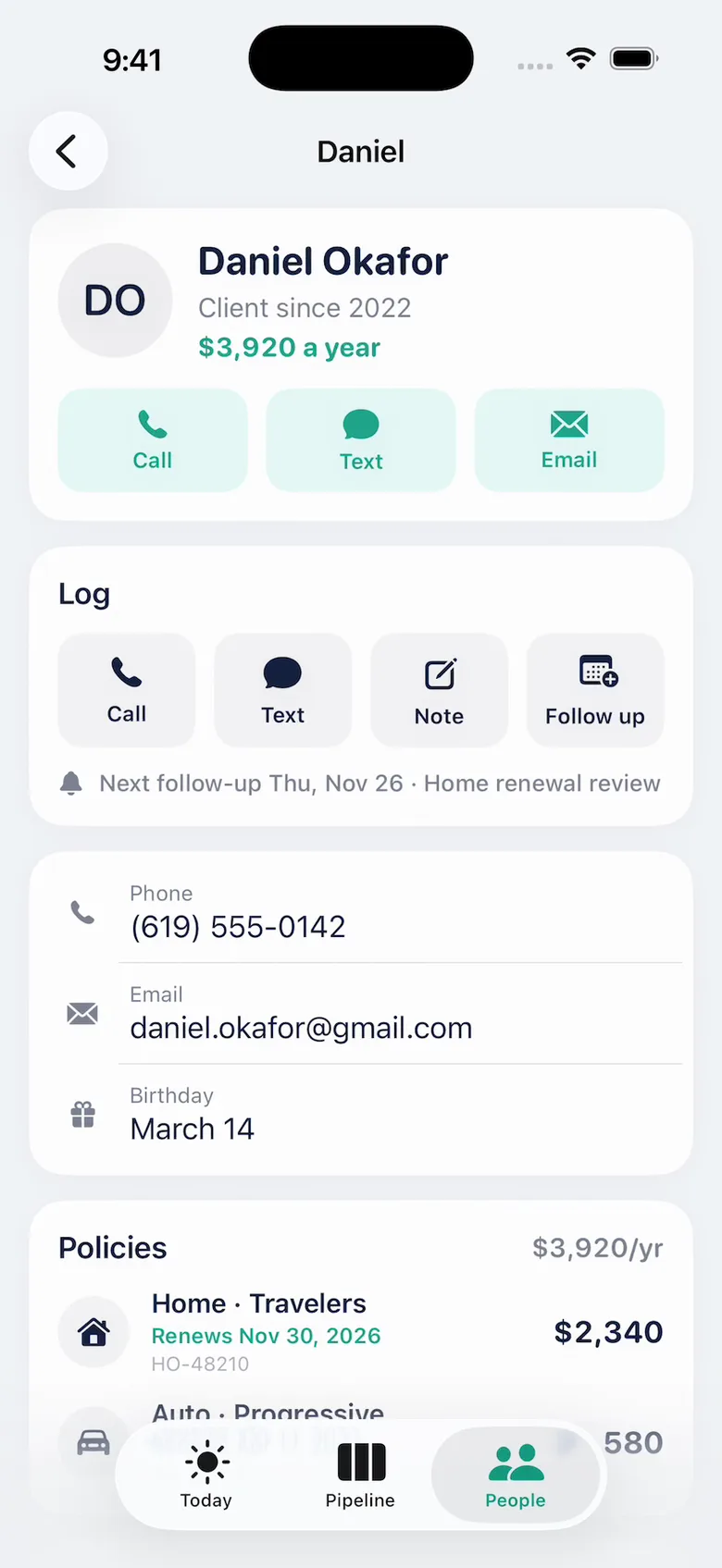
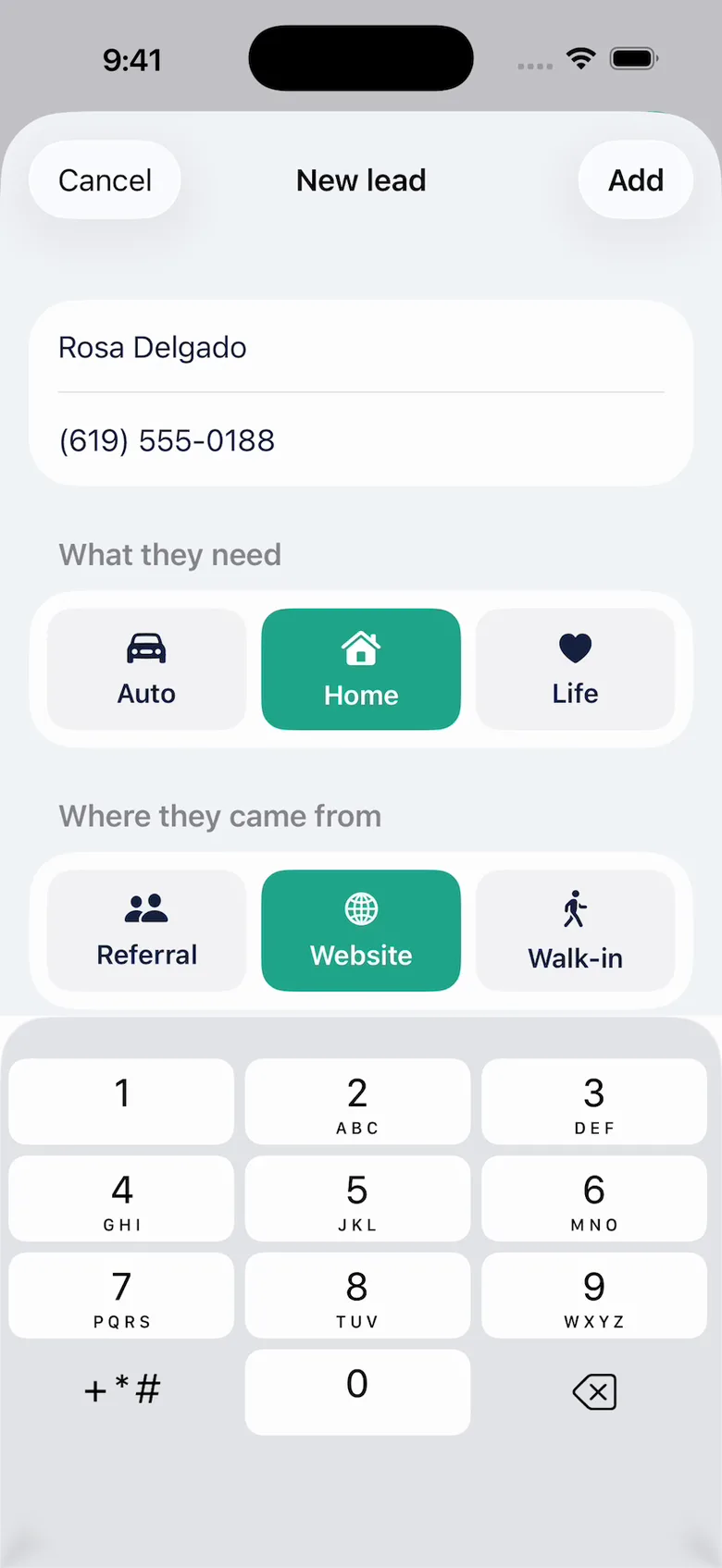
Start from our prompt and swap in your own business. It built an insurance agent's CRM in about 15 minutes. See the screens below.

Build your own CRM
Want a custom CRM built around how you sell? Start from this prompt.
It built Keel, a native iPhone CRM for an insurance agent, in about 15 minutes for $5.90 of credits. It tracks quotes and renewals, with one-tap calls and texts.
Swap in your business, deal stages and colors before you send it.
Prompt: a pocket CRM for iPhone · 235 words
Build Keel, a pocket CRM for iPhone. It's for Maya Torres, an independent insurance agent in San Diego who sells auto, home and life insurance and works from her phone between meetings.

Today (the first tab): a short greeting, then Follow-ups due (overdue ones in red), Renewals in the next 30 days and New leads. Every row shows the person, what it's about and the yearly premium, with one-tap Call and Text buttons. Swipe a follow-up to mark it done, then pick when to follow up next: Tomorrow, In 3 days or Next week.

Pipeline: quotes in columns for New, Quoted, Follow-up, Won and Lost, with each column's total yearly premium on top. Tap a card to move it to another stage.

People: a searchable list of clients and leads. A person's page has their phone, email, birthday, their policies with renewal dates, and a timeline of calls, texts and notes. Logging a call or a note takes two taps.

A plus button adds a lead in one short form: name, phone, what they need, and where they came from (referral, website or walk-in).

Design: white cards on a light gray background, deep navy (#14213D) text, one mint green (#2EC4B6) accent, rounded numbers and big tap targets. Use US dates and dollars.

Seed it with 24 people, 12 open quotes and 8 renewals due in the next 30 days, and save everything on the phone.
We ran this prompt word for word on November 26, 2026, with Claude Opus 5.5.
Vibecode built Keel as a native iPhone app, then tested it in the simulator on its own. It swiped a follow-up done, moved a quote from New to Quoted, added a lead and logged a call. Every change stayed saved after the app restarted.
It made the sample data too: 24 people, 12 open quotes and 8 renewals worth $16,710.
Want it as is? Remix it from the Keel template. It's $0 on a new account.
What does a CRM template include?
These CRM templates come with sign-in, a real database and demo data, so you can test every screen from the first click.
Inside each one:
- Leads or contacts, each with a timeline of calls, emails and notes.
- A pipeline board where you move deals from stage to stage.
- A list of follow-ups or tasks, so you know who to call next.
- CSV import for your existing list, plus reports.
Each one adds its own tools on top. Next Step CRM has a call mode that queues your calls. Porchlight takes showing requests from your listing pages. The HubSpot clone has an inbox and email sequences.
Which CRM template should you pick?
Pick the one that matches how you sell:
- Agencies and consultants who sell by phone: Next Step CRM puts today's calls first.
- Teams used to HubSpot: the HubSpot CRM clone gives you a familiar pipeline, inbox and reports.
- Real estate agents: Porchlight CRM tracks buyers, listings and showings.
- Contractors: Local Pro Quotes is a trade business website with a lead CRM built in.
Building a CRM to sell? Start its website from Nelson CRM or Orbit CRM.
How do I customize a CRM template?
Hit Remix on any card. Vibecode copies the whole app, database included, into your account. It's $0 on a new account.
Then tell the agent what to change in plain English. It edits the code, tests the app and updates it live in your browser. Changes use credits, and plans start at $20 a month.
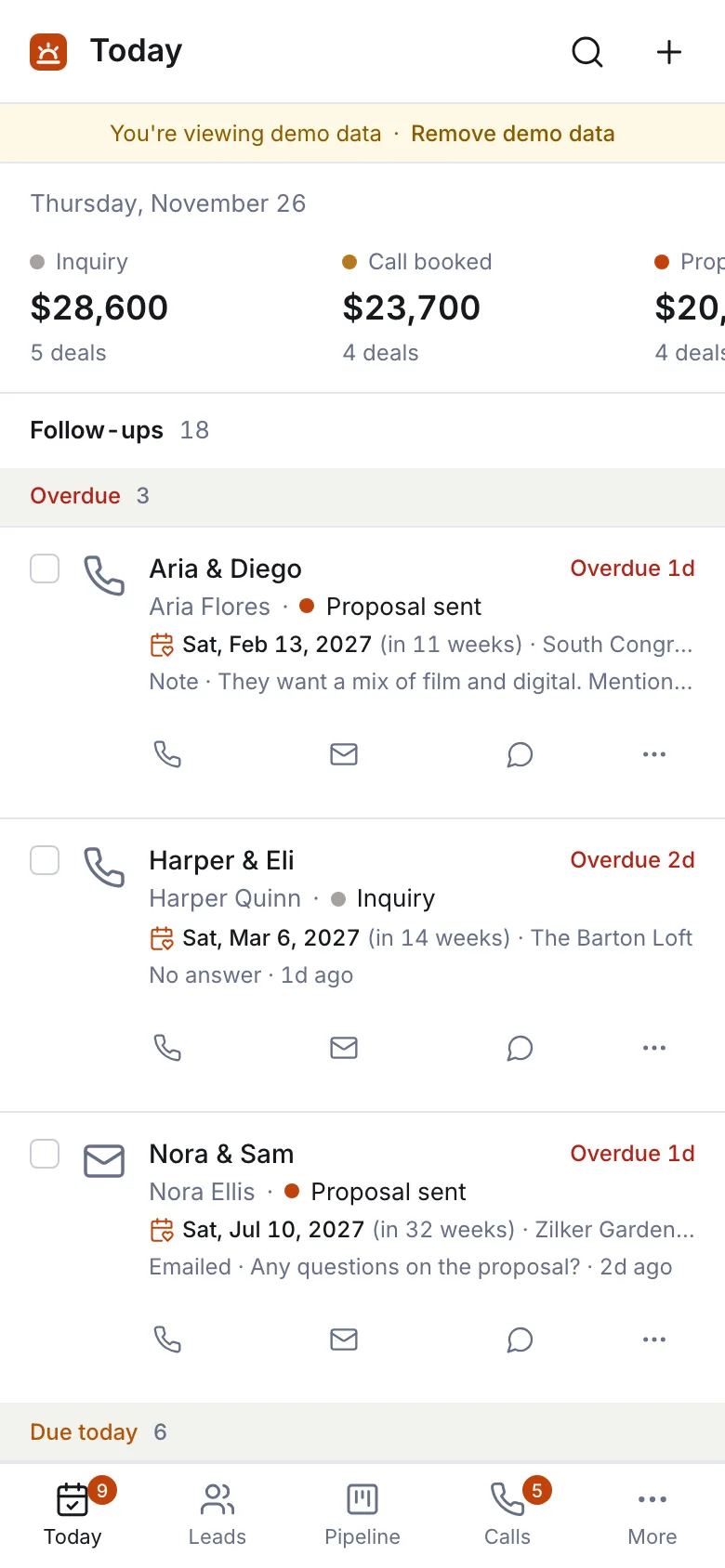
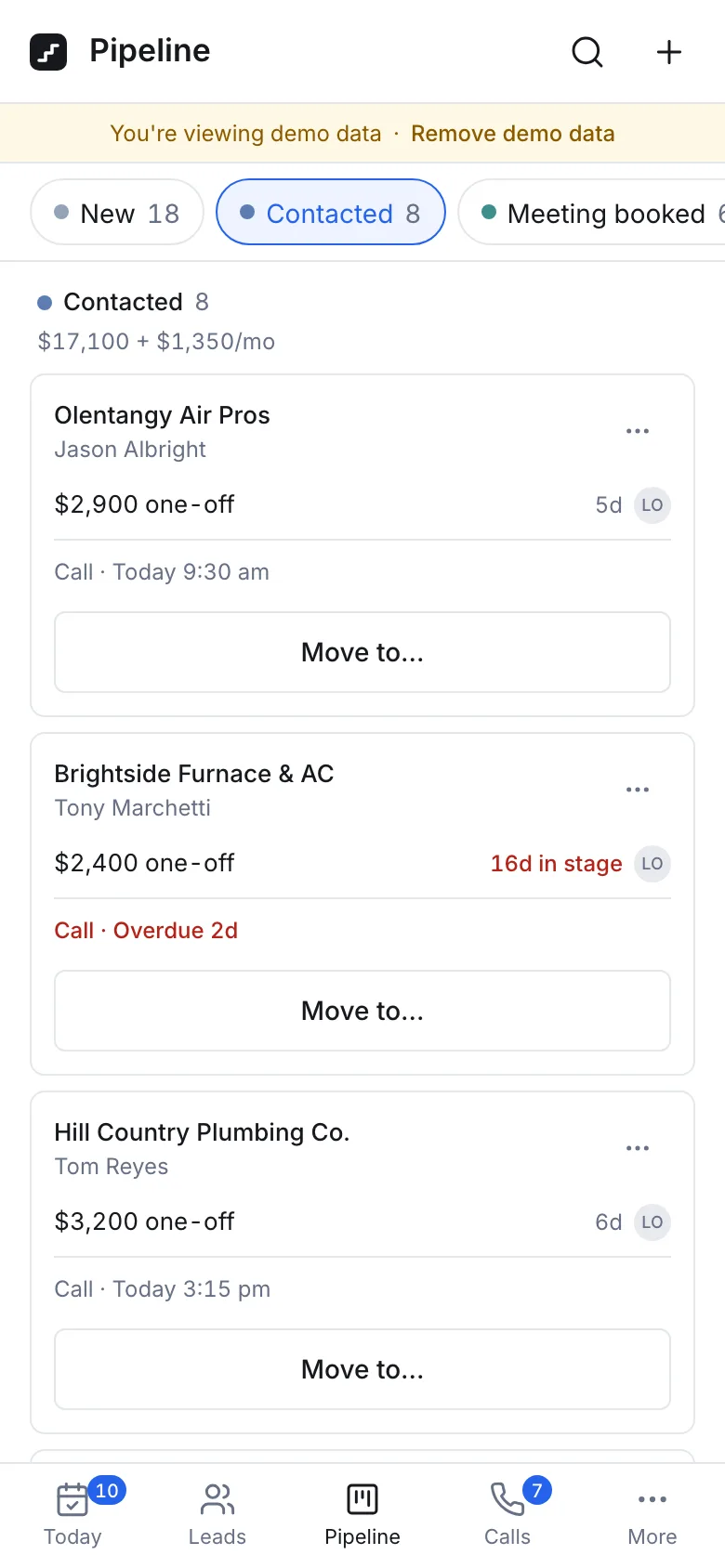
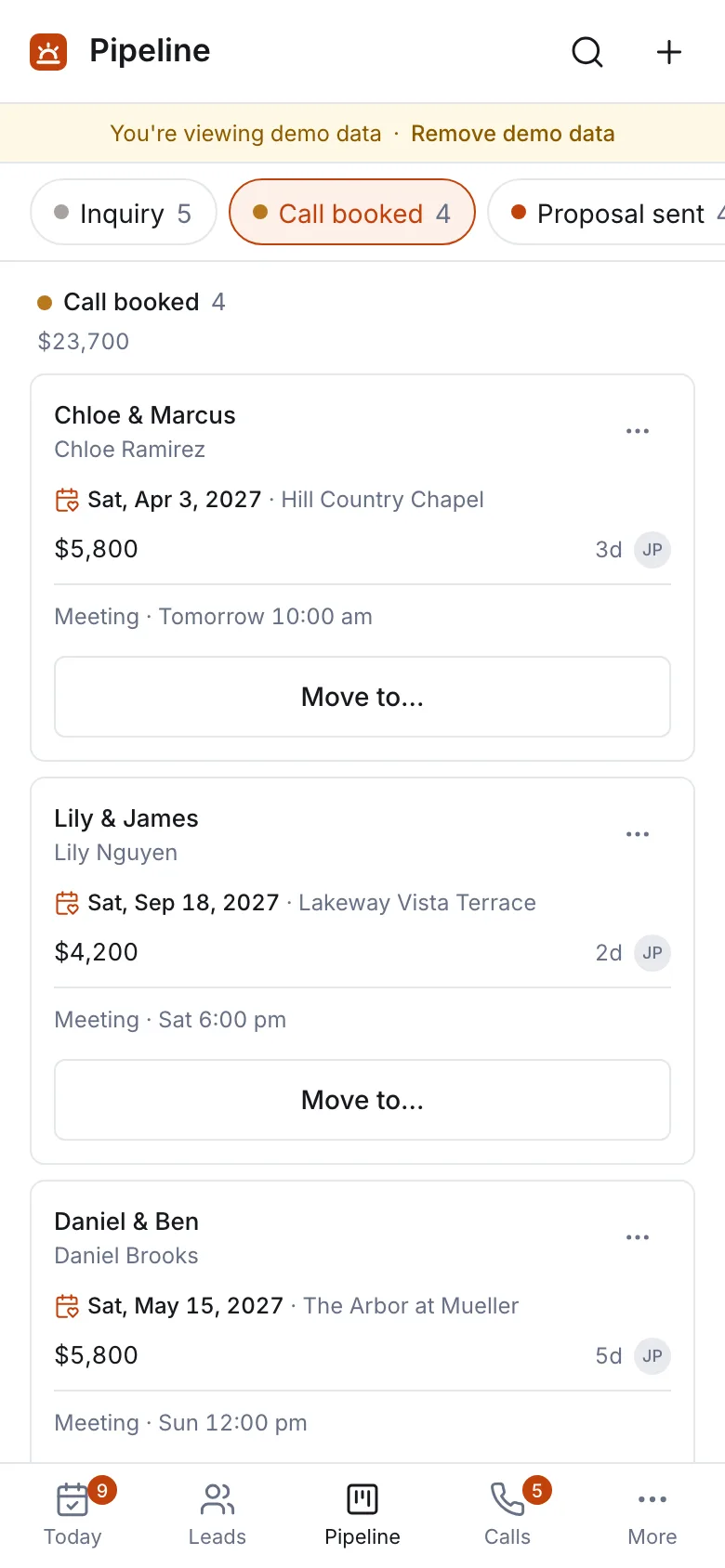
In 11 minutes for $5.97 of credits, we turned Next Step CRM into Golden Hour Studio, a CRM for a wedding photographer. We remixed it on November 26, 2026 and sent the one message below on Claude Opus 5.5.
The message we sent, word for word · 84 words
Turn this into the CRM for Golden Hour Studio, a wedding photographer in Austin, Texas. Rename it everywhere and use a warm terracotta (#C2410C) accent instead of blue. Change the deal stages to Inquiry, Call booked, Proposal sent, Booked, Delivered and Lost. Add a wedding date to every lead and deal, show it on the cards, and sort Today so the closest weddings come first. Replace the demo agency data with 20 couples planning 2027 weddings, each with a venue and a package price.
Can a CRM template send email and take leads from my website?
Yes. Here's what comes built in:
- Website leads: Next Step CRM has a lead form to host or embed, plus a webhook. Porchlight's listing pages and home value form drop leads straight in.
- Email: Next Step and Porchlight send from your own domain with a key from Resend, an email service. The HubSpot clone logs emails but doesn't send them.
When it's ready, publish it to a vibecode.run address or your own domain. Need something else? Ask the agent to add it.
Build a custom CRM that fits how you sell
Describe your stages and follow-ups in plain English. Vibecode builds the CRM for the web or iPhone and runs it live in your browser. Publish it when you're ready. It's $0 on a new account.
Build your CRM