Next Step CRM
CRM app · built by the Vibecode team
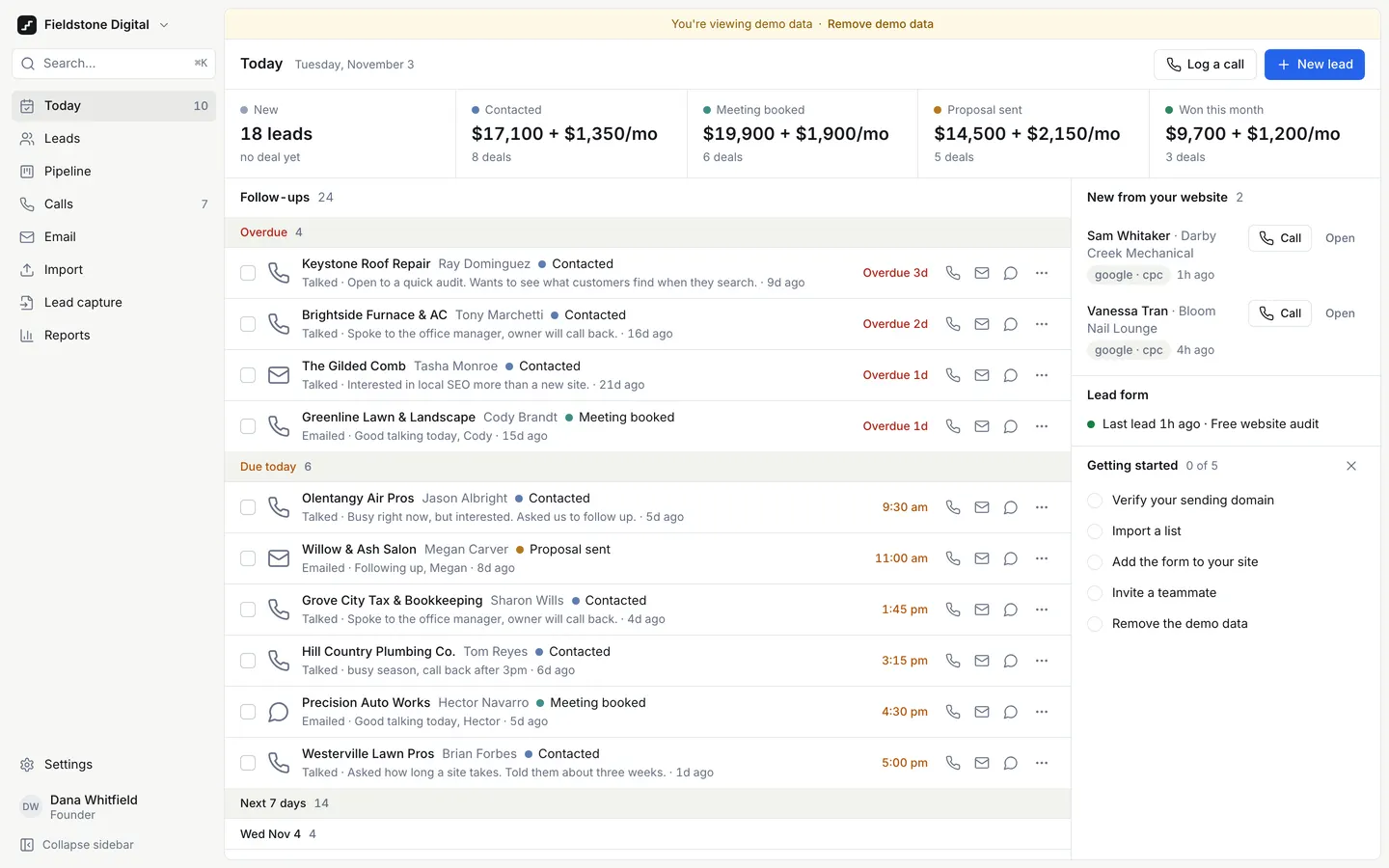
Next Step opens on Today: overdue, due-today and next-7-days follow-ups for a fictional Columbus web agency, each with one-tap Call, Email and WhatsApp, plus new leads from the website form. Call mode works through a queue: tap an outcome like Talked or Meeting booked, note the objection, and it logs the call and proposes the next follow-up. Leads, a deal board with days in stage, CSV and Excel import with duplicate checks and undo, a hosted lead form and webhook, email templates with merge fields, and reports all save to a real database. Demo data is labelled, the owner and setter logins sit on the sign-in page, and one click removes the demo.
- Web app
- Built in 10 prompts
- Free to remix
Remix copies the working app into your account for free, exactly as we built it. It runs in your browser.
The prompt that builds it
We built Next Step CRM in 10 prompts. Here they are folded into one, so a single paste into a new app builds the finished version.
Prompt · 7,094 words
Build "Next Step CRM": the CRM for people who sell. It is for a 1-5 person web or marketing agency that wins local-business clients by calling and emailing them: the owner plus an appointment setter, working a lead list and a website form, often from a phone between calls. The promise, in a paying user's words: "when I open the app, I should immediately know who I need to contact and what I need to do next." Put the next useful action first on every screen. Do not make a generic admin dashboard. It ships with a fictional demo workspace, "Fieldstone Digital", a 3-person web and local-SEO agency in Columbus, Ohio.

Design references (the original screenshots are not included; build from these descriptions):
- Reference: Linear "My issues". Warm grey canvas, sidebar sitting on the canvas, content in one white inset panel with a 1px border, dense 40px rows, pill tabs, quiet grey meta text. Every list in the app should feel this restrained.
- Reference: Linear split view. Activity timeline in the middle, a "Properties" card on the right. The model for Lead detail.
- Reference: Linear search results: a type label column, the title, the age right-aligned. The model for Cmd-K results.
- Reference: Attio Companies table: compact record table, initial badge plus name, small chips, "13 count" footer. The model for the Leads table.
- Reference: Attio Tasks grouped "Today 2 / This week 1 / Upcoming 1 / Completed 1" in grey group bands, amber "Due today", red "Due 4 days ago". The model for the Today follow-up list.
- Reference: Attio Deals board: a stage dot, name and count in each column header, plain white cards. Pipeline cleanliness.
- Reference: Pipedrive deals board: each column header shows total value and deal count; cards show title, company/person, value and a warning icon when there is no next activity. Pipeline information.
- Reference: Pipedrive lead detail. Note the "Focus" box with one-tap follow-up chips "In 1h · In 3h · Tomorrow · Next week". The model for our next-follow-up chooser.
- Reference: Pipedrive activities: type filters (Call, Meeting, Task, Email) and period filters (Overdue, Today, Tomorrow, This week, Next week), overdue in red.
- Reference: HubSpot contacts: saved-view tabs across the top, a row of filter chips, search and export. The model for Leads saved views.
- Reference: component polish only (segmented control, compact rows, quiet borders). It is dark; our app is LIGHT by default.

## Stack

Use the platform's standard setup: the React + Vite webapp, the Hono backend on Bun, and Prisma (SQLite) + Better Auth from the database-auth skill. Real accounts and a persistent database. Put API contracts as Zod schemas in backend/src/types.ts. Use relative /api URLs so the app works on any domain, and configure Better Auth so sign-in works on a custom domain from day one (trust the request's own origin; never hardcode the preview host), which avoids "Invalid Origin" errors. Sessions last 30 days. Remixes get a copy of backend/.env with BETTER_AUTH_SECRET cleared, so at startup, before the environment is validated, generate a secret when it's blank and save it to backend/.env. Schema changes are additive only: never drop or rename a column. All money is integer cents. All timestamps are stored in UTC and shown in the workspace timezone. Every table has workspaceId, isDemo, createdAt and archivedAt. Store JSON as text. Use lucide-react icons (16px, 1.75 stroke) and recharts for charts. Keep every source file small (under ~250 lines): one file per screen section, component and route group.

## Look and feel

- Light by default, with a dark toggle in the workspace menu.
- Colours: canvas #F7F7F4; panels and cards #FFFFFF; ink text #16181D; muted text #667085; borders 1px #E5E7EB; row hover #F2F2EE; selected row #EEF3FE. ONE action colour: blue #2563EB (hover #1D4ED8, focus ring rgba(37,99,235,.35)). Status colours only for time: on time green #15803D on #ECFDF3, due today amber #B45309 on #FFFAEB, overdue red #B42318 on #FEF3F2. Stage dots (muted): New #94A3B8, Contacted #5B7DB1, Meeting booked #3E8E8A, Proposal sent #B7791F, Won #2F855A, Lost #9B5C5C. Dark mode: canvas #0F1115, panel #16181D, border #262A33, text #E6E7EA, muted #9AA1AE.
- Type: Inter (weights 400/500/600) with tabular numbers on every number. Desktop body 14px, table text 13px, meta 12px muted, page title 15px/600 in a 52px top bar like Linear, strip numbers 18px/600. Phone body 15px and inputs 16px.
- Spacing on a 4px scale (4, 8, 12, 16, 24, 32). Corners: 8px on panels and cards, 6px on buttons and inputs, full pills for chips. No shadows except menus, popovers and the Cmd-K dialog (0 8px 24px rgba(16,24,40,.12)). No gradients, no glass, no emoji, no stock illustrations, no default-shadcn look.
- Buttons: primary blue with white text, 32px tall on desktop, 44px on phone. Secondary: white with a 1px border. Ghost for icon buttons.
- Avatars are initials in muted circles. No photos anywhere.
- Dates are human: "Thu 3:15 pm", "Today 3:15 pm", "Yesterday 4:02 pm", "Oct 28", "in 3 days", "2h ago". Never seconds, milliseconds, ISO strings or internal IDs on screen.
- Motion: 150ms ease-out for menus and drawers; rows fade out when completed; the call queue slides to the next lead. Respect prefers-reduced-motion.
- Brand: the product mark is a 20px ink (#16181D) rounded square (5px radius) with a white two-step stair line, plus the wordmark "Next Step". Use it as public/favicon.svg (replace any Vibecode favicon). Set <title> to "Next Step CRM". Write a 1200x630 public/og.png (mark, "Next Step CRM", "The CRM for people who sell" on #F7F7F4) from an SVG with sharp or resvg, and point og:image and twitter:image at it. No Vibecode branding anywhere.

## App shell

- Desktop: a 232px sidebar on the canvas, collapsible to a 56px icon rail (button at the bottom; remember the choice). Top: the workspace button "Fieldstone Digital" with a chevron (menu: Settings, Dark mode, Sign out), then a search button "Search… ⌘K". Nav: Today (badge = overdue + due today), Leads, Pipeline, Calls (badge = calls due), Email, Import, Lead capture, Reports. Bottom: Settings, then the signed-in user's initials, name and role.
- Wrap every route in an error boundary that keeps the shell and shows "This page didn't load. [Reload]"; retry a failed lazy chunk import once on its own before showing it.
- Main content sits in one white panel with a 1px border and 8px radius, inset 8px from the window edge, as in 01-linear-list. Each screen has a 52px top bar: the title on the left, the screen's actions on the right.
- Demo banner: while demo records exist, a 32px bar at the top of the panel, background #FFF8E6, text #8A5A00: "You're viewing demo data · Remove demo data" (the link opens the removal dialog).
- Cmd-K (and "/") opens a command palette: input "Search leads, contacts and deals, or type a command", grouped results (Leads, Contacts, Deals, Actions) with a type label column and right-aligned meta like 03-linear-search. Actions: Log a call, New lead, Import a list, Go to Today/Leads/Pipeline/Calls/Email/Reports/Settings. Arrow keys, Enter, Esc.
- Phone (below 768px): no sidebar. A 56px top bar with the title, a search icon and a "+" button. A fixed bottom bar with 5 tabs, icon plus 11px label: Today · Leads · Pipeline · Calls · More. "More" opens a sheet with Email, Import, Lead capture, Reports, Settings, Dark mode and Sign out. Respect the safe-area inset. Every tap target is at least 44px.
- Security bar: while the workspace is unclaimed and holds any real (non-demo) record, show owners a slim amber bar under the demo banner: "Anyone can sign in with the demo logins. Create your owner account to make this workspace private." with a "Create my account" button that opens the claim sign-up.

## Screens

### 1. Sign in (/login) and account pages
- A centred 400px card on the canvas: mark plus "Next Step", heading "Sign in", Email, Password, a blue "Sign in" button, "Email me a sign-in code instead" (the platform's email code flow, with a code page that has "Resend code" and a 30-second countdown), "Forgot password?" (reset by code), and "New here? Create your account" while the workspace is unclaimed.
- Below the form, a "Demo workspace" box (fictional data) that shows the logins so nobody is stuck on first run:
  - Owner · dana@fieldstone.example · password nextstep-demo · [Use]
  - Setter (sees only her own leads) · luis@fieldstone.example · password nextstep-demo · [Use]
  - [Use] fills the form and signs in.
- Errors in plain English: "That email and password don't match. Try again, or email yourself a code." / "We couldn't send the code. Check the address and try again." / "That code has expired. We've sent a new one."
- Claiming: the first person who creates an account becomes the Owner and the workspace is marked claimed. From then on the two demo logins stop working (their sessions are revoked and the box disappears), and new people join only through an invite link. The demo records stay, still flagged demo, until the owner removes them.

### 2. Today (/), the home screen
- Top bar: "Today" plus the date ("Tuesday, November 3"). Actions: "Log a call" (secondary) and "New lead" (primary).
- A thin strip, not big cards: pipeline value per open stage (dot, stage name, one-off total plus monthly total, deal count), then "Won this month" ($ one-off + $/mo, count). Values come from the database. The New stage never shows money: it reads "18 leads · no deal yet" (companies without a deal), here, on the board, in Reports and in Settings → Stages.
- Left column, "Follow-ups", grouped like 05-attio-tasks, in grey group bands with counts: Overdue (red label), Due today (amber), Next 7 days (sub-grouped by day: "Wed Nov 4"). Each row: a complete checkbox · a task-type icon (phone, mail, WhatsApp, calendar) · company name (500 weight) and contact name · stage dot and label · the last touch in one muted line ("Talked · busy season, call back after 3pm · 6d ago") · when ("Overdue 3d" red, "3:15 pm" amber, "Thu 10:00 am") · one-tap Call, Email and WhatsApp icon buttons · a "…" menu (Snooze 1 hour / Tomorrow / Next week, Reschedule, Download .ics, Open lead). Completing a row asks for the outcome inline if it was a call, then fades the row out.
- Right column (320px):
  - "New from your website": form leads nobody has touched yet, each on two full lines: the contact's full name and the business ("Sam Whitaker · Darby Creek Mechanical", wrapping if needed), then the source chip ("google · cpc") and the age ("1h ago"). Call (small secondary) and Open (ghost) sit on the right of line 1. Never ellipsize a name under 32 characters.
  - Lead form health: "Last lead 1h ago · Free website audit". If no lead has arrived for 7 days, an amber warning instead: "No new leads for 9 days. Check the form is still on your site."
  - "Getting started" checklist (hideable), each item ticked automatically from real state: Verify your sending domain, Import a list, Add the form to your site, Invite a teammate, Remove the demo data. Each unticked item links to the place that does it.
- Phone: the strip scrolls sideways. The order is strip, Overdue, Due today, Next 7 days, then New from your website, Lead form and Getting started. Each row stacks: the company (up to 2 lines) with the due label on the right, then contact · stage, then the last touch on one line, then the Call, Email and WhatsApp buttons at 44px.

### 3. Leads (/leads)
- Top bar: "Leads" plus the count; actions: Export CSV, "New lead".
- Saved-view tabs like 10-hubspot-saved-views: All leads, Call today, No website, Website form, No next step, Do not contact, New, not emailed yet, Archived (the last two are built in), plus "+ Save view" (saves the current search and filters under a name).
- Filter row: a search box (matches company, contact name, email, phone digits and city) and filter chips: Stage, Source, Tag, Owner, No next step, Do not contact, and "Clear".
- Table (like 04-attio-table): checkbox · Company (initial badge, name, city below in muted text) · Contact · Stage (dot plus label) · Source · Last touch · Next step (a coloured chip by due state, or an amber "No next step") · Owner (initials) · Score. Sortable headers. Footer: "48 leads".
- Selecting rows shows a floating ink action bar at the bottom: "3 selected · Tag · Change stage · Assign · Export · Add to email send · ✕".
- Below 640px the table becomes cards: name, city and industry, stage, last touch, next step chip, and Call / Text / WhatsApp buttons.
- Score (0-100) is rule-based and explained in a tooltip ("No website +20, 4.6★ +15, 112 reviews +10, talked before +15, website form lead +25").

### 4. Lead detail (/leads/:id): the company and its contacts
- Header: breadcrumb "Leads / Hill Country Plumbing Co.", the name (20px/600) and a small "Demo" tag on demo records. A meta line: "Plumbing · Grove City, OH · 4.6★ (112 reviews) · No website" (or the website as a link). Right side: a stage picker (a button with the stage dot that opens a menu of stages; no dragging needed); the next step as a chip ("Next: Call · Thu 3:15 pm", click to edit or complete; amber "No next step · Add one" when missing); then a labelled primary blue "Call Tom" button (the primary contact's first name, opens tel:), then Text, WhatsApp and Email as icon buttons with tooltips, and a "…" menu: "Archive lead" (hides it everywhere with an Undo toast; archived leads show only in the Archived view, with Restore) and, for owners, "Delete lead" (a confirm dialog; removes the company with its contacts, deals, tasks, activities and form submissions).
- Body in two columns, like 02-linear-detail:
  - Main column, tabs Timeline · Contacts · Deals · Details.
    - Timeline: a composer at the top with tabs Log call / Note / Email (the call form is the same one as on the Calls screen). Entries newest first, each with an icon, actor and time: calls with outcome, duration and an objection chip; emails with subject and a status chip (Delivered, Bounced, Failed, Sent from your email app); notes; stage changes ("Moved from New to Contacted"); form submissions (fields, plus utm_source/medium/campaign and gclid); imports ("Imported from franklin-county-hvac-plumbing.csv").
    - Contacts: name, title, phone, email, WhatsApp, consent status, a do-not-contact toggle, one-tap actions, "Add contact".
    - Deals: title, value, "one-off" or "/mo", stage, expected close, days in stage, owner, "Add deal".
    - Details: source, UTM tags, gclid, custom fields (Service area, Trucks, Notes), consent (status, source, date), and the import batch it came from (link).
  - Right column, a "Properties" card: Owner, Source, Company phone, Address, Industry, Tags (add or remove), Do not contact toggle, Score with its reasons.
- Phone: one column; the tabs scroll; a sticky "Call Tom · (614) 555-0158" button sits above the bottom bar.

### 5. Pipeline (/pipeline)
- Board like 06-attio-board and 07-pipedrive-board. Columns are 264px wide on #F2F2EE. Header: stage dot, name, count, and "$14,850 + $2,100/mo" (one-off and monthly kept apart). The first column, "New", holds the companies with no deal yet as light cards ("No deal yet"); moving one creates its deal.
- Card: company, contact, value with billing ("$4,800 one-off" or "$950/mo"), owner initials, days in stage ("12d", turning red with "18d in stage" after 14 days), the next step line ("Call · Thu 3:15 pm") or an amber warning "No next step". A "…" menu on every card: Move to… (each stage), Mark won, Mark lost (asks for a reason), Open.
- Drag and drop also works, with an accessible fallback; nothing needs dragging.
- An "Edit stages" button opens the stage editor (the same editor as Settings).
- Phone: scrollable stage chips with counts at the top, then the selected stage's cards as a vertical list, each with a "Move to…" button.

### 6. Calls (/calls): call mode
- Queue: open call tasks due today or overdue, sorted by due time; then companies never called, sorted by score. Header: "7 calls due · 13 new to call", and today's tally "Today: 4 calls · 1 talked · 0 booked".
- Desktop: the queue list on the left (360px; each item shows company, contact and a reason chip "Overdue 3d" / "Today 3:15 pm" / "New · score 86"), the current lead on the right:
  - Company, meta line and stage picker; the contact's name and title; the phone number in large type with the office number below.
  - A large blue "Call Tom" button (52px, full card width) that opens the phone's dialler (tel:), with Text, WhatsApp and Email beside it.
  - "Last touches": the last three activities in one line each.
  - Outcome buttons in a 3x2 grid: No answer · Voicemail · Talked · Meeting booked · Not interested · Bad number.
  - Optional objection chips: "Already has a guy", "Too expensive", "Call after season", "Send me info by email", "Happy with Facebook page", "Need to ask my partner", and "Other…" (free text).
  - Note: "What did they say?"
  - Next follow-up, pre-filled by the outcome and changeable in one tap (chips like 08-pipedrive-lead-detail: In 3 hours · Tomorrow 9:00 am · In 2 days · Next week · Pick a date) with a type select (Call, Email, WhatsApp, Meeting). The proposals: No answer → call tomorrow at the same time (in 2 days after the second no-answer in a row); Voicemail → call in 2 business days; Talked → call in 3 days; Meeting booked → a meeting task at the chosen time, and the stage moves to Meeting booked; Not interested → no follow-up, with "Mark lost: <objection>" ticked; Bad number → flag the number and add a to-do "Find a new number".
  - The Calls top bar stays fixed and the footer (Skip · Press Enter to log · Log call & next) is sticky at the bottom of the right pane, so logging never needs a scroll at 1440x900.
  - "Log call & next" (Enter): saves the activity, the objection, the note and the next task in one request, shows a toast "Logged · next call Thu 9:00 am" with Undo, and slides to the next lead. "Skip" moves on without logging.
- Phone: one lead per screen with "3 of 20" and arrows at the top; a sticky full-width "Call Tom" button at the bottom; outcome buttons 2x3 at 48px; choosing an outcome opens a bottom sheet with objection, note, next follow-up and "Log & next".

### 7. Email (/email)
- Tabs: Send · Templates · Sent log.
- Templates: a list on the left (5 templates), an editor on the right (Name, Subject, Body), buttons that insert merge fields ({{first_name}}, {{last_name}}, {{company}}, {{city}}, {{industry}}, {{rating}}, {{review_count}}, {{sender_name}}, {{next_step_date}}; a fallback written as {{first_name|there}}), and a live preview for a chosen lead with missing fields highlighted red. {{industry}} renders lower case except acronyms ("HVAC businesses", "plumbing businesses"). Stats: "Sent 23 · 1 bounced".
- Send: pick a template, pick a saved view (default "New, not emailed yet"), then see the recipients with exclusions spelled out: "41 leads in this view → 26 will get it. Not sending to: 7 won customers, 4 lost, 2 do not contact, 1 bounced, 9 already emailed, 3 with no email." Toggles: "Skip leads I've already emailed" (on), "Include won customers and lost leads" (off) and "Move New leads to Contacted after the first email" (on). The daily cap comes from Settings (default 30/day): "26 today". A preview of the first 3 rendered emails. Then "Send 26 emails".
- Sending uses the owner's OWN Resend account (Settings → Integrations): never send CRM email with the platform's built-in RESEND_API_KEY. Without a connected key, bulk Send is disabled with "Connect your email in Settings to send" and a link. One-to-one email from a lead then becomes "Open in your email app" (a mailto: with subject and body filled in) and logs "Sent from your email app".
- Do-not-contact and bounced addresses are blocked from every send, one-to-one included.
- Sent log: To (contact, company), Subject, Template, Sent, Status (Delivered green, Bounced red with the reason, Failed red, Queued grey, Sent from your email app grey), By. Filter by status. Status updates arrive through a Resend webhook at POST /api/webhooks/resend, verified with the signing secret. Provider error text (Resend or webhook deliveries) never stores or shows an email address: replace any address with "[email]".

### 8. Import (/import)
- The upload sits at the TOP of the page: a dashed drop zone, "Drop a CSV or Excel (.xlsx) file here, or Choose file", "Download a sample CSV", and the recognised columns listed.
- If the file can't be parsed, say "We couldn't read that file. Make sure it's a CSV or .xlsx file with a header row." with the reason from the server, and "Choose another file".
- After upload: a mapping table (your column, two sample values, the Next Step field it maps to). Guess the mapping from header names; the choices include "Custom field" and "Don't import".
- Duplicate check on lowercased email, normalised phone and website domain. "When a row matches a lead you already have: (•) Skip  ( ) Merge, filling empty fields  ( ) Create anyway".
- Preview of the first 20 rows, each with a status: New, "Duplicate of Hill Country Plumbing Co. (phone)", or "Error: no phone or email". Summary: "37 new · 2 duplicates · 1 error", then "Import 37 leads".
- Result card: "Imported 37 leads. 2 skipped, 1 error." with View leads and Undo.
- History table: file, imported (date and person), rows, created, updated, skipped, errors (click to see the failing rows and why), and "Undo batch" (confirm; removes the records the batch created). Below 640px each batch is a card: file name, date and person, "36 created · 3 skipped · 1 error", and Undo batch.
- The first real import while demo data exists asks: "Remove the demo data first? It keeps reports clean." [Remove demo data and import] [Keep it].

### 9. Lead capture (/capture), plus the public form (/f/free-website-audit)
- Health first: a green dot "Last lead 1h ago · 3 this week", or the amber 7-day warning.
- The form "Free website audit": its hosted link (the current origin + /f/free-website-audit) with Copy and Open, the field list (Your name, Business name, Email, Phone, Website, What do you need help with?) with Required toggles, notify emails (dana@fieldstone.example), and the thank-you message.
- Embed tabs, "iframe" and "HTML form", each with a code snippet and Copy.
- Webhook: POST <origin>/api/leads with "Authorization: Bearer <workspace key>"; the key masked as "nsk_••••8f2c" with Reveal and Regenerate; a sample curl whose JSON body carries name, company, email, phone, website, message, utm_source, utm_medium, utm_campaign and gclid. GET on that route returns 405 and never lists data.
- Submissions table: received, name, business, source/medium, campaign, gclid (monospace, truncated), lead (link), status (Untouched or Contacted).
- The public page /f/free-website-audit needs no sign-in: the workspace's initials badge ("FD", ink on #F2F2EE; not the Next Step mark) with "Fieldstone Digital", the title "Free website audit", a muted line "Tell us about your business and we'll send a short video audit of your website and Google listing within two business days.", the fields above, "Get my free audit", then "Thanks, we'll call you within one business day." It reads utm_source, utm_medium, utm_campaign and gclid from the page URL into hidden fields, and has a honeypot field and a simple rate limit.
- Leads from POST /api/leads get the source "Lead webhook"; only hosted or embedded form leads are "Website form". Both keep their UTM tags in Details. Generate a fresh workspace key automatically when the workspace is claimed and when the owner runs Remove demo data, so a real install never keeps the template's key.
- Every submission is SAVED FIRST (company, contact, form activity, source); only then does it notify: an email to the notify list if email is connected, the outbound webhooks, and the "New from your website" list.

### 10. Reports (/reports)
- Filters: Last 30 / 90 days ("30 days / 90 days" on the phone), Owner (All, Dana, Luis). A note: "Demo data included", or excluded once real records exist; demo and real records are never mixed.
- Six cards in a 2-column grid, charts in muted stage colours on white, numbers tabular:
  - Pipeline by stage (horizontal bars; value and count; New as a text line under the chart, "18 new leads aren't in the pipeline yet")
  - Won by month (last 6 months, one-off and monthly stacked)
  - Conversion by source (table: leads → contacted → meeting → won, with %)
  - Calls per day by outcome (stacked bars, last 14 days)
  - Time to first contact (median hours per source, and the 5 slowest leads)
  - Objections (count of each, and how many still booked a meeting later)

### 11. Settings (/settings), owner only
Left sub-nav:
- Business: name, currency (Intl formatting), timezone, date format (Nov 3, 2026 / 3 Nov 2026 / 03/11/2026), 12 or 24-hour time, words (rename Lead, Deal, Pipeline, Call, singular and plural), daily email cap, and "First email moves New → Contacted" (on). All UI text lives in one strings file, so a remix can translate it.
- Stages: rows with name, colour swatch (the muted palette), kind (Open, Won or Lost), deal count, up/down buttons (and drag), "+ Add stage", and delete, which asks where to move its deals. The board updates at once.
- Team: members (name, email, role Owner or Member with the job title, e.g. "Owner · Founder", visibility "All leads" or "Only their own leads", last active) and "Invite teammate", which creates a /join link to copy (also emailed if email is connected).
- Templates: email templates (links to Email) and 3 quick texts for SMS/WhatsApp with merge fields ("Hi {{first_name}}, it's {{sender_name}} from Fieldstone Digital, following up on your website audit. Is now a good time to talk?").
- Integrations: cards, each with an honest status pill (Connected / Not connected / Error) and one line on what it does:
  - Email (Resend): Not connected. "Send from your own domain." Connect = paste a Resend API key (stored server-side, shown only as "re_••••3f2a") and the From address; then show the domain's status from Resend (Verified / Pending / Not found), "Send a test email" to yourself, and the bounce webhook URL to paste into Resend.
  - Phone, SMS and WhatsApp links: Connected. "Opens your phone's dialler, Messages or WhatsApp with the text filled in. Nothing to set up."
  - Website form and lead webhook: Connected, "1 form · last lead 1h ago".
  - Outbound webhooks (n8n, Zapier, Make): status from the endpoints.
  - Calendar files (.ics): Connected.
  - Not connected, each with a line on what it would do: Gmail or Outlook inbox sync, Google Sheets sync, WhatsApp Business API, Twilio SMS, Google Calendar, Smartlead or Instantly, Stripe, HubSpot or GoHighLevel import, AI follow-up drafts.
- Webhooks: endpoints (URL, events lead.created and deal.stage_changed, an auto-generated secret with Copy), "Send test event", and a delivery log (time, event, status code). Each delivery is signed: header X-NextStep-Signature: t=<unix>,v1=<hex HMAC-SHA256 of "t.body">; up to 3 retries.
- Data: "Export all data" (a .zip of CSVs), "Refresh demo dates" (while demo data exists), "Reset demo data" (puts every demo record back exactly as on first boot with dates relative to today, touching only demo records; confirm "Reset the demo to its original state? Your own records stay."), and a danger zone "Remove demo data": a dialog listing exactly what goes ("48 companies, 56 contacts, 30 deals, 210 activities, 64 tasks, 55 emails, 1 import and 3 form submissions marked demo. Your own records stay."), where typing REMOVE confirms.

## Built-in rules
- Every stage change writes an activity and fires deal.stage_changed.
- A call outcome proposes the next task (rules above).
- The first email to a New lead moves it to Contacted when the setting is on.
- Do-not-contact blocks every send and hides the Call/Text/WhatsApp buttons behind a "Do not contact" label.
- Phone links: tel:+16145550158; sms:+16145550158?&body=<quick text>; https://wa.me/16145550158?text=<quick text>, with the text URL-encoded.
- Each task can be downloaded as an .ics file (title "Call Tom Reyes · Hill Country Plumbing Co.", 15 minutes, workspace timezone).
- Members whose visibility is "own" only ever receive their own records from the API: enforce it on the server. Settings, demo removal, export, team, integrations, webhooks and stages are owner-only.
- Every /api route needs a session except auth, the public form POST, POST /api/leads (API key) and the Resend webhook (signature).

## Data model (Prisma, SQLite)
workspace (name, currency, timezone, dateFormat, timeFormat, locale, words JSON, dailyEmailCap, firstEmailMovesToContacted, claimedAt, demoSeededOn) · membership (userId, role owner|member, visibility all|own, isDemo) · invite · company (name, website, phone, address, city, region, industry, rating, reviewCount, source, ownerId, doNotContact, tags, custom JSON, importBatchId) · contact (companyId optional, firstName, lastName, title, email, phone, whatsapp, consentStatus, consentSource, doNotContact, emailBounced, source, utm JSON, custom JSON, importBatchId; unique per workspace on lowercased email, normalised phone, and company domain) · pipeline and stage (name, position, kind open|won|lost, colour) · deal (companyId, primaryContactId, stageId, title, valueCents, billing one_off|monthly, expectedCloseOn, ownerId, status, lostReason, stageEnteredAt, wonAt) · task (kind call|email|whatsapp|meeting|todo, title, dueAt, assigneeId, companyId, contactId, dealId, doneAt, snoozedUntil) · activity (type call|email|note|meeting|whatsapp|sms|stage_change|form|import, outcome, objection, body, durationSec, occurredAt, userId, companyId, contactId, dealId, emailMessageId) · emailTemplate (name, subject, body) · quickText · emailMessage (to, subject, body, status, providerId, error, templateId) · tag and tagging · savedView (name, filters JSON) · importBatch (fileName, mapping JSON, rowCount, created, updated, duplicatesSkipped, errors, errorRows JSON, undoneAt) · leadForm (slug, name, fields JSON, notifyEmails, thankYou) · formSubmission (payload JSON, utmSource, utmMedium, utmCampaign, gclid, contactId) · webhookEndpoint (url, events, secret) · webhookDelivery · integration (provider, status, settings JSON, lastCheckedAt) · apiKey.

## Demo data: "Fieldstone Digital" (all fictional, every record isDemo)
Seed it automatically at server start whenever the database has no workspace, and finish the seed before the server answers requests, so a fresh copy boots straight into the demo. Every date is relative to the moment of seeding. Store the seed day; at server start and once an hour, while the workspace has no real leads (no non-demo companies, contacts, imports or form or webhook submissions; calls, tasks and deals added to demo leads don't count), shift every demo-flagged timestamp forward by the calendar days since then in the workspace timezone, skipping any demo row a user has edited (marked on edit with its own flag, so Remove demo data still finds it), so "today" stays today and every time of day holds across daylight-saving changes (Settings → "Refresh demo dates" does the same). Keep weekday names out of the seeded note text: the chips show the real days. USD, America/New_York. Commit the SQLite database (backend/prisma/dev.db with its -wal and -shm files): before recycling an idle sandbox the platform saves the workspace with `git add --all`, which skips ignored files, and a remix copies only what is in git, so an ignored database loses everything a user entered. Never store a visitor's IP address or user agent on sessions (blank both in a Better Auth databaseHooks.session hook).
- Users: Dana Whitfield, owner and founder (dana@fieldstone.example), and Luis Ortega, appointment setter, a member who sees only his own leads (luis@fieldstone.example). Both use password nextstep-demo. Luis owns every New and Contacted company; Dana owns the rest.
- Phones: companies (614) 555-0100 to 0147; direct mobiles (614) 555-0150 to 0199 for about 40 contacts. Domains end in .example; companies without a website use addresses like hillcountryplumbingco@mail.example.
- 48 companies (name · industry · city · rating (reviews) · website or none · stage / deal):
  - HVAC: Buckeye Comfort Heating & Air · Westerville · 4.7 (238) · buckeyecomfort.example · Meeting booked, website redesign $5,800 · Olentangy Air Pros · Dublin · 4.5 (96) · none · Contacted, website $2,900 · Scioto Valley HVAC · Grove City · 4.8 (151) · sciotovalleyhvac.example · Proposal sent, local SEO $950/mo · Hilliard Heating & Cooling · Hilliard · 4.3 (64) · none · New · Polaris Climate Services · Westerville · 4.6 (88) · polarisclimate.example · Won this month, website $4,600 · Brightside Furnace & AC · Grove City · 4.2 (41) · none · Contacted, website $2,400, 16 days in stage · Darby Creek Mechanical · Hilliard · 4.9 (19) · darbycreekmech.example · New, website form lead today · Tri-Village Air Co. · Dublin · 4.4 (127) · trivillageair.example · Won 2 months ago, $3,300 · Alum Creek Heating · Westerville · 4.0 (23) · alumcreekheating.example · Lost, $2,600, "Already has a guy"
  - Plumbing: Hill Country Plumbing Co. · Grove City · 4.6 (112) · none · Contacted, website + Google profile $3,200 · Muirfield Plumbing & Drain · Dublin · 4.8 (203) · muirfieldplumbing.example · Proposal sent, local SEO $1,200/mo · Hilliard Drain & Sewer · Hilliard · 4.1 (37) · none · New · Westerville Rooter & Plumbing · Westerville · 4.5 (76) · westervillerooter.example · New · Grove City Pipe Works · Grove City · 4.7 (58) · gcpipeworks.example · New · Tuttle Plumbing Services · Dublin · 4.3 (29) · tuttleplumbing.example · New · Big Walnut Plumbing · Westerville · 4.9 (144) · bigwalnutplumbing.example · Won this month, website + SEO setup $5,100
  - Roofing: Summit Ridge Roofing · Hilliard · 4.8 (167) · summitridgeroofing.example · Meeting booked, local SEO $1,100/mo · Ironwood Roofing & Gutters · Dublin · 4.6 (92) · ironwoodroofing.example · Won last month, $3,900 · Keystone Roof Repair · Grove City · 4.4 (51) · none · Contacted, website $3,600 · Cardinal Exteriors · Westerville · 4.7 (130) · cardinalexteriors.example · Proposal sent, website + SEO $5,200, 19 days in stage, NO next step · Shingle & Slate Co. · Hilliard · 4.2 (18) · none · New · Brookside Roofing · Dublin · 4.5 (63) · brooksideroofing.example · New
  - Dental: Dublin Family Dental · Dublin · 4.9 (412) · dublinfamilydental.example · Won this month, local SEO $1,200/mo · Westerville Smile Studio · Westerville · 4.8 (287) · westervillesmile.example · Proposal sent, website rebuild $6,200 · Grove City Dental Care · Grove City · 4.6 (198) · grovecitydentalcare.example · New · Hilliard Pediatric Dentistry · Hilliard · 4.9 (156) · hilliardkidsdental.example · Won last month, $900/mo · Brand Road Dental · Dublin · 4.7 (88) · branddental.example · New · Heritage Oaks Orthodontics · Westerville · 4.8 (121) · heritageoaksortho.example · Meeting booked, website rebuild $6,500
  - Auto repair: Precision Auto Works · Hilliard · 4.7 (204) · none · Meeting booked, website $3,400 · Stringtown Tire & Auto · Grove City · 4.4 (133) · stringtowntire.example · New · Dublin Import Specialists · Dublin · 4.8 (97) · dublinimports.example · Meeting booked, website rebuild $4,200 · Uptown Westerville Auto · Westerville · 4.5 (68) · none · Contacted, local SEO $650/mo, NO next step · Mill Run Collision · Hilliard · 4.3 (45) · millruncollision.example · Lost, $3,800, "Too expensive", do not contact
  - Salons: Willow & Ash Salon · Dublin · 4.9 (176) · willowandash.example · Proposal sent, website $3,100 · The Gilded Comb · Westerville · 4.6 (84) · none · Contacted, website $2,400, 21 days in stage · Studio 38 Hair · Grove City · 4.7 (59) · none · New · Bloom Nail Lounge · Hilliard · 4.4 (112) · bloomnails.example · New, website form lead today · Fade Factory Barbers · Westerville · 4.8 (231) · none · Lost, $2,400, "Not interested in a website", do not contact
  - Landscaping: Greenline Lawn & Landscape · Dublin · 4.6 (73) · greenlinelawn.example · Meeting booked, local SEO $800/mo, 15 days in stage · Old Stone Landscaping · Hilliard · 4.5 (34) · none · New · Prairie Oak Outdoor · Grove City · 4.8 (49) · prairieoak.example · New · Westerville Lawn Pros · Westerville · 4.1 (27) · none · Contacted, website $2,600 (came in through the website form 4 days ago)
  - Accounting or law: Kessler & Moore CPAs · Dublin · 4.9 (38) · kesslermoorecpa.example · Won 2 months ago, $2,800 · Hartwell Law Office · Westerville · 4.7 (22) · hartwelllaw.example · New · Grove City Tax & Bookkeeping · Grove City · 4.5 (31) · none · Contacted, local SEO $700/mo
  - Restaurants: Lucky Pepper Taqueria · Hilliard · 4.6 (512) · none · New · The Brick Oven at Dublin · Dublin · 4.4 (389) · brickovendublin.example · Lost, $4,400, "Went with another agency" · Red Barn Diner · Grove City · 4.5 (276) · none · New
  - That makes 30 deals (Contacted 8, Meeting booked 6, Proposal sent 5, Won 7 with 3 this month, Lost 4) and 18 New companies without a deal. Won this month = $9,700 one-off + $1,200/mo. Days in stage spread from 1 to 21.
- Sources: 36 companies came from the import (source "Maps list"), 3 from the website form (Darby Creek, Bloom Nail, Westerville Lawn Pros), 5 "Referral", 4 "Added by hand". Tags: No website, Hot, Seasonal, Multi-location, Runs ads.
- 56 contacts: owners, co-owners, office and practice managers, with common US names (for example Tom Reyes, owner of Hill Country, mobile (614) 555-0158, and Angela Reyes, its office manager). Consent: "Business contact" for list leads, "Opted in via website form" for form leads.
- The typical row, which must look exactly like this: Hill Country Plumbing Co. · Grove City · 4.6★ (112 reviews) · no website · Source: Maps list · Stage: Contacted · Last: Talked, "busy season, call back after 3pm" · Objection: "Already has a nephew doing it" · Next: Call, today 3:15 pm. Its timeline: imported 12 days ago; no answer 11 days ago; voicemail 9 days ago; first-touch email delivered 8 days ago; talked 6 days ago (4 min, that objection, note "Nephew built a Facebook page, no website. Open to seeing an audit."); a stage change New → Contacted.
- 210 activities over 45 days: 120 calls (49 no answer, 1 bad number, 20 voicemail, 30 talked, 12 meeting booked, 8 not interested), objections tagged on the talked and not-interested calls; 55 template emails (53 delivered, 2 bounced: Grove City Pipe Works and Shingle & Slate Co., reason "Mailbox does not exist"); 25 notes; and the stage-change, form and import entries.
- Tasks: 24 open and 40 completed.
  - Overdue (4): Keystone Roof Repair, call, 3 days; Brightside Furnace & AC, call, 2 days; The Gilded Comb, second follow-up email, 1 day; Greenline Lawn & Landscape, call to confirm the meeting, 1 day.
  - Due today (6): 9:30 am call Olentangy Air Pros; 11:00 am proposal-nudge email Willow & Ash Salon; 1:45 pm call Grove City Tax & Bookkeeping; 3:15 pm call Hill Country Plumbing Co.; 4:30 pm WhatsApp Precision Auto Works to confirm the meeting; 5:00 pm call Westerville Lawn Pros.
  - Next 7 days (14): meetings with Buckeye Comfort (tomorrow 10:00 am), Dublin Import Specialists, Summit Ridge Roofing and Heritage Oaks Orthodontics; a call to Muirfield Plumbing about the proposal; an email to Westerville Smile Studio; a call to Scioto Valley HVAC; first calls to Hilliard Heating & Cooling, Westerville Rooter, Tuttle Plumbing, Brookside Roofing, Stringtown Tire & Auto, Studio 38 Hair and Red Barn Diner.
- 5 email templates:
  - First touch, "Quick question about {{company}}": "Hi {{first_name|there}}, I came across {{company}} while looking at {{industry}} businesses in {{city}}. {{rating}}★ from {{review_count}} reviews is impressive. We build simple, fast websites for local businesses and get them into the Google map pack. Would a 15-minute call this week be worth it? {{sender_name}}, Fieldstone Digital"
  - Second follow-up, "Following up, {{first_name|there}}": a short bump offering a free audit of how {{company}} shows up on Google.
  - After-call recap, "Good talking today, {{first_name|there}}": a recap and "I'll call you {{next_step_date}} as we agreed."
  - Proposal nudge, "Any questions on the proposal?": an offer to walk through it in 10 minutes.
  - Break-up, "Should I close your file?": a polite last note that leaves the door open.
- 1 import batch: franklin-county-hvac-plumbing.csv, 12 days ago, by Dana: 40 rows, 36 created, 3 duplicates skipped (Buckeye Comfort by phone, Muirfield Plumbing by domain, Summit Ridge by domain), 1 error (row 27, "Rivertown Gutter Co.": "No phone or email").
- 1 lead form, "Free website audit": 3 submissions. Darby Creek Mechanical 1h 40m ago (utm_source=google, utm_medium=cpc, utm_campaign=hvac-website-audit, gclid=CjwKCAdemo1Fs8bE); Bloom Nail Lounge 4h ago (google, cpc, salon-website-audit, gclid=CjwKCAdemo2Kp4tQ); Westerville Lawn Pros 4 days ago (no UTM).
- Saved views: Call today, No website, Website form, No next step, Do not contact (demo), plus the built-in New, not emailed yet and Archived.
- Integrations: Email (Resend) Not connected; links, form and .ics Connected; no outbound webhooks yet (an empty state with one "Add endpoint" button).

## States
- Loading: skeleton rows shaped like the real rows, never a blank page or a spinner in the middle of nowhere.
- Errors: a plain-English card ("We couldn't load your leads. Check your connection and try again.") with one "Try again" button; failed saves keep what was typed and show a toast with Retry. Never show a load failure as empty or as zero.
- Every empty state offers exactly one next action: no follow-ups → "Import a list"; no leads in a view → "Clear filters"; no deals in a stage → "Move a lead here from Leads"; no submissions → "Copy the form link".

## Build order
Work in small files and get a first version running before polishing:
1. Prisma schema, the seed and demo-date refresh, Better Auth with the demo users, then the API routes in separate files (today, leads, companies, contacts, deals, tasks, activities, calls, email, imports, forms and public, reports, settings, webhooks, export). Test each with curl.
2. Theme tokens, app shell (sidebar, bottom bar, demo banner, Cmd-K) and the sign-in pages.
3. Today, then Leads, Lead detail, Pipeline, Calls, Email, Import, Lead capture with the public form, Reports, Settings.
4. Phone layouts at 390px, every loading, empty and error state, dark mode, favicon, OG image and title.

Build it fully, run it, and fix every error. Deliver the complete app, not a plan. When it's done, delete refs/ and any other reference images from the workspace.
More templates
All templates- View template
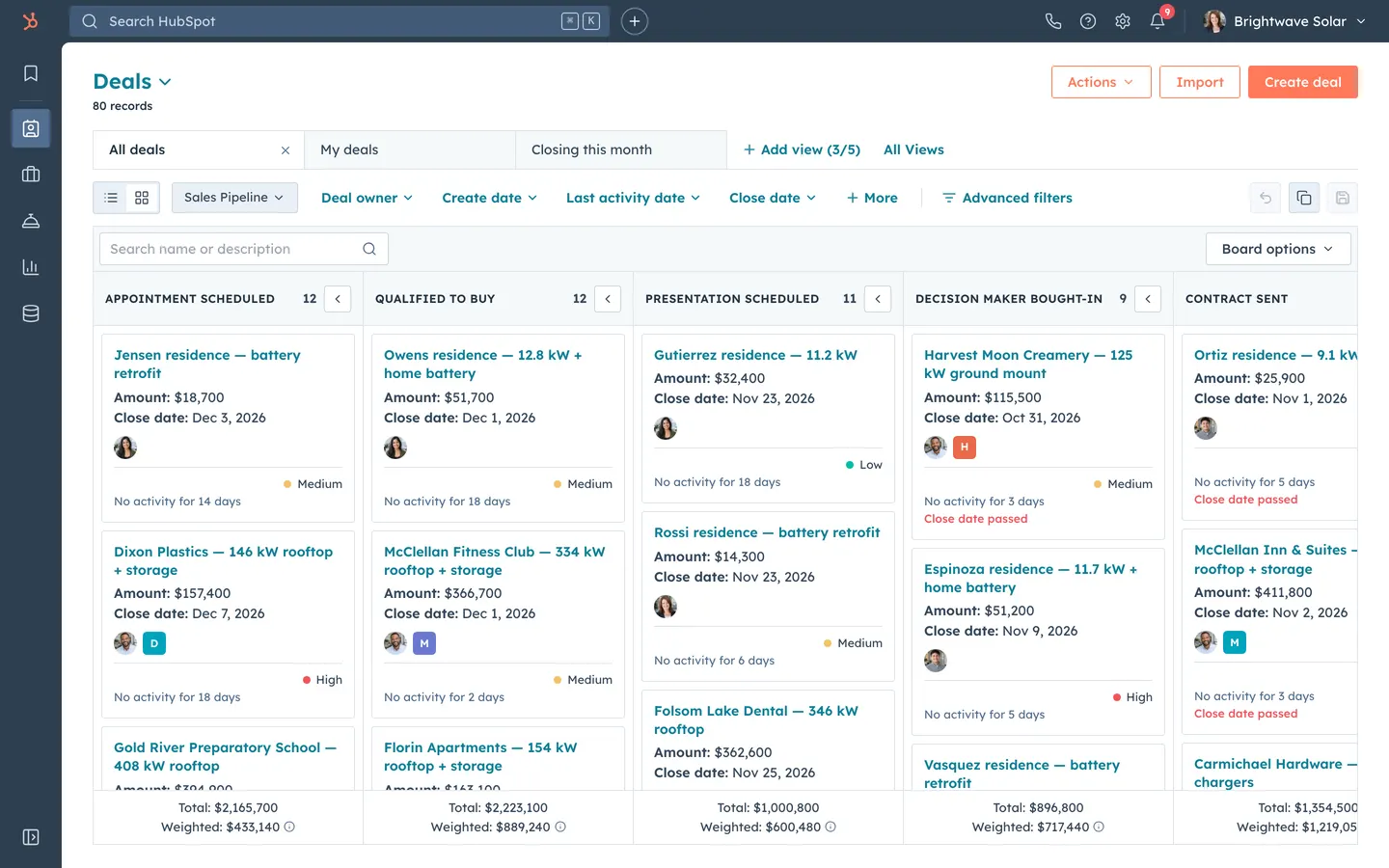
HubSpot CRM Clone
WebHubSpot's CRM, rebuilt: contact timelines, a drag-and-drop pipeline with weighted totals, inbox and reports.
- View template
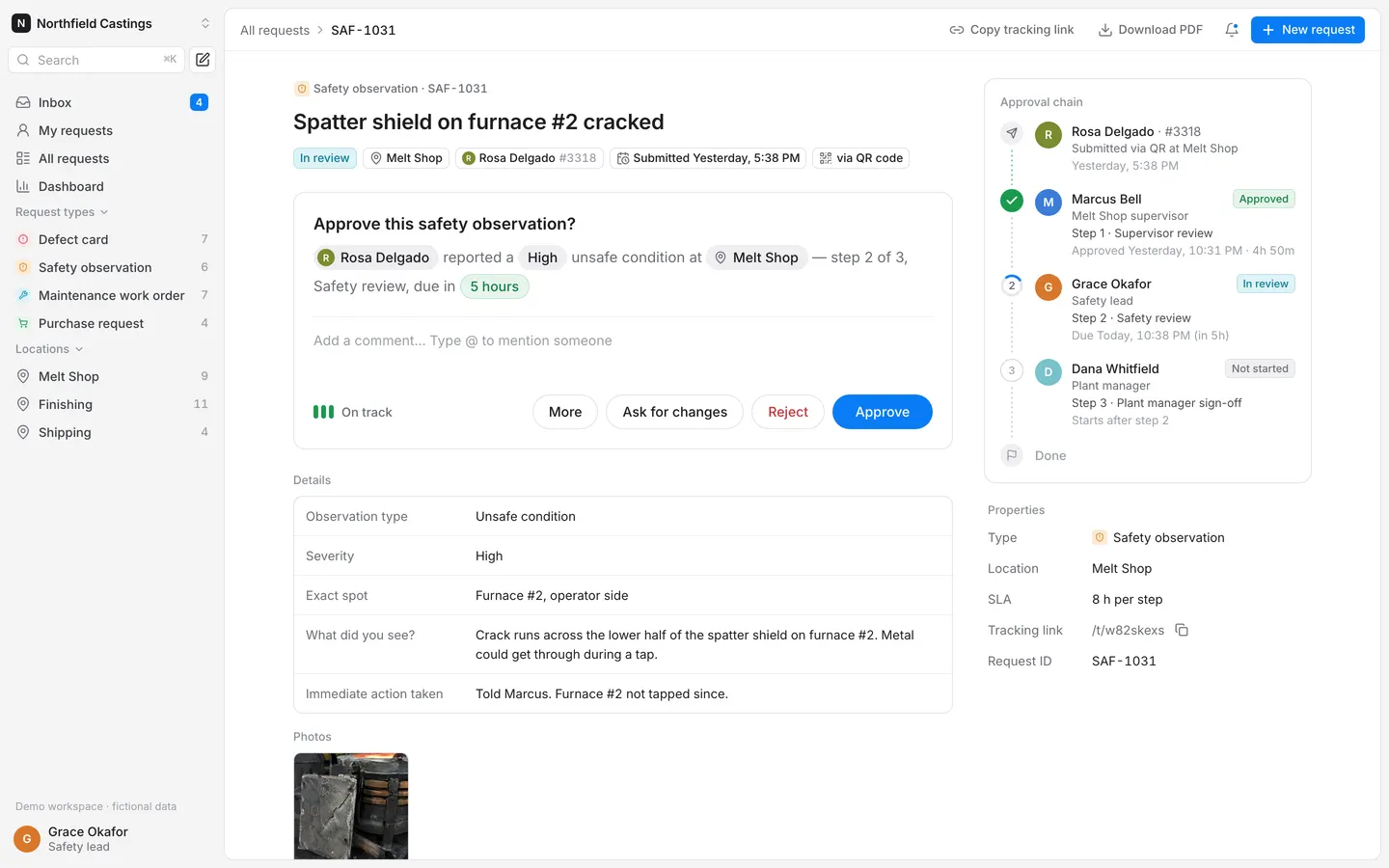
Requests & Approvals
WebWorkers scan a QR code at their station, report a defect or hazard, and it walks a multi-step approval chain.
- View template
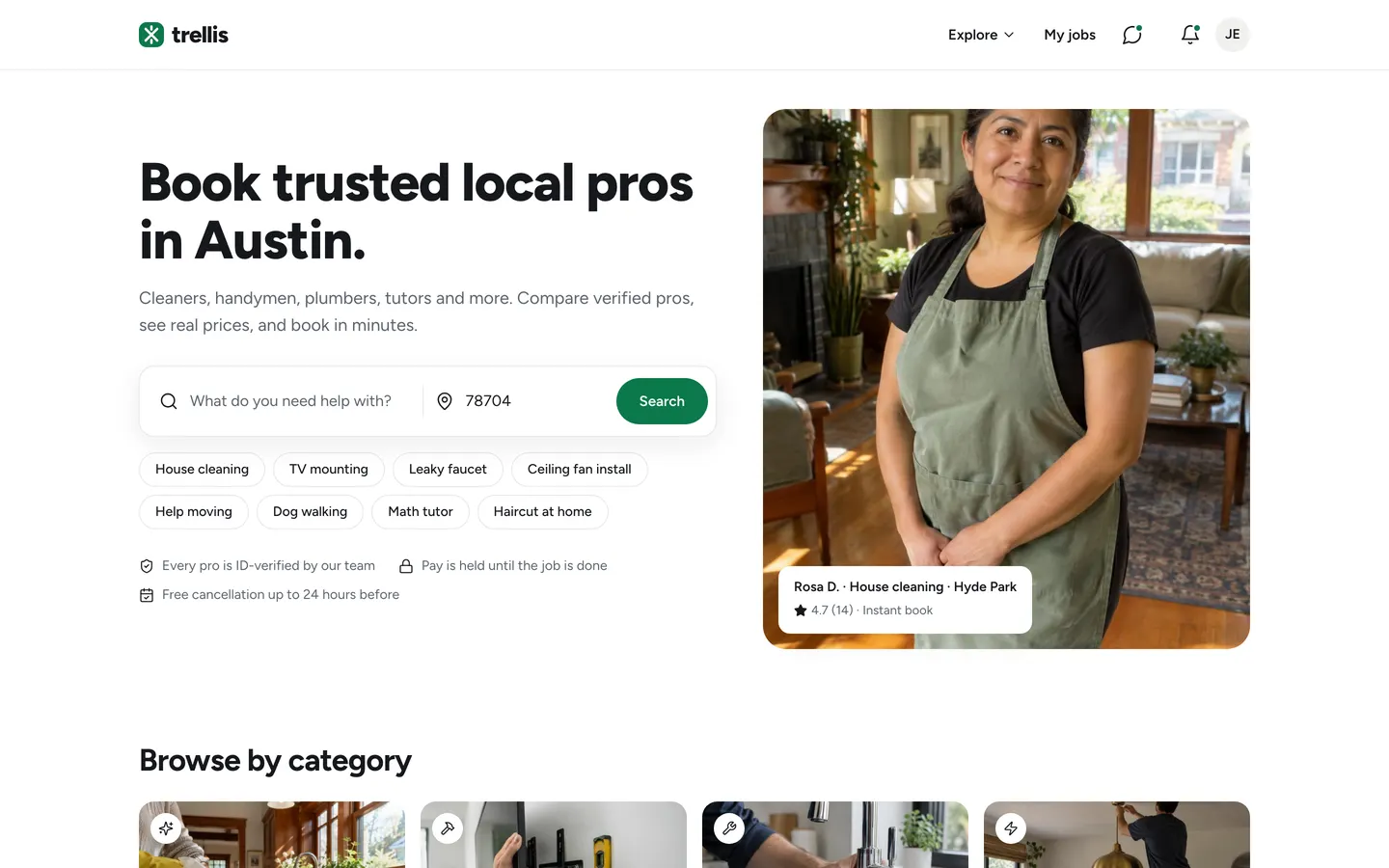
Services Marketplace
WebCustomers book verified local pros from a map, pros quote and get paid, and you keep a 15% cut.
- View template
Assessment Report
WebSend clients a scored questionnaire, edit the AI-drafted summary, and release a branded 8-page PDF report.