Assessment Report
Assessment app · built by the Vibecode team
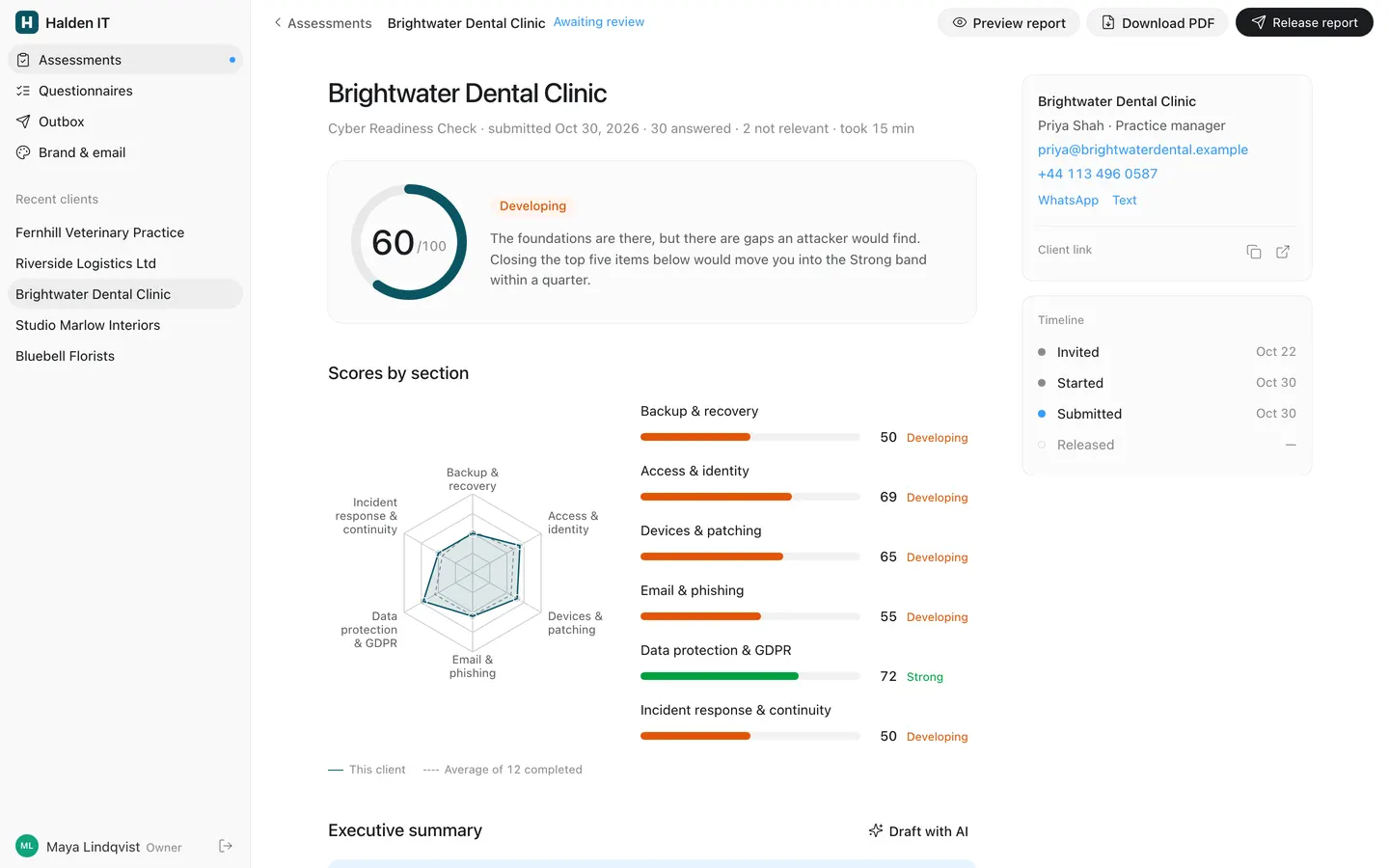
A consultant workspace for scored client assessments, set up as Halden IT's 32-question Cyber Readiness Check with 16 sample clients. Each client gets a private link and answers one question at a time, with keyboard shortcuts, branching, autosave and an instant score. You review the score by section, edit the top five recommendations and an AI-drafted executive summary, then release a branded report that prints as an identical 8-page PDF. The builder covers seven question types, weights, score bands, per-answer recommendations and findings, and the dashboard tracks every client with automatic reminders, an Outbox and CSV export.
- Web app
- Built in 9 prompts
- Free to remix
Remix copies the working app into your account for free, exactly as we built it. It runs in your browser.
The prompt that builds it
We built Assessment Report in 9 prompts. Here they are folded into one, so a single paste into a new app builds the finished version.
Prompt · 9,739 words
Build a complete web app called "Assessment Report" using Opus 5.5: a consultant's workspace for scored client assessments. A consultant builds a questionnaire with scoring, sends each client a unique link, the client answers in a calm one-question-at-a-time flow (like Typeform), sees an instant score, and the consultant reviews the narrative and releases a branded, print-perfect report and PDF. The demo workspace belongs to a fictional IT consultancy, "Halden IT", and its "Cyber Readiness Check for small businesses" (6 sections, 32 questions) with 12 completed client assessments.

Design references (the original screenshots are not included; build from these descriptions):
- Reference: Codex light theme, settings page. The sidebar, the 28px page title, grouped 16px-radius settings card with hairline rows, select pills and a blue toggle. The consultant app looks like this.
- Reference: Codex page header (28px title, 16px grey subtitle, pill search field, filter pills), a stat strip with hairline-separated cells, two-line list rows, segmented pills.
- Reference: Codex detail card with right-aligned values, notice card with a black pill button, key-value list, status dots and coloured status text, the button set (black primary pill, grey secondary pill, ghost).
- Reference: a Codex-styled document page. The report pages use this type and spacing (white field, generous line height, no boxes).
- Reference: a live Typeform question (layout reference only; ours is light and calm): number chip, big question, grey description, options with letter key chips, OK button.
- Reference (Typeform selected): the selected option state and the thin progress bar at the top.
- Reference (Typeform phone): the same question at phone width: full-width options and a full-width OK button at the bottom.
- Reference: Typeform text answer with an underline field, "OK press Enter", a 0-10 number scale, a multi-field question, and the up/down arrows bottom right.
- Reference: Typeform's logic rules (If question, condition, value, Then go to). Our builder has a simpler "Show this question if…" rule.

Also download the design system this app must follow, Ansh's default for reports and tools:
- `curl -L https://codex-design.beacon.host/codex-design.css -o webapp/src/styles/codex-design.css` and import it once at the app root, before your own CSS. It defines every `--cdx-*` token on `:root` (light) with dark values under `prefers-color-scheme: dark`, and the `cdx-*` primitives scoped under the `.cdx-app` class.
- `curl -L https://codex-design.beacon.host/design.md -o refs/codex-design.md` and read its Foundations, Components and "Reject list" sections. Follow them.

refs/ is only for you: add `refs/` and any `scripts/dev/` folder to .gitignore, save your QA screenshots and test PDFs outside the workspace, and delete refs/ and every reference, research or screenshot image when you finish, so remixes never copy them.

## Stack and data

- Use the platform's standard setup: the React + Vite + Tailwind webapp and the Hono backend on Bun. Use the database-auth skill for the database (Prisma) and Better Auth email + password login. Use the upload-assets skill for file uploads and stored PDFs.
- One consultant workspace. Seed it with the demo data below automatically at server start when the database has no workspace (idempotent), so a fresh copy of this project always boots full: index.ts runs seedIfEmpty() and only then starts the reminder job. Seed the owner account: email `maya@haldenit.example`, password `halden-demo`, name "Maya Lindqvist".
- Commit the SQLite database (backend/prisma/dev.db with its -wal and -shm files): before recycling an idle sandbox the platform saves the workspace with `git add --all`, which skips ignored files, and a remix copies only what is in git, so an ignored database loses everything a user entered. Store the day the demo was seeded; at startup, before the server answers, and then hourly, move every seeded demo timestamp forward by the whole calendar days since then, leaving rows a user created or edited alone, so dated views look as they did on seed day. Never store a visitor's IP address or user agent on sessions (blank both in a Better Auth databaseHooks.session hook).
- Remixes get a copy of backend/.env with BETTER_AUTH_SECRET cleared, so add backend/src/lib/authSecret.ts with `ensureAuthSecret()` and call it in env.ts before the environment is validated: if BETTER_AUTH_SECRET is blank it reads a saved value from backend/.env, or generates `randomBytes(32).toString("base64")`, writes it back to backend/.env (replacing the blank line or appending one) and logs "Generated a new BETTER_AUTH_SECRET". Keep the existing validation.
- All scores are computed by one scoring module (`backend/src/lib/scoring.ts`, pure functions, shared types) from the stored answers. Never store a score that wasn't computed from answers; cache the computed snapshot on the response when answers change.
- Seed dates relative to the moment the seed runs (for example invited = now − 14 days) so the demo always looks current. The dates below assume today is Nov 3, 2026.
- Add `bun run reset-demo` in backend/: it deletes every row (including Better Auth sessions and verifications), re-runs the seed exactly as below (16 clients, 27 emails), keeps the owner login, and finishes with `PRAGMA wal_checkpoint(TRUNCATE)` and `VACUUM` so the local SQLite file carries no stale pages. Run it as the very last step of your work.
- Times: a workspace "Time zone" setting (Brand & email › Consultancy, default Europe/London) and one formatter used everywhere: lists "Today, 9:15 AM", "Yesterday, 4:30 PM", "Nov 1, 9:15 AM", "2 days ago" / "Oct 28" for activity; detail views "Oct 28, 2026" and "Nov 1, 2026, 9:15 AM". 12-hour with AM/PM, never ISO strings. Seed every email on a weekday between 8:30 AM and 5:30 PM London time; reminders go at 9:00 AM.
- Emails (invites, reminders, report delivery) are always written to an Outbox table first (the action is saved before anything is sent). Delivery through Resend (proxied `RESEND_API_KEY`, `https://api.resend.com/emails`) happens only if the owner turns on "Deliver emails" in settings; it is OFF in the demo, so every email shows as "Logged" in the Outbox with a demo-mode notice. Record "Sent" or "Failed" with the error when delivery is on.
- AI summary: backend route calling `https://api.openai.com/v1/chat/completions` with the proxied `OPENAI_API_KEY` and model `gpt-5.6` (see the vibecode-apis skill). Never call it from the browser.
- No photos of people anywhere: people are initials avatars. No generated images are needed; if you make one, use `gpt-image-2.5-flare` via the proxied `OPENAI_API_KEY` at `https://api.openai.com/v1/images/generations`.

## Look: Codex design (consultant app and report)

Put `class="cdx-app"` on the consultant shell root and use the tokens and `cdx-*` primitives (`cdx-sidebar`, `cdx-nav-row`, `cdx-section-label`, `cdx-page-title`, `cdx-page-subtitle`, `cdx-search`, `cdx-segmented`/`cdx-segment`, `cdx-button`, `cdx-button-secondary`, `cdx-button-ghost`, `cdx-icon-button`, `cdx-settings-group`/`cdx-settings-row`, `cdx-card`, `cdx-stat-strip`/`cdx-stat`, `cdx-table`, `cdx-field`, `cdx-textarea`, `cdx-toggle`, `cdx-select`, `cdx-menu`, `cdx-dialog`, `cdx-toast`, `cdx-notice`, `cdx-dot`, `cdx-skeleton-row`, `cdx-empty`). Use Tailwind only for layout (flex, grid, gap). Radix primitives underneath are fine, but nothing may look like default shadcn: restyle every component with the tokens.

Key values (in case a token is missing):
- Font: `-apple-system, BlinkMacSystemFont, "Segoe UI", sans-serif` in the app and client flow; mono `ui-monospace, "SF Mono", Menlo, monospace`. No display font. The only exception is the report: its HTML sheets and the PDF both use Inter (TTFs in webapp/public/fonts) so they measure text identically. Sizes: 12px metadata, 13px small/menus, 14px all UI text, 16px subtitles and body copy, 18px card headings (500), 24px dialog titles (500), 28px page titles (500, tracking -0.025em). Weights 400/500/600 only. Tabular numerals for every score, count and date column.
- Colour, light: text `#1a1c1f`; secondary text = text at 70%; tertiary = 50%; canvas `#ffffff`; sidebar `#f9f9f9`; cards and inputs = text at 2% (≈ `#fafafa`); hover/selected tint = text at 5%; border = text at 8%, heavy border 12%; 0.5px hairlines (`box-shadow: 0 0 0 0.5px var(--cdx-border-heavy)`). Blue `#339cff` only for links, focus ring, unread dots and switched-on toggles (`#3a83f7`). Status: green `#00a240`, orange `#e25507`, red `#e02e2a`, shown as 6-8px dots, coloured text or 7-10% tints, never as big fills. Dark theme comes free from the tokens (gray-900 canvas, white tints); never hardcode a colour.
- Dark theme: brand-coloured chart strokes (the radar polygon, its dots, the score ring arc, the legend line) use the brand colour mixed 55% with white, with the radar fill at about 18%, so they read on the #181818 canvas.
- Shape: every button, tab, search field, nav row and toggle is a pill (radius 9999px). Inputs 8px, cards and menus 12px, grouped settings cards and dialogs 16px. Nothing square.
- Buttons: primary = black pill `#1a1c1f` with white 13px text, 30px tall, 16px padding; secondary = 5% tint pill, 28px, 14px 500 text; ghost = transparent, 7-10% on hover; icon buttons 28px round. Press = fill step only; no scale, no shadow.
- Depth: cards have no shadow (hairline only). Menus/popovers: white, 0.5px stroke + `0 8px 16px -4px #0000001f`. Dialogs: 600px, 16-20px radius, 40px padding, `0 16px 32px -8px #00000030`, faint scrim `#0000001a`.
- Spacing on a 4px grid. Sidebar 260px. Toolbar 46px. Two-line rows 64px. Settings rows 60px.
- Motion: 150ms ease for hover/menus, 300ms `cubic-bezier(0.19,1,0.22,1)` for panels and question transitions. Under `prefers-reduced-motion` only opacity changes.
- Copy: sentence case everywhere, verb-led buttons, middle dots between metadata ("Cyber Readiness Check · submitted Oct 28 · 32 of 32 answered").
- Icons: lucide-react, 16px in rows and buttons, 1.5 stroke, colour of their text. No emoji anywhere.
- Banned (from the Codex reject list): gradients, glows, glassmorphism on content, coloured side rails, drop shadows on cards, all-caps eyebrows or tracked labels, decorative numbers, coloured icon tiles, hover scale, bounce, confetti.

Brand (from Brand settings, used in the client flow, report, PDF, emails and charts): consultancy "Halden IT", brand colour petrol `#0B5563` (the one accent colour), logo = an SVG mark drawn in code: a 28px rounded square (radius 7) in the brand colour with a white geometric "H" (two 3.5px vertical bars and an offset crossbar), followed by the wordmark "Halden IT" in the system font, 15px, 600, tracking -0.01em. If the owner uploads a logo image it replaces the mark everywhere.

Score bands (default, editable in the builder), shown as coloured text, dots and bars:
- 0-40 "At risk", red `#e02e2a` (tint `#fff0f0`)
- 41-70 "Developing", orange `#e25507` (tint `#fff5f0`)
- 71-100 "Strong", green `#00a240` (tint `#edfaf2`)

## Scoring model

- Every question has a weight 0-3 (0 = not scored). Every answer earns 0-100 points:
  - single choice: the chosen option's points;
  - multiple choice: the sum of the chosen options' points, capped at 100; an option marked "exclusive" (None of these / Not sure) clears the others and scores 0;
  - scale 1-5: points per value, default 1→0, 2→25, 3→50, 4→75, 5→100;
  - yes/no: points for Yes and for No;
  - number: ranges, e.g. 0-1 → 100, 2-3 → 70, 4-7 → 40, 8+ → 10;
  - text and file upload: never scored.
- Branching: a question may have one rule "Show this question if [question] [is / is not / includes / is at least / is at most] [value]". Hidden questions are skipped in the flow, excluded from scoring and progress, and listed as "Skipped (not relevant)" in the appendix.
- Section score = round(Σ weight × points / Σ weight) over answered, visible, scored questions. Overall = weighted average of section scores (section weight default 1). Band = the band whose range contains the score.
- Recommendations: an option (or a Yes/No value, scale value or number range) can carry a recommendation: title, one-sentence body, priority High / Medium / Low. A response's suggested recommendations are those triggered by its answers, ranked by priority (High 3, Medium 2, Low 1) × question weight × (100 − points)/100, ties by question order. The top 5 are the "Top 5 recommendations".
- Weak areas: each section has a "weak below" threshold (default 60) and a weak-area text; when the section score is below it, that text becomes the section's note in the report.
- Findings: every scored question also has a short plain-English finding for weak answers (points under 60), stored with the question and editable in the builder under the answer options. They fill "What we found" in the review section notes, the report and the PDF. Never print question text there. Examples: Q7 "No MFA on online banking, accounting or payroll software, or admin accounts" (list the protections not chosen), Q2 "No offline or immutable backup copy", Q21 "DMARC isn't set up, so your domain can be spoofed", Q4 "Up to 11 days of work could be lost" (use the number), Q13 "Each person installs their own updates".

## Seeded questionnaire: "Cyber Readiness Check for small businesses"

Status Published. Intro: "32 short questions in 6 parts. It takes about 15 minutes. Your answers save as you go, so you can stop at any time and come back with this link." Each section below lists: section description; then questions as "type · weight · options with points"; "→" marks the recommendation triggered by those answers.

Section 1 "Backup & recovery" — "How well you could get your data back after a mistake, a theft or ransomware." Weak-area text: "Backups only count if a restore has been tested. Move to automatic daily backups with one offline copy, and test a restore every quarter."
1. "Do you back up your business data?" · single · w3 · A "Yes, automatically every day" 100 · B "Yes, but manually or now and then" 40 · C "No, not that I know of" 0. → B/C: High "Automate daily backups": "Set up automatic daily backups for email, files and your main business software, with an alert when a backup fails."
2. "Where are your backups kept?" · multiple · w2 · shown if Q1 is not C · "On a USB drive or NAS in the office" 20 · "In a cloud backup service" 40 · "At a second location" 30 · "An offline or immutable copy ransomware can't change" 40. → no immutable copy chosen: High "Keep one backup copy ransomware can't touch": "Follow the 3-2-1 rule: three copies, on two kinds of storage, one of them offline or immutable."
3. "When did you last test restoring files from a backup?" · single · w2 · shown if Q1 is not C · "In the last 3 months" 100 · "In the last year" 60 · "More than a year ago" 20 · "Never" 0. → last two: Medium "Test a restore every quarter": "Restore a folder and a mailbox, and write down how long it took. Untested backups fail when you need them."
4. "How many days of work could you afford to lose?" · number, unit "days" · w1 · 0-1 → 100, 2-3 → 70, 4-7 → 40, 8+ → 10.
5. "How confident are you that you'd be working again within a day after a ransomware attack?" · scale 1-5, ends "Not at all" / "Completely" · w2. → 1-2: Medium "Write down your recovery steps": "List the order to bring systems back and who to call. It turns a week of panic into a day of work."
6. "Upload your latest backup report (optional)" · file upload · not scored · optional · help "A PDF or screenshot from your backup tool helps us check the details."

Section 2 "Access & identity" — "Who can log in to what, and how well those logins are protected." Weak-area text: "Most breaches start with a stolen password. Multi-factor authentication on email and admin accounts, plus a company password manager, closes the biggest hole."
7. "Which of these are protected with multi-factor authentication (MFA)?" · multiple · w3 · "Email (Microsoft 365 or Google Workspace)" 35 · "Remote access or VPN" 20 · "Online banking" 15 · "Accounting or payroll software" 15 · "Admin accounts" 15 · "None of these" exclusive 0. → email not chosen: High "Turn on MFA for email and admin accounts": "Multi-factor authentication blocks almost all password attacks. Start with email and every admin login."
8. "Does your team use a password manager?" · single · w2 · "Yes, a company-managed one for everyone" 100 · "Some people use their own" 40 · "No" 0. → last two: Medium "Roll out a company password manager": "Shared and reused passwords disappear, and access can be removed in one click when someone leaves."
9. "Do staff work on company-owned computers?" · yes/no · w0 (used for branching).
10. "Who has admin rights on their own computer?" · single · w2 · shown if Q9 is Yes · "Only our IT provider" 100 · "A few people" 60 · "Everyone" 0. → last two: Medium "Remove everyday admin rights": "Accounts used every day shouldn't install software. It stops most malware from taking hold."
11. "When someone leaves, how fast are their accounts switched off?" · single · w2 · "The same day, with a checklist" 100 · "Within a week" 50 · "When someone remembers" 10. → last two: Medium "Use a leaver checklist": "Switch off accounts, collect devices and change shared passwords on the person's last day."
12. "Do people share logins, for example one account for the front desk?" · yes/no · w1 · Yes 0 · No 100. → Yes: Low "Give everyone their own login": "Personal accounts show who did what and let you remove access cleanly."

Section 3 "Devices & patching" — "How your computers are kept updated and protected." Weak-area text: "Unpatched computers are the second most common way in. Managed, automatic updates and endpoint protection remove most of that risk."
13. "How are Windows and Mac updates installed?" · single · w3 · "Automatically, managed by our IT provider" 100 · "Each person installs them" 40 · "We don't really know" 0. → last two: High "Manage updates centrally": "Patch every device automatically within 14 days of a release, and get a report of the ones that missed it."
14. "What protection runs on your computers?" · single · w2 · "Managed endpoint protection (EDR)" 100 · "Free or built-in antivirus" 50 · "Nothing, or not sure" 0. → last two: High "Install managed endpoint protection": "Business-grade EDR spots ransomware behaviour and isolates a laptop before it spreads."
15. "Are laptops encrypted (BitLocker or FileVault)?" · single · w2 · "All of them" 100 · "Some" 40 · "None, or not sure" 0. → last two: Medium "Encrypt every laptop": "A lost laptop should be a hardware cost, not a data breach."
16. "How many computers, phones and tablets does the business use?" · number, unit "devices" · not scored.
17. "Do you keep an up-to-date list of devices and software?" · yes/no · w1 · Yes 100 · No 0. → No: Low "Keep a device and software list": "A simple list of devices, owners and software is the base for patching, licences and insurance."

Section 4 "Email & phishing" — "How well your team and your email setup stop scams." Weak-area text: "Email is where most attacks begin. Short yearly training and a call-back rule for payment changes stop the costly ones."
18. "Has your team had security awareness training in the last 12 months?" · single · w2 · "Yes, everyone" 100 · "Some people" 50 · "No" 0. → last two: Medium "Run short security training once a year": "Thirty minutes a year plus a practice phishing email roughly halves the click rate."
19. "How confident are you that your team would spot a phishing email?" · scale 1-5, "Not at all" / "Completely" · w2. → 1-2: Low "Send a friendly phishing test": "A practice email shows who needs help, without blame."
20. "Is there a clear way to report a suspicious email?" · yes/no · w1. → No: Low "Add a one-click way to report phishing": "Make reporting easy, and thank the people who do it."
21. "Which email protections are set up for your domain?" · multiple · w2 · "SPF" 25 · "DKIM" 25 · "DMARC" 30 · "Spam and malware filtering" 20 · "Not sure" exclusive 0. → DMARC not chosen: Medium "Set up SPF, DKIM and DMARC": "These DNS records stop criminals sending email that looks like it came from you."
22. "Would a payment request that arrives by email be checked by phone first?" · single · w3 · "Always, it's our rule" 100 · "Usually" 50 · "No" 0. → last two: High "Call back before paying new bank details": "Confirm every new or changed payment request on a phone number you already have."

Section 5 "Data protection & GDPR" — "What personal data you hold, who processes it, and what happens in a breach." Weak-area text: "GDPR expects you to know what personal data you hold, who processes it for you and what you'll do in a breach. A one-page record and signed agreements cover most of it."
23. "Do you keep a record of what personal data you process and why?" · single · w2 · "Yes, and it's up to date" 100 · "Yes, but it's out of date" 50 · "No" 0. → last two: Medium "Write a record of processing": "One line per system: what personal data, why, how long, and who can see it."
24. "Do you have data processing agreements with your IT and software providers?" · single · w2 · "With all of them" 100 · "With some" 50 · "No, or not sure" 0. → last two: Medium "Sign agreements with your providers": "Your IT, payroll and software providers handle personal data for you, and GDPR needs a signed agreement with each."
25. "Who is responsible for data protection?" · single · w1 · "A named data protection lead" 100 · "Someone, informally" 50 · "Nobody" 0. → last two: Low "Name a data protection lead": "One person owns GDPR questions, data requests and breach decisions."
26. "Would you know what to do within 72 hours of a data breach?" · yes/no · w3. → No: High "Prepare a breach procedure": "Decide who leads, who you tell, and how you report to the regulator within 72 hours."
27. "How long do you keep customer data?" · single · w1 · "We follow a written retention policy" 100 · "We delete it when we remember" 30 · "We keep everything" 0. → last two: Low "Set a retention policy": "Decide how long you keep each kind of customer data, and delete the rest on a schedule."

Section 6 "Incident response & continuity" — "How ready you are when something goes wrong." Weak-area text: "When something goes wrong, the first hour decides the cost. A one-page plan with phone numbers, walked through once a year, is enough for most small businesses."
28. "Do you have a written incident response plan?" · yes/no · w3. → No: High "Write a one-page incident plan": "Who to call, what to switch off, and how to tell customers. Keep a printed copy."
29. "Has the plan been walked through in the last year?" · single · w2 · shown if Q28 is Yes · "Yes, with the whole team" 100 · "Yes, management only" 60 · "No" 0. → last two: Medium "Walk through the plan once a year": "A one-hour tabletop exercise finds the gaps before an attacker does."
30. "Do you have cyber insurance?" · single · w1 · "Yes" 100 · "We're looking into it" 40 · "No" 0 · "Not sure" 0. → not Yes: Low "Review cyber insurance": "Check what's covered, what security the insurer expects, and the claims number."
31. "If your main system went down today, how long could you keep working?" · single · w2 · "A week or more" 100 · "A few days" 60 · "Less than a day" 20 · "We'd stop straight away" 0. → last two: Medium "Plan how to keep working offline": "Decide how you'd take bookings, payments and calls for a week without your main system."
32. "Anything else we should know?" · text · not scored · optional · help "For example a recent incident, a change coming up, or what worries you most."

Band texts (shown on results and the report): At risk: "Several basic protections are missing. One phishing email or failed disk could stop the business for days. The good news: the fixes below are well understood, and most take less than a day each." Developing: "The foundations are there, but there are gaps an attacker would find. Closing the top five items below would move you into the Strong band within a quarter." Strong: "You have the protections most small businesses lack. Keep them tested: an untested backup or an old plan is the most common way strong setups fail."

Also seed a second questionnaire, status Draft, never sent: "Managed Backup Assessment" (2 sections, 8 questions: "Current backups" and "Recovery needs"), so the list isn't a single row.

## Seeded workspace and clients

Halden IT Ltd, Leeds · consultant Maya Lindqvist, "Lead consultant" · maya@haldenit.example · +44 113 496 0123 · haldenit.example · avatar "ML" on a teal circle `#10a37f`. Brand colour `#0B5563`.

16 client assessments of the Cyber Readiness Check. For each completed one, generate all answers in the seed from the per-section target maturity (B Backup, A Access, D Devices, E Email, G GDPR, I Incident): for each question pick the option whose points are closest to the target ± a small deterministic jitter (seeded by company name), then compute every score with the scoring module. Fill numbers and the text answer with plausible values, attach no files. Released ones have a consultant-written executive summary (compose it in the seed from the scores and top recommendations, 2-3 short paragraphs, plain English), "Awaiting review" ones have an empty summary.

| Company | Contact, role | Email | Phone | Staff | B A D E G I | Status |
|---|---|---|---|---|---|---|
| Hollins Bakery, Leeds | Anna Price, Office manager | anna@hollinsbakery.example | +44 113 496 0412 | 14 | 25 45 40 50 35 20 | Released Oct 24 |
| Vogt & Partner Solicitors, London | Felix Vogt, Managing partner | felix@vogtpartner.example | +44 20 7946 0318 | 9 | 70 80 65 75 85 60 | Released Oct 20 |
| Brightwater Dental Clinic, Leeds | Priya Shah, Practice manager | priya@brightwaterdental.example | +44 113 496 0587 | 18 | 50 70 65 55 75 45 | Awaiting review, submitted Oct 31 |
| Fellside Hotel & Spa, Harrogate | Lukas Gruber, General manager | lukas@fellsidehotel.example | +44 113 496 0733 | 42 | 60 50 55 45 60 50 | Released Oct 17 |
| Northside Physio, Manchester | Tom Ellery, Owner | tom@northsidephysio.example | +44 161 496 0254 | 7 | 40 55 45 50 50 35 | Released Oct 14 |
| Meyer & Co Accountants, York | Sabine Meyer, Partner | sabine@meyerco.example | +44 113 496 0901 | 11 | 85 85 80 75 90 70 | Released Oct 10 |
| Harbour & Finch Architects, Manchester | Olivia Finch, Director | olivia@harbourfinch.example | +44 161 496 0378 | 16 | 75 70 70 65 60 55 | Released Oct 8 |
| Riverside Logistics Ltd, Wakefield | Mark Klein, Operations director | mark@riversidelogistics.example | +44 113 496 0645 | 64 | 30 35 40 30 25 35 | Awaiting review, submitted Nov 1 |
| Copperleaf Coffee Roasters, Leeds | Jamie Ortiz, Co-founder | jamie@copperleaf.example | +44 113 496 0129 | 12 | 55 65 60 55 50 45 | Released Oct 6 |
| Sunflower Day Nursery, Bradford | Claire Hartley, Manager | claire@sunflowernursery.example | +44 113 496 0856 | 15 | 35 50 45 40 55 30 | Released Oct 2 |
| Fernhill Veterinary Practice, Leeds | Hannah Moss, Practice manager | hannah@fernhillvets.example | +44 113 496 0472 | 21 | 80 75 70 80 75 65 | Awaiting review, submitted Nov 2 |
| Weaver Electrical Services, Huddersfield | Jan Weaver, Owner | jan@weaverelectrical.example | +44 113 496 0390 | 28 | 20 30 35 30 20 25 | Released Sep 29 |
| Studio Marlow Interiors, London | Ella Marlow, Founder | ella@studiomarlow.example | +44 20 7946 0921 | 6 | 19 of 32 answered (sections 1-3 and two of section 4), last activity 2 days ago | In progress |
| Kessler Motors, Manchester | Dominic Kessler, Managing director | dominic@kesslermotors.example | +44 161 496 0517 | 23 | 7 of 32 answered, reminder sent Oct 31 | In progress |
| Bluebell Florists, Leeds | Grace Whitfield, Owner | grace@bluebellflorists.example | +44 113 496 0268 | 5 | invited Oct 30 | Invited |
| Albrecht Family Practice, Leeds | Dr Miriam Albrecht, Partner GP | miriam@albrechtpractice.example | +44 113 496 0794 | 19 | invited Nov 1 | Invited |

Completed assessments were invited 6-12 days before submission and took 11-19 minutes. Seed the Outbox with the matching emails: an invite for every client, reminders for Kessler Motors (Oct 31) and Studio Marlow (Oct 30), and a "Your Cyber Readiness Report is ready" email for every released client, all status "Logged".

Statuses: Invited → In progress → Awaiting review (submitted) → Released. Each response has a unique unguessable token (24+ url-safe characters).

## Screens: consultant app (signed in)

Shell: left sidebar 260px on `#f9f9f9`, the rest is the white canvas.
- Top row (46px): the Halden IT logo mark (24px) + "Halden IT" 15px 600.
- Nav rows (31px pills, 16px icon, 8px gap, 14px text; selected = 5% tint, primary text): "Assessments" (ClipboardCheck) with a 6px blue dot at the right while any assessment awaits review · "Questionnaires" (ListChecks) · "Outbox" (Send) · "Brand & email" (Palette).
- Section label "Recent clients" (12px tertiary, 24px above), then the 5 most recently active companies as rows that open their assessment.
- Footer (46px): "ML" teal avatar 24px + "Maya Lindqvist" 14px + "Owner" 12px tertiary, and a ghost "Sign out" icon button.
- Under 900px the sidebar becomes a drawer: a sticky 52px top bar with a 44px menu button and the page title; the drawer slides in over a scrim (300ms enter easing), Escape and the scrim close it.

### /login
White page, centred 360px column, 20vh from the top: logo mark 40px, then "Sign in" 24px 500, subtitle 14px secondary "Assessments, client links and reports for Halden IT." Fields "Email" and "Password" (36px, 8px radius, hairline, 2% fill), full-width 44px black pill "Sign in". Below it, a notice card (16px radius, 2% fill, hairline, 16px padding): title "Demo workspace" 14px 600, body 14px secondary "Sign in as the owner, Maya Lindqvist: maya@haldenit.example · halden-demo", secondary pill "Use demo login" that fills both fields and signs in. Wrong password: red 13px "Wrong email or password." under the password field. Every consultant route redirects here when signed out; after sign-in go to /assessments.

### /assessments (home)
Content column max 1040px, 32px top padding.
- Toolbar right: secondary pill "Export CSV" (Download icon) and black primary pill "New assessment" (Plus icon).
- Header: title "Assessments" 28px; subtitle 16px secondary "Every client you've sent a check to, with live progress and scores."
- Stat strip (hairline-separated cells, value 16px 500 tabular on top, label 12px tertiary below): "16" Sent · "12" Completed · "3" Awaiting review · "54" Average score · "2" In progress (all computed).
- Beside or under it, a card "Where your clients are weakest": the six sections ordered by average score across completed assessments, each a row: section name 14px, an 8px rounded bar (track text at 6%, fill in the band colour of that average), the average tabular right-aligned. Caption 12px tertiary "Average of 12 completed assessments".
- Pill search field "Search clients" (36px, leading search icon), then filter pills with counts: "All 16" · "Awaiting review 3" · "In progress 2" · "Invited 2" · "Released 9".
- Table (Codex table: 12px tertiary header row, hairline separators, 64px rows, whole row clickable, 5% hover):
  - "Client": 32px initials avatar (text at 6% fill, 12px 600 secondary letters) + company 14px 500 + "Priya Shah · Practice manager" 12px tertiary.
  - "Status": dot + text: "Awaiting review" (blue dot), "Released" (green dot), "In progress" with "19 of 32" and a 48px 4px-tall progress bar, "Invited" (grey dot) with "Reminder sent Oct 31 · next Nov 6" or "Not opened yet" 12px tertiary.
  - "Score": overall 14px 500 tabular + band name in the band colour 12px; "—" when not completed.
  - "By section": six 4px-wide bars, max 20px tall, height = score, colour = band; tooltip "Backup & recovery · 50".
  - "Last activity": "2 days ago" / "Oct 28".
  - Trailing 28px "…" icon button (menu: "Open", "Copy client link", "Send reminder", "Download PDF", "Delete…" in red with a confirm dialog).
- Default sort: Awaiting review first, then In progress, Invited, Released, each newest first.
- Loading: 6 skeleton rows (16px circle, 200px and 150px bars, a 48px bar right, 12px tall, shimmer). Empty: centred "No assessments yet" 16px, "Send your first Cyber Readiness Check to a client." 14px secondary, and "New assessment". No search results: "No clients match “query”". Error: notice card "Couldn't load assessments." with "Try again".
- "Export CSV" downloads `assessments-2026-11-03.csv` (today's date): Company, Location, Contact, Email, Phone, Questionnaire, Status, Answered, Overall score, Band, one column per section score, Invited, Submitted, Released. Company and Location are separate columns ("Fernhill Veterinary Practice", "Leeds").

### "New assessment" dialog
600px Codex dialog. Title "Send an assessment" 24px 500, lede 14px secondary "Each client gets their own link. Their answers save as they go." Fields: "Questionnaire" (select pill, the Cyber Readiness Check preselected), "Company" *, "Contact name" *, "Role", "Email" *, "Phone", "Personal message" (textarea, prefilled "Hi there, here's the 15-minute Cyber Readiness Check we talked about. Your answers save as you go, so you can do it in more than one sitting." and filled live: as "Contact name" is typed the first line reads "Hi Quinn,"; once the consultant edits the message themselves, stop overwriting it), "Reminders" segmented "Off · Every 3 days · Weekly" (default Every 3 days). Validation inline in 13px red ("Enter a valid email"). Button full-width "Create link".
After it saves (the response exists before anything is sent), the dialog shows step 2: "Link ready for Bluebell Florists" with the URL in a mono read-only field + "Copy" (toast "Link copied"), and actions: black pill "Email invite" (writes the invite to the Outbox, then tries delivery; toast "Invite logged in Outbox" with "View"), secondary "WhatsApp" (`https://wa.me/<digits>?text=<message + link>`), secondary "Text message" (`sms:<phone>?&body=<message + link>`), ghost "Open as client" (new tab). WhatsApp and SMS buttons appear only when a phone was entered.

### /assessments/:id (review screen)
Toolbar (46px): ghost "‹ Assessments", company name 14px 500, state label in blue 13px ("Awaiting review"; green "Released Oct 24" once released). Right: secondary "Preview report" (Eye), secondary "Download PDF" (FileDown), black primary "Release report" (Send) — after release it becomes secondary "Re-send report".
Two columns from 1100px: main column max 720px, right rail 300px; one column below.
Main column:
1. Header: company 28px; meta 14px tertiary "Cyber Readiness Check · submitted Oct 31, 2026 · 30 answered · 2 not relevant · took 15 min" (the "not relevant" part only when logic hid questions).
2. Score card (16px radius, 2% fill, hairline, 24px padding): a 120px ring (10px stroke, track text at 8%, arc in the brand colour, animates from 0 over 700ms on first view) with the overall score 36px 500 tabular and "/100" 14px tertiary inside; to its right the band chip (band colour text on band tint, 13px 500, pill) and the band text 14px secondary.
3. "Scores by section" (18px 500): radar chart left (300px, Recharts; six axes with 12px secondary labels, hairline grid, client polygon brand colour at 14% fill with a 1.5px stroke and 4px dots; a dashed grey polygon "Average of your clients") and the six section rows right (name 14px, 8px bar in band colour, score tabular, band name 12px in band colour). Legend 12px tertiary: "— This client · - - Average of 12 completed".
4. "Executive summary" (18px 500) with a ghost button "Draft with AI" (Sparkles icon) on the right. A textarea (min 180px, 8px radius, 2% fill, hairline, 15px/1.6) with placeholder "Write two or three short paragraphs for Priya in plain English." Autosaves (debounced 600ms) with "Saved · just now" 12px tertiary under it.
   - "Draft with AI" calls the backend; while waiting show three shimmering skeleton lines and "Drafting a summary from the scores and answers…". The result appears ABOVE the textarea in a draft card (tip blue tint `#e8f3fe`, 12px radius): label 12px 600 blue `#3a83f7` "AI draft · gpt-5.6 · not reviewed", the draft 14px, buttons secondary "Use this draft" (copies it into the textarea for editing; a 12px tertiary note "Edited from an AI draft" stays under the textarea), ghost "Regenerate", ghost "Discard". Error: 13px red "Couldn't draft a summary. Try again." The draft is stored with its time; it is never released by itself — only the textarea text goes in the report.
   - AI prompt: system "You are a senior IT security consultant at {consultancy}. Write the executive summary of a cyber readiness report for the owner of a small business. Plain, warm, direct English. Three short paragraphs, under 170 words. No headings, no bullet points, no jargon without a short explanation. Use only the facts given." User content: company, contact first name, staff count, overall score and band, each section score, the top 5 recommendations, and the answers that scored 0-40.
5. "Top 5 recommendations" (18px 500) with ghost "Reset to suggested". Ordered rows: 24px hairline circle with the number, title 14px 500 (editable inline), body 14px secondary (editable), priority select pill with a dot ("High" red, "Medium" orange, "Low" grey), section name 12px tertiary, ghost icon buttons move up / move down / remove. Ghost row "+ Add recommendation". Saves on change.
6. "Section notes": one collapsible row per section (name, score, band), expanding to a textarea prefilled with the weak-area text when the section is weak, or empty.
7. "Answers": grouped by section; rows "1 · Do you back up your business data?" 14px, the answer 14px secondary, points "40 pts" 12px tertiary right-aligned; hidden questions "Skipped (not relevant)"; file answers as a file chip that opens the file.
Right rail (cards with hairline):
- Client: company 14px 500, contact + role, email as a `mailto:` link, phone as a `tel:` link, small links "WhatsApp" (`wa.me`) and "Text" (`sms:`), then "Client link" with Copy and Open icon buttons.
- Timeline (Codex previous-runs style, 8px dots): "Invited Oct 21" · "Started Oct 22" · "Reminder sent Oct 25" · "Submitted Oct 31" · "Released —".
- For not-submitted assessments: progress "19 of 32 answered", "Send reminder" secondary pill (logs a reminder email; toast "Reminder logged in Outbox"), the reminder cadence segmented control, and under it the next automatic reminder in plain words: "Next reminder Nov 6, 9:00 AM", "Reminders are off", or "3 of 3 automatic reminders sent".
Automatic reminders: a backend job runs on server start and every 10 minutes. For each Invited or In progress assessment with reminders on, it logs a reminder through the Outbox (saved first, delivered only if delivery is on) when the latest invite or reminder is at least 3 days old (Every 3 days) or 7 days old (Weekly), only on weekdays 9:00 AM-5:00 PM workspace time, at most 3 automatic reminders per assessment, never after the client submits. Subjects: "Reminder: your Cyber Readiness Check is 19 of 32 done" or "Reminder: your Cyber Readiness Check is waiting". Seed the in-progress and invited clients so their next reminder falls 1-3 days after the seed runs, so a fresh reset never sends anything at boot.
"Release report" opens a dialog: title "Release the report to Priya?", lede "Priya will get an email with a link to the report and the PDF attached. You can still edit it afterwards and re-send it.", a toggle "Attach PDF" (on), full-width black "Release and email". Title, lede and toggle are fixed when the dialog opens and never change while it works (after release the same dialog reads "Re-send the report to Priya?"). The PDF starts rendering the moment the dialog opens (and "Download PDF" reuses that blob while nothing changed). On confirm the button is disabled and shows the step: "Preparing PDF…", "Uploading PDF…", "Sending email…"; the dialog can't be closed mid-way; target under 6 seconds. It saves status Released and the release time first; then uploads the PDF (upload-assets skill), and the backend writes the "Your Cyber Readiness Report is ready" email (link to /r/:token, PDF attached) to the Outbox and tries delivery. Toast "Report released · email logged in Outbox" with "View". If the executive summary is empty or only whitespace, the dialog shows an orange notice (orange tint, 12px radius) "Write the executive summary first. Your client's report would say it hasn't been written yet." with a secondary pill "Draft with AI" (closes the dialog, scrolls to the summary and starts a draft), the confirm button is disabled, and the server refuses release and re-send with 409 "Write the executive summary first". Not-submitted assessments can't be released (button disabled with tooltip "Waiting for Ella to finish").

### Report: /assessments/:id/report (consultant preview) and /r/:token (client, public)
A print-perfect HTML document in the Codex document style, forced light (`.cdx-light`). On screen: canvas `#f3f3f3`, a sticky 46px toolbar (white, hairline bottom) with the logo + "Cyber Readiness Report · Brightwater Dental Clinic" on the left and secondary "Print" + black "Download PDF" on the right; then A4 sheets (794 × 1123 px, white, 0.5px hairline, no shadow, 24px apart, 64px inner padding). Under 900px the sheets become fluid full-width pages with 20px padding and auto height, but scope every small-screen report rule to `@media screen and (max-width: 899px)`: a printer's A4 width (about 794 px) must never match it. Print CSS: `@page { size: A4; margin: 0 }`, toolbar and app chrome hidden, each sheet exactly 210 × 297 mm with the same inner padding as on screen, the footer inside the sheet at its bottom, `break-after: page` on every sheet but the last, `break-inside: avoid` on rows and blocks, `print-color-adjust: exact`, nothing ever under a footer.
One page plan, shared by the HTML sheets and the PDF so both always have the same pages and page numbers: 1 Cover · 2 Executive summary · 3 Scores by section · 4 Top 5 recommendations · 5 Section by section (sections 1-3) · 6 Section by section (sections 4-6) · 7 Appendix (sections 1-3) · 8 Appendix (sections 4-6). Pack the blocks with one shared measure (block heights from the same geometry in CSS, the plan and the PDF); if a consultant's text is longer than a page holds, both versions continue onto one extra page with the same heading plus "(continued)" and renumber the same way. Appendix rows are 12px text with tight padding so all 32 questions fit pages 7-8.
Every sheet has a footer (11px tertiary, hairline above): "Halden IT · Cyber Readiness Report · Brightwater Dental Clinic" left, "Page 2 of 8" right.
1. Cover: logo top-left, "Confidential" 12px tertiary top-right. At 38% height: "Cyber Readiness Report" 40px 500 tracking -0.025em, then 18px secondary "Brightwater Dental Clinic · assessed October 31, 2026". Below, the score: 160px ring in the brand colour with the score 56px tabular and "/100", next to the band chip and band text (16px secondary, max 360px). Bottom: three key-value columns above a hairline: "Prepared for" Priya Shah, Practice manager · "Prepared by" Maya Lindqvist, Lead consultant, Halden IT · "Date" the release date (or "Draft, not released" in the consultant preview before release).
2. "Executive summary" 24px 500, the summary paragraphs 15px/1.65, then a stat strip: overall score · weakest section with its score · strongest section with its score · "30 of 30" with the caption "Answered · 2 not relevant" (just "Answered" when nothing was hidden) · "18 staff".
3. "Scores by section": the radar (client only, brand colour) and a table of the six sections: name, 8px bar, score, band (coloured text), one-line meaning (the section description).
4. "Top 5 recommendations": numbered blocks, each title 16px 500, priority as coloured 12px text ("High priority" red, "Medium priority" orange, "Low priority" grey), body 14px secondary, section name 12px tertiary.
5-6. "Section by section" (three sections per page): for each section: name 18px 500 + score + band, the section note (the edited text), and "What we found": up to three findings from the lowest-scoring answers ("Backups are run manually or now and then").
7-8. "Appendix: your answers" (sections 1-3, then 4-6): per section, a table "#", "Question", "Answer", "Points" (12px, hairline rows); skipped questions say "Skipped (not relevant)".
Before release, /r/:token shows a calm page: logo, "Your report is being reviewed", "Maya Lindqvist is reviewing your answers. You'll get an email when your report is ready." and the consultant's mailto/tel links.

### PDF
Build the PDF with `@react-pdf/renderer` in the browser from the same data and the same page plan (8 pages, identical breaks to the printed HTML), so "Download PDF" (toolbar, review screen, dashboard menu, client report page) saves `Cyber-Readiness-Report-Brightwater-Dental-Clinic.pdf`. Download Inter into `webapp/public/fonts/` (https://cdn.jsdelivr.net/fontsource/fonts/inter@latest/latin-400-normal.ttf, latin-500-normal.ttf, latin-600-normal.ttf) and register it once. Draw the logo, the ring, the radar (react-pdf Svg Polygon/Line/Text) and the bars as vectors. A4, same footer and "Page N of 8", brand colour accents, band colours, no row cut across pages. Show "Preparing PDF…" on the button while it renders. Verify by printing the HTML report with Chromium (`emulateMedia({ media: "print" })`, `page.pdf({ format: "A4", preferCSSPageSize: true })`) and rendering both PDFs to images: 8 pages each, identical breaks, no blank pages, cover key-values in three columns.

### /questionnaires
Header "Questionnaires", subtitle "The checks you send to clients. Edit questions, scoring and report text." Two-line rows: "Cyber Readiness Check for small businesses" + "6 sections · 32 questions · sent 16 times · edited Oct 18" with a green "Published" label; "Managed Backup Assessment" + "2 sections · 8 questions · never sent" with a grey "Draft" label. Each row: secondary "Edit", black "Send" (opens New assessment with it selected), "…" menu (Duplicate, Delete). Black primary "New questionnaire" in the toolbar creates an untitled draft with one section and opens the builder.

### /questionnaires/:id (builder)
Toolbar: ghost "‹ Questionnaires", the title (click to edit inline), status label ("Published" green / "Draft" grey), "Saved" / "Saving…" 12px tertiary, segmented pills "Questions · Scoring · Report", secondary "Preview" (opens the client flow in preview mode in a new tab: answers are not stored and a 12px "Preview · answers aren't saved" pill sits top-centre), black "Publish" for drafts. Every edit autosaves (debounced 600ms).
Questions tab: two panes.
- Outline (300px, `#f9f9f9`, scrolls): per section a header row (section name 13px 600 + "6" count tertiary + "…" menu: Rename, Move up, Move down, Delete), then question rows 34px pills: type icon 16px (CircleDot single, ListChecks multiple, Gauge scale, ToggleLeft yes/no, Hash number, AlignLeft text, Paperclip file), number "1.2" tertiary, title truncated, a GitBranch icon when the question has a rule, weight "×3" tertiary right. Selected row = 5% tint. Ghost row "+ Add question" under each section, "+ Add section" at the bottom. New questions default to single choice "Untitled question" with options A and B and are selected at once.
- Editor (max 720px), Codex settings-group cards:
  - "Question": "Type" select pill (Single choice, Multiple choice, Scale 1–5, Yes / No, Number, Text, File upload), "Question" text field, "Help text" field, "Required" toggle, "Weight" segmented "Not scored · ×1 · ×2 · ×3" with description "How much this question counts in its section".
  - "Answers and points": for choice types, one row per option: key chip (A, B, …), label field, points number field (60px) + "pts", an "Exclusive" toggle for multiple choice, a ghost icon "Recommendation" that expands an inline block (title field, body textarea, priority segmented High · Medium · Low), and a remove icon; ghost "+ Add option"; under the options a "Finding" field (the "What we found" line for weak answers). Scale: points per value 1-5 and the two end labels. Yes/No: points for Yes and No, each with an optional recommendation. Number: unit field and a ranges table (from, to, points, + Add range). Text and file: "Not scored" note.
  - "Logic": segmented "Always show · Show only if…"; when "Show only if…": question select (earlier questions only), operator select (is, is not, includes, is at least, is at most), value select (that question's options) or number field. Sentence preview below in 13px secondary: "Shown only if “Do you back up your business data?” is not “No, not that I know of”."
  - Header "…" menu: Duplicate, Move up, Move down, Delete (confirm).
Scoring tab (settings-group cards): "Score bands": three rows with a colour dot, name field, "from" and "to" number fields and the band text textarea, with validation that the ranges cover 0-100 without overlap ("Bands must cover 0-100 with no gaps"). "Sections": one row per section with weight segmented "×1 · ×2 · ×3", "Weak below" number field (default 60) and the weak-area textarea. A short read-only explainer card: "Each answer earns 0-100 points. A section's score is the weighted average of its answered, visible questions. The overall score is the weighted average of the sections."
Report tab: "Report title" (Cyber Readiness Report), "Welcome text" (the intro), "Thank-you text" (results screen), toggles "Show the score to clients right after they submit" (on) and "Include the answers appendix" (on).
Phone: the outline becomes a select "1.2 Where are your backups kept? ▾" above the editor.

### /outbox
Header "Outbox", subtitle "Every invite, reminder and report email, saved before it's sent." A notice card at the top while delivery is off: "Demo mode: emails are saved here and not delivered." + secondary "Turn on delivery" (goes to Brand & email). Filter pills "All · Invites · Reminders · Reports". Two-line rows: subject 14px + "To Priya Shah · Invite · Today 10:12" 12px tertiary, status at the right ("Logged" grey dot, "Sent" green, "Failed" red with the error in a tooltip). Selecting a row opens a right pane rendering the branded HTML email: logo, "Hi Priya,", the message, a brand-colour pill button ("Start your check" / "Continue your check" / "Open your report"), the PDF attachment chip on report emails, and the footer "Halden IT Ltd · Leeds · haldenit.example". Subjects: "Your Cyber Readiness Check from Halden IT", "Reminder: your Cyber Readiness Check is 19 of 32 done", "Your Cyber Readiness Report is ready".

### /settings ("Brand & email")
Settings-group cards with 60px rows: "Consultancy": Name, Logo (current mark + secondary "Upload logo" / ghost "Remove"), Brand colour (16px swatch + hex in a pill field + six preset swatches: #0B5563, #1F3A68, #7A2E3A, #2F5D3A, #5B3F8C, #1A1C1F), Consultant name, Title, Email, Phone, Website, Time zone (select pill, "London (UK time)" by default, with the description "Every date and time in the app, emails and reports uses it."). "Report": Footer text ("Halden IT Ltd · Confidential"), "Show the score to clients right after they submit" toggle. "Email": "Deliver emails" toggle (off) with description "When off, emails are saved in the Outbox only.", From name, Reply-to. "Account": change password. A live A4 cover thumbnail on the right (at ≥1200px) reflects the name, logo and colour as you edit.

## Screens: client flow (public, no login) — /a/:token
Calm, premium, lots of white, forced light (`.cdx-light`), the brand colour as the only accent. Page title "Cyber Readiness Check · Halden IT".
- Frame: a 3px progress bar across the very top (track text at 6%, fill brand, width = answered visible / total visible, 300ms transition). Header row 24px inset: logo mark 24px + "Halden IT" 14px 600 left; right "Part 2 of 6 · Access & identity" 13px tertiary and the save state ("Saving…" → check + "Saved" 12px tertiary; on failure orange "Couldn't save, retrying" with automatic retry). Bottom-right: two 32px icon buttons (ChevronUp, ChevronDown) in a hairline pill group. Content column: max 640px, centred on the page, text left-aligned, vertically centred (min-height 100dvh).
- Welcome: "Cyber Readiness Check" 14px brand 500; "Hi Priya, let's see how ready Brightwater Dental Clinic is for a cyber attack." 36px 500 tracking -0.02em; the intro 17px/1.55 secondary; brand pill "Start" (44px, 15px 500 white) + "press Enter ↵" 12px tertiary; under it a 28px "ML" teal avatar + "Prepared by Maya Lindqvist, Lead consultant at Halden IT" 13px secondary.
- Returning visitor (answers exist): "Welcome back, Ella." / "You've answered 19 of 32 questions. Pick up where you left off." with brand "Continue" and ghost "Start from the beginning". Continue jumps to the first unanswered visible question.
- Part intro (first screen of each section): "Part 2 of 6" 14px brand 500, the section name 32px 500, its description 17px secondary, "6 questions · about 3 minutes" 13px tertiary, brand "Continue" + "press Enter ↵".
- Question: "7 →" in brand 14px 500; question 26px/1.3 500; help 16px secondary; optional questions add "(optional)" in tertiary after the title. Answers 28px below:
  - Options (single, multiple, yes/no): rows up to 520px wide, min 48px, 12px radius, 1px border text-at-12%, white; a 24px key chip (6px radius, hairline, 12px 600 secondary letter: A, B, C… or Y / N); label 16px. Hover 3% tint. Selected: 1.5px brand border, brand at 6% fill, key chip filled brand with a white letter, a brand check icon on the right. Choosing a single-choice or yes/no option flashes it twice (opacity 1 → 0.5 → 1, two 110ms blinks) and auto-advances after 450ms. Multiple choice shows "Choose as many as you like" 13px tertiary above the options and needs OK; an exclusive option clears the others.
  - Scale 1-5: five 64 × 56 buttons (10px radius, hairline), number 18px 500; selected = brand fill, white number; end labels under the row 13px tertiary.
  - Number: 32px input with an underline (1px text-at-20%, 2px brand on focus), unit 20px tertiary after it, placeholder "Type a number".
  - Text: auto-growing 22px textarea with the underline style, hint "Shift + Enter for a new line".
  - File: 520 × 140 drop zone, 12px radius, 1.5px dashed text-at-20%, Upload icon, "Drop a file here or browse" 15px, "PDF, PNG or JPG up to 10 MB" 13px tertiary; uploading shows a thin progress bar; done shows a chip (FileText icon, name, size, "Remove").
  - OK row 28px under the answers: brand pill "OK" with a check icon (40px tall) + "press Enter ↵"; the last question of a part says "Next part", the last question says "Review answers". Required and empty: 13px red "Please choose an answer" / "Please type an answer" fades in under the answers (no shake).
- Keyboard: letters pick options, 1-5 pick the scale, Y / N for yes/no, Enter = OK / continue, Shift+Enter = newline in text, ↑ / ↓ previous / next. The first question shows a one-time 12px tertiary tip "Tip: press A–D to choose and Enter to continue."
- Transitions: the outgoing question moves up 24px and fades (200ms ease-in), the next comes up from 24px below (320ms `cubic-bezier(0.19,1,0.22,1)`); going back reverses. Reduced motion: crossfade only.
- Autosave: every answer is saved to the backend immediately (text and number debounced 400ms) and mirrored to localStorage; progress and "last activity" update on the response. Branching is evaluated live, so hidden questions disappear from the path and the progress total.
- Review: "Almost done" 32px, "Check your answers before you send them to Maya." then six rows: part name, "6 of 6 answered" tertiary, ghost "Edit" (jumps to the part). Unanswered required questions show orange "1 question left" with "Answer". Brand "Submit answers"; it shows "Submitting…" and the response is saved as submitted before the results appear.
- Results (when "show score" is on): "Thanks, Priya. Here's your score." 32px 500; a 140px brand ring with the score; band chip + band text; "By section": six rows (name, 8px bar in band colour, score); "Your top 5 priorities": numbered title + body; a closing card (2% fill, hairline, 16px radius): "Maya Lindqvist will review your answers and send your full report by email, usually within 2 working days." with links "Call +44 113 496 0123" (`tel:`), "Email Maya" (`mailto:`), "WhatsApp" (`https://wa.me/441134960123`). No confetti. When "show score" is off: just the thank-you text and the closing card. Visiting the link after release shows "Your report is ready" with a brand pill "Open your report" (/r/:token) and "Download PDF".
- Phone (390px): 20px side padding, question 22px, options full width, the OK / Continue button full width (48px) fixed at the bottom with the safe-area inset, arrows and keyboard hints hidden, a ghost "‹ Back" in the header instead, part label shortened to "2/6".

## Also
- Favicon: the Halden mark as an SVG favicon. Replace any template favicon and `og-base.png`: make `public/og.png` (1200 × 630, white, the mark, "Cyber Readiness Check" 64px 500 and "by Halden IT" 28px secondary) by rendering an SVG to PNG with `@resvg/resvg-js` in a one-off script; set og:title "Cyber Readiness Check · Halden IT" and og:description "A 15-minute check of your backups, logins, devices, email, GDPR and incident plans, with a scored report." No Vibecode branding anywhere.
- Page titles: "Assessments · Halden IT", "Brightwater Dental Clinic · Halden IT", "Cyber Readiness Report · Brightwater Dental Clinic".
- Toasts: bottom centre, white pill, hairline, 14px, optional action text button, 4 s.
- No console errors or React warnings on any screen.

## Build order
Build it in small source files (one component or route per file, nothing over ~300 lines), in this order, and get a first version compiling and running before polishing:
1. Prisma schema, the scoring module, the seed (questionnaire, 16 clients, outbox), reset-demo and the API routes; check the seeded scores with curl.
2. The client flow /a/:token with autosave, resume, branching, review and results.
3. The shell, /login with the demo notice, /assessments and the New assessment dialog.
4. The review screen with the AI draft, release and automatic reminders.
5. The report page with print CSS and the shared page plan, then the PDF.
6. The builder.
7. Outbox and Brand & email.
8. Favicon, og image, titles, phone layouts at 390px, empty/loading/error states; then click through every flow (and print the report) and fix what breaks, delete refs/ and any screenshots, and finish with `bun run reset-demo`.

Build it fully, run it, and fix every error. Deliver the complete app, not a plan.
More templates
All templates- View template
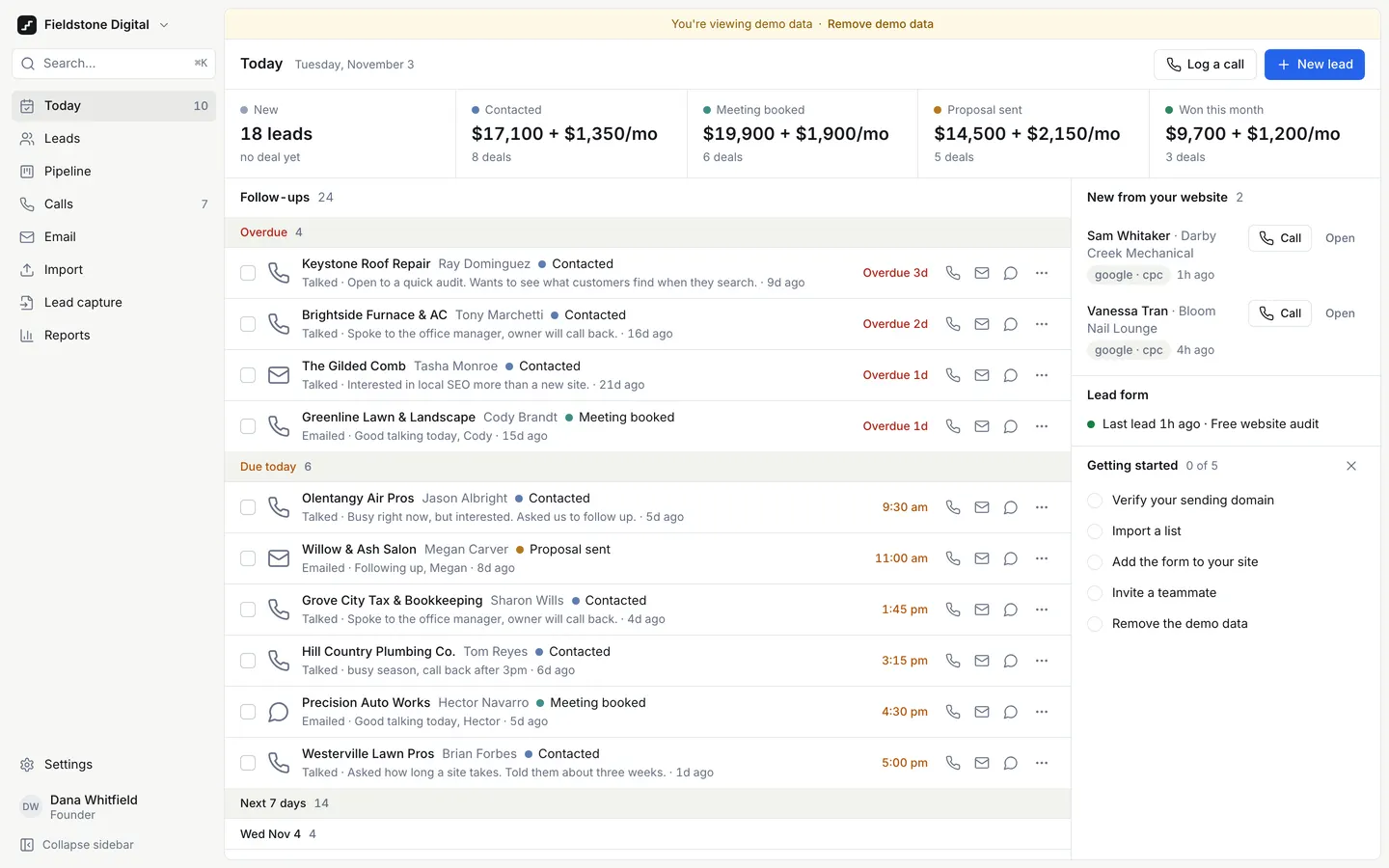
Next Step CRM
WebA CRM for agencies that sell by phone: today's follow-ups first, one-tap calls, and a next step on every lead.
- View template
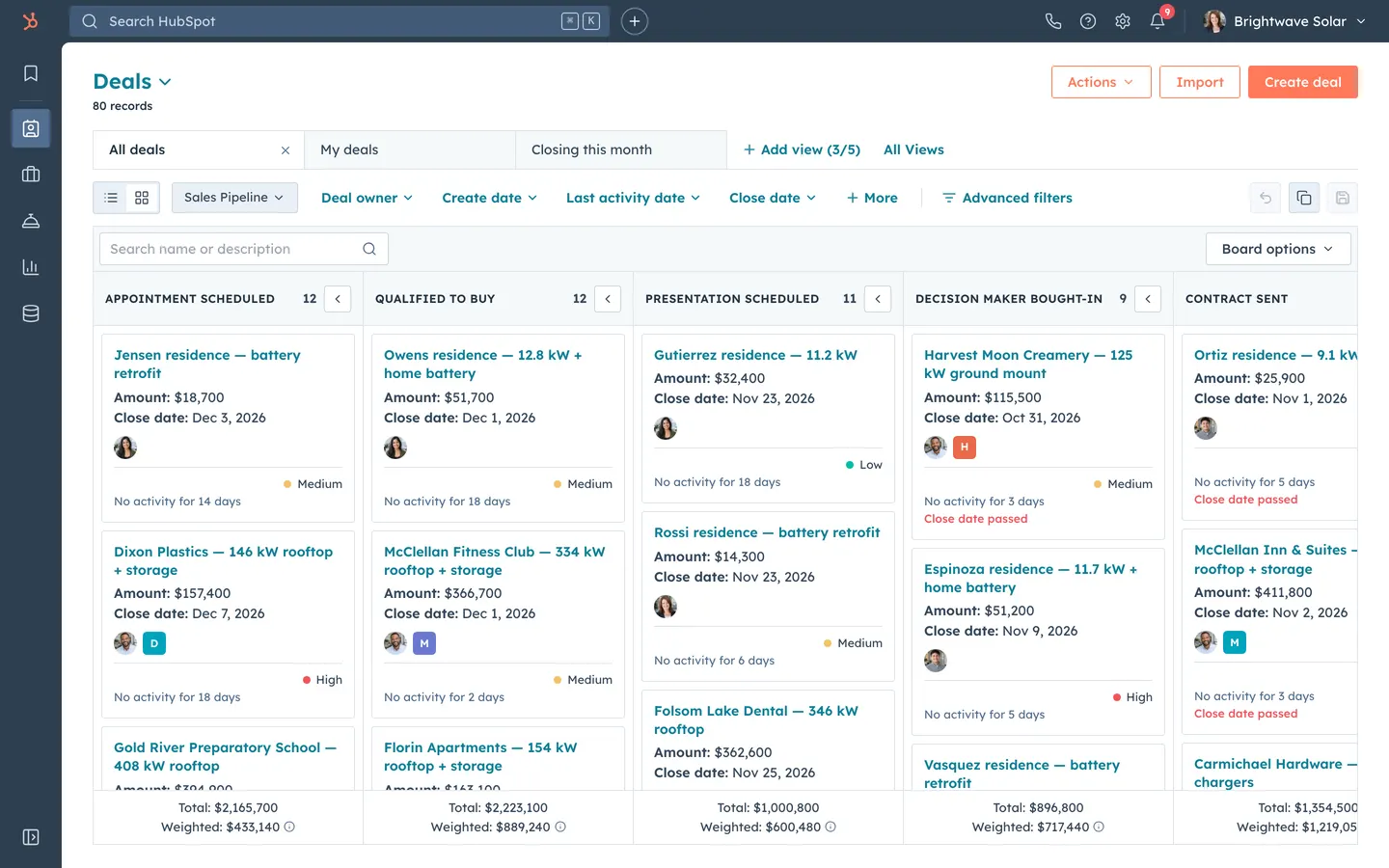
HubSpot CRM Clone
WebHubSpot's CRM, rebuilt: contact timelines, a drag-and-drop pipeline with weighted totals, inbox and reports.
- View template
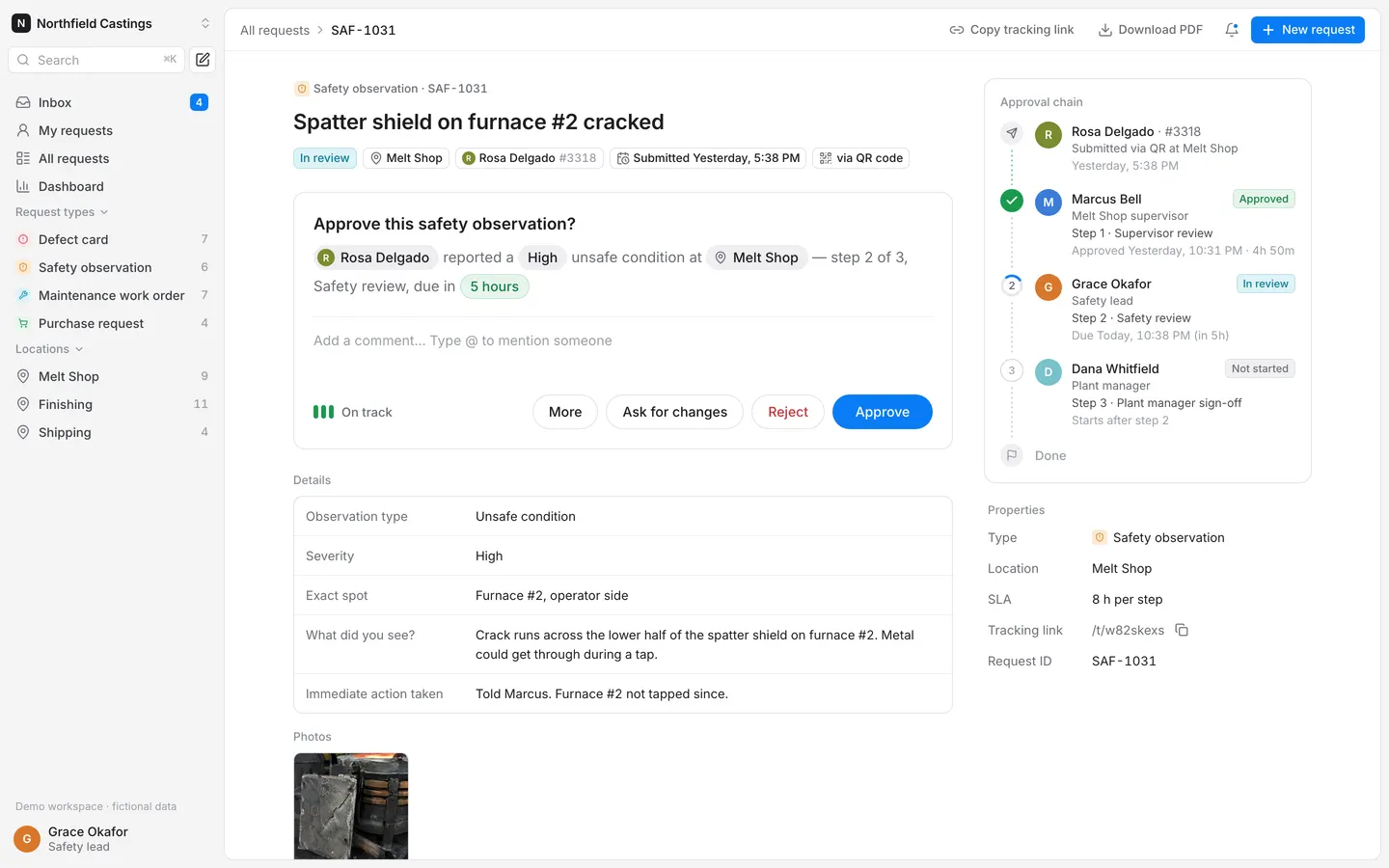
Requests & Approvals
WebWorkers scan a QR code at their station, report a defect or hazard, and it walks a multi-step approval chain.
- View template
Services Marketplace
WebCustomers book verified local pros from a map, pros quote and get paid, and you keep a 15% cut.