HubSpot CRM Clone
CRM app · built by the Vibecode team
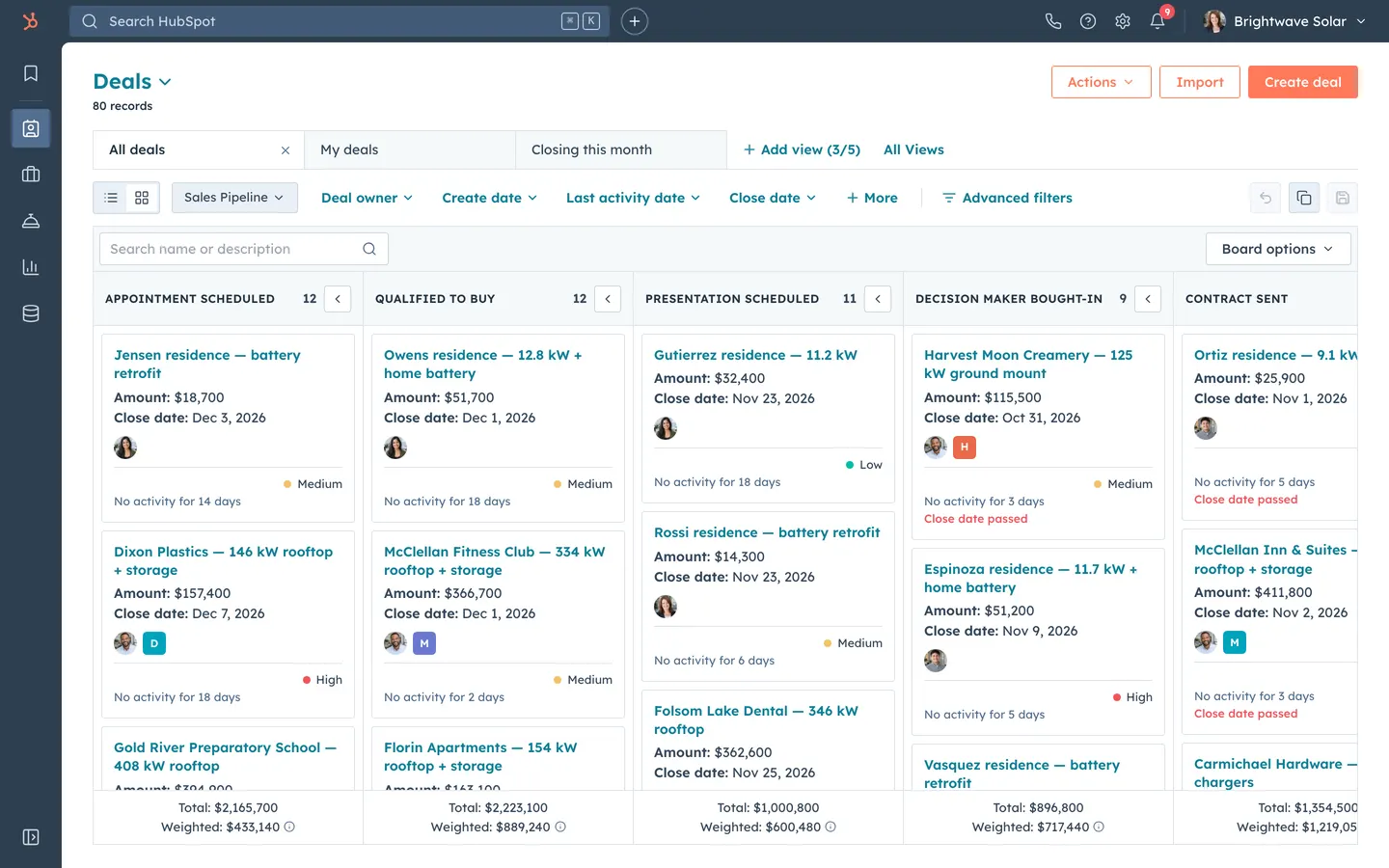
HubSpot CRM Clone rebuilds HubSpot's Smart CRM in its current design: the dark navy rail, orange buttons, teal links and white three-column record pages. A demo portal for Brightwave Solar, a fictional solar installer, comes seeded with 400 contacts, 120 companies, 80 deals, 60 tickets and 6 users, and the admin login is on the sign-in screen. Filter and bulk-edit the Contacts, Companies, Deals and Tickets tables, import a CSV, and log notes, calls, emails, tasks and meetings on a record's timeline. Drag deals across the seven pipeline stages and the Total and Weighted footers update live. Work the Tasks queue, reply in the Inbox, edit sequences and templates with personalization tokens, and read Sales Dashboard reports computed from the data, all saved to a real database.
- Web app
- Built in 7 prompts
- Free to remix
Remix copies the working app into your account for free, exactly as we built it. It runs in your browser.
The prompt that builds it
We built HubSpot CRM Clone in 7 prompts. Here they are folded into one, so a single paste into a new app builds the finished version.
Prompt · 7,694 words
Build a web app named "HubSpot CRM": a faithful clone of HubSpot's Smart CRM in its current (2025) design, using Opus 5.5. Use the real HubSpot name, colours, layout and wording. Everything inside it (people, companies, deals, messages) is fictional sample data for a demo portal called "Brightwave Solar", a fictional solar and home-battery installer in Sacramento, California. It is a full-stack app with real persistence: every create, edit, drag, completion and reply is saved to the database and survives a reload.

Design references (the original screenshots are not included; build from these descriptions):
- Reference: Contacts index (view tabs, filter row, search strip, table, pagination)
- Reference: contact record, Overview tab (left property sidebar, Data highlights, Recent activities, right association cards)
- Reference: contact record, Activities tab (Activity / Notes / Emails / Calls / Tasks / Meetings sub-tabs, Upcoming + month groups)
- Reference (Contact record log call): Calls sub-tab with "Log Call" / "Make a phone call" and a logged call card
- Reference: deals pipeline board (stage columns, cards, Total / Weighted footers, Board options menu)
- Reference: deal preview side panel with the teal gradient header
- Reference: Tasks index with bulk-action bar
- Reference: sequence steps editor with personalization token chips
- Reference: Help Desk ticket list with its left view list
- Reference: Inbox (folders, conversation list, thread, composer, contact panel)
- Reference (Reports dashboard): reporting dashboard with report cards
- Reference: the left navigation expanded with labels
The screenshots are captures of a 1512 px wide window scaled to 1600 px, so divide pixel sizes by 1.06. Ignore capture artefacts: the purple "i" hotspot circles, the blue "trial" banners, "Upgrade", "Copilot" and the "SLMobbin" account. Never reuse names or copy from the screenshots (Brian Halligan, Maria Johnson, Sam Lee, cupcakes, CJ Finance, LK Company): use only the Brightwave Solar data below.

## Stack and data rules
- Use the platform's standard web stack: Vite + React + TypeScript webapp, Hono backend on Bun, Prisma (SQLite) and Better Auth with email + password only (no email codes, no email OTP plugin, no password-reset emails; this is a demo portal). Make sure sign-in works inside the preview URL and survives a reload.
- Remixes start with BETTER_AUTH_SECRET cleared, so add backend/src/lib/authSecret.ts with ensureAuthSecret(): if the variable is empty, reuse a value saved in backend/.env or generate randomBytes(32) base64, write it to .env, and set process.env. Call it in env.ts before the environment is validated.
- Nothing in the app ever sends real email or calls an email provider: emails, sequence steps and inbox replies are logged to the timeline only, and raw provider errors are never stored or shown.
- Every email address and website domain in the seed, UI copy and code uses the reserved .example TLD (dana.whitfield@brightwavesolar.example, larkspurstorage.example, homeowners at inbox.example / mail.example / homemail.example). No gmail, outlook, yahoo, icloud or other real domains anywhere.
- Errors never look like empty data: every lazy route import retries 3 times, 1 s apart, and each route has an error boundary that keeps the top bar and rail and shows "This page didn't load." with "Reload page". If the app's startup files fail to load, it reloads once on its own. Failed GETs retry once automatically, then show the inline #FDEDEE "We couldn't load …" banner with "Try again". Never show an empty state or zeros for a failed or loading request.
- Every object endpoint must sort by every sortable column in both directions (tickets included).
- All money is stored as integer dollars and shown as "$48,200" (no cents). All dates are stored in UTC and shown in America/Los_Angeles, always human-readable: "Nov 14, 2026", "Nov 14, 2026 2:15 PM", timeline stamps "Oct 28, 2026 at 2:15 PM PDT", relative "No activity for 4 days". Never show ISO strings, seconds or ids.
- Seed the database on first start (ensureSeeded() on boot when there are no pipelines) with a deterministic seeded random generator, and generate every date relative to the moment the seed runs, so the portal always looks current (tasks due today, deals closing next month, wins in each of the last 12 months). Commit the database file (see the database rule at the end). Add a "Reset demo data" button in Settings that wipes and re-seeds.
- Save before you notify: a toast appears only after the server confirms the write; on failure show an error toast and keep the form open with what was typed.
- Phone numbers render as working links: tel: for Call, sms: for Text, https://wa.me/<digits> for WhatsApp. Emails render as mailto: links where they are plain values.

## Look and feel (match the refs exactly)
- Font: "Lexend Deca" from Google Fonts (300/400/500/600/700) everywhere. Base text 14px, line-height 1.5.
- Colours:
  - Left rail and top bar: #2E3F50. Top-bar search field #425B76, placeholder #CBD6E2. Rail icons #CBD6E2; active rail item is a 40x40 rounded (6px) square #526E92 with a white icon; hover #3D5266. Rail flyout menus: #425B76 with white 14px items and a bold white section title.
  - Primary accent (the only accent): HubSpot orange #FF7A59, hover #FF8F73, pressed #E8694A. Primary buttons are solid orange with white text; secondary buttons are white with a 1px orange border and orange text ("Actions ▾", "Import").
  - Link teal #0E7F96 for every link, filter dropdown, tab action and record name in tables.
  - Text: headings #213343, body #33475B, labels and secondary #516F90, placeholder #7C98B6.
  - Surfaces: content white; secondary strip / table header / inactive tab #F5F8FA; borders #DFE3EB; input borders #CBD6E2; light tertiary buttons #EAF0F6 with #CBD6E2 border and #33475B text.
  - Side-panel and modal headers: the HubSpot teal gradient linear-gradient(90deg, #00A4BD 0%, #00BDA5 100%) with white 16px semibold title and a white × on the right.
  - Status colours: success #00BDA5, warning #F5C26B, danger #F2545B. Priority dots: High #F2545B, Medium #F5C26B, Low #00BDA5.
  - Toasts: top-centre just below the top bar, 440px wide, 3px radius. Success: bg #E5F8F6, border #7FDED2, bold "Success." then the message, × to close, auto-hide after 5 s. Error: bg #FDEDEE, border #F8A9AD. Info: bg #E5F5F8, border #7FD1DE.
- Radius 3px on buttons, inputs, cards and tabs; 8px on the top-left corner of the white content area where it meets the navy chrome; pills fully round. Spacing scale 4/8/12/16/24/32. Dropdown shadow 0 1px 24px rgba(45,62,80,.12). No other shadows, no gradients except the teal panel header, no glassmorphism, no emoji anywhere. Use one consistent outline icon set (lucide-react, 1.75 stroke) for every icon.
- Inputs: 34px high, bg #F5F8FA, 1px #CBD6E2 border, 3px radius; focus = white bg, border #00A4BD and 0 0 4px 1px rgba(0,208,228,.3) glow.
- Page title: object name in teal #0E7F96, 22px semibold, with a caret ("Contacts ▾") that opens a switcher to Contacts / Companies / Deals / Tickets; below it "400 records" in 12px #516F90.
- Favicon: an orange HubSpot-style sprocket SVG. Document titles "Contacts | HubSpot", "Ana Ramirez | HubSpot", etc. Remove any Vibecode favicon, title or share image from index.html.

## App chrome (desktop, 1440 px)
- Top bar, 44px, #2E3F50, full width:
  - Over the rail column: an orange sprocket logo (22px), links to /contacts.
  - Search field 560px wide, magnifier icon, placeholder "Search HubSpot", ⌘ K key chips on the right. ⌘K or Ctrl+K focuses it. ⌘K selects any previous query so typing replaces it. Typing shows a dropdown grouped by Contacts, Companies, Deals and Tickets (5 each, icon + name + secondary line such as email, domain, amount or status); Enter opens the first hit, arrows move.
  - A 28px "+" circle button (1px #7C98B6 border) opens a quick-create menu: Contact, Company, Deal, Ticket, Task. Each opens that create panel.
  - Right side: phone icon (popover "Calling": the 5 most recently contacted people, each with a tel: link), help "?" (popover listing keyboard shortcuts), settings gear (/settings), bell with a red #F2545B count badge equal to the signed-in user's overdue tasks (dropdown lists them, each links to the task's record), a 1px divider, then the account button: 24px avatar + "Brightwave Solar ▾". The account dropdown shows the user's name, email, "Super Admin", "Brightwave Solar · Demo portal with fictional sample data", "Profile & Preferences" (goes to /settings) and "Sign out".
- Left rail, 64px, #2E3F50, icons top to bottom with a tooltip and a flyout on hover/click:
  - Bookmarks: flyout "Bookmarks" with Deals board, My open tasks, Sales dashboard, Unassigned conversations.
  - 1px divider (#425B76).
  - CRM (contact-card icon): flyout "CRM" with Contacts, Companies, Deals, Tickets, a divider, Inbox, Tasks, Import.
  - Sales (handshake/briefcase icon): flyout "Sales" with Sequences, Templates.
  - Service (concierge-bell icon): flyout "Service" with Help Desk (tickets board), Inbox.
  - Reporting (bar-chart icon): flyout "Reporting" with Dashboards.
  - Data Management (database icon): flyout with Imports, Users & Teams.
  - Bottom: "Expand the navigation" toggle (panel icon). Expanded (240px) shows icon + label rows like ref 12 and each section expands inline as an accordion; the choice persists in localStorage.
  - The active section is the one owning the current route.
- Content area: white, 8px top-left radius against the navy chrome, scrolls independently; page padding 24px 32px.

## Sign in (first run)
- /login: white page, centred 400px card: orange sprocket + "HubSpot" wordmark text in #213343, heading "Log in to HubSpot", "Email address" and "Password" fields, "Remember me" checkbox, full-width orange "Log in" button, "Forgot my password" link (shows "Ask your portal admin to reset it" inline), and "Don't have an account? Sign up" (sign-up creates a user who joins Brightwave Solar as a Super Admin).
- Above the form, a #F5F8FA box with a 1px #CBD6E2 border titled "Demo portal: Brightwave Solar": "Sample data for a fictional company. Sign in as the admin:" then "Email: dana.whitfield@brightwavesolar.example" and "Password: hubspot-demo" in monospace, and a secondary button "Log in as Dana Whitfield (Super Admin)" that signs in with one click.
- Errors in plain English under the field ("That email and password don't match. Try again."). Logged-out users are redirected to /login; after login go to /contacts.

## Object index pages: Contacts, Companies, Deals, Tickets (one shared component)
Copy ref 01 row for row.
1. Header row: "Contacts ▾" title + "400 records"; right side: "Actions ▾" (secondary; menu: Import, Export view, Edit columns), "Import" (secondary, goes to /import/new), "Create contact" (primary). Deals: "Create deal"; Companies: "Create company"; Tickets: "Create ticket".
2. View tabs row: tabs 220px wide, 40px high, 1px #DFE3EB borders; active tab white with #213343 500-weight text, inactive #F5F8FA; each tab has a × on hover. Then "+ Add view (4/5)" and "All Views" as teal links. Default views:
   - Contacts: All contacts, My contacts, Homeowners, Commercial leads, Customers.
   - Companies: All companies, My companies, Commercial customers.
   - Deals: All deals, My deals, Closing this month.
   - Tickets: All tickets, My open tickets, High priority.
   Views are saved in the database (name, filters, sort, columns). "+ Add view" opens a popover "Create new view" with a name field and "Save"; the new tab copies the current filters.
3. Filter row: for Deals and Tickets first a 2-button segmented control (list icon | board icon, #EAF0F6 bg, active white) and a pipeline select ("Sales Pipeline ▾" / "Support Pipeline ▾", #EAF0F6 bg). Then teal 14px semibold dropdown filters with carets:
   - Contacts: Contact owner ▾, Create date ▾, Last activity date ▾, Lead status ▾, + More, then a 1px divider and "≡ Advanced filters".
   - Companies: Company owner ▾, Create date ▾, Last activity date ▾, Industry ▾, + More.
   - Deals: Deal owner ▾, Create date ▾, Last activity date ▾, Close date ▾, + More.
   - Tickets: Ticket owner ▾, Priority ▾, Ticket status ▾, Create date ▾, + More.
   Each opens a checkbox list or a date preset list (Today, Yesterday, This week, Last week, This month, Last month, This quarter, Last 30 days, Last 90 days) with a search box. An applied filter shows as "Create date: This week ▾ ×" and a "Clear all" link appears. On the far right three 32px icon buttons: reset view, duplicate view, save view (enabled only when the view has unsaved changes).
4. "Advanced filters" opens a right drawer (640px, teal gradient header "All Filters"): left column "Quick filters" and "Advanced Filters" with groups ("Group 1", "and", "+ Add filter", "OR", "+ Add filter group"); right column "Add filter" with a property search list. Operators: is any of / is none of / contains exactly / is known / is unknown for text; is before / is after / is between for dates; greater than / less than for numbers. Filters apply instantly ("Changes applied").
5. Search strip: #F5F8FA band containing "Search name, phone, email" (contacts) / "Search name or domain" / "Search name or description" input 300px with a magnifier; right side small white buttons "Export" (downloads the current view as CSV) and "Edit columns" (modal with a property checklist and drag-to-reorder of chosen columns).
6. Table: sticky header row #F5F8FA, uppercase 12px 600-weight #33475B with 0.02em letter-spacing, ⇅ sort arrows and a ⋮ column menu (Sort ascending, Sort descending, Remove column); 1px #DFE3EB cell borders; 44px rows; first column a checkbox; name cell = 26px initials avatar (contacts) or 26px rounded-square logo tile with the company initial (companies) + teal link; on row hover a small grey "Preview" chip appears after the name and opens the record preview panel (ref 06: teal header with the record name, "View record" and "Actions ▾", key properties, the 6 action circles, "About this deal" and "Recent activities"). Empty values show "--".
   - Contacts columns: NAME, EMAIL, PHONE NUMBER, CONTACT OWNER, PRIMARY COMPANY, LAST ACTIVITY DATE (PDT), LEAD STATUS, LIFECYCLE STAGE, CREATE DATE (PDT).
   - Companies: COMPANY NAME, COMPANY OWNER, CREATE DATE (PDT), PHONE NUMBER, LAST ACTIVITY DATE (PDT), CITY, INDUSTRY, ASSOCIATED CONTACTS.
   - Deals: DEAL NAME, DEAL STAGE, CLOSE DATE (PDT), DEAL OWNER, AMOUNT, ASSOCIATED COMPANY, PRIORITY, CREATE DATE (PDT).
   - Tickets: TICKET NAME, TICKET STATUS, PRIORITY, TICKET OWNER, CREATE DATE (PDT), SOURCE, ASSOCIATED CONTACT, CATEGORY.
7. Pagination centred under the table: "‹ Prev  1 2 3 … 16  Next ›" (current page boxed) and "25 per page ▾" (25 / 50 / 100). Sorting, filtering, search and paging run on the server.
8. Bulk actions: selecting rows swaps the search strip for "3 selected" + "Select all 400 contacts" + teal actions with icons: Assign (owner picker), Edit (property + value), Delete (confirm modal "Delete 3 contacts?"), Create tasks, Enroll in sequence (contacts only), Export. Results are saved, then a toast ("Assigned 3 contacts to Priya Raman").
9. Create panel: right drawer 480px, teal gradient header "Create Contact", fields with required asterisks, footer pinned: "Create" (primary), "Create and add another" (secondary), "Cancel" (tertiary).
   - Contact: Email*, First name, Last name, Contact owner, Job title, Phone number, Lifecycle stage, Lead status, then "Associate contact with" Company (searchable select). Duplicate email check: "A contact with this email already exists. View Ana Ramirez" with a link.
   - Company: Company domain name, Company name*, Company owner, Industry, Type, City, State/Region, Phone number, Number of employees.
   - Deal: Deal name*, Pipeline, Deal stage*, Amount, Close date, Deal owner, Deal type, Priority, Associate deal with Contact / Company.
   - Ticket: Ticket name*, Pipeline, Ticket status*, Ticket description, Source, Ticket owner, Priority, Category, Associate ticket with Contact / Company.
   After save: toast "Contact created. View contact" and the row appears at the top of the table.

## Import CSV (/import and /import/new)
- /import: "Imports" page with "Start an import" primary button and a history table: NAME, OBJECT, DATE, NEW RECORDS, UPDATED RECORDS, ERRORS, STATUS ("Done"), IMPORTED BY. Seed one past import: "Fall home show leads.csv", Contacts, 42 new, 0 updated, 0 errors, by Tomás Ibarra.
- /import/new: full-page wizard with a 3-step progress bar (orange done dots, teal current) and a footer with "Back", "Cancel" and "Next ›" (orange):
  1. "Upload your file": object picker cards (Contacts, Companies, Deals), a large dashed drop zone "Drag and drop a CSV file here, or Choose a file", and "Download a sample CSV" link (generates a 10-row sample with First Name, Last Name, Email, Phone Number, Company, City, Lifecycle Stage).
  2. "Map columns in your file to contact properties": a table COLUMN HEADER FROM FILE / PREVIEW INFORMATION (first 2 values) / IMPORT AS / PROPERTY (a 240 px column with full-width selects, auto-matched by header name, with a "Don't import column" option). Unmatched columns show an amber warning.
  3. "Details": Import name (defaults to the file name), radio "Create and update contacts" (dedupe on email) / "Create new contacts only", contact owner for new records, and a required checkbox "I agree that all contacts in this import are expecting to hear from my organization."
  "Finish import" saves, then shows a result page: "Your import is complete" with counts (new, updated, errors), an errors table (ROW, ERROR such as "Invalid email address"), and "View imported contacts" (opens Contacts filtered to that import). Imported records also get a timeline entry "Created via import: <file name>".

## Record pages: contact, company, deal, ticket (one shared 3-column layout)
Copy refs 02, 03 and 04 exactly. Left sidebar 360px, middle fluid, right sidebar 360px, 1px #DFE3EB dividers, each column scrolls independently under the top bar.
- Left sidebar:
  - Top row: "‹ Contacts" teal back link and "Actions ▾" teal (Follow, View all properties, View property history, Delete).
  - 72px avatar circle (initials, colour from a fixed 8-colour muted palette; companies get a rounded-square tile and show their domain once, as a teal link with an external-link icon), name 24px #213343 400-weight, then "Solar Program Manager at Delta Ridge Vineyards", then the email with a copy icon (copy shows a toast "Copied to clipboard").
  - Under the email for contacts: the phone number with three small teal icon links: Call (tel:), Text (sms:), WhatsApp (https://wa.me/1916555....).
  - The 6 action buttons in a row: 36px circles (#EAF0F6 bg, 1px #CBD6E2 border, #425B76 icon) with 12px labels under them: Note, Email, Call, Task, Meeting, More. "More ▾" menu: Enroll in sequence, Text message (sms:), WhatsApp (wa.me), Delete.
  - Collapsible section "About this contact" (chevron, 16px 600 title, teal "Actions ▾" and a gear) listing properties as 12px #516F90 label over 14px #33475B value. Click a value to edit it in place (input or select, "Save" / "Cancel"); saving writes a "property changed" entry and a toast.
    - Contact: Email, Phone number, Contact owner, Job title, Lifecycle stage, Lead status, City, Last contacted, Create date.
    - Company: Company domain name, Company owner, Industry, Type, City, State/Region, Phone number, Number of employees, Annual revenue, Lifecycle stage, Create date.
    - Deal (header shows "Amount: $48,200", "Close date: Nov 14, 2026" and "Stage: Contract sent ▾", a dropdown that changes the stage): Deal owner, Last contacted, Deal type, Priority, Pipeline, System size (kW), Create date.
    - Ticket (header shows "Pipeline: Support Pipeline" and "Status: Waiting on us ▾"): Ticket owner, Priority, Category, Source, Ticket description, Create date.
  - More collapsible sections: "Communication subscriptions" (contacts: "Customer updates: Subscribed", "Promotions: Not subscribed", "View subscriptions"), "Website activity" (contacts: SITE VISITS, PAGES VIEWED, last page "/residential/battery-storage", from seed).
- Middle column:
  - Tabs row like the ref: bordered tab buttons "Overview" | "Activities" (active = white, others #F5F8FA) and a "Customize" button with a gear (opens a popover to show/hide Overview cards).
  - Overview: "Data highlights" card (3 or 4 uppercase 12px labels with values: CREATE DATE, LIFECYCLE STAGE / DEAL STAGE / TICKET STATUS, LAST ACTIVITY DATE, CLOSE DATE for deals), then "Recent activities" (search box "Search activities", teal "Collapse all ▾", a teal filter chip "(5) Activity ▾ ×", an outlined "All time so far" button, then the 5 newest activity cards), then association table cards ("Deals" with DEAL NAME / DEAL STAGE / CLOSE DATE / AMOUNT; companies get a "Contacts" card with NAME / EMAIL / PHONE NUMBER).
  - Activities: sub-tabs "Activity  Notes  Emails  Calls  Tasks  Meetings" with a 3px #33475B underline on the active one; "Filter by: Filter activity (22/32) ▾  All users ▾"; "Search activities" and "Collapse all ▾". Each sub-tab shows its own buttons on the right: Notes "Create Note"; Emails "Log Email" and "Create Email"; Calls "Log Call" and "Make a phone call"; Tasks "Create Task"; Meetings "Log Meeting" and "Create Meeting" (dark navy #425B76 small buttons with white text for the primary of the pair, like the ref).
  - The timeline: an "Upcoming" group first (open tasks and future meetings), then groups by month ("November 2026", "October 2026"). Each activity is a white card with 1px #DFE3EB border: a › chevron to expand/collapse, a bold type label and context ("Logged call with Ana Ramirez", "Note by Priya Raman", "Email: Your solar estimate for 2417 Maple Ct", "Meeting: Roof assessment", "Task", "Deal stage changed"), the timestamp on the right ("Oct 28, 2026 at 2:15 PM PDT"; overdue tasks show "Overdue: Nov 1, 2026 at 9:00 AM PDT" in teal with a calendar icon), then the body. Calls show "Call outcome: Connected", "Direction: Outbound", "Duration: 12 min"; tasks show a round check toggle (red outline when overdue) plus Due date / Task type / Priority / Assigned to; meetings show Attendees / Outcome / Duration. Card footer: teal "Add comment" (saves a threaded comment) and "1 association ▾" (lists the linked records). A left-side vertical timeline line joins small 28px icon circles per card on the Overview list.
  - Activities logged on a contact also appear on its company's, deal's and ticket's timelines (HubSpot behaviour), and vice versa.
- Right sidebar:
  - "Breeze record summary" card: 1px #FFC7B6 border, 4px radius, title "Contact summary" with a small pink "✦ AI" badge (#F50A55 bg, white 10px text), "Generated from this record's latest activity · Nov 3, 2026", and 3 to 5 sentences composed by the server from the record's real data (last touch, open deal and its stage/amount/close date, overdue tasks, open tickets). Thumbs up/down icons. No fake facts.
  - Association cards, each collapsible with a count and a teal "+ Add" (opens a search-and-pick modal that saves the association): "Companies (1)" (card with a "Primary" tag, teal company name, teal domain with external-link icon, "Phone: (916) 555-0148", then "View associated Company"), "Deals (2)" (deal name, "Amount: $48,200", "Close date: Nov 14, 2026", "Stage: Contract sent"), "Tickets (1)" (ticket name, status, priority dot), and for companies "Contacts (4)". Empty cards say "Track the revenue opportunities associated with this record." / "See the people associated with this record." etc.

## Activity composers (Note, Email, Call, Task, Meeting)
Clicking an action button opens a docked window at the bottom-right of the screen (600x520, 1px #CBD6E2 border, dropdown shadow): a #2E3F50 header with the white title ("Note", "Email", "Log call", "Task", "Meeting"), minimise / expand / close icons; the body; a footer with the orange primary button. The record switches to the Activities tab with the matching sub-tab, and the new entry appears at the top of the timeline (with a brief #E5F5F8 highlight that fades over 1.2 s) right after the server confirms.
- Note: "For: Ana Ramirez", a small rich-text toolbar (bold, italic, underline, bulleted list, link), a 200px editor, footer "Create note" + checkbox "Create a To-do task to follow up in 3 business days" (creates the task too).
- Email: "To" (prefilled chip), "Cc", "Bcc", "Subject", body editor, toolbar buttons "Templates" (pick an email template; it fills subject and body with tokens replaced from this record) and "Personalize ▾" (inserts tokens). Footer: "Send" and the grey note "Demo portal: emails are logged to the timeline, not delivered." The logged email shows on the timeline as "Email" with subject and body.
- Call: two buttons at the top: "Call on your phone" (tel: link) and "Log a call". The log form: Contacted (contact select), Call outcome ▾ (Busy, Connected, Left live message, Left voicemail, No answer, Wrong number), Direction ▾ (Outbound, Inbound), Date, Time, Duration (minutes), and notes; footer "Log call".
- Task: Task title* ("Follow up with Ana Ramirez" placeholder), "Activity date" select (Today, Tomorrow, In 2 business days, In 3 business days (Thursday), In 1 week, In 2 weeks, Custom date) + time ("8:00 AM"), Task type ▾ (To-do, Call, Email), Priority ▾ (None, Low, Medium, High), Queue ▾ (None, Hot leads, Site surveys, Renewals), Assigned to ▾, notes. Footer "Create" and "Create and add another".
- Meeting: Title*, Attendees (contacts + users), Date, Start time, Duration (15 min to 2 hr), Location, Description, Outcome ▾ (Scheduled, Completed, Rescheduled, No show, Canceled); footer "Save meeting". Future meetings go to "Upcoming".

## Deals pipeline board (/deals, board view by default)
Copy ref 05.
- Columns for "Sales Pipeline", in this order with win probabilities: APPOINTMENT SCHEDULED (20%), QUALIFIED TO BUY (40%), PRESENTATION SCHEDULED (60%), DECISION MAKER BOUGHT-IN (80%), CONTRACT SENT (90%), CLOSED WON (100%), CLOSED LOST (0%). Columns are 280px wide; the board scrolls horizontally inside a 1px #DFE3EB frame.
- Column header (#F5F8FA, 56px): stage name uppercase 12px 600 #213343, the card count, and a "‹" square button that collapses the column to a 48px vertical strip.
- Column footer pinned at the bottom: "Total: $412,300" and "Weighted: $82,460 ⓘ" (tooltip "Total amount × 20% stage probability"), 13px #33475B, centred, white with a top border. Totals recompute instantly when a card moves.
- Cards (white, 1px #DFE3EB, 3px radius, 12px padding, 8px gap): deal name as a teal 14px 600 link (2 lines max); "Amount: $48,200" and "Close date: Nov 14, 2026" with the label in 600 weight; a row with the owner's 24px avatar and the company tile; a 1px divider; then the priority dot + label right-aligned ("High"), "No activity for 4 days" or "Next activity: Call · Nov 6" in 12px #516F90, and "Close date passed" in #F2545B for overdue open deals. Closed cards show "Closed won · Mar 3, 2026" or "Closed lost · Went with a competitor" (12px #516F90) in place of the activity line, never "Close date passed" or inactivity text.
- Drag and drop (use @dnd-kit, pointer + touch + keyboard sensors): the lifted card gets a 0 8px 24px rgba(45,62,80,.18) shadow and 1.5° tilt, the target column tints #E5F5F8 with a dashed #00A4BD drop slot, and on drop the card animates into place. The stage change saves to the server, logs "Deal stage changed from Presentation scheduled to Contract sent" on the deal timeline, and shows the toast "Deal moved to Contract sent". Dropping into CLOSED LOST opens a modal "Closed lost reason" (select: Went with a competitor, Budget, Timing, Roof not suitable, No response; plus notes) before saving; CLOSED WON sets the close date to today. If the save fails the card snaps back with an error toast.
- Clicking a card opens the preview panel (ref 06); its "View record" opens /deals/:id.
- Toolbar right: "Board options ▾": Sort (Close date, Amount, Create date, Last activity), Edit stages (modal to rename stages and edit win probability %, saved; weighted totals follow), Edit cards (toggle which properties show on cards).
- The list view (segmented toggle) shows the deals table from the index section. The board, filters and search share the same filter state.

## Tickets
- /tickets uses the same index component; board view by default for "Support Pipeline" with columns NEW, WAITING ON CONTACT, WAITING ON US, CLOSED (counts, no money; footer shows "12 tickets"). Ticket cards: name, "Create date: Oct 30, 2026", priority dot + label, owner avatar, "Waiting for 2 days". Drag changes status and logs it.
- Help Desk view (/help-desk, from Service): copy ref 09: a left list "Help Desk" with Summary, then views with counts (Unassigned, Assigned to me, My open, All open, Following, All closed) and the ticket table on the right (CHANNEL, TICKET NAME, TICKET → CONTACTS, TICKET → COMPANY, CREATE DATE, PRIORITY).

## Tasks (/tasks)
Copy ref 07.
- Header "Tasks" + "110 records"; right: "Manage queues" (secondary; modal to rename queues), "Import" (secondary), "Create task" (primary).
- View tabs: All, Due today, Overdue, Upcoming, + Add view (4/5), All Views. Filters: "(1) Assignee ▾ ×" (defaults to the signed-in user), Task type ▾, Due date ▾, Queue ▾, "More filters". On the right "Save view" and an orange-outlined "Start 12 tasks" (count of open tasks in the view).
- Table: checkbox, STATUS (round check: grey outline, green filled check when done), TITLE (teal link, struck through when completed), DUE DATE right after TITLE ("Today 8:00 AM", "Tomorrow 8:00 AM", "Nov 12, 2026"; #F2545B when overdue), ASSOCIATED CONTACT, ASSOCIATED COMPANY, LAST CONTACTED, TASK TYPE, PRIORITY, ASSIGNED TO, QUEUE. Same numbered pagination and "25 per page ▾" as the other tables.
- Completing a task: the check fills green with a 200 ms scale pop, the title strikes through, the toast "Success. Your task has been completed." shows, and a popover anchored to the row asks "Create a follow up task?" with "We'll create a task for you to follow up on <task title>", a date select defaulting to "In 3 business days (Thursday)", a time "8:00 AM", and buttons "Create task" (orange) / "Not now".
- Bulk bar: "1 selected", Mark as completed, Edit, Delete, Change queue.
- "Start 12 tasks" opens task mode: a full-height view with a navy top strip "Task 1 of 12" + "Exit", the task card on the left (title, type, due date, notes, "Complete and go to next" orange, "Skip task", "Reschedule ▾") and the associated record's left sidebar + timeline on the right so you can call or log right there. Completing advances to the next task.

## Inbox (/inbox)
Copy ref 10.
- Left column 220px: "« Inbox" header with a search icon, the user's status "● Available ▾", then folders with counts: Unassigned, Assigned to me, All open, "Less ⌃" then channels Email, Chat, Forms, then All closed, Sent, Spam, Trash; at the bottom an "Actions ▾" select and "Inbox Settings".
- Conversation list 300px: header "Newest ▾" (Newest / Oldest / Unread); rows with 32px avatar, name (600 when unread), channel icon, 1-line preview and time ("Now", "1h", "Mon", "Oct 28"); selected row #E5F5F8 with a 3px #00A4BD left bar.
- Thread: header with the contact's name and "Homeowner · Created 2 hours ago", an "Owner: Priya Raman ▾" assign select, "✓ Close conversation" (secondary), ⋯ (Move to Trash, Mark as spam, Move conversation). Centred date dividers ("Today"). Incoming messages are white cards with a 1px #DFE3EB border, avatar, sender name, time and channel ("Email ▾"); outgoing replies are #F5F8FA cards labelled with the rep. Form submissions render as a field list (First name, Last name, Email, Phone, Monthly electric bill, Message).
- Composer at the bottom: tabs "Email ▾" | "Comment" (comments are internal, yellow-tinted #FEF8F0 cards with @mentions), an editor "Write a message. Press '/' for snippets.", a toolbar (bold, italic, link and attachment icons, "Insert ▾" with templates), and "Send" (orange). Sending appends the reply (saved), updates the list preview and the contact's timeline ("Email reply" activity).
- Right panel 320px: contact card (avatar, name, email, phone links), "About this contact" (Email, Phone number, Contact owner, Last contacted, Lifecycle stage), then "Companies (1)", "Deals (1)", "Tickets (0)" with "+ Add", and a "Create ticket" button that makes a ticket from the conversation.
- Closing moves the conversation to All closed (with a "Reopen" button there). Unread state clears on open.

## Sequences and templates (/sequences, /sequences/:id, /templates)
- /sequences: header "Sequences" + "Create sequence" (primary); tabs "Sequences" | "Templates" (the latter links to /templates). Table: NAME (teal), OWNER, TOTAL ENROLLED, ACTIVE, REPLY RATE, MEETING RATE, LAST UPDATED. Rates are computed from the seeded enrollment statuses, not invented.
- /sequences/:id: "‹ Back to all sequences", the name with a pencil to rename, "Owner: Priya Raman", buttons "Actions ▾" (Clone, Delete) and "Enroll contacts" (primary). Tabs: Performance, Enrollments, Steps, Settings.
  - Steps (default, copy ref 08): a summary card (TOTAL STEPS, DAYS TO COMPLETE, AUTOMATION %, UNENROLL CRITERIA), then step cards joined by a vertical connector with a "+" circle (Add step: Automated email, Manual email task, Call task, General task) and a teal "Delay: 2 business days" link that edits the delay. Email steps have a 48px orange-outline circle with a send icon: "1. Automated email · Day 1", the template name, the subject and a 2-line body preview where tokens render as chips ("Contact: First name" in #E8694A on #FFF1EE; missing-value placeholders in #F2545B on #FDEDEE), "⌄ See more", and a ⋯ menu (Edit, Delete). Task steps have a teal circle with a check icon. The list ends with a check circle and "Completed".
  - Enrollments: CONTACT, STATUS (Active, Finished, Replied, Meeting booked, Unenrolled as small pills), CURRENT STEP, ENROLLED BY, ENROLLED ON; row actions Pause / Unenroll (saved).
  - Performance: KPI tiles (TOTAL ENROLLMENTS, REPLY RATE, MEETING RATE, UNENROLLED) and a per-step table (STEP, SENT/CREATED, REPLIES, MEETINGS) computed from the data.
  - Settings: "Send emails on business days only" toggle, send window "8:00 AM to 6:00 PM", "Unenroll when the contact replies" toggle; saved.
  - "Enroll contacts" modal (teal header "Enroll in sequence"): search and multi-select contacts, a preview of step 1 with tokens filled with real values for the first selected contact, or for the first contact in the list until one is selected, and "Enroll 3 contacts". Saving creates enrollments and logs "Enrolled in sequence: Residential quote follow-up" on each contact's timeline (emails are not delivered; say so in the modal footer).
- /templates: "Templates" table (NAME, SUBJECT, OWNER, USED IN SEQUENCES, LAST UPDATED) + "New template". The editor (page /templates/:id): Template name, Subject, a rich-text Body, a "Personalize ▾" dropdown inserting tokens as chips: Contact (First name, Last name, City, Email), Company (Name, City), Deal (Name, Amount, Close date), Sender (First name, Title). On the right a live "Preview" with "Preview as: Ana Ramirez ▾" that renders the subject and body with that contact's real values; missing values show as red placeholders. "Save" saves and toasts.

## Reports (/reports, "Dashboards")
Copy the card style of ref 11.
- Header: "Sales Dashboard ▾" (switch between "Sales Dashboard" and "Service Dashboard"), right buttons "Share" (copies the URL, toast), "Actions ▾" (Export as PDF uses window.print), "Add report" (opens a picker of the available reports to show/hide cards; saved). Filter row: "Date range: Last 12 months ▾" (This month, This quarter, This year, Last 12 months), "Deal owner ▾", "Pipeline: Sales Pipeline".
- KPI strip (one card, 5 columns, uppercase 12px labels, 28px numbers): CLOSED WON (amount in range), OPEN PIPELINE, WEIGHTED PIPELINE, WIN RATE, AVG. DAYS TO CLOSE. All computed live from the database.
- Report cards (white, 1px #DFE3EB, 3px radius, 16px padding; title 16px 600 #213343; under it uppercase 11px chips on #EAF0F6 such as "IN THE LAST 12 MONTHS | MONTHLY"; ⋯ menu "View data" opens a table of the underlying numbers):
  1. "Deals won by month": column chart, last 12 months, amount per month, orange #FF7A59 bars, $ axis.
  2. "Deal pipeline by stage": horizontal bars per open stage, total (#00A4BD) and weighted (#7FD1DE) side by side, with the count.
  3. "Activities by rep": stacked bars per user for the last 30 days: Calls #FF7A59, Emails #00A4BD, Meetings #6A78D1, Notes #F5C26B, Tasks completed #00BDA5, with a legend.
  4. "Deal forecast": table of open deals closing this month and next (DEAL NAME, STAGE, AMOUNT, WEIGHTED, CLOSE DATE).
  5. Service Dashboard: "Tickets by status" (bar), "Tickets created over time" (line, weekly), "Open tickets by priority".
- Use Recharts with these colours, light #DFE3EB gridlines, 12px #516F90 axis labels, and tooltips in the dropdown style. Hovering bars shows values. Clicking a "Deals won by month" bar opens the deals list filtered to that month.

## Settings (/settings)
- "Users & Teams": table of the 6 users (avatar, NAME, EMAIL, TEAM, ROLE, LAST ACTIVE) and teams (Commercial Sales, Residential Sales, Customer Success).
- "Deal pipelines": the same stage editor as Board options.
- "Demo data": text "This portal is filled with fictional sample data for Brightwave Solar." and a secondary danger button "Reset demo data" (confirm modal, then re-seeds and reloads).

## Fixture data (seed)
Portal: Brightwave Solar, residential and commercial solar, home batteries and EV chargers, Sacramento, California (America/Los_Angeles, USD).
- 6 users (generate a natural, friendly AI headshot for each with gpt-image-2.5-flare through the project's proxied OPENAI_API_KEY at https://api.openai.com/v1/images/generations, 512x512, neutral office background; save into the webapp's public/avatars; initials fallback):
  1. Dana Whitfield, VP of Sales, Super Admin, dana.whitfield@brightwavesolar.example, password hubspot-demo (the signed-in demo user); the others use first.last@brightwavesolar.example
  2. Marcus Oyelaran, Commercial Account Executive, Commercial Sales
  3. Priya Raman, Residential Account Executive, Residential Sales
  4. Tomás Ibarra, Sales Development Rep, Residential Sales
  5. Hannah Kowalski, Customer Success Manager, Customer Success
  6. Jordan Ellery, Support Specialist, Customer Success
- 120 companies, all fictional, Sacramento region (Sacramento, Elk Grove, Roseville, Folsom, Davis, Rocklin, West Sacramento, Rancho Cordova, Woodland, Lodi, Auburn, Vacaville, Stockton). Industries: Warehousing & Storage, Agriculture, Wineries, Education, Healthcare, Hospitality, Real Estate, Manufacturing, Retail, Nonprofit, Food & Beverage, Automotive. Types: Prospect, Customer, Partner. Start with these and generate the rest in the same style: Larkspur Self Storage (larkspurstorage.example), Delta Ridge Vineyards, Folsom Lake Dental Group, Capitol Cold Storage, Riverbend Unified School District, Sierra Oaks Veterinary Hospital, American River Brewing Co., Granite Bay Athletic Club, Yolo Valley Almond Growers, Midtown Lofts HOA, Pioneer Packaging, Natomas Crossing Retail Center, Cordova Metal Works, Sutter Creek Inn, Arden Auto Body, Elk Grove Community Church, Rocklin Logistics Park, Harvest Moon Creamery, Placer Pediatric Partners, Two Rivers Farm Supply.
- 400 contacts: about 230 at companies (decision makers such as Facilities Director, Operations Manager, CFO, Owner, Solar Program Manager) and 170 homeowners with no company. Diverse fictional names, emails first.last@<company>.example for company contacts and first.last@inbox.example / mail.example / homemail.example for homeowners, phones only from the fictional 555-01XX range across area codes 916, 530, 209 and 707, street addresses fictional. Lifecycle stages (Subscriber, Lead, Marketing qualified lead, Sales qualified lead, Opportunity, Customer, Evangelist), lead statuses (New, Open, In progress, Open deal, Attempted to contact, Connected, Bad timing, Unqualified), sources (Organic search, Paid search, Referrals, Direct traffic, Offline sources, Social media), create dates over the last 18 months, owners spread across the 6 users (Dana owns about 70). Lifecycle stage must agree with deals: every Opportunity or "Open deal" contact has an open deal, every Customer has a Closed won deal, and Leads and Subscribers have none.
- Exactly 80 deals in Sales Pipeline: 12 Appointment scheduled, 12 Qualified to buy, 11 Presentation scheduled, 9 Decision maker bought-in, 8 Contract sent, 18 Closed won (all closed within the last 12 months, at least one every month, with a $90K+ commercial win in at least 8 of those months), and 10 Closed lost (closed within the last 9 months, each with a reason). Names like "Larkspur Self Storage — 240 kW rooftop", "Delta Ridge Vineyards — 410 kW ground mount", "Ramirez residence — 8.4 kW + home battery", "Folsom Lake Dental — 62 kW carport", "Chen residence — battery retrofit". Amounts: residential $18,000–$64,000, battery retrofits $11,000–$19,000, EV charging $7,000–$42,000, commercial $95,000–$520,000. Open close dates run from 3 days ago to 90 days ahead, with at most 4 overdue open deals, all in Decision maker bought-in or Contract sent. Every open deal has 2-6 activities over the last 60 days, the latest within 1-21 days, fitting its stage: an intro call and a booked roof assessment for Appointment scheduled, the proposal-review meeting for Presentation scheduled, "Sent contract for e-signature" for Contract sent. The associated contacts and companies get matching Last contacted and Last activity dates. Each deal has a primary contact and, for commercial, a company; deal type New business / Existing business; priority; system size kW.
- 60 tickets in Support Pipeline: 14 New, 12 Waiting on contact, 16 Waiting on us, 18 Closed; categories Product issue, Billing issue, Feature request, General inquiry; sources Email, Chat, Phone, Form; mostly owned by Hannah and Jordan. Names like "Inverter showing error after storm", "Monitoring app stopped updating", "Question about net metering credit on bill", "Request: add a second EV charger", "Panel cleaning schedule", "Battery not charging overnight". All 60 names are distinct, the category and description match the name, the ticket belongs to a customer who owns that equipment, and no date is in the future.
- 110 tasks (Call, Email, To-do), about 12 overdue, 8 due today and the rest upcoming over 3 weeks, 35 completed; queues Hot leads, Site surveys, Renewals; about 40 assigned to Dana.
- About 2,000 activities across contacts, companies, deals and tickets: notes, logged calls (with outcomes and durations), emails (subject + body), meetings (roof assessments, proposal reviews, site surveys, install kickoffs), stage changes and lifecycle changes, written in realistic solar-sales language. Every email body matches its subject (financing: loan, lease or cash with a monthly payment; production estimate: kWh/yr and bill offset; install schedule: dates and crew; site survey: arrival window and what to prepare), and no record repeats a body. Examples: "Walked the roof with Ana: south-facing, 22° pitch, no shading after 10 AM. Main panel is 100A and needs an upgrade to 200A; quoted separately.", "Sent revised proposal with 25-year production estimate (13,450 kWh/yr).", "Left voicemail about the utility interconnection paperwork.", "Facilities team wants the install scheduled after harvest, mid-November."
- 24 inbox conversations: 14 Email, 6 Chat, 4 Forms ("Get a free solar quote" form submissions); 2 to 6 messages each; a mix of unassigned, assigned, open and closed; 5 unread.
- 4 sequences (Residential quote follow-up: 5 steps; Commercial outreach, warehouses: 6 steps; Post-install check-in: 3 steps; Battery add-on offer: 4 steps) with about 90 enrollments in mixed statuses.
- 8 email templates using tokens: "Your solar estimate for {{contact.city}}", "Quick question about {{company.name}}'s energy costs", "Confirming your site survey", "How is your system performing?", "Add a home battery to your system", "Proposal sent: next steps", "Checking back in", "Thank you for the referral".

## States
- Loading: grey skeleton rows (6) in tables, skeleton cards on boards and record pages; never show an empty state or zeros while loading.
- Empty: a simple line illustration (inline SVG, grey #CBD6E2 strokes) with a heading and one action, e.g. "No contacts match the current filters" + "Clear filters"; "No activities yet. Log a call or add a note to start the timeline."; Inbox "You're all caught up".
- Error: an inline #FDEDEE banner "We couldn't load contacts." with "Try again"; field errors in #F2545B under the field ("Enter a valid email address").
- Unknown routes show a "Page not found" panel with a link back to Contacts.

## Phone layout (390 px)
- Top bar 52px #2E3F50: sprocket + current page title (white 16px 600); right: search icon (opens a full-screen search sheet), "+" quick create, avatar menu. The left rail is hidden.
- Bottom tab bar 64px, white, 1px #DFE3EB top border, safe-area padding: Contacts, Deals, Tasks, Inbox, More (sheet with Companies, Tickets, Help Desk, Sequences, Templates, Dashboards, Imports, Settings, Sign out). Active tab icon and label #FF7A59.
- Index pages: view tabs become a horizontally scrolling chip row; Tasks render as cards (check circle, title, "Ana Ramirez · Delta Ridge Vineyards", due date in red when overdue, type and priority), and Sequences, Templates, Imports, Help Desk and the Settings users table render as stacked cards. Nothing scrolls sideways except the boards and the chip rows; filters collapse into one "Filters (2)" button opening a bottom sheet; the table becomes 1-column cards (name, secondary line, owner, stage/status pill, one-tap Call and Email icons); bulk select via long-press. Create panels become full-screen sheets.
- Record pages stack in this order: header (avatar, name, subtitle, phone/email links), the 6 action circles in one row, then a segmented control "About | Activities | Associations", then its content.
- Deals board: columns 300px with horizontal scroll-snap; each card also has a "Move to stage ▾" menu so touch users never need to drag.
- Inbox: folders and list on one screen, tap opens the thread full screen with a back arrow; contact details behind a "Contact" button.
- Composer windows become full-screen sheets with the navy header. Reports cards stack full width, the 5 KPI tiles sit in a 2-column grid with the last tile spanning both columns. Nothing overflows horizontally; text is never smaller than 12px; tap targets are at least 40px.

## Build order
Build it in small source files (no file over about 300 lines), in this order, and get each step running before the next:
1. Prisma schema (users, companies, contacts, deals, tickets, pipelines and stages, associations, activities with comments, tasks, conversations and messages, sequences, steps, enrollments, email templates, saved views, imports), the deterministic seed, and the Hono API routes with server-side filtering, sorting, paging and search.
2. Auth and /login with the demo box; the app chrome (top bar, rail, flyouts, expanded nav, toasts); routing.
3. The shared object index (views, filters, table, bulk actions, create panel, preview panel) for Contacts, Companies, Deals and Tickets; then the import wizard.
4. The shared record page, timeline and the five composer windows.
5. Deals board with drag and drop and weighted totals; tickets board; help desk view.
6. Tasks and task mode; Inbox; Sequences and Templates; Reports; Settings.
7. The phone layout pass at 390 px.
Get a first version running before polishing, then click through every page yourself at 1440 px and 390 px and fix every TypeScript, runtime and console error. When the UI is done, delete the refs/ folder so the screenshots don't ship with the app. Commit the SQLite database (backend/prisma/dev.db with its -wal and -shm files): before recycling an idle sandbox the platform saves the workspace with `git add --all`, which skips ignored files, and a remix copies only what is in git, so an ignored database loses everything a user entered. Store the day the demo was seeded; at startup, before the server answers, and then hourly, move every seeded demo timestamp forward by the whole calendar days since then, leaving rows a user created or edited alone, so dated views look as they did on seed day. Never store a visitor's IP address or user agent on sessions (blank both in a Better Auth databaseHooks.session hook).

Build it fully, run it, and fix every error. Deliver the complete app, not a plan.
More templates
All templates- View template
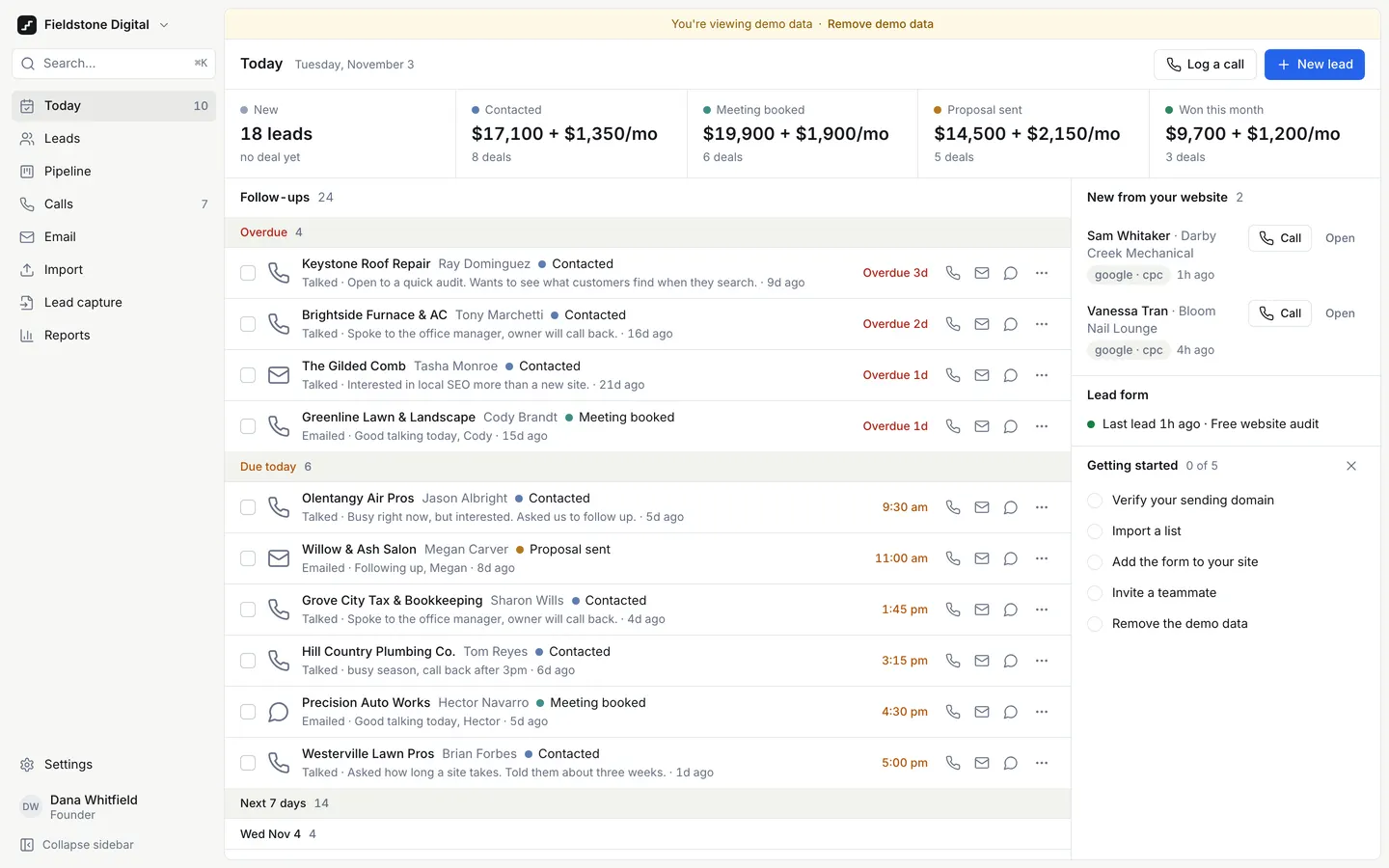
Next Step CRM
WebA CRM for agencies that sell by phone: today's follow-ups first, one-tap calls, and a next step on every lead.
- View template
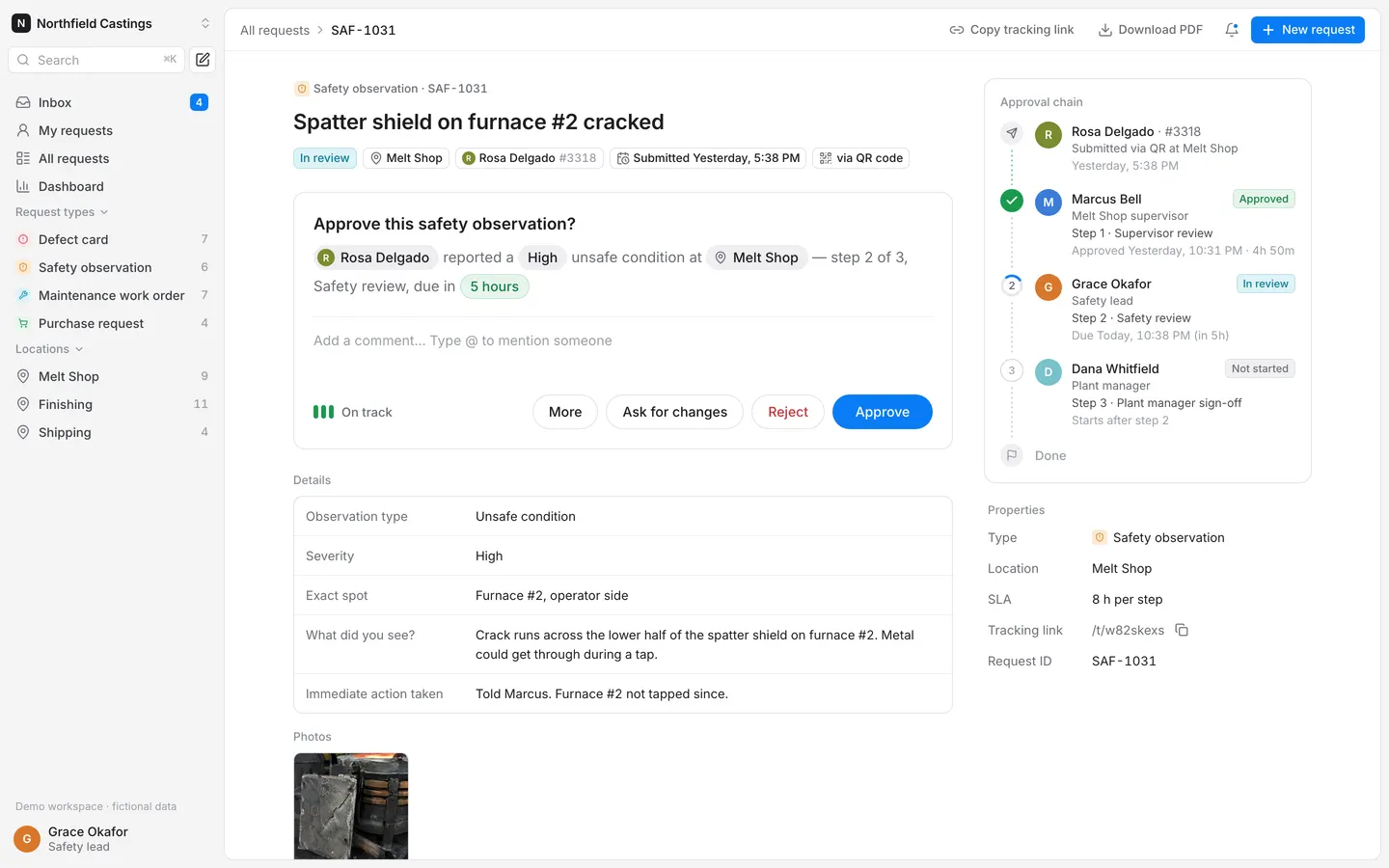
Requests & Approvals
WebWorkers scan a QR code at their station, report a defect or hazard, and it walks a multi-step approval chain.
- View template
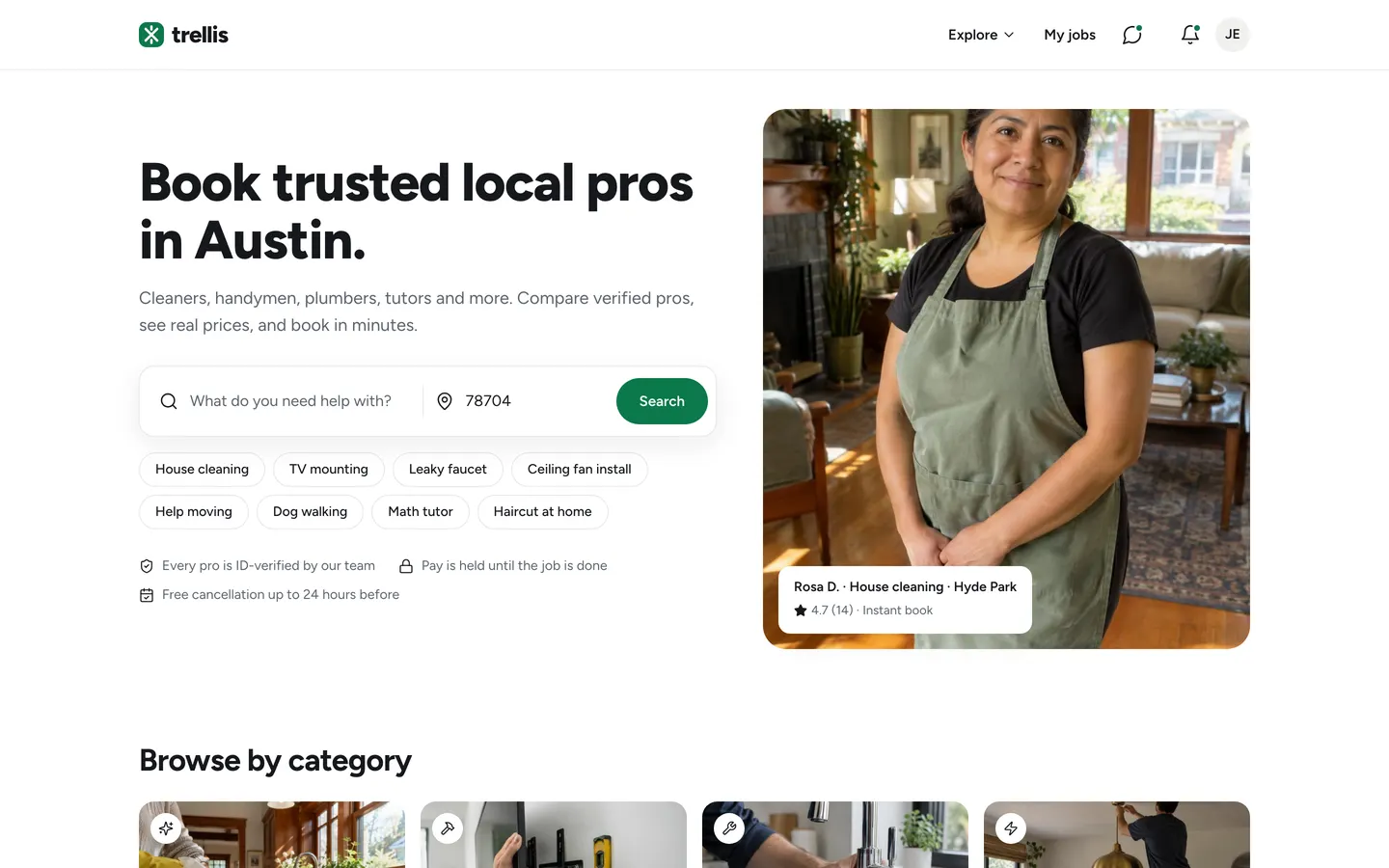
Services Marketplace
WebCustomers book verified local pros from a map, pros quote and get paid, and you keep a 15% cut.
- View template
Assessment Report
WebSend clients a scored questionnaire, edit the AI-drafted summary, and release a branded 8-page PDF report.