Requests & Approvals
Internal tool app · built by the Vibecode team
Shop-floor workers scan the QR poster at their work area and report a defect, safety observation, maintenance problem or purchase from their phone, with no login. Each request walks the approval chain the admin set for its type, such as supervisor, then safety lead, then plant manager, with an SLA timer on every step. Approvers work a Linear-style inbox and approve, reject or ask for changes with a comment and @mentions, and the requester follows every step on a tracking link. Admins build the forms and chains, print QR posters and asset labels, watch overdue items on the dashboard and export Excel, CSV or a one-page PDF. The demo is a fictional foundry with 60 requests, 9 people and one-click demo logins.
- Web app
- Built in 14 prompts
- Free to remix
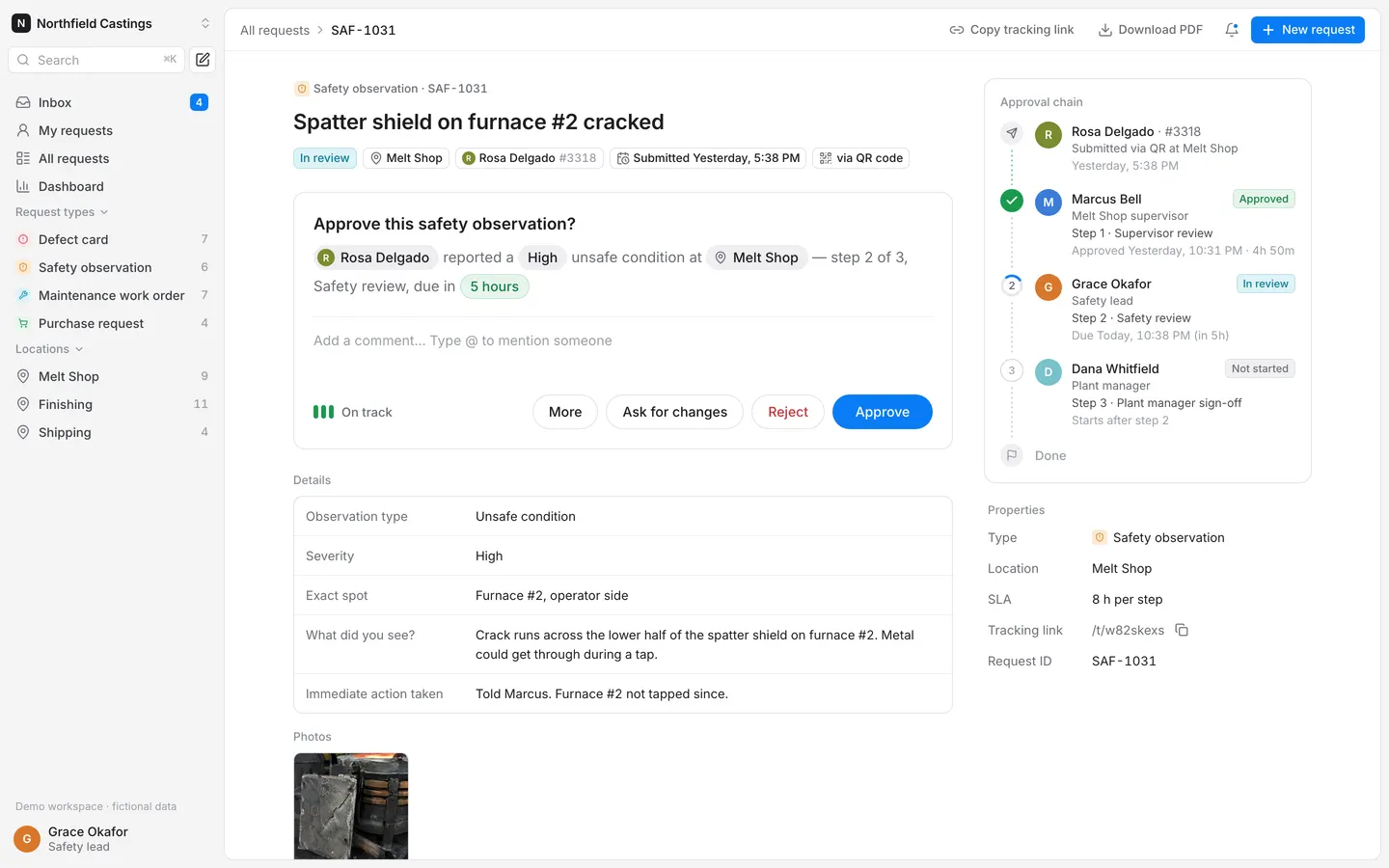
Remix copies the working app into your account for free, exactly as we built it. It runs in your browser.
The prompt that builds it
We built Requests & Approvals in 14 prompts. Here they are folded into one, so a single paste into a new app builds the finished version.
Prompt · 6,558 words
Build "Requests & Approvals", a complete internal request and approval web app, using Opus 5.5. It replaces the Microsoft Forms / SharePoint / Power Apps setups that operations teams use today: shop-floor workers scan a QR code posted at their work area, fill a short mobile form (defect, safety, maintenance, purchase), and the request walks through a multi-step approval chain (for example Area supervisor -> Safety lead -> Plant manager). Approvers work an inbox, requesters track status by link and email, and admins configure request types, forms, chains, SLAs, locations and QR posters. The demo workspace is a fictional iron foundry, "Northfield Castings".

Look: Linear-like restraint (light, dense, one accent colour, small radius, Inter) with the approval card and approval chain in the Beautiful UI style. It must look designed, not AI-made: no gradients, no glassmorphism, no emoji anywhere (use lucide-react icons), no default shadcn look.

Design references (the original screenshots are not included; build from these descriptions):
- Reference (Bui approval bookmark 1): THE approval card to copy (Beautiful UI). White card, title, a sentence with inline entity chips (avatar chip "C Cone King", green-tinted value chip "7 days"), a 3-bar meter with a label bottom-left, pill buttons bottom-right: outline "Alternatives", solid blue "Accept".
- Reference (Bui approval bookmark 2): the same card after acting: "Other options" section under a hairline divider (rows with a 3-bar meter and a grey right-aligned label), orange 2-of-3-bar "Needs review", and the button turned solid green "Accepted".
- Reference (Bui recommendation card): the same card at rest on a grey stage.
- Reference (Bui task rows): status icons to reuse in the approval chain: solid green circle with white check, grey progress ring with the step number inside, solid red circle with white X; green "Completed" and red "Failed" chips.
- Reference (Bui records table): the table style for All requests: row numbers, initial tiles, tinted tag chips, thin grid lines, footer "60 count".
- Reference (Bui filter table): status filter chips with coloured dots and counts above a table ("All 5", "To do 2"…), and tinted status chips in cells.
- Reference (Bui sidebar nav): sidebar: workspace switcher with chevron, icon + label rows, collapsible section header with a search icon.
- Reference (Bui insight cards): dashboard card style: one insight sentence with inline chips, then a white chart card with thin lines.
- Reference: dotted canvas with step cards joined by a thin vertical line, small tinted label chips above cards, pill selects ("If order flavor is Rocky Road"). Use this for the admin approval-chain builder.
- Reference: Linear's light list: grey app background, white main panel inset with a 1px border and rounded corners, grouped dense rows, small grey metadata.
- Reference: Linear's detail page: big title, property chips row, activity, right-hand "Properties" panel.

Build it fully, run it, and fix every error.

## Stack and data
Use the workspace's standard stack: React + Vite webapp, Hono backend, Prisma + SQLite with Better Auth (database-auth skill, including its Roles steps), Vibecode Storage for photo and signature uploads (upload-assets skill). Every route checks the role on the server. Seed the demo data on first boot when the database is empty, with every date relative to "now" so the demo always looks current. Commit the SQLite database (backend/prisma/dev.db with its -wal and -shm files): before recycling an idle sandbox the platform saves the workspace with `git add --all`, which skips ignored files, and a remix copies only what is in git, so an ignored database loses everything a user entered. Store the day the demo was seeded; at startup, before the server answers, and then hourly, move every seeded demo timestamp forward by the whole calendar days since then, leaving rows a user created or edited alone, so dated views look as they did on seed day. Never store a visitor's IP address or user agent on sessions (blank both in a Better Auth databaseHooks.session hook). Remixes also get backend/.env with BETTER_AUTH_SECRET cleared, so add backend/src/lib/authSecret.ts with ensureAuthSecret(), called in backend/src/env.ts before validation: when BETTER_AUTH_SECRET is blank it reuses a value saved in backend/.env, otherwise generates 32 random bytes (base64), saves them to backend/.env and logs "Generated a new BETTER_AUTH_SECRET". Settings has "Reset demo data" (re-seed relative to now) and "Remove demo data" (deletes demo requests and demo logins, keeps the admin).

### Roles
- Admin: everything, including the Admin pages; can act on any step ("Approved by Dana Whitfield on behalf of Grace Okafor").
- Approver: Inbox, All requests, Dashboard; can approve / reject / ask for changes only on the step assigned to them; can comment and @mention.
- Requester: My requests, New request, their own requests; can comment, withdraw while in review, edit and resubmit when changes are requested.
- Logged-out shop-floor workers can submit through the QR form with name + employee number and track by link.

### Demo logins (shown on first run)
All passwords: northfield-demo. Emails use the reserved .example domain.
1. Dana Whitfield, Plant manager, Admin, dana@northfield.example, (555) 010-4410
2. Marcus Bell, Melt Shop supervisor, Approver, marcus@northfield.example, (555) 014-2283
3. Ana Torres, Finishing supervisor, Approver, ana@northfield.example, (555) 016-3390
4. Luis Ortega, Shipping supervisor, Approver, luis@northfield.example, (555) 017-8821
5. Grace Okafor, Safety lead, Approver, grace@northfield.example, (555) 012-7764
6. Tom Brandt, Maintenance planner, Approver, tom@northfield.example, (555) 018-5532
7. Helen Cho, Quality engineer, Approver, helen@northfield.example, (555) 013-9047
8. Sam Patel, Controller, Approver, sam@northfield.example, (555) 015-6618
9. Priya Raman, Finishing operator, Requester, priya@northfield.example, (555) 019-2205
Avatars are initials in solid coloured circles with white letters (like the "C" in the Beautiful UI card), colour picked deterministically from: #D9772B, #2F8F5B, #3B7DD8, #C2493D, #1F9AA8, #B5892B, #5B6472, #C04F86, #7A8B2E. No photos of people.
Shop-floor workers without accounts (they appear as requesters through the QR form): Jake Mullins #4471 and Rosa Delgado #3318 (Melt Shop), Ben Kowalski #5102 (Finishing), Tyrell James #2896 and Mei Lin #4027 (Shipping).

### Locations and assets
- Melt Shop (slug melt-shop, code MS, supervisor Marcus Bell): Induction furnace #1, Induction furnace #2, Ladle #3, Ladle #5, Pour deck crane C-2, Sand mixer SM-1
- Finishing (slug finishing, code FN, supervisor Ana Torres): Shot blast cabinet SB-1, Grinder G-4, Grinder G-6, Heat-treat oven HT-2, CMM inspection station
- Shipping (slug shipping, code SH, supervisor Luis Ortega): Forklift FL-07, Forklift FL-09, Dock door 2, Banding machine BM-1, Truck scale
Each asset has a slug (ladle-3) for its QR label.

### Request types (admin-configurable; seed these four)
Each type has: name, icon (lucide), ID prefix, short description, form fields (Short text, Long text, Number, Dropdown, Date, Photo, Signature; each with label, help text, required, options for dropdowns, unit for numbers), an ordered approval chain (each step: name, approver = "Area supervisor (by location)" or a specific person, optional condition "Only if <number field> is at least <value>"), SLA hours per step, the locations it appears at, and Active on/off.
1. Defect card — icon octagon-alert, prefix DEF, tint red, SLA 24 h. Fields: Part / pattern number (short text, required, e.g. "40-2217 pump housing"); Heat number (short text, e.g. "H-26-1184"); Defect type (dropdown, required: Porosity, Shrinkage, Cold shut, Sand inclusion, Misrun, Crack, Dimensional, Surface finish); Quantity affected (number, unit "pcs"); Suggested disposition (dropdown: Scrap, Rework, Use as-is, Hold for engineering); Photo (photo, required); What happened? (long text, required). Chain: 1 Supervisor review = Area supervisor; 2 Quality review = Helen Cho.
2. Safety observation — icon shield-alert, prefix SAF, tint amber, SLA 8 h. Fields: Observation type (dropdown, required: Unsafe condition, Unsafe act, Near miss, Good catch); Severity (dropdown, required: Low, Medium, High, Critical); Exact spot (short text, e.g. "Pour deck, ladle 3 side"); Photo (photo); What did you see? (long text, required); Immediate action taken (long text); Observer signature (signature, required). Chain: 1 Supervisor review = Area supervisor; 2 Safety review = Grace Okafor; 3 Plant manager sign-off = Dana Whitfield.
3. Maintenance work order — icon wrench, prefix MWO, tint teal, SLA 12 h. Fields: Asset (dropdown filled from the location's assets, required; pre-selected when opened from an asset QR label); Problem (dropdown, required: Not running, Running poorly, Leak, Noise or vibration, Electrical, Preventive maintenance); Priority (dropdown, required: P1 Line down, P2 This shift, P3 This week, P4 Planned); Photo (photo); Describe the problem (long text, required). Chain: 1 Supervisor review = Area supervisor; 2 Maintenance planning = Tom Brandt.
4. Purchase request — icon shopping-cart, prefix PUR, tint green, SLA 48 h. Fields: Item (short text, required); Vendor (short text); Quantity (number); Estimated cost (number, unit "USD", required); Needed by (date); Cost center (dropdown: 110 Melt, 120 Finishing, 130 Shipping, 190 Plant general); Justification (long text, required); Quote or photo (photo). Chain: 1 Supervisor review = Area supervisor; 2 Finance review = Sam Patel; 3 Plant manager approval = Dana Whitfield, only if Estimated cost is at least 5000 (otherwise the step shows "Skipped — under $5,000").

### Requests (seed 60 over the last 6 weeks, in every state)
Request IDs are prefix + number (DEF-1021 … ), each has a random 8-character tracking code. Status is one of In review, Changes requested, Approved, Rejected, Withdrawn; "Overdue" is derived (In review and the current step is past its SLA). Seed exactly 60: In review 19 (7 of them overdue), Changes requested 5, Approved 26, Rejected 7, Withdrawn 3. Spread them over the 6 weeks so the weekly chart looks real: the four oldest weeks get 6-9 submitted and 4-6 completed (approved or rejected); the previous and current week get about 14-15 submitted and 6-8 completed, with 7 approvals and 1 rejection inside the last 7 days taking between 2 h and 40 h. The 19 in review come from the last ~10 days. Spread in-review items across approvers so every approver has 1-5 waiting. Settings shows the seed's real count ("Re-seeds the 60 demo requests"), read from the seed so it can't drift. Every approved/rejected step has a timestamp, and about half have a short realistic comment. Requesters are a mix of shop-floor workers (via QR) and signed-in people (Priya, the supervisors, Tom for purchases).
Use these 60 titles (type, location):
Defect cards: Porosity on 40-2217 pump housing flange face, 14 pcs (Finishing) · Shrinkage cavity at riser contact, valve body 22-0841 (Finishing) · Cold shut on impeller vanes, heat H-26-1184 (Melt Shop) · Sand inclusion found after shot blast, 6 brackets (Finishing) · Misrun on thin wall section, cover 31-0090 (Melt Shop) · Hairline crack at fillet radius after heat treat (Finishing) · Bore 0.4 mm undersize on gearbox housing, CMM report attached (Finishing) · Surface pitting on 18-5520 manifold (Finishing) · Core shift on 22-0841 valve body, wall thickness off (Melt Shop) · Flash not removed on parting line, lot 7781 (Finishing) · Wrong alloy tag on pallet 14, chemistry check needed (Shipping) · Gas porosity cluster, X-ray reject on 2 of 8 (Finishing) · Blowholes on cope side, 40-2219 pump cover (Melt Shop) · Mounting holes out of tolerance, 12 pcs (Finishing) · Chill marks visible on valve seat (Finishing) · Ladle skull piece embedded in casting (Melt Shop)
Safety observations: Missing toe board on pour deck stairs (Melt Shop) · Near miss: forklift reversed without spotter at dock 2 (Shipping) · Spatter shield on furnace #2 cracked (Melt Shop) · Good catch: frayed sling pulled from service at crane C-2 (Melt Shop) · Oil on floor by grinder G-4, no spill kit nearby (Finishing) · Emergency eyewash at shot blast blocked by pallets (Finishing) · Worker without face shield during tapping (Melt Shop) · Exposed wiring on banding machine BM-1 control box (Shipping) · Dock plate lip damaged, trip hazard (Shipping) · Pour crew without a water-break schedule in the heat (Melt Shop) · Fire extinguisher by HT-2 oven missing inspection tag (Finishing) · Grinding sparks reaching the walkway, needs a screen (Finishing) · Chain hoist hook latch missing (Melt Shop) · Pedestrian walkway paint faded at finishing aisle (Finishing)
Maintenance work orders: Ladle #3 refractory cracked on pour side (Melt Shop) · Induction furnace #2 cooling water flow alarm (Melt Shop) · Shot blast cabinet SB-1 door seal leaking media (Finishing) · Grinder G-6 vibration above limit (Finishing) · Forklift FL-07 hydraulic leak at mast (Shipping) · Dock door 2 opener stuck half-open (Shipping) · Sand mixer SM-1 paddle worn, mix inconsistent (Melt Shop) · Pour deck crane C-2 pendant intermittent (Melt Shop) · Heat-treat oven HT-2 zone 3 not reaching 540 °C (Finishing) · CMM air bearing pressure low (Finishing) · Truck scale reading drifts +40 lb (Shipping) · Banding machine BM-1 tension motor tripping (Shipping) · Furnace #1 lining inspection due (Melt Shop) · Ladle #5 preheater burner won't light (Melt Shop) · Forklift FL-09 seat belt switch faulty (Shipping) · Shot blast exhaust fan bearing noise (Finishing)
Purchase requests: Replacement refractory for Ladle #3, $3,480 (Melt Shop) · Zircon flour, 2 pallets, $2,150 (Melt Shop) · Steel grit G25 shot blast media, $1,920 (Finishing) · Thermocouple tips, 50-pack, $640 (Melt Shop) · 9 in grinding wheels, 40 pcs, $1,180 (Finishing) · Hydraulic hose kit for FL-07, $415 (Shipping) · CMM probe stylus set, $890 (Finishing) · Aluminized gloves and aprons for pour crew, $1,260 (Melt Shop) · Replacement dock door opener, $2,780 (Shipping) · Induction coil rebuild, furnace #2, $18,400 (Melt Shop) · Pallet racking for finished castings, 6 bays, $7,950 (Shipping) · Portable X-ray inspection service, 2 days, $6,200 (Finishing) · Banding strap and seals, $520 (Shipping) · Spill kits for finishing aisle, 4, $460 (Finishing)
Pin these exact states (they are used in the demo):
- MWO-1044 "Ladle #3 refractory cracked on pour side": submitted 2 hours ago by Jake Mullins #4471 via the QR label on Ladle #3, P1 Line down, Not running; step 1 waiting on Marcus Bell, due in 10 h. Description: "Crack runs about 6 in down from the pour lip. Ladle pulled from service, ladle #5 in use."
- SAF-1031 "Spatter shield on furnace #2 cracked": High, Unsafe condition, by Rosa Delgado #3318 yesterday; step 1 approved by Marcus Bell with comment "Shield pulled, furnace #2 on hold until it's replaced. @Grace Okafor can you confirm the spare spec?"; step 2 waiting on Grace Okafor, due in 5 h.
- PUR-1012 "Induction coil rebuild, furnace #2" $18,400, Vendor "Midwest Induction Services", by Marcus Bell 3 days ago; steps 1 and 2 approved (Sam Patel: "Budgeted under Q4 capex line 7."); step 3 waiting on Dana Whitfield, overdue by 6 h.
- DEF-1038 "Porosity on 40-2217 pump housing flange face, 14 pcs" by Priya Raman: Changes requested by Ana Torres: "Please add a photo of the riser side and the heat number from the tag."
- SAF-1022 "Emergency eyewash at shot blast blocked by pallets": Approved, all 3 steps, done in 6 h 10 m.
- PUR-1009 "Pallet racking for finished castings, 6 bays" $7,950: Rejected by Dana Whitfield: "Not this quarter. Re-quote in January with the used racking option."
Photos: generate 12 photoreal images with gpt-image-2.5-flare through the project's proxied OPENAI_API_KEY (POST https://api.openai.com/v1/images/generations, 1536x1024), no people's faces, no text or logos, save as compressed JPGs (under 250 KB) in webapp/public/demo/ and attach them to matching seeded requests: cracked refractory lining at a steel ladle's pour lip; cracked heat-shield panel beside an induction furnace; gas porosity pinholes on a machined cast-iron flange face; shrinkage cavity in a sectioned iron valve casting; oil puddle on concrete beside a pedestal grinder; emergency eyewash station half blocked by wooden pallets of castings; hydraulic fluid dripping from a forklift mast; loading-dock roll-up door stuck half open; sand inclusions on a shot-blasted steel bracket; frayed synthetic lifting sling on a rack; pallet of refractory bricks; box of new 9-inch grinding wheels. Seeded safety observations get a drawn signature (an SVG scribble path stored as an image).
Seed notifications for each seeded event (see Notifications), mostly "Sent", plus 3 "Failed" ones with real-looking errors ("550 Mailbox unavailable", "Timed out after 10 s").

## Design system
- Font: Inter (variable, via @fontsource-variable/inter), font-feature-settings "cv11","ss01"; tabular numbers for IDs, times and counts. Desktop base 13px/20px; page title 20px/600; section label 12px/500 #8A8F98 sentence case; card title 15px/600. Phone forms use 16px inputs (no iOS zoom).
- Colours: app background #F4F4F5; panels and cards #FFFFFF; hover and table header #F7F7F8; borders #E6E6E8; dividers #EEEEF0; text #1D1D1F, secondary #6B6F76, tertiary #9A9EA6.
- One accent: #0A7CF5 (hover #0868D1, soft #EAF3FF, text-on-soft #0A63C9). Used for primary buttons, links, focus rings, the active nav row's icon, selected tab underline, mention chips, and the inbox count badge. Nothing else is blue.
- Status (semantic, chips with 1px tinted border, 22px tall, radius 6px, 12px/500): In review #0E7C96 on #DFF3F8; Changes requested #B4610F on #FCEBD5; Approved #157F40 on #E8F5ED; Rejected #C8373C on #FCECEC; Withdrawn #6B6F76 on #F0F0F2; Overdue = red text with a clock icon. Status dots in filter chips: #16A6C7, #F09A2F, #199A4D, #E3474C, #9A9EA6.
- Type icon tiles: 20px (28px on phone) rounded 5px squares, tinted: Defect #FCECEC/#E3474C, Safety #FCEBD5/#D9822B, Maintenance #DFF3F8/#1597B5, Purchase #E8F5ED/#199A4D.
- Radius: 6px for buttons, inputs and chips; 10px for cards and the main panel; pills only inside the approval card (exactly like the reference). Spacing scale 4/8/12/16/24/32/48. Shadows only on the approval card and popovers: 0 1px 2px rgba(16,24,40,.04), 0 8px 24px rgba(16,24,40,.06).
- Buttons: 32px desktop (28px compact in toolbars), 48-52px on phone. Primary = accent fill white text; secondary = white with 1px border; ghost = text only. Focus ring 2px accent with 2px offset.
- Dates are always human: "Today, 9:14 AM", "Yesterday, 4:02 PM", "Mon, Oct 27"; lists use "2h ago"; durations "1h 32m", "2d 4h", never "0m" (under a minute = "under a minute"); SLA "Due in 5h", "Due in 45m", "Overdue by 6h". Request IDs, status chips, SLA chips and dates never wrap (white-space: nowrap). Browser time zone.
- Title "Requests & Approvals · Northfield Castings". Favicon = custom SVG of the workspace tile (20px rounded square #1D1D1F with a white "N"). Add an og.png share image (1200x630, white, the tile, "Requests & Approvals", one line "Submit, approve and track requests from any phone.") and meta description. No Vibecode branding anywhere.

## App shell (desktop 1440)
- Left sidebar 232px on #F4F4F5, no border (see bui-sidebar-nav.jpg): workspace switcher (tile + "Northfield Castings" + chevron), then a search icon button (opens ⌘K) and a "New request" square-pen icon button. Nav rows 28px, 6px radius, lucide icons 16px stroke 1.75: Inbox (accent count badge of items waiting on me), My requests, All requests, Dashboard. Collapsible section "Request types": the 4 types with their tiles and open counts in grey on the right (click = All requests filtered). Section "Locations": Melt Shop, Finishing, Shipping (map-pin icons). Section "Admin" (admins only): Request types, Locations & QR codes, People, Notifications, Settings. Bottom: a small grey "Demo workspace · fictional data" line with a link to Settings, then the user row (avatar, name, role) whose menu has "Switch demo user" (list of the 9 people, only while demo mode is on), "Open shop-floor form" (opens /r/melt-shop in a new tab) and "Sign out".
- Main panel: white, inset 8px from the top, right and bottom edges, 1px #E6E6E8 border, 10px radius (see linear-list.jpg). 44px top bar inside it: breadcrumb left; right: bell (popover of in-app notifications with unread dots and "Mark all read") and a small accent "New request" button.
- ⌘K command menu: "Search requests, people and pages…", results grouped Requests (by ID or title, ID column 84px) / People / Pages.

## Screens
1. Sign in (/login). Centered 400px column on #F4F4F5: tile, "Sign in to Northfield Castings", subtitle "Requests & Approvals". Email, Password, "Sign in" (accent, full width), "Email me a code instead" link. Below, a white card "Demo accounts" with a "Demo" chip: rows for Dana Whitfield (Admin · Plant manager), Grace Okafor (Approver · Safety lead), Marcus Bell (Approver · Melt Shop supervisor) and Priya Raman (Requester · Finishing operator), each with avatar, name, role line, email in grey and a "Sign in" button that signs in with one click; "Show all 9" expands the rest; line "Password for every demo account: northfield-demo". Footer: "Northfield Castings is a fictional company. All people and data are made up." and "Reporting something on the floor? Open the shop-floor form" (link to /r/melt-shop).
2. Inbox (/inbox, /inbox/:id) — the approver's home. Two panes inside the main panel. Left list 420px wide (380px below 1280px): header "Inbox"; tabs "Waiting on me 4", "Mentions 2", "Done by me"; type filter chips on one line that never wraps (compact 26px chips: tile + "Defect", "Safety", "Maintenance", "Purchase", 6px gap, horizontal scroll if needed). Row (about 76px): line 1 = type tile, "SAF-1031" in grey tabular, relative time on the right; line 2 = title 13px/500, up to 2 lines (line-clamp); line 3 = "Rosa Delgado · Melt Shop · Step 2 of 3" on the left and the SLA chip on the right ("Due in 5h" grey, "Due in 40m" amber, "Overdue by 6h" red). Selected row #F7F7F8 with a 2px accent bar on the left. Right pane = the request detail (screen 3) for the selected row, with the Approval card on top. Keyboard: J/K move, A approve, R reject, C ask for changes (hinted in button tooltips). After acting, the row collapses out (height and opacity to 0 over 220ms) and the next row is selected. Empty: check-circle icon in a grey circle, "You're all caught up", "Nothing needs your approval right now.", button "View all requests".
3. Request detail (/requests/:id) — Linear detail layout (see linear-detail.jpg). Breadcrumb "All requests › SAF-1031"; actions: "Copy tracking link" (toast "Tracking link copied"), "Download PDF", "…" (Withdraw for the requester while in review; Delete for admins, with confirm dialogs). Main column (max 720px): type chip with tile; H1 title 22px/600; property chips row (status chip, location, requester chip with avatar and employee number, "Submitted Yesterday, 4:02 PM", "via QR code" or "from the app"). Clicking the requester chip opens a popover with Call (tel:), Text (sms:) and WhatsApp (https://wa.me/1555…) links when a phone is known.
   - The Approval card (only when it's the viewer's step, or admin), copied from bui-approval-bookmark-1.jpg: white, 1px #E6E6E8 border, 12px radius, the soft shadow, 20px padding. Title 17px/600 "Approve this safety observation?" (type name varies). Sentence 15px #6B6F76 with inline chips, no space between a chip and the punctuation after it: safety "[R Rosa Delgado] reported a [High] unsafe condition at [Melt Shop] — step 2 of 3, Safety review, due in [5 hours]"; maintenance "[Carl Jensen] reported [Ladle #5] running poorly at [Melt Shop], priority [P3 This week] — step 1 of 2, Supervisor review, due in [12 hours]"; defect and purchase read just as naturally. When an admin opens someone else's step, a grey line at the top of the card says "Step 2 is assigned to Grace Okafor. As an admin you can act on their behalf." and the action is logged as "Dana Whitfield approved on behalf of Grace Okafor". Grey chips #EEEEF0 with an avatar or icon; the due chip is green-tinted when on track, amber when under 25% of the SLA is left, red when overdue. Below a hairline, a borderless comment box "Add a comment… Type @ to mention someone". Footer: left a 3-bar meter (3 green bars "On track", 2 amber "Due soon", 1 red "Overdue by 6h"); right pill buttons "Ask for changes" (outline), "Reject" (outline, red text), "Approve" (solid #0A7CF5). Reject and Ask for changes require a comment: the box gets a red outline and "Add a reason so Rosa knows what to fix." On Approve the button turns solid green #1EA044 with a check and reads "Approved", then the card shows an "Other options" style summary row like bui-approval-bookmark-2.jpg ("Sent to Dana Whitfield · Plant manager sign-off"). A "More" outline pill opens "Other options" rows: "Reassign this step…" (pick a person) and, for admins, "Approve on behalf of Grace Okafor".
   - Banner for Changes requested (amber soft): "Ana Torres asked for changes: 'Please add a photo…'" with "Edit and resubmit" for the requester.
   - "Details": the form answers as a two-column definition list (label 13px #6B6F76, 160px; value #1D1D1F). Photos grid of 120px thumbnails (click = lightbox with arrows). Signature shown in a 1px bordered box.
   - "Activity": Linear-style timeline: small avatar or icon per event, "Marcus Bell approved step 1 · Supervisor review", time on the right, comments as bordered blocks with @mentions as accent chips. Notification events collapse into one grey row "3 notifications sent" that expands; failed ones always show in red ("Email to ben.kowalski@northfield.example failed: 550 Mailbox unavailable"). Comment composer at the bottom with @mention autocomplete (type @ -> popover of people with avatar and role, arrows + Enter), "Comment" button.
   - Right column 340px: "Approval chain" card in the Beautiful UI style. Vertical list, first node "Submitted" (requester avatar, "Rosa Delgado · #3318", "via QR at Melt Shop", time), then one node per step: left 24px status icon (approved = solid green #199A4D circle with white check; current = grey progress ring with the step number and an accent arc that slowly spins; rejected = solid red #E3474C circle with white X; changes requested = amber circle with a corner-up-left arrow; not started = hollow grey circle with the number; skipped = dashed grey circle), 28px avatar, name 13px/500 with the status chip on the same row, role 12px grey using the full width (no ellipsis), step name, and a grey timing line that stays on one line: "Approved Today, 9:14 AM · 1h 32m" or "Due Today, 3:42 PM (in 5h)" or "Skipped — under $5,000". Between icons a dotted vertical connector (2px dots, #D4D4D8; green-tinted between finished steps). Last node "Done" with a flag icon. Under it a "Properties" list: Type, Location, Asset, SLA "8 h per step", Tracking link (copy), Request ID.
4. All requests (/requests) — Records table (see bui-records-table.jpg and bui-filter-table.jpg). Header "All requests"; status chips with dots and counts: "All 60", "In review 19", "Changes requested 5", "Approved 26", "Rejected 7", "Withdrawn 3", plus a red "Overdue 7" chip. Filter bar: search, Type, Location, Requester, Approver, "Submitted: Last 6 weeks" (7 days / 30 days / 6 weeks / custom), "Clear". Right: "Export" menu: "Excel (.xlsx)" and "CSV" (exports the filtered rows). Columns with fixed widths (no row-number column): checkbox 40, ID 92, Request (tile + title) takes the remaining width with an ellipsis and the full title in a tooltip, Location 104, Requester 150 (avatar + name), Current step 180 (approver avatar + step name, or "—"), Status 118, SLA 132, Submitted 92; in the table only, long chips shorten to "Changes" and "Overdue 4d 16h" with the full text on hover. No horizontal scrolling at 1440 or 1280. 40px rows, sortable headers with a small arrow, sticky header, thin grid lines, footer "60 requests". Row click opens the detail.
5. My requests (/my) — requester home: "My requests", tabs "Open", "Needs my changes", "Closed", "New request" button; rows show a mini chain (3 small dots coloured by step state) next to the status.
6. New request inside the app (/new): the same form flow as the QR form (screen 8) inside the shell, starting with a Location picker, name pre-filled from the session.
7. Dashboard (/dashboard). Header "Dashboard" with segmented "7 days · 30 days · 6 weeks", Type and Location selects, "Export CSV". One insight line computed from the data with inline chips, like bui-insight-cards.jpg, written as "Safety observations wait longest at [Supervisor review] — [23.3 h] on average." (an em dash with normal spaces, no colon). KPI tiles (white, 1px border, 10px radius): "Open requests" 19 (sub "7 overdue"), "Overdue" 7 in red (sub "37% of open"), "Avg. time to approve" e.g. "9.4 h" (sub "vs 10.6 h prior period", or "across 26 approved" when there is no prior period), "Approved" (sub "in this period"). Cards: "Open by type and step" (horizontal stacked bars per type, segments Step 1/2/3 in #0A7CF5, #6AAEF9, #BBD9FC, legend, counts); "By location" (Melt Shop, Finishing, Shipping rows: open, overdue, avg time, small bar); "Submitted vs. completed" (weekly bars for 6 weeks, accent and #C9CDD3); "Overdue now" (rows with ID, title, current approver avatar and a red "Overdue by 6h" chip, click = detail); "Slowest steps" (step, type, avg hours, SLA, % within SLA). Recharts, 1px #EEEEF0 gridlines, 12px grey ticks, no gradients, no fake numbers: everything is computed from the requests.
8. Shop-floor form (public, /r/:locationSlug, optional ?asset=ladle-3) — mobile-first, also clean on desktop (centered 480px). Top: tile + "Northfield Castings", location chip "Melt Shop" with "Change", and "Asset: Ladle #3" chip when present. Thin progress bar "Step 1 of 3".
   - Step 1 "What are you reporting?": 4 big tiles (2x2 on phone, 120px tall), every tile's icon, title and hint aligned from the top: tile icon, type name, one-line hint ("Bad parts, wrong size, porosity" / "Hazards, near misses, good catches" / "Broken or noisy equipment" / "Tools, supplies, parts"). Opening from an asset label pre-selects Maintenance work order and the asset.
   - Step 2 "Who's reporting?": Name, Employee number (numeric keypad), optional "Email me updates" email, checkbox "Remember me on this device" (localStorage). Signed-in users skip this ("Reporting as Priya Raman · Not you?").
   - Step 3 the type's fields from the admin config: dropdowns as big tappable option rows (52px, radio circle), numbers with inputmode decimal and the unit as a suffix, date input, photo = full-width dashed 120px area "Take a photo or upload" (accept image/*, capture environment; thumbnails with remove X and upload progress), signature = full-width 180px canvas "Sign with your finger" with "Clear". Inline validation in red under the field; Submit scrolls to the first error.
   - Sticky bottom bar: "Back" and "Continue" / "Submit report" (52px, accent, full width on phone), with a "Saving…" spinner state.
   - Urgent hint for P1 Line down or High/Critical severity: amber box "Line down or someone hurt? Don't wait for approval. Call Marcus Bell now" with a tel: button.
   - Requests from the shop-floor form get a title from the description (asset prefix when there is one, e.g. "Ladle #5: Preheater flame keeps going out after a minute"): strip trailing punctuation and cut at ~70 characters on a word boundary.
   - The shop-floor and tracking pages are min-h-screen with the #F4F4F5 background all the way down.
   - The request is saved to the database first and only then are notifications sent; a notification failure never loses or blocks the request. If the save fails: "Couldn't send. Check your connection and tap Retry. Your answers are kept." (draft kept in localStorage).
   - Confirmation: animated green check (stroke draw 400ms), "MWO-1045 submitted", "Marcus Bell (Melt Shop supervisor) will review it within 12 hours.", the approval chain preview in the same Beautiful UI style, "Track this request" (to /t/:code), "Copy link", a small QR of the tracking link ("Scan to keep this on your phone"), and "Report something else".
9. Tracking page (public, /t/:code): ID, title, type, location, submitted time; big status line "In review — step 2 of 3"; the approval chain; latest approver comment; when changes are requested an "Update my request" button that reopens the form prefilled and resubmits (back to the step that asked). "Updates sent to you" lists that requester's notifications. Unknown code: "We couldn't find that request. Check the link or ask your supervisor."
10. Admin › Request types (/admin/types): table "Request types" + "New request type": Type (tile, name, description), Fields count, Approval chain (overlapping step avatars with a 2px white ring and 6px overlap, "Area supervisor (by location)" drawn as a same-size grey circle with a map-pin icon, + "3 steps"), SLA, Open, Active toggle. Editor (/admin/types/:id) with tabs "Form", "Approval chain", "Settings", buttons "Preview form" (opens the QR form for this type) and "Save changes", an "Unsaved changes" dot, toast "Saved · applies to new requests".
   - Form tab: left, field rows as bordered cards with a drag handle (reorder by drag and by up/down), type icon, label, "Required" chip, type name; "Add field" menu (Short text, Long text, Number, Dropdown, Date, Photo, Signature); clicking a field opens its settings (Label, Help text, Required, Options for dropdowns, Unit for numbers). Right: live preview of the phone form in a 375px-wide white card.
   - Approval chain tab: builder on a dotted canvas like bui-flowchart.jpg: start node with an accent-soft "Start" label chip "When someone submits a Purchase request", step cards ("Step 1" label chip, step name input, Approver select with "Area supervisor (by location)" and people with avatars and roles, condition row "Only if [Estimated cost] is at least [5000]" built from pill selects, up/down and delete), a thin vertical connector with a "+" button to insert a step, end node "Approved — requester is notified". SLA hours per step field at the top.
   - Settings tab: Name, Icon (pick from 12 lucide icons), ID prefix, Description, Locations (checkboxes), Who can submit ("Anyone with the QR link" or "Signed-in people only"), Active.
11. Admin › Locations & QR codes (/admin/locations): rows start with a 44px QR thumbnail (click opens the poster), then name, code, supervisor, assets, open requests, buttons "Print poster" and "Asset labels"; location detail with editable assets (Add asset, rename, delete). Poster (/admin/locations/:id/poster), print-ready US Letter with @page CSS and a "Print" button (plus "Download PNG" of the QR): tile + "Northfield Castings", headline 56px on two intentional lines "See something?" / "Report it here.", location name 32px, QR 360px (qrcode package, SVG) encoding the full /r/melt-shop URL, "Scan with your phone camera. No app or login needed.", the 4 types with icons and hints, footer "Urgent or someone hurt? Call Marcus Bell, Melt Shop supervisor · (555) 014-2283" and the URL in small text. Asset labels page: a printable grid of 2 x 5 labels (asset name, location, QR to /r/<location>?asset=<slug>, "Scan to report a problem").
12. Admin › People (/admin/people): "People" + "Invite person"; table with 56px rows: person (avatar, name, email), Role select (Admin, Approver, Requester), Title, Location, Phone (full number, nowrap, tel: link), Approves in (one horizontal row of 20px type tiles with a tooltip each), Last active. Invite dialog: Full name, Email, Role, Title, Location, Phone; on create shows a one-time temporary password with Copy. The last admin can't be demoted.
13. Admin › Notifications (/admin/notifications): a neutral grey info banner: "Email isn't connected yet. The history below is demo data. New emails are logged as Not sent until you add RESEND_API_KEY and EMAIL_FROM to the backend. In-app notifications always work."; filter chips "All", "Failed 3", "Not sent"; table Time, Event 170px (Submitted, Needs your approval, Step approved, Approved, Rejected, Changes requested, Mentioned, Overdue reminder), Request, To, Channel (Email / In-app), Status chip (Sent green, Failed red, Not sent grey), Detail (error text only on Failed or Not sent rows); "Retry" on failed rows.
14. Admin › Settings: Workspace name and tile letter, Time zone, Email delivery, Overdue reminders toggle ("Email the approver once when a step passes its SLA", checked every 5 minutes), Demo data (Reset demo data / Remove demo data), Demo mode toggle (shows the demo accounts on the sign-in page and "Switch demo user").

## Notifications
Every event writes Notification rows (in-app for people with accounts, email when an address is known): submitted (to the requester and the first approver), step approved (to the next approver and the requester), approved, rejected, changes requested (to the requester, with the comment and the tracking link), @mentioned, overdue reminder. Emails go through one sendEmail() helper: if RESEND_API_KEY and EMAIL_FROM are set it sends with Resend's REST API and stores Sent or Failed with the error; otherwise it stores "Not sent — no email provider connected". Settings and the Notifications page explain: "Add RESEND_API_KEY and EMAIL_FROM to the backend to send real emails. Until then every notification is logged here and delivered in the app." In-app notifications always work (bell).

## Exports
- Excel (.xlsx with SheetJS) and CSV of the filtered request list: ID, Title, Type, Location, Requester, Employee #, Status, Current step, Current approver, Submitted, Completed, Hours to approve, SLA hours, Overdue. File name "northfield-requests-2026-11-03.xlsx" (today's date).
- "Download PDF" of one request (jsPDF, client-side), one clean page: header (workspace, ID, type, status chip), the form answers, photo thumbnails, signature, the approval chain with names, roles, decisions, times and comments (each comment on its own wrapped line under the approver's role, the row growing to fit), footer "Generated Nov 3, 2026, 2:41 PM". File "SAF-1031.pdf".

## Phone (390px)
- Sidebar becomes a bottom tab bar (64px + safe area): Inbox (badge), Requests, a centre accent "+" (48px circle, New request), Dashboard, More (sheet with Admin pages, Notifications, Settings, Switch demo user, Sign out). Requesters see My requests, +, More. Top bar 52px: page title 17px/600, bell, avatar.
- Inbox: full-width rows (type tile 28px, title 15px/500 up to 2 lines, meta 13px, SLA chip). Tapping opens the detail full screen with a back arrow.
- Request detail: the approval card first, then details, photos, chain, activity. A sticky bottom action bar with three equal 48px buttons, 12px radius: "Changes", "Reject", "Approve"; Reject and Changes open a bottom sheet with the comment box (16px) and a confirm button.
- Tables become cards (ID + status chip on the first line, title 15px, meta row with tile, location, approver avatar and "Step 2/3", SLA chip). Dashboard: KPI tiles 2x2, charts full width. No horizontal scrolling anywhere. Every tap target at least 44px.

## States and motion
- Loading: skeleton rows and a skeleton chain with a soft shimmer. Errors: inline banner "Couldn't load requests." with "Retry". Empty filters: "No requests match these filters" + "Clear filters". 404: "This request doesn't exist or was deleted." Non-admins on admin pages: "You need admin access to see this page."
- Motion (fast and quiet, 120-250ms ease-out): row hover background; approve = button colour crossfade to green with the check drawing in, the chain's current icon springs from ring to check (scale .6 to 1) and the dotted connector to the next step fills; inbox row collapse; toasts slide up (white, 1px border, icon); sheets slide up on phone; submit check draws in. Respect prefers-reduced-motion.

## Build order
Build it in small source files (each under ~250 lines), in this order, and get a first version running before polishing: 1) Prisma schema, auth with roles, seed (people, locations, assets, types with fields and chains, 60 requests with steps, comments and notifications, demo photos); 2) backend routes (requests list/filter/detail, approve / reject / changes / comment / withdraw / resubmit / reassign, public location + submit + track + uploads, admin types / locations / people / notifications / settings, dashboard stats) with Zod contracts in backend/src/types.ts; 3) design tokens and primitives (Avatar, Chip, StatusChip, TypeTile, SlaMeter, Buttons, Table, Skeleton, Toast); 4) app shell and sign-in with demo accounts; 5) All requests table; 6) request detail with the approval chain, approval card, activity and mentions; 7) inbox; 8) shop-floor form, confirmation and tracking; 9) dashboard; 10) admin pages, QR posters and labels; 11) exports and PDF; 12) the phone layout pass. Then click through every flow yourself (submit from /r/melt-shop as a logged-out worker, approve as Marcus, approve as Grace, ask for changes, resubmit, reject, export, print a poster) and fix every error. When everything works, delete refs/ and any screenshots you saved so only the app's own assets remain (demo photos, signatures, favicon.svg, og.png).
More templates
All templates- View template
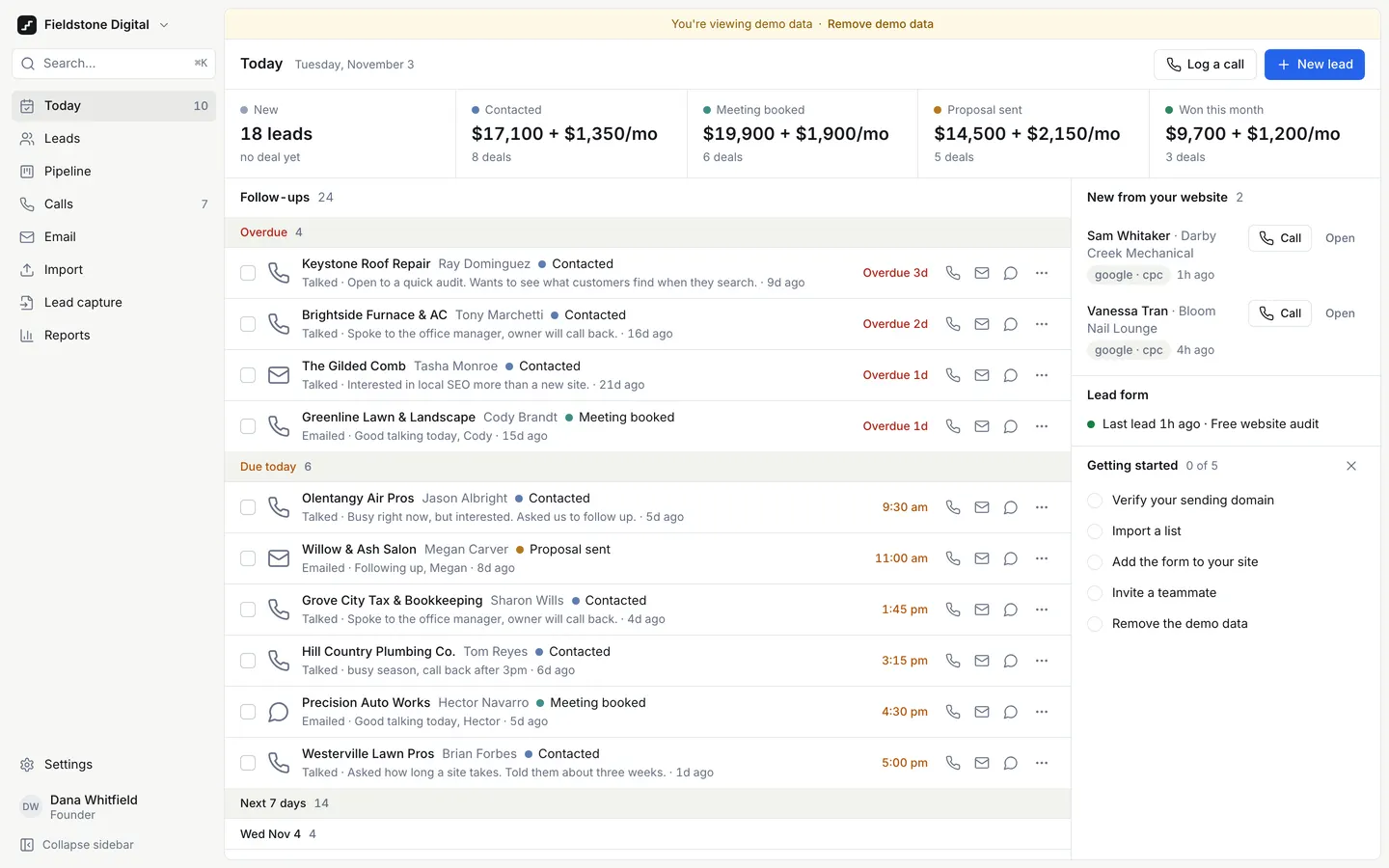
Next Step CRM
WebA CRM for agencies that sell by phone: today's follow-ups first, one-tap calls, and a next step on every lead.
- View template
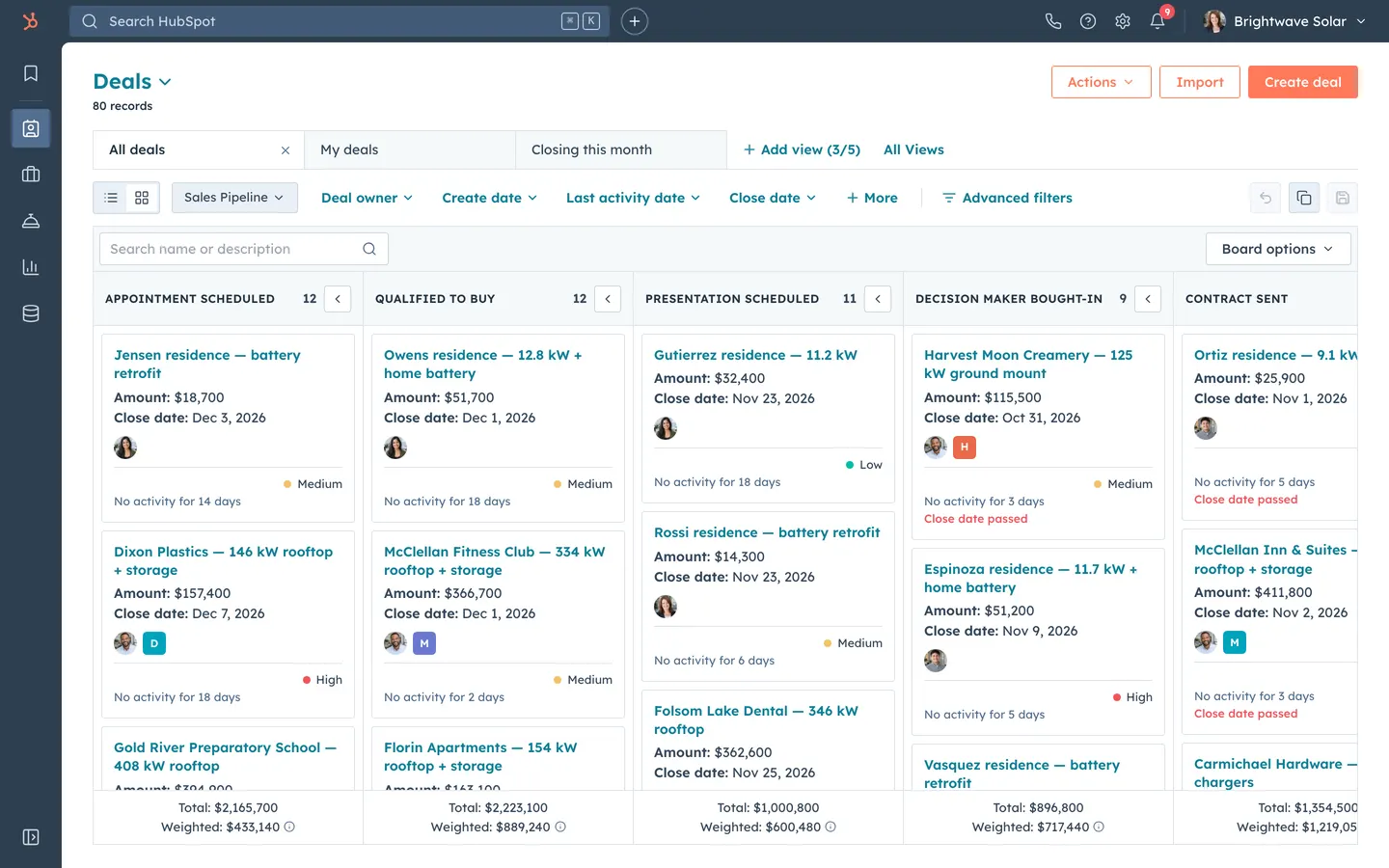
HubSpot CRM Clone
WebHubSpot's CRM, rebuilt: contact timelines, a drag-and-drop pipeline with weighted totals, inbox and reports.
- View template
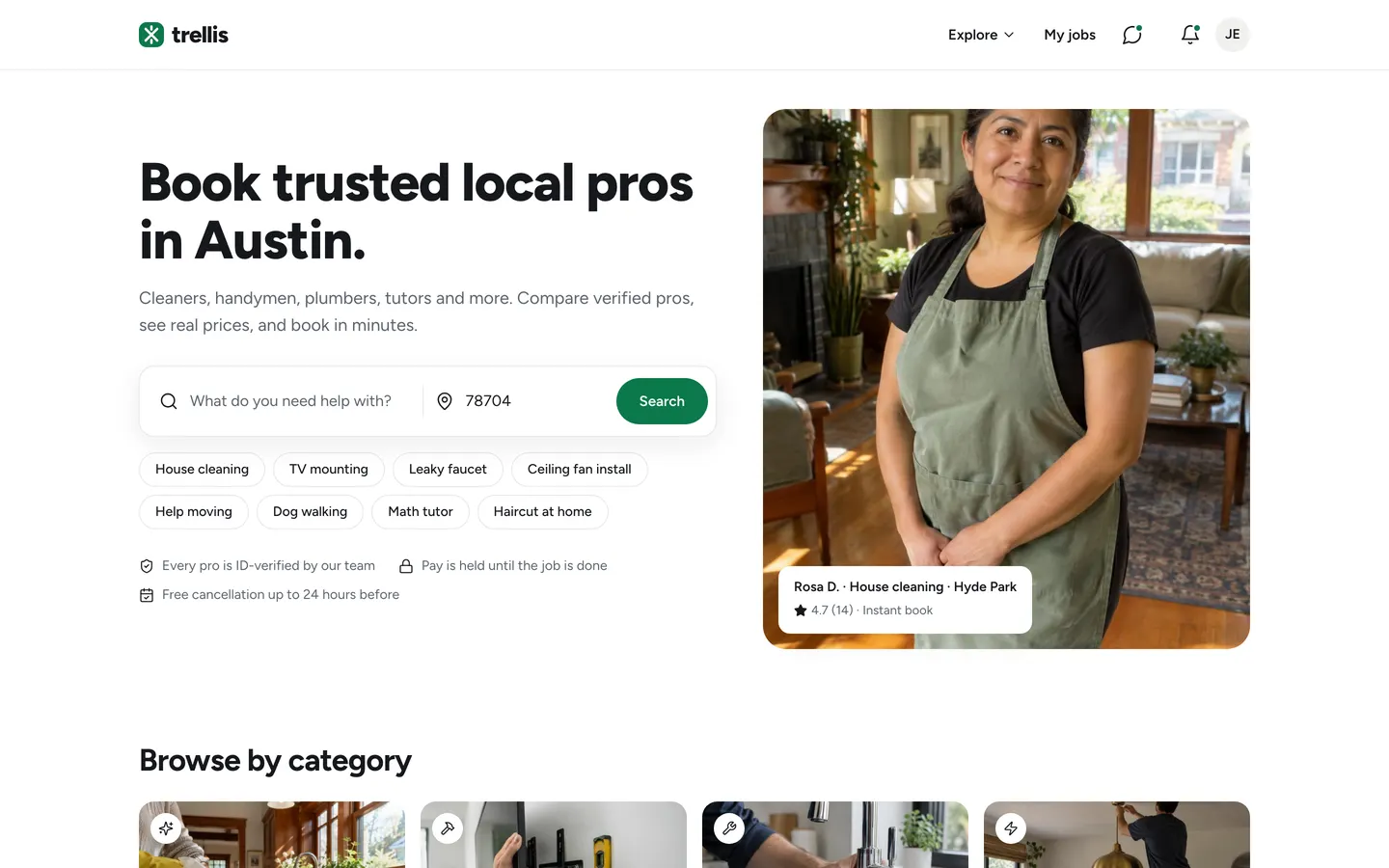
Services Marketplace
WebCustomers book verified local pros from a map, pros quote and get paid, and you keep a 15% cut.
- View template
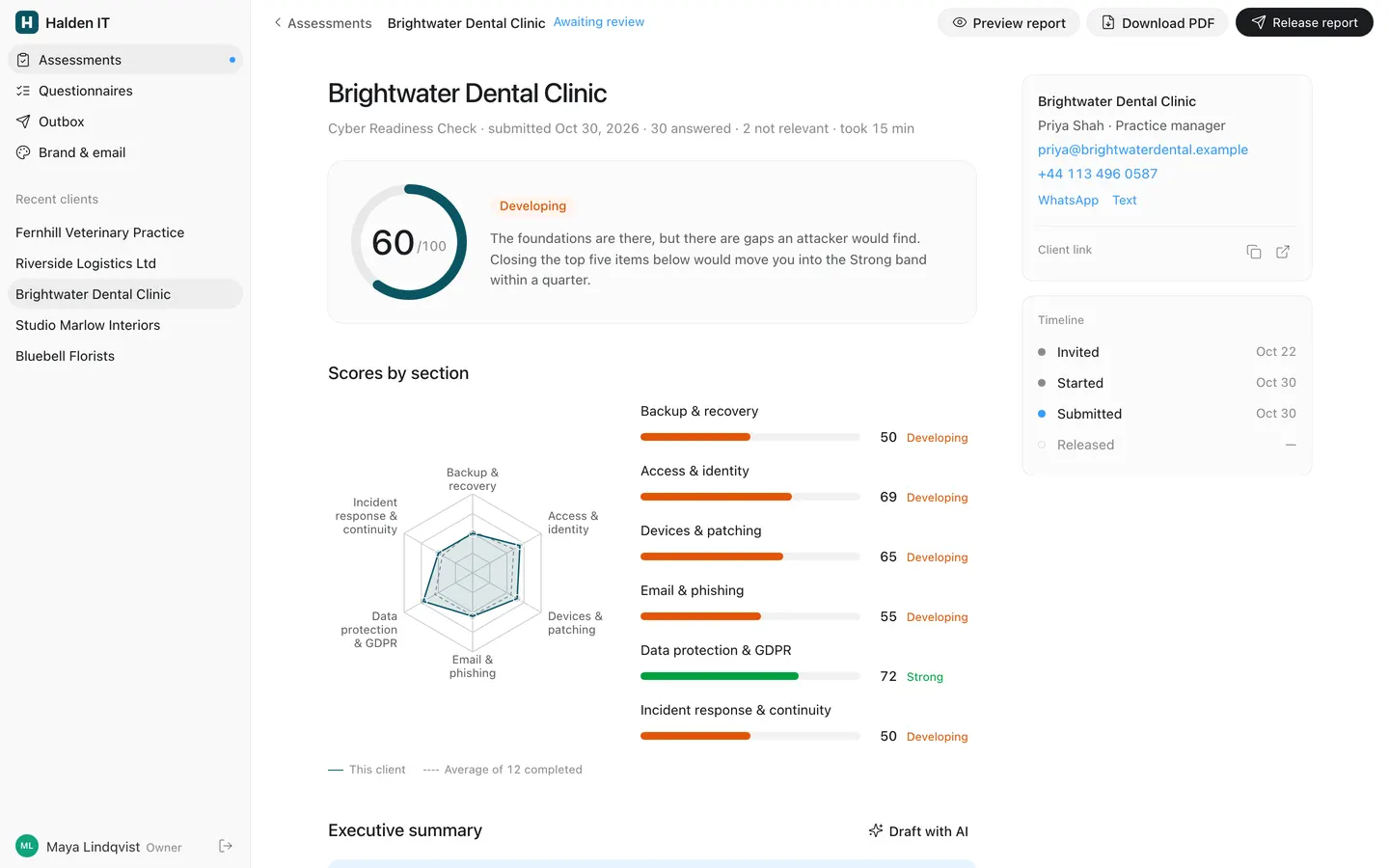
Assessment Report
WebSend clients a scored questionnaire, edit the AI-drafted summary, and release a branded 8-page PDF report.