

Table of contents
TL;DR
How do you build a ChatGPT clone?
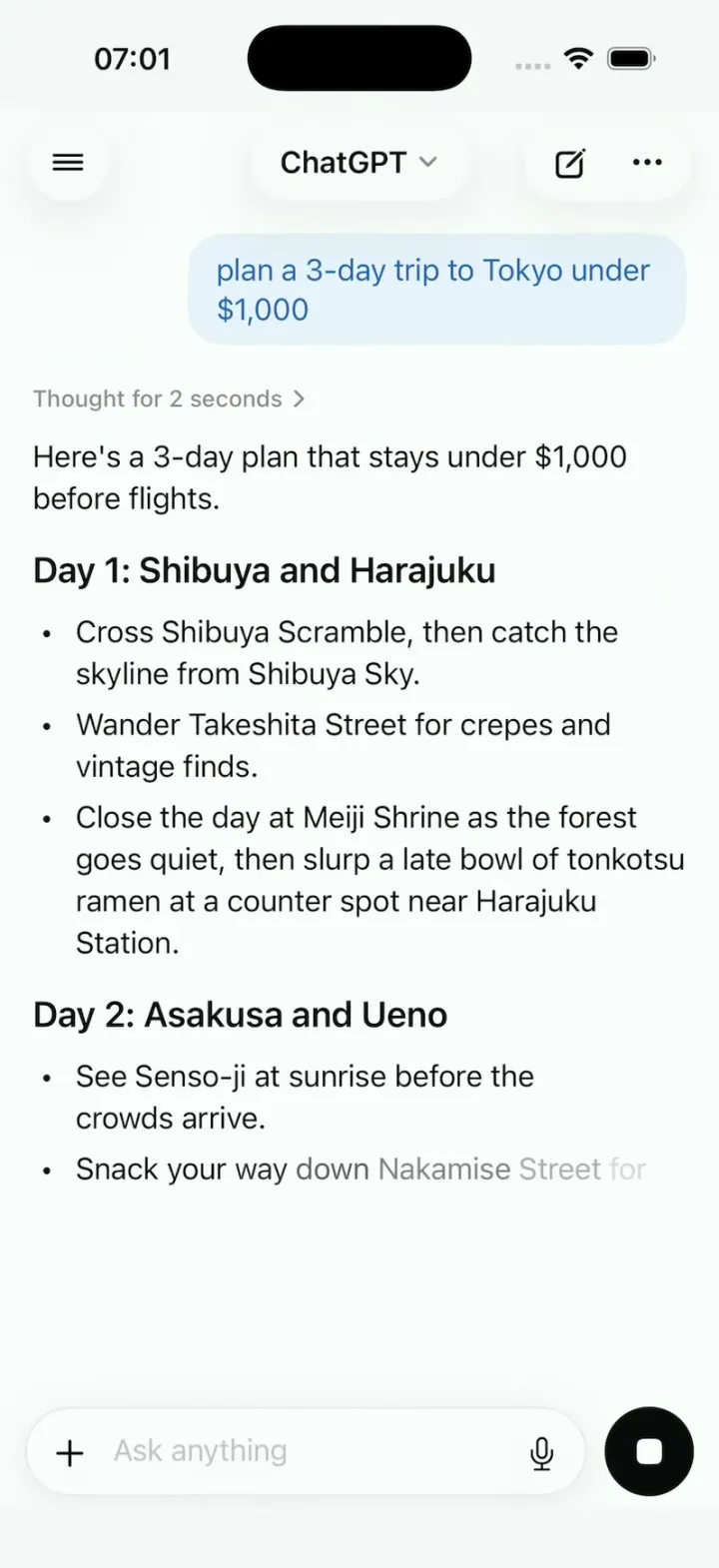
A ChatGPT clone is an AI chat app built on ChatGPT's main screens: a chat where answers stream in word by word, a sidebar of past chats, a model picker and voice mode. Vibecode's ChatGPT Clone template has all four as a native iPhone app in Swift, with ChatGPT's name, knot logo and pale-blue bubbles. Its answers are scripted, so it runs with no API key. In October 2026 we connected GPT-5.4 Mini to a remix with two prompts in under an hour. Remix it free, then make it a tutor, a coach or a support bot.
See it running

Template
ChatGPT CloneiOS
ChatGPT clone · Swift and SwiftUI
Answers that stream in word by word, a sidebar of past chats, a model picker, image answers and voice mode.
Remix copies the working Swift app into your Vibecode account for free. Or open a new iOS app with the prompt below to build a fresh copy.
Open the template pageThe prompt we used
This is the prompt that built ChatGPT Clone in Vibecode. Paste it into a new iOS app project to build your own copy from scratch, or change the details first.
Prompt · 1,159 words
Build a polished native iOS clone of ChatGPT in SwiftUI: answers that stream in word by word, a chat sidebar, a model picker, image answers that sharpen from a blur, and a voice orb.

It is ChatGPT on screen: its name, its knot logo (six interlocking rounded loops in a hexagonal rosette, drawn as a SwiftUI Shape), its colours and its words. Every answer is a scripted fixture streamed on device; no AI API calls. The user is Sam Rivera.

SHELL
No tabs. It opens on the chat "Tokyo trip" and plays HOOK MODE once. Top bar: a round glass sidebar button on the left, a centred glass pill "ChatGPT" with a chevron (the model picker), and a glass pill with new chat (pencil in a square) and "..." on the right.

SCREENS
1. Chat: Sam's messages on the right in pale-blue bubbles with blue text; ChatGPT's on the left, no bubble. A shimmering "Thinking" for 2 s becomes a collapsible "Thought for 2 seconds", then the answer streams at 45 words a second with a fade per word and auto-scroll; the round button becomes a black stop square. A finished answer gets copy ("Copied" toast), read aloud, thumbs up, thumbs down, regenerate, share and 2 follow-up chips.
2. Answers are typed blocks in Fixtures (heading, paragraph, bullets, numbered, table, code, image), not markdown.
- Tokyo: Sam asks "plan a 3-day trip to Tokyo under $1,000". ChatGPT: "Here's a 3-day plan that stays under $1,000 before flights.", "Day 1: Shibuya and Harajuku", "Day 2: Asakusa and Ueno", "Day 3: Shinjuku" (3 bullets each), "Budget" and a table (Item, Cost): Hotel $420, Food $180, Transit $60, then "That's $660, so $340 is left for fun." Chips: "Draw it as a map", "Make it cheaper".
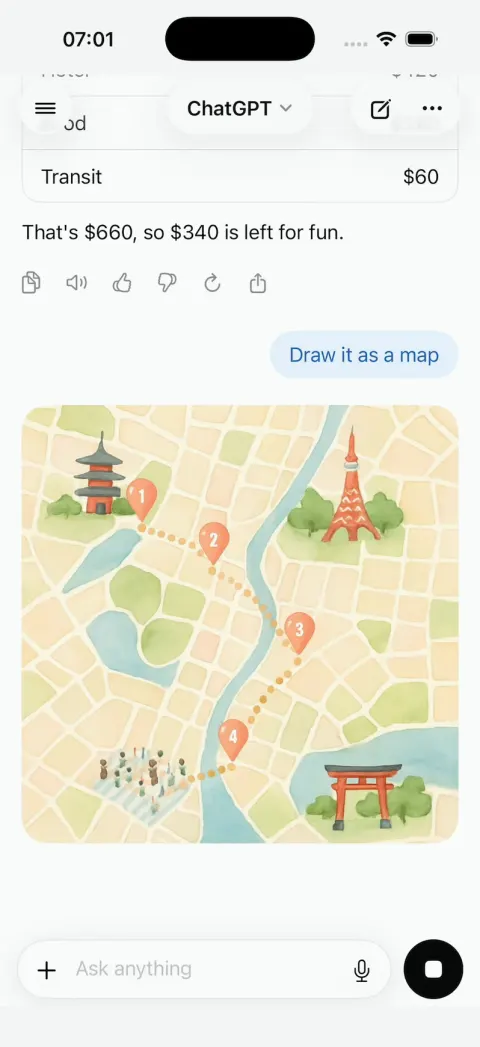
- "Draw it as a map": "Creating image", then a square illustrated map sharpens from a blur, top to bottom, over 3 s, with Save and Share.
- Each new-chat chip has its own answer (the cat astronaut is an image). Anything typed gets a short answer naming the topic ("python": a code block with copy).
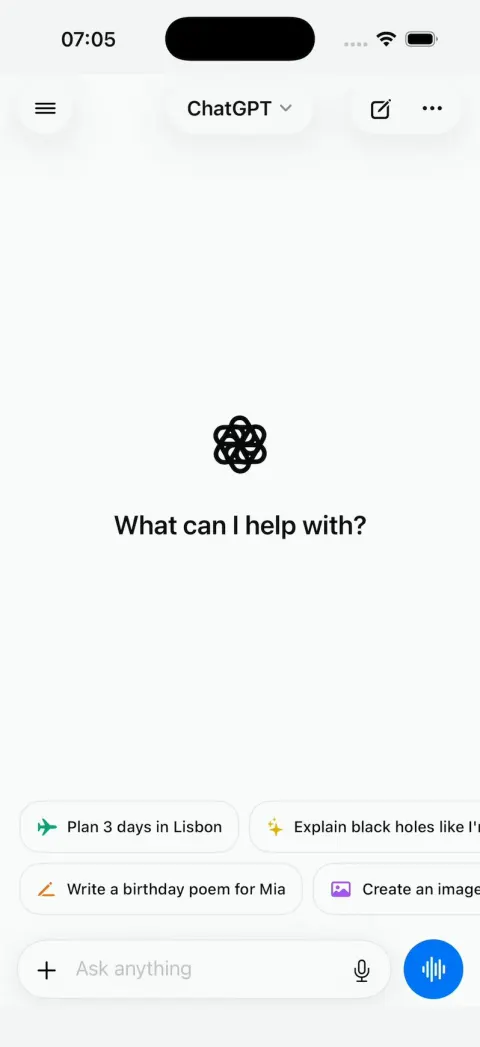
3. New chat (the new-chat button): the logo, "What can I help with?", 4 chips in two rows ("Plan 3 days in Lisbon", "Explain black holes like I'm 10", "Write a birthday poem for Mia", "Create an image of a cat astronaut"), and the composer: a white pill with "+", "Ask anything" and a mic, beside a round blue button (a waveform when empty, for voice; an up arrow with text), never under the keyboard.
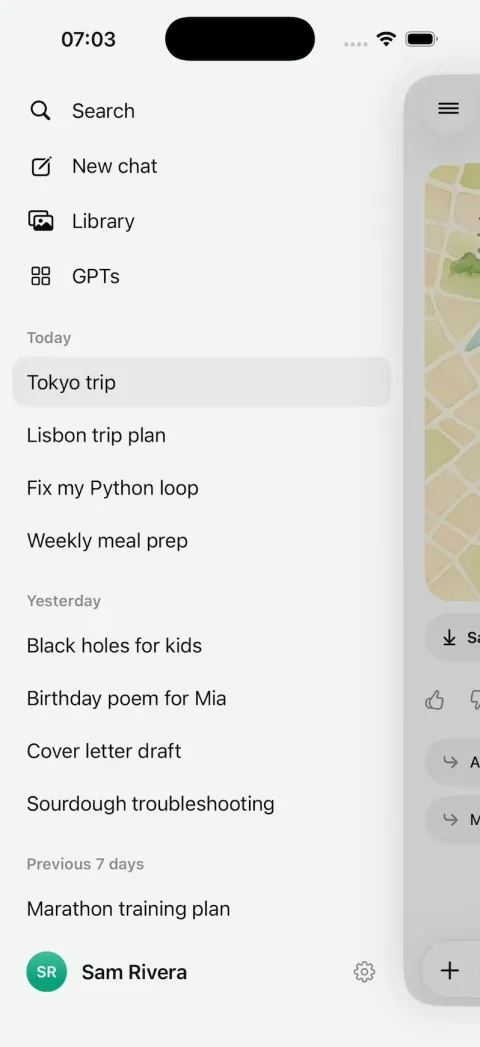
4. Sidebar (edge swipe or the button; the chat slides right and dims): "Search", "New chat", "Library", "GPTs", then 14 past chats under "Today", "Yesterday", "Previous 7 days" ("Tokyo trip", "Lisbon trip plan"...), each opening a short exchange; long-press: Rename, Share, Delete. "Sam Rivera" opens Settings (rows only, plan "ChatGPT Plus").
5. Model picker (tap the pill): "Auto", "Instant", "Thinking", "Pro", each with a one-line description and a check. Thinking takes 4 s.
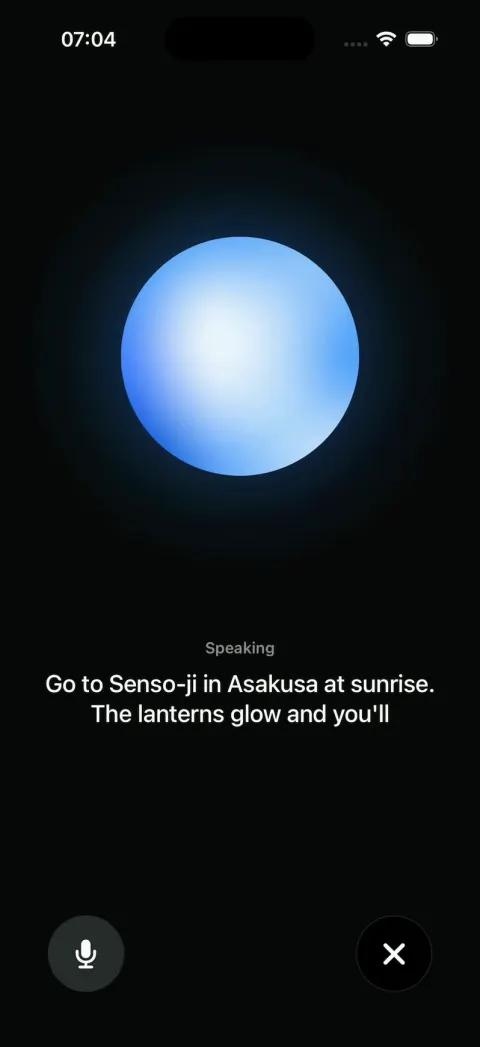
6. Voice: a dark screen, a blue-to-white orb that breathes, ripples while "Listening", then a scripted 2-turn exchange with live captions; mute and a black X.
7. Attach: "+" opens Camera, Photos, Files; Photos shows the 6 photos; a picked one is described.
8. "GPTs" opens "Explore GPTs": a grid of 8 ("Travel Planner", "Code Copilot", "Recipe Chef", "Study Buddy"...), each opening a chat with its own greeting and 3 chips.

SIGNATURE MOMENTS (filmed, so make them perfect)
Streaming lists and the table build, the map sharpening, the sidebar push, the voice orb.

HOOK (the first 3 seconds of the video)
- No splash, onboarding, login, paywall or permission prompt before the Tokyo stream. Pre-warm haptics at launch.
- HOOK MODE: an invisible 44x44 pt area at the top-right, just below the top bar, resets the Tokyo chat (its first frame is already the 0.0 s state) and plays a 4-second script through the same code paths as taps, the same every time: 0.0 s Day 1, 2 bullets done, the 3rd half-written, stop square; 0.6 s "Day 2"; 1.3 s "Day 3"; 2.0 s the table builds row by row; 2.3 s the stream ends (the button returns, actions and chips fade in); 2.45 s "Draw it as a map" is tapped; 2.6 s its image starts sharpening.
- Motion stays in the middle 80% of the screen.

LOOK
White; text #0D0D0D, secondary #8E8E93; user bubble #E8F2FC with text #2E64BE; blue #0078FC for the voice button, orb and links; stop square #0D0D0D. Dark mode #212121. SF Pro 17 pt, semibold headings, SF Mono code on #1E1E1E.

RULES
- Native SwiftUI, iOS 26 (keep the template's target), iPhone portrait; standard NavigationStack and sheets, so it also runs on iPhone Duo.
- All content from deterministic fixtures. No backend, login, permissions, analytics or network calls except loading images. No persistence (delete the SwiftData starter, no UserDefaults or files), so every launch starts the same.
- Images: make the map and the cat astronaut once with gpt-image-1 (POST $OPENAI_BASE_URL/images/generations, no text in the art) into the asset catalog. Photos: images.unsplash.com/photo-<id>?w=800&q=80 for 1441974231531-c6227db76b6e, 1490750967868-88aa4486c946, 1493246507139-91e8fad9978e, 1472214103451-9374bd1c798e, 1504674900247-0877df9cc836, 1514888286974-6c03e2ca1dba; curl-check, never review by eye.
- Decode and downsample images off the main thread; never re-blur a full-size image per frame (blur a small copy once, animate only the mask edge).
- Motion: springs under 350 ms; nothing appears or vanishes in one frame; flashes at most 0.12 s at 35%; haptics on key taps, pressed states, no dead buttons.
- Compile hygiene: files under 300 lines, big bodies split into subviews, no long chained expressions.
- Keep every file inside /home/user/workspace (/tmp is denied).

REMIX-READY (a public template strangers remix with one prompt)
- Brand.swift (name, logo view, enum Copy with every signature word) and Theme.swift (role colours, fonts, radii); views hold no names, copy or colour literals.
- Fixtures/ (all content), DemoScript.swift (stream rates, HOOK MODE timings), Codable models, block kinds as an enum with one view per case.
- One seam: AppDataSource with FixtureDataSource in one @Observable store (views never read Fixtures); Engine/ChatEngine with ScriptedEngine as its only implementation.
- Feature folders. README.md under 80 lines: screens, file map, the files to edit to rename, recolour or change content, what plugging in a real model takes, 3 remix prompts that re-niche it. "Read README.md first." atop CLAUDE.md and ios/AGENTS.md; replace the <structure> block in ios/CLAUDE.md with this app's files. No scratch files.

FILMING
Long-press the logo on the new-chat screen to reset every chat to the launch state.

BUILD
Screens first: Theme, Brand, Fixtures and the engine, then the chat screen with HOOK MODE, then the rest, one small file per step, launching in the simulator every two or three files. Make the images and photos once the chat runs, in the background. Don't plan more than one file ahead. Walk each flow once and fix what breaks; no pixel measuring or debug modes. Deliver the whole app, not a plan. Do not publish.
ChatGPT clone features
What ChatGPT Clone includes today, and what you add next. Everything in the template runs on sample data, with no login and no backend, so it works the moment you open it.
In the template
Streaming answers
A shimmering "Thinking" turns into "Thought for 2 seconds", then the answer types itself out word by word. The send button becomes a stop square.
Rich answers
Headings, bullet lists, numbered steps, tables and code blocks with a copy button, drawn as native views.
Answer actions
Copy, read aloud, thumbs up and down, regenerate and share under every answer, plus two follow-up chips.
Image answers
"Draw it as a map" makes an illustrated map sharpen from a blur, top to bottom, with Save and Share.
Chat sidebar
Search, New chat, Library and GPTs, then 14 past chats under Today, Yesterday and Previous 7 days. Long-press to rename, share or delete.
Model picker
Auto, Instant, Thinking and Pro, each with a one-line description. In the template, Thinking only waits 4 seconds instead of 2. Once a model is connected, ask the agent to give each option a real model.
Voice mode
A blue orb that breathes and ripples, then plays a scripted two-turn voice chat with live captions. It doesn't use the microphone.
New chat, attach and GPTs
"What can I help with?" with four starter chips, an "Ask anything" composer with photos and files, and a grid of eight custom GPTs.
Add with a prompt
Real model answers
Every answer in the template is scripted. A model such as GPT-5.4 Mini makes them real.
Accounts and saved chats
Sign-in, and a chat history that survives a relaunch and follows the user to a new phone.
Real voice chat
Hearing the user through the microphone and speaking the model's answer back.
Photo questions
Send a photo and have the model read it, instead of the template's prepared description.
Limits and a paid plan
A free daily allowance of messages, then a subscription for more.
How to build a ChatGPT clone with Vibecode
- 1
Remix the template
Open the ChatGPT Clone share page and press Remix. Vibecode copies the whole Swift project into your account, so you start from a working app instead of an empty screen. Remixing is free.
- 2
Make it yours by chatting
Tell the agent what to change in plain English, for example: “Rename the app to Sprout, make it a biology tutor with a green theme, and swap the starter chips for four homework questions.” Each change rebuilds the app and runs it in Vibecode's cloud iOS simulator, right in your browser.
- 3
Publish to the App Store
Click Publish, choose Publish to App Store and sign in with your Apple ID. Vibecode builds, signs and uploads the app to Apple, with no Mac and no Xcode. You need an Apple Developer account ($99/year) and the Plus plan or higher.
The hard parts of a real ChatGPT clone
Screens are the quick part. These are what take the time once real people use it.
Every answer costs money
Each reply is a model call billed by the token, and a long chat sends the whole conversation again on every turn, so message 30 costs more than message 1. OpenAI lists GPT-5.4 Mini at $0.75 per million input tokens and $4.50 per million output tokens. Through Vibecode the calls bill your credits instead, and each short answer in our test cost 1 cent. Decide who pays before you launch: a free daily cap, a subscription, or both.
The API key stays off the phone
A key inside an iPhone app can be pulled out of the download and run up your bill. The app should call your own server, and the server holds the key and checks who is asking. Vibecode puts the model call on your project's backend, so no key ships in the iPhone app. Until you add sign-in (step 3 below), the backend can't tell your users apart, so add accounts and a message limit before you launch.
Real streaming over a network
The template fakes streaming on the device at 45 words a second. Real streaming sends the answer in small pieces from the model, through your backend, to the phone. The app then has to handle a dropped connection, a stop button that really cancels the call, and an answer that fails halfway.
Abuse and Apple's rules
Some people will use a free chatbot to run their own AI work for free, and some will try to make it say something harmful. Plan for a message limit per account, a content filter and a way to report a bad answer. Apple asks AI content apps for filtering, reporting, blocking and contact details, and asks you to get permission before personal data goes to a third-party AI.
Sources: App Review Guideline 1.2App Review Guideline 5.1.2(i)
Take it from template to real app
Each step is one message to the Vibecode agent. Send them one at a time and test in between.
- 1
Make it answer for real
The template plays its scripted answers through one engine, and this prompt swaps that engine for GPT-5.4 Mini on your app's backend. Its calls bill your Vibecode credits, so there is no OpenAI account or key to set up. We ran it on a remix on October 26, 2026. It took 28 minutes and $10.64 of credits on the default model, GPT-6.1 Sol. The answers were real, streamed in and remembered the chat, but they showed raw markdown.
Prompt
Add GPT-5.4 Mini to my app so the chat gives real answers. Stream each answer in word by word like the scripted ones, and keep the sample chats.
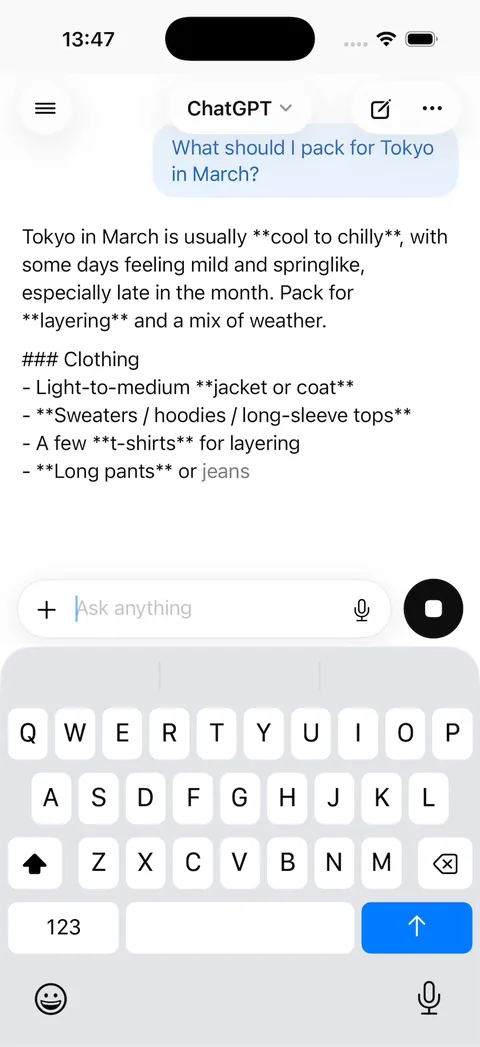
After the first prompt: a real GPT-5.4 Mini answer about packing for Tokyo, with raw markdown symbols - 2
Format the live answers
The template formats only its scripted answers, so live ones arrived with asterisks and ### marks, and the keyboard stayed up after sending. We sent this message word for word. It took 30 minutes and $8.35 of credits. After it, each real answer cost 1 cent of credits, and a follow-up question built on the first answer.
Prompt
Real answers work and follow-ups keep context, but the GPT-5.4 Mini replies show raw markdown in the chat: I see literal **bold** asterisks, ### headings and "- " bullet dashes. Render live answers as formatted text (bold, headings, bullet lists) like the scripted answers, while still streaming them in word by word. Also, the keyboard never goes away after sending: dismiss it when I send a message or tap or scroll the conversation.
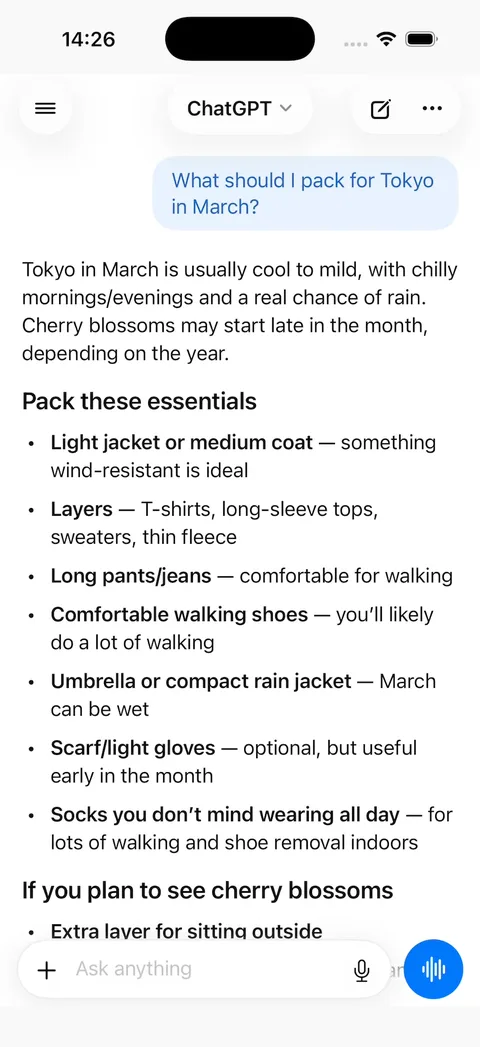
After the fix: the same question answered by GPT-5.4 Mini with headings and bold text - 3
Accounts and saved chats
Vibecode Cloud adds sign-in and a database, so each person's chats are still there after a relaunch.
Prompt
Add Vibecode Cloud. Let people sign in with email, save every chat and message to the database, and load each person's chats in the sidebar. Add a Delete account button in Settings that removes the account and its chats.
- 4
Give it one job
A general chatbot competes with ChatGPT itself. A tutor, a recipe coach or a support bot for your product has a reason to exist. The name, logo and colors live in two files, so this is one prompt.
Prompt
Turn this into Sprout, a biology tutor for high school students. Rename it, use a green theme, write a system prompt that explains step by step and ends with one check question, and replace the starter chips with four biology questions.
- 5
A free limit and a paid plan
Model calls cost money on every message, so cap free use and charge for more. Count messages on the backend, where people can't reset the count.
Prompt
Give free users 20 messages a day, counted on the backend, then show a paywall. Add a RevenueCat monthly subscription that raises the limit to 300 messages a day.
What a ChatGPT clone costs
Most ChatGPT clones on GitHub are web apps you host yourself, and you still pay the model bill with your own API key. The Vibecode template is a native iPhone app you own and change by chatting. It answers from a script until you connect a model, so trying it runs up no model bill. Once it answers for real, each answer bills your credits (1 cent each in our test), and once the app is live its backend needs a deployment, with 1 included on Plus.
| Option | Typical cost | What you get | Still on you |
|---|---|---|---|
| Clone script | $299–$5,000 one-time license | Source code for the apps, usually with an admin panel | Servers, setup, rebranding, store accounts and future updates |
| Freelancer | Hourly or a fixed bid, set by scope | Custom code built to your spec | Writing the spec, reviewing the work, hosting and store submission |
| Development agency | Custom quote per project | Design, build, testing and launch handled for you | A budget and timeline fixed by contract; every change goes through the agency |
| VibecodeThis template | Free to remix; plans from $20 a month | A native Swift ChatGPT-style iPhone app you change by chatting, with App Store publishing (Plus and up) and source code download (Pro and Max) | A backend for real data (one prompt with Vibecode Cloud) and an Apple Developer account ($99/year) |
Clone-script prices are the range listed by script marketplaces and vendors. Vibecode plans and what each includes are on the pricing page.
Frequently asked questions
Is it legal to build a ChatGPT clone?
Yes. A chat screen, a sidebar of past chats and a model picker are common patterns that anyone can build. ChatGPT's name and knot logo belong to OpenAI, so give the app its own name, logo and app icon before you publish it. The name and logo live in Brand.swift and the colors in Theme.swift, so that is one prompt.
Can I publish a ChatGPT clone to the App Store?
Yes, as your own app. Apple doesn't allow another developer's name or icon in your app's name or icon without their approval (4.1(c)), and it rejects apps that copy a popular app with only small changes to the name or look (4.1(a)). Give it its own name, logo and job before you submit. For an AI chat app, Apple also wants two things: tell people their messages go to a third-party AI and get their permission first (5.1.2(i)), and give users a way to filter, report and block offensive content, plus contact details (1.2). Vibecode publishes to the App Store on the Plus plan and up, with your Apple Developer account.
Sources: App Review Guideline 4.1App Review Guideline 5.1.2(i)App Review Guideline 1.2
Does the ChatGPT clone work on Android?
No. ChatGPT Clone is a native iPhone app written in Swift, so it runs on iPhone only. For Android, start a Mobile app project in Vibecode, which builds React Native apps for iPhone and Android, and paste the prompt from this page.
Can I add a real backend to the ChatGPT clone?
Yes. ChatGPT Clone runs on sample data so it works the moment you remix it. When you need real users, Vibecode Cloud adds a database, sign-in and file storage with one prompt, enough for accounts, chats, messages and each person's daily message count. It is on the Plus plan and up. You can also connect Supabase, Firebase or your own API.
Does the ChatGPT clone call OpenAI?
Not out of the box. Every answer in the template is scripted and plays on the phone, so it works with no API key and runs up no model bill. The first two prompts under "Take it from template to real app" connect GPT-5.4 Mini and format its answers. After that, each answer is a real model call that bills your Vibecode credits.
Sources: GPT-5.4 Mini in VibecodeCan I vibe code ChatGPT? Our verdict
What does a ChatGPT clone app cost to run?
It depends on the model and how long the chats get. OpenAI lists GPT-5.4 Mini at $0.75 per million input tokens and $4.50 per million output tokens, so a short exchange of 1,000 tokens in and 500 out costs about a third of a cent at those rates. In Vibecode your app's model calls bill your credits instead. The integrations page lists GPT-5.4 Mini at $0.0037 to $0.04 a request (October 2026), but Vibecode bills at least 1 cent a call, so each answer in our own test cost 1 cent. The backend that makes those calls also has to run online once the app is published. Plus includes 1 deployment, Pro 3 and Max 5, and each extra one is $20 a month.
Sources: OpenAI API pricingVibecode integrations and pricesVibecode deployments
Can it use my own OpenAI API key?
Yes. Add your key to the backend's environment and ask the agent to use it for the chat. The calls then bill your OpenAI account instead of your Vibecode credits. Keep the key on the backend, never in the iPhone app.
Is the ChatGPT Clone template free?
Remixing it is free with a Vibecode account and gives you your own copy of the Swift project. Changes you ask the agent for use credits. Publishing to the App Store needs a paid plan (Plus and up) and an Apple Developer account ($99/year), and downloading the source code is on the Pro and Max plans. See the pricing page for current plans.
More templates
All templates- View template
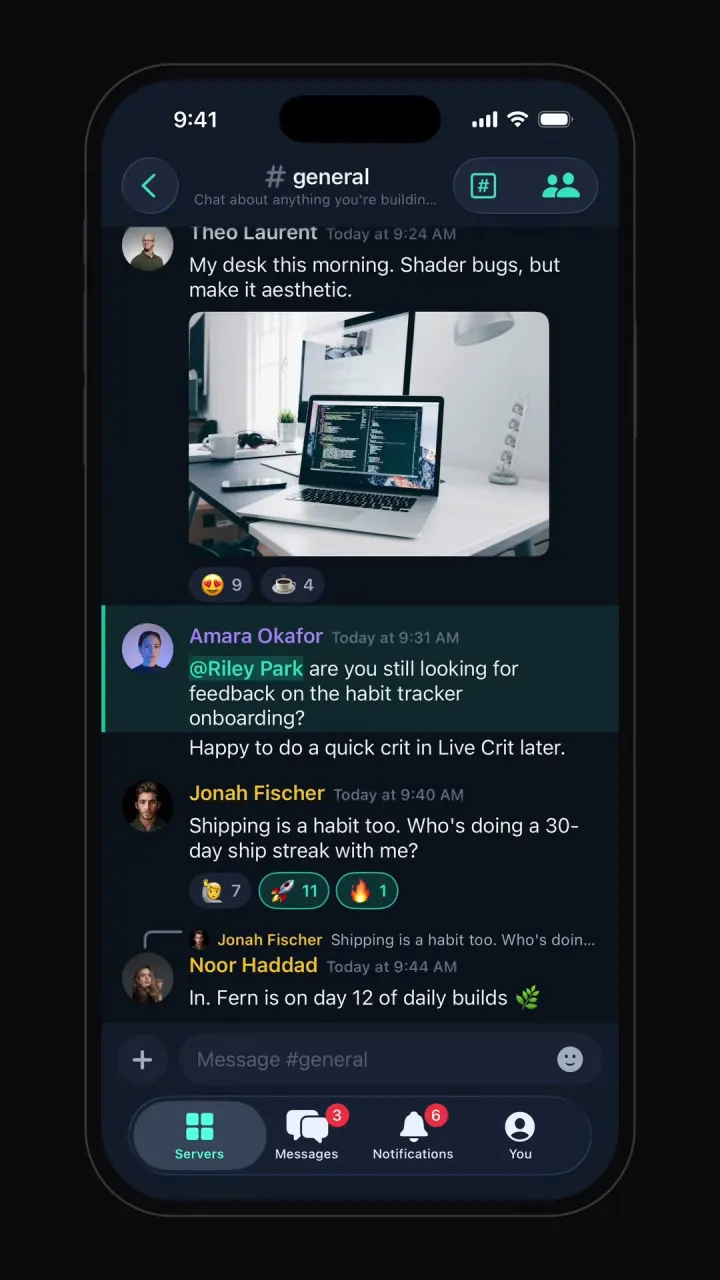
Discord clone
iOSServer rail, channel categories, chat with reactions and embeds, member roles, voice room and DMs.
- View template
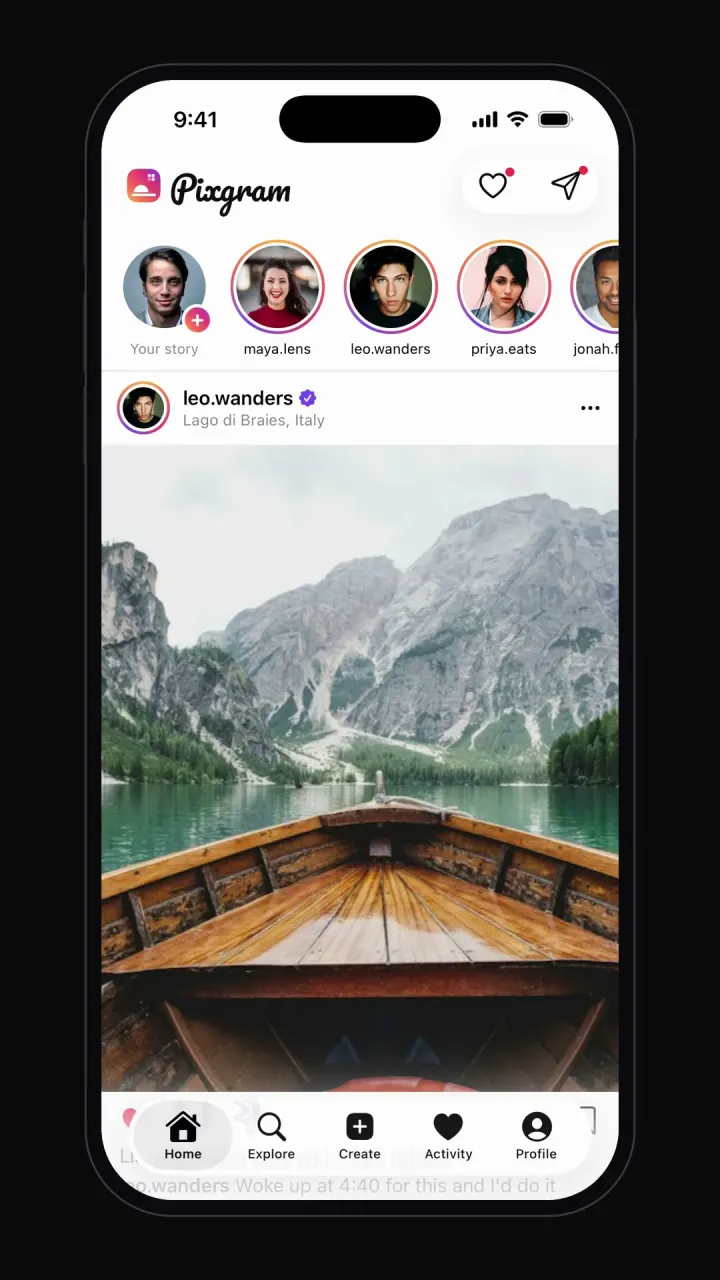
Instagram clone
iOSPhoto feed, stories, double-tap likes, comments, explore grid, DMs and profiles.
- View template
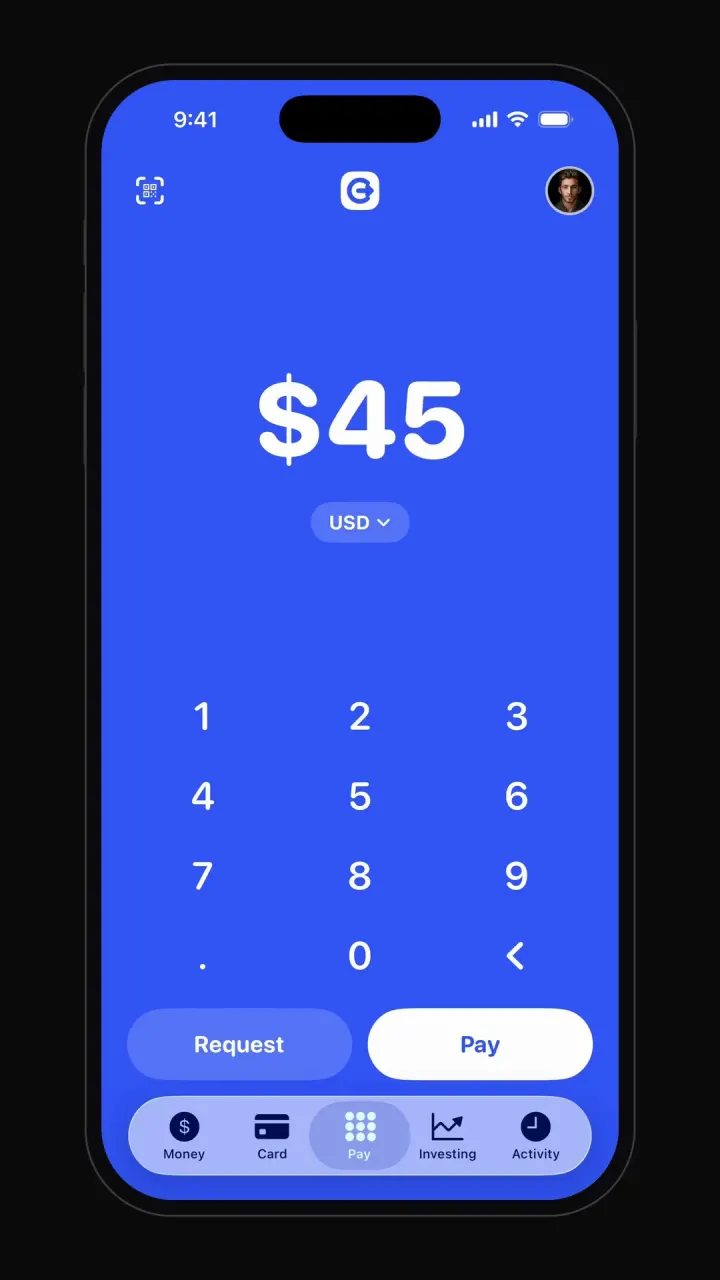
Cash App clone
iOSBig-number pay pad, pay and request flows, balance, debit card, investing charts and activity.



Other guides: Uber cloneAirbnb cloneTikTok cloneYouTube cloneNetflix cloneSpotify cloneTinder clone
Browse all app templates. Each one is a native Swift app made with Vibecode's iOS app builder. Have an idea of your own? The free Can I vibe code it? checker tells you what it takes and writes your first prompt.
Choosing a builder? Read the best AI mobile app builders guide or compare Vibecode with other app builders.
About the editorial team
Vishal is a product engineer at Vibecode. Before Vibecode he did product engineering at EarnIn and co-founded Ivella (YC S21), a banking app for couples. He studied computer science at Duke.