Build an Airbnb Clone App in Swift with AI
By the Vibecode teamUpdated 6 min read
Short answer
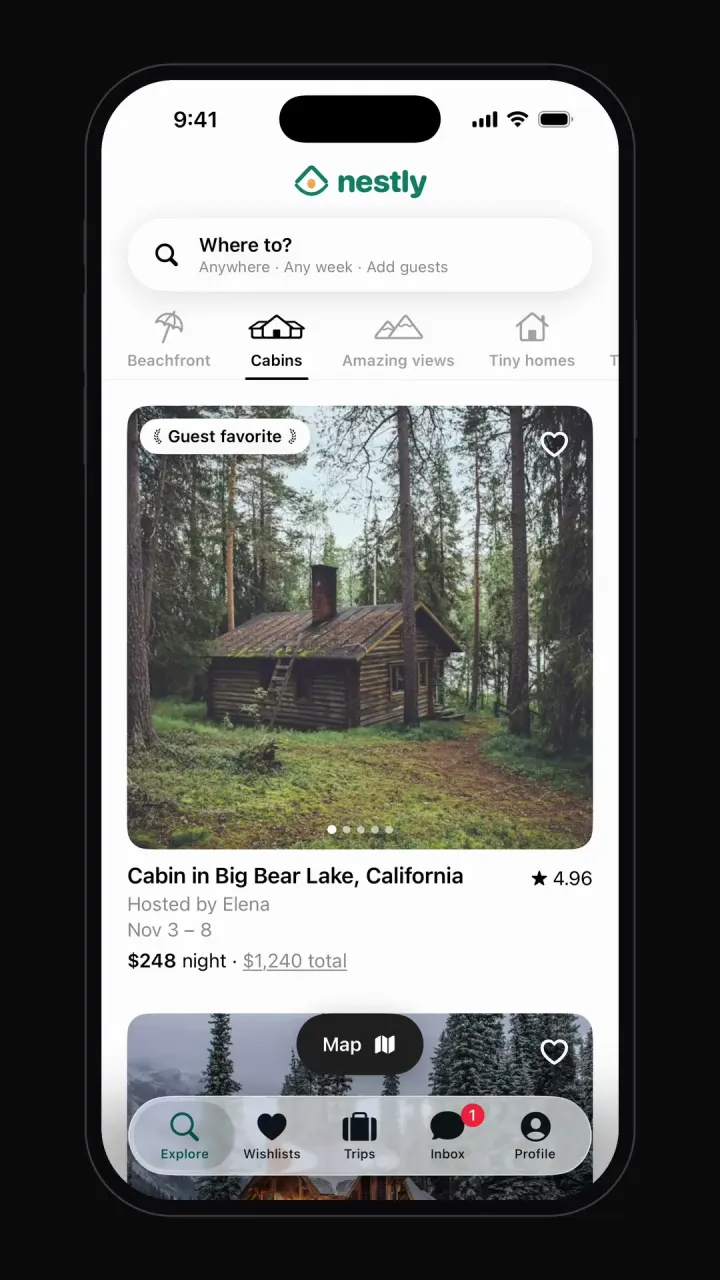
An Airbnb clone is a two-sided booking marketplace: guests search by place, dates and guest count, and hosts list stays with calendars and prices. The guest side is what people see first, and it is where a template saves the most time. Vibecode's template, Nestly, is the full guest app (categories, map, search, listing pages, checkout, wishlists, trips and host messages) as a native iPhone app written in Swift, on sample data. Remix it and add hosts, real availability and payments by chatting.
See it running

Template
NestlyiOS
Airbnb clone · Swift and SwiftUI
Category browsing, map view, date and guest search, listing pages, checkout, wishlists and trips.
Remix copies the working Swift app into your Vibecode account for free. Or open a new iOS app with the prompt below to build a fresh copy.
Open the template pageThe prompt we used
This is the prompt that built Nestly in Vibecode. Paste it into a new iOS app project to build your own copy from scratch, or change the details first.
Prompt · 731 words
Build a polished, fully working native iOS app in SwiftUI named Nestly: an original vacation-rental booking app that recreates the core experience of Airbnb, but with its own name, its own original logo and its own color palette. Do NOT use the Airbnb name, logo, wordmark, app icon or any trademarked asset anywhere in the app. Design an original Nestly logo mark, drawn with SwiftUI shapes (Path/Canvas) or made as a generated image asset, and use it in the header.

Screens and flows (bottom tabs: Explore, Wishlists, Trips, Inbox, Profile; light theme, your own accent color for primary buttons):
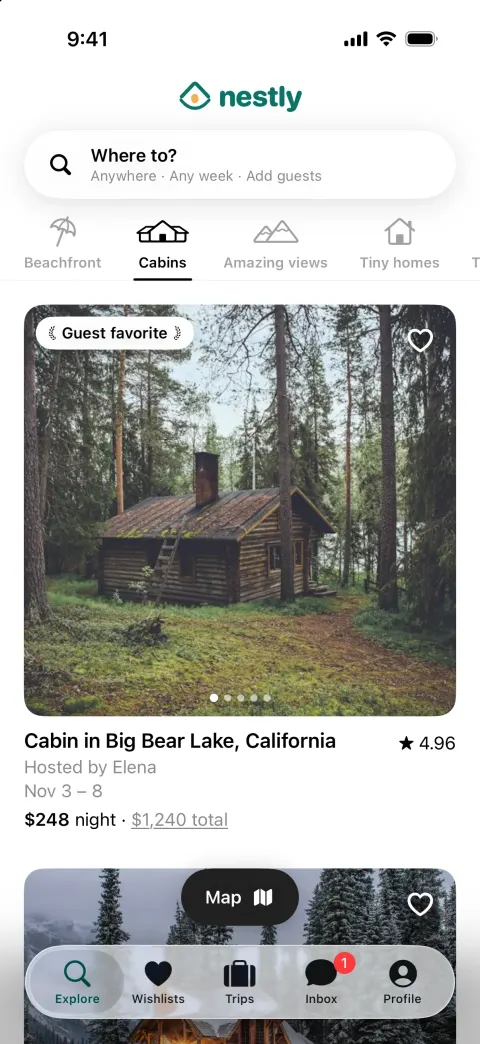
1. Explore: a floating search pill "Where to?" with "Anywhere · Any week · Add guests", a horizontally scrolling category bar with icons and labels (Beachfront, Cabins, Amazing views, Tiny homes, Treehouses, Lakefront, Countryside, Design, Castles) with an animated underline; switching category swaps the listings with a fade. Listing cards: full-width photo carousel (swipe, page dots, 4-5 photos per stay), heart button that toggles into a Wishlist with a toast, "Guest favorite" badge on some, title like "Cabin in Big Bear Lake, California", "Hosted by Elena", dates "Nov 3 – 8", "$248 night · $1,240 total", rating "4.96". At least 14 stays across categories.
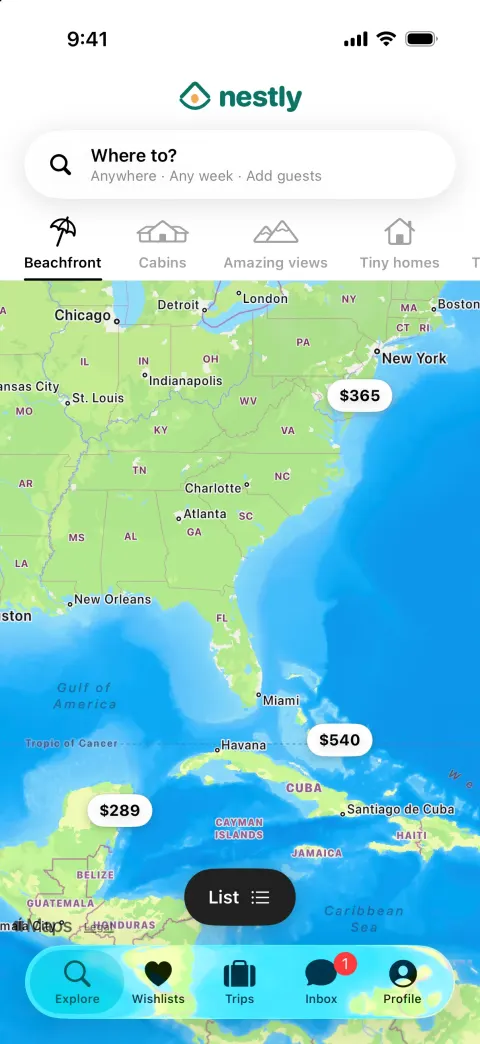
2. Map: a floating "Map" button switches to a SwiftUI MapKit Map (no location permission) with price-pill annotations at each stay's fixture coordinate; tapping a pill highlights it and slides up that listing's card; "List" switches back.
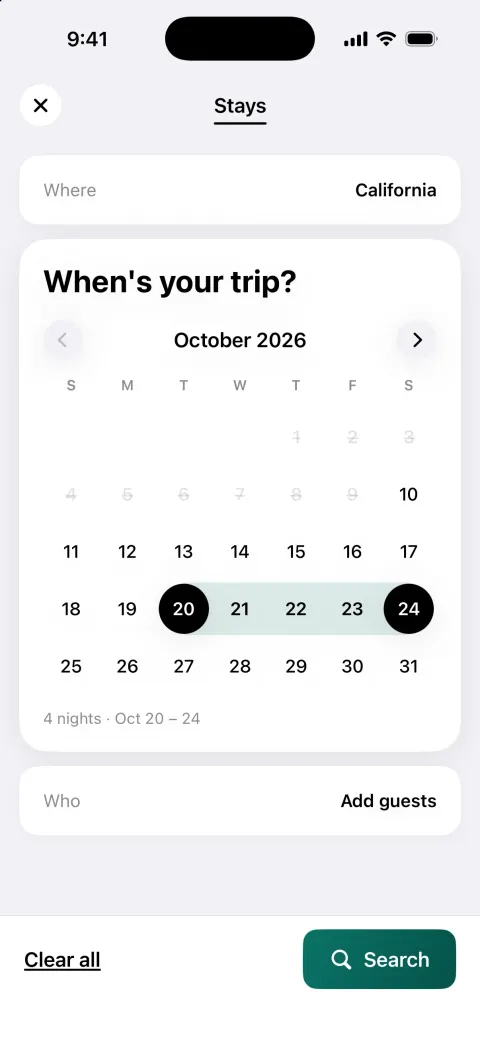
3. Search: tapping the pill opens a full-screen modal with three steps: Where (search input and suggested destinations), When (calendar to pick a date range with highlighted range), Who (Adults, Children, Infants, Pets steppers). "Search" filters results and updates the pill text.
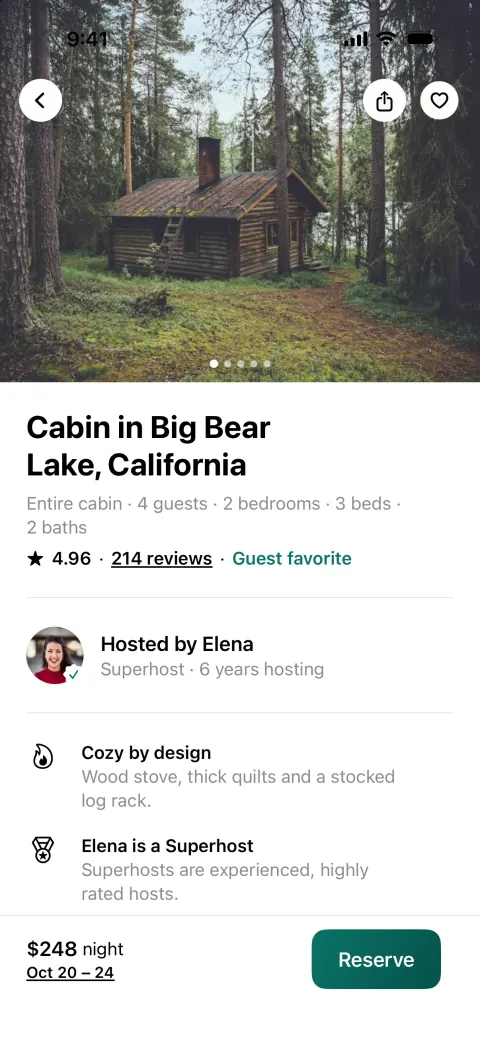
4. Listing detail: photo carousel header with back, share and heart, title, "Entire cabin · 4 guests · 2 bedrooms · 3 beds · 2 baths", rating and reviews count, host row (photo, "Hosted by Elena · Superhost · 6 years hosting"), 3 highlights, description with "Show more", "What this place offers" amenities, reviews carousel with a rating breakdown, a small non-interactive MapKit location map, house rules. Sticky bottom bar with price, dates and a "Reserve" button.
5. Booking: "Reserve" opens "Confirm and pay": trip dates and guests (editable), price breakdown ($248 x 5 nights, cleaning fee, service fee, taxes, total), payment method "Visa •••• 4242", "Confirm and pay" with a short processing state, then a "You're going to Big Bear Lake!" success screen with a celebration animation; the trip shows up in Trips.
6. Wishlists: grid of saved stays (updates live from hearts). Trips: upcoming and past trips with photos and dates. Inbox: host messages; open a thread and send. Profile: avatar, "Show profile", settings rows.

Rules for the whole app:
- Native SwiftUI for iOS 26, the deployment target the Vibecode iOS template already uses (do not change it). iPhone-first layout. SF Symbols are fine for UI icons (never for the Airbnb logo or any brand mark).
- Everything runs on-device from realistic, deterministic fixture data in one Swift file (e.g. Fixtures.swift: real-sounding names, handles, numbers, timestamps, captions). No backend (leave the backend/ folder alone and make no network calls except loading images and media), no login, no permissions (no camera, photos, location, contacts, notifications, microphone). Do not persist state (no UserDefaults, @AppStorage, SwiftData or files): every launch starts from the same fixture state, so the demo is repeatable.
- Remote images: load images.unsplash.com photo URLs (with ?w=800&q=80 style params) with AsyncImage (or a small cached image view) and a tasteful placeholder. Verify every image and media URL with `curl -s -o /dev/null -w "%{http_code}" <url>` before you use it and replace any that do not return 200. No broken or blank images anywhere.
- Polish: native-feeling spacing and typography, safe areas, smooth spring animations (.spring/.snappy, most under 350 ms), matchedGeometryEffect for hero and expand/collapse transitions where it helps, .sensoryFeedback haptics on key taps, pressed states, and loading/empty states. Simulated waits stay short (under 3 s). Every button visible on screen does something sensible; nothing is a dead end.
- Keep the compiler happy: small files (under ~300 lines each), big view bodies split into subviews, and no long chained expressions, so nothing hits "unable to type-check this expression in reasonable time".
- It must build with zero errors and run in the iOS simulator with no crash. Walk through every flow above and fix anything broken.
Airbnb clone features
What Nestly includes today, and what you add next. Everything in the template runs on sample data, with no login and no backend, so it works the moment you open it.
In the template
Explore by category
Scrolling category bar (cabins, beachfront, treehouses) that swaps listings with a fade.
Listing cards
Swipeable photo carousels, Guest favorite badges, ratings, dates and nightly and total prices.
Map view
Price pills on an Apple Maps view; tapping one highlights it and slides up that stay's card.
Search
Three steps: where, a date-range calendar, and steppers for adults, children, infants and pets.
Listing page
Photo header, host profile, highlights, amenities, reviews with a rating breakdown, location and house rules.
Booking checkout
Editable dates and guests, nightly price breakdown with fees and taxes, then a confirmation screen.
Wishlists
Hearts save stays to a wishlist that updates live.
Trips and inbox
Upcoming and past trips, plus message threads with hosts.
Add with a prompt
Host side
Create listings, upload photos, set prices and block dates.
Real availability
A calendar per listing that prevents double bookings.
Payments and payouts
Charge guests, hold funds and pay hosts after check-in.
Reviews after a stay
Guest and host review each other once the trip ends.
How to build an Airbnb clone with Vibecode
- 1
Remix the template
Open the Nestly share page and press Remix. Vibecode copies the whole Swift project into your account, so you start from a working app instead of an empty screen. Remixing is free.
- 2
Make it yours by chatting
Tell the agent what to change in plain English, for example: “Rename the app to Pitchup, list campsites instead of homes, and add filters for pets, hookups and fire pits.” Each change rebuilds the app and runs it in Vibecode's cloud iOS simulator, right in your browser.
- 3
Publish to the App Store
Click Publish, choose Publish to App Store and sign in with your Apple ID. Vibecode builds, signs and uploads the app to Apple, with no Mac and no Xcode. You need an Apple Developer account ($99/year) and the Plus plan or higher.
The hard parts of a real Airbnb clone
Screens are the quick part. These are what take the time once real people use it.
No double bookings
Two guests can open checkout for the same dates at the same moment. Availability has to be checked and claimed in one database transaction, with a short hold while the guest pays, or both bookings go through and one host has a problem.
Search by place and dates
Search combines a map area (listings inside the visible bounds), a date range (no overlapping bookings or blocked days) and guest count. Index for that query early; it is the slowest page in every marketplace.
Money in, money out
Stays are used outside the app, so Apple requires card or Apple Pay payments, not in-app purchase (Guideline 3.1.3(e)). A marketplace also pays hosts, usually after check-in, which means a product built for that such as Stripe Connect.
Trust
Reviews only count when they come from a completed stay, and both sides need a way to report problems. Hosts also need cancellation policies the checkout can show and enforce.
Take it from template to real app
Each step is one message to the Vibecode agent. Send them one at a time and test in between.
- 1
Hosts and listings
Vibecode Cloud adds sign-in, a database and photo storage for listings.
Prompt
Add Vibecode Cloud. Let hosts sign up, create a listing with photos, a nightly price and house rules, and block dates on a calendar.
- 2
Real availability
Move bookings into the database and check dates when guests search and pay.
Prompt
Store bookings in the database. Hide listings that are booked for the searched dates, and reject a booking if the dates were taken during checkout.
- 3
Payments
Stripe takes the guest's card; payouts to hosts are a second step.
Prompt
Charge the guest with Stripe on Confirm and pay, show the receipt in Trips, and record the host's payout as pending until check-in.
- 4
Messages and push
Push notifications keep guests and hosts in the loop.
Prompt
Save host and guest messages in the database and send a push notification for new messages and booking confirmations.
What an Airbnb clone costs
Airbnb clone scripts usually include guest, host and admin areas on a backend you host and maintain. The Vibecode template is a native Swift guest app on sample data. You own the code, change it by chatting, and add the host side and payments as you validate the idea.
| Option | Typical cost | What you get | Still on you |
|---|---|---|---|
| Clone script | $299–$5,000 one-time license | Source code for the apps, usually with an admin panel | Servers, setup, rebranding, store accounts and future updates |
| Freelancer | Hourly or a fixed bid, set by scope | Custom code built to your spec | Writing the spec, reviewing the work, hosting and store submission |
| Development agency | Custom quote per project | Design, build, testing and launch handled for you | A budget and timeline fixed by contract; every change goes through the agency |
| VibecodeThis template | Free to remix; plans from $20 a month | A native Swift Airbnb-style iPhone app you change by chatting, with App Store publishing (Plus and up) and source code download (Pro and Max) | A backend for real data (one prompt with Vibecode Cloud) and an Apple Developer account ($99/year) |
Clone-script prices are the range listed by script marketplaces and vendors. Vibecode plans and what each includes are on the pricing page.
Frequently asked questions
Is it legal to build an Airbnb clone?
Yes. Booking marketplaces for stays existed long before Airbnb, and the patterns (search by dates, listing pages, wishlists) are common. Don't use Airbnb's name, its Bélo logo, its photos or its brand colors, and don't copy real listings. The template is called Nestly with its own look. Short-term rentals also have local rules, so check them for any city you launch in.
Can I publish an Airbnb clone to the App Store?
Yes. Narrow marketplaces get approved and get found: campsites, coworking desks, wedding venues, ski chalets in one region. Apple rejects plain copies (Guideline 4.1) and requires card or Apple Pay for bookings rather than in-app purchase. Vibecode publishes to the App Store on the Plus plan and up, with your Apple Developer account.
Does the Airbnb clone work on Android?
No. Nestly is a native iPhone app written in Swift, so it runs on iPhone only. For Android, start a Mobile app project in Vibecode, which builds React Native apps for iPhone and Android, and paste the prompt from this page.
Can I add a real backend to the Airbnb clone?
Yes. Nestly runs on sample data so it works the moment you remix it. When you need real users, Vibecode Cloud adds a database, sign-in and file storage with one prompt, enough for hosts, listings, photos, availability calendars, bookings and messages. It is on the Plus plan and up. You can also connect Supabase, Firebase or your own API.
Does the template take real payments?
No. Checkout shows a full price breakdown and a confirmation with a sample card, but nothing is charged. Ask the agent to add Stripe and it wires up the charge and the receipt. Host payouts need a marketplace setup such as Stripe Connect.
Does the Airbnb clone include a host dashboard?
No, the template is the guest app. Add hosts with a prompt: listing creation, photo upload, pricing and a calendar. Many marketplaces start by onboarding the first hosts by hand and only build host tools once guests are booking.
Is the Nestly template free?
Remixing it is free with a Vibecode account and gives you your own copy of the Swift project. Changes you ask the agent for use credits. Publishing to the App Store needs a paid plan (Plus and up) and an Apple Developer account ($99/year), and downloading the source code is on the Pro and Max plans. See the pricing page for current plans.
More templates
All templates- View template
Uber clone
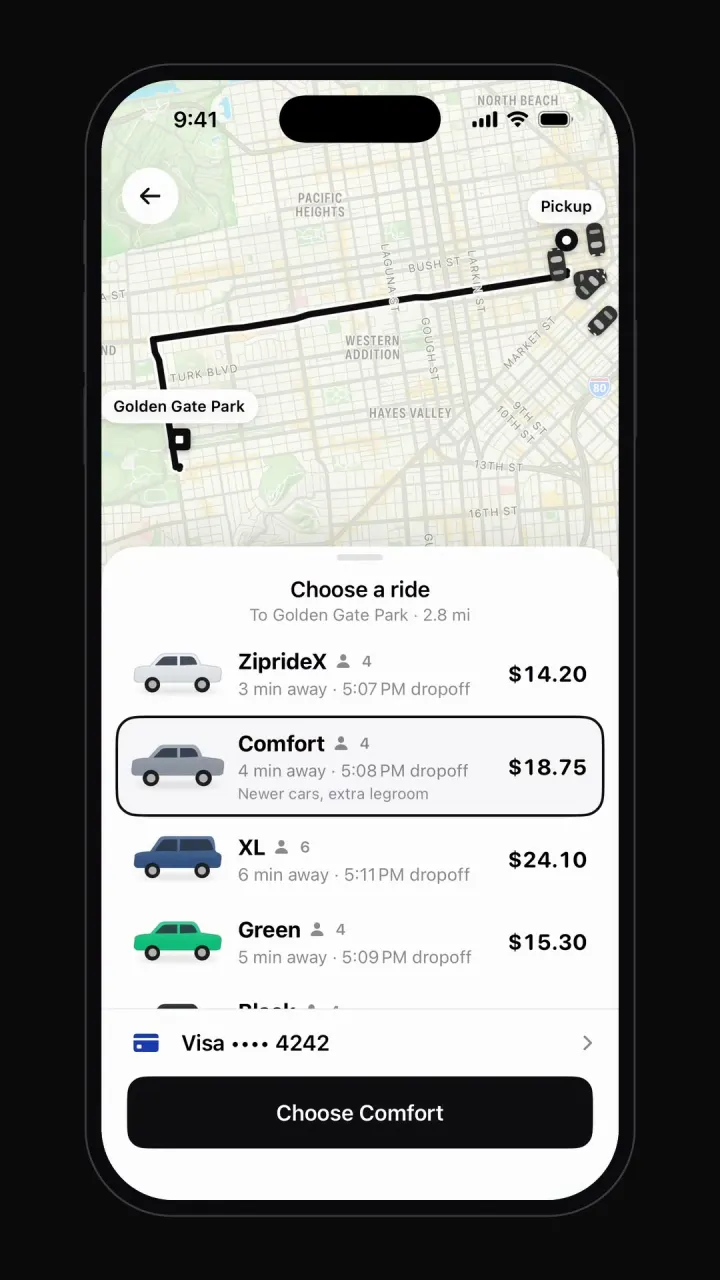
iOSMap with moving cars, destination search, ride options, driver matching, live trip and rating.
- View template
Cash App clone
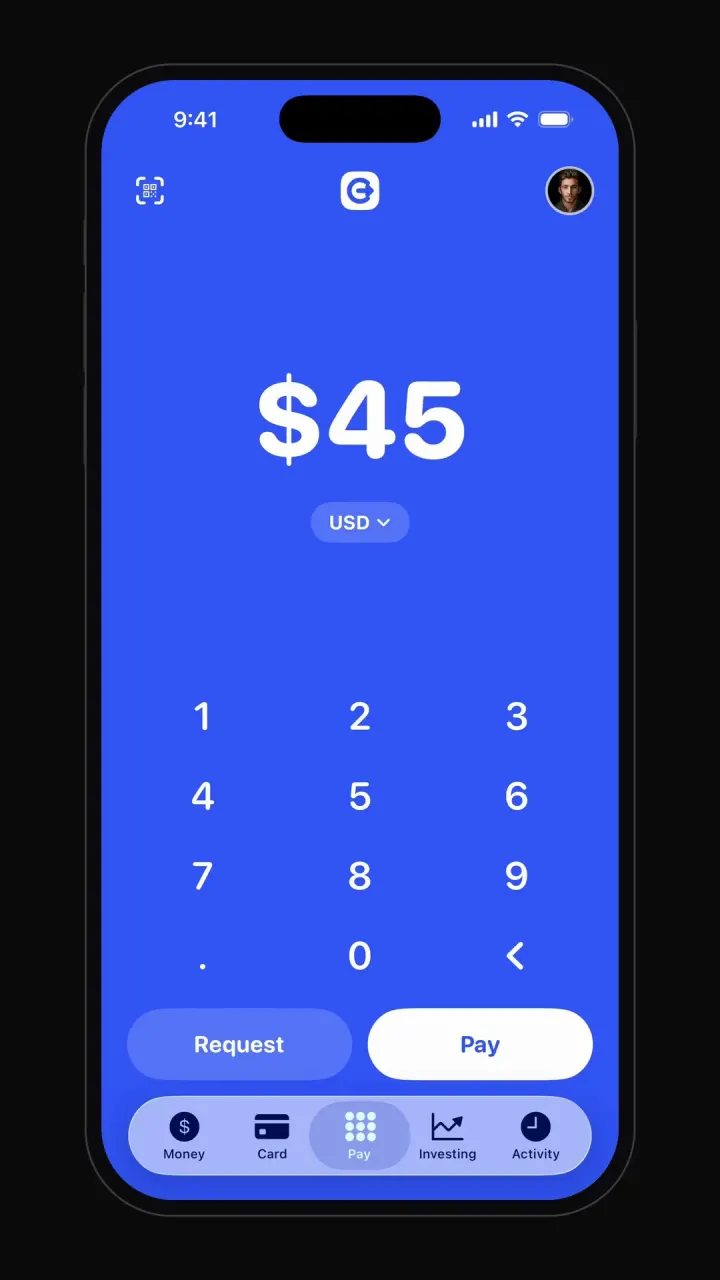
iOSBig-number pay pad, pay and request flows, balance, debit card, investing charts and activity.
- View template
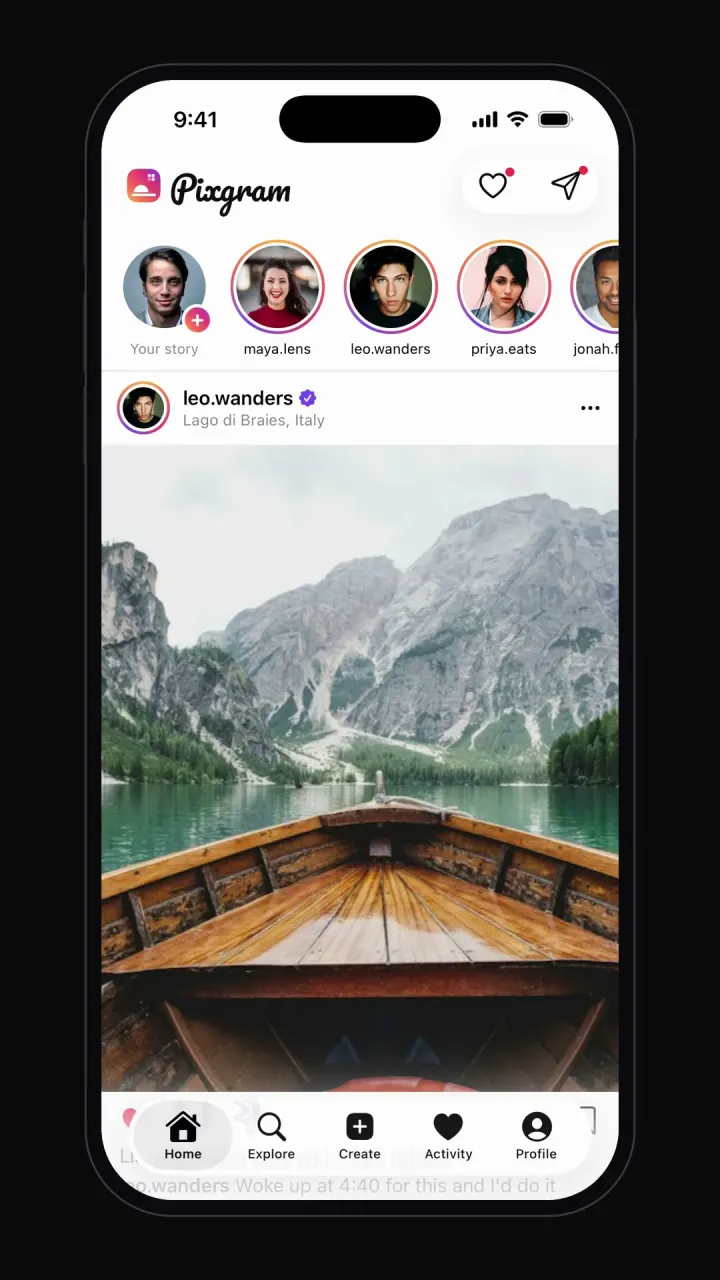
Instagram clone
iOSPhoto feed, stories, double-tap likes, comments, explore grid, DMs and profiles.



Other guides: TikTok cloneYouTube cloneNetflix cloneSpotify cloneTinder cloneDiscord clone
Browse all app templates. Choosing a builder? Read the best AI mobile app builders guide or compare Vibecode with other app builders.