
Build a TikTok Clone App in Swift with AI
By the Vibecode teamUpdated 5 min read
Short answer
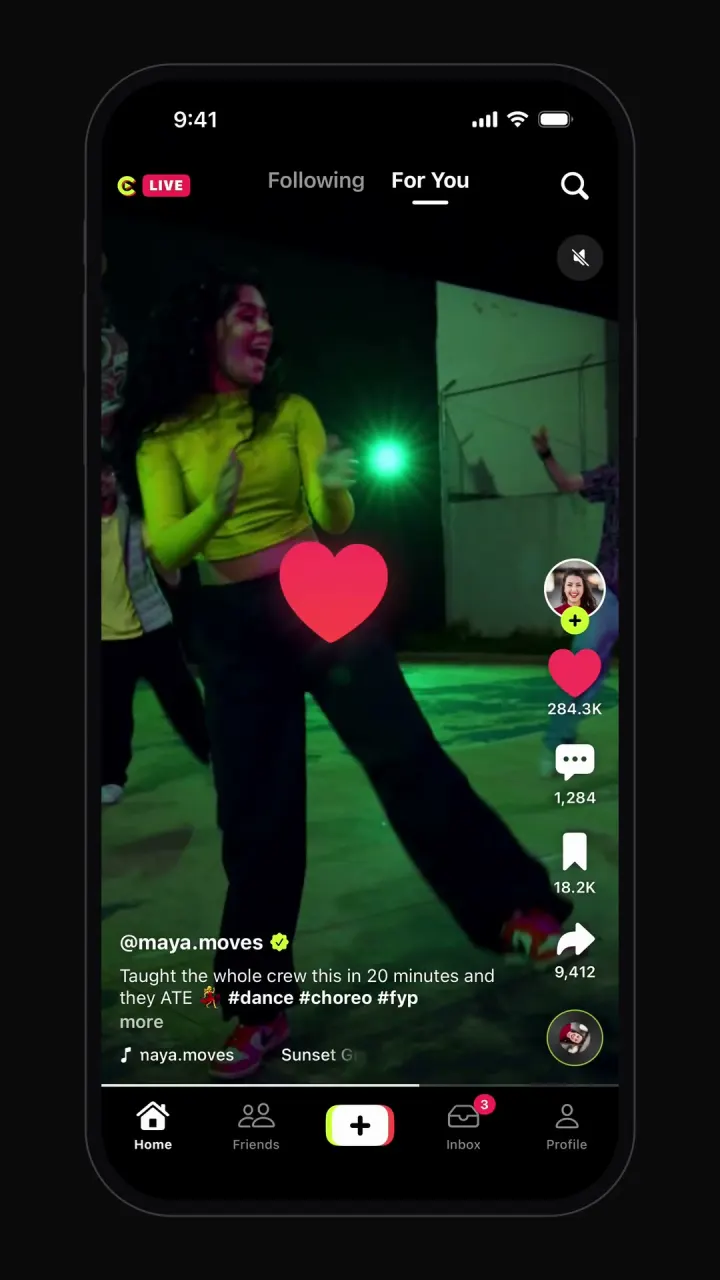
The heart of a TikTok clone is the vertical video pager: one full-screen video per swipe that starts instantly, loops, and pauses the moment it leaves the screen. Likes, comments and profiles are ordinary screens around it. Vibecode's template, Clipzy, plays real stock videos in that pager, with double-tap likes, comments, a share sheet, creator profiles and a mock record flow, as a native iPhone app written in Swift. Remix it and add uploads and a For You feed by chatting.
See it running

Template
ClipzyiOS
TikTok clone · Swift and SwiftUI
Swipeable full-screen video feed, double-tap likes, comments, share sheet, profiles and recording.
Remix copies the working Swift app into your Vibecode account for free. Or open a new iOS app with the prompt below to build a fresh copy.
Open the template pageThe prompt we used
This is the prompt that built Clipzy in Vibecode. Paste it into a new iOS app project to build your own copy from scratch, or change the details first.
Prompt · 776 words
Build a polished, fully working native iOS app in SwiftUI named Clipzy: an original short-video social app that recreates the core experience of TikTok, but with its own name, its own original logo and its own color palette. Do NOT use the TikTok name, logo, wordmark, app icon or any trademarked asset anywhere in the app. Design an original Clipzy logo mark, drawn with SwiftUI shapes (Path/Canvas) or made as a generated image asset, and use it in the header.

Screens and flows (dark theme on the feed; bottom bar: Home, Friends, a center create button in your own two-tone style, Inbox, Profile):
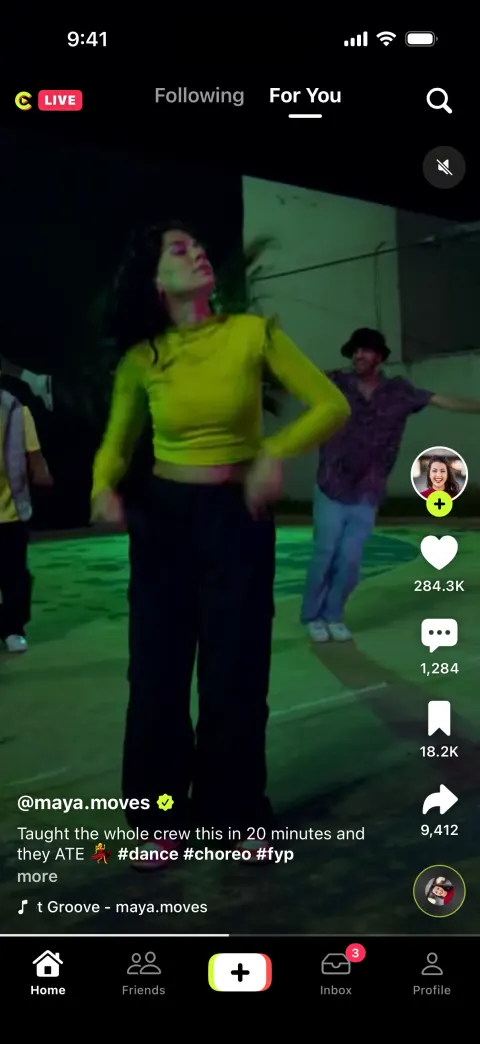
1. Feed: full-screen vertical video pager that snaps one video per screen (a vertical ScrollView with .scrollTargetBehavior(.paging) and .scrollPosition, or a rotated TabView), autoplays muted-by-default video with a mute toggle, loops, and pauses when off screen. Use these verified free stock clips with AVPlayer (an AVPlayerLayer in a UIViewRepresentable, aspect-fill, no system controls): https://assets.mixkit.co/videos/<ID>/<ID>-720.mp4, poster https://assets.mixkit.co/videos/<ID>/<ID>-thumb-720-0.jpg, IDs 4823, 51314, 51295, 4702, 40367, 452, 52079, 34382, 36924, 47555 (curl-check them; drop any that fail). Top, fixed above the pager (render it once as an overlay, not inside each page): "Following | For You" tabs with an animated underline (For You default), LIVE badge left, search icon right.
2. Each video overlay: right rail with creator avatar plus an accent-colored "+" follow badge that turns into a check when tapped, heart with count (tap fills with a pop, count +1), comments with count, bookmark with count, share with count, and a spinning record disc at the bottom. Bottom-left: @username, caption with #hashtags and "more", a scrolling "original sound - username" marquee. Thin progress bar above the tab bar.
3. Double-tap anywhere on a video drops a tilted heart burst at the tap point and likes it. Single tap pauses with a big translucent play icon; tap again resumes.
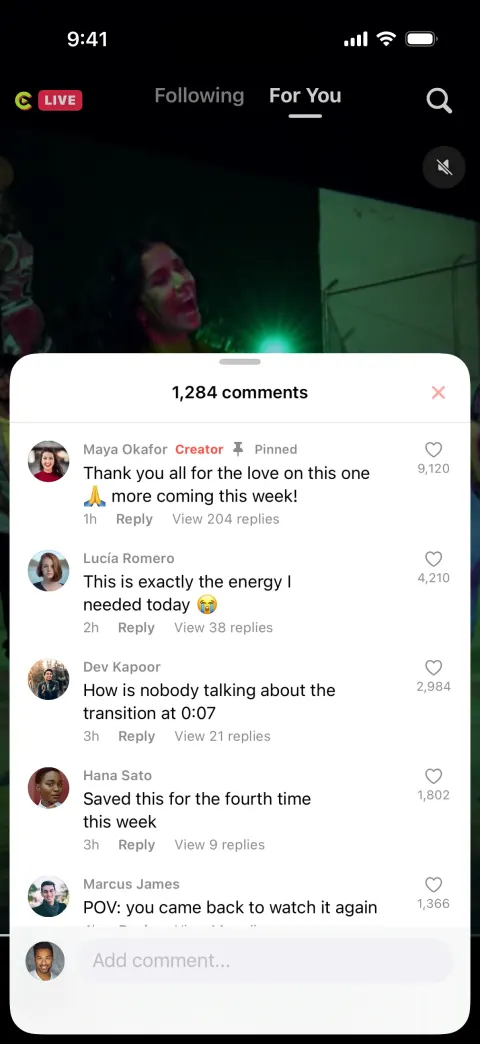
4. Comments: the comment icon opens a bottom sheet "1,284 comments" with 15 comments (avatar, name, text, time, reply, like with count), pinned creator reply, and an input; posting adds yours on top.
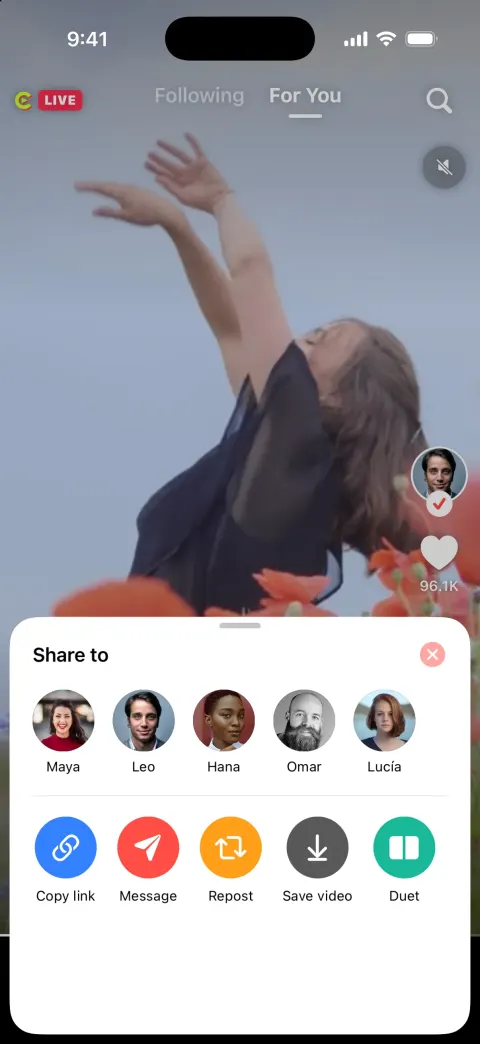
5. Share sheet: row of share targets (Copy link, Message, Repost, Save video, Duet, Stitch) with icons; Copy link shows a toast.
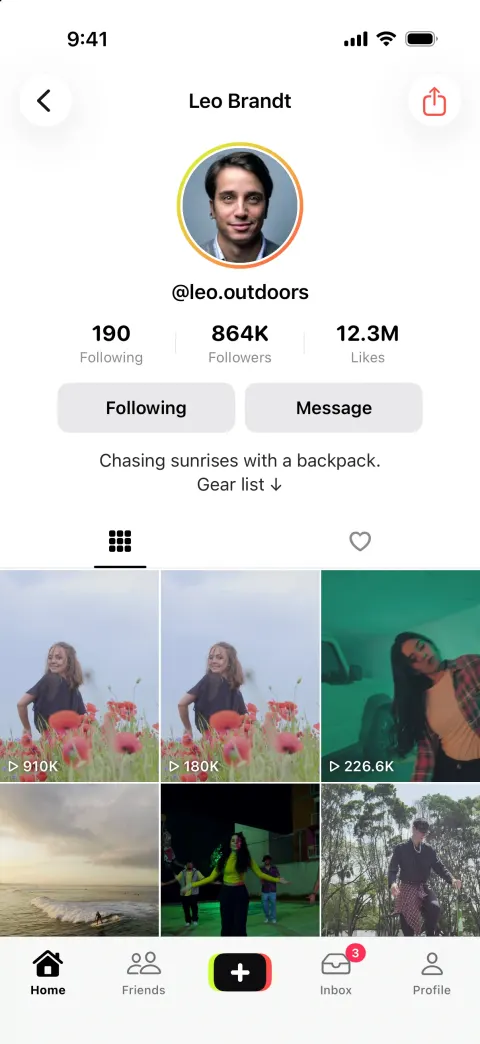
6. Tapping the creator avatar or name opens their profile: avatar, @handle, Following / Followers / Likes counts, Follow + Message buttons, bio, tabs (videos, liked), 3-column grid of video thumbnails with play-count overlays; tapping a thumbnail opens that video in the feed pager.
7. Create (center button): a mock camera screen (no camera permission: an animated gradient backdrop) with a 15s/60s/Photo selector, effects and filters side buttons, a big record button that animates a progress ring for 3 s while "recording", then a post screen with caption and "Post" that adds it to your profile with a toast.
8. Friends: list of friends' latest videos. Inbox: activity (likes, new followers, mentions) and messages list with a chat thread. Profile (@ansh.clips): your own profile with Edit profile and a grid.

Rules for the whole app:
- Native SwiftUI for iOS 26, the deployment target the Vibecode iOS template already uses (do not change it). iPhone-first layout. SF Symbols are fine for UI icons (never for the TikTok logo or any brand mark).
- Everything runs on-device from realistic, deterministic fixture data in one Swift file (e.g. Fixtures.swift: real-sounding names, handles, numbers, timestamps, captions). No backend (leave the backend/ folder alone and make no network calls except loading images and media), no login, no permissions (no camera, photos, location, contacts, notifications, microphone). Do not persist state (no UserDefaults, @AppStorage, SwiftData or files): every launch starts from the same fixture state, so the demo is repeatable.
- Remote images: load images.unsplash.com photo URLs (with ?w=800&q=80 style params) with AsyncImage (or a small cached image view) and a tasteful placeholder. Verify every image and media URL with `curl -s -o /dev/null -w "%{http_code}" <url>` before you use it and replace any that do not return 200. No broken or blank images anywhere.
- Polish: native-feeling spacing and typography, safe areas, smooth spring animations (.spring/.snappy, most under 350 ms), matchedGeometryEffect for hero and expand/collapse transitions where it helps, .sensoryFeedback haptics on key taps, pressed states, and loading/empty states. Simulated waits stay short (under 3 s). Every button visible on screen does something sensible; nothing is a dead end.
- Keep the compiler happy: small files (under ~300 lines each), big view bodies split into subviews, and no long chained expressions, so nothing hits "unable to type-check this expression in reasonable time".
- It must build with zero errors and run in the iOS simulator with no crash. Walk through every flow above and fix anything broken.
TikTok clone features
What Clipzy includes today, and what you add next. Everything in the template runs on sample data, with no login and no backend, so it works the moment you open it.
In the template
Vertical video feed
Full-screen pager that snaps one video per swipe, autoplays, loops and pauses off screen.
Following and For You
Top tabs with an animated underline, plus LIVE and search entry points.
Engagement rail
Avatar with follow badge, like, comment, bookmark and share counts and a spinning sound disc.
Double-tap and pause
Heart burst where you tap; a single tap pauses with a play icon.
Comments
Bottom sheet with a pinned creator reply, comment likes, replies and posting.
Share sheet
Copy link, message, repost, save, duet and stitch targets.
Creator profiles
Following, follower and like counts, follow and message buttons and a video grid with play counts.
Record and post
Mock camera with 15s, 60s and photo modes, a record ring and a caption screen.
Friends and inbox
Friends' latest videos, activity and message threads.
Add with a prompt
Real camera and uploads
Recording with the camera, trimming and uploading.
Recommendation feed
A For You feed ranked by what each person watches.
Sounds library
Licensed music to add to videos.
How to build a TikTok clone with Vibecode
- 1
Remix the template
Open the Clipzy share page and press Remix. Vibecode copies the whole Swift project into your account, so you start from a working app instead of an empty screen. Remixing is free.
- 2
Make it yours by chatting
Tell the agent what to change in plain English, for example: “Rename the app to Reps, make it a short-video feed for gym workouts, and add an exercise tag on every video.” Each change rebuilds the app and runs it in Vibecode's cloud iOS simulator, right in your browser.
- 3
Publish to the App Store
Click Publish, choose Publish to App Store and sign in with your Apple ID. Vibecode builds, signs and uploads the app to Apple, with no Mac and no Xcode. You need an Apple Developer account ($99/year) and the Plus plan or higher.
The hard parts of a real TikTok clone
Screens are the quick part. These are what take the time once real people use it.
Instant playback
The next video has to be buffered before the swipe ends. Keep only the current video and its neighbors loaded, preload the next one, and reuse players as you go, or memory climbs and older phones stutter after a few dozen swipes.
Transcoding uploads
Phones record in many formats and sizes. Every upload needs converting into a few streaming renditions (HLS) and a thumbnail, which is a server job. Video services such as Mux or Cloudflare Stream do it for a per-minute price.
The For You feed
TikTok's ranking learns from watch time, rewatches and skips. Start simpler: log how much of each video people watch, then rank recent videos by completion rate. That is enough to feel personal at small scale.
Music rights and moderation
Music in user videos needs licenses, so ship with royalty-free sounds or none. Video uploads also fall under Apple's Guideline 1.2: filtering, reporting, blocking and published contact details.
Take it from template to real app
Each step is one message to the Vibecode agent. Send them one at a time and test in between.
- 1
Accounts and follows
Vibecode Cloud adds sign-in and a database for profiles and follows.
Prompt
Add Vibecode Cloud with email sign-in, profiles and follows. Show only followed creators in Following.
- 2
Real recording and uploads
Use the camera, then upload to storage. For long videos, add a video service for streaming renditions.
Prompt
Replace the mock camera with real recording up to 60 seconds, then upload the video and a thumbnail to cloud storage and add it to my profile.
- 3
Watch-time ranking
Record watch time per video and rank the For You feed by it.
Prompt
Log how many seconds each user watches each video and order For You by completion rate over the last 7 days.
- 4
Push and creator subscriptions
Push notifications for likes and follows; RevenueCat for paid perks.
Prompt
Send push notifications for new followers and likes, and add a RevenueCat subscription that unlocks subscriber-only videos.
What a TikTok clone costs
TikTok clone scripts sell source code for the app and an admin panel; you supply servers, video storage and streaming. The Vibecode template is a smooth, native Swift front end with real stock videos. You own it, change it by chatting, and add uploads and streaming when you need them.
| Option | Typical cost | What you get | Still on you |
|---|---|---|---|
| Clone script | $299–$5,000 one-time license | Source code for the apps, usually with an admin panel | Servers, setup, rebranding, store accounts and future updates |
| Freelancer | Hourly or a fixed bid, set by scope | Custom code built to your spec | Writing the spec, reviewing the work, hosting and store submission |
| Development agency | Custom quote per project | Design, build, testing and launch handled for you | A budget and timeline fixed by contract; every change goes through the agency |
| VibecodeThis template | Free to remix; plans from $20 a month | A native Swift TikTok-style iPhone app you change by chatting, with App Store publishing (Plus and up) and source code download (Pro and Max) | A backend for real data (one prompt with Vibecode Cloud) and an Apple Developer account ($99/year) |
Clone-script prices are the range listed by script marketplaces and vendors. Vibecode plans and what each includes are on the pricing page.
Frequently asked questions
Is it legal to make a TikTok clone?
Yes. The vertical video feed is now a standard pattern used by many apps. Don't use TikTok's name, the note logo, its sounds or its brand colors, and don't repost TikTok videos. The template is called Clipzy, with its own logo, and plays free stock clips.
Can I publish a TikTok clone to the App Store?
Yes, as a focused product: short videos for a sport, a school, recipes, a brand's community. Apple rejects plain copies (Guideline 4.1) and needs moderation tools for user videos (1.2). Vibecode publishes to the App Store on the Plus plan and up, with your Apple Developer account.
Does the TikTok clone work on Android?
No. Clipzy is a native iPhone app written in Swift, so it runs on iPhone only. For Android, start a Mobile app project in Vibecode, which builds React Native apps for iPhone and Android, and paste the prompt from this page.
Can I add a real backend to the TikTok clone?
Yes. Clipzy runs on sample data so it works the moment you remix it. When you need real users, Vibecode Cloud adds a database, sign-in and file storage with one prompt, enough for accounts, follows, video files and thumbnails, likes, comments and watch-time events. It is on the Plus plan and up. You can also connect Supabase, Firebase or your own API.
Where do the videos in the template come from?
They are free stock clips streamed from Mixkit so the feed works the moment you open it. Replace them with your own videos, or ask the agent to add uploads so the feed shows what your users post.
Can I build the For You algorithm with Vibecode?
You can build a simple version that works: log watch time per video, then rank recent videos by completion rate. It runs in your own backend and you can refine it later. TikTok's actual system is far larger, but small apps don't need it on day one.
Is the Clipzy template free?
Remixing it is free with a Vibecode account and gives you your own copy of the Swift project. Changes you ask the agent for use credits. Publishing to the App Store needs a paid plan (Plus and up) and an Apple Developer account ($99/year), and downloading the source code is on the Pro and Max plans. See the pricing page for current plans.
More templates
All templates- View template
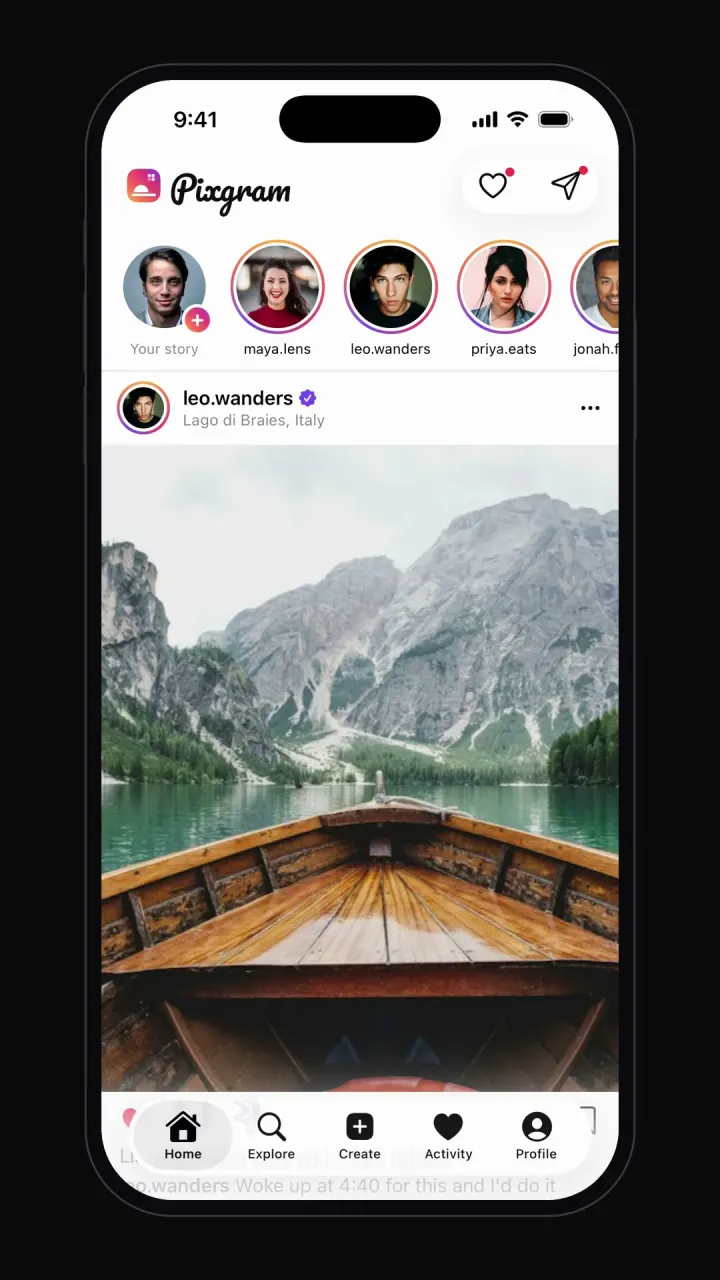
Instagram clone
iOSPhoto feed, stories, double-tap likes, comments, explore grid, DMs and profiles.
- View template
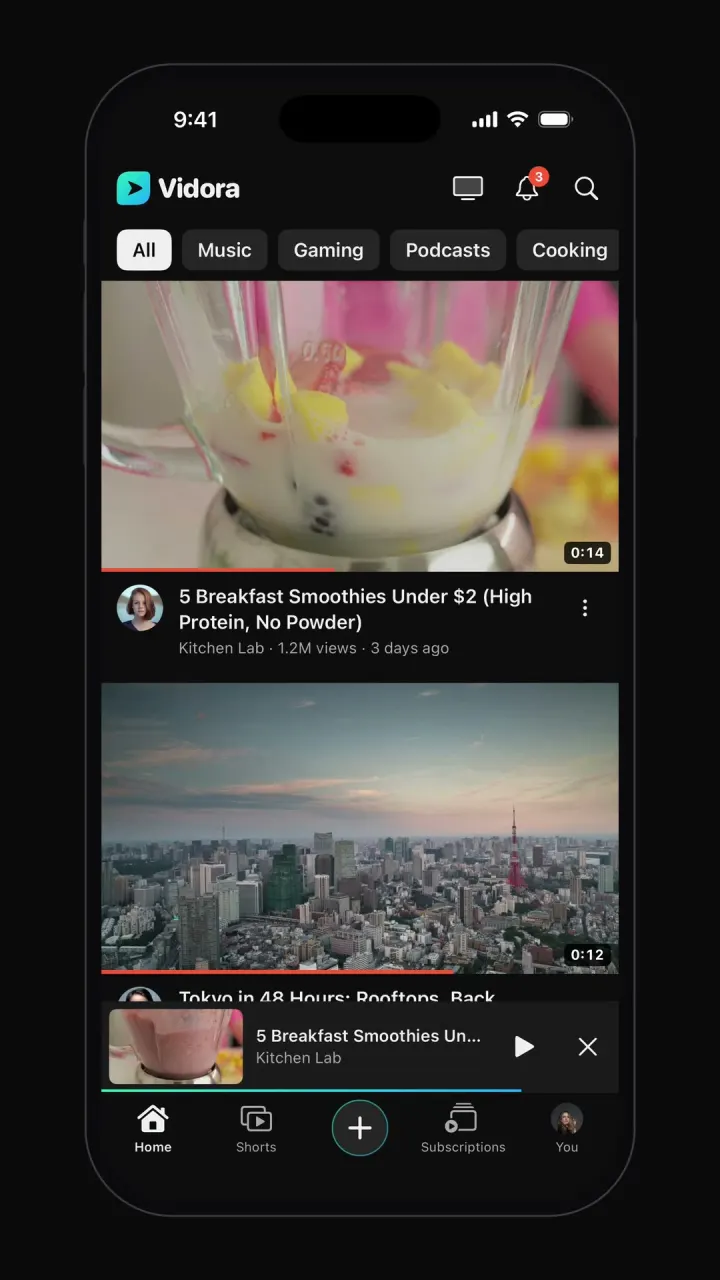
YouTube clone
iOSTopic-chip home feed, watch page with up next, draggable mini-player, Shorts, search and subscriptions.
- View template
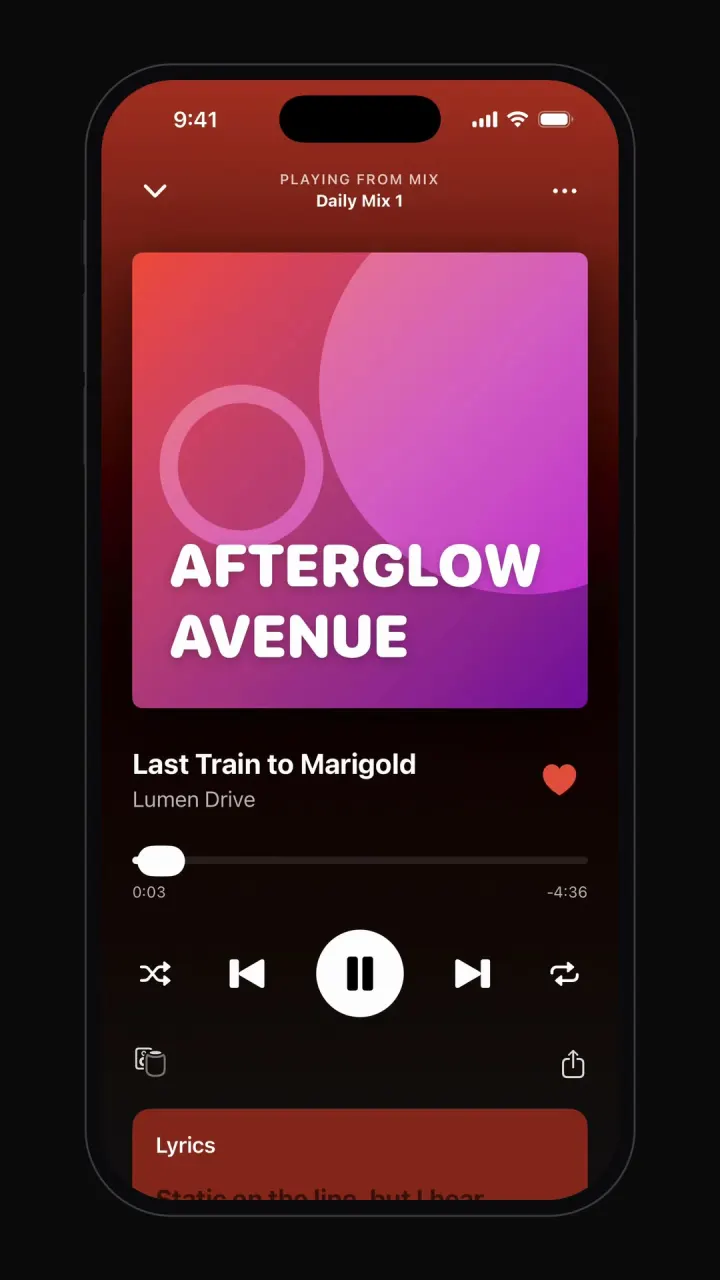
Spotify clone
iOSPlays real audio: home shelves, playlists, mini-player, Now Playing with lyrics, search and library.


Other guides: Uber cloneAirbnb cloneNetflix cloneTinder cloneCash App cloneDiscord clone
Browse all app templates. Choosing a builder? Read the best AI mobile app builders guide or compare Vibecode with other app builders.