Build a Spotify Clone App in Swift with AI
By the Vibecode teamUpdated 5 min read
Short answer
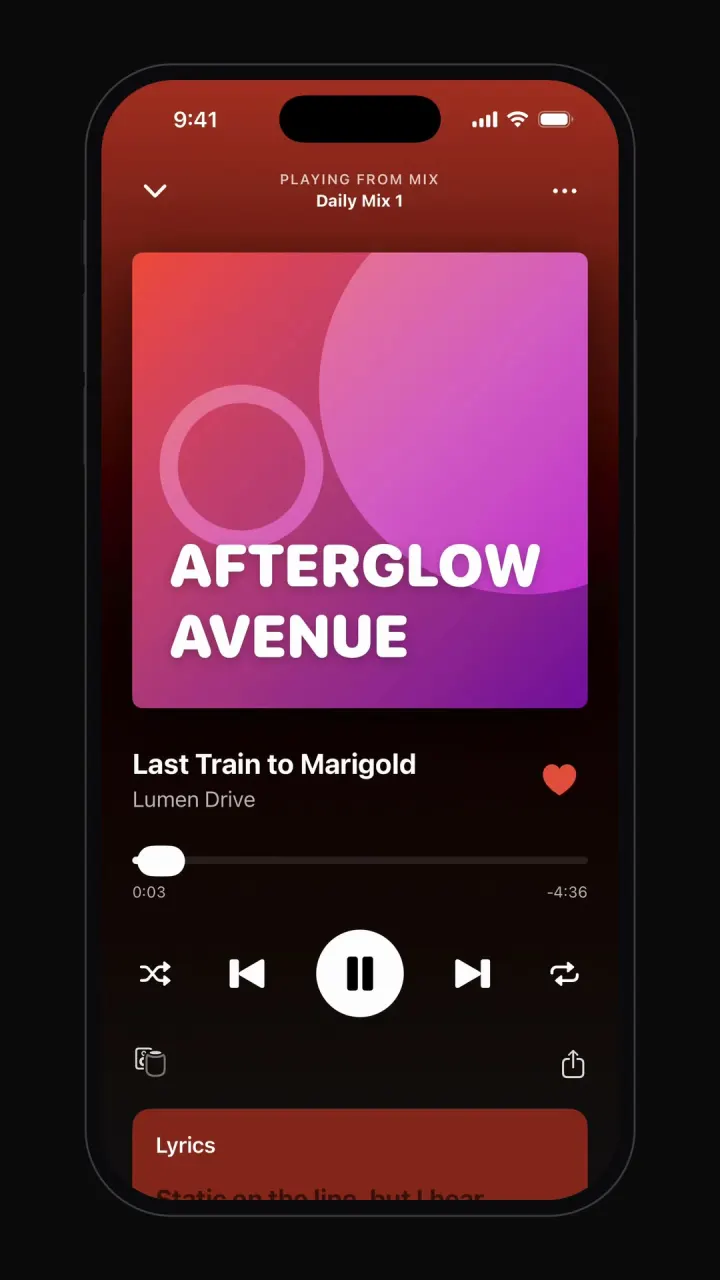
A Spotify clone is a music player wrapped in a catalog: home shelves, playlist pages, a mini-player that follows you everywhere, a full Now Playing screen, search and a library of liked songs. Vibecode's template, Tunely, has all of it and plays real royalty-free songs, with a seek bar, shuffle, repeat and synced lyrics, as a native iPhone app written in Swift. Remix it and load your own music by chatting.
See it running

Template
TunelyiOS
Spotify clone · Swift and SwiftUI
Plays real audio: home shelves, playlists, mini-player, Now Playing with lyrics, search and library.
Remix copies the working Swift app into your Vibecode account for free. Or open a new iOS app with the prompt below to build a fresh copy.
Open the template pageThe prompt we used
This is the prompt that built Tunely in Vibecode. Paste it into a new iOS app project to build your own copy from scratch, or change the details first.
Prompt · 747 words
Build a polished, fully working native iOS app in SwiftUI named Tunely: an original music streaming app that recreates the core experience of Spotify, but with its own name, its own original logo and its own color palette. Do NOT use the Spotify name, logo, wordmark, app icon or any trademarked asset anywhere in the app. Design an original Tunely logo mark, drawn with SwiftUI shapes (Path/Canvas) or made as a generated image asset, and use it in the header.

Screens and flows (near-black #121212 theme with your own vivid accent color, e.g. coral #FF5A36, instead of green; bottom bar: Home, Search, Your Library, plus a persistent mini-player above it):
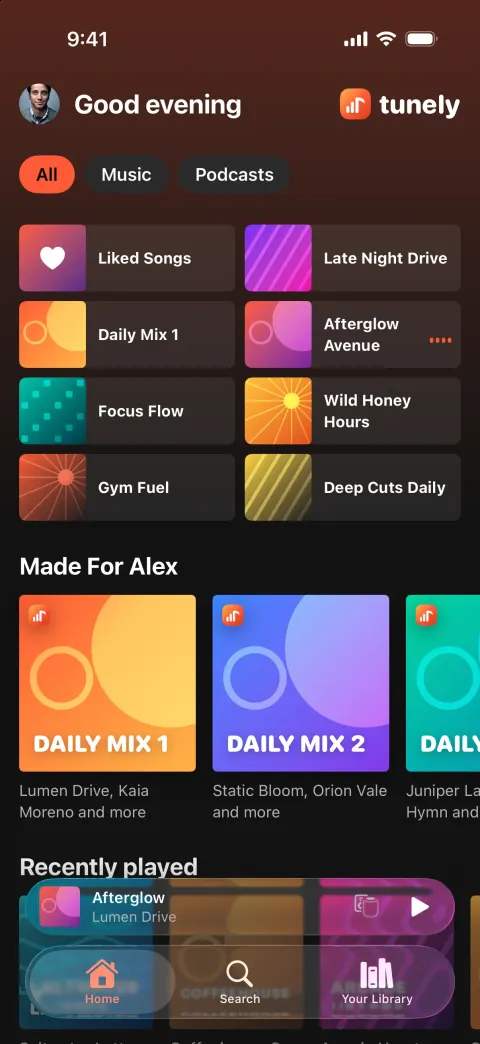
1. Home: greeting "Good evening" with avatar, chips (All, Music, Podcasts), a 2-column grid of 8 quick-pick tiles (art + name), then shelves: "Made For Ansh" (Daily Mix 1-5 with colored mix art), "Recently played", "Your top mixes", "Popular albums" and "Podcasts you might like". At least 10 playlists/albums and 40 tracks with invented artists, titles and durations.
2. Artwork: generate original cover art (bold abstract gradients, shapes and type) drawn in SwiftUI (gradients, Canvas shapes and type), or verified images.unsplash.com photos, so every cover is distinct.
3. Real audio: tracks play actual music with AVPlayer streaming from these royalty-free files: https://www.soundhelix.com/examples/mp3/SoundHelix-Song-1.mp3 through SoundHelix-Song-16.mp3 (curl-check them). Map each fixture track to one of them.
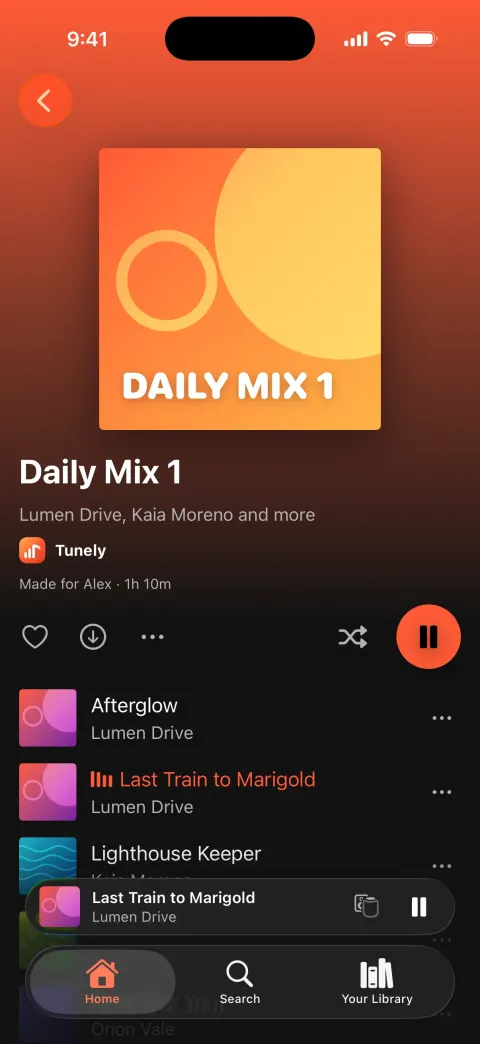
4. Playlist / album screen: big cover with a header gradient taken from the cover's color that fades as you scroll, title, owner avatar, "1,204 saves · 2h 14m", heart, download, more, shuffle toggle and a large round accent Play button that sticks under the header on scroll. Track rows: title, explicit "E" badge on some, artist, more button. The playing track is shown in the accent color with animated equalizer bars.
5. Mini-player: art, title, artist, device icon, play/pause, and a thin live progress line. Tapping it slides up the Now Playing screen.
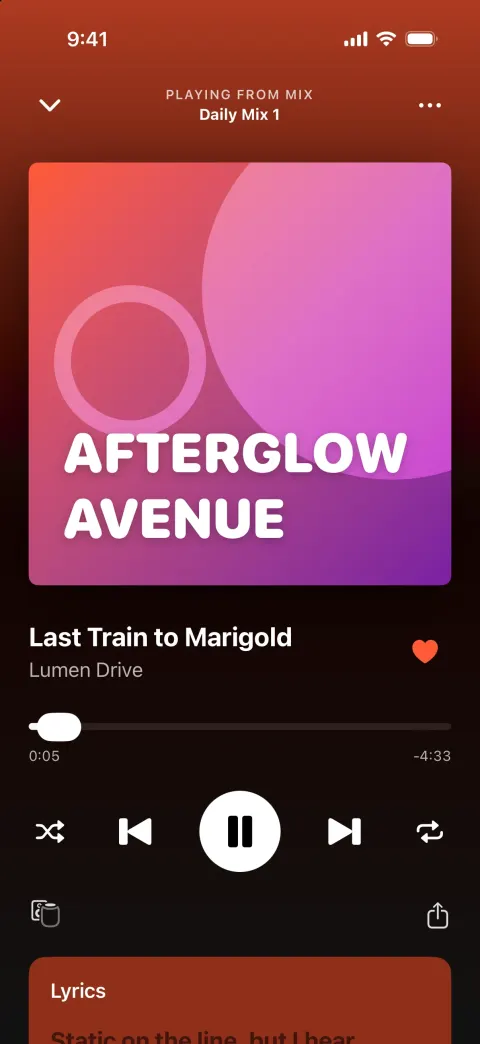
6. Now Playing (full screen, background tinted from the art): down-chevron (or swipe down) to close, "PLAYING FROM PLAYLIST" + name, big artwork that scales slightly when paused, title, artist, a heart that toggles with a pop, a scrubbable seek bar with real elapsed/remaining time, shuffle, previous, play/pause, next, repeat (off/all/one), devices and share, and a "Lyrics" card below with fixture lyrics whose current line highlights as the song plays. Next/previous and track end change the song.
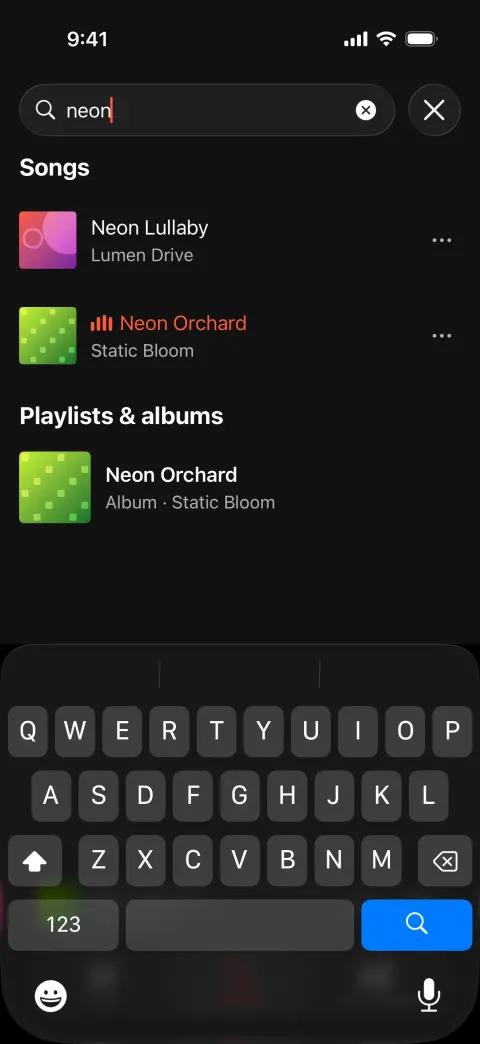
7. Search: search bar and a "Browse all" grid of colorful genre tiles with tilted art; typing shows matching songs, artists and playlists live; tapping a song plays it.
8. Your Library: filter chips (Playlists, Artists, Albums, Podcasts), sort and grid/list toggle, "Liked Songs" first (with the count of songs you hearted, updated live), then playlists, artists (round) and albums. Liked Songs opens a playlist screen of your hearted tracks.

Rules for the whole app:
- Native SwiftUI for iOS 26, the deployment target the Vibecode iOS template already uses (do not change it). iPhone-first layout. SF Symbols are fine for UI icons (never for the Spotify logo or any brand mark).
- Everything runs on-device from realistic, deterministic fixture data in one Swift file (e.g. Fixtures.swift: real-sounding names, handles, numbers, timestamps, captions). No backend (leave the backend/ folder alone and make no network calls except loading images and media), no login, no permissions (no camera, photos, location, contacts, notifications, microphone). Do not persist state (no UserDefaults, @AppStorage, SwiftData or files): every launch starts from the same fixture state, so the demo is repeatable.
- Remote images: load images.unsplash.com photo URLs (with ?w=800&q=80 style params) with AsyncImage (or a small cached image view) and a tasteful placeholder. Verify every image and media URL with `curl -s -o /dev/null -w "%{http_code}" <url>` before you use it and replace any that do not return 200. No broken or blank images anywhere.
- Polish: native-feeling spacing and typography, safe areas, smooth spring animations (.spring/.snappy, most under 350 ms), matchedGeometryEffect for hero and expand/collapse transitions where it helps, .sensoryFeedback haptics on key taps, pressed states, and loading/empty states. Simulated waits stay short (under 3 s). Every button visible on screen does something sensible; nothing is a dead end.
- Keep the compiler happy: small files (under ~300 lines each), big view bodies split into subviews, and no long chained expressions, so nothing hits "unable to type-check this expression in reasonable time".
- It must build with zero errors and run in the iOS simulator with no crash. Walk through every flow above and fix anything broken.
Spotify clone features
What Tunely includes today, and what you add next. Everything in the template runs on sample data, with no login and no backend, so it works the moment you open it.
In the template
Home shelves
Greeting, quick-pick tiles and shelves like Made For You, Recently played and Popular albums.
Real playback
Plays royalty-free songs with real elapsed and remaining time; next, previous and track end change the song.
Playlist pages
Header gradient from the cover art, save count and length, shuffle and a sticky play button.
Mini-player
Art, title, artist, play and pause and a live progress line on every screen.
Now Playing
Scrubbable seek bar, shuffle, repeat off, all or one, like, devices and share.
Synced lyrics
Lyrics card whose current line highlights as the song plays.
Search
Browse-all genre tiles and live results for songs, artists and playlists.
Your Library
Filter chips, sort, grid or list and Liked Songs that update as you heart tracks.
Add with a prompt
Background and lock screen
Keep playing when the app is closed, with lock-screen controls.
Offline downloads
Save tracks to the device for playback without a connection.
Your own catalog
Upload tracks, artists and albums you own or license.
How to build a Spotify clone with Vibecode
- 1
Remix the template
Open the Tunely share page and press Remix. Vibecode copies the whole Swift project into your account, so you start from a working app instead of an empty screen. Remixing is free.
- 2
Make it yours by chatting
Tell the agent what to change in plain English, for example: “Rename the app to Sermonly, turn playlists into sermon series, and add playback speed and a 15-second skip to Now Playing.” Each change rebuilds the app and runs it in Vibecode's cloud iOS simulator, right in your browser.
- 3
Publish to the App Store
Click Publish, choose Publish to App Store and sign in with your Apple ID. Vibecode builds, signs and uploads the app to Apple, with no Mac and no Xcode. You need an Apple Developer account ($99/year) and the Plus plan or higher.
The hard parts of a real Spotify clone
Screens are the quick part. These are what take the time once real people use it.
Music licensing
Spotify pays labels and publishers for every stream; a clone can't play their catalog. Build around music you own, royalty-free libraries, podcasts, sermons, audiobooks you have rights to, or your own artists. The template plays royalty-free SoundHelix tracks for this reason.
Background audio
Music has to keep playing with the screen locked, show lock-screen and Control Center controls, and pause for phone calls. On iPhone that means the audio background mode, an audio session set up for playback, and Now Playing info with remote commands.
Gapless queue and prefetching
The next track should be buffered before the current one ends, and the queue (shuffle, repeat, play next) must survive the app being closed. Keep queue state in one place that both the mini-player and Now Playing read.
Offline downloads
Downloads mean managing storage, deleting files the user no longer has rights to, and for licensed music, encrypting them. Start with streaming only and add downloads once people ask for them.
Take it from template to real app
Each step is one message to the Vibecode agent. Send them one at a time and test in between.
- 1
Your catalog
Vibecode Cloud stores tracks and artwork, and the database holds artists, albums and playlists.
Prompt
Add Vibecode Cloud. Store artists, albums and tracks in the database with audio files in cloud storage, and add an upload screen for new tracks.
- 2
Background playback
Keep audio playing when the app is in the background, with lock-screen controls.
Prompt
Keep music playing in the background and with the screen locked, show lock-screen controls with artwork, and pause for phone calls.
- 3
Accounts and playlists
Let people sign in, like songs and build their own playlists.
Prompt
Let users sign up, like songs, create and reorder their own playlists, and sync them across devices.
- 4
Premium
RevenueCat manages App Store subscriptions for a premium tier.
Prompt
Limit free users to 6 skips per hour, and add a RevenueCat Premium subscription that removes the limit and unlocks downloads.
What a Spotify clone costs
Spotify clone scripts give you a web or app player plus an admin panel to upload music; licensing is still your problem. The Vibecode template is a native Swift player that already plays real audio, which you own and reshape by chatting.
| Option | Typical cost | What you get | Still on you |
|---|---|---|---|
| Clone script | $299–$5,000 one-time license | Source code for the apps, usually with an admin panel | Servers, setup, rebranding, store accounts and future updates |
| Freelancer | Hourly or a fixed bid, set by scope | Custom code built to your spec | Writing the spec, reviewing the work, hosting and store submission |
| Development agency | Custom quote per project | Design, build, testing and launch handled for you | A budget and timeline fixed by contract; every change goes through the agency |
| VibecodeThis template | Free to remix; plans from $20 a month | A native Swift Spotify-style iPhone app you change by chatting, with App Store publishing (Plus and up) and source code download (Pro and Max) | A backend for real data (one prompt with Vibecode Cloud) and an Apple Developer account ($99/year) |
Clone-script prices are the range listed by script marketplaces and vendors. Vibecode plans and what each includes are on the pricing page.
Frequently asked questions
Is it legal to build a Spotify clone?
Building the app is legal; the player, playlists and library are common patterns. Streaming songs you don't have rights to is not, and you can't use Spotify's name, its logo or its green branding. The template is called Tunely, with its own accent color and original cover art, and plays royalty-free tracks.
Can I publish a Spotify clone to the App Store?
Yes, with audio you own or license: an independent label, a meditation library, a church's sermons, a podcast network. Apple rejects plain copies (Guideline 4.1) and apps that pull media from other services without permission (5.2.3). Vibecode publishes to the App Store on the Plus plan and up, with your Apple Developer account.
Does the Spotify clone work on Android?
No. Tunely is a native iPhone app written in Swift, so it runs on iPhone only. For Android, start a Mobile app project in Vibecode, which builds React Native apps for iPhone and Android, and paste the prompt from this page.
Can I add a real backend to the Spotify clone?
Yes. Tunely runs on sample data so it works the moment you remix it. When you need real users, Vibecode Cloud adds a database, sign-in and file storage with one prompt, enough for accounts, artists, albums, tracks and audio files, playlists and likes. It is on the Plus plan and up. You can also connect Supabase, Firebase or your own API.
Does the Spotify clone play real music?
Yes. The template streams royalty-free songs from SoundHelix with a working seek bar, next and previous, shuffle and repeat. Swap in your own files, or ask the agent to load tracks from your storage.
Can I use the Spotify API to play songs in my clone?
Not as your own catalog. Spotify's developer platform lets apps read catalog data and control playback for people signed in to Spotify, under Spotify's terms. It doesn't give you music you can stream as your own service. Build around audio you control.
Is the Tunely template free?
Remixing it is free with a Vibecode account and gives you your own copy of the Swift project. Changes you ask the agent for use credits. Publishing to the App Store needs a paid plan (Plus and up) and an Apple Developer account ($99/year), and downloading the source code is on the Pro and Max plans. See the pricing page for current plans.
More templates
All templates- View template
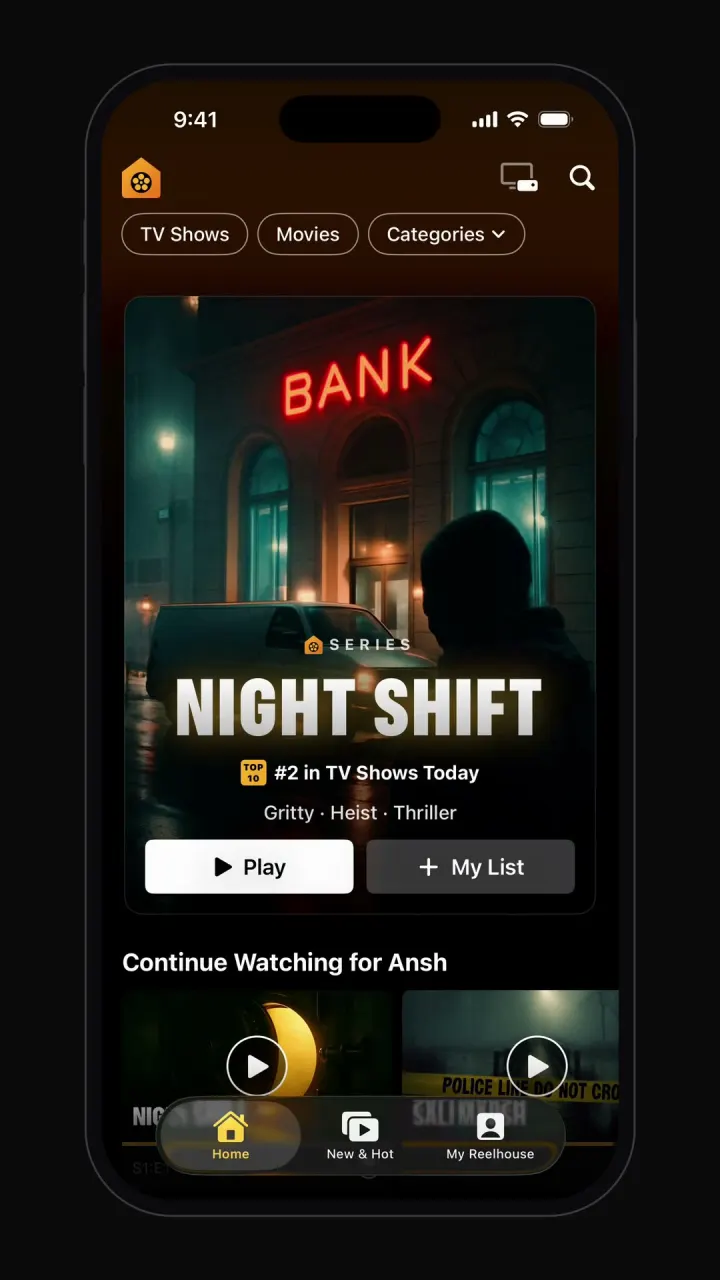
Netflix clone
iOSProfile picker, hero billboard, Top 10 rows, title pages with trailers, full-screen player and My List.
- View template
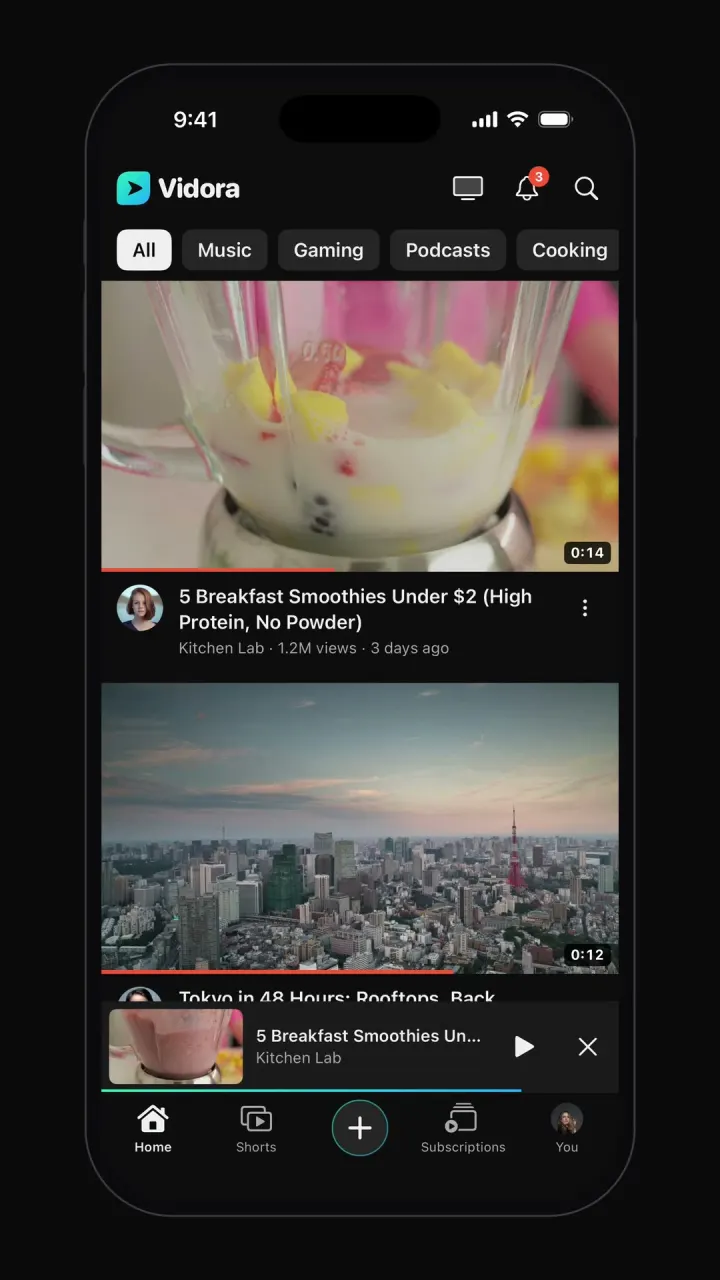
YouTube clone
iOSTopic-chip home feed, watch page with up next, draggable mini-player, Shorts, search and subscriptions.
- View template
TikTok clone
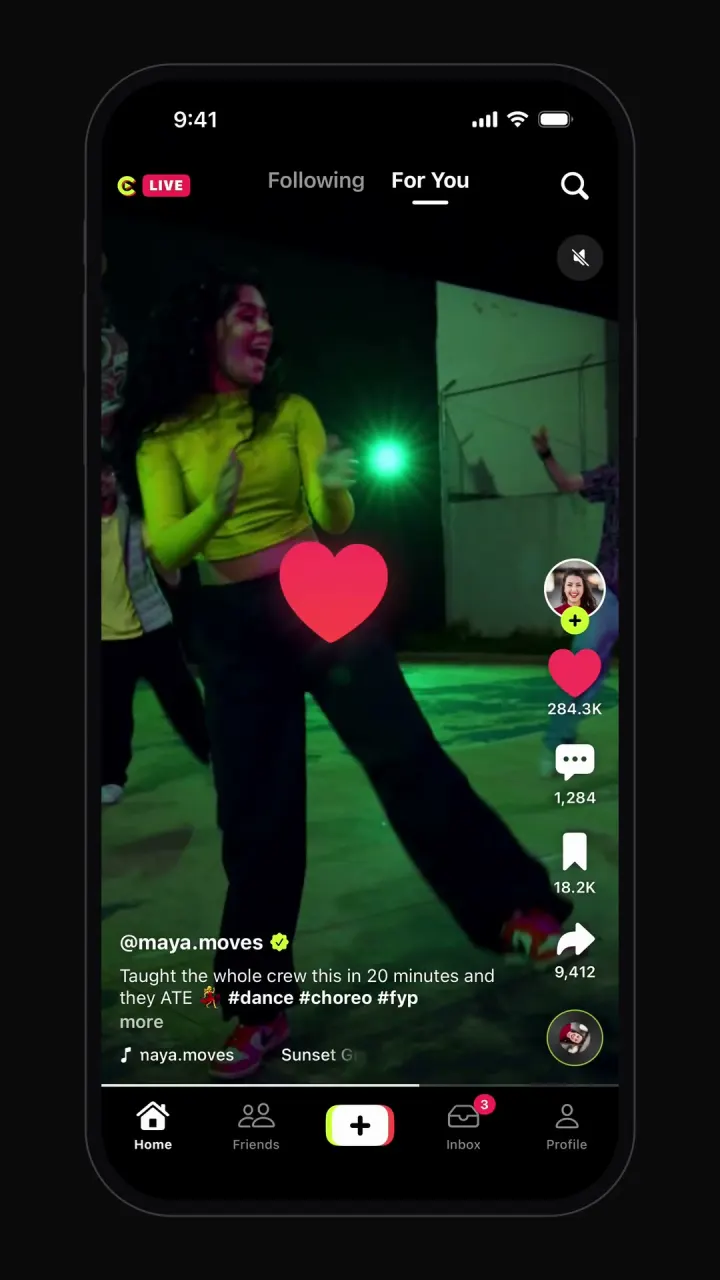
iOSSwipeable full-screen video feed, double-tap likes, comments, share sheet, profiles and recording.



Other guides: Instagram cloneUber cloneAirbnb cloneTinder cloneCash App cloneDiscord clone
Browse all app templates. Choosing a builder? Read the best AI mobile app builders guide or compare Vibecode with other app builders.