
Table of contents
TL;DR
- Yes, you can make an iPhone app on Windows. You just can't run Xcode, Apple's app tool, because it only runs on a Mac.
- So something builds the app on a Mac for you: an AI app builder, a cloud build service, or a Mac you rent online.
- We built a real one in Edge on Windows 11. Its first version took 11 minutes and $3.70 of AI credits.
- Your first app build is $0 on a new account!
- To publish, you need Apple's Developer Program at $99 a year. In Vibecode, App Store submission starts on the $20 a month Plus plan.
Yes, you can make an iPhone app on Windows and put it in the App Store. Apple's Xcode only runs on a Mac, so a Mac usually builds your app for you. That can be a Mac you rent online, a build service like Expo or Codemagic for code you write, or an AI app builder like Vibecode.
If you don't code, an AI app builder is the fastest way. Below, we compare all four, with prices.
Then we walk through a real build: Glowscope, a neon drawing app we made in Edge on a Windows 11 PC on November 10, 2026. Its first version took 10 minutes and 43 seconds.
Watch Glowscope run, or start with the options.
4 ways to make an iPhone app on Windows
Why a Mac at all? Apple's tools that build and sign iPhone apps come with Xcode, and the App Store only takes signed builds. So each way below has a Mac do that part.
All four work. They differ in how much code you write and what you pay. We checked each price on the vendor's own page on November 10, 2026.
| AI app builder | Expo (React Native) | Cloud build service | Rent a Mac online | |
|---|---|---|---|---|
| Example | Vibecode | Expo | Codemagic | MacinCloud |
| Do you write code? | No | Yes, JavaScript | Yes | Yes, in Xcode |
| First version | 11 minutes in our test | Once you've coded it | Once you've coded it | Once you've set up Xcode and coded it |
| Cost to start | First build free on a new account. App Store submission from $20/mo | Free plan with up to 15 iOS builds. Starter $19/mo plus usage | 500 free Mac minutes a month, then $0.095 a minute | Pay as you go from $1 an hour, or from $25/mo for a managed Mac |
| Publish from Windows? | Yes, Vibecode submits it | Yes, with Expo Submit | Yes, it can upload and submit | Yes, from Xcode on the rented Mac |
| Need a Mac? | No | No | No | Yes, a remote one |
Every route also needs Apple's Developer Program, at $99 a year, to publish.
AI app builder. You describe the app in plain English. The AI writes the code, builds it on a cloud Mac and tests it. Vibecode makes native Swift apps and submits them to the App Store for you.
The catch is that you steer with words, so a vague prompt gets a vague app.
Expo. You write a React Native app in JavaScript on your PC. Expo builds the iPhone version on its own Macs, and Expo Submit uploads it to Apple. To test it on your own iPhone, Expo's setup guide says you need Apple's Developer Program too.
A cloud build service. Codemagic builds the app you coded on its own Macs, then sends it to Apple. It's made for developers. If you code in Flutter, you'll want it, because Flutter's iOS setup runs Xcode on a Mac.
Rent a Mac online. MacinCloud rents real Macs with Xcode that you open over Remote Desktop. It costs from $1 an hour if you pay as you go, or from $25 a month for a managed Mac. AWS EC2 Mac bills for at least 24 hours at a time.
You get Apple's full toolkit this way, but you have to learn Swift and Xcode.
What we'd skip. A macOS virtual machine or a "Hackintosh" on your PC goes against Apple's macOS license, which covers Apple-branded computers only. It's also fragile, since updates can break it.
Two more tools show up in searches. Microsoft's Hot Restart puts test builds of .NET MAUI apps on an iPhone plugged into your PC. It only works in Visual Studio 2022, and it can't make App Store builds without a Mac.
xtool is a free developer tool that builds Swift apps on Windows through WSL, the Linux layer built into Windows.
Describe your app and Vibecode builds itHow to make an iPhone app on Windows with Vibecode
Here's the whole build, step by step, as it ran on November 10, 2026. Our Windows 11 Pro PC was a cloud PC on Microsoft Azure, which we used over Remote Desktop. Every screen below is Microsoft Edge on that PC.
We built Glowscope on a Max plan, but nothing in it needs more than Plus.
Step 1: Open Vibecode and pick iOS app
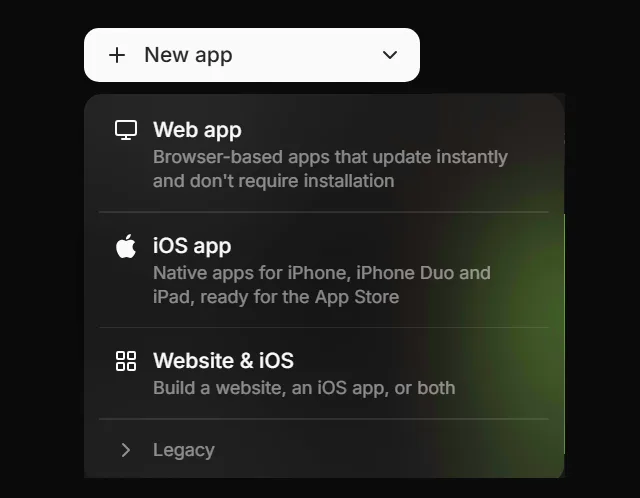
Go to vibecodeapp.com in Edge or Chrome and sign up with Google or Apple. A new account's first app build is free. Then click New app, then iOS app. That makes a native Swift app for iPhone and iPad.
Step 2: Describe your app
Say what the app does, screen by screen. Name the colors and the font. Ask for sample data, so the app looks real from the first build.
Here's our 180-word prompt. Copy it and swap in your own idea:
Message 1: the first version · 180 words
Build an iPhone app called Glowscope, a relaxing kaleidoscope drawing toy.

The Draw tab is a full-screen black canvas. When I drag my finger, the line is mirrored around the center into 8 slices, like a kaleidoscope, and every line glows like neon. Drawing has to feel smooth, with no lag.

A floating glass toolbar at the bottom has:
- six neon color dots (pink, orange, yellow, green, cyan and violet), plus a rainbow dot that shifts color as I draw
- a brush size slider
- a symmetry button that switches between 4, 6, 8 and 12 slices
- Undo, and Clear, which asks before it erases

Tap Save to add the drawing to the Gallery tab, a grid of thumbnails with the date. Tap a thumbnail to see it full screen, share it as an image, or delete it. Start the gallery with four sample drawings in different colors, so it never looks empty.

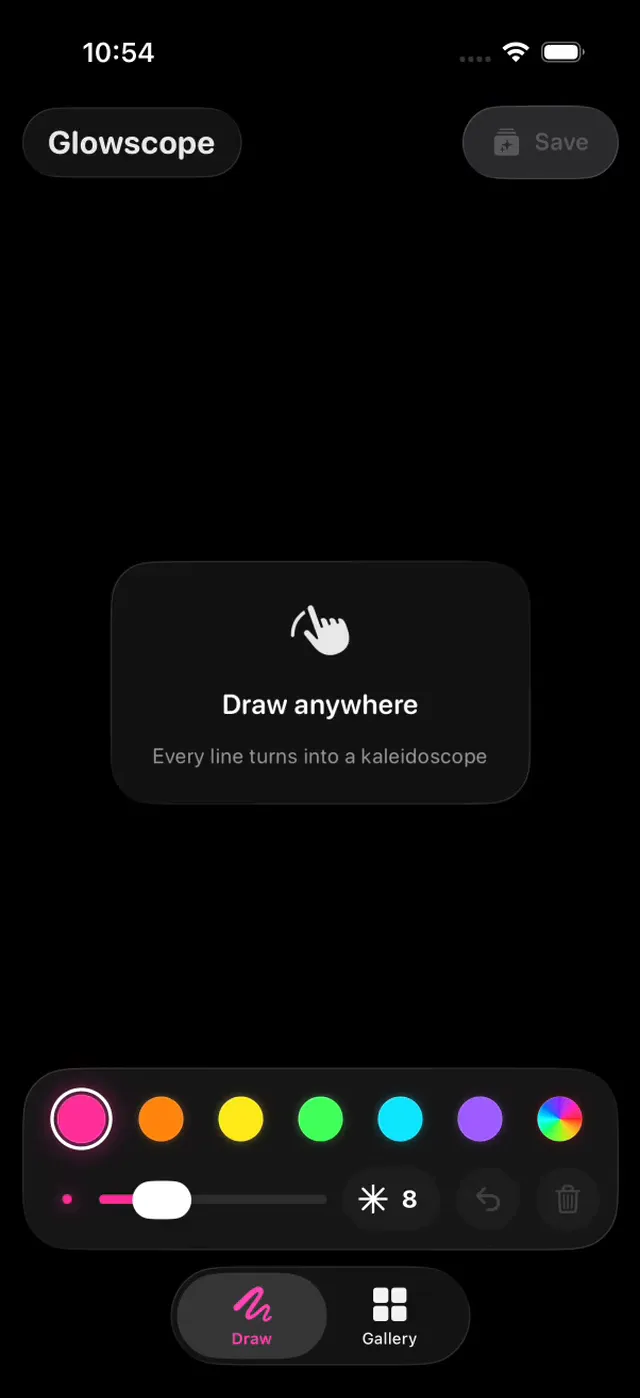
On first launch, show a small "Draw anywhere" hint that fades after the first line. Use SF Pro Rounded and a dark, glassy look.
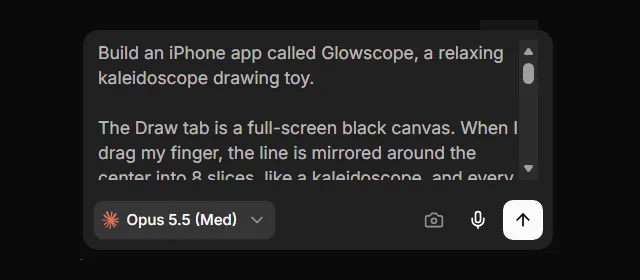
If this is your free first build, it runs on GPT-6.1 Sol. It builds a first version with up to 3 features, not every screen in a long prompt. Start with the main screen, then add the rest one message at a time. Those later messages need a paid plan.
Step 3: Let the agent build and test it
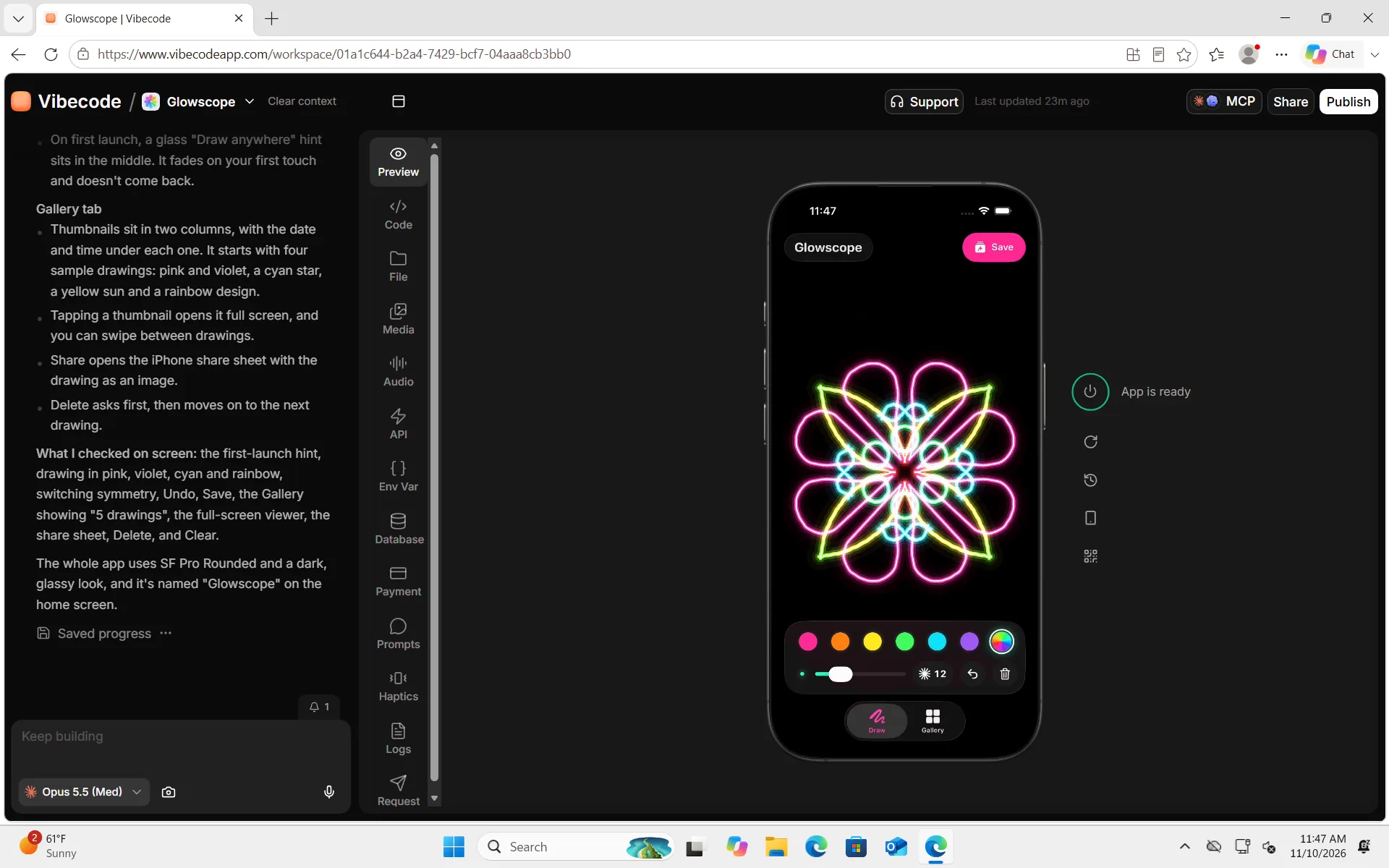
Press send. The agent writes the Swift code and builds it on a cloud Mac. Then it opens the app in a live iPhone simulator, right in your browser, and tests its own work.
Ours drew lines in four colors and switched the symmetry. It tried Undo, saved a drawing, opened the gallery, and shared and deleted a drawing. It also found that the rainbow changed color too slowly, and fixed it.
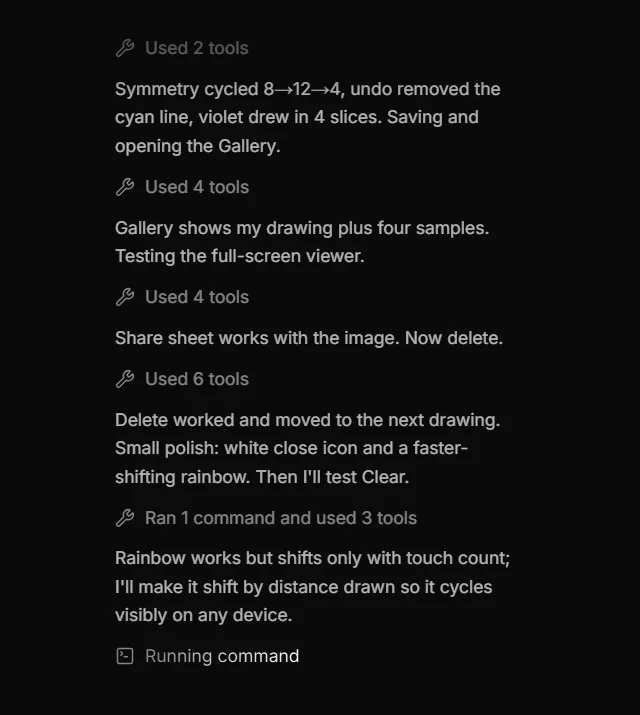
Glowscope's first version was ready 10 minutes and 43 seconds after we pressed send. It used $3.70 of AI credits. The agent was honest about one gap: "The simulator can't show how smooth it feels on a real iPhone, so that's still to be checked on your phone."
Step 4: Try it in the live simulator
The simulator is a real iPhone simulator on a Mac in the cloud. Vibecode streams it to your browser, so it works the same on Windows. Your clicks become taps, and dragging the mouse draws like a finger.
On a free first build, you can use it while the agent builds and for a short time after. More simulator time needs a paid plan.

Step 5: Ask for a change
To change the app, type what you want in the chat. We asked for a Replay button:
Message 2: a Replay button · 33 words
Add a Replay button to the full-screen view of a drawing. It redraws the drawing line by line, like a time-lapse, in about 5 seconds, and then the finished drawing stays on screen.
We picked Claude Opus 5.5 again. By default, later changes use GPT-6.1 Sol. It took 3 minutes and 16 seconds and $2.29 of AI credits.
The agent tested it on a sample drawing and on a new one. It also flagged a catch. Drawings saved before the update were kept only as pictures, so they have nothing to replay.
| Message | Time | AI credits |
|---|---|---|
| 1. First version | 10 min 43 s | $3.70 |
| 2. Replay button | 3 min 16 s | $2.29 |
| Total | 13 min 59 s | $5.99 |
The simulator, the Xcode builds and one iPhone build cost another $3.31. That includes our own testing and filming. That's $9.30 in all. Plus comes with $20 of credits each month, so the whole build fits.
Describe your app and Vibecode builds itStep 6: Put it on your iPhone
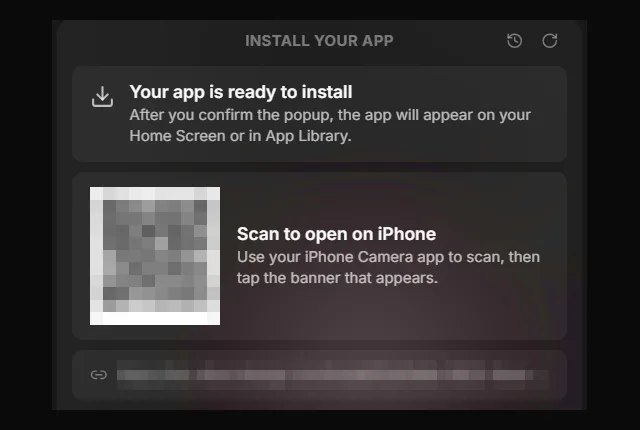
Click the QR code button next to the simulator, or click Publish, then Install. Vibecode builds the app on a cloud Mac and signs it with your Apple Developer account. Then you scan the QR code with your iPhone's Camera app, tap the banner and confirm.
The first time, it asks you to connect your Apple Developer account and register your iPhone. You'll need Apple's $99 a year Developer Program and a paid Vibecode plan.
Our Apple account and an iPhone were already connected. So Vibecode built the iPhone copy on its own after message 2, in 1 minute and 20 seconds, for 6 cents. We didn't have that iPhone with us for this test, so we stopped at the QR code.
If iOS says the app needs Developer Mode, turn it on in Settings, then Privacy & Security, and restart your iPhone.
Want testers to try it first? Ask the agent to upload the build to TestFlight, Apple's free beta app.
Step 7: Publish to the App Store
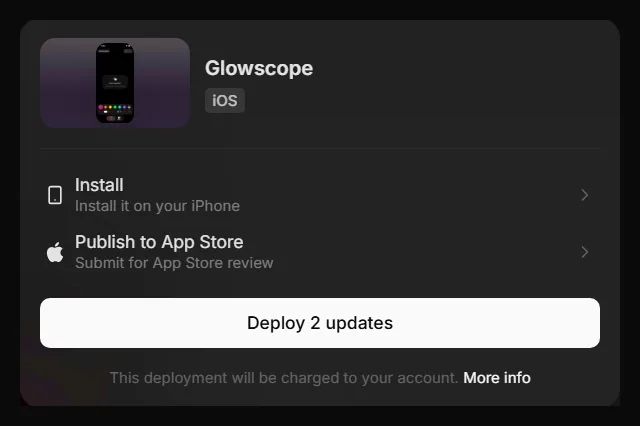
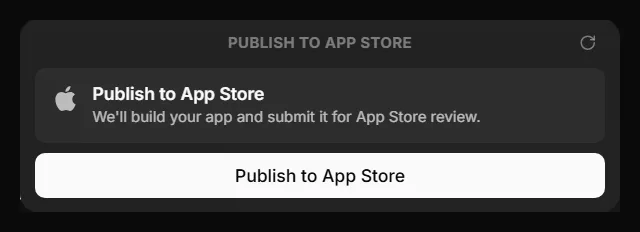
Click Publish, then Publish to App Store. Vibecode builds the app, signs it, uploads it to Apple and submits it for review. On a first publish, the agent may also finish your listing and screenshots in the chat.
Along the way, you confirm your app's bundle ID, like com.yourname.glowscope, which can't change later. Then the panel shows each stage, from Preparing your release to Submitting for review.
We stopped at the first App Store screen, which says "We'll build your app and submit it for App Store review." Glowscope is a demo, so we didn't send it to Apple.
Vibecode's docs put App Store setup at 15 to 30 minutes, plus Apple's review. The guide to publishing an app without a Mac has every step.
What you need (and what you don't)
- A Windows PC with Edge or Chrome. There's nothing to install.
- A paid Vibecode plan after your free first build. More changes, more time in the simulator, Install on iPhone and App Store submission all need one. Plus, at $20 a month, covers all of them.
- Apple's Developer Program, at $99 a year. You need it to publish, for TestFlight and for Vibecode's Install on iPhone. Xcode on a Mac can run an app on your own iPhone with a free Apple Account, but that takes a Mac.
- An iPhone, if you have one. It's the best way to feel how the app runs, but the simulator covers the rest.
- No Mac, no Xcode and no code.
How to test an iPhone app on Windows
Apple's iPhone simulators come with Xcode, which only runs on a Mac. There's no iPhone emulator for Windows from Apple. Here are the other ways to test:
- A simulator in the cloud. Vibecode streams a real iOS Simulator from a cloud Mac to your browser. Expo is trying a similar service, EAS Simulator, in a limited preview.
- Your own iPhone. Install a test build from a link or QR code, as in step 6. In Vibecode, that needs Apple's Developer Program.
- TestFlight. Apple's free beta app lets other people try your build before launch.
Start building
You don't need a Mac to make an iPhone app. Open Vibecode in your browser, describe the app, test it in the simulator and publish it.
On an Android phone instead? Read how to make an iPhone app on Android.
To learn more, read how to make an app, or see what the iOS app builder does.
Describe your app and Vibecode builds itFrequently asked questions
Can you develop an iOS app on Windows?
Yes, as long as something builds the app on a Mac for you. An AI app builder like Vibecode, Expo's cloud builds, Codemagic and rented cloud Macs all do that. You never need to own a Mac.
Do I need Xcode to make an iPhone app?
Not on your computer. Vibecode runs Xcode on its own cloud Macs, so you never install it. You use Xcode yourself only if you build on a Mac, your own or a rented one.
Can I publish to the App Store from Windows?
Yes. In Vibecode, you click Publish, then Publish to App Store, in your browser on Windows, and Vibecode builds, signs, uploads and submits the app. With Expo, Expo Submit uploads your build. Either way, you need Apple's Developer Program, which costs $99 a year.
Is Swift available on Windows?
Yes. Swift.org has an official Windows installer, at Swift 6.4.2 in November 2026. But Xcode and its iOS tools only run on a Mac, so Swift on Windows alone won't build an iPhone app. For that, use a cloud build service, a rented Mac, or a developer tool like xtool.
Can I use Flutter on Windows for iOS?
You can write a Flutter app on Windows. But Flutter's iOS setup needs Xcode on a Mac. To build the iPhone version without a Mac, use a cloud build service like Codemagic, which builds on its own Macs.
Can you build iOS apps on Windows with React Native?
Yes, with Expo. You write the app in JavaScript on Windows, and Expo builds the iPhone version on its own Macs. Expo's free plan includes up to 15 iOS builds. Expo's setup guide says testing on your own iPhone needs Apple's Developer Program.
How much does it cost to make an iPhone app on Windows?
Your first app build is free on a new account. After that, building uses credits from a paid plan, from $20 a month on Plus, which also includes App Store submission. To publish, Apple charges $99 a year. Our app, Glowscope, used $9.30 of credits in all.
Is there an iOS emulator for Windows?
Not from Apple. Its iPhone simulators come with Xcode, which only runs on a Mac. Vibecode streams a real iOS Simulator from a cloud Mac to your browser instead, so you can test on Windows.
About the editorial team
Vishal is a product engineer at Vibecode. Before Vibecode he did product engineering at EarnIn and co-founded Ivella (YC S21), a banking app for couples. He studied computer science at Duke.

More from the Vibecode blog
Tutorial
How to make an iPhone app on Android (no Mac needed)
Yes, you can make an iPhone app on Android. We built a first version in Chrome in 6 minutes. To publish, you pay Apple $99 a year, plus Vibecode Plus at $20/mo.
Tutorial
How to make an app
How to make an app in 6 steps, the 4 ways to build one compared, and a real coffee shop app built in Vibecode, with every prompt and what it cost.
New to AI app building? Read what vibe coding means or compare the best AI mobile app builders. Have an idea? See if you can vibe code it.