
Table of contents
TL;DR
- Yes, you can make an iPhone app on an Android phone. You just can't run Xcode, Apple's app tool, because it only runs on a Mac.
- So something builds the app on a Mac for you: an AI app builder, a cloud build service, or a Mac you rent online.
- We built a real one in Chrome on Android 16. Its first version took 6 minutes and $1.94 of AI credits.
- Your first app build is $0 on a new account!
- To publish, you need Apple's Developer Program at $99 a year. In Vibecode, App Store submission starts on the $20 a month Plus plan.
Yes, you can make an iPhone app on an Android phone and put it in the App Store. Apple's Xcode only runs on a Mac, so a Mac has to build your app for you. That can be an AI app builder like Vibecode, a build service like Expo or Codemagic, or a Mac you rent online.
This guide shows how to make an iPhone app on Android, with real prices. If you don't code, an AI app builder is the fastest way. It's also the easiest of the four to use on a phone.
Then we walk through a real build: Northglow, a breathing app we made in Chrome on Android 16 on November 10, 2026. The agent built its first version in 5 minutes and 41 seconds.
Watch Northglow run, jump to the steps, or start with the options.
4 ways to make an iPhone app on Android
Why does a Mac come into it? The tools that build and sign an iPhone app ship with Xcode, and Xcode only runs on a Mac. The App Store won't take an app that isn't signed. So in each of these four, a Mac does that step for you.
That's why iOS app development on Android always ends on a Mac, even when it isn't yours.
All four work. They differ in how much code you write, what you pay, and whether a phone is enough. We checked each price on the vendor's own page on November 10, 2026.
| AI app builder | Expo (React Native) | Cloud build service | Rent a Mac online | |
|---|---|---|---|---|
| Example | Vibecode | Expo | Codemagic | MacinCloud |
| Do you write code? | No | Yes, JavaScript | Yes | Yes, in Xcode |
| Works on just a phone? | Yes, in Chrome | Made for a computer | Made for a computer | Yes, but Xcode on a phone screen is hard |
| First version | 6 minutes in our test | Once you've coded it | Once you've coded it | Once you've set up Xcode and coded it |
| Cost to start | First build free on a new account. App Store submission from $20/mo | Free plan with up to 15 iOS builds. Starter $19/mo plus usage | 500 free Mac minutes a month, then $0.095 a minute | Pay as you go from $1 an hour, or from $25/mo for a managed Mac |
| Need a Mac? | No | No | No | Yes, a remote one |
Whichever you pick, publishing takes Apple's Developer Program, at $99 a year.
AI app builder. You type what the app should do, in plain English. The AI writes the Swift code, builds it on a Mac in the cloud and tests it. Vibecode also submits the app to the App Store for you.
It runs in Chrome, so your Android phone is enough. The catch: you steer with words, so a vague prompt gets a vague app.
Expo. You write a React Native app in JavaScript, and Expo builds the iPhone version on its own Macs. Its tools are made for a computer, not a phone. To test on your own iPhone, Expo's setup guide says you need Apple's Developer Program too.
A cloud build service. Codemagic takes code you've already written and builds it on its own Macs. It can also upload the build to Apple. It's a tool for developers who already have the code.
Rent a Mac online. MacinCloud rents real Macs with Xcode. Its support page says Android users can connect with Microsoft's free Remote Desktop app. It costs from $1 an hour if you pay as you go, or from $25 a month for a managed Mac.
That gets you Apple's full toolkit. But you'd be learning Swift and Xcode on a phone screen.
Can Android Studio make iOS apps?
It's the first thing most Android developers ask. The answer is no, not by itself.
With Kotlin Multiplatform, you share code between Android and iPhone. But JetBrains says, "To create iOS applications, you need a macOS machine with Xcode installed."
Flutter is the same. Its iOS release guide says, "You must use a device running macOS to follow this guide." And Android Studio runs on computers, not on Android phones.
What we'd skip
Skip apps and sites that promise to turn an APK into an iPhone app. Android and iPhone apps are built from different code, so there's nothing to convert.
Also skip "iOS emulators" for Android. They don't build apps. One of them, touchHLE, only runs very old iPhone apps.
Describe your app and Vibecode builds itHow to make an iPhone app on Android with Vibecode
Here's how we built an iOS app on an Android phone, step by step, on November 10, 2026. Our phone was a virtual one: Android 16 in Google's Android Emulator, with a 1080 by 2400 screen. Every screen below is Chrome on that phone.
We built Northglow on a Max plan, but nothing in it needs more than Plus.
Step 1: Open Vibecode in Chrome and pick iOS app
Go to vibecodeapp.com in Chrome and sign up with Google or Apple. A new account's first app build is free when you sign up on the web. Then tap Create new app, then iOS app. That makes a native Swift app for iPhone and iPad.
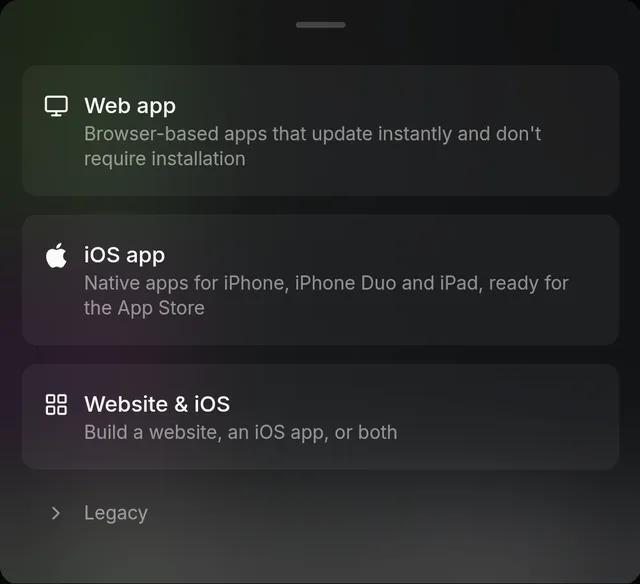
The workspace also shows an Add to Home Screen banner. It says "Full-screen, faster loads." We didn't try it.
Step 2: Describe your app
Describe the app one screen at a time. Say which colors and font you want. Ask for sample data too, so the first build doesn't open on empty screens.
Here's the 173-word prompt we sent. Copy it, then change it to fit your idea:
Message 1: the first version · 173 words
Build an iPhone app called Northglow, a breathing app for calming down.

The Breathe tab has a full-screen animated northern lights background: slow, flowing bands of green, teal and violet on a dark night sky with a few stars. In the middle is a soft glowing ring that grows when I breathe in and shrinks when I breathe out. Inside it, show the word Inhale, Hold or Exhale and a countdown.

Under the ring, three pills pick the pattern:
- Calm (4-7-8)
- Box (4-4-4-4)
- Energize (6-2)

A Start button begins a session of 1, 3 or 5 minutes, with a gentle haptic tap at each change. Show the time left, and a Done screen with a kind message when it ends.

The Journal tab shows my streak, my minutes this week as a bar chart, and a list of past sessions with the date, pattern and length. Start it with two weeks of sample sessions, so it never looks empty.

Use SF Pro Rounded, a dark glassy look and smooth animation.
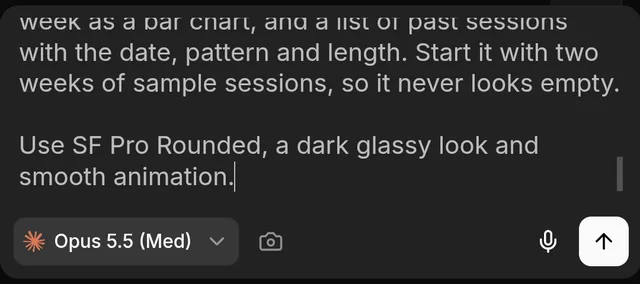
A new account's free first build runs on GPT-6.1 Sol, not Opus. It makes a first version with up to 3 features, so a long prompt won't all fit. Ask for the main screen first. Add the rest in later messages, which need a paid plan.
Step 3: Let the agent build and test it
Tap the send arrow. The agent writes the app in Swift and builds it on a Mac in the cloud. Then it runs the app in an iPhone simulator and tries it out, the way a tester would.
You don't have to watch. Vibecode says to keep the tab open in the background, and it offers to notify you when the app is ready.
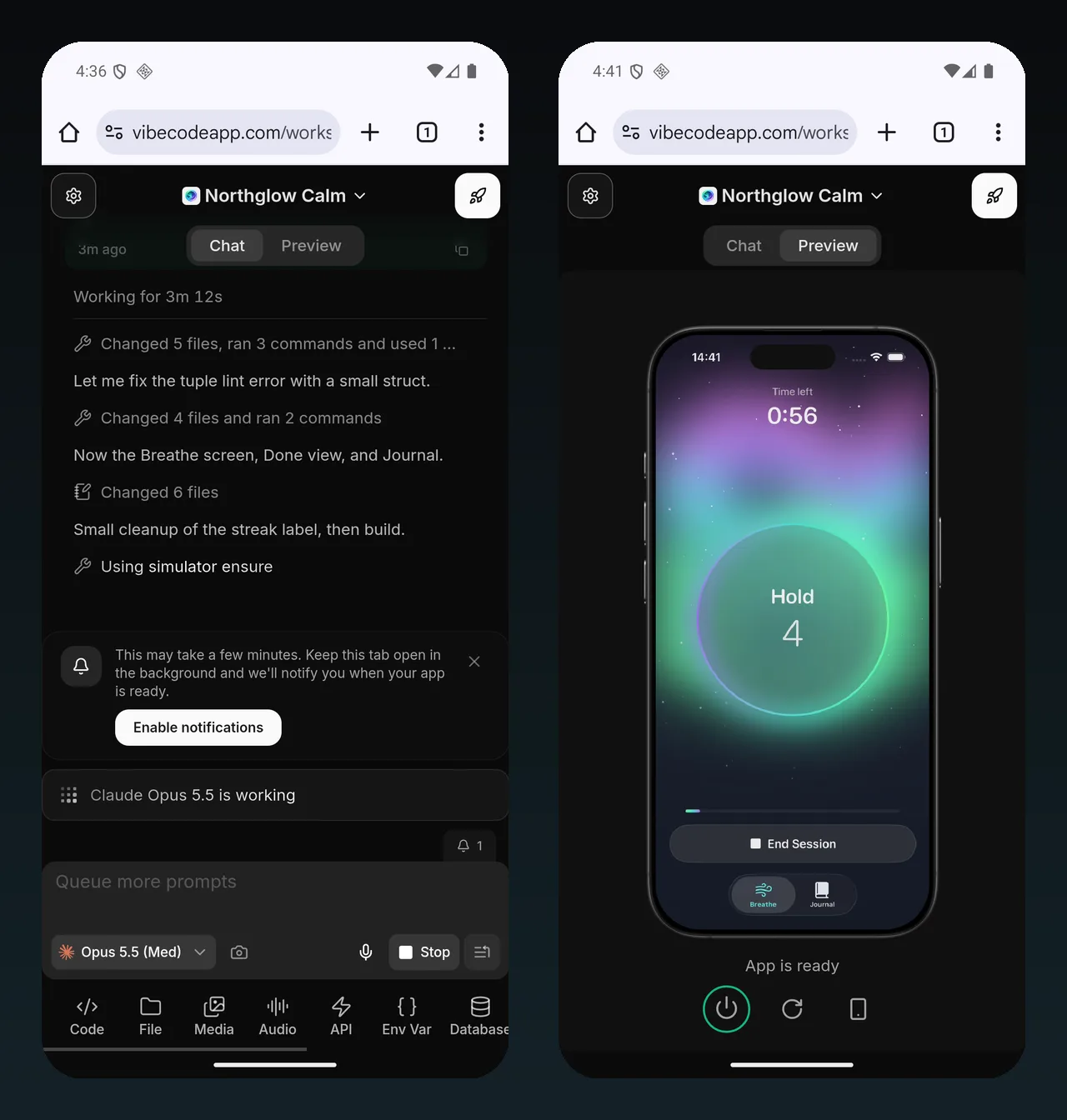
Ours ran a one-minute Energize session and watched it end on the Done screen. Then it opened the Journal. The session was listed there, and the streak read "7 days in a row".
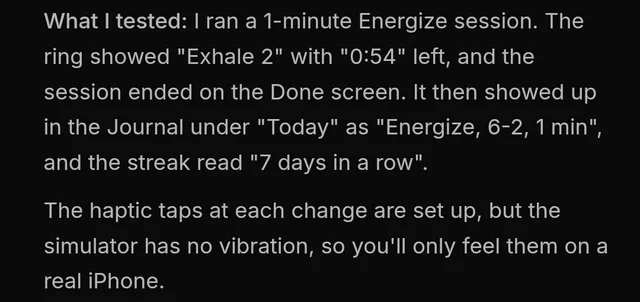
The agent worked on Northglow's first version for 5 minutes and 41 seconds. It used $1.94 of AI credits.
It was honest about one gap: "The haptic taps at each change are set up, but the simulator has no vibration, so you'll only feel them on a real iPhone."
Step 4: Try it in the live simulator
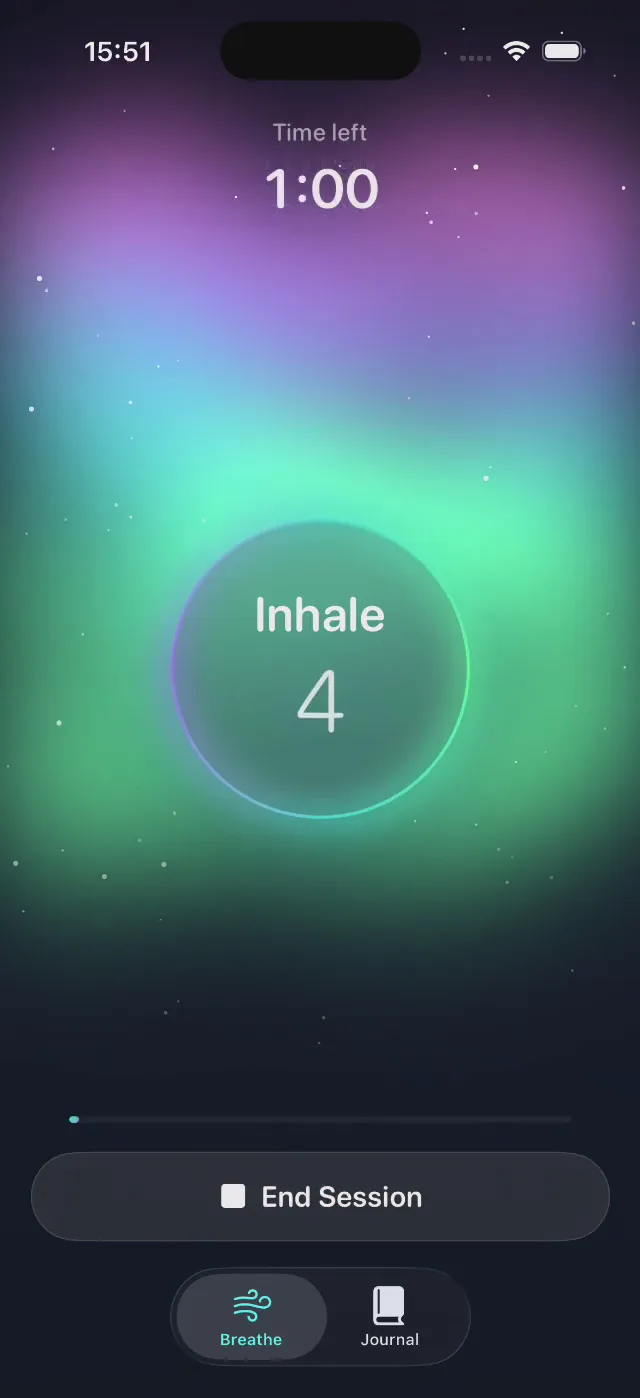
Tap the Preview tab. The simulator is a real iPhone simulator on a Mac in the cloud. Vibecode streams it to Chrome, inside an iPhone frame. Your taps on the Android screen become taps in the iPhone app.
The picture starts out soft and sharpens after a few seconds.
A free first build includes the simulator while the agent works, and for a short time after that. For more time in it, you need a paid plan.

Step 5: Ask for a change
To change the app, go back to the Chat tab and type what you want. We asked for a mood check-in:
Message 2: a mood check-in · 36 words
After each session, ask how I feel with five faces, from stressed to calm. Save the mood with the session. Show it in the Journal list, and add a small mood trend line above the chart.
Our model picker still showed Claude Opus 5.5 from message 1, so it ran on Opus again. Vibecode's default for later changes is GPT-6.1 Sol. Check the picker before you send, because the model sets the cost.
The agent worked for 3 minutes and 21 seconds and used $1.78 of AI credits.
The Done screen now asks "How do you feel now?" with five faces: Stressed, Tense, Okay, Relaxed and Calm. The agent gave the sample sessions moods too, so the trend line had something to show.
Then it finished a session, tapped Relaxed and found it in the Journal. It also said what it hadn't tested: a small screen reader fix it made at the end.
| Message | Time | AI credits |
|---|---|---|
| 1. First version | 5 min 41 s | $1.94 |
| 2. Mood check-in | 3 min 21 s | $1.78 |
| Total | 9 min 2 s | $3.72 |
On top of that, the simulator, the Xcode builds and two iPhone builds came to $2.83, with our testing and filming included. So Northglow cost $6.55 in all. A Plus plan's $20 of monthly credits covers it.
Describe your app and Vibecode builds itStep 6: Put it on an iPhone
The app still has to run on a real iPhone at some point. Tap the rocket button at the top right, then Install. Vibecode builds a copy on a cloud Mac and signs it with your Apple Developer account.
When it's done, the panel offers a QR code. Point the iPhone's camera at it, tap the banner and confirm.
The first time, Vibecode asks you to connect your Apple Developer account and register the iPhone. That takes Apple's $99 a year Developer Program and a paid Vibecode plan.
Our account already had both, and Vibecode had made an iPhone build on its own after message 1. Message 2 wasn't in it, so the panel said the app had new changes. If yours says that, tap Build and install. While it signed the new build, ours offered the earlier one's QR code.
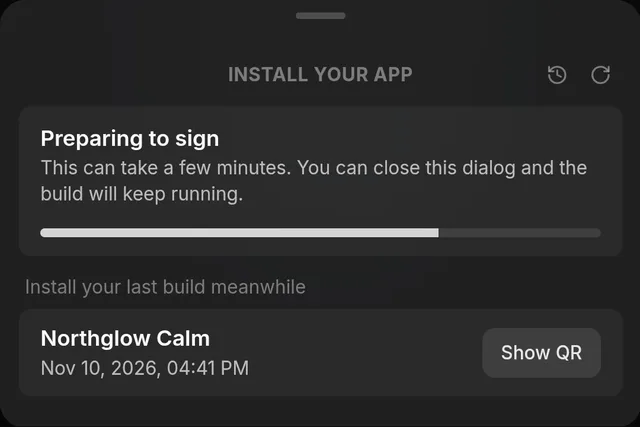
We had no iPhone on hand for this test, so we stopped there.
If the iPhone asks for Developer Mode, turn it on in Settings, under Privacy & Security, then restart the phone.
Want other people to try it first? Ask the agent to upload the build to TestFlight, Apple's free app for beta testing.
Step 7: Publish to the App Store
Publishing starts from the same rocket button. Tap it, then Publish to App Store. On a phone, the menu slides up from the bottom of the screen.
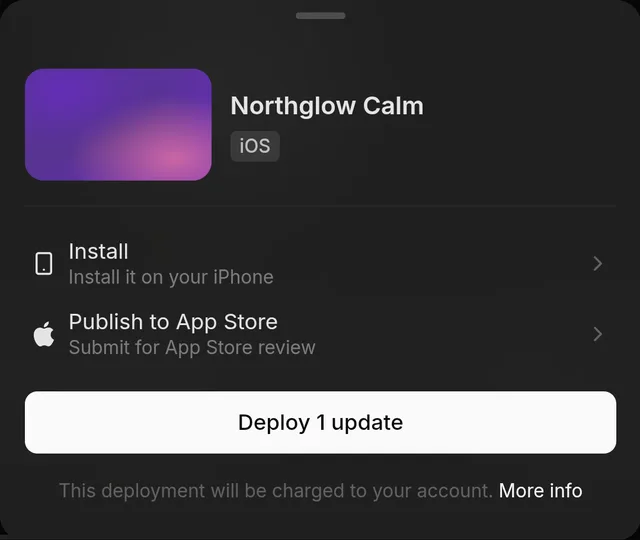
From there, Vibecode builds the app, signs it, uploads it to Apple and sends it for review. On a first publish, the agent may also finish your store listing and screenshots in the chat.
You'll confirm a bundle ID on the way, like com.yourname.northglow. Pick it with care, because it can't change later. The panel then shows each stage, from Preparing your release to Submitting for review.
We stopped at the first App Store screen. It says, "We'll build your app and submit it for App Store review." Northglow is a demo, so we didn't send it to Apple.
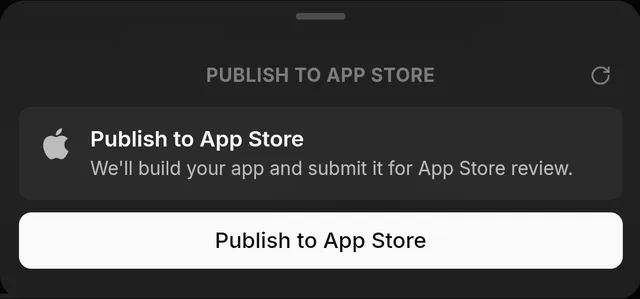
Vibecode's docs put App Store setup at 15 to 30 minutes, plus Apple's review. Every step is in the guide to publishing an app without a Mac.
What you need (and what you don't)
- An Android phone with Chrome. There's nothing to install.
- A paid Vibecode plan, once your free first build is used. Later changes, more simulator time, Install on iPhone and App Store submission all need one. Plus, at $20 a month, includes all four.
- Apple's Developer Program, at $99 a year, for publishing, TestFlight and Install on iPhone. Apple says you can enroll on the web. In India, it says enrollment only works in its Developer app, which needs an Apple device.
- An Apple Account with two-factor authentication. Apple asks for it when you enroll. Its guide says you can turn it on at account.apple.com, and codes can go to your phone number.
- An iPhone you can borrow, for a real-world test before you publish. The simulator covers everything up to then.
- No Mac, no Xcode and no code.
What about the Vibecode Android app?
Vibecode also has an Android app on Google Play. Today it builds React Native apps, which run on both Android and iPhone.
For a native Swift iPhone app, use Chrome, as we did above.
How to test an iPhone app on Android
Apple's iPhone simulators are part of Xcode, so they only run on a Mac. Apple makes no iPhone emulator for Android. You still have three ways to test:
- A cloud simulator. Vibecode runs a real iOS Simulator on a cloud Mac and streams it to Chrome on your phone.
- A real iPhone. Install a test build from a QR code, as in step 6. In Vibecode, that takes Apple's Developer Program.
- TestFlight. Apple's free beta app lets other people try your build before you launch.
Start building
You don't need a Mac, or even a computer, to build an iOS app on an Android phone. Open Vibecode in Chrome, describe the app, test it in the simulator and publish it.
On a PC instead? Read how to make an iPhone app on Windows. For the basics, read how to make an app, or see what the iOS app builder does.
Describe your app and Vibecode builds itFrequently asked questions
Can you make an iOS app on an Android phone?
Yes, as long as something builds the app on a Mac for you. An AI app builder like Vibecode does that from Chrome on your phone. Expo's cloud builds, Codemagic and rented cloud Macs do it too, but they're made for people who write code on a computer.
Can Android Studio make iOS apps?
Not by itself. With Kotlin Multiplatform or Flutter, you can share code between Android and iPhone. But JetBrains says that to create iOS apps you need a macOS machine with Xcode installed, and Flutter's release guide says the same. A cloud build service can stand in for the Mac.
Can I publish to the App Store from an Android phone?
Yes. In Vibecode, you tap the rocket button at the top right, then Publish to App Store, in Chrome. Vibecode builds, signs, uploads and submits the app. You need Apple's Developer Program, at $99 a year. Apple says you can enroll on the web, except in India, where it takes Apple's Developer app.
Do I need an iPhone to make an iPhone app?
No. Vibecode streams a real iPhone simulator to your browser, so you can build and test without one. It still helps to try the app on a real iPhone before you publish, yours or a friend's.
Can you run iPhone apps on Android?
Not in any official way, and Apple doesn't offer one. Hobby projects like touchHLE run a few very old iPhone apps, not today's App Store apps. Making an iPhone app from Android works fine, and this guide shows how.
Can I convert my Android app into an iPhone app?
There's no converter. Android and iPhone apps are built from different code, so an APK can't be turned into an iPhone app. You rebuild it. You can describe the app to an AI app builder, or share code with Flutter, React Native or Kotlin Multiplatform.
How much does it cost to make an iPhone app on Android?
Your first app build is free on a new account. After that, building uses credits from a paid plan, from $20 a month on Plus, which also includes App Store submission. To publish, Apple charges $99 a year. Our app, Northglow, used $6.55 of credits in all.
Is there an iOS emulator for Android?
Not from Apple. Its iPhone simulators come with Xcode, which only runs on a Mac. Vibecode streams a real iOS Simulator from a cloud Mac to Chrome on your phone instead, so you can test on Android.
About the editorial team
Vishal is a product engineer at Vibecode. Before Vibecode he did product engineering at EarnIn and co-founded Ivella (YC S21), a banking app for couples. He studied computer science at Duke.

More from the Vibecode blog
Tutorial
How to make an iPhone app on Windows (no Mac needed)
Yes, you can make an iPhone app on Windows. We built one in Edge in 11 minutes. To publish, you pay Apple $99 a year, plus Vibecode Plus at $20 a month.
Tutorial
How to make an app
How to make an app in 6 steps, the 4 ways to build one compared, and a real coffee shop app built in Vibecode, with every prompt and what it cost.
New to AI app building? Read what vibe coding means or compare the best AI mobile app builders. Have an idea? See if you can vibe code it.