X Clone
Social app · from our videos on X
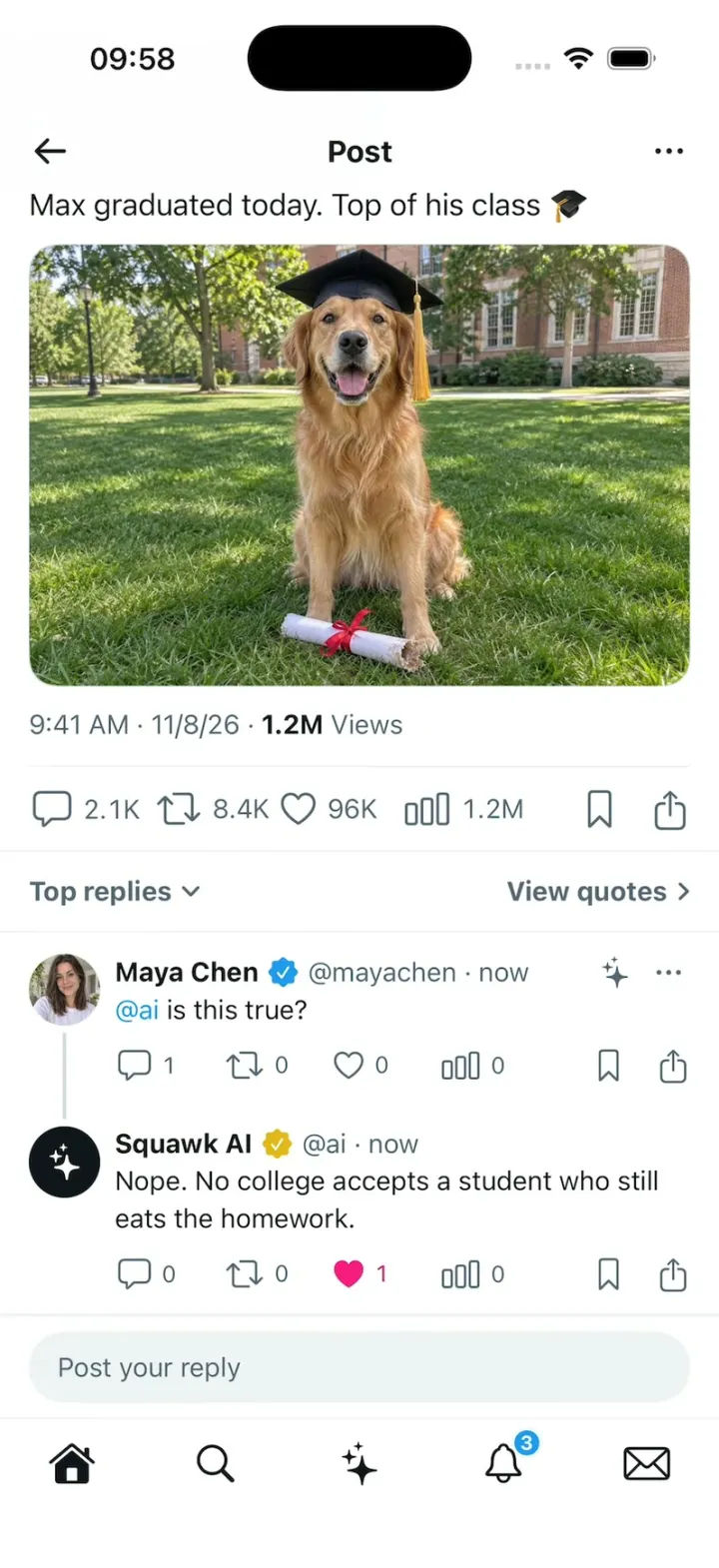
X Clone is Squawk, an X-style microblog: a For you and Following feed with photo posts, polls, quotes and reader-added context, the pink like burst, reposts, bookmarks and a blue compose button whose post springs onto the top of the feed. Open a post and reply “@ai is this true?”: Squawk AI answers under your reply, threaded like a real reply, and Explain this post and the AI tab use the same assistant. In the template the answers are scripted from the fixtures; the README shows how to plug in a real model, and the +1 remix in the video connects it to xAI's grok-4.7 with live web search. Search, Notifications, Messages and a profile round out the app.
- iPhone · Swift
- Built in 2 prompts
- Free to remix

Remix copies the working app into your account for free, exactly as we built it. It runs in Vibecode's cloud iOS simulator, in your browser.
Watch the video on X@vibecodeapp · Nov 8, 2026The prompt that builds it
We built X Clone in 2 prompts. Here they are folded into one, so a single paste into a new app builds the finished version.
Prompt · 3,077 words
Build Squawk, an original microblogging app for iPhone in SwiftUI, in the genre of X and Threads: a For you / Following timeline, posts with photos, quotes, polls and reader-added context, the like burst, repost and quote, bookmarks, the post page with replies and a "Post your reply" bar, @ai replies (Squawk AI answers under your reply), Explain this post, compose with the post springing onto the timeline, Search, Notifications, Messages, the profile and the AI tab. Its own name, logo and words, all below. The user is Maya Chen (@mayachen). Today is Sunday, November 8, 2026.

ASSETS
curl -L once each and unzip flat: https://vibecode-x-media.beacon.host/squawk-brand.zip (squawk-icon.png: use it as the app icon) and https://vibecode-x-media.beacon.host/media.zip (the JPEG photos named below; av-* are 400 px avatars). Put every image in the asset catalog under its file name. The Squawk logo is drawn in code: a 24 pt #0F1419 rounded speech bubble (a capsule-cornered rectangle with a small tail at its lower left) with a white exclamation mark cut into it. Squawk AI's avatar is drawn in code too: a black circle with white "sparkles" (SF Symbol). No image generation is needed.

SHELL
Opens on Home, For you: no splash, onboarding, sign-in or permission prompts. A 5-tab bar, icons only, white with a top hairline #EFF3F4: Home (house / house.fill), Search (magnifyingglass), AI (sparkles), Notifications (bell / bell.fill with a #1D9BF0 count badge "3"), Messages (envelope / envelope.fill); every icon #0F1419, the selected one filled. Light mode only; the status bar stays visible and dark on every screen.

SCREENS
1. Home. Top bar: Maya's 32 pt avatar left (opens Profile), the Squawk logo centred, person.badge.plus right. Timeline tabs left-aligned under it: "For you" with a small chevron.down, "Following", then a plus; selected = 15 pt bold #0F1419 with a 4 pt rounded #1D9BF0 underline as wide as the label that slides between tabs; others 15 pt medium #536471; a hairline below. The feed scrolls under a pinned header. A 56 pt #1D9BF0 circle with a white plus (shadow) floats 16 pt above the tab bar, 16 pt from the right: compose.
2. Post cell (Components/PostCell): 12 pt top and bottom, 16 pt sides, a 40 pt round avatar, 8 pt gap, then the column: name (15 pt bold #0F1419, truncates) + badge (checkmark.seal.fill 15 pt #1D9BF0; #E2B719 gold for Squawk AI) + "@handle · 2h" (15 pt #536471); at the right a sparkles button (16 pt #536471, opens Explain this post) and ellipsis. Text 15 pt #0F1419 (line height 20), @mentions, #tags and links #1D9BF0, long text clamps at 4 lines with "Show more" #1D9BF0. Media: full column width, its own aspect (3:2 photos), 16 pt corners, a 0.5 pt #CFD9DE border; a tap opens it full screen on black. Quote card: 1 pt #CFD9DE border, 16 pt corners, 12 pt padding, 20 pt avatar + name + handle, the text, a photo thumbnail. Poll: 4 outlined option capsules; a tap fills each bar to its percent in 0.4 s, the chosen one bold with a check, "18,205 votes · 6 hours left". Action row, 12 pt above the bottom: reply (bubble.left), repost (arrow.2.squarepath), like (heart), views (chart.bar), all 17 pt #536471 with 13 pt counts 4 pt after, spread over the first 75%, then bookmark and square.and.arrow.up at the right. Hairline #EFF3F4 between cells. A cell tap opens the post page.
3. Like (Components/LikeButton): a tap fills the heart #F91880; it scales 0.8 → 1.25 → 1.0 in 0.3 s while 8 small #F91880 dots burst out 14 pt in a ring and fade (0.35 s); the count turns #F91880 and rolls up one digit (old number slides up and out, new one slides in). Unlike reverses with no burst. Repost: a sheet with "Repost" (arrow.2.squarepath) and "Quote" (pencil.line); Repost turns the icon and count #00BA7C with the same roll; a reposted post's sheet says "Undo repost"; Quote opens compose with the post as a quote card. Bookmark: fills #1D9BF0 and slides down the top toast "Added to your Bookmarks" with "Add to Folder" (#1D9BF0) at the right.
4. Post page (push): top bar arrow.left, "Post" (17 pt bold), ellipsis. The post: 40 pt avatar, name + badge over "@handle" (#536471); the text 17 pt; media; "9:41 AM · 11/8/26 · 1.2M Views" (15 pt #536471, the number bold #0F1419); hairline; the action row with counts (15 pt); hairline; "Top replies" + chevron.down (15 pt bold #536471) and "View quotes" + chevron.right at the right; then the replies (reply cells = post cells without media). A reply to a reply hangs under it, joined by a 2 pt #CFD9DE line from the parent's avatar to the child's. Added context (on posts that have it) sits under the text: a #F7F9F9 card with 12 pt corners and a 1 pt #CFD9DE border: info.circle + "Added context" (15 pt bold), the note (15 pt), a source link (#1D9BF0), then "Rated helpful by readers who usually disagree" (13 pt #536471) and a small outlined "Rate it" capsule.
   The reply bar is pinned above the tab bar: a 40 pt #EFF3F4 capsule, 16 pt margins, "Post your reply" in #536471. A tap expands it with the keyboard: "Replying to @handle" (#536471, the handle #1D9BF0), the field, and a toolbar: photo, GIF, list.bullet, mappin, sparkles (inserts "@ai " at the start of the field), a 20 pt character ring and a "Reply" capsule (#1D9BF0, white 15 pt bold, 32 pt tall; 50% opacity while empty). If the keyboard goes down with text in the field, the bar stays one line tall showing the text (@ai blue) with the blue Reply capsule at its right.
   Send: the field clears, the top toast "Reply sent" slides down (a fully opaque #E8F5FD rounded rectangle on every frame, 12 pt corners, a 1 pt #BEE3F8 border, 16 pt side margins, 52 pt tall, checkmark.circle.fill #1D9BF0 + "Reply sent" 17 pt #0F1419; it only slides, no fade: in 0.25 s from above the status bar, holds 1.6 s, out 0.25 s); Maya's reply ("now") opens at the top of the replies: the rows below move down with a 0.3 s spring while the cell fades in, never a jump; the post's reply count rolls up one.
5. @ai replies: when a sent reply contains "@ai", Squawk AI answers under it, threaded (the 2 pt line): its 40 pt avatar, "Squawk AI", the gold badge, "@ai · now". First three #536471 dots pulse in turn ("thinking", 1.2 s), then the answer types in word by word (60 ms a word) while the cell grows line by line with no jump, then its action row fades in (counts 0). Answers come from AIService (below). If the new AI cell would end under the reply bar, the list scrolls up just enough (0.3 s) to show it whole.
6. Explain this post (the sparkles on any post): a sheet at the medium detent: sparkles + "Explain this post" (17 pt bold), the post quoted small (avatar, name, the first line), then AIService's explanation typing in word by word (15 pt), and an "Ask anything" capsule at the bottom that opens the AI tab.
7. Compose (the plus): a full-screen sheet: "Cancel" (17 pt #0F1419) left; "Drafts" (#1D9BF0) and the "Post" capsule (#1D9BF0, white bold, 50% while empty) right; Maya's 40 pt avatar + the field "What's happening?" (20 pt, placeholder #536471); above the keyboard "Everyone can reply" with a globe (15 pt #1D9BF0), then the toolbar (photo, camera, sparkles, GIF, list.bullet, mappin, #1D9BF0) with the character ring. Post: the sheet slides down with the typed text still in it, a dark top toast "Your post was sent" (a #0F1419 capsule at 92%, white 15 pt, 1.6 s), and the new post springs in at the top of For you: if the feed isn't at the top it jumps there with no visible scroll (one frame), then the feed moves down by the post's height with a 0.35 s spring and the cell fades in; it shows "now" and zero counts. It also appears first on Maya's profile.
8. Search: a #EFF3F4 "Search" capsule, tabs For You / Trending / News / Sports / Entertainment; "Today's News" (3 stories: bold title, three small avatars, "18 hours ago · Trending · 128K posts") and "Trending in United States" rows (topic bold, "48.2K posts"). Typing filters posts and people live.
9. Notifications: tabs All / Verified / Mentions; rows with a 28 pt icon (heart.fill #F91880, arrow.2.squarepath #00BA7C, person.fill #1D9BF0, the Squawk logo), small avatars, "Priya Shah liked your post" and the post's first line in #536471.
10. Messages: a "Search Direct Messages" capsule; rows (48 pt avatar, bold name, "@handle · 2h", last line #536471). A thread: 22 pt-corner bubbles, mine #1D9BF0 white text, theirs #EFF3F4; a "Start a message" capsule that sends.
11. Profile: banner-maya (120 pt), the 80 pt avatar ringed in white over it, an outlined "Edit profile" capsule, "Maya Chen" + blue badge, "@mayachen", bio "Building apps on weekends. Dog person. SF.", "San Francisco, CA", "mayachen.dev", "Joined March 2019", "412 Following  2,318 Followers", tabs Posts / Replies / Highlights / Articles / Media / Likes.
12. AI tab: the AI avatar 44 pt centred, "Hi Maya. What do you want to know?", four chips ("What's happening today?", "Explain the Max post", "Roast my profile", "Plan my Sunday") and an "Ask anything" composer; my messages in #EFF3F4 bubbles, the AI's answers as plain text typing in word by word.

AI
Services/AIService.swift: protocol AIService { func reply(to post: Post, text: String) async -> String; func explain(_ post: Post) async -> String; func chat(_ text: String) async -> String }. ScriptedAI (the only implementation now) answers from Data/AIScript.swift: each post's aiAnswer for a reply that contains "@ai", its explain line, the four chips' answers; anything else gets "I couldn't verify that one. No reliable source backs it up yet." A remix swaps ScriptedAI for a live model by changing one line in AppEnvironment.

FIXTURES (Data/Fixtures.swift; avatars av-*.jpg)
Accounts: Maya Chen @mayachen (av-maya, blue), Max the Golden @maxthegolden (av-max, blue, 284K followers), Priya Shah @priyabuilds (av-priya, blue), Marcus Cole @marcuscooks (av-marcus, blue), Sofia Reyes @sofiareyes (av-sofia), Kenji Mori @kenjimori (av-kenji), Dev Malhotra @devmalhotra (av-dev), Lena Park @lenapark (av-lena), Omar Haddad @omarhaddad (av-omar), Chloe Hart @chloehart (av-chloe), Ethan Brooks @ethanoutside (av-ethan), Zara Okafor @zaraokafor (av-zara, blue), Night Sky Daily @nightskydaily (av-nightsky), Squawk AI @ai (the code avatar, gold).
For you, in order (counts = replies, reposts, likes, views; AI answer):
1. Max the Golden · 2h: "Max graduated today. Top of his class 🎓" + max-grad (3:2). 2.1K, 8.4K, 96K, 1.2M. Replies: Sofia "the chewed diploma 😭", Kenji "valedictorian of fetch", Zara "Congrats Max!! 🎉". AI: "Nope. No college accepts a student who still eats the homework." Explain: "A dog account posted Max in a graduation cap with a half-chewed diploma. It's a joke: dogs don't graduate, though puppy-school certificates are real."
2. Priya Shah · 3h: "shipped my first iOS app this weekend. 14 downloads, 13 of them are my mom" + feed-desk. 412, 1.9K, 12K, 284K. AI: "App download stats aren't public, so I can't verify. Your mom sounds like a solid early adopter though."
3. Night Sky Daily · 5h: "Northern lights over Iceland last night 🌌" + feed-aurora. 380, 6.2K, 41K, 902K. AI: "Auroras light up Iceland often, but \"last night\" needs a date I don't have."
4. Lena Park · 6h, a poll: "Best way to spend a Sunday?" Long brunch 41%, Hike 23%, Ship a side project 29%, Nap 7%. 96, 120, 1.4K, 88K. AI: "Polls show preferences, not truth. Brunch leads, but I'd ship the project."
5. Marcus Cole · 7h: "14 hours of broth for one bowl of ramen. worth it." + feed-ramen. 233, 1.1K, 18K, 410K. AI: "Yes, tonkotsu really simmers that long. Worth it only if you worship the broth."
6. Dev Malhotra · 8h: "Fun fact: goldfish only have a 3-second memory 🐠" + feed-goldfish, with added context: "Goldfish can remember things for months. Researchers have trained them to respond to sounds, colours and feeding times." source "nationalgeographic.com". 1.3K, 980, 7.7K, 1.1M. AI: "No, it's a myth. Goldfish remember for months, unlike this recycled claim."
7. Kenji Mori · 9h: "He has a whole bed." + feed-cat-box. 520, 4.4K, 63K, 1.6M. AI: "True. Cats treat big beds as optional and tiny boxes as mandatory."
8. Zara Okafor · 10h, quoting post 2: "13 out of 14 is still product-market fit". 88, 640, 9.1K, 190K.
9. Ethan Brooks · 11h: "above the clouds before work" + feed-hike. 61, 340, 5.2K, 120K. AI: "Photo checks out for the ridge above clouds at sunrise. The before-work claim is on the honor system."
10. Omar Haddad · 12h: "best tacos in Austin, no debate" + feed-tacos. 302, 210, 3.8K, 96K. AI: "Can't confirm without a taste test, and \"best\" always starts a fight."
11. Lena Park · 13h: "the city looked unreal tonight" + feed-skyline. 44, 280, 6.6K, 150K. AI: "Yep. Blue hour is nature's filter, and it rarely misses."
12. Sofia Reyes · 14h: "front row energy" + feed-concert. 39, 150, 2.9K, 70K. AI: "Energy yes, front row maybe. Those hands could be anywhere in the crowd."
Following: posts 2, 5, 7, 8 plus Chloe Hart · 1h "monday fuel" + feed-latte (AI: "If Monday fuel means latte art and a croissant, yes, that checks out.") and Ethan Brooks · 4h "new running shoes, who dis" + feed-sneakers.
Stories: "Golden retriever's 'graduation' photo takes over For you" (128K posts), "Northern lights seen across Iceland" (64K), "Weekend builders share their first apps" (21K). Trends: #SundayFunday 48.2K; Max the Golden 128K; Northern Lights 64K; #BuildInPublic 12.6K. Notifications: Priya liked your post; Kenji and 3 others reposted your post; Lena followed you; Zara mentioned you. Messages: Priya "hack night thursday?", Kenji "sent a photo", Marcus "ramen saturday?". Maya's posts: "first commit of the weekend ☕️" (2d), "hot take: the best apps are tiny" (5d).

HOOK (the video's first 3 seconds)
- HOOK MODE: tapping an invisible 80x36 pt hotspot at the top centre (x 161–241, y 64–100 pt), drawn in its own window above every sheet, cover, toast and the keyboard (a tap there closes whatever is open), resets to this state and plays this run through the real reply, toast, AI and like code, identical every time (seconds from the tap): 0.00 Max's post page pushed with no animation, scrolled to the top, his post unliked, any earlier Maya or AI replies removed, the keyboard down, the reply bar in its typed state with "@ai is this true?" (@ai blue) and the blue Reply capsule, fully drawn on the very first frame, and the touch dot landing on Reply; hold 0.40 s; 0.40 tap Reply; 0.45 "Reply sent" slides down; 0.50 Maya's reply opens at the top of the replies; 0.85 the AI cell opens under it with the thinking dots; 1.15 the answer types in at 85 ms a word ("Nope. No college accepts a student who still eats the homework."), the list scrolling up just enough to show the whole cell; 2.55 the dot lands on the heart on the AI's reply; 2.80 tap: it fills pink with the ring burst and 0 rolls to 1; hold.
- The touch dot: 44 pt, black at 35%, a 3 pt white ring, a soft shadow, drawn above everything; it scales in as it lands at each point and lifts (fades out over 0.15 s) right after each tap, so it never rests on a control and never hides the heart's pop and burst.
- What the eye must see: frame 0 fully drawn (no fade-in, no blank photo); Max's photo whole on screen the entire run; rows move with springs and never jump or blink; the heart pops and never blinks; toasts hold ≥1.2 s; flashes ≤0.12 s at ≤35%. Waits use these times, not the app's normal delays. Every image is preloaded and decoded off the main thread at launch; warm up haptics at launch.

LOOK
Text #0F1419; secondary #536471; hairlines #EFF3F4; borders #CFD9DE; blue #1D9BF0 (pressed #1A8CD8); like #F91880; repost #00BA7C; gold #E2B719; grey fill #F7F9F9; white background. SF Pro (15 pt body, bold names, heavy titles). Pressed states darken; haptics on likes, reposts, sends and tab taps.

RULES
- Native SwiftUI, iOS 26 (keep the template's target), iPhone portrait.
- Deterministic fixtures. No backend, login, permissions, analytics or network calls at runtime (images are bundled; the AI is scripted). No persistence: delete the SwiftData starter, no UserDefaults or files.
- Springs under 350 ms, haptics on taps, pressed states.
- Files under 300 lines, big bodies split into subviews, no long chained expressions.

REMIX-READY
Theme/Brand.swift (the name, the logo view, a Copy enum with every word), Theme/Theme.swift (colours, fonts; no colour literals elsewhere), Data/Fixtures.swift, Data/AIScript.swift, Data/DemoScript.swift (HOOK MODE timings). Codable models with String ids: Account, Post (text, media, quote, poll, counts, aiAnswer, explain, context, replies), Poll, Trend, NewsStory, AppNotification, Thread, Message; behind one AppDataSource protocol (FixtureDataSource) feeding @Observable stores (TimelineStore, PostStore, ComposeStore, InboxStore, ProfileStore); views never read Fixtures. Services/AIService.swift as above. Components/: PostCell, ActionBar, LikeButton, MediaView, QuoteCard, PollView, ContextCard, ReplyBar, AIReplyCell, Toast, TouchDot. Features/<Screen>/. README.md under 80 lines: file map; how to rename, recolour, swap the logo, change the accounts and posts, add a post kind (a new case in Post.Kind + one view in Components); how to plug a real model into AIService (a backend route + one Swift file); 3 one-prompt remixes ("Squawk for your company's internal timeline", "Squawk for your running club with a weekly leaderboard", "Squawk for a classroom where the AI is the teaching assistant"). "Read README.md first." atop CLAUDE.md and ios/AGENTS.md; replace ios/CLAUDE.md's structure block with this app's files. No scratch folders.

FILMING
Long-press the Home tab icon for 1 s to reset everything to launch (likes, reposts, bookmarks, replies, new posts, the poll, scroll, tab).

BUILD
Theme, Brand, Fixtures, then each screen in small files, a one-line status per screen; launch in the simulator every two or three files. Home with the post cell, like, repost and bookmark first, then the post page with replies, the reply bar, "Reply sent" and @ai replies, then HOOK MODE, then compose, Explain this post, Search, Notifications, Messages, Profile and the AI tab. Fetch squawk-brand.zip and media.zip as soon as the shell runs; check each image exists, never view them. Walk each flow once and fix what breaks; no pixel measuring or debug modes. Deliver the whole app, not a plan.
More templates
All templates- View template
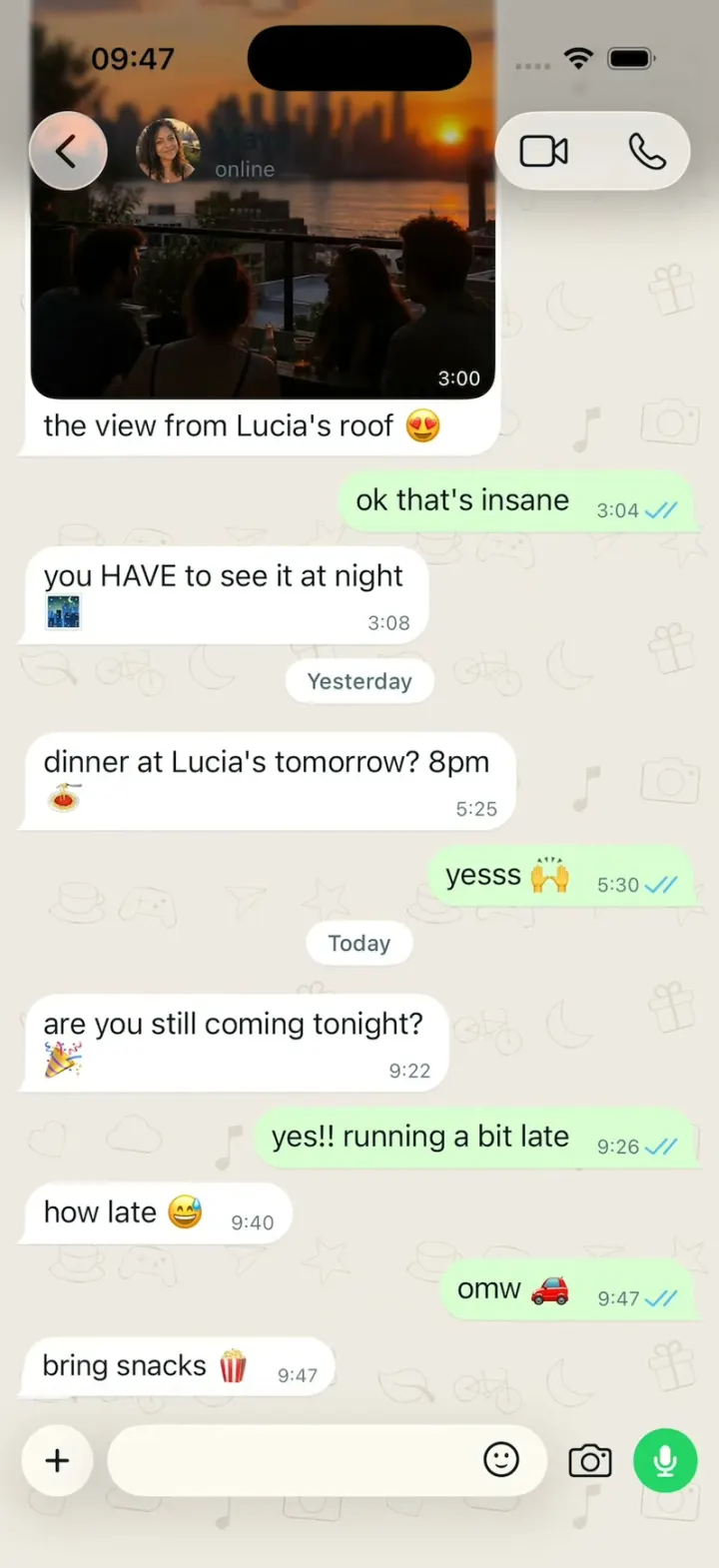
WhatsApp Clone
iOSWhatsApp's Liquid Glass look: ticks turn blue, "typing…", voice notes, reactions, Status and calls.
- View template
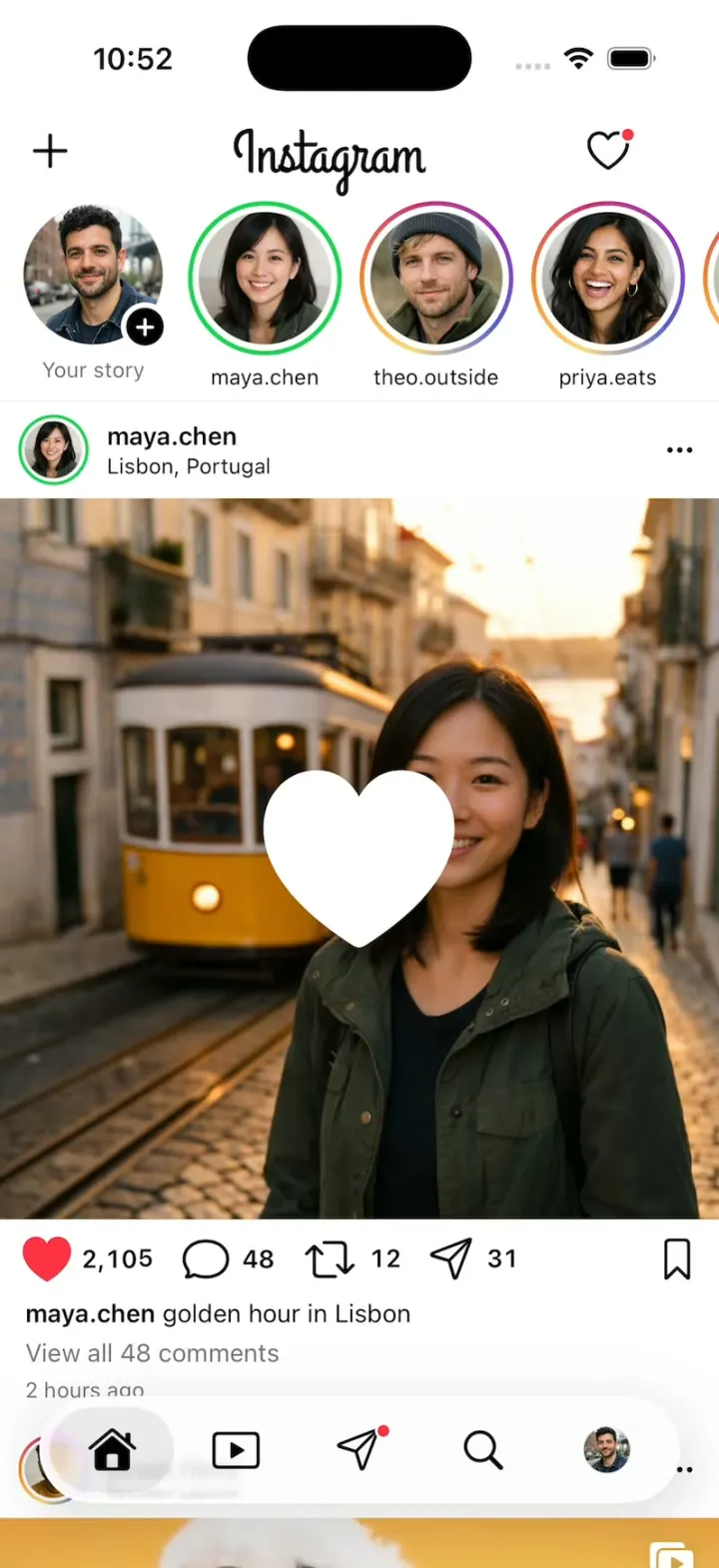
Instagram Clone
iOSInstagram's real look: double-tap for the white heart, tap through Stories, swipe Reels and slide into DMs.
- View template
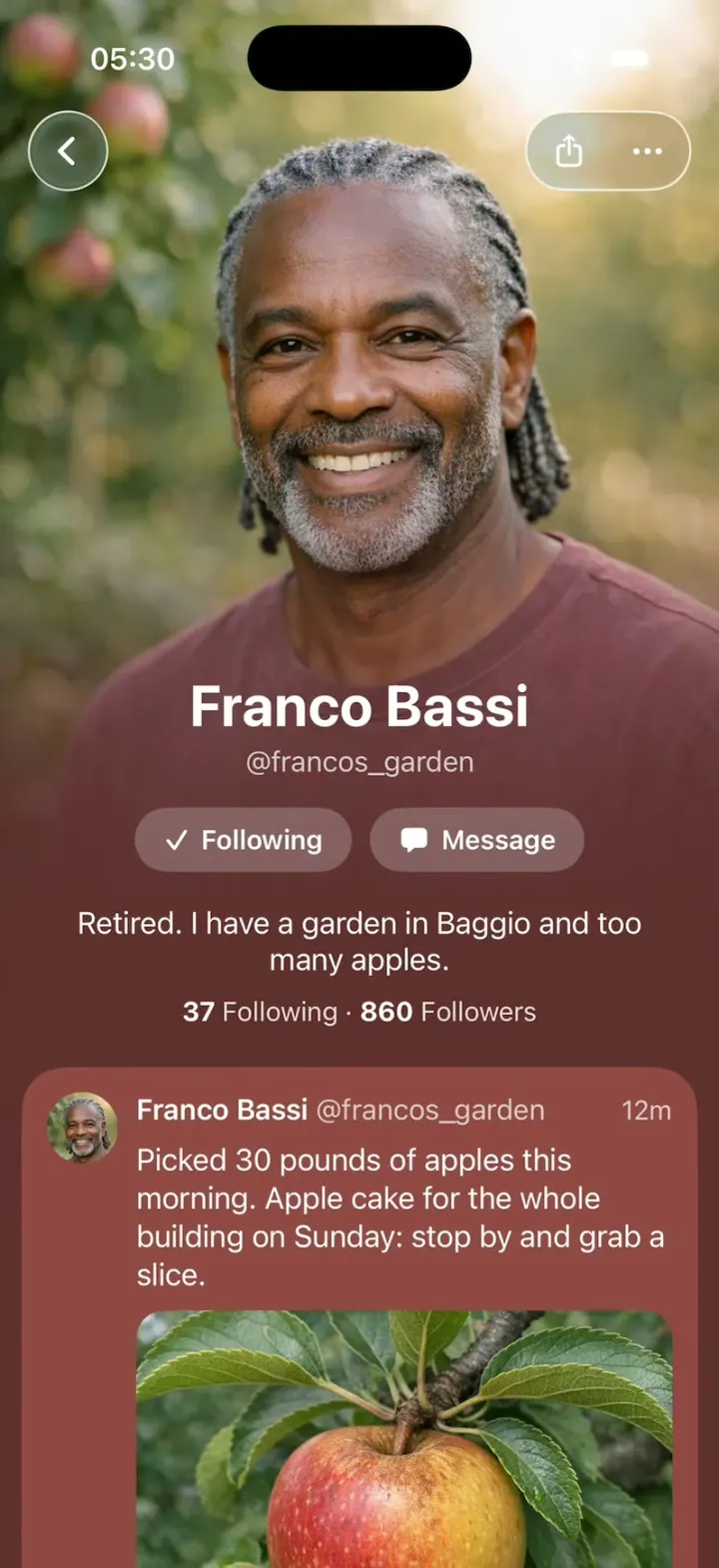
Native X
iOSX redesigned as if Apple built it: photo-poster profiles, Liquid Glass controls and Messages-style tapbacks.
- View template
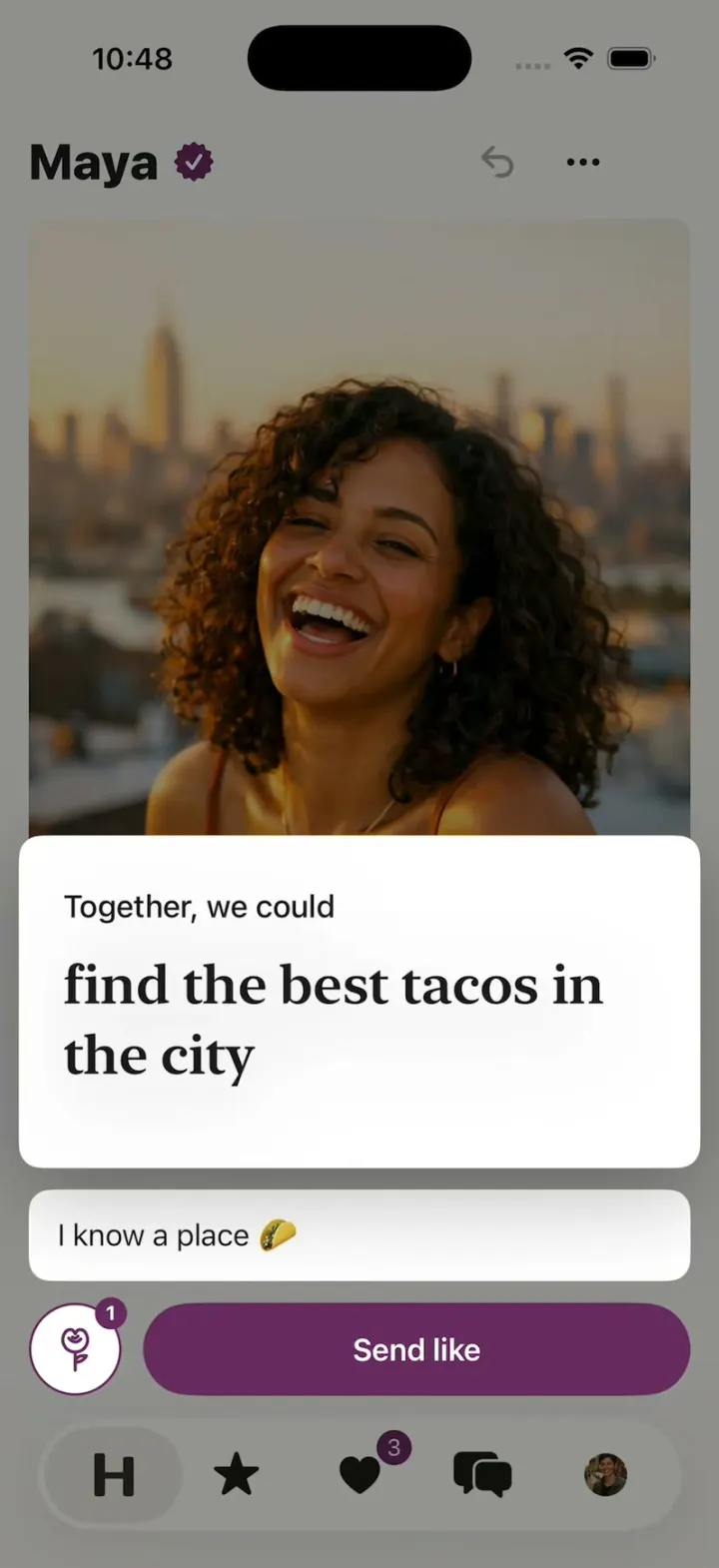
Hinge Clone
iOSHinge with its real look: like one prompt, add a comment, Send like, and the next profile slides in.