WhatsApp Clone
Social app · built by the Vibecode team
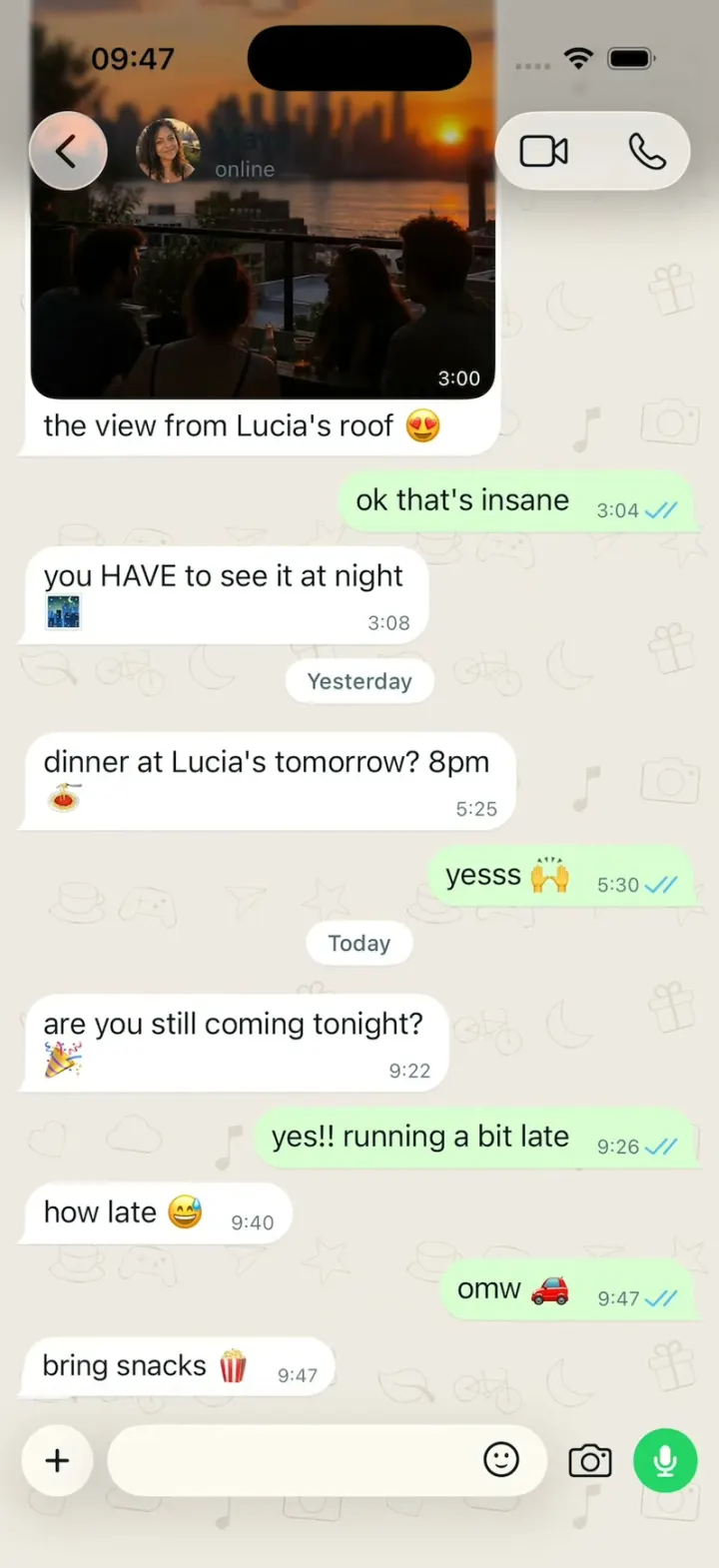
WhatsApp Clone rebuilds WhatsApp's iPhone app in its current Liquid Glass design, with its real name, green, doodle wallpaper and words. Send a message and watch one grey tick become two and turn blue, then "typing…" and a reply from a scripted contact, while messages from other chats drop in as an in-app banner. Long-press a bubble for the glass reaction tray and menu, swipe it to reply, hold the mic to record a voice note with a live waveform, and open Status, Calls (with a calling screen), Communities and You. Every person, photo and message is fictional, with portraits and photos made by gpt-image-2.5-flare, and the README shows where a real backend plugs in.
- iPhone · Swift
- Built in 2 prompts
- Free to remix
Remix copies the working app into your account for free, exactly as we built it. It runs in Vibecode's cloud iOS simulator, in your browser.
The prompt that builds it
We built WhatsApp Clone in 2 prompts. Here they are folded into one, so a single paste into a new app builds the finished version.
Prompt · 2,032 words
Build a polished native iOS clone of WhatsApp in SwiftUI: the Chats list, chats where the ticks turn blue and "typing…" leads to a reply, groups, reactions, swipe to reply, voice notes, Status, Calls and You, in WhatsApp's current Liquid Glass design.

It is WhatsApp on screen: its name, its green, the doodle wallpaper and its own words (quoted below). The attached screenshots are the real app: 1 Chats, 2 a chat, 3 the reaction tray and message menu (dark mode; build light mode), 4 a voice note and the recording bar, 5 a group (4 and 5 are the older design: draw them in the glass style of 1-3). Copy their layouts and words, but every person, photo and message is fictional (below); ignore the "WBI" content. Light mode only. The user is Sam Rivera, in Brooklyn. No Meta AI anywhere.

SHELL
A floating Liquid Glass capsule tab bar: Updates (a dashed status circle), Calls (phone), Communities (three people), Chats (two bubbles, green badge "3"), You (Sam's photo, 24 pt); the selected tab in a lighter pill, its icon filled. Opens on Chats: no splash, onboarding, login, paywall or permission prompt (no contacts, microphone, camera or notifications prompt). The status bar stays visible on every screen: dark on the light screens, white over the Status viewer and the call screen.

SCREENS
1. Chats (as attached): white; a glass "..." circle top left; a glass camera circle and a green circle with a white "+" top right; "Chats" (bold 34); a search field "Search"; chips "All" (selected: green tint, green text), "Unread 3", "Favorites", "Groups"; an "Archived" row (box icon, "2"); rows: 52 pt photo, name (semibold 17), time (14 pt; green when unread), preview (15 pt, secondary, 2 lines max) with glyphs (my last message's ticks, a mic for voice, a camera for photos, "Sofia:" in groups), a green count badge, a pin glyph; hairlines inset to the text. Footer: a lock, "Your personal messages are " + "end-to-end encrypted" (green). Chips filter the list with a spring. Swipe a row left: "More" (grey), "Archive" (blue); right: "Unread" (blue), "Pin" (grey).
2. Chat (as attached): wallpaper #EFEAE2 with WhatsApp's doodle pattern (a 200 pt tile of thin outline SF Symbols: heart, cloud, music.note, camera, cup.and.saucer, gamecontroller, paperplane, star, leaf, bicycle, moon, gift; 22-28 pt, seeded rotations, #DDD5C9; drawn once, cached, tiled). Transparent nav bar with a soft fade: a glass back circle, the photo (36 pt), the name (semibold 17, using all the width up to the call capsule) over "online" / "typing…" (12 pt secondary; groups: "Sofia, Leo, Priya, You"), a glass capsule with video and phone icons. The yellow notice (#FFEECD, 12.5 pt, centred): "🔒 Messages and calls are end-to-end encrypted. Only people in this chat can read, listen to, or share them. Learn more". White date pills ("Yesterday", "Today"). Bubbles: mine #D9FDD3 right, theirs white left, 17 pt text, 18 pt corners, a small tail on the last bubble of a run, max 75% width; bottom right inside: the time (11 pt) and on mine the ticks: grey ✓ (sent), grey ✓✓ (delivered), blue #53BDEB ✓✓ (read). In groups, others' bubbles start with the sender's name in their colour (semibold 13), their photo (28 pt) beside the last bubble of a run. The floating glass chat bar: a glass "+" circle, a glass capsule field (sticker icon inside, right), a camera icon, a 36 pt green circle with a white mic that becomes a send arrow when there is text.
3. Sending: the bubble rises from the chat bar into place (0.25 s spring, opaque on every frame) with one grey tick; 0.4 s later ✓✓ grey; in 1:1 chats 0.4 s later blue; then "typing…" in the subtitle and a white typing bubble with three bouncing dots; 1.4 s later the dots become the contact's next scripted reply (springs in, light haptic). Groups: "Priya is typing…", and the reply carries her name.
4. Reactions + menu (as attached): long-press a bubble 0.35 s: the chat dims 25% (no blur), the bubble lifts, a glass tray above it (👍 ❤️ 😂 😮 😢 🙏 and a green "+" circle), a glass menu below: Reply, Forward, Copy, Edit (mine only), Info, Keep, Delete (red), More.... An emoji closes them and a white reaction chip (emoji + count) pops onto the bubble's bottom edge (0 → 1.15 → 1 with a spring over 0.3 s, the growth visible across ~9 frames at 30 fps).
5. Swipe to reply: drag a bubble right; a reply arrow in a glass circle fades in; past 60 pt a haptic; release: a quote card (coloured bar, name, text, X) slides up above the field (its X removes it with a 0.2 s slide down); the sent bubble carries the quote. A tap on the messages or a drag on the list dismisses the keyboard.
6. Voice notes (as attached): hold the mic: a blinking red mic, "0:01" counting, "slide to cancel <", live waveform bars (seeded) scrolling in; slide left 120 pt cancels; release sends a voice bubble: play, 34 thin bars, "0:04", my photo with a green mic badge. Play fills the bars blue over the duration, the time counts up, a "1x" pill cycles 1x / 1.5x / 2x. No audio.
7. In-app banner: a message arriving in another chat slides a glass card down from the top (0.3 s spring): the photo, "Sofia @ Brunch Club 🥞" (bold 15), the text (15, 2 lines); tap opens that chat (push); swipe up or 3.5 s dismisses.
8. Updates: "Status": horizontal 84x140 cards (the status photo, the poster's photo in a green ring top left, the name below), first "Add status" with Sam's photo and a green "+"; then "Channels": 3 fictional channels (photo, name, last update, green "Follow"). A card opens the viewer: full-screen photo, progress segments filling over 4 s, photo + name + "2h ago", X; tap right/left skips; swipe down closes; a glass "Reply" field and a heart.
9. Calls: "Favorites" (Maya, Mom); "Recent": photo, name (red if missed), "Outgoing" / "Missed" / "Incoming" with an arrow, a phone or video glyph, the day. A call glyph opens a call screen: the photo blurred behind, the photo 120 pt, the name, "Calling…" then "Ringing…", "🔒 End-to-end encrypted", glass speaker, video, mute and a red end button.
10. Communities: "New community"; "Park Slope Neighbors 🏡" with Announcements, Lost & Found, Garden Swap. 11. You: Sam's photo (80 pt), "Sam Rivera", "Hey there! I am using WhatsApp."; rows: Avatar, Lists, Broadcast messages, Starred, Linked devices; Account, Privacy, Chats, Notifications, Storage and data; Help and feedback, Invite a friend. 12. "+" opens "New chat": New group, New contact, New community, contacts A-Z.

PEOPLE AND CHATS (fictional; message times are offsets from launch, shown h:mm)
Rows: Maya (pinned) "how late 😅", unread 1. Brunch Club 🥞 (Sofia, Leo, Priya, You) "Leo: 📷 Photo", unread 2. Mom ❤️ "You: yes mom I ate 😂" (read). Jordan "🎤 Voice message (0:14)". Family 🏡 (Mom, Dad, Lena, You) "Dad: 📷 Photo", Yesterday. Leo "lol same", Yesterday. Weekend Hike 🥾 "Priya: 📍 Location", Saturday. Alex Chen "See you then!" (read), Friday. Priya "🎉", Thursday. Book Club 📚 "Sofia: chapter 12 was WILD", Wednesday.
Maya: the notice; "Saturday": a photo from Maya (her rooftop-sunset status image as a photo bubble, ~260 pt wide, rounded, time in its corner) with the caption "the view from Lucia's roof 😍", mine "ok that's insane" (read), Maya "you HAVE to see it at night 🌃"; "Yesterday": Maya "dinner at Lucia's tomorrow? 8pm 🍝", me "yesss 🙌"; "Today": Maya "are you still coming tonight? 🎉", me "yes!! running a bit late", Maya "how late 😅". At launch the conversation reaches from just under the nav bar down to the chat bar, bottom-anchored, with no empty band.
Brunch Club: Sofia (#E542A3) "brunch sunday?? 🥞"; Leo (#1F7AEC) a photo of a pancake stack with berries + "found the spot" (reaction "😍 2"); Priya (#E56717) "omg yes".
Jordan: an incoming voice note (0:14) and "listen to this 😂". The other chats: 4-6 short messages each, in their voice. Each chat has 5 scripted replies (Maya's first: "bring snacks 🍿"); groups rotate members.
Status: Maya (a rooftop sunset), Leo (latte art), Priya (a concert in pink light), Jordan (a dog at a park).

HOOK (the video's first 3 seconds)
- HOOK MODE: tapping an invisible 44x44 pt area centred at the top, just below the status bar, on every screen (above every banner, sheet, menu, viewer and call screen; a tap closes whatever is open) plays this run through the real send, receipt, typing, banner and push code, identical every time (seconds from the tap): 0.00 Chats tab, Maya's chat open (no push animation), Maya's chat and Brunch Club back to launch state, "omw 🚗" already rising with one grey tick; 0.40 ✓✓ grey; 0.75 ✓✓ blue; 0.90 "typing…" + dots; 1.30 "bring snacks 🍿"; 1.70 the banner: "Sofia @ Brunch Club 🥞" / "table for 6 at 11? 🥞"; 2.30 the banner is tapped (pressed 0.96) and Brunch Club pushes in (0.35 s) with that message last; 2.90 "Priya is typing…" + dots; 3.50 Priya "i'm in 🙌"; 4.00 ❤️ pops onto Sofia's message; hold to 6.0.
- The banner beat is data in DemoScript (chat id, sender, banner text, typing member, reply, reaction) so a remix can swap it.
- What the eye must see: every bubble opaque and fully drawn on every frame; ticks readable; Brunch Club fully drawn on its first pushed frame (photos, names; never a grey tile); no flash. HOOK MODE uses these times, never the normal delays. Decode and cache every image at launch, off the main thread; warm up haptics.

LOOK
Green #25D366 (+, badges, mic, send), text green #1DAA61, my bubbles #D9FDD3, theirs #FFFFFF, wallpaper #EFEAE2, doodles #DDD5C9, read ticks #53BDEB, grey ticks #8696A0, text #111B21, secondary #667781, chips #F0F2F5, hairlines #E9EDEF, missed #EA0038. SF Pro; Liquid Glass (glassEffect) on the tab bar, round buttons, chat bar, nav capsule, banner, tray and menu.

RULES
- Native SwiftUI, iOS 26 (keep the template's target), iPhone portrait, light mode.
- Deterministic fixtures. No backend, login, permissions, microphone, camera, contacts, notifications, analytics or network calls. No persistence: delete the SwiftData starter, no UserDefaults or files.
- Images with gpt-image-2.5-flare (run env; POST https://api.openai.com/v1/images/generations with the project's OPENAI_API_KEY): square portraits of Maya, Sofia, Leo, Priya, Jordan, Mom, Dad, Lena, Alex, Sam; square group photos for Brunch Club, Family, Weekend Hike, Book Club; Leo's pancakes; 4 status photos (2:3); natural phone-photo look, fictional people, no text, logos or celebrities. Initials on a soft colour until each exists.
- Springs under 350 ms, haptics on sends and reactions, nothing hidden under the tab bar or chat bar.
- Files under 300 lines, big bodies split into subviews, no long chained expressions.

REMIX-READY
Theme/Brand.swift (name, a Copy enum with every word), Theme/Theme.swift (role colours, fonts; no colour literals elsewhere), Data/Fixtures.swift (contacts, chats, messages as Codable models with String ids; a new chat = one entry), Data/ScriptedReplies.swift, Data/DemoScript.swift (HOOK MODE times, the banner beat), Messaging/MessageEngine.swift (send, receipts, typing, replies behind a MessageTransport protocol with ScriptedTransport: the seam for a real backend). One AppDataSource protocol (FixtureDataSource) feeding one @Observable AppStore; views never read Fixtures. Features/<Screen>/, Components/. README.md under 80 lines: file map; how to rename, recolour, add a chat or group; how to plug in a real backend; 3 one-prompt remixes ("WhatsApp for your fridge: your groceries text you before they go bad", "for your plants", "for customer support"). "Read README.md first." atop CLAUDE.md and ios/AGENTS.md; replace ios/CLAUDE.md's structure block with this app's files. No scratch folders.

FILMING
Long-press the "Chats" title to reset everything to launch.

BUILD
Theme, Brand, Fixtures, then Chats, the chat screen with sending, receipts and typing, the banner and HOOK MODE first, then the other screens, in small files with a one-line status per screen; launch in the simulator every two or three files. Start the images as a background job once Chats runs; check each file exists, never view them. Walk each flow once and fix what breaks; no pixel measuring or debug modes. Deliver the whole app, not a plan.
More templates
All templates- View template
Instagram Clone
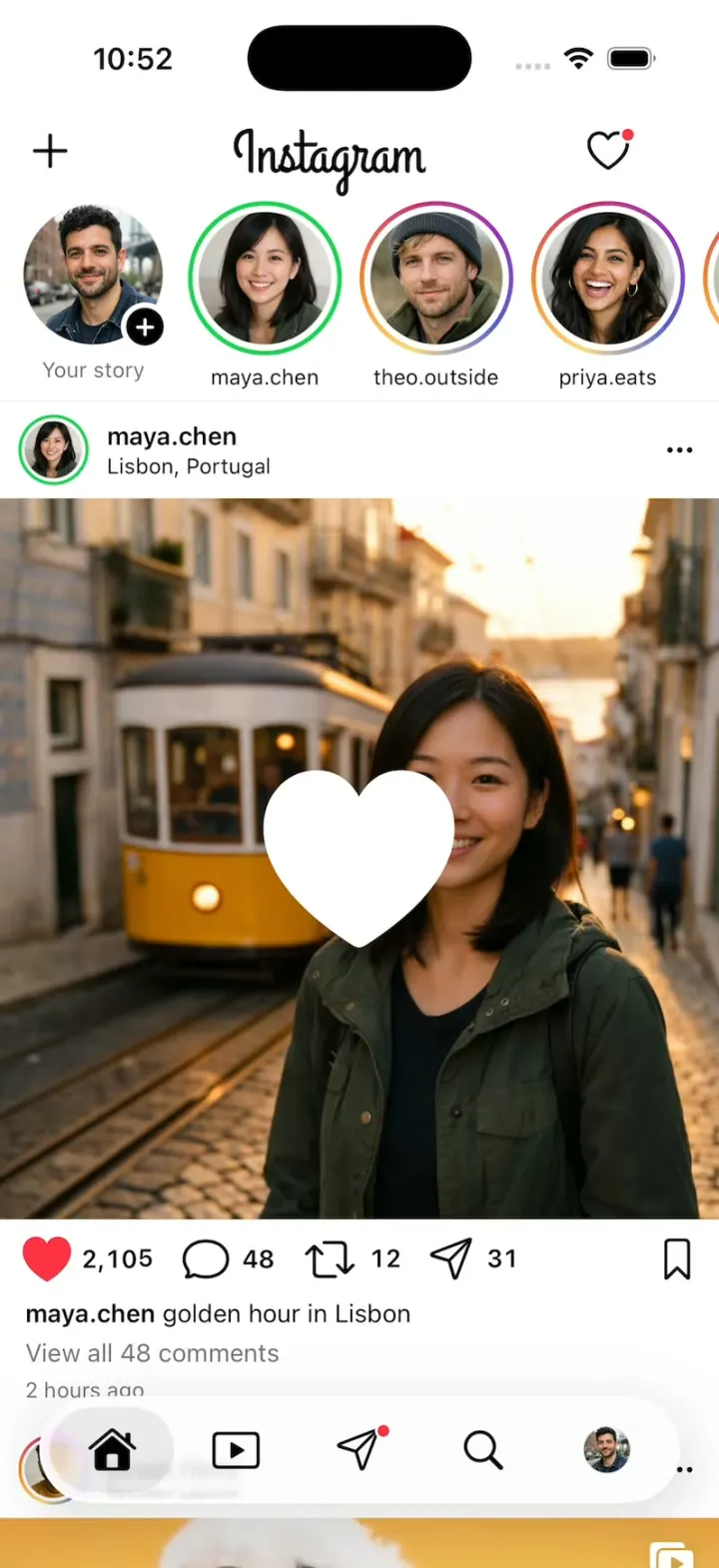
iOSInstagram's real look: double-tap for the white heart, tap through Stories, swipe Reels and slide into DMs.
- View template
Native X
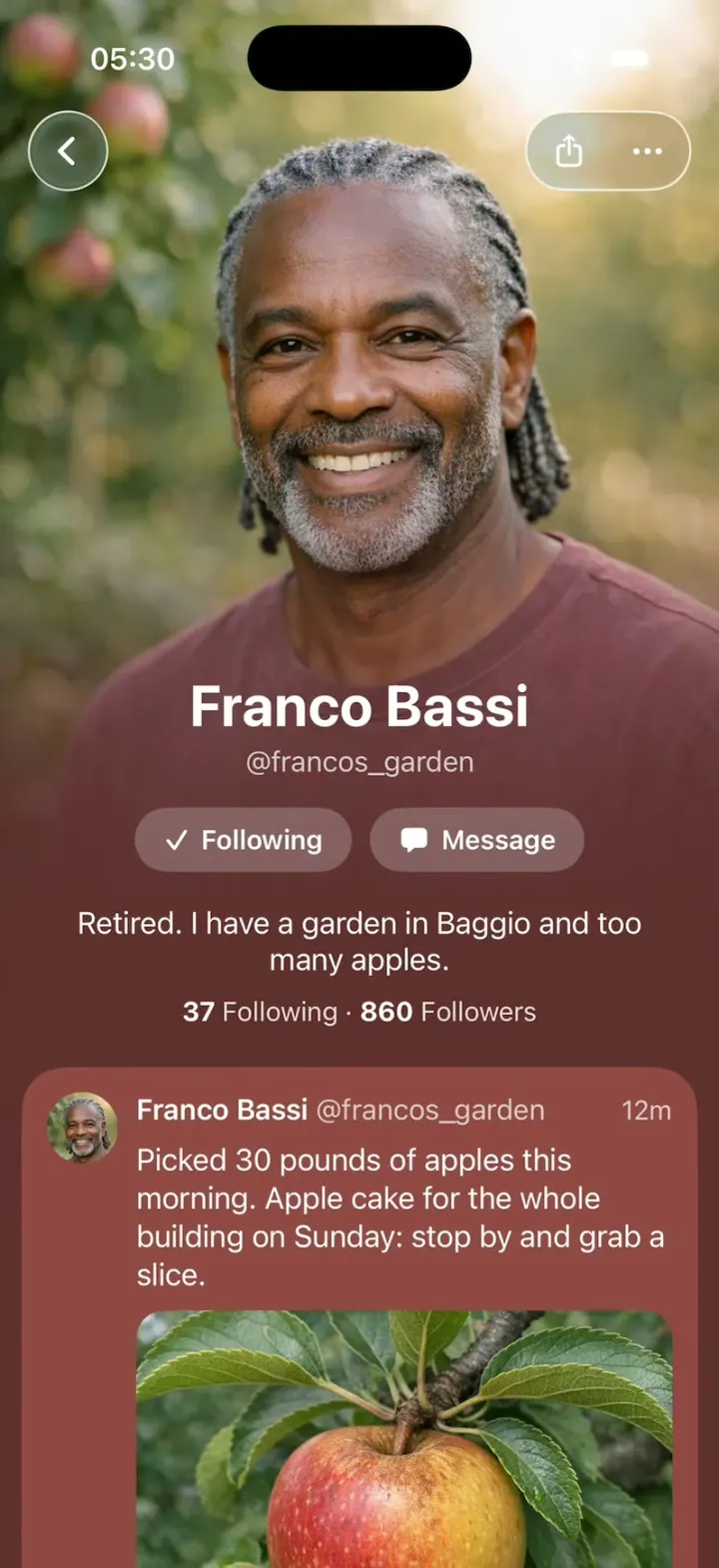
iOSX redesigned as if Apple built it: photo-poster profiles, Liquid Glass controls and Messages-style tapbacks.
- View template
Hinge Clone
iOSHinge with its real look: like one prompt, add a comment, Send like, and the next profile slides in.
- View template
X Chat Grok Bot
iOSX's Grok Bot upsell sheet: nine blob characters pile up, pop apart and float around in zero gravity.