Wealthsimple
Finance app · from our videos on X
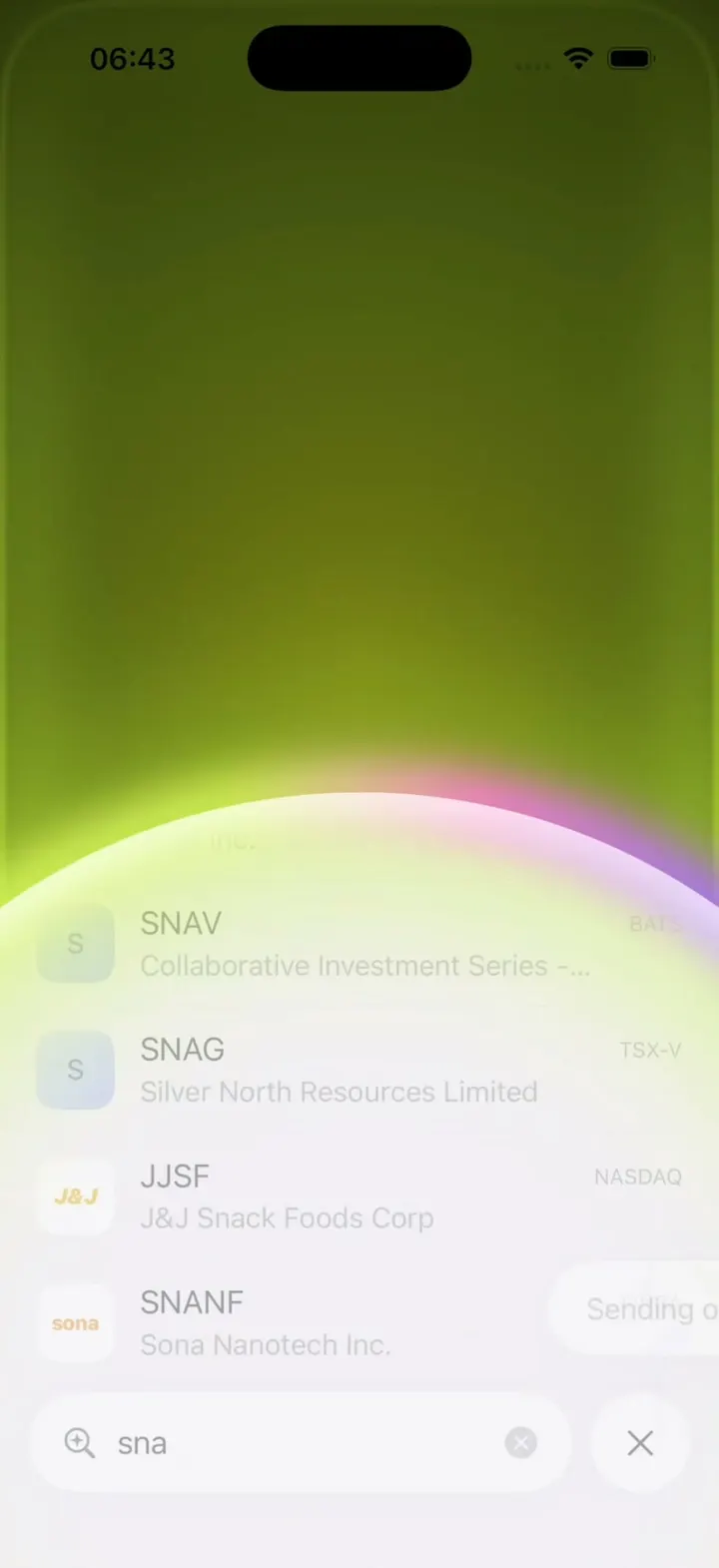
Tap the eye on a hidden Total assets card and a red wipe reveals the balance and chart. Jump to Positions, open Amazon's live-ticking chart and fan out Trade options, Sell and Buy from the + button. Search "sna", buy one share of Snap on the number pad, then swipe up to buy: the screen floods neon lime, a white iridescent dome rises and Order submitted lands in Pending orders. Everything runs on local fixture data, so no brokerage account is needed.
- iPhone · Swift
- Built in 1 prompt
- Free to remix
Remix copies the working app into your account for free, exactly as we built it. It runs in Vibecode's cloud iOS simulator, in your browser.
Watch the video on X@ios_app_builder · Nov 6, 2026The prompt that builds it
We built Wealthsimple in one prompt. Paste it into a new app to build your own copy, or change it first.
Prompt · 2,614 words
[image attached][image attached][image attached][image attached][image attached][image attached][image attached][image attached][image attached][image attached][image attached][image attached][image attached][image attached][image attached][image attached][image attached]
Download/reference the app shown in this post and clone it exactly, including the iPhone visual design, layout, interactions, animations, typography, spacing, and all visible states. Make it functional and runnable in the simulator. Match the reference as closely as possible and include any interaction shown in the source. Reference: https://x.com/tcosta/status/2118414771221664178. The attached screenshots are frames of that 45-second video (a hand-held iPhone filmed on camera, so ignore the hand, the room and the perspective; read only the app screen). Look at every one of them before writing code.

Build a native SwiftUI iOS app named Wealthsimple using Opus 5.5. This is the redesigned Wealthsimple investing app (the new 2026 app: Home with a Total assets card, Positions, a stock detail sheet with a live chart, search, a Buy flow with a number pad, and the signature "Swipe up to buy" confirmation that floods the screen with neon-lime light and then rises a white iridescent dome). Portrait iPhone only. Do NOT put a fake handset frame inside the actual app; the simulator provides that. Use realistic deterministic fixture data so every screen is rich and usable without permissions, accounts or backend. Do not publish externally.

Observed video sequence (0-45s):
- 0.0-1.2: a "Screen sharing detected" sheet; tap Continue and it melts away.
- 1.5-3.0: Home. The Total assets card is in its HIDDEN state: a graphite-black card with the balance masked as five grey dots, an embossed "Wealthsimple" wordmark in the middle, and masked Spend & Save / Invest tiles.
- 3.0-3.4: tap the eye button at the card's top right: a crimson-red radial wipe spreads out from the eye across the card in ~0.35 s and reveals $32,554.45, the red line chart draws in left to right, and the tiles fill with values.
- 4.5: tap the Positions tab in the floating tab bar: Positions cross-fades in (~0.2 s).
- 5.6: tap the AMZN row: the stock detail sheet slides up from the bottom (~0.3 s, spring), the chart fades/draws in, and the price ticks live ($258.90 -> $258.91 -> $258.99 -> $259.01, digits rolling).
- 7.1: tap the black + button at the bottom right: three actions fan up out of it in ~0.2 s, staggered bottom to top, each a label left of a black circle icon: "Trade options", "Sell AMZN", "Buy AMZN". The + turns into an x in a white circle and a white veil fades over the chart.
- 8.6: tap x: the actions collapse back into the button.
- 9.9: swipe the sheet down: back to Positions.
- 10.5-13.5: tap the round search button at the bottom right: the search sheet opens with the keyboard up and the search field ABOVE the keyboard at the bottom. Type "s", then "sna": the results list updates on every keystroke.
- 13.8: tap SNAP: the Buy SNAP sheet opens with a number pad. Type 1. Tap the black arrow button.
- 18.1: the order review screen slides in. Its white page ends above a black bottom band reading "Swipe up to buy" with an up arrow; a neon-lime glow fades in from the bottom edge (~0.4 s) and breathes.
- 19.6: swipe up from the band: the white page follows the finger up, then flies off the top; the whole screen becomes a dark olive-to-neon-lime glow (held ~0.3 s); then a white dome with an iridescent rim (lime-yellow -> pink -> violet) rises from the bottom (~0.5 s) and covers the screen, revealing the search results again, and an "Order submitted" toast with a paper-plane icon appears at the bottom right above the search field.
- 22.3: close search: back to Positions; scroll the list down; tap NVDA; same detail sheet ($182.68, -$17.46 (-8.72%)); + -> Buy NVDA; enter a limit price of 180; arrow; swipe up to buy again (33.5-37.0): lime flood, dome, back on the NVDA sheet with the "Order submitted" toast.
- 40.0: Home tab: Total assets now $32,541.52, -$1,472.62 (-4.33%) today. A small pill of stacked logos (NVDA green, SNAP yellow) sits above the search button at the bottom right. Tap it: a "Pending orders" sheet slides up (~0.3 s) listing NVIDIA Corp and Snap Inc (Class A). Swipe it down.
- A second clip in the same post shows the search sheet's Actions: "Search actions" with "Most used": Interac e-Transfer, Transfer, Add money, Pay a bill, Convert money; typing "buy" lists Buy MU, Buy SNAP, Buy COST.

Visual details (all screens):
- Background: a soft lilac-white (#F3EFF6) with a faint pink-lavender wash toward the top; text near-black (#1C1A1F); secondary text grey (#8E8A94); losses red (#E0243A), loss pills = red text on a pale pink capsule (#FBE3E8); gains green (#1E9E5A) on pale green.
- Typography: SF Pro / system, regular and medium weights only (no heavy bold). Large numbers in medium weight with tight tracking. Section titles ("Options", "Equities", "All accounts") in grey with a small chevron >.
- Floating tab bar at the bottom: a white translucent capsule (blur, soft shadow) with 4 icons: house (Home), list-in-rectangle (Positions), telescope (Discover), up-down chevrons (accounts). The selected icon is dark; others grey. Separately, at the bottom right, a round white search button with a magnifier-with-sparkle icon.

Home:
- Header: round avatar photo at top left (a generic man's portrait drawn as initials "TC" on a warm gradient is fine), a light-grey serif "W" logo centered, a round bell button at top right.
- Total assets card (rounded 28 pt corners, full width minus 16 pt margins, about 58% of the screen height):
  - Hidden state: graphite gradient (#3A3638 top-left to #151314 bottom-right). Top row: trend-arrow icon + "Total assets" (white, small), and an eye icon in a translucent circle at the right. Balance shown as five grey dots, "..." under it. A large embossed "Wealthsimple" wordmark in the middle (dark grey on dark, subtle inner shadow). Bottom: two dark tiles "Spend & Save" and "Invest", each with masked "....." and a small "..." pill.
  - Revealed state: crimson gradient (#C0162F at top right through #6E0C1B to #1A0D10 at the bottom). "Total assets", "$32,554.45" (white, ~40 pt), "-$1,459.70 (-4.29%) today" in bright red (#FF4A57). A red line chart (no fill) trending down with one bounce, about a third of the card. Timeframe chips: 1D (selected, translucent white pill), 1W, 1M, 3M, YTD, All. Bottom tiles: "Spend & Save $536.40" and "Invest $31,695.87" with a red pill "-4.62%". The eye icon becomes an eye-slash.
  - The eye toggles both ways. Reveal = red radial wipe from the eye (0.35 s, easeOut) + chart trim draw-in (0.6 s); hide = the reverse.
- Under the card: 4 page-indicator dashes (first long and dark). Then "All accounts >" with a sliders icon at the right, then account rows: Chequing $2,226.39, TFSA $9,412.06, RRSP $6,331.81, Non-registered $14,571.26.
- Pending orders pill (only when there are pending orders): overlapping round logos of the pending tickers, above the search button. Tap -> "Pending orders" bottom sheet (grabber, title centered): rows with logo, name, "Limit buy · 1 share" in grey, amount right. Seed: NVIDIA Corp (Limit buy · 1 share, $180.00). Every submitted order is appended (so after buying SNAP it shows NVIDIA Corp and Snap Inc (Class A) $5.00). Swipe down to dismiss.

Positions:
- Header: "Positions" (dark) and "Watchlist" (grey) as text tabs, a round button with a stacked-lines icon at the right.
- A horizontally scrolling row of two cards: "Performance $31,695.87" with a red line chart over a pale pink gradient fill, "-$1,534.90 (-4.62%)" red and a grey "1D" chip; and "Trading" (orange bar) $15,281.21, "Portfolios" (purple-grey bar) $15,743.86 with a two-block bar: orange 49%, purple 51%.
- "Options >": QQQ Nov 6 $715 Call, 4 contracts, -79.17% (blue square logo).
- "Equities >" rows (logo tile, ticker, "N shares" grey, change pill right, thin separators): AMZN 0.1 shares -2.60%; BB.TO 1 share -6.31%; BCE.TO 4 shares +0.37%; COST 0.5 shares -0.42%; MU 3 shares -15.08%; NIO 10 shares -7.12%; NVDA 2 shares -8.72%; OPEN 25 shares -11.40%; SHOP 1 share -3.85%; SNAP 3 shares -15.06%.
- Logos: rounded-square tiles drawn in code: AMZN black with white "a" and orange smile; BB.TO black with white BlackBerry dots; BCE.TO blue with white "BCE"; COST red "C"; MU dark blue; NIO light blue; NVDA green with white eye; OPEN blue; SHOP green bag; SNAP bright yellow (#FFFC00) with a black serif "S"; SNA (Snap-On) red with white "S" slash.

Stock detail (a sheet over Positions, grabber on top):
- Top: the logo in a round white button at left; a capsule with a star and "..." at right.
- "Amazon.com Inc." small grey, "today" small grey at right. "$258.91 USD" large (USD small grey), "-$7.12 (-2.68%)" red at right.
- A large red intraday line chart (thin 1.5 pt line, a dotted pale-pink fill under the line above a dashed grey baseline = previous close), with a pulsing red dot at the last point. Shape for AMZN: climbs from the left, spikes at 45% of the width, then crashes to a low near 65%, bounces, ends lower. NVDA: flat-ish high then a sharp crash at 40%.
- Live ticking: every 0.4 s move the last price by a few cents (seeded random walk), roll the digits (numericText transition) and extend the chart's last point.
- Timeframe row: 1D (selected grey chip), 1W, 1M, 3M, 6M, YTD, 1Y, 10Y; an "All time" pill below right; then "Positions >".
- Bottom bar: a round list button at left, a capsule "Margin Test A... · Margin" with up-down chevrons, and a black round + button at right.
- + fan menu as described above (Trade options / Sell AMZN / Buy AMZN with diagonal-line, minus and plus icons). "Buy <TICKER>" opens the Buy sheet.
- Fixtures: AMZN Amazon.com Inc. $258.90, -$7.12 (-2.68%); NVDA NVIDIA Corp $182.68, -$17.46 (-8.72%); SNAP Snap Inc (Class A) $5.02, -15.14%; every equity row opens its own detail.

Search sheet:
- Top: a round history (clock) button at left; segmented text tabs "All" (selected, grey pill), "Assets", "Actions".
- Results rows: logo, ticker (dark), company name (grey), exchange (small grey, right).
- Bottom: search field (magnifier, text, clear button) with a separate round x close button, sitting just above the keyboard. The keyboard opens with the sheet.
- Results for "s": SPCX Space Exploration Technologies Corp. NASDAQ; SNAP Snap Inc (Class A) NYSE; SMSI Smith Micro Software Inc. NASDAQ; SOL Solana; MSTR Strategy Inc. NASDAQ.
- Results for "sn" and "sna": SNAP Snap Inc (Class A) NYSE; SNA Snap-On Incorporated NYSE; SNA Star Navigation Systems Group CSE; SNAG Themes ETF Trust - Leverage Shares 2... NASDAQ; SNAL Snail Inc. NASDAQ; SNAV Collaborative Investment Series - Mohr Se... BATS; SNAG Silver North Resources Limited TSX-V; JJSF J&J Snack Foods Corp NASDAQ; SNANF Sona Nanotech Inc. FINRA; SNAX Stryve Foods Inc. FINRA.
- Actions tab / empty field: "Most used": Interac e-Transfer, Transfer, Add money, Pay a bill, Convert money (coloured square icons). Typing "buy" in Actions lists Buy MU, Buy SNAP, Buy COST.
- Tapping a ticker result opens the Buy sheet for it directly.

Buy sheet:
- Top: round x button at left, "Limit" pill with a chevron at right.
- "Buy SNAP", then "$5.02 USD (-15.14%)" (grey + red).
- Rows separated by thin lines: "Shares" with the typed value right-aligned with a blinking cursor; "Limit price" with "Bid $5.01 x 13259 · Ask $5.02 x 4411" small below and "$5.02" at right; "Estimated cost" (medium) "$5.02 USD" (= shares x limit).
- Above the keypad: a white capsule "Margin Test Account (Margin)" / "$3,588.98 CAD · $2,565.50 USD" with up-down chevrons, and a black round button with a white right arrow.
- Number pad: 1-9, ".", 0, delete; big light digits, no key backgrounds; tapping a row (Shares / Limit price) chooses which field the pad edits. Typing updates Estimated cost live.

Order review (after the arrow):
- Back "<" round button at left, faded "Limit" pill at right. "Buy SNAP" "$5.02 USD (-15.06%)". Rows: Shares 1; Limit price $5.00 (Bid $5.01 x 13758 · Ask $5.02 x 4411); Trading session "24-hour market" with chevrons; Expires "Tomorrow at 4:00 pm" with chevrons; Estimated cost $5.00 USD. A small centered grey disclaimer: "Your order will fill at $5.00 USD per share or better and will remain open for 24 hours. Unfilled or partially filled orders will be cancelled. Trading during extended hours carries additional risks. Learn more".
- The page is a white sheet with large rounded bottom corners ending at ~86% of the screen height; under it a black band with "↑" and "Swipe up to buy" in white medium text. A neon-lime light (#C8F53B core, #7FA51A falloff) rises from the bottom screen edge and hugs the rounded screen corners, gently breathing (opacity 0.7 <-> 1.0, 1.6 s).

Swipe up to buy (the money shot, make it smooth and exact):
1. Dragging up anywhere on the lower 40% moves the white page up with the finger (rubber-banded), the lime glow brightens and climbs with it. Releasing before 120 pt springs it back.
2. Past the threshold (or a fast flick): the white page flies up and off the top (0.25 s easeIn) while the screen floods with a dark olive radial gradient (#4B5A12 center to #1B2006 corners) whose edges glow neon lime (#C8F53B), like light leaking from the screen border; hold it 0.3 s. Success haptic.
3. A white dome (a circle much wider than the screen, its top edge rising from below the bottom) rises over 0.5 s (easeOut) and fills the screen. Its rim is a soft blurred iridescent band: lime-yellow (#D8F35A) on the left, pink (#FF7AD9) in the middle, violet (#A86BFF) on the right. The dome's white is the app's background, and the screen you came from (search results or the stock sheet) fades in through it.
4. An "Order submitted" toast (white capsule, soft shadow, dark text, paper-plane icon at right) springs in at the bottom right above the search field / bottom bar, stays 3 s, then fades. The order is added to Pending orders and the Total assets balance drops to $32,541.52 (-$1,472.62 (-4.33%) today).

Interactions: native springs and gestures everywhere, not static screenshots. Sheets have grabbers and swipe down to dismiss. Tab switches cross-fade. Haptics on reveal, menu open, keypad taps and order submit.

Filming requirements (important):
- Launch state: Home tab, Total assets card HIDDEN, no sheet open, Pending orders = NVIDIA Corp only.
- Long-press the serif W logo in the Home header (0.6 s) resets the whole app to that launch state (card hidden, Home tab, all sheets closed, search text cleared, pending orders reset, balance back to $32,554.45), with no relaunch.
- Every animation above must start within one frame of the tap and keep the durations given, so a scripted take matches the original.

Keep every file you create inside /home/user/workspace (fonts, generated images, scripts): tool access to /tmp and other paths outside the workspace is denied in this sandbox.

Build it in small source files (Theme, Fixtures, Logos, HomeView, TotalAssetsCard, PositionsView, StockDetailSheet, ChartView, SearchSheet, BuySheet, ReviewView, SwipeToBuy, PendingOrdersSheet, TabBar), getting a first version compiling and running before polishing. Keep SwiftUI types simple and split complex view bodies. Build fully, run compile/build validation, resolve all errors, and launch in the web simulator. Prioritize fidelity to the attached screenshots and the functional main flow (Home reveal -> Positions -> AMZN sheet + menu -> search "sna" -> Buy SNAP -> 1 -> arrow -> Swipe up to buy -> Order submitted -> Pending orders). Deliver complete implementation rather than a plan.
More templates
All templates- View template
X Pay
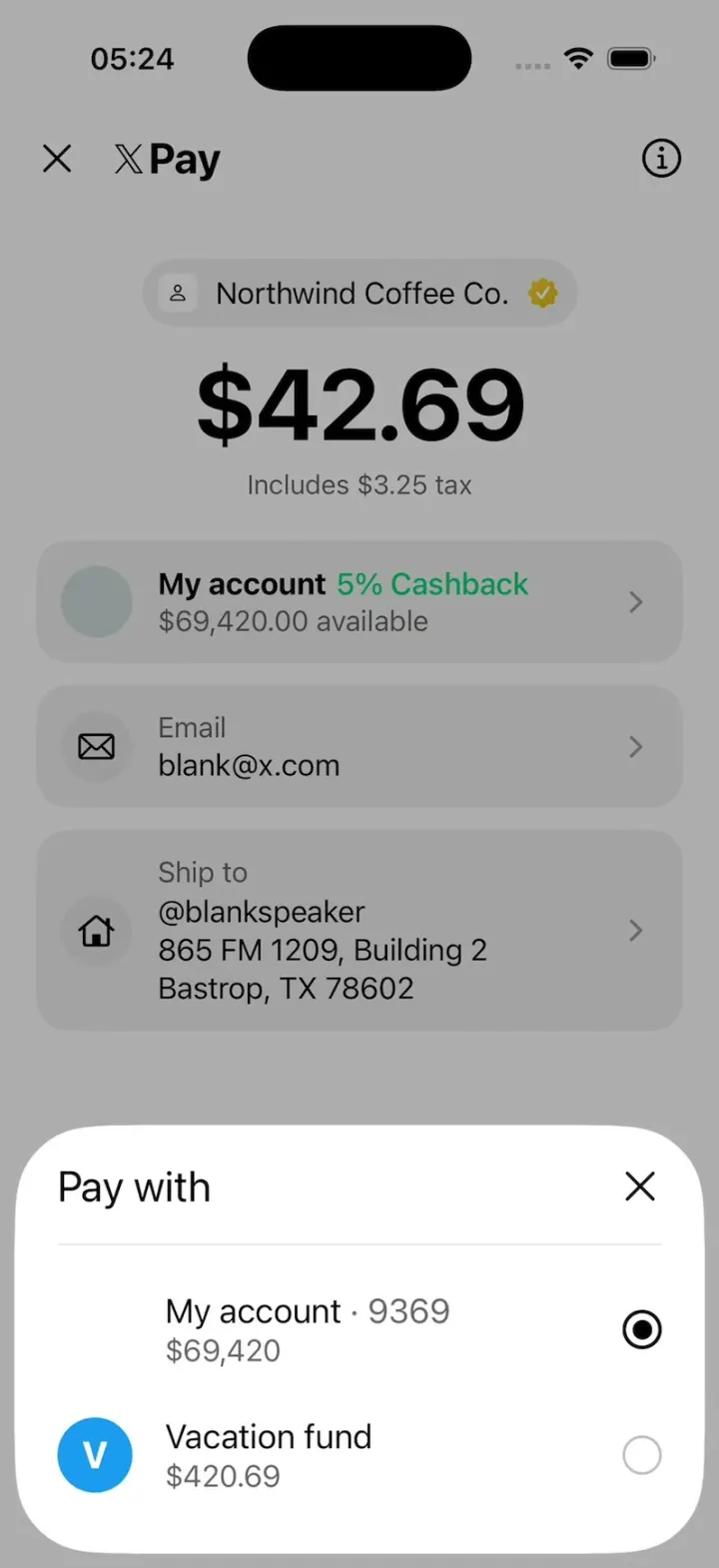
iOSX's new X Pay checkout: X Money with 5% cashback, sheets for privacy, Pay with and Ship to, then Paid $42.69.
- View template
Fomo Thesis
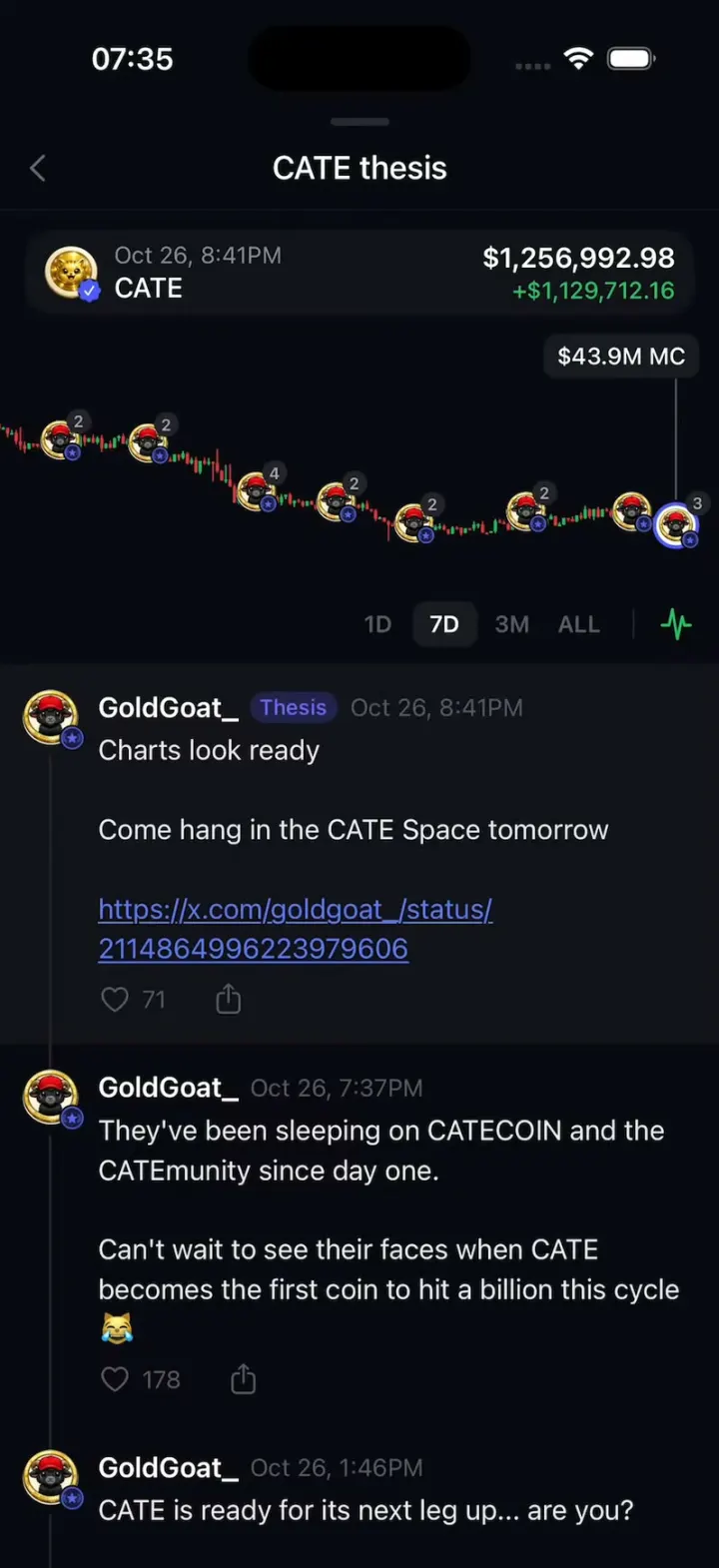
iOSScroll a holder's posts and the coin chart rewinds with you, every post pinned to its moment.
- View template
Aave Bell
iOSAave's "Stay in the Loop" sheet with a real 3D bell that rings by wobbling around in a circle.
- View template
Plasma Fold
iOSA money app whose promo sheet folds like an iPhone Duo: the photo half swings over the hinge onto a cover.