X Pay
Payments app · from our videos on X
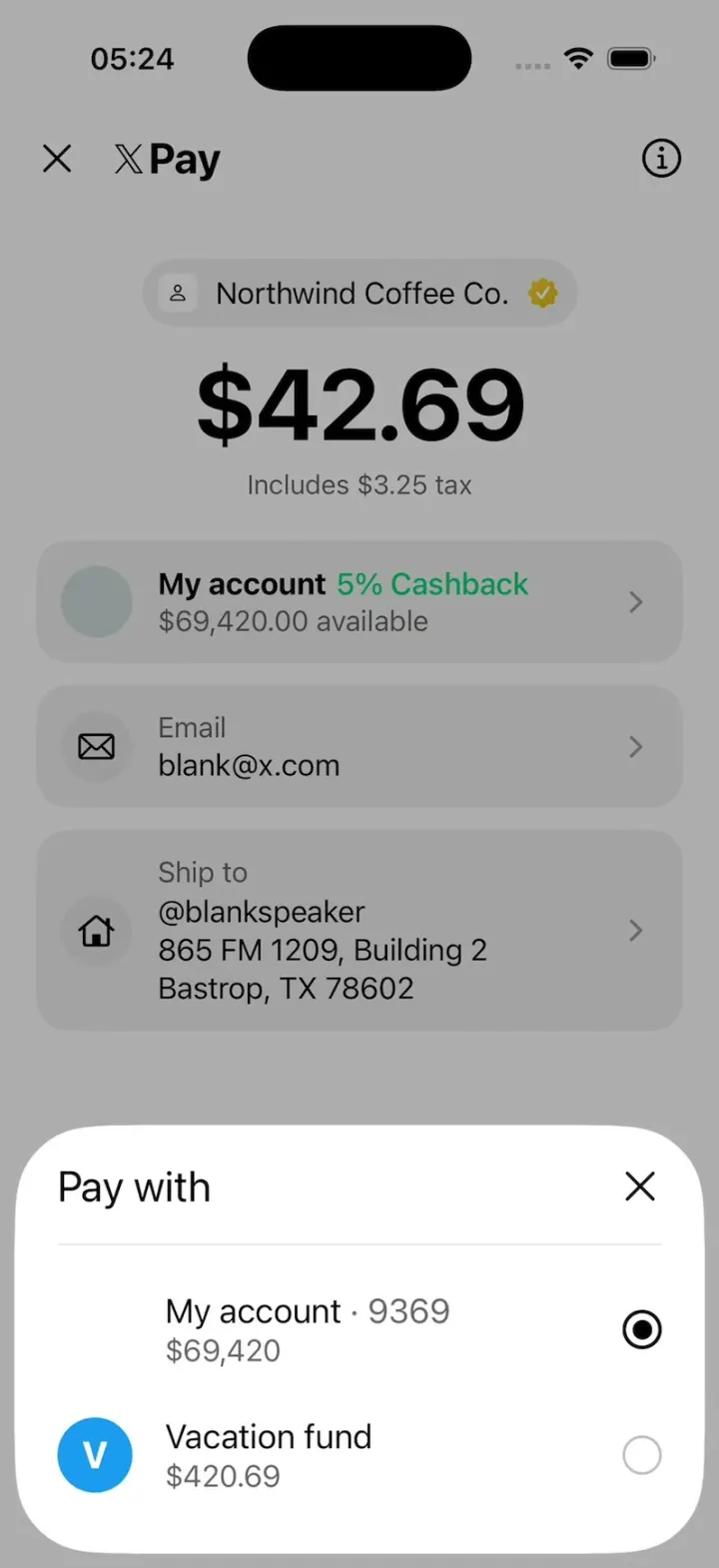
X Pay rebuilds the X Money merchant checkout that X is testing, with its real names and look: the X Pay wordmark, a Northwind Coffee Co. chip with a gold check, $42.69 including $3.25 tax, and grey cards for My account (5% Cashback), Email and Ship to. Tap the info button for a floating sheet that explains the merchant only gets your email and shipping address. Tap My account to pick between My account and a Vacation fund, or Ship to to switch addresses and add a new one; each choice updates its card. Pay $42.69 spins, then a green check draws itself over Paid $42.69 with your $2.13 cashback and receipt.
- iPhone · Swift
- Built in 1 prompt
- Free to remix
Remix copies the working app into your account for free, exactly as we built it. It runs in Vibecode's cloud iOS simulator, in your browser.
Watch the video on X@ios_app_builder · Nov 2, 2026The prompt that builds it
We built X Pay in one prompt. Paste it into a new app to build your own copy, or change it first.
Prompt · 1,638 words
[image attached][image attached][image attached][image attached][image attached][image attached][image attached]
Clone the app shown in this post exactly: X's new X Pay checkout (the X Money merchant checkout that X is testing, shown as a screen recording on Android), including its visual design, layout, interactions, animations, typography, spacing and all visible states. Make it functional and runnable in the simulator. Reference: https://x.com/XFreeze/status/2116980291445375002 ("A new X Pay checkout is being tested, bringing merchant payments directly into the X ecosystem through X Money: pay merchants directly using X Money, shipping addresses and tax breakdowns at checkout, email receipts and cashback integration, X Money account details stay with X while merchants only receive the information needed for transactions, a new US shipping address book."). The attached screenshots are frames from the 21-second screen recording (00-06). Read every one of them before writing code and match them closely.

Build a native SwiftUI iOS app named X Pay using Opus 5.5 (display name "X Pay"). Use the real X / X Pay / X Money names and copy exactly as written below. The original runs on Android; rebuild it as an iPhone app that looks the same (same white page, same grey cards, same black pill button, same floating bottom sheets), with no Android navigation bar. Do NOT put a fake handset frame inside the app; the simulator provides that. Use deterministic fixture data; no permissions, no backend. Do not publish externally.

Observed video sequence (0-21 s):
0-3.1 s: the X Pay checkout screen, still.
3.1 s: the (i) button at the top right is tapped (a round grey press highlight appears behind it) and the INFO sheet slides up from the bottom in ~0.25 s while the page behind dims.
3.3-6.8 s: the info sheet holds.
6.85 s: the sheet is dismissed (it slides down in ~0.2 s and the dim fades).
7-9.1 s: checkout, still.
9.1 s: the "My account" card is tapped (it darkens while pressed) and the PAY WITH sheet slides up.
9.3-12.8 s: Pay with sheet holds. 12.85 s: dismissed.
13-15.1 s: checkout, still.
15.1 s: the "Ship to" card is tapped (darkens) and the SHIP TO sheet slides up.
15.3-18.7 s: Ship to sheet holds. 18.8 s: dismissed.
19-21 s: checkout, still.

CHECKOUT SCREEN (screenshots 00, 04, 05). Pure white background (#FFFFFF). SF Pro / system font throughout.
- Top bar: at the left a thin black close "X" glyph (an xmark, ~20 pt, regular weight, about 16 pt from the left edge); right of it, ~22 pt further, the X Pay wordmark: the black X logo glyph (the 𝕏 mark, drawn as a vector shape, not the letter) followed by "Pay" in bold black ~24 pt, baseline-aligned. At the far right an "info" icon: a 24 pt black outlined circle with a lowercase "i" inside (info.circle, regular weight). The bar sits just below the status bar.
- ~40 pt below the bar, centred: the MERCHANT CHIP, a light grey (#F0F0F0) capsule, ~40 pt tall, containing (left to right) a 22 pt white rounded square with a tiny black person outline icon, the text "Northwind Coffee Co." (black, 17 pt regular), and a gold verified badge (X's gold business check: a scalloped gold rosette #E2B719 with a white checkmark), 16 pt.
- Under it, centred: "$42.69" in very large bold black type (~60 pt, tight tracking), and under that "Includes $3.25 tax" in grey (#666) 15 pt.
- ~24 pt below, three stacked CARDS, each full width minus 16 pt side margins, #F0F0F0 fill, 18 pt corner radius, 8 pt gap between them, ~16 pt inner padding, a light grey chevron.right (#9A9A9A) vertically centred at the right edge of each:
  1. "My account" card (~72 pt tall): at the left a 40 pt circle filled pale blue-grey #CDD9DB (an empty avatar); then two lines: "My account" in bold black 17 pt immediately followed on the same line by "5% Cashback" in X's green #05D17A (17 pt, medium); second line "$69,420.00 available" in grey #666 16 pt.
  2. "Email" card (~72 pt): a 40 pt circle filled #E6E6E6 with a black envelope outline icon; lines "Email" (grey #666, 16 pt) and "blank@x.com" (black, 17 pt).
  3. "Ship to" card (~118 pt): the same 40 pt grey circle with a black house outline icon (vertically centred); lines "Ship to" (grey), "@blankspeaker", "865 FM 1209, Building 2", "Bastrop, TX 78602" (black, 17 pt, ~22 pt line height).
- Empty white space below the cards.
- Pinned at the bottom (above the home indicator, 16 pt side margins): a full-width black capsule button, ~50 pt tall, with "Pay $42.69" in white semibold 18 pt.
- Pressed states: each card darkens to #DCDCDC while pressed (quick, like a press ripple), the info button shows a 44 pt grey (#E0E0E0) circle behind the icon while pressed.

BOTTOM SHEETS (screenshots 01, 02, 03, 06). All three are the same custom component (do NOT use the native iOS .sheet with a grabber):
- A white floating card that spans the screen width minus 8 pt on each side, its bottom edge 8 pt above the bottom of the screen, with ~34 pt corner radius on ALL four corners (concentric with the iPhone's screen corners). Its height fits its content.
- When it opens it slides up from below the screen edge in ~0.25 s (ease-out, no bounce) while a black dim (32% opacity) fades in over the whole checkout page (everything behind looks mid-grey: the white page becomes ~#ADADAD and the cards ~#A2A2A2). Closing reverses it in ~0.2 s.
- Header row: a title at the left (24 pt side padding, ~22 pt from the top) and a black xmark close button (22 pt, regular) at the right. Below it a 1 px #E6E6E6 divider inset 24 pt on both sides.
- Closing: the X button, tapping the dim, or dragging the sheet down.

1. INFO sheet (tap the (i) button), screenshot 01:
   - Header: the X logo glyph + "Pay" (regular weight 24 pt) at the left, X close at the right, divider.
   - Title (bold black 22 pt, wraps to two lines): "Northwind Coffee Co. only gets what it needs"
   - Body (grey #707070, 18 pt): "Northwind Coffee Co. receives these details for this order:"
   - Two bullet lines in black 18 pt: "• Email" and "• Shipping address"
   - Grey line: "Your X Money account details stay with X."
   - A full-width light grey (#F0F0F0) capsule button "Got it" (black semibold 18 pt, ~50 pt tall) that closes the sheet. 24 pt padding below it.

2. PAY WITH sheet (tap the My account card), screenshot 02:
   - Header "Pay with" (black 24 pt regular), X close, divider.
   - Row 1: (an empty 40 pt avatar slot, left blank exactly as in the screenshot) "My account · 9369" (black 19 pt, the "· 9369" in grey #666) over "$69,420" (grey 17 pt); at the right a selected radio: a 24 pt black ring with a black filled dot.
   - Row 2: a 40 pt solid blue circle (#1D9BF0) with a white bold "V" in it, "Vacation fund" (black 19 pt) over "$420.69" (grey 17 pt); at the right an empty radio (24 pt grey #BDBDBD ring).
   - Rows are ~66 pt tall. Tapping a row selects its radio (animated), updates the My account card on the checkout ("Vacation fund" + "$420.69 available", blue V avatar, the green "5% Cashback" stays), and closes the sheet after 0.35 s.

3. SHIP TO sheet (tap the Ship to card), screenshot 03:
   - Header "Ship to", X close, divider.
   - Row 1: "865 FM 1209, Building 2" (black 19 pt) over "Default · Bastrop, TX 78602" (grey 17 pt), selected radio at the right.
   - Row 2: "1 Rocket Road" over "Starbase, TX 78521", empty radio.
   - Row 3: a 40 pt light grey (#F0F0F0) rounded square (10 pt radius) with a black "+" in it, "Add a new address" (black 19 pt) and a chevron.right at the right.
   - Tapping an address selects it and updates the Ship to card (keep "@blankspeaker" as the first line), then closes after 0.35 s. "Add a new address" pushes a simple white form in the sheet (Street, City, State, ZIP fields with a black "Save address" capsule) that adds the address to the list and selects it.

PAY FLOW (not shown in the video, but build it as the payoff):
- Tapping "Pay $42.69": the button's label is replaced by a white spinner for 1.2 s, then a full-screen white success state animates in: a large X-green (#05D17A) circle with a white checkmark that draws itself with a spring pop, "Paid $42.69" (bold 34 pt), "to Northwind Coffee Co." (grey), a light grey card with "You earned $2.13 cashback" (green "$2.13") and "Receipt sent to blank@x.com", and a black "Done" capsule at the bottom.
- "Done" returns to the checkout and RESETS everything to the first state (My account selected, Bastrop address selected, no sheet open). Tapping the top-left X close also resets to the first state.

Use native SwiftUI springs/animations and real gestures, not static screenshots. Keep the layout stable when sheets open: the checkout page underneath does not move.

Keep every file you create inside /home/user/workspace (fonts, generated images, scripts): tool access to /tmp and other paths outside the workspace is denied in this sandbox.

Build it in small source files, in this order: the theme + fixtures, the checkout screen, the reusable bottom sheet, the three sheets, the pay success flow. Build and resolve every compiler error, and launch it in the web simulator on an iPhone. Prioritize fidelity to the attached screenshots and these interactions: the three sheets sliding up over the dimmed page and closing again, the row selection updating the cards, and Pay -> success -> Done. Deliver the complete implementation rather than a plan.
More templates
All templates- View template
Fomo Thesis
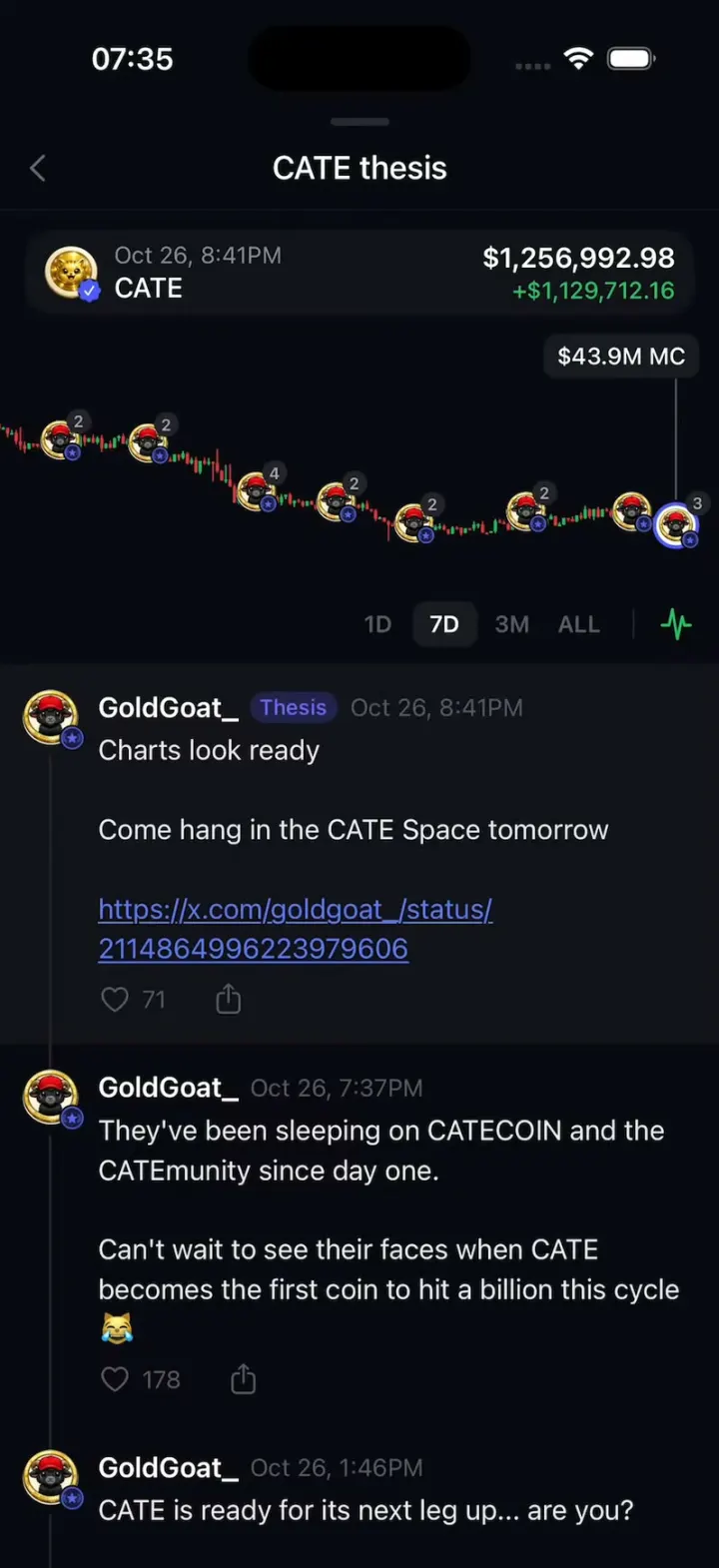
iOSScroll a holder's posts and the coin chart rewinds with you, every post pinned to its moment.
- View template
Aave Bell
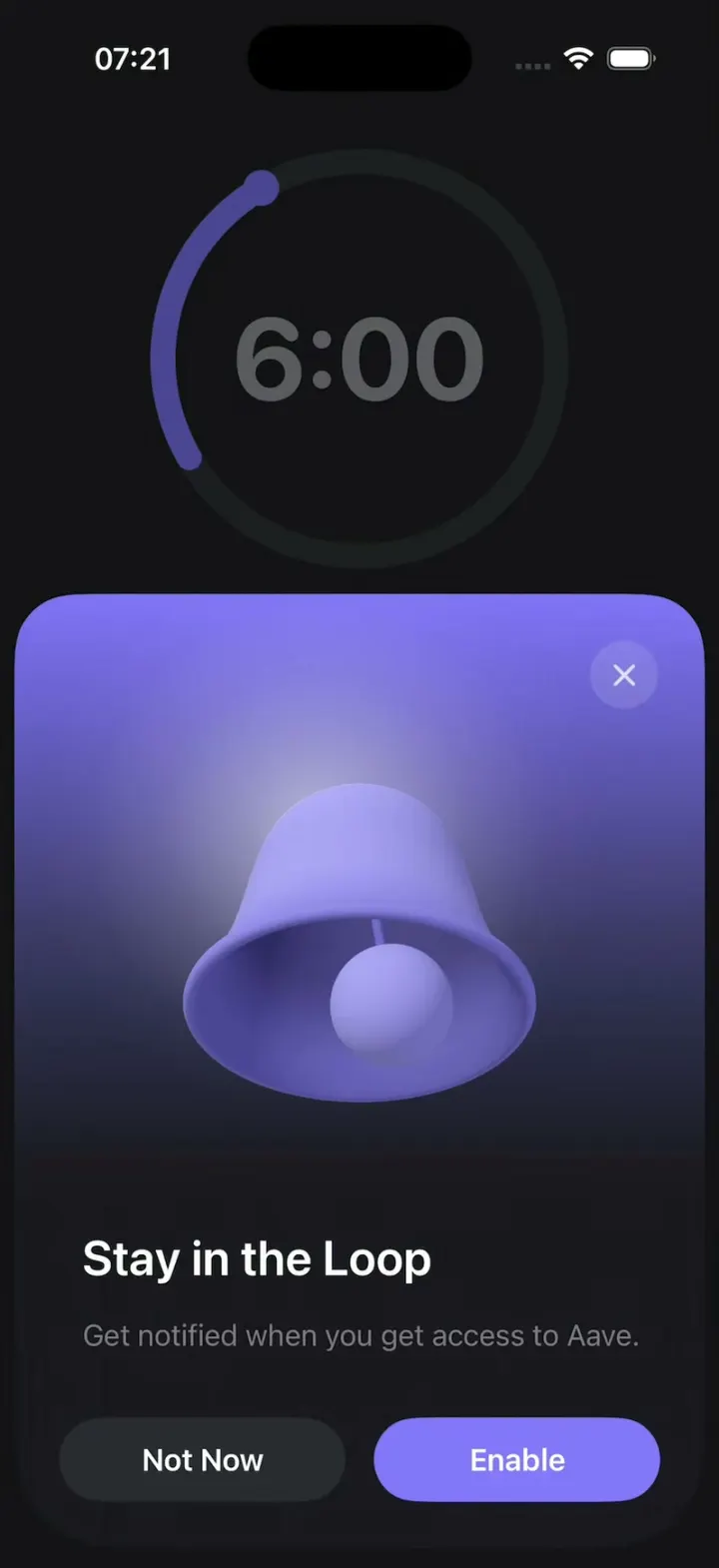
iOSAave's "Stay in the Loop" sheet with a real 3D bell that rings by wobbling around in a circle.
- View template
Plasma Fold
iOSA money app whose promo sheet folds like an iPhone Duo: the photo half swings over the hinge onto a cover.
- View template
Plasma
iOSA money app onboarding screen whose hero is a turning 3D ring of puffy, glossy country-flag badges.