Spotify Duo
Music app · from our videos on X
Browse colourful radio stations and recent albums in a landscape music app. Open the sliding player alongside the Home feed or an album, then expand it to fill the screen. Switch from Housewife to The Fate of Ophelia and scroll through lyrics and artist cards. Local fixture data and bundled stock video make the demo remixable without a streaming account.
- iPhone Duo · Swift
- Built in 1 prompt
- Free to remix
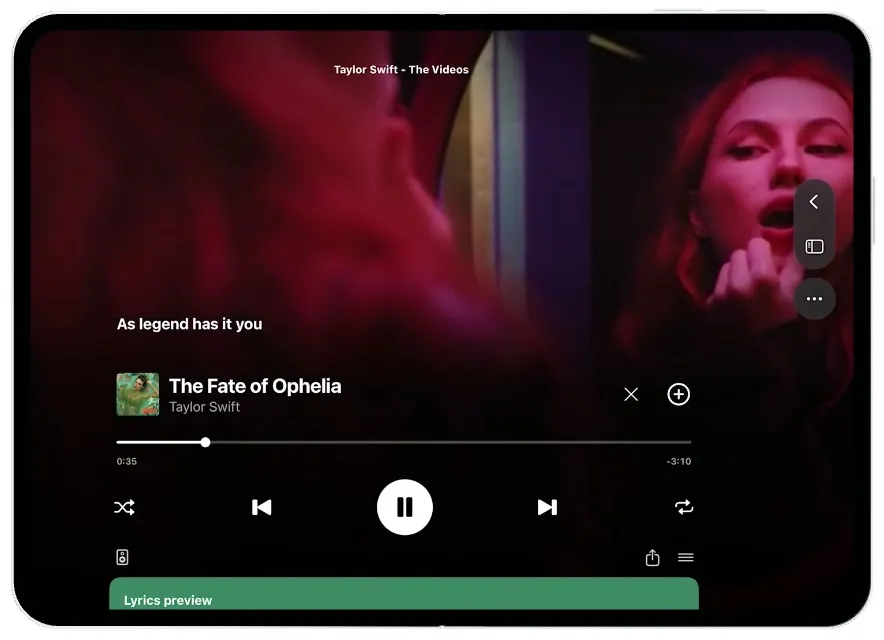
Remix copies the working app into your account for free, exactly as we built it. It runs in Vibecode's cloud iOS simulator, in your browser.
Watch the video on X@ios_app_builder · Nov 5, 2026The prompt that builds it
We built Spotify Duo in one prompt. Paste it into a new app to build your own copy, or change it first.
Prompt · 1,726 words
[image attached][image attached][image attached][image attached][image attached][image attached][image attached][image attached]
Download/reference the app shown in this post and clone it exactly, including the iPhone Duo visual design, layout, interactions, animations, typography, spacing, and visible states. Make it functional and runnable in the simulator. Reference: https://x.com/BetaProfiles/status/2118046220379890042. The attached screenshots are screen crops from its 37-second Spotify demo. Match the app UI, not the BetaProfiles watermark, status overlays, recording dot, or handset frame. Study the screenshots and implement now in small files, get a compiling first version before polishing.

Build a native SwiftUI iOS app named Spotify using Opus 5.5. This is Spotify on the UNFOLDED iPhone Duo, a wide landscape canvas with a tall floating navigation rail at the right and a sliding Now Playing pane on the left. Use the real Spotify name, green colour and recognisable logo. Do not put a handset frame inside the app: the simulator provides that. The folded cover should show the same app in a single-column layout. No account, permissions, backend, MusicKit or remote playback required: use rich deterministic fixtures and bundled local looping video canvases. No onboarding; launch straight into the screenshot's home. Do not publish externally.

The key interaction is the left NOW PLAYING pane, about 41% of the width, sliding in over 0.45s while the home or album page shrinks/reflows into the right 59%. A panel toggle (rectangle with a small vertical inset) at the top left of the player smoothly EXPANDS this player into the WHOLE landscape display. The same toggle on the right rail returns to split view. The close X next to the track returns to the full-width underlying page. Maintain song selection and playback state. Both panes must be live native views, independently scrollable, never screenshots. Use spring transitions without blank frames. The whole demo stays unfolded; no fold gesture is required for the comparison.

Observed sequence, seconds in source: 0-1.6 home with red Housewife mini-player; 1.7-3.8 tap mini-player -> Now Playing slides in at left, home reflows to right. 3.8-4.8 scroll the stations carousel horizontally. 4.8-6.6 tap Housewife title or artwork -> red Housewife single page in right pane. 6.6-8.9 scroll right pane down through More by Tate McRae and You might also like. 9-10.1 tap artist -> a dark translucent bottom sheet showing Tate McRae Artist Follow and Housewife Single with +. 10.1-11 close sheet. 11-12.8 toggle player to full landscape, looping video background. 12.8-14 close full player -> home. 14-17 open Housewife single full-width. 17-19 back home, open Taylor Swift: The Videos playlist. 19-20.5 tap green play -> The Fate of Ophelia becomes active and mini-player becomes green. 20.5-22 split player in from left, playlist on right. 22-24.7 expand player to full width, music video fills background. 24.7-26.2 scroll full player down to green Lyrics preview card. 26.2-29 scroll farther -> About the artist Taylor Swift photo, verified badge, Following, 99.5M monthly listeners, And, baby, that's show business for you with heart, then Discover more about Taylor Swift podcast card. 29-32 scroll back up to video. 32-34.5 collapse to split player and home at right. 34.5-37.3 scroll home vertically: albums and Taylor Swift recommendations. Build all these navigations and interactions, including play/pause, + saved toggle, share, queue, back, home, album and artist sheets. The navigation Home icon must always restore home and collapse the player. Long-press Home resets the whole demo to its initial Housewife/home state so we can film repeatable takes.

GLOBAL STYLE, measured on 915x640 inner-screen crops: background #131313; SF Pro throughout, white and grey #A7A7A7 text, headings about 19-20 px semibold at this reference size, normal labels 12-14 px. Layout scales proportionally to actual inner canvas, using GeometryReader. Content to x=825, right rail at x=850-895, y=355-560. Rail is translucent charcoal capsule with four vertically stacked icons house.fill, magnifyingglass, books.vertical, Spotify circular glyph. Separate circular plus at x=872 y=603. The rail floats over content. In non-home views a back chevron in a separate round translucent circle sits above it. Keep content edge-to-edge with small padding; don't add a standard bottom tab bar. Hide the system status bar on landscape to match the source; no fake clock or connectivity indicators. Selected filter capsule bright green #0FCB43, others #303032.

HOME: top-left circular avatar, All selected green, Music and Podcasts dark capsules. The first visible section is Recommended Stations at y~95. Horizontal scrolling row of six radio tiles, each about 137x137 with 18px gap: Troye Sivan mint #8EF9AB, Sia blue #84B4F4, Selena Gomez lilac #A4A0F5, Rihanna coral #EF545C, Lady Gaga coral #F35957, Charlie Puth yellow #F5DA73. Each tile has tiny Spotify mark top-left, RADIO top-right, collage of 3 circular artist portraits across its middle, large black artist name at bottom. Use real artist portrait/album assets from public artwork sources when accessible (iTunes search artwork is suitable); if unavailable, generate realistic editorial music photography using gpt-image-2.5-flare, never blank coloured rectangles. Under tiles, two-line grey related artist captions. Recents at y340, Show all right, square 110px artworks in horizontal row: Tate McRae Mix (woman blonde outdoors), Sam Smith Radio (purple collage), Taylor Swift: The Videos (brunette on black with thin vertical VIDEO wordmark), Great Expectations (black-and-white choir), The Ultimate Hit Mix (female portrait). Caption and Playlist · Spotify or Single · SIENNA SPIRO beneath. Albums featuring songs you like at y560: more album tiles. Below are So Close To What, The Life of a Showgirl, More like Taylor Swift, Taylor Swift mint radio, First-Person Pop red tile, Sabrina Carpenter portrait, Popular radio. The home must scroll far enough to show all. Mini-player floats horizontally near bottom-centre x~275 y575 w365 h50, red #400813 for Housewife or deep green #224D3D for Ophelia: 42px square art, title and artist, devices, +, pause icons. Tapping its body opens split player; buttons operate separately.

SPLIT PLAYER: left ~41%, rounded top-right corner ~35px, background full-bleed looping video with strong black gradient in lower half for legibility. Header at top: back chevron, panel toggle, centred Tate McRae Mix or Taylor Swift - The Videos. Song lyrics in bold white at about y285 in this 640px-tall panel. Bottom area begins y360: 45px artwork, title Housewife or The Fate of Ophelia in 22px bold and artist Tate McRae or Taylor Swift grey; X and circled + at right. Thin horizontal scrubber y432 with tiny elapsed/negative remaining time below. Transport y500: shuffle, backward.end.fill, big 62px WHITE circle pause, forward.end.fill, lyrics bubble. Devices, share and queue at y565. At very bottom red #CC112C or green #398264 rounded Lyrics preview strip. For the full landscape player, use the same content across width with x margins 90, song row y365, scrubber y450, transport y510, and Lyrics preview spanning the bottom. A vertical ScrollView on full player moves the player controls out of view to reveal the cards below. Header/back/panel controls stay accessible.

VIDEO CANVASES: actual moving muted video, bundled and looped with AVPlayer, never a static placeholder. For Housewife alternate stock money falling and yacht-at-sea clips every 5 seconds: https://videos.pexels.com/video-files/855197/855197-hd_1280_720_30fps.mp4 and https://videos.pexels.com/video-files/6346159/6346159-hd_1280_720_60fps.mp4 . Singer portrait alternative https://videos.pexels.com/video-files/9419421/9419421-hd_720_1366_25fps.mp4 . For Ophelia use a warm-lit vanity/mirror clip https://videos.pexels.com/video-files/7271831/7271831-hd_1280_720_25fps.mp4 . Download via curl, trim each to 6s with ffmpeg if available to keep project small, and bundle. Use .resizeAspectFill and continuous replay without a black gap. Don't try to source copyrighted full songs. Silent playback is fine. Animate progress once per second, starting Housewife at 0:10 / -3:18, Ophelia at 0:00 / -3:45. Lyrics Housewife: Think my paradise is tabloids and flashin' lights. Lyrics Ophelia: I heard you calling; On the megaphone; You wanna see me all alone; As legend has it you; Are quite the pyro. Show a new highlighted lyric every few seconds.

HOUSEWIFE SINGLE: vertical gradient bright cherry #DC0C30 at top to #3F141B middle to #141416 bottom. In full-width view centre a square 240px album cover at top, title Housewife at x100 y~310, artist avatar Tate McRae, Single · Oct 15 · Latest release, a small thumbnail then plus, download and ellipsis buttons, shuffle and green round play at right. Track Housewife / Tate McRae, 1 song · 3min. More by Tate McRae horizontal three albums: Housewife, THINK LATER, SO CLOSE TO WHAT… with captions Latest · Single, 2023 · Album, 2025 · Album. You might also like: TODAY'S TOP VIDEOS, It's a Hit!, POP RISING. In split view the same album page in right pane has cover at top and moves title to x~390; preserve its layout's scale to available width. Tapping the artist shows a bottom material sheet as described, swiping dismisses it.

TAYLOR PLAYLIST: warm brown #704A3F top -> #151515 mid. Centre cover Taylor Swift: The Videos at top, about 160px square, then Every Taylor Swift music video. Watch now., green Spotify logo and Spotify, 177,958 saves · 2h 38m. Small square cover, +, download, ellipsis row, shuffle and bright green 48px circle play at right. Rows with 48px artwork left, title white, artist grey, ellipsis right: The Fate of Ophelia; I Knew It, I Knew You - From "Toy Story 5"; Look What You Made Me Do; Blank Space; You Belong With Me; Cruel Summer; Anti-Hero. Active row title green, equalizer glyph. Playing the first row changes mini-player and all current song UI to Ophelia. The playlist continues to scroll. Playing Housewife returns red state.

FULL PLAYER BELOW VIDEO: green #378263 rounded Lyrics preview card with black bold lines listed above, white Show lyrics button. Next rounded charcoal About the artist card with wide Taylor photo, #6 in Top Artists, verified Taylor Swift, Following capsule, 99.5M monthly listeners, And, baby, that's show business for you with red heart. Next Discover more about Taylor Swift card, Wednesday, June 10, 2026 / Episode · Good Morning America. A pinned top mini-player can appear while scrolled deep. Show lyrics opens a dedicated scrolling lyric sheet; back works.

Use accessible labels on meaningful buttons (Home, Reset demo, Expand player, Collapse player, Close player, Play, Pause, Housewife, Taylor Swift: The Videos). Include a small reset action inside plus menu too. Native animations and scroll physics; all assets bundled, all interactions usable offline. Keep every file you create inside /home/user/workspace (fonts, images, scripts): tool access to /tmp and other paths outside workspace is denied. For image generation, use gpt-image-2.5-flare with the project's proxied OPENAI_API_KEY and https://api.openai.com/v1/images/generations if needed. Build fully, run compile validation, resolve errors, and launch in the web simulator. Prioritise fidelity to the attached reference screens and functional main flow. Deliver complete implementation rather than a plan.
More templates
All templates- View template
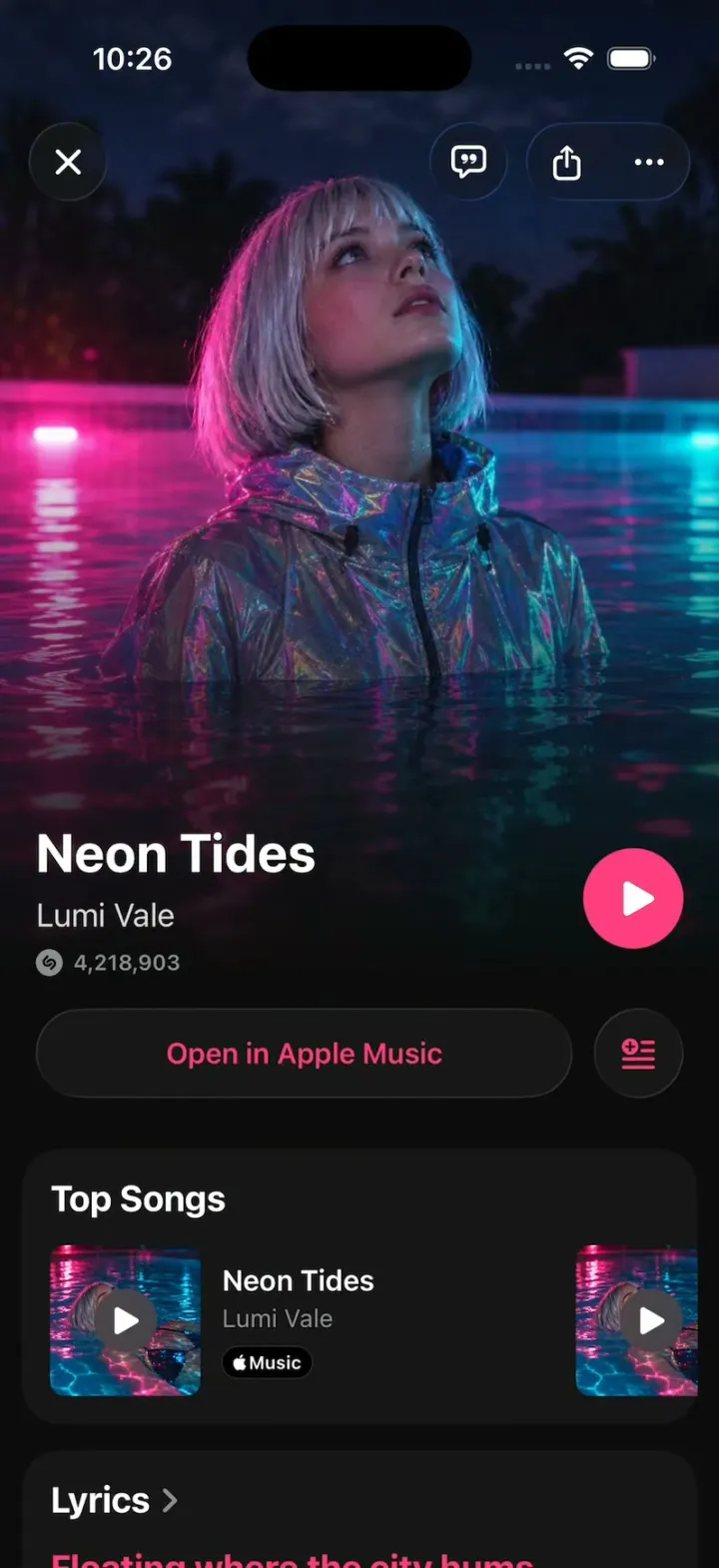
Shazam Clone
iOSShazam's real look: tap the S, rings ripple and the song blooms out of the button; synced lyrics, Auto Shazam.
- View template
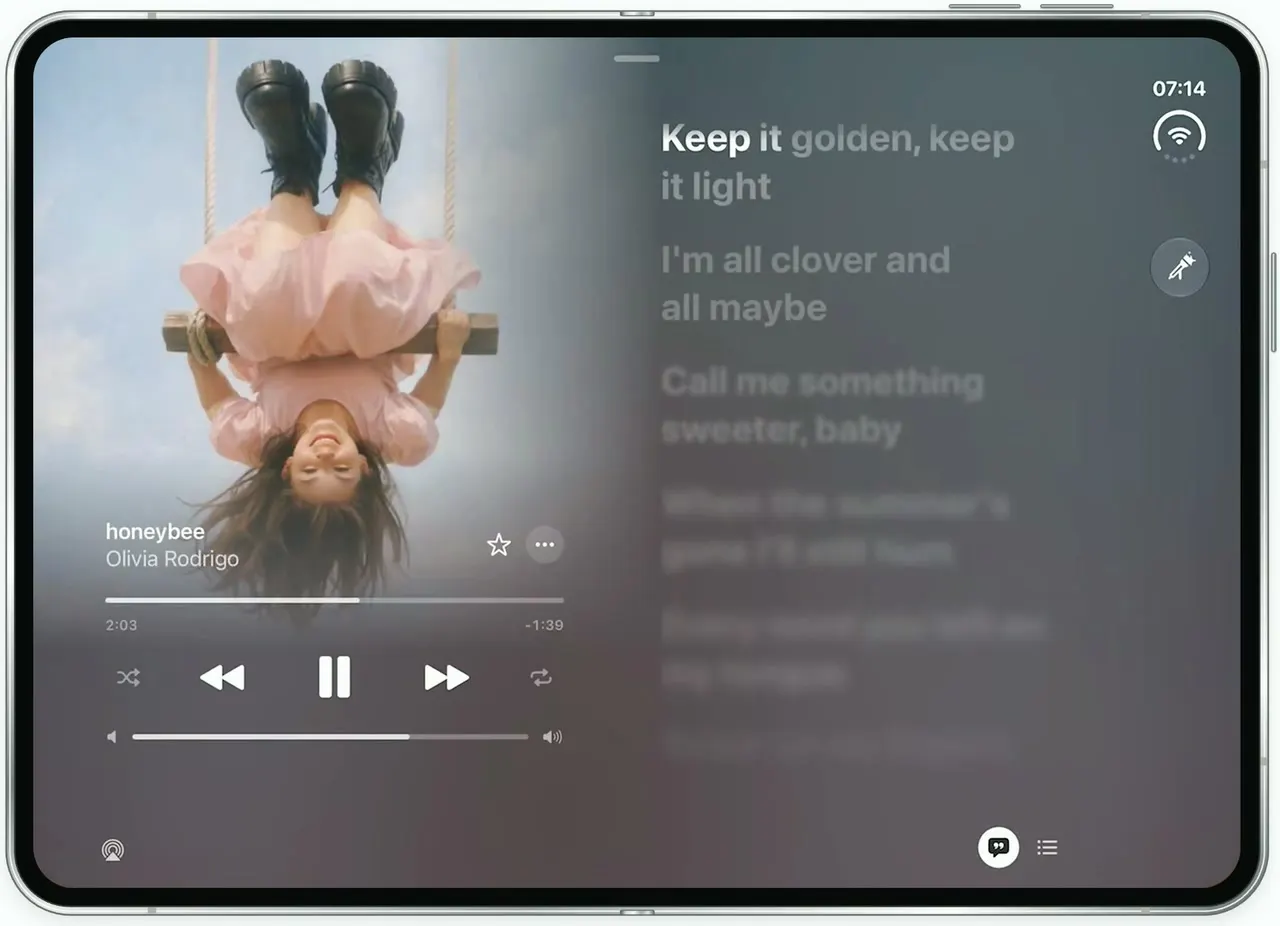
Apple Music Lyrics
iOSApple Music's lyrics view on the unfolded iPhone Duo: full-bleed art, words that light up as they're sung.
- View template
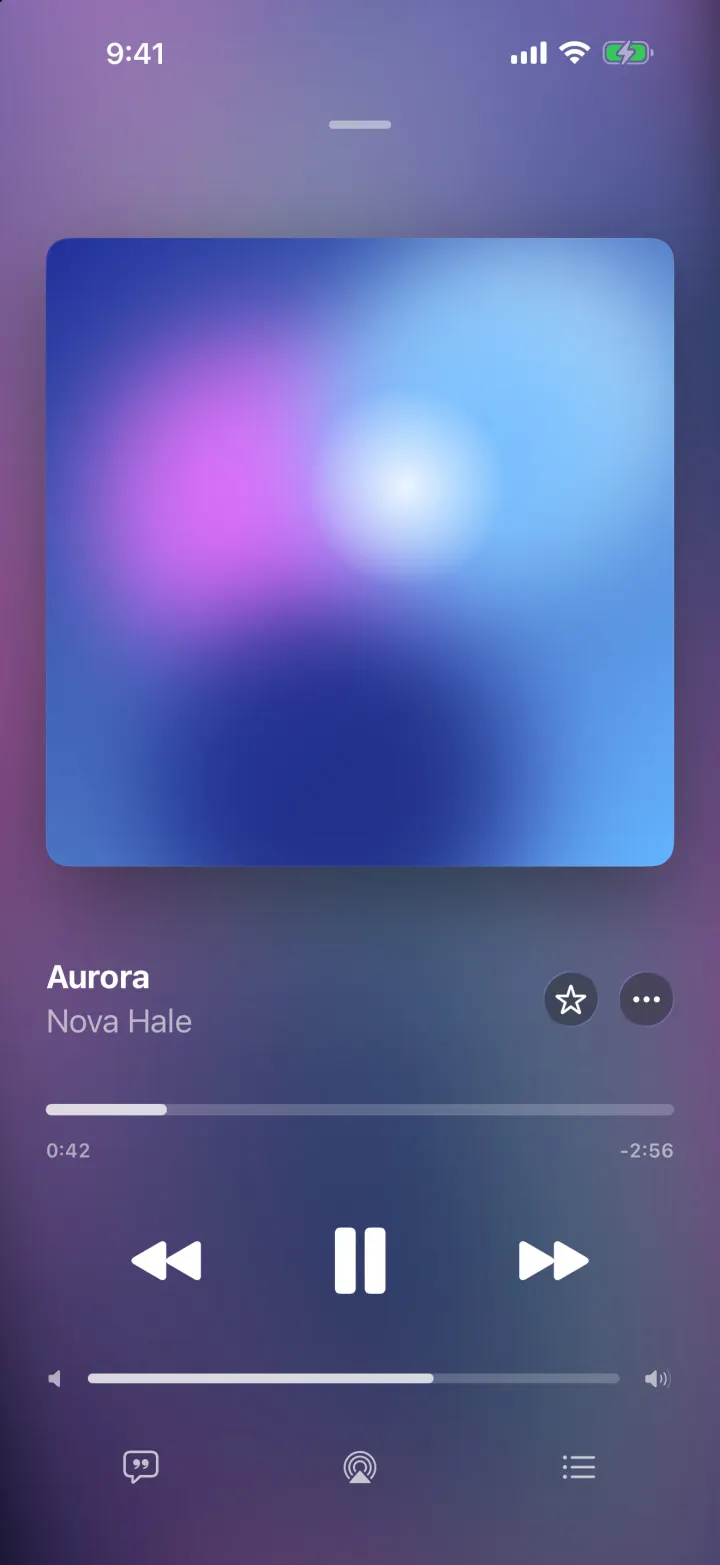
Tempo
iOSA music player with a drifting gradient from the album art, springy artwork and lyrics that scroll in time.
- View template
Mixtapes
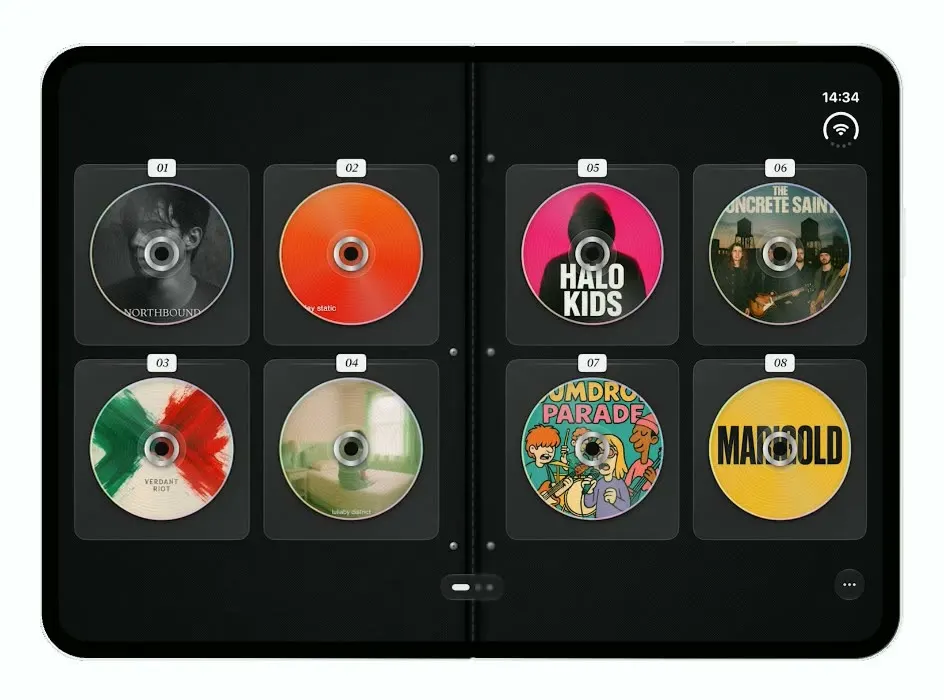
iOSTurns the iPhone Duo into a zippered CD wallet: closed when folded, a binder of CDs to flip through when open.