Mixtapes
Music app · from our videos on X
Mixtapes makes the fold the spine of a CD wallet. Folded, you see the stitched black cover; unfolded, you get pages of CDs in clear sleeves, and swiping turns each sleeve page over the spine like a real binder.
- iPhone Duo · Swift
- Built in 1 prompt
- Free to remix
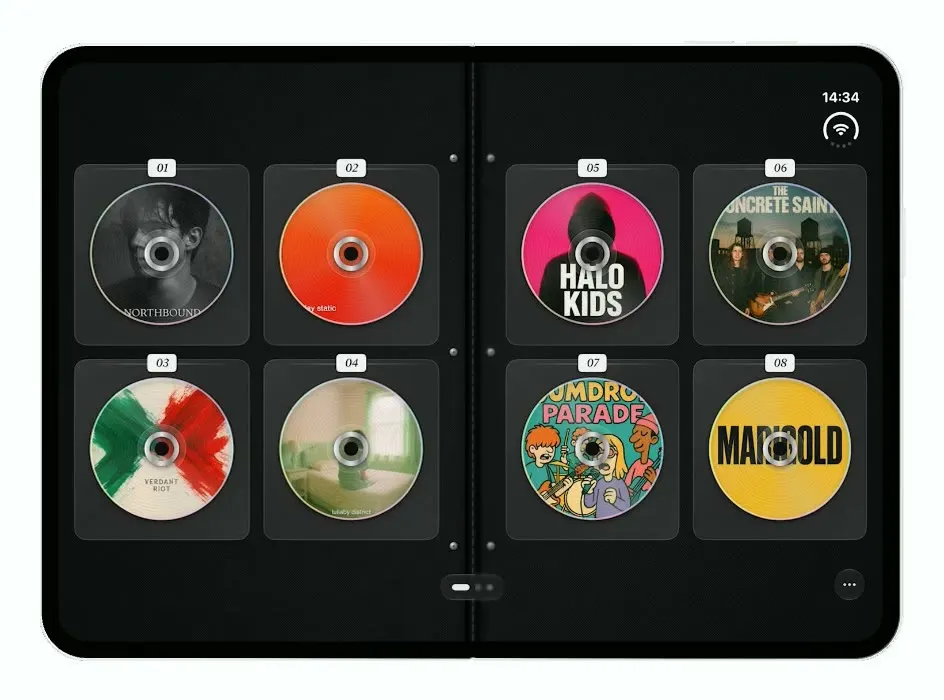
Remix copies the working app into your account for free, exactly as we built it. It runs in Vibecode's cloud iOS simulator, in your browser.
Watch the video on X@anshnanda · Oct 9, 2026The prompt that builds it
We built Mixtapes in one prompt. Paste it into a new app to build your own copy, or change it first.
Prompt · 732 words
Clone the app shown in this post exactly, including the iPhone Duo visual design, layout, interactions, animations and all visible states. Make it functional and runnable in the simulator. Reference: https://x.com/vishlbhardwaj/status/2108218452683137060 (a 19-second demo). The video is uploaded as source.mp4 in project Files; inspect it if you can find it.

Build a native SwiftUI iOS app named Mixtapes using Opus 5.5. It turns the iPhone Duo into a zippered CD wallet: folded, the narrow cover screen is the closed wallet; unfolded, the wide screen is the open binder spread full of CDs in clear plastic sleeves. Switch layouts on the available width (narrow = closed cover, wide = open binder) with a quick crossfade, and keep the current page across fold/unfold. Do NOT put a fake handset frame inside the app; the simulator provides that. No permissions prompts, no backend, deterministic content. Do not publish externally.

Observed video sequence (0-19s): 0.0 folded: the closed black wallet cover. 0.5 the phone unfolds: the open binder appears with sleeves 01-04 on the left page and 05-08 on the right. 2.75 it folds shut (cover again), 5.25 unfolds again. 7.75 the user swipes left on the right page: the right-hand sleeve sheet lifts and turns over the spine like a real binder page (3D rotation around the spine with perspective, the clear plastic catching a soft highlight as it turns; you briefly see sleeves 05-08 on its front, then its back carrying 09-12 lands on the left page) revealing 13-16 on the right; the page dots advance. 10.25 another swipe: spread 17-20 | 21-24. 12.25 swipe right: the sheet turns back the other way to 09-12 | 13-16; 15.0 swipe right again to 01-04 | 05-08. 17.0 the phone folds shut on the cover.

Closed cover (narrow screen, full bleed): fine woven black fabric (#141414 with a subtle crosshatch texture) and a light grey stitched border (dashed stitches, about 14pt inset from the edges, rounded corners). Centred, a slightly raised dark grey label patch (#232323, 18pt radius, its own dashed stitching, soft drop shadow) about 60% of the width, holding a grey disc icon, "Mixtapes" in SF Pro Display 36pt bold #9A9A9A, and under it a small light grey handwritten signature reading "Side A" (script). On the right edge, two thirds of the way down, a silver zipper pull (a vertical brushed-metal tab with a small slot). Bottom centre a 36pt round dark glass button with "…".

Open binder (wide screen, full bleed): the same black fabric; a dark vertical spine in the middle (#0A0A0A, 18pt, with a faint stitched line) and small silver binder rivets on each page next to the spine. Each page has a 2x2 grid of clear plastic sleeves: rounded rectangles (14pt radius) filled with translucent dark grey (#2A2A2A at 80%) with a thin lighter border and a faint glossy highlight line across the top. At the top of each sleeve, a small white paper label tab (slightly off-white #F2F2F2, 4pt radius, soft shadow) with the sleeve number in italic serif, "01" to "24". Inside each sleeve a CD (about 82% of the sleeve width): a circular printed disc showing album art, a thin iridescent rim, a silver centre hub ring and a dark centre hole, plus subtle concentric grooves and a light sheen. Bottom centre a dark glass capsule with 3 page dots (current one wide); bottom right a 36pt round "…" button.

The 24 album covers: generate 24 original, varied album artworks with your image generation tool (do NOT use real artists, logos or album covers): moody portrait photos, a bright orange gradient with lowercase type, an abstract green and red paint splash, a pastel room with a figure, a neon pink cover with a hooded figure, a gritty rooftop scene with a band-name wordmark, a cartoon band of four, a sunflower-yellow wordmark cover, a white minimal cover, a black-and-gold vinyl look, and so on. Invent band names for any typography. Bundle them as assets.

Page turning: swipe left/right anywhere on the binder (or tap the right/left page edge). The turning sheet uses rotation3DEffect around the spine with perspective, a shadow sweeping across the page underneath, and spring timing (~0.8 s). 3 spreads: 01-08, 09-16, 17-24.

Build fully, run compile/build validation, resolve all errors, and launch in the web simulator on iPhone Duo. Prioritize fidelity to the reference and the page-turn interaction. Deliver complete implementation rather than a plan.
More templates
All templates- View template
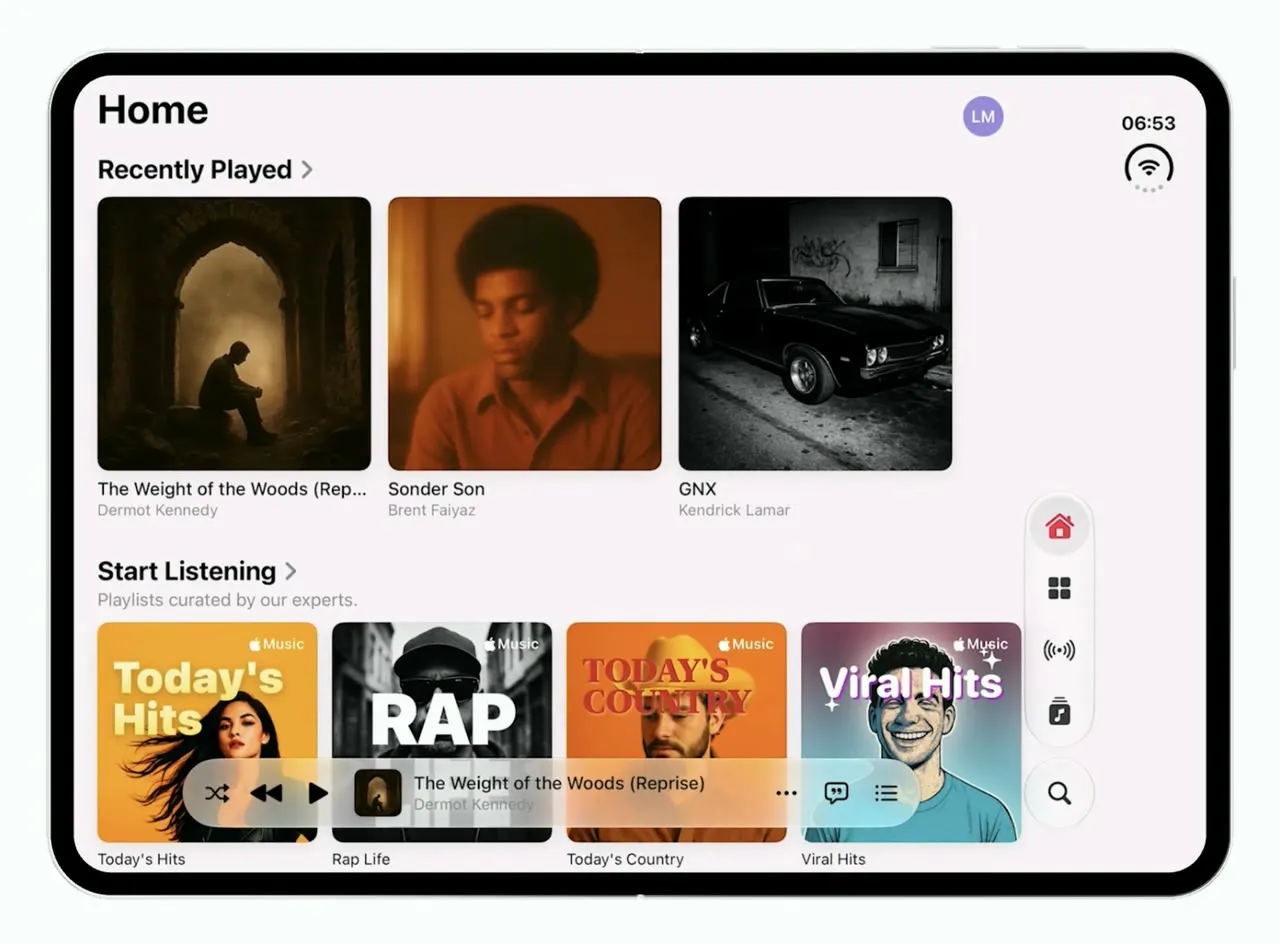
Music
iOSApple Music's iOS 26 look on the foldable iPhone Duo: one column when folded, wide shelves when open.
- View template

Keepy
iOSCounts your football juggling touches from a clip or the live camera, with ball tracking and rhythm stats.
- View template
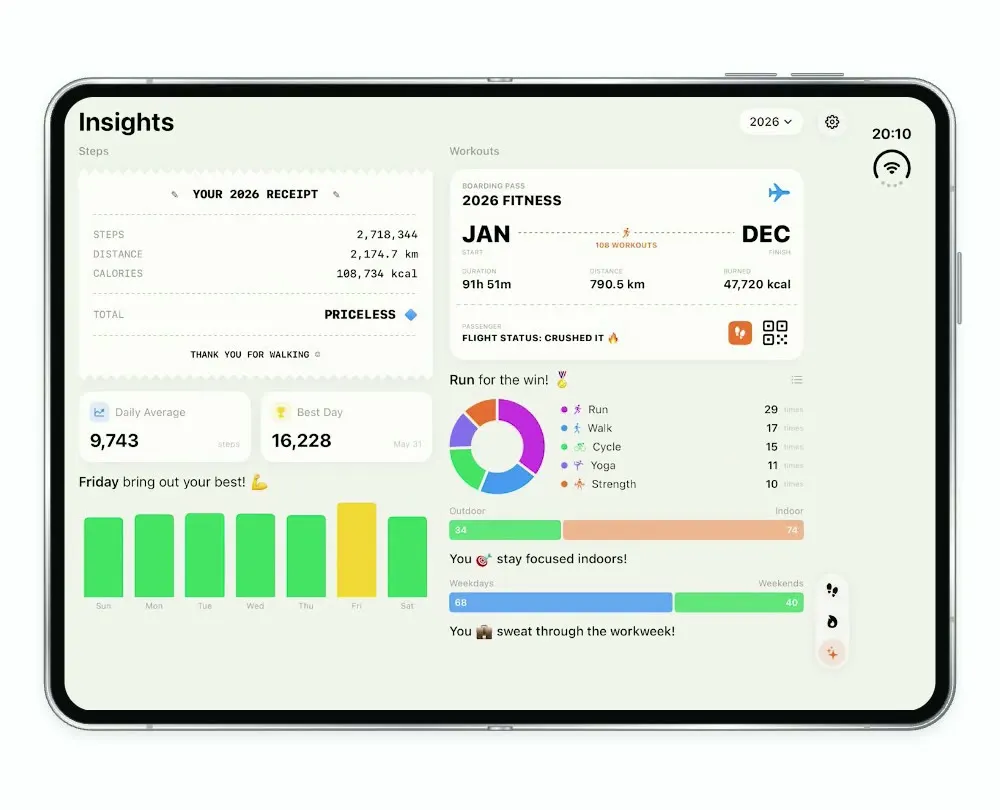
Steps Duo
iOSA step and workout tracker for the foldable iPhone Duo, with a calendar, run maps and shareable stat cards.
- View template
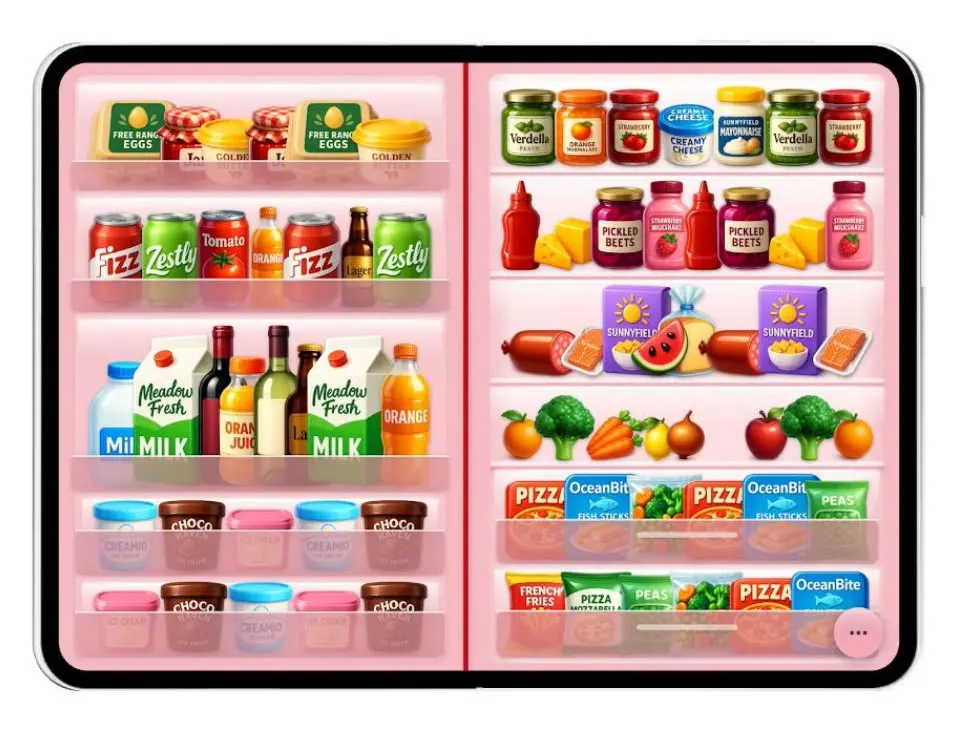
Duo Fridge
iOSTurns the iPhone Duo into a fridge: folded it is the door with magnets, unfolded it is the stocked shelves.