Pinterest Clone
Lifestyle app · from our videos on X
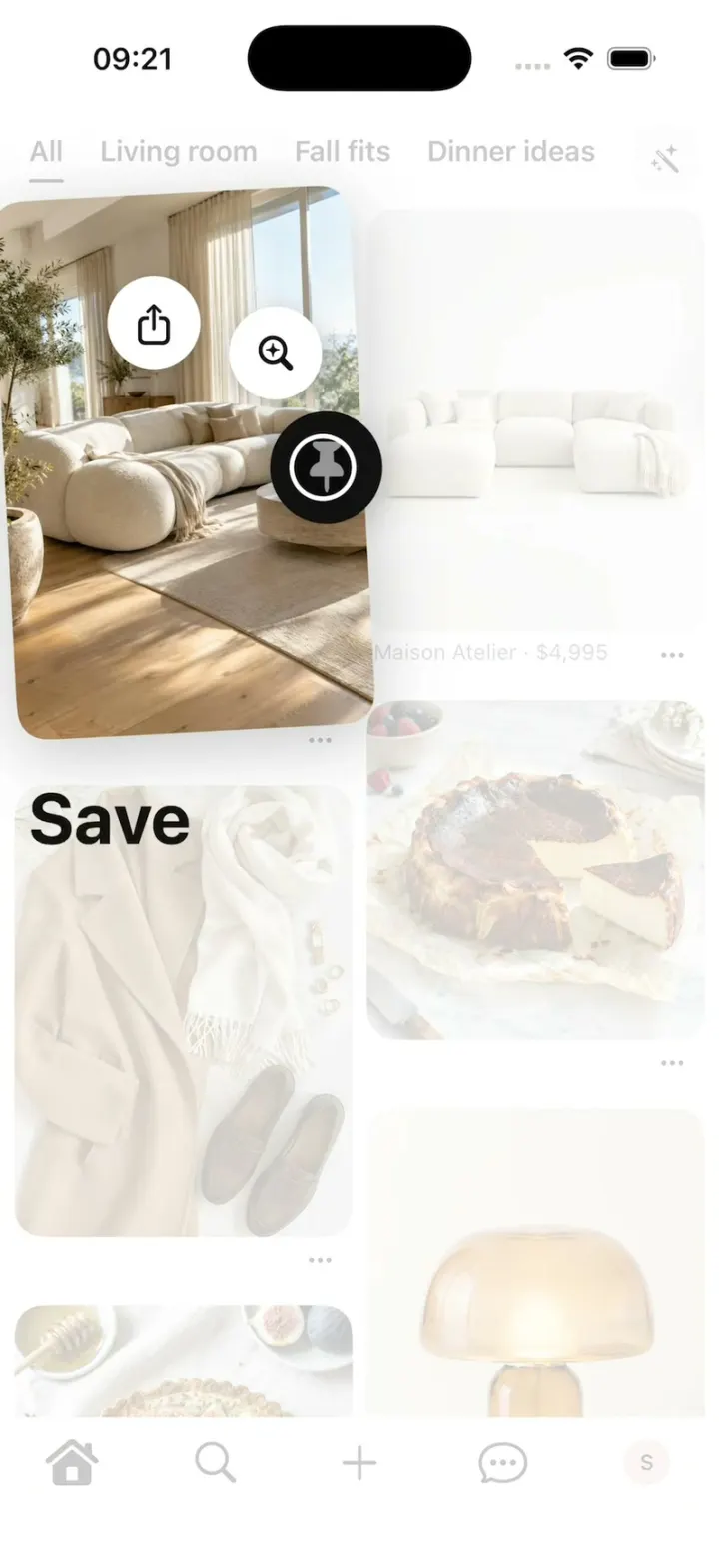
Pinterest Clone rebuilds Pinterest's iPhone app in its current design, with its real name, red and P badge. Scroll the two-column masonry of Pins under the All and board tabs, long-press a Pin to lift it and slide onto Save, and "Saved to Living room" slides down with Organize. Tap a Pin for its closeup with Shop the Pin and More to explore, save it to any board, open your boards with their three-image covers, and swipe Search's Trending now carousel. Every Pin, person and photo is fictional, made by gpt-image-2.5-flare, and the README shows how to add a long-press action or plug in a real backend.
- iPhone · Swift
- Built in 2 prompts
- Free to remix
Remix copies the working app into your account for free, exactly as we built it. It runs in Vibecode's cloud iOS simulator, in your browser.
Watch the video on X@vibecodeapp · Nov 4, 2026The prompt that builds it
We built Pinterest Clone in 2 prompts. Here they are folded into one, so a single paste into a new app builds the finished version.
Prompt · 2,168 words
Build a polished native iOS clone of Pinterest in SwiftUI: the Home feed with board tabs, the long-press save, "Saved to <board>", the Pin closeup with Shop the Pin and More to explore, Save to board, Search, Create, Messages, and your saved Pins and boards, in Pinterest's current design.

It is Pinterest on screen: its name, its red, the P badge (exact geometry below) and its own words (quoted). The attached screenshots are the real app: 1 Home, 2 the long-press save, 3 "Saved to Profile" on a closeup, 4 a Pin closeup, 5 Save to, 6 Boards, 7 Search. Copy their layouts, sizes and words; every Pin, person and photo is fictional (below). Don't copy the screenshots into the repo. Light mode only. The user is Sam Rivera.

SHELL
A white tab bar, five icons, no labels: Home (house, filled when active), Search, + (Create), Messages (chat bubble), Saved (Sam's 26 pt pink "S" circle). Opens on Home: no splash, onboarding, login, paywall or permission prompt. The status bar is always visible.

SCREENS
1. Home (as attached): a top row of tabs "All", "Living room", "Fall fits", "Dinner ideas" (16 pt semibold, the active one underlined 2 pt) and a 36 pt #EFEFEF rounded square with a wand icon on the right. Below, a two-column masonry (8 pt gutters and margins) placing each Pin in the shorter column, in list order. Pins keep their own aspect ratio with 16 pt corners; under each a small "⋯" on the right, and on product Pins a line "<shop> · <price>" (12 pt, #767676). A board tab shows "<board>" (bold 28), "<n> Pins", "Your saves →" (a row of 4 square thumbnails) and "More ideas for this board". Tap a Pin: its closeup. Long-press: the save fan. Pull to refresh shows Pinterest's three bouncing dots.
2. The long-press save fan (as attached, 2): a white veil (78%, so the grid stays faintly visible) fades over everything except the pressed Pin, which lifts to 1.06x, tilts -3° and gets a soft shadow; three 52 pt white circles (shadow) spring out on an 80 pt arc above the finger, staggered 0.06 s: Share (up-arrow tray), Search (lens), Save (pin). The circle under the finger turns black with a white icon at 1.2x, and its word appears bold 40 pt black at the left, 24 pt below the lifted Pin ("Share", "Search", "Save"). Release on Save saves to the last board; on Share opens the share sheet; on Search opens the closeup's "More to explore"; elsewhere cancels. Near a screen edge the arc turns to stay on screen.
3. Toast (as attached, 3): a #333333 bar, 14 pt corners, 12 pt from the top under the status bar: the Pin's 36 pt thumbnail, "Saved to <board>" (white, 15 pt), a white "Organize" pill that opens Save to. It slides down (0.25 s), holds 2 s, slides up.
4. Pin closeup (as attached, 4): a back circle; the image full width, 16 pt corners, a lens circle on its lower right; a row: ♡ count (turns red), comment count, share, ⋯, and a red "Save" pill on the right, which becomes a black "<board> ⌄" split pill once saved; the creator (24 pt avatar, name); title (bold 20), one line of description; for product Pins "Shop the Pin →" with a row of product cards (photo, shop, title, price); "More to explore" masonry. It opens with a hero zoom: the image grows from its exact grid frame (0.35 s spring) while the feed fades to white.
5. Save to (as attached, 5): X, "Save to"; "Your boards" rows (40 pt cover, name), "Profile"; "Select to create a new board": Fits, Stuff to buy, Places to visit, Projects to try, Things to wear; a red "+ Create board" bar. A pick saves and shows the toast.
6. Search (as attached, 7): a full-bleed 3-page hero carousel ("Trending now / Cozy reading nooks", "Iconic eras / 70s living rooms", "Popular now / Fig tarts") under a floating "Search Pinterest" bar (mic, camera); page dots; "Ideas for you / Fall outfit inspirations" with a 4-photo strip; "21 trends. Unlimited possibilities. / Pinterest Predicts 2026 →"; "Popular on Pinterest / Thanksgiving tables". Typing filters Pins by title live into a masonry.
7. Create (+): a sheet "Start creating now" with Pin, Collage, Board. Board: a name field and a red "Create".
8. Messages: "Messages", a pencil, three chats (Maya: "omg this kitchen 😍" + a Pin; Leo: "found the lamp"; Priya: "saving this for thanksgiving").
9. Saved (as attached, 6): the S avatar, tabs "Pins", "Boards", "Collages"; "Search your saved ideas" + "+"; chips "↑↓", "Group", "Secret", "Archived"; boards in two columns, each cover one big image left and two stacked right (16 pt corners), name bold 16, "<n> Pins · 2d"; "Unorganized ideas" + "Organize". A board opens: back, ⋯, name bold 28, "<n> Pins", "More ideas" | "All saves", masonry, a floating white pill toolbar: Organize, More ideas, Shop. No dead buttons: anything else opens a small sheet.

PINS (fictional; title, board, aspect, shop · price for products), Home's All feed in this order:
1 Sunlit living room with a cloud sofa (Living room, 2:3). 2 Cloud Sofa, Maison Atelier · $4,995 (4:5). 3 Burnt Basque cheesecake (Dinner ideas, 1:1). 4 Camel coat and loafers flat lay (Fall fits, 3:4). 5 Mushroom table lamp, Studio Lumen · $1,250 (3:4). 6 Fig and honey tart (2:3). 7 Chrome almond nails, hands only (3:4). 8 Green kitchen with brass taps (Living room, 2:3). 9 Reading nook under the stairs (2:3). 10 Lemon ricotta pasta (Dinner ideas, 4:5). 11 Zellige tile bathroom (3:4). 12 Ranunculus bouquet in paper (2:3). 13 Suede loafers, Hollis & Rowe · $695 (1:1). 14 Amalfi balcony at golden hour (2:3). 15 Cream cable-knit sweater, Wren Knitwear · $420 (4:5). 16 Fall table setting (3:4). 17 Arched mirror hallway (2:3). 18 Matcha latte art (1:1). 19 Gold hoops on linen (4:5). 20 Cottage garden path (2:3). 21 Velvet armchair, Oak & Ivory · $2,180 (1:1). 22 Cinnamon rolls (4:5). 23 Boucle bench at the foot of a bed (3:4). 24 Candlelit dinner party (2:3).
Creators (names only, no @handles): Maya Chen, Leo Park, Priya Shah, Sam Rivera. Likes 120-2.4k, comments 3-86.
Boards: Living room (12 Pins), Fall fits (9), Dinner ideas (14), Bathroom reno (6), Garden (5).

HOOK (the video's first 3 seconds)
- HOOK MODE: tapping an invisible 44x44 pt area centred at x 201, y 62 (just under the status bar, above the tab row), on every screen and above everything (a tap closes whatever is open), plays this run from the top of Home's All feed, identical every time, through the real long-press, save, toast and closeup code (seconds from the tap): 0.00 in one frame Home appears at the top of All, every Pin drawn, no veil, with the touch dot already on Pin 1 (HOOK MODE only: 44 pt, black 35%, a 3 pt white ring and a soft shadow, above the veil and every sheet; it scales 0.6 → 1 as it lands, sits at 0.85 while pressing and glides between points); 0.10-0.35 the veil fades in once as Pin 1 lifts and tilts; the circles spring out 0.25-0.50; 0.55-0.85 the dot glides onto Save, Save turns black and grows, "Save" pops in at 0.70; 1.15 release: haptic; the word and the black Save circle stay until the circles have shrunk into the dot (0.15 s); Pin 1 springs from lifted and tilted back into its slot over 0.3 s, visible all the way; the veil fades over 0.2 s; 1.25-1.50 the toast "Saved to Living room" slides down; 1.95 the toast slides up as beat 2 starts: the dot taps Pin 2 (pressed 0.97 for 0.1 s), 2.05-2.40 the hero zoom into its closeup (Shop the Pin: Cloud Sofa, $4,995); 3.30-4.10 the closeup scrolls to "More to explore", stopping with the title clear below the floating back circle; hold to 8.0.
- HOOK MODE is a list of beats in DemoScript (long-press with an action, tap, scroll, waits), and the long-press actions are one PinAction list (icon, label, colour, handler), so a remix can add an action or swap a beat.
- What the eye must see: every Pin image decoded at launch, off the main thread, and drawn on its first frame (never a grey tile); the lifted Pin and circles fully opaque above the veil; the word replaces the previous word in one frame and holds until release; circles shrink away, never vanish in one frame; the Pin springs back, never jumps; the hero zoom has no flash and no double image; flashes at most 0.12 s at 35%. HOOK MODE uses these times, never the normal delays.

PINTEREST MARK (Simple Icons "pinterest", CC0; the badge with the P cut out; #E60023; it is also the app icon, centred on white)
struct PinterestMark: Shape {
    func path(in r: CGRect) -> Path {
        func pt(_ x: CGFloat, _ y: CGFloat) -> CGPoint { CGPoint(x: r.minX + x * r.width, y: r.minY + y * r.height) }
        var p = Path()
        p.move(to: pt(0.5, 0))
        p.addCurve(to: pt(0.001, 0.499), control1: pt(0.224, 0), control2: pt(0.001, 0.223))
        p.addCurve(to: pt(0.318, 0.964), control1: pt(0.001, 0.711), control2: pt(0.132, 0.891))
        p.addCurve(to: pt(0.32, 0.821), control1: pt(0.314, 0.925), control2: pt(0.31, 0.864))
        p.addCurve(to: pt(0.378, 0.573), control1: pt(0.329, 0.782), control2: pt(0.378, 0.573))
        p.addCurve(to: pt(0.364, 0.498), control1: pt(0.378, 0.573), control2: pt(0.364, 0.543))
        p.addCurve(to: pt(0.454, 0.377), control1: pt(0.364, 0.429), control2: pt(0.404, 0.377))
        p.addCurve(to: pt(0.517, 0.447), control1: pt(0.497, 0.377), control2: pt(0.517, 0.409))
        p.addCurve(to: pt(0.476, 0.614), control1: pt(0.517, 0.49), control2: pt(0.49, 0.554))
        p.addCurve(to: pt(0.55, 0.704), control1: pt(0.464, 0.663), control2: pt(0.501, 0.704))
        p.addCurve(to: pt(0.707, 0.475), control1: pt(0.638, 0.704), control2: pt(0.707, 0.61))
        p.addCurve(to: pt(0.498, 0.272), control1: pt(0.707, 0.356), control2: pt(0.621, 0.272))
        p.addCurve(to: pt(0.273, 0.489), control1: pt(0.356, 0.272), control2: pt(0.273, 0.379))
        p.addCurve(to: pt(0.31, 0.603), control1: pt(0.273, 0.532), control2: pt(0.289, 0.578))
        p.addCurve(to: pt(0.313, 0.618), control1: pt(0.314, 0.608), control2: pt(0.314, 0.613))
        p.addCurve(to: pt(0.299, 0.674), control1: pt(0.31, 0.633), control2: pt(0.301, 0.668))
        p.addCurve(to: pt(0.283, 0.681), control1: pt(0.297, 0.684), control2: pt(0.292, 0.686))
        p.addCurve(to: pt(0.181, 0.488), control1: pt(0.22, 0.653), control2: pt(0.181, 0.561))
        p.addCurve(to: pt(0.511, 0.186), control1: pt(0.181, 0.33), control2: pt(0.296, 0.186))
        p.addCurve(to: pt(0.819, 0.474), control1: pt(0.685, 0.186), control2: pt(0.819, 0.309))
        p.addCurve(to: pt(0.56, 0.785), control1: pt(0.819, 0.646), control2: pt(0.711, 0.785))
        p.addCurve(to: pt(0.445, 0.728), control1: pt(0.509, 0.785), control2: pt(0.461, 0.759))
        p.addLine(to: pt(0.413, 0.846))
        p.addCurve(to: pt(0.351, 0.977), control1: pt(0.402, 0.89), control2: pt(0.372, 0.944))
        p.addCurve(to: pt(0.499, 1), control1: pt(0.398, 0.992), control2: pt(0.447, 1))
        p.addCurve(to: pt(0.998, 0.5), control1: pt(0.774, 1), control2: pt(0.998, 0.776))
        p.addCurve(to: pt(0.499, 0.001), control1: pt(0.998, 0.224), control2: pt(0.774, 0.001))
        p.addLine(to: pt(0.5, 0))
        p.closeSubpath()
        return p
    }
}

LOOK
Pinterest red #E60023 (Save, Create board, the mark), ink #111111, secondary #767676, grey squares and chips #EFEFEF, hairlines #E9E9E9, toast #333333, liked heart #E60023. SF Pro; titles bold and tight; generous white space.

RULES
- Native SwiftUI, iOS 26 (keep the template's target), iPhone portrait, light mode.
- Deterministic fixtures. No backend, login, permissions, analytics or network calls. No persistence: delete the SwiftData starter, no UserDefaults or files.
- Images with gpt-image-2.5-flare (run env; POST https://api.openai.com/v1/images/generations with the project's OPENAI_API_KEY): one photo per Pin (1024x1536 for tall Pins, 1024x1024 for square, cropped to each Pin's aspect), the products shot on clean light backgrounds; portraits of Maya, Leo, Priya and Sam. Bright, natural, aspirational Pinterest look; no faces except the portraits; no text, logos or celebrities. A #EFEFEF tile until each exists.
- Springs under 350 ms, haptics on save and release, nothing hidden under the tab bar.
- Files under 300 lines, big bodies split into subviews, no long chained expressions.

REMIX-READY
Theme/Brand.swift (name, a Copy enum with every word), Theme/Theme.swift (role colours, fonts; no colour literals elsewhere), Theme/PinterestMark.swift, Data/Fixtures.swift (Pins with title, board, aspect, image, creator, counts and an optional product: shop, title, price; boards; users; chats; Codable, String ids; a new Pin = one entry), Data/DemoScript.swift (HOOK MODE beats), Features/LongPress/PinActions.swift (the action list), Components/Masonry.swift, PinCard, Toast. One AppDataSource protocol (FixtureDataSource) feeding one @Observable AppStore; views never read Fixtures. Features/<Screen>/. README.md under 80 lines: file map; how to rename, recolour, add a Pin or board, add a long-press action, change a HOOK MODE beat, plug in a real backend; 3 one-prompt remixes ("Pinterest for dupes: a long-press action that flips any product Pin to a cheaper look-alike", "for tattoo artists' portfolios", "for your own closet"). "Read README.md first." atop CLAUDE.md and ios/AGENTS.md; replace ios/CLAUDE.md's structure block with this app's files. No scratch folders.

FILMING
Long-press the "All" tab to reset everything to launch.

BUILD
Theme, Brand, the mark, Fixtures, DemoScript, then the masonry and PinCard, Home, the long-press fan and toast, the closeup with its hero zoom, Save to, then HOOK MODE, then Search, Create, Messages, Saved and board detail, in small files with a one-line status per screen; launch in the simulator every two or three files. Start the images as a background job once Home runs; check each file exists, never view them. Walk each flow once and fix what breaks; no pixel measuring or debug modes. Deliver the whole app, not a plan.
More templates
All templates- View template
Bite Club
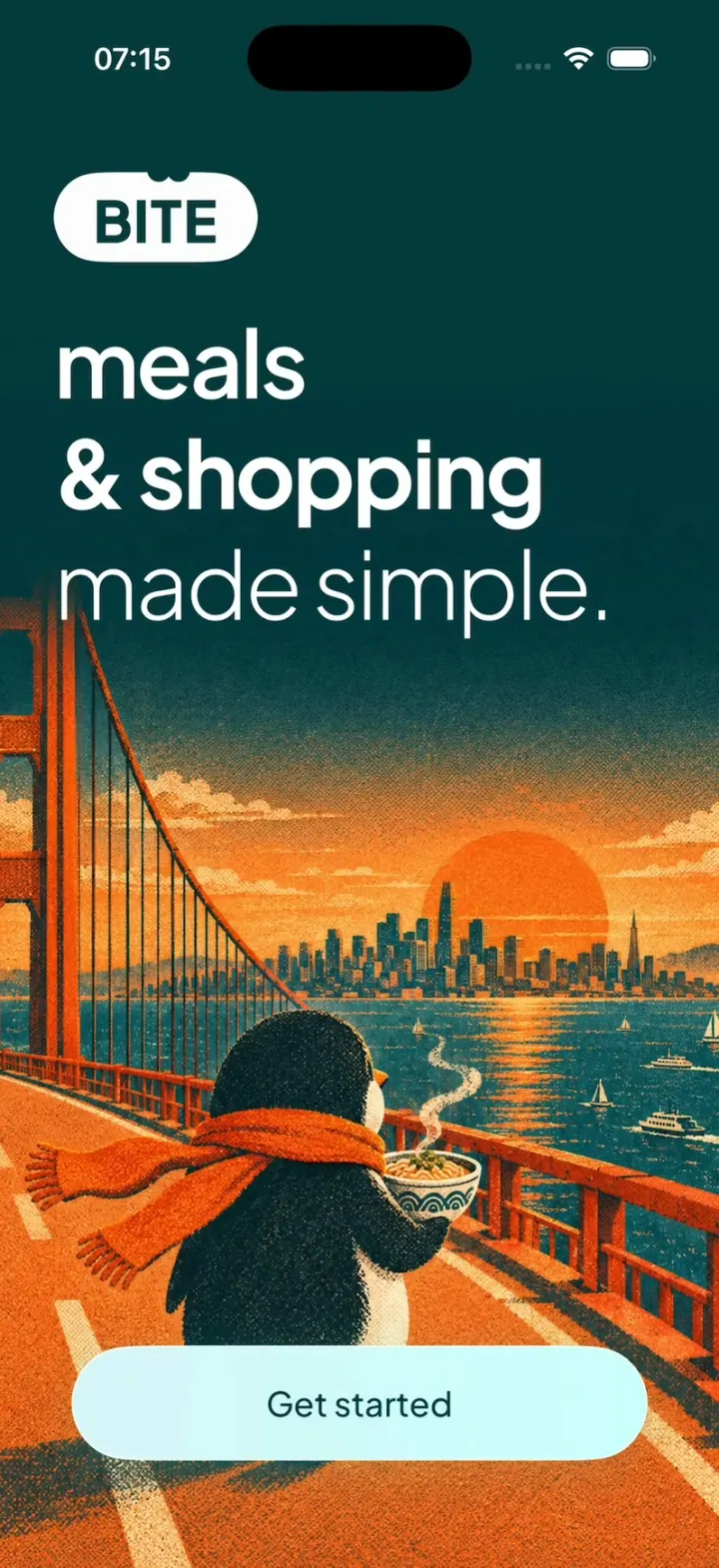
iOSA penguin meal planner: 3-tap quiz, a week you drag dishes around, a tick-off grocery list, cook timer, XP.
- View template
Energy Drink Store
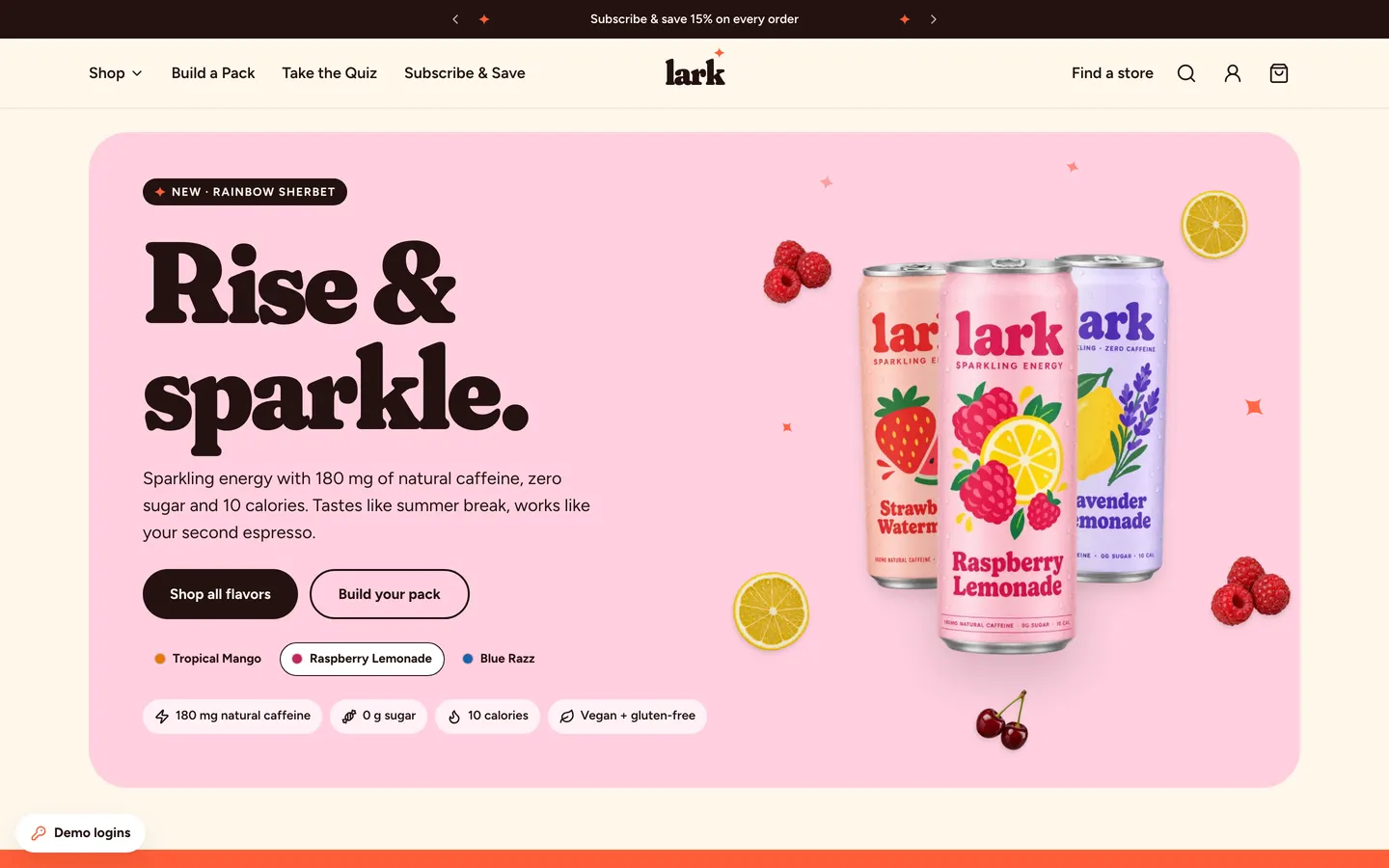
WebPastel energy-drink store with Shopify-style checkout, Subscribe & Save 15%, a pack builder and full admin.
- View template
Sneaker Boutique Shop
WebA loud sneaker store with card, cash-on-delivery and WhatsApp checkout, Arabic RTL and a full owner admin.
- View template
DoorDash Clone
iOSDoorDash's live tracking: the red Dasher dot, the four-step tracker, drop-off photos, menus and checkout.