Bite Club
Food app · from our videos on X
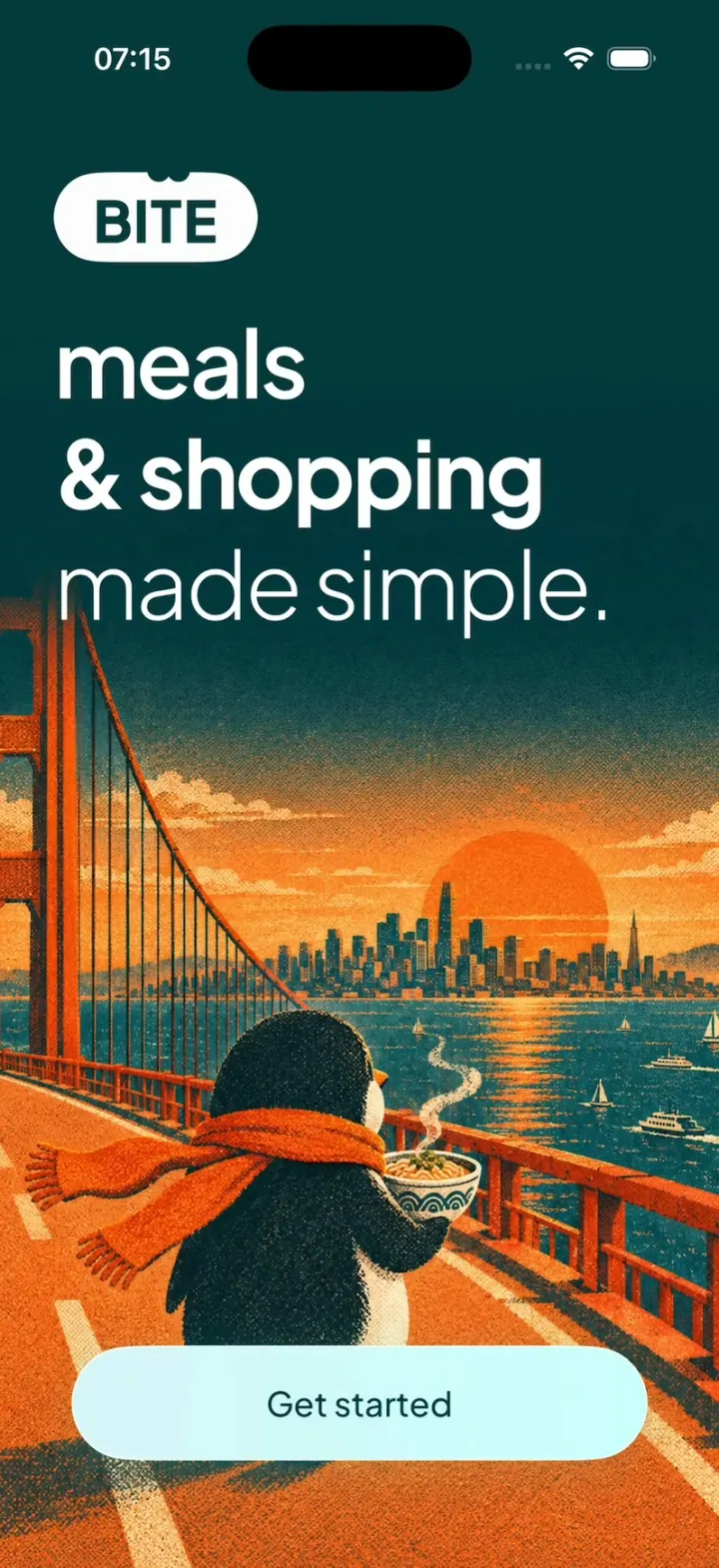
Bite Club is a dark teal meal planner with a penguin mascot: the BITE logo draws itself, a scarfed penguin walks a bridge at sunset, and a three-question quiz (goal, diet, what to leave out) builds your week. Today shows your calories, the next meal as a card you can cook from, and a "Your list is ready" grocery card. In Plan you hold a dish and drop it on another slot to swap it; in List each tick counts down "54 left of 54". Open Teriyaki salmon rice to favourite it, add it to any day from a sheet, then cook it step by step with a live timer ring and finish on a "+50 XP" reward with a First Bite medal.
- iPhone · Swift
- Built in 2 prompts
- Free to remix
Remix copies the working app into your account for free, exactly as we built it. It runs in Vibecode's cloud iOS simulator, in your browser.
Watch the video on X@ios_app_builder · Nov 4, 2026The prompt that builds it
We built Bite Club in 2 prompts. Here they are folded into one, so a single paste into a new app builds the finished version.
Prompt · 3,352 words
Clone the Bite Club iOS app shown in this post exactly, including its visual design, layout, interactions, animations, typography, spacing, and all visible states. Make it functional and runnable in the simulator. Match the reference as closely as possible and include every interaction shown in the source. Reference: https://x.com/0xaditin/status/2117682461216030941 (a 30-second side-by-side; clone the polished right-hand "AI + MCP" phone, the dark teal app).

Build a native SwiftUI iOS app named Bite Club using Opus 5.5. Bite Club ("BITE") is a meal planner + shopping list with a penguin mascot: onboarding quiz, a Today home, a weekly Plan, a grocery List, Recipes, a step-by-step Cook mode and an XP reward screen, demonstrated on an iPhone. Do NOT put a fake handset frame inside the actual app; the simulator provides that. Use realistic deterministic fixture data so every screen is rich and usable without permissions, accounts or a backend.

Observed video sequence (0-30 s):
- 0.0-1.65 SPLASH: dark teal screen; a tiny white dot grows into a short horizontal white line (0.2-0.45), the line bends round into a white rounded-pill OUTLINE (0.45-0.9, like a stroke being drawn), the pill fills white and "BITE" appears in it in dark teal heavy type (0.9-1.1); two small round "bite" notches are taken out of the pill's top edge just right of centre. Hold.
- 1.65-3.6 WELCOME: quick crossfade (~0.2 s): the big centre pill fades out while the welcome content fades in: a small BITE pill top-left, the headline, the penguin illustration filling the lower 60%, and the "Get started" button.
- 3.6 tap Get started -> 3.6-3.85 a direct overlapping crossfade (~0.25 s, welcome fading out while the quiz fades in, never through an empty dark frame) to QUIZ 1 "What's your main goal?"; its four chips stagger in. ~4.2 tap "Eat better" (chip turns white), ~4.6 the screen fades out and QUIZ 2 "How do you eat?" fades/slides up with its chips staggering in one by one; ~5.0 "Anything" is selected (white). ~5.4 QUIZ 3 "Leave anything out?" with its "Done" button. ~5.9 tap Done.
- 5.9-7.9 ALMOST READY: a ring of teal dots (3 concentric rings of dots, fading toward the centre) rotates; the three checklist rows tick on one at a time (~0.45 s apart).
- 7.9-8.9 ALL SET: the penguin-on-a-tower illustration; the three meal rows slide in staggered; "Let's eat" button. 8.9 tap Let's eat -> HOME.
- 9.0-10.7 HOME / TODAY: "Good evening" home; a long upward fling scrolls past the Up next card and the cyan "Your list is ready" card to "Streaks".
- 11.0 tap the Plan tab -> YOUR PLAN; the dish circles pop in (scale 0.6->1 spring, staggered). 11.5-12.5 a fling scrolls the week while the header stats collapse away.
- 14.2 tap the List tab -> YOUR LIST "54 left of 54"; ~14.6 tick "Avocado": its circle fills, the row slides out and the big number counts 54 -> 53, the progress bar's first stripe fills.
- 15.0 tap the Recipes tab -> RECIPES: the grid fades in; 15.6-17.5 scroll down through the grid and back up.
- 18.3 tap "Teriyaki salmon rice" -> RECIPE DETAIL (zoom/push transition). ~19.2 tap the heart (fills cyan with a bounce). ~19.8 tap "+" -> ADD-TO-PLAN sheet slides up ("Pick a day"); ~20.6 tap "Today" (its circle fills cyan with a check, button becomes "Add to 1 day"); ~21.0 tap it -> sheet dismisses. ~21.6 tap the "Nutrition" tab.
- 22.6 tap "Start cooking" -> COOK MODE: Step 1 of 4. ~23.4 tap "12 min" -> the plate image cross-fades into a big cyan TIMER RING "12:00" counting down and the bottom button becomes "Next >". ~24.5 Next -> Step 2 of 4, ~25.5 Step 3 of 4, ~26.3 Step 4 of 4 (the step text slides horizontally between steps, the segmented progress bar at the top advances). ~27.3 next -> HOW WAS IT?.
- 28.3 tap "Loved it" -> PLATED UP: "+XP" counts up from +8 to +50 in ~0.9 s with the bright left-edge flare (below) behind it from the first frame, the "MEDAL UNLOCKED First Bite" cyan card fades/scales in at ~+40, "0 day streak" flips to "1 day streak" at +49 (the flame bounces), the Level bar fills.

GLOBAL LOOK
- Main background #04393D (deep teal) on every main screen. Onboarding and Cook backgrounds: #142020 near-black at the top fading into a big soft radial teal glow at the bottom (#075957 mid, #0FB7BA brightest at bottom centre).
- Accent cyan #14FFFB (Your list card, Medal card, timer ring, checks, "+" badges). Secondary teal #09B2B7 (View Plan chip, Share button). Chip/tile fill #144144, recipe card fill #184B4C, thin dividers rgba(255,255,255,0.12).
- Primary light button: full-width capsule ~64 pt tall with a mint gradient #D8F4F8 -> #CAFFFC (left -> right), dark teal #04393D label ~18 pt medium. Dark button: #04393D capsule with white label.
- Type: a geometric grotesk, bundle "Plus Jakarta Sans" (OFL, download the TTFs into the workspace and register them); fall back to SF Pro if the download fails. Big titles ~36-40 pt semibold with tight tracking; body 15-17 pt. Numbers use the same font (light weight for the big 54/53 and +50).
- Status bar light content. Keep it visible.
- Floating TAB BAR: a dark translucent capsule (#3D616F at ~70%, material blur) floating ~10 pt above the bottom, with 4 icons: sun (Today), calendar (Plan), fork-and-knife (Recipes), basket (List). The selected tab expands into a lighter pill with icon + label ("Today", "Plan", "Recipes", "List") and the change animates with matchedGeometryEffect. Content scrolls under it.

IMAGES (generate with gpt-image-2.5-flare: run `env` and use the project's proxied OPENAI_API_KEY with https://api.openai.com/v1/images/generations; keep the PNGs in the workspace asset catalog)
- penguin_bridge (portrait 2:3, fills the welcome screen's lower part): a cute chubby black-and-white penguin seen from behind 3/4, wearing a long orange scarf blowing in the wind, holding a steaming bowl of noodles, walking along a suspension bridge with red-orange towers toward a city skyline at sunset; big orange sun on the horizon, teal water with small boats, warm orange road; grainy risograph/screenprint texture, palette dark teal + orange. The top fades into #04393D.
- penguin_summit (portrait): the penguin (white belly, facing up-right) standing on top of a tall stack of orange/brown bowls and pots like a mountain summit, planting an orange flag, dramatic orange clouds on a dark teal sky, mountains below, same risograph grain; bottom fades into #04393D.
- penguin_cart (transparent background, sticker style): a cute cartoon penguin with big eyes and a yellow-orange beak and teal feet pushing a red shopping cart overflowing with carrots, broccoli, leafy greens and a baguette.
- penguin_mini (transparent): a small standing penguin mascot for the home row.
- medal_first_bite (transparent): a hexagonal medal with a gold rim, dark teal centre and a crossed fork and knife.
- Dishes, each a top-down food photo on a round plate with a TRANSPARENT background: shakshuka (white bowl, eggs in red sauce, feta, herbs), teriyaki_salmon (teal plate: mound of white rice with black sesame, glazed salmon fillet, halved pak choi), berry_oats (berry overnight oats bowl), chicken_salad (grilled chicken salad), coconut_curry (teal bowl, yellow chicken curry with peppers + rice), poke_bowl (teal bowl: salmon cubes, avocado, cucumber, carrot, red cabbage, rice), lemon_chicken (white dish: lemon chicken tray bake with potatoes), prawn_linguine (white plate: garlic prawn linguine), mango_yogurt (mango + yogurt bowl), chicken_wrap (toasted wrap halves), tacos (fish tacos plate), omelette (spinach omelette on a teal plate), fruit_pancakes, green_salad, chili (bean chili bowl).

SCREENS
1. SPLASH: as in the sequence. 1.65 s total, then the welcome.
2. WELCOME: top-left BITE pill (white capsule, dark "BITE" 22 pt heavy, the two bite notches on top). Headline at left, 3 lines ~44 pt: "meals" (regular), "& shopping" (bold), "made simple." (light). penguin_bridge fills the rest edge to edge, behind a "Get started" mint button pinned ~30 pt above the bottom.
3. QUIZ, shared layout: top row = round back chevron button (#2A3636), 8 small progress dashes (filled white = done/current, the current one wider), "Skip" capsule (#2A3636). A big cyan gradient icon centred (~110 pt): QUIZ 1 a crosshair/target, QUIZ 2 fork and knife, QUIZ 3 a "no" (circle-slash). Title at left ~40 pt semibold, two lines: "What's your" / "main goal?", "How do" / "you eat?", "Leave" / "anything out?". A 2x2 grid of chips (#144144 fill, hairline border, white 17 pt): Q1 "Lose weight", "Eat better", "Build muscle", "Save time"; Q2 "Anything", "Pescatarian", "Vegetarian", "Vegan"; Q3 "No nuts", "No dairy", "No gluten", "No egg". Selected chip = white fill with dark text. Q1 and Q2 are single-choice and auto-advance 0.4 s after a tap; Q3 is multi-select and has a small mint "Done" capsule centred near the bottom. Transition between quiz steps: old content fades out, new icon/title/chips fade in and rise 16 pt, chips staggered 0.06 s.
4. ALMOST READY: the rotating dot ring (cyan dots, ~36 on the outer ring, smaller and dimmer rings inside) centred in the upper third; "Almost ready" ~40 pt semibold; "Relax for a moment. Your week is coming together." (secondary #9DB5B5); checklist rows "Choosing your meals", "Balancing your week", "Writing your list" with empty circles that become cyan check circles one by one. Auto-advance after ~2 s.
5. ALL SET: penguin_summit fills the top ~55%; over its bottom-left "All set" (white) and "let's eat?" (cyan #14FFFB), ~44 pt bold. Three rows separated by dashed dividers, each a round dish image, name ~19 pt, and a meta line with three icon+value pairs (flame, clock, bolt, all cyan icons): "Berry overnight oats" 380 · 5min · 18g; "Grilled chicken salad" 480 · 20min · 42g; "Teriyaki salmon rice" 620 · 25min · 38g. Mint "Let's eat" capsule centred near the bottom (narrower, ~180 pt).
6. TODAY: "Good evening" ~28 pt, under it a cyan fork-knife icon + "Fresh day. Fresh plate."; top-right two round #0E4C50 buttons (bar chart, person). Big "0" (~64 pt light) then "/ 1,900 kcal" and "0 g protein"; on the right a radial dot "dial" (concentric rings of teal dots with one bright cyan dot at 12 o'clock). A row: penguin_mini, then three small dish circles spaced across (shakshuka, poke bowl, lemon chicken) above a dashed line. "Up next" ~22 pt with a teal "View Plan >" capsule. A horizontal paging carousel of WHITE cards (#FCFCFC, radius 28): "BREAKFAST · 8:00 AM" (tiny caps grey), "Shakshuka" ~28 pt bold dark; the dish photo overflowing the top-right corner; meta "390 · 25min · 22g" (dark icons); a dark "▶ Cook" capsule, a light round check button and a light round swap button. Next cards peek on the right: "LUNCH · 1:00 PM Salmon poke bowl", "DINNER · 7:00 PM Teriyaki salmon rice". Page dots under it. Then the cyan card (#14FFFB, radius 28): "Your list" / "is ready" ~30 pt dark, "54 things for this week.", a dark "Open list" capsule, penguin_cart on the right. Dashed divider, then "Streaks" ~56 pt bold, "⊕ Daily goal: one meal", and two big numbers "0d" "0d" labelled "Current streak" / "Longest streak" with an orange glow behind the first. "Open list" switches to the List tab, "View Plan" to Plan, "Cook" opens Cook mode for that dish. LONG-PRESS "Good evening" for 1 s = DEMO RESET (see below).
7. YOUR PLAN: "Your Plan" ~32 pt, "Hold a dish, drop it on any day."; top-right two round #0E4C50 buttons (shuffle, trash). Stats column: "0/21" + "Meals eaten" (cyan check), "0 kcal" + "Daily average" (flame), "54" + "Left to buy" (basket); on the right a 0% gauge: a stadium-shaped ring of fine radial ticks with "0%" in the middle and a cyan knob at the top. Divider, then "📅 This week ⌃⌄". Day sections, each: "Today 2" (name ~24 pt + small count), an ⓘ at the right, meta "1470 · 90min · 82g", then three rounded-square tiles (#0B4549, radius 22) each holding a round dish image, then a thin progress track. Days: Today 2 (1470 · 90min · 82g: shakshuka, chicken_salad, lemon_chicken), Tuesday 3 (1340 · 25min · 49g: mango_yogurt, chicken_wrap, tacos), Wednesday 4 (1540 · 50min · 96g: omelette, poke_bowl, prawn_linguine), Thursday 5 (1420 · 55min · 64g: fruit_pancakes, green_salad, chili), Friday 6, Saturday 7, Sunday 8 (reuse dishes). Real drag and drop: long-press a dish tile, it lifts (scale 1.1 + shadow) and can be dropped on another day, swapping. The stats header scrolls away with the content.
8. YOUR LIST: "Your List" ~32 pt, two round buttons (share, reset). Big "54" (~80 pt light) + "left of 54". A progress bar made of ~60 thin vertical stripes (unchecked = rgba(255,255,255,0.25), checked = white, fills left to right). "+ Add something" field (rounded, #2B5658, cyan +). Section "PRODUCE" (tiny caps with a cyan carrot icon), rows with an empty circle, name ~19 pt, amount right-aligned grey: Avocado 4, Baby potatoes 1000g, Banana 6, Basil 32 leaves, Carrot 4, Cherry tomatoes 720g, Cucumber 2, Garlic 18 cloves, Lemon 7, Mango 2, Pak choi 4, Spinach 300g, then "PROTEIN" (Chicken thighs 1.2kg, Eggs 12, Salmon fillet 600g, King prawns 400g), "PANTRY" (Jasmine rice 500g, Soy sauce 40ml, Honey 20g, Coconut milk 2 cans, Linguine 500g, ...) until 54 items in total. Tapping a row: circle fills cyan with a check, the row fades and slides out (0.35 s) to a collapsed "Done" section at the bottom, and the big number counts down (54 -> 53) with a numeric content transition. Add something appends a row.
9. RECIPES: "Recipes" ~32 pt; search field "What would you like to eat?" (placeholder truncates), sort button, filter button; chips row (scrolls): "♥ Saved", "⚡ Quick", "High protein", "Light", "Veggie". 2-column grid of cards (#184B4C, radius 24), each: the round dish image big at the top, a cyan "+" badge top-right, name ~17 pt (2 lines max), "25 min · 620 kcal", "♡ 5.2k". Cards: Teriyaki salmon rice 25 min · 620 kcal ♡5.2k; Coconut chicken curry 30 min · 680 kcal ♡4.9k; Salmon poke bowl 20 min · 590 kcal ♡4.5k; Shakshuka 25 min · 390 kcal ♡4.1k; Lemon chicken tray bake 40 min · 640 kcal ♡3.8k; Garlic prawn linguine 20 min · 610 kcal ♡3.6k; Berry overnight oats 5 min · 380 kcal ♡3.1k; Grilled chicken salad 20 min · 480 kcal ♡2.9k; plus 4 more. The grid fades in when the tab opens. Tap a card -> RECIPE DETAIL.
10. RECIPE DETAIL: top row round buttons: back (left), "+" and heart (right) on #0E4C50. A white card (radius 28): a small pill "DINNER · MEDIUM" (light grey bg, tiny caps), "Teriyaki" / "salmon rice" ~34 pt bold dark, meta "620 · 25min · 38g"; the big teriyaki_salmon plate overflows the card's top-right corner. Tabs "Ingredients | Nutrition | Steps" (selected white with a cyan underline, others grey). Ingredients: "2 portions" (big 2) with a "− | +" capsule stepper (scales the amounts), rows with dashed dividers: Salmon fillet 300g, Jasmine rice 160g, Pak choi 2, Soy sauce 40ml, Honey 20g, Ginger 1 piece (amounts in cyan). Nutrition: rows with a cyan round icon, value and label: 620 kcal, 38g Protein, 64g Carbs, 4g Fiber, 22g Fat. Steps: the 4 steps. Pinned mint "▶ Start cooking" capsule. Heart toggles (fills cyan, bounce). "+" opens the sheet.
11. ADD-TO-PLAN SHEET: a dark sheet (#0C3F42, radius 32, grabber) over a dimmed detail: header with the round dish image, "Teriyaki salmon rice" ~24 pt, "25 min · 620 kcal"; a 3-segment control "Breakfast | Lunch | Dinner" (Dinner selected = white with dark text); rows Today ... Sunday, each with an empty circle and that day's current dish thumbnail on the right, dashed dividers. Selecting rows fills their circle cyan with a check; the bottom mint button reads "Pick a day" with nothing selected and "Add to 1 day" / "Add to 2 days" otherwise; it adds the dish to those days in Plan and dismisses.
12. COOK MODE: background as onboarding (dark top). Top row: round "×" button, a 4-segment progress bar (done segments white, current segment cyan partially filled), a capsule "⏱ 0:00" elapsed timer that counts up. Title "Teriyaki salmon rice" ~30 pt. The teriyaki_salmon plate big in the middle. Bottom WHITE sheet (radius 32): "Step 1 of 4" ("Step 1" dark, "of 4" grey) with "6 things" small grey at right; the instruction ~20 pt dark: 1 "Start the rice.", 2 "Sear the salmon, skin down.", 3 "Add soy, honey and ginger, spoon until sticky.", 4 "Steam the pak choi and plate up."; step 1 also shows the small grey ingredient line "150g salmon fillet, 80g jasmine rice, 1 pak choi, 20ml soy sauce, 10g honey, 1 piece ginger". Bottom row: a light round back chevron (hidden on step 1), a dark capsule "⏱ 12 min" (step times 12, 6, 2, 3 min), a light round "⏭" skip button. Tapping the time capsule starts that step's timer: the plate cross-fades into a big cyan ring (stroke ~10 pt, #12FFF9, soft glow) with "12:00" ~64 pt and "+ 1 min" under it, counting down live (tap "+ 1 min" adds a minute); the capsule becomes "Next >" full width. Next / skip advance; the step text slides left and the next slides in from the right; the plate comes back. After step 4, next opens HOW WAS IT?.
13. HOW WAS IT?: the white bottom sheet grows: "How was it?" ~24 pt, "Your answer shapes next week." grey, three tiles (light #E6F4F4, radius 18) with a teal icon + label: heart "Loved it", thumbs-up "Fine", thumbs-down "Never again". Tapping one -> PLATED UP.
14. PLATED UP: background #04393D. "PLATED UP" tiny caps, "Teriyaki" / "salmon rice" ~36 pt bold white, the plate in a circle top-right. "+50" ~88 pt light white with a small "XP" after it, a bright horizontal flare behind it, at full strength from the very first frame of the count: a gradient band ~150 pt tall centred on the number, from x = 0 to ~80% of the width, hot core at the left edge #FFE27A -> #FFB020 -> #FF6A00 orange (first ~25%), then #E8457A magenta, then a soft #5B3F9A purple fading to clear, blurred ~30 pt, pulsing slightly brighter as the number counts up and settling on +50; it counts up 8 -> 50 over 0.9 s (ease-out). Under it a flame + "1 day streak" (starts at 0 and flips to 1 near the end of the count). Cyan card: medal_first_bite + "MEDAL UNLOCKED" tiny caps + "First Bite" ~20 pt dark (pops in with a spring at ~80% of the count). White card: "Level 1 · Hungry", a progress bar (dark fill ~40%, animates from 0), "70 XP to Nibbler · 120 total". Two teal tiles: "620" + "🔥 kcal", "38g" + "⚡ Protein". Buttons: teal "Share" (share icon) and mint "Done". "Done" returns to Today, which now shows "620" / 1,900 kcal, "38 g protein" and a 1d current streak.

DEMO RESET (for repeat filming): long-pressing "Good evening" on Today for 1 s, OR tapping the BITE pill on the Welcome screen, wipes ALL state (quiz answers, ticked list items back to 54, favourites, plan edits, XP/streak to 0, cook progress) and replays the launch from the splash animation. Do not persist onboarding completion: every app launch starts at the splash.

Use native spring animations and gestures, not static screenshots. Every list scrolls natively. Keep the layout correct on an iPhone 17 Pro sized screen (402x874 pt).

Build fully, run compile/build validation, resolve all errors, and launch in the web simulator on an iPhone. Build it in small source files, in this order: theme + fixtures, onboarding, the tab screens, cook mode and the reward. Keep SwiftUI types simple and split complex view bodies. Prioritize fidelity to the reference and the functional main flow: splash -> welcome -> quiz x3 -> almost ready -> all set -> Today (scroll) -> Plan -> List (tick) -> Recipes -> Teriyaki salmon rice detail (heart, + sheet, Nutrition) -> Start cooking -> timer -> steps 1-4 -> How was it? -> Plated up +50 XP. Deliver the complete implementation rather than a plan.
More templates
All templates- View template
Pinterest Clone
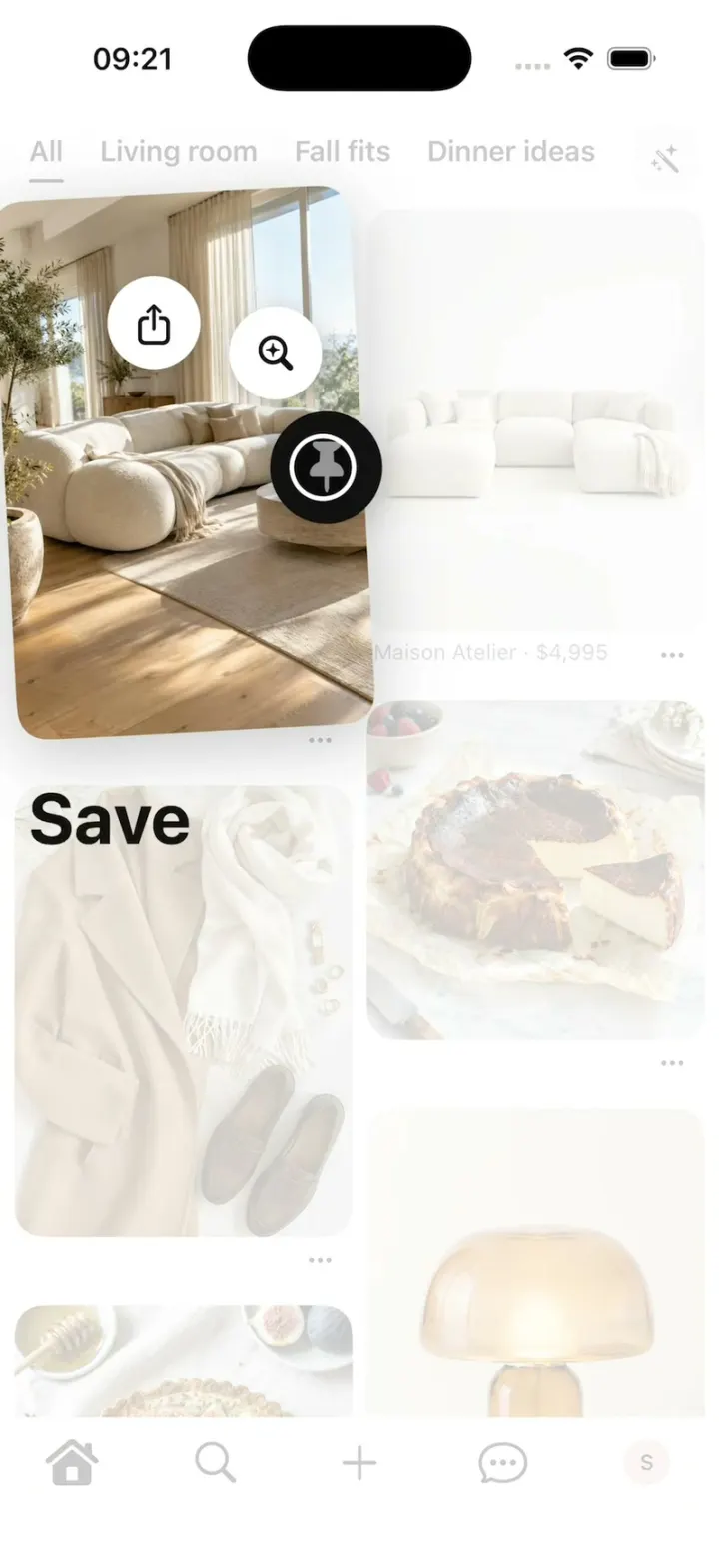
iOSPinterest's long-press save: the lifted Pin, the Save fan, Saved to your board, boards, closeups and Search.
- View template
Energy Drink Store
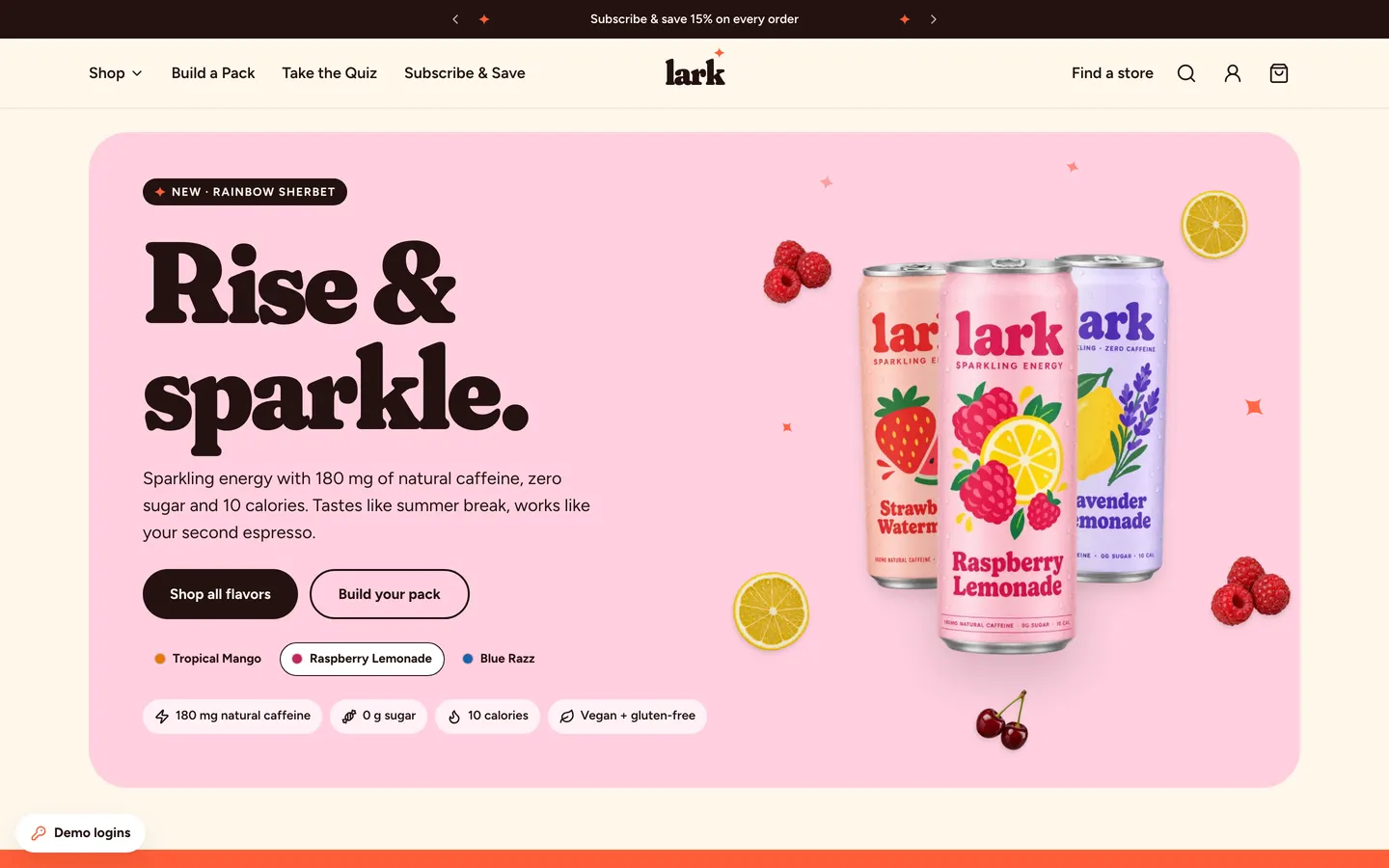
WebPastel energy-drink store with Shopify-style checkout, Subscribe & Save 15%, a pack builder and full admin.
- View template
Sneaker Boutique Shop
WebA loud sneaker store with card, cash-on-delivery and WhatsApp checkout, Arabic RTL and a full owner admin.
- View template
DoorDash Clone
iOSDoorDash's live tracking: the red Dasher dot, the four-step tracker, drop-off photos, menus and checkout.