Sneaker Boutique Shop
Online store app · built by the Vibecode team
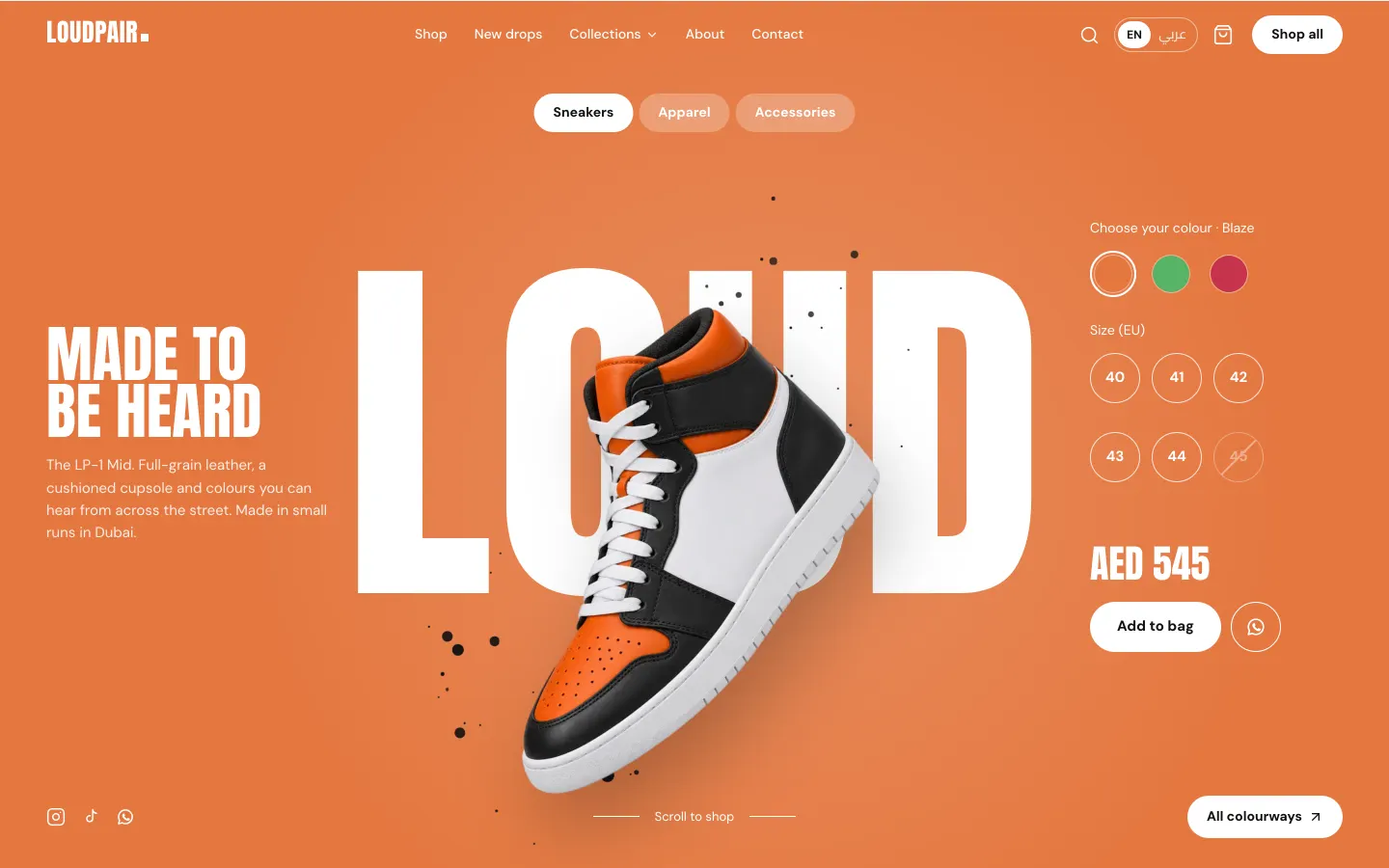
LOUDPAIR is a fictional Dubai sneaker label with a complete store: the LP-1 Mid floats over giant lettering and swaps colour, word and shoe as you pick Blaze, Lime or Cherry. Browse 24 products with collections, filters, search, a size guide and a size grid that shows sold-out and low-stock sizes. Check out by test card, cash on delivery or by sending the order on WhatsApp; every order is saved first and gets a confirmation page. The owner admin (login shown on first run) moves orders from New to Delivered, edits products and stock, and has customers, sales reports and settings for currency, WhatsApp number, shipping zones and English or Arabic with right-to-left. All products, orders and reviews are labelled demo data.
- Web app
- Built in 5 prompts
- Free to remix
Remix copies the working app into your account for free, exactly as we built it. It runs in your browser.
The prompt that builds it
We built Sneaker Boutique Shop in 5 prompts. Here they are folded into one, so a single paste into a new app builds the finished version.
Prompt · 7,698 words
Build LOUDPAIR, a complete online sneaker and streetwear store with an owner admin, using Opus 5.5. It is a real, working shop for a fictional Dubai label: a loud, product-forward home page with a floating sneaker over huge lettering, a clean and fast catalog, product pages with a size picker that shows stock, a bag, a checkout with three payment methods (card, cash on delivery, WhatsApp order), order confirmation page and email, and an owner admin for orders, stock, products, customers, sales reports and settings (currency, English/Arabic with RTL, WhatsApp number, shipping zones). It must look designed by a good studio, not AI-made.

Design references (the original screenshots are not included; build from these descriptions):
- Reference: (the hero to match: orange background, huge white condensed word behind a floating high-top sneaker, black paint specks, headline + paragraph on the left, colour swatches + size circles on the right, pill nav, bottom bar)
- Reference: (same hero after choosing the green colourway: background, word and shoe all change)
- Reference (Hero red toast): (red colourway, a size circle selected, and the white "Order placed" toast bottom-right)
- Reference (Products drawer): (the right-side drawer listing the three colourways as coloured cards, page dimmed behind it)
- Reference: (editorial product slider: two-line giant headline, product in the centre cropped by the bottom edge, floating objects around, spinning circular text badge, mono kicker, name, "+ ADD TO CART" button, price, "04 / 05" counter, progress dashes, round arrows)
- Reference: (the same slider on a dark slide, light headline)
- Reference: (catalog layout: breadcrumb, title with count, "Hide Filters" and "Sort By" top right, left filter sidebar, 3-column product grid)
- Reference: (product page: vertical thumbnails + big image on light grey; "Select Size" grid with sold-out sizes greyed and struck through; "Size Guide" link)
- Reference: (clean product page: breadcrumb, brand kicker, name, price, colour line, size buttons, full-width button, Description / Size & Fit / Shipping & Returns tabs)
- Reference: (clean product grid: square light-grey tiles, product centred, name and price under the tile)
- Reference (Hero switch motion): (6 frames of the colour switch: the old word's letters slide up and fade one by one, the background crossfades, the new word rises in, the new shoe fades in)
Match refs 01-06 closely for the home page (with our own brand, words and products) and refs 07-10 for the catalog and product pages. Do not copy the reference brand ("hyper", "cafe") or its words.

## Stack
Use the platform's standard setup: the React web app, the Hono backend with Prisma for the database, and Better Auth (email + password) for the owner login. All store data (products, variants and stock, orders, customers, reviews, shipping zones, settings) lives in the database and is seeded with the demo data below, so the store is full on first run. Every form saves to the database first and only then sends email or opens WhatsApp.

## Brand and design system
- Store name: LOUDPAIR. Tagline: "Sneakers and streetwear, made loud." Fictional label from Dubai, UAE. Owner: Layla Haddad.
- Wordmark: "LOUDPAIR" in Anton, letter-spacing 0.02em, with a small 8 px Blaze-orange square after the R. No icon logo. Favicon: a 32 px black rounded square with a white "LP" in Anton and an orange dot. Page titles "LOUDPAIR · <page>". Make a 1200x630 share image (og:image) of the orange hero (see image generation). No Vibecode name or logo anywhere in the favicon, titles, meta tags or share image.
- Fonts (Google Fonts): Anton for display (hero words, headings, prices in big type); DM Sans 400/500/700 for body and UI; JetBrains Mono 500 for kickers, SKUs and order numbers (uppercase, letter-spacing 0.12em, 12 px); Cairo 400/600/800 for everything when the language is Arabic.
- Colours: page background #FAFAF7, ink #121212, muted text #6B6862, lines #E6E3DC, product tile #EFEEEA, the one accent Blaze orange #E4773F (badges, progress bars, focus rings, links on hover, chart bars), success #2F7D4F, danger #C6344B, warning #B7791F. Primary buttons are black (#121212) with white text; on the coloured hero they are white with black text. Hero colourways: Blaze #E4773F, Lime #58B368, Cherry #C6344B.
- Type scale: hero word clamp(180px, 27vw, 420px); H1 64 px Anton uppercase; H2 44 px Anton uppercase; H3 22 px DM Sans 700; body 16/1.55 DM Sans; small 13 px.
- Spacing scale 4, 8, 12, 16, 24, 32, 48, 64, 96, 128. Radius: pills and buttons 999 px, product tiles 20 px, cards and inputs 14 px, chips 10 px. Mostly flat with 1 px #E6E3DC borders; shadows only on the floating hero shoe (drop-shadow 0 40px 40px rgba(0,0,0,.25)), drawers, menus and toasts.
- Icons: lucide-react line icons at 1.75 stroke plus a custom WhatsApp glyph SVG. No emoji anywhere, no purple or blue gradients, no glassmorphism, no default shadcn look.
- Motion with Framer Motion. Respect prefers-reduced-motion (no float, parallax or auto-advance).

## Demo-data honesty and the owner login (visible on first run)
- A slim black strip above the header on every storefront page: "Demo store with sample products and orders. Owner admin: owner@loudpair.example / loudpair123" and a white text link "Open admin →" to /admin, plus a close × that hides it (remember in localStorage). Phone: "Demo store · Open admin →".
- The footer also has "Owner login" linking to /admin.
- Reviews are labelled "Sample reviews" everywhere. The admin shows a small "Demo data" chip in its top bar. Never present fake stats or testimonials as real.

## Header and footer (storefront)
- Header 72 px: wordmark left; centre links "Shop", "New drops", "Collections" (hover menu listing the 5 collections), "About", "Contact"; right: search icon button, language toggle pill "EN | عربي" (active side filled; the Arabic side always set in Cairo 600), bag icon with a count badge (orange circle, white number, pops when items are added), and a pill button "Shop all" (white with black text on the hero, black with white text elsewhere).
- On the home hero the header is transparent with white text over the colour. On every other page and after scrolling past the hero it is #FAFAF7 with ink text and a 1 px bottom border, sticky.
- Search: the icon opens a full-width panel under the header with the input "Search sneakers, hoodies, caps…", instant results (up to 6 thumbnails with name and price) as you type, Enter goes to /search?q=. Esc closes.
- Footer on #121212: four link columns (Shop: Sneakers, Apparel, Accessories, New drops · Help: Shipping & returns, Size guide, Track your order, Contact · LOUDPAIR: About, Instagram, WhatsApp us, Owner login · Get drop alerts: email input + "Notify me" button that saves to a Subscriber table and shows "You're on the list."), then a line "English · AED · Studio 12, Al Quoz, Dubai · Demo store", then a giant "LOUDPAIR" wordmark in #E4773F spanning the full width (about 19vw), cropped by the bottom edge.

## Home page (/) - match refs 01-06
### 1. Hero: the LP-1 Mid in three colourways (100vh, min 760 px)
- Full-bleed background in the active colourway colour, with a soft lighter radial glow behind the shoe (radial-gradient at 55% 55%, rgba(255,255,255,.16) to transparent 60%).
- Three colourways of the LP-1 Mid: Blaze (#E4773F, word "LOUD"), Lime (#58B368, word "LEAP"), Cherry (#C6344B, word "BOLD").
- Centre: the giant white word in Anton (clamp(180px, 27vw, 420px), line-height .8, white) centred, and in FRONT of it the floating sneaker cutout (transparent PNG, about 460 px wide at 1440, rotated -22 degrees, toe to the lower left) overlapping the middle letters like ref 01: its collar sits at the top edge of the word and its toe dips below the baseline, the first and last letters stay fully visible and the inner letters at least half visible. Between the word and the shoe, a cluster of 40-60 small black paint specks and splatter dots (SVG circles, 2-14 px, scattered mostly above-right and below-left of the shoe, like the refs).
- Idle motion: the shoe floats up and down 12 px and rotates between -13 and -10 degrees on a 4.5 s loop; specks drift slowly. Mouse parallax: the shoe moves up to 14 px away from the cursor, the word 6 px toward it.
- Colour switch (match ref 11): the old word's letters slide up 60% and fade out with a 35 ms stagger per letter; the background crossfades to the new colour over 450 ms; the old shoe fades out in 220 ms while drifting 40 px up-right; the new word's letters rise from below with the same stagger, and the new shoe starts only after the old one is gone (AnimatePresence mode "wait", never two shoes on screen at once), fading and springing in from scale .92 and -20 degrees to its resting pose; the specks re-scatter. Auto-advance to the next colourway every 6 s until the visitor clicks a swatch or size (then it stops for good).
- Left column (vertically centred, 300 px wide): headline "MADE TO / BE HEARD" (Anton 64 px, white, two lines) and the paragraph "The LP-1 Mid. Full-grain leather, a cushioned cupsole and colours you can hear from across the street. Made in small runs in Dubai." (DM Sans 15 px, white at 88%).
- Right column: label "Choose your colour · Blaze" (14 px white, with the selected colourway's name; Arabic "اختر لونك · Blaze"), three 48 px colour circles (the active one has a 2 px white ring with 3 px gap; no tooltips), then label "Size (EU)" and six 52 px outlined white circles 40, 41, 42, 43, 44, 45 (selected = solid white with ink text; sold out in this colourway = 40% opacity with a diagonal line, not clickable; a size with 1-3 left shows a tiny "2 left" under it). Then the price "AED 545" (Anton 40 px white) and two pills: "Add to bag" (white, ink text, 52 px tall) and a round 52 px outlined white WhatsApp button (aria-label "Order on WhatsApp").
- Pressing "Add to bag" without a size shakes the size row and shows "Pick a size first" under it. With a size, it adds the item, pops the bag badge and shows the toast of ref 03 bottom-right: white card, radius 14, check-circle icon, bold "Added to bag", second line "LP-1 Mid "Cherry" · EU 43 · AED 545", and a "View bag" link that opens the bag drawer. Toast stays 4 s.
- Top centre, under the header: a pill group like ref 01: "Sneakers" (solid white, ink text), "Apparel" and "Accessories" (white at 25% fill, white text); each links to its filtered shop page.
- Bottom bar (32 px from the bottom): left, three 20 px social icons (Instagram, TikTok, WhatsApp) in white; centre, "Scroll to shop" (13 px white) between two 48 px white lines; right, a white pill "All colourways ↗".
- "All colourways ↗" opens the drawer of ref 04 from the right (460 px wide, white, page dimmed to rgba(18,18,18,.72)): heading "ALL COLOURWAYS" (Anton 40), subline "The LP-1 Mid, in three loud colourways.", then three 140 px cards in the colourway colours, each with a small white kicker (the word, letter-spaced), name "LP-1 Mid "Blaze"" in white, a white price pill "AED 545 ↗", the shoe image on the right overlapping a huge faded version of the word (white at 22%). Clicking a card switches the hero to that colourway and closes the drawer; the price pill opens the product page in that colour. Esc and backdrop click close it.

### 2. Marquee band
Black band, 72 px tall, Anton 30 px white uppercase text scrolling left forever (40 s loop): "FREE DUBAI DELIVERY OVER AED 500  ✦  CASH ON DELIVERY ACROSS THE UAE  ✦  ORDER ON WHATSAPP  ✦  14-DAY SIZE EXCHANGES  ✦" (the star is an inline orange SVG, not an emoji).

### 3. New drops
Heading row: "NEW DROPS" (H1) left and "Shop all 24 →" right. Four product cards of the six "New" products (horizontal scroll with snap on phone). Product card everywhere: a square tile (#EFEEEA, radius 20) with the product image centred at 82% and tilted -6 degrees for shoes; top-left badge pill ("New" ink on white, "Low stock" white on #B7791F, "Sold out" white on #6B6862, "-15%" white on #E4773F); on hover the image scales to 1.05 and rotates 3 degrees more, and a "Quick add" bar slides up inside the tile with that product's in-stock sizes as small chips (click a size = add to bag + toast). Under the tile: name (DM Sans 16 500), price on the right (DM Sans 16 700; sale items show the old price struck in muted), colour dots (12 px circles) and "3 colours" in muted 13 px.

### 4. Collections slider (match refs 05 and 06): full viewport height
Five slides, one per collection. Each slide has its own background, a two-line giant headline in Anton (about 15vw, line-height .82, centred, top 12%), the collection's featured product as a big cutout in the centre, partly covered by and partly covering the headline and cropped by the bottom edge like the can in ref 05, and 3 smaller cutouts of other items in that collection floating around at different sizes, depths and blur (0-3 px), drifting slowly with mouse parallax. Bottom left: mono kicker, collection name in Anton 32 px, one sentence, a dark pill "Shop <collection> →" in the slide's ink colour and "from AED <lowest price>". Right of the product: a 130 px circular text badge "SHOP THE COLLECTION • SHOP THE COLLECTION •" rotating slowly (20 s per turn) with a small bag icon in the centre, linking to the collection. Bottom right: counter "02 / 05" in mono (current number in 28 px), five progress dashes (active one longer and in the ink colour) and two 44 px round outlined arrow buttons. Arrows, dashes, keyboard arrows and swipe change slides; slides crossfade over 700 ms while the headline letters rise in and the product slides up 30 px into place. Auto-advance every 7 s, pausing on hover.
Slides:
1. Court: background #E9DFD1, ink #3A2418, headline "COURT / CLASSICS", featured Court 84 "White/Forest", floaters LP-1 Low "Bone", High Note "Signal Red", Halfpipe Skate "Sand". Kicker "6 STYLES · EU 28-46". Sentence "Leather, suede and canvas low-tops and highs for every day."
2. Run (dark slide like ref 06): background #1B1714, ink #EADFCB, headline "NIGHT / MILES", featured Night Shift Runner "Triple Black", floaters Rally Runner "Volt", Tempo Knit "Coral", Drift Trail "Moss". Kicker "4 STYLES · REFLECTIVE DETAILS". Sentence "Light runners for the city after dark."
3. Easy: background #F1DCCB, ink #7A3214, headline "TAKE IT / EASY", featured Dune Mule "Tan", floaters Cloud Slide "Sand", Slip Lite "Ivory", Pop Platform "Mint". Kicker "4 STYLES · SLIP-ONS & SLIDES". Sentence "Slip-ons, slides and platforms for slow days."
4. Layers: background #E2E0D8, ink #2B2B2B, headline "SOFT / LAYERS", featured Heavyweight Hoodie "Blaze", floaters Logo Tee "White", Cargo Pants "Olive", Crew Socks 3-Pack "White". Kicker "6 PIECES · XS-XXL". Sentence "Heavy cotton basics cut to sit right over a big shoe."
5. Extras: background #F3E7B8, ink #4A3A00, headline "SMALL / THINGS", featured Six-Panel Cap "Blaze", floaters Rope Laces "Lime", Crossbody Bag "Black", Sneaker Care Kit. Kicker "4 PIECES · ONE SIZE". Sentence "Caps, bags, laces and the kit to keep them clean."

### 5. Three ways to order
Heading "THREE WAYS TO ORDER" (H2). Three cards on white with 1 px border: "Pay by card" (credit-card icon) "Visa, Mastercard and Apple Pay through Stripe."; "Cash on delivery" (banknote icon) "Pay the courier when your pair arrives. UAE only, AED 10 fee."; "Order on WhatsApp" (WhatsApp glyph) "Send your bag to us on WhatsApp. We confirm size and delivery in the chat." Under the cards a muted line built from the shipping zones in the database: "Dubai: same day before 2 pm · Rest of UAE: 1-2 days · GCC: 3-5 days · Worldwide: 5-9 days".

### 6. Sample reviews
Heading "WORN LOUD" with a small outlined chip "Sample reviews" next to it. Three cards: 5 orange stars, a short quote in DM Sans 18, name and "LP-1 Mid · Blaze · EU 43" in muted. Use the seeded reviews.

## Catalog (/shop, /collections/:slug, /search?q=) - match refs 07 and 10
- Breadcrumb "Home / Shop" (13 px). Title "ALL PRODUCTS (24)" (H1) left; right: "Hide filters" with a sliders icon (toggles the sidebar with a slide animation) and "Sort by: Featured" dropdown (Featured, Newest, Price: low to high, Price: high to low).
- Left sidebar 248 px: "In stock only" switch; Category (Sneakers 14, Apparel 6, Accessories 4, with counts); Collection (Court, Run, Easy, Layers, Extras); Size as chips (EU 36-46; when Apparel is chosen show XS-XXL); Colour as 22 px swatches (Black, White, Cream, Orange, Green, Red, Blue, Pastel) with names; Price ("Under AED 200", "AED 200-400", "AED 400-600", "AED 600+"). Each section collapsible with a chevron.
- Active filters appear as removable chips above the grid with "Clear all". Filters and sort live in the URL query so links can be shared and survive reload.
- Grid: 3 columns with the sidebar, 4 without, gap 20 px, product cards as above. Skeleton tiles (shimmer) while loading. Empty state: "No pairs match these filters." with a "Clear filters" button.
- Collection pages open with a 360 px banner in the collection's slider colours: the collection name huge in its ink colour and the featured product cutout floating on the right.
- Search results page: "Results for "mid" (3)". Empty: "Nothing for "xyz". Try "mid", "hoodie" or "black"." with 4 suggested products.

## Product page (/product/:slug?colour=<colour>) - match refs 08 and 09
- Breadcrumb "Home / Sneakers / LP-1 Mid".
- Left 58%: vertical strip of 64 px thumbnails (all images of the chosen colourway, active one with a 2 px ink border) and the main image in a square tile (#EFEEEA, radius 24) with round prev/next arrows bottom-right; clicking a thumbnail crossfades; on desktop, hovering the main image zooms 2x following the cursor. Phone: a full-width swipe carousel with dots.
- Right 42%, sticky: mono kicker "COURT · UNISEX"; name "LP-1 Mid" (Anton 52); colourway name "Blaze"; price "AED 545" (sale items: new price in #E4773F plus the old price struck); "★ 4.8 · 6 sample reviews" linking to the reviews; colour picker as 56 px image swatches with the colour name under the selected one (changing colour updates images, stock and the URL); "Select size (EU)" with a "Size guide" link (ruler icon) on the right; the size grid in 4 columns of 52 px chips (radius 12, 1 px #E6E3DC border; selected = ink background, white text; sold out = #F2F1EE background, muted text struck through, disabled like ref 08; 1-3 left = a small orange dot top-right and "Only 2 left in EU 43" under the grid once picked); a quantity stepper (max = stock); "Add to bag" (black pill, 56 px, full width); "Order on WhatsApp" (white pill, 1.5 px ink border, green WhatsApp glyph). Pressing either without a size shakes the grid and shows "Pick a size first" in #C6344B.
- Under the buttons, three muted lines with icons: "Dubai: order before 2 pm for same-day delivery.", "Cash on delivery available across the UAE.", "Free 14-day size exchanges."
- Tabs like ref 09: "Description" (the description plus bullets: Upper, Lining, Sole, Weight, SKU in mono), "Size & fit" ("Runs true to size. Between sizes? Go half a size up."), "Shipping & returns" (generated from the shipping zones table, the single source of truth).
- "Order on WhatsApp" opens https://wa.me/<store WhatsApp number, digits only>?text=<encoded message> in a new tab, with exactly:
  "Hi LOUDPAIR! I'd like to order:
  LP-1 Mid "Cherry" - EU 43
  Price: AED 545
  Link: <full product URL with ?colour=cherry&size=43>"
  (In Arabic mode send the Arabic version of the same message.)
- Size guide modal: tabs "Shoes" and "Clothing". Shoes table EU / UK / US men / US women / Foot length (cm): 36/3.5/4/5.5/22.5, 37/4/4.5/6/23, 38/5/5.5/7/24, 39/6/6.5/8/24.5, 40/6.5/7/8.5/25, 41/7/8/9.5/26, 42/8/8.5/10/26.5, 43/9/9.5/11/27.5, 44/9.5/10/11.5/28, 45/10.5/11/12.5/29, 46/11/12/13.5/30, with "How to measure: stand on paper, mark heel and longest toe, measure in cm." Clothing table XS-XXL with chest and length in cm. Kids sizes EU 28-35 in their own row group. Below 640 px the tables use 13 px text and 10 px cell padding with wrapping headers, and scroll horizontally inside their container with a soft edge fade, so every column is reachable.
- Reviews section: "REVIEWS" with the chip "Sample reviews" and the line "These are sample reviews for the demo store. Replace them with real ones." Average (Anton 64 "4.8"), 5-to-1 star bars, then the reviews (stars, title, body, "Hamad R. · EU 43 · True to size", human date "12 Oct 2026").
- "Complete the look": four product cards from other categories.

## Bag drawer
From the right (from the left in Arabic), 440 px wide (full screen on phone): "YOUR BAG (2)" in Anton and a close ×; a free-delivery progress bar ("AED 45 away from free Dubai delivery" / "Free Dubai delivery unlocked", orange fill); line items (80 px image tile, name, "Blaze · EU 43", quantity stepper limited by stock, line price, "Remove"); subtotal; muted "Delivery and cash-on-delivery fee are added at checkout."; "Checkout" (black pill) and "Order on WhatsApp" (white pill) buttons. The bag persists in localStorage across reloads. Empty state: "YOUR BAG IS EMPTY" in Anton and a "Shop new drops" button.

## Checkout (/checkout)
Minimal header: wordmark, "Secure checkout" with a lock icon, "Back to bag". Lay it out like Shopify's checkout: the page splits at the centre; the left half right-aligns the 600 px form with 64 px padding to the divider; the right half is the #F3F1EC order-summary panel from the header to the bottom of the page, its content left-aligned at 64 px padding and sticky.
1. Contact: Email, Phone with a country code select (default +971), checkbox "Email me about new drops".
2. Delivery: "Deliver to" select of shipping zones (Dubai; Rest of UAE; GCC; Rest of world) with a country select for GCC and world; Full name; Address (building, apartment, street); Area; City; "Note for the courier (optional)".
3. Delivery method: radio cards from the zone, e.g. "Same day if ordered before 2 pm · AED 15 · Free over AED 500" and for Dubai also "Studio pickup, Al Quoz · Free · Ready in 2 hours".
4. Payment, three large radio tiles with icons:
   - "Card" ("Visa, Mastercard, Apple Pay · Stripe"). If STRIPE_SECRET_KEY and STRIPE_PUBLISHABLE_KEY are set in the environment, create a Stripe Checkout Session (test mode) and mark the order paid after verifying the session on return. They are not set in this demo, so the tile shows a yellow "Test mode · no real money moves" badge and an in-page card form (card number, expiry, CVC, name) that accepts Stripe's test cards: 4242 4242 4242 4242 succeeds; 4000 0000 0000 0002 fails with "Your card was declined." Any future expiry and any CVC. Store only the brand and last 4 digits. Expected business results (card declined, size sold out meanwhile) come back as 200 with an outcome field, not a 4xx, so the browser console stays clean; real 4xx/5xx only for real errors.
   - "Cash on delivery" ("Pay the courier when it arrives · + AED 10"). Disabled for GCC and worldwide zones with "Only for UAE addresses".
   - "WhatsApp order" ("Send this order to us on WhatsApp. We confirm and arrange payment in the chat.").
5. The place-order button (black, 56 px, full width) changes with the method: "Pay AED 1,105", "Place order · pay AED 1,115 on delivery", "Send order on WhatsApp". While submitting it shows a spinner and is disabled.
Summary column: items with thumbnails and a quantity badge, a discount code field ("Have a code?"; demo code LOUD10 = 10% off; wrong code shows "That code doesn't work."), Subtotal, Delivery, Cash on delivery fee (only for COD), Discount, Total (Anton 32).
Validation inline under each field in #C6344B. The server re-checks stock in a transaction, saves the order, decrements stock, writes an order event, then sends the confirmation email. If a size sold out meanwhile, show a banner "EU 43 in Cherry just sold out. Pick another size." and keep the form filled.
For a WhatsApp order: validate the form first; only when it is valid pre-open a browser tab, save the order (payment "Awaiting confirmation"), then point that tab at wa.me with the whole order (if saving fails, close the tab and show the error): "Hi LOUDPAIR! New order LP-1065" then one line per item "1 × LP-1 Mid "Cherry" (EU 43) - AED 545", then Subtotal, Delivery, Total, Name, Phone, Address and "Order page: <link>". Then go to the confirmation page, which also has "WhatsApp didn't open? Send it now" as a link.

## Order confirmation (/order/:number?t=<token>) and email
- Page: "THANK YOU, SARA." (H1), "Order LP-1065 is in." and the order number in mono; a 4-step status line Placed → Confirmed → Shipped → Delivered with the current step filled orange; a summary card (items, delivery address, delivery method, payment line: "Paid by card •••• 4242 (test mode)" / "Cash on delivery: pay AED 1,115 when it arrives" / "WhatsApp order: we'll confirm in the chat"); "We emailed your receipt to sara@example.com." when it was sent, otherwise "Save this page. It's your receipt."; buttons "Message us on WhatsApp" (prefilled "Hi LOUDPAIR, about my order LP-1065") and "Keep shopping". The token link lets customers come back to the page.
- Email: an HTML order confirmation sent with Resend (https://api.resend.com/emails with RESEND_API_KEY from the backend environment), but only once the owner has set a verified sender in Settings → Email; until then nothing is sent and the email is logged as "Not sent: no email sender set up". Never store or show raw provider responses: keep a short reason and strip any email address from it. Design: a 6 px Blaze-orange top bar, the LOUDPAIR wordmark, "Thanks, Sara. Order LP-1065 is in.", the item table with images, totals, delivery address, payment method, a black "View your order" button linking to the order page, the WhatsApp link and store address in the footer. Log every email in an EmailLog table (to, subject, status sent/not sent/failed, short reason, time). The admin order page email card shows the status (grey "Not sent · no sender set up" when no sender is connected), "Preview" (the rendered receipt in a dialog) and "Resend" (disabled until a sender is connected).
- Also /track: "TRACK YOUR ORDER" with order number + email or phone; shows the same status line and summary.

## Owner admin (/admin), English, clean like Shopify's admin
- /admin/login: centred card on #F3F1EC with the wordmark, "Owner admin", email and password fields, "Log in" (black), and under it a highlighted box: "Demo owner login · Email: owner@loudpair.example · Password: loudpair123" with a "Fill it in" button. Wrong password shows "Wrong email or password." Admin pages redirect to the login when signed out (check the session before any admin page mounts, so no admin API is called while signed out); only the owner role gets in. Seed the owner account (Layla Haddad).
- Layout: white left sidebar 248 px (wordmark + "Admin", then Home, Orders with a count badge of New orders, Products, Stock, Customers, Reports, Settings with lucide icons; bottom "View store ↗", owner name and "Log out"); page background #F6F5F1; white cards with 1 px #E7E4DD border, radius 14; top bar with the page title, a search box (orders by number or customer name) and the "Demo data" chip. Primary buttons black, accent orange only for charts and highlights.
- Status pills (radius 999, 12 px 600): New = #9A3412 on #FFEDD5; Confirmed = #854D0E on #FEF3C7; Shipped = #1E3A8A on #DBEAFE; Delivered = #166534 on #DCFCE7; Cancelled = #991B1B on #FEE2E2. Payment pills: Paid (green), Unpaid (grey), Awaiting confirmation (amber), Refunded (grey struck).
- Home: "Good afternoon, Layla" and the date "Tuesday, 3 November 2026" (always today, human format); KPI cards "Sales today", "Orders today", "Sales, last 30 days", "Average order" each with a change vs the previous period; a 30-day sales bar chart (orange bars, hover tooltip with the day and amount); a "Needs attention" card ("5 new orders to confirm", "3 cash-on-delivery orders out for delivery: AED 2,140 to collect", "6 sizes low on stock") with links; recent orders (5 rows); low-stock list; a payment mix donut (Card / Cash on delivery / WhatsApp).
- Orders (/admin/orders): tabs All, New, Confirmed, Shipped, Delivered, Cancelled with counts; filters for payment method, zone and date range; table: Order (mono "LP-1064"), Date ("Today, 2:14 pm", "Yesterday, 9:03 am", "28 Oct 2026"), Customer, Items count, Payment (method + payment pill), Status pill, Total. Row click opens /admin/orders/:number: header with number, status pill and actions that move it forward: "Confirm order" (New), "Mark as shipped" (Confirmed; dialog asks courier and optional tracking number), "Mark as delivered" (Shipped; for cash on delivery a checkbox "Cash collected" sets payment to Paid), and "Cancel order" (confirm dialog "Cancel LP-1064? Its items go back into stock."). Left column: items with images, sizes and prices; payment summary; a timeline of order events ("Order placed via WhatsApp · 3 Nov, 2:14 pm", "Confirmed by Layla · 3 Nov, 2:30 pm"); internal note box (saves). Right column: customer card with name, email (mailto:), phone (tel:) and "WhatsApp" (wa.me with a prefilled message for the current status, e.g. "Hi Sara, your LOUDPAIR order LP-1064 is confirmed and arrives today."); delivery address and zone; email status card. Every change saves to the database, writes an event and updates the list.
- Products (/admin/products): table with image, name, collection, status (Active/Draft), price, total stock (orange warning icon when any size is low), variants count; "Add product" button. Editor page (/admin/products/:id and /new): Basics (name, slug auto, category, collection, description in English and Arabic, badges New/Limited), Pricing (price, compare-at price), Colourways (name, colour hex, images: upload with Vibecode storage or keep existing; reorder), Sizes and stock as a matrix (rows colourways, columns sizes, number inputs; presets "EU 36-46", "EU 28-35", "XS-XXL", "One size"), Status, and a sticky bottom bar "Discard" / "Save" with a "Saved" toast. Delete with a confirm dialog. Changes show on the storefront at once.
- Stock (/admin/stock): every variant as a row (thumbnail, product, colourway, size, SKU, stock with a number input and −/+ buttons, state In stock / Low / Sold out); tabs All, Low stock, Sold out; a top alert card "6 sizes are low on stock (3 or fewer)"; edited rows highlight and a sticky "Save 3 changes" bar appears. Low-stock threshold comes from settings (default 3).
- Customers (/admin/customers): name, email, phone, city, orders, total spent, last order (human date); search; a side panel with contact buttons (call, WhatsApp, email) and their orders.
- Reports (/admin/reports): range Last 7 days / Last 30 days / Last 90 days / This year; KPIs Revenue, Orders, Average order, Units sold, Cancelled %; a revenue chart; tables by payment method (orders, revenue, share), by shipping zone, top products (units, revenue) and top sizes sold; "Export CSV" downloads the orders in the range. Cancelled orders are excluded from revenue. Money in the admin shows whole amounts ("AED 647").
- Settings (/admin/settings), each section a card with "Save" and a toast:
  - Store: name, tagline, email, phone, address, Instagram handle, timezone (default Asia/Dubai).
  - WhatsApp: number with country code (default +971 50 000 0000, labelled "Demo number. Put your own WhatsApp number here."), a "Send a test message" button (opens wa.me), the switch "Show Order on WhatsApp on product pages", and a preview of the product message.
  - Currency and language: currency select (AED, SAR, QAR, KWD, BHD, OMR, USD, EUR, GBP, INR, PKR, EGP, NGN, KES, TRY, MXN, BRL) with a live preview of a price in English and in Arabic ("AED 1,250" and the ar-AE format), the note "Prices don't convert when you change currency.", default storefront language English or العربية, and the switch "Show the language toggle".
  - Shipping zones: editable rows (name in English and Arabic, areas, rate, free over, delivery time, cash on delivery allowed, pickup allowed); add and remove zones.
  - Payments: Card (Stripe) status "Test mode: add STRIPE_SECRET_KEY and STRIPE_PUBLISHABLE_KEY to the project environment to take real card payments."; Cash on delivery switch and fee; WhatsApp orders switch.
  - Email: "Send receipts from" (name and address, empty by default) and the status line "Not connected: add your own RESEND_API_KEY and a verified domain from resend.com/domains to email receipts." with "Send test email".
  - Notifications: owner email for new-order alerts (empty by default) and "Send a test email".
  - Demo data: "Reset demo data" (re-seeds everything) and "Remove demo orders and reviews" (danger, with a confirm dialog).
- Settings drive the storefront everywhere: currency format, WhatsApp links, zones and rates, COD fee, store info, language default.

## Language, currency, dates
- English and Arabic. The "EN | عربي" toggle switches every storefront string (dictionary files en.ts and ar.ts), sets <html lang="ar" dir="rtl">, swaps to Cairo, mirrors the layout with logical CSS (drawers open from the left, arrows flip, the hero's left and right columns swap and the shoe is mirrored), and is remembered in localStorage and ?lang=ar. Product names stay Latin; descriptions, collection names, badges, zones and all UI text have Arabic versions. Key strings: Add to bag = "أضف إلى الحقيبة", Order on WhatsApp = "اطلب عبر واتساب", Cash on delivery = "الدفع عند الاستلام", Select size = "اختر المقاس", Size guide = "دليل المقاسات", Checkout = "إتمام الطلب", Shop all = "تسوّق الكل", hero headline "صُنع / ليُسمَع". The giant hero words stay LOUD / LEAP / BOLD.
- Money: store amounts as integers in minor units; format with Intl.NumberFormat for en-AE or ar-AE (Latin digits) and the store currency; whole amounts show no decimals ("AED 545", "AED 1,105").
- Dates are human-readable in the store timezone everywhere: "Today, 2:14 pm", "Yesterday", "28 Oct 2026". Never ISO strings.

## Seed data (realistic and fictional; no real people)
Collections (each product in exactly one): Court, Run, Easy, Layers, Extras. Categories: Sneakers, Apparel, Accessories. Products (AED; colourways; sizes):
1. LP-1 Mid, 545, Court, New. Blaze (orange leather, black overlays, white side panels, white cupsole), Lime (glossy lime-green patent, black, white), Cherry (cherry-red leather, black, white). EU 39-46.
2. LP-1 Low, 495, Court. Bone (cream leather, gum sole), Shadow (charcoal and black, white sole). EU 38-46.
3. Court 84, 459, Court. White/Forest (white leather, forest-green heel and toe overlays), White/Navy. EU 39-46.
4. High Note, 279, Court. Signal Red canvas high-top, Jet Black canvas high-top. EU 36-45.
5. Halfpipe Skate, 389 (was 459), Court. Sand suede, Cobalt suede. EU 38-46.
6. Kids LP-1 Mid, 299, Court. Blaze, Lime. EU 28-35.
7. Rally Runner, 520, Run, New. Volt (neon yellow-green mesh), Storm (grey and slate-blue mesh). EU 39-46.
8. Tempo Knit, 499, Run. Coral knit, Ice (pale blue-white) knit. EU 36-45.
9. Drift Trail, 590, Run, New. Moss (olive and black, lugged sole), Clay (terracotta and sand). EU 39-46.
10. Night Shift Runner, 615, Run, New. Triple Black with reflective silver hits. EU 39-46.
11. Slip Lite, 299, Easy. Ivory canvas slip-on, Charcoal canvas slip-on. EU 36-45.
12. Cloud Slide, 169, Easy. Sand foam slide, Black foam slide. EU 36-46.
13. Dune Mule, 410, Easy. Tan suede mule. EU 36-45.
14. Pop Platform, 470 (was 560), Easy. Lilac leather platform sneaker, Mint leather platform sneaker. EU 35-42.
15. Heavyweight Hoodie, 289, Layers. Blaze, Bone, Black. XS-XXL.
16. Logo Tee, 129, Layers. White, Black. XS-XXL.
17. Track Jacket, 349, Layers, New. Forest, Black. XS-XXL.
18. Cargo Pants, 319, Layers. Olive, Black. XS-XXL.
19. Court Shorts, 169, Layers. Cherry, Navy. XS-XXL.
20. Crew Socks 3-Pack, 69, Layers. White, Black. S (EU 36-39), M (EU 40-43), L (EU 44-47).
21. Six-Panel Cap, 119, Extras. Black, Blaze. One size.
22. Crossbody Bag, 199, Extras, New. Black, Lime. One size.
23. Sneaker Care Kit, 89, Extras. One colourway "Kit" (brush, cleaner bottle, cloth in a box). One size.
24. Rope Laces (2 pairs), 39, Extras. Blaze, Lime, White. 120 cm, 140 cm.
Write a 2-sentence description per product in English and Arabic, plus material bullets. Stock: mostly 3-14 per size; about 10% of sizes at 0 and 10% at 1-3 so the sold-out and low-stock states show everywhere. LP-1 Mid: Blaze EU 45 = 0, Cherry EU 41 = 0, Cherry EU 44 = 1, Lime EU 40 = 2. Exactly 6 sizes in total at 1-3.
Shipping zones: Dubai (same day if ordered before 2 pm, AED 15, free over AED 500, COD yes, pickup yes); Rest of UAE (Abu Dhabi, Sharjah, Ajman, Ras Al Khaimah, Fujairah, Umm Al Quwain; 1-2 days; AED 25; free over AED 750; COD yes); GCC (Saudi Arabia, Qatar, Kuwait, Bahrain, Oman; 3-5 days; AED 60; COD no); Rest of world (5-9 days; AED 120; COD no). COD fee AED 10.
Settings: LOUDPAIR, hello@loudpair.example, phone and WhatsApp +971 50 000 0000, "Studio 12, Al Quoz, Dubai, UAE", @loudpair.demo, AED, English default, Arabic enabled, timezone Asia/Dubai, low-stock threshold 3.
Customers: 36 fictional people with emails at example.com and +971 50 000 0xxx style numbers, e.g. Sara Al Mansoori (Dubai Marina), Omar Khalil (JLT), Priya Nair (Al Barsha), Daniel Okafor (Abu Dhabi), Fatima Rahman (Sharjah), Lucas Moreau (Downtown Dubai), Aisha Khan (Deira), Yusuf Demir (Riyadh), Mariam Saleh (Doha), Arjun Mehta (Business Bay), Chloe Martin (Jumeirah), Hamad Al Ketbi (Al Ain), Noura Al Zaabi (Abu Dhabi), Kenji Watanabe (Dubai Hills), Amira Nasser (Manama), Zain Ali (Muscat), Sofia Rossi (Palm Jumeirah), Hana Yousef (JVC), Ibrahim Koroma (Al Quoz), Meera Iyer (Karama), Grace Chen (City Walk), Ahmed Fathy (Cairo).
Orders: 64 orders LP-1001 to LP-1064 over the last 45 days (busier recently, 2-4 today), 1-3 items each with real variants and sizes. Status mix: 6 New (all in the last 2 days), 5 Confirmed, 6 Shipped, 40 Delivered, 7 Cancelled. Payment mix about 45% card (paid), 35% cash on delivery (paid when delivered, unpaid before), 20% WhatsApp. Zones about 55% Dubai, 25% Rest of UAE, 15% GCC, 5% world. Each order has its events timeline. Keep the demo fresh: on server start, if the newest demo order is more than 24 hours old, shift every demo order and event forward by the gap so the newest is about an hour old and the dashboard always has today's numbers.
Reviews (all marked sample): 6 for LP-1 Mid (average 4.8), 2-4 for 12 other products, human names like "Hamad R.", "Priya N.", with size bought and fit.

## Product images (generate them, AI products only, no people)
Write backend/scripts/generate-images.ts and run it from backend/ early, in the background, logging to logs/images.log inside the workspace, while you build the UI. It calls POST https://api.openai.com/v1/images/generations with the project's proxied OPENAI_API_KEY, model "gpt-image-2.5-flare", size "1024x1024", quality "high", background "transparent", output_format "png", 6 requests at a time, skipping files that exist and retrying failures twice. Convert each to WebP with alpha (sharp, max 1000 px, quality 82, under 150 KB) into webapp/public/products/<product-slug>/<colourway-slug>-<angle>.webp.
- One "main" image per colourway (48 images). Prompt pattern: "Photoreal studio product shot of <the colourway description> <product type>, a single shoe in three-quarter side view, toe pointing to the lower left, tilted about 15 degrees as if floating, whole product visible with generous margin, soft studio lighting with subtle reflections, crisp detail, transparent background, no shadow, no text, no logos, no brand marks, no swoosh, no stripes, plain side panels." For the LP-1 family describe: "high-top basketball-style sneaker with a padded collar, perforated toe box, a smooth curved overlay rising from midfoot to heel, chunky white cupsole, flat laces". For apparel use a front view on an invisible mannequin; for accessories a clean three-quarter view.
- Two extra angles ("side": flat side profile facing right; "top": top-down view) for the first colourway of every sneaker, and for all three LP-1 Mid colourways (32 images).
- The hero uses the LP-1 Mid main images. Build the share image (og-image.png, 1200x630) and the favicons with a script (backend/scripts/make-brand-images.ts, sharp) from the LP-1 Mid "Blaze" cutout on #E4773F with the word LOUD in Anton behind it and the LOUDPAIR wordmark top left. Do not AI-generate the share image: generated ones can draw a real brand's logo on the shoe.
- Until an image exists, show a neutral sneaker silhouette SVG on the tile, so nothing is ever broken.

## Phone layout (390 px) must be clean
- Header 56 px: wordmark, search, bag, menu; the menu is a full-screen sheet with the links, the language toggle and "Owner login". The demo strip is one line.
- Hero: the giant word at the top (34vw), the shoe 74vw wide, centred and rotated -18 degrees, placed so the top half of every letter stays visible above it, then the headline (44 px), paragraph, colour circles and a horizontally scrolling size row, then a full-width "Add to bag · AED 545" with the round WhatsApp button beside it, and "All colourways ↗" under it. No horizontal overflow anywhere.
- Collections slider: headline 17vw, product centred, details stacked below, swipe to change.
- Catalog: 2 columns, gap 12; a sticky black "Filter & sort" pill at the bottom opens a bottom sheet with every filter and "Show 12 results".
- Product page: swipe carousel with dots, details stacked, and a sticky bottom bar with the price, "Add to bag" and a WhatsApp icon button.
- Checkout: single column with a collapsible "Show order summary · AED 1,105" bar at the top and the place-order button pinned to the bottom.
- Admin: top bar with a menu button that opens the sidebar as a sheet; tables become stacked cards; order detail stacks.

## Other pages and states
- /about (short brand story, labelled demo), /contact (hours "Sat-Thu 10:00-22:00, Fri 14:00-22:00", working buttons tel:+971500000000, sms:+971500000000, https://wa.me/971500000000 and mailto:), /shipping-returns (built from the zones table), /size-guide, /track.
- 404: giant "LOST?" in Anton with a floating shoe and "Back to the shop".
- Loading: skeletons for grids, product page and admin tables. Errors: a toast "Couldn't load products." with "Try again". Every empty list has a written empty state.
- Accessible: real buttons and labels, focus rings 2 px #E4773F with 2 px offset, keyboard-usable size grid, drawers and dialogs trap focus and close on Esc, and every Dialog and Sheet has a DialogDescription (visually hidden where there is no visible one).
- Performance: lazy-load every store route except Home with React.lazy and a Suspense skeleton, and prefetch the Shop, Product and Checkout chunks when the browser is idle.

## README.md at the workspace root
What it is; the owner login; how to make it yours (store info, WhatsApp number, currency, language, shipping zones, Stripe keys, the email sender for receipts, removing demo data); and these two one-prompt remixes verbatim:
1. Bakery or restaurant: "Turn this store into an online ordering site for my bakery, [Name], in [City]. Replace the products with my menu (for example: Sourdough loaf 28, Pistachio croissant 16, Box of 6 cookies 45, Celebration cake 1 kg 180 with flavours chocolate, vanilla or red velvet). Variants are portion sizes and flavours instead of shoe sizes, and stock becomes 'available today' counts that reset every morning. Checkout offers Pickup (pick a time slot today or tomorrow, free) or Delivery (my zones and rates), paid by cash, card or WhatsApp order. The hero shows my signature cake floating over the giant word FRESH on warm cream, with flavours as the colour swatches. Admin order statuses: New, Baking, Ready, Collected or Delivered, plus a daily prep list. Warm cream and chocolate brown."
2. Perfume store: "Turn this into a perfume boutique called [Name]. Products are fragrances in 30 ml, 50 ml and 100 ml with a price per size, and top, heart and base notes instead of shoe sizes. Replace the size guide with a scent guide and add a 4-question 'Find your scent' quiz that suggests three perfumes. The hero shows a floating bottle over the giant word OUD on deep black with gold accents, and the colour swatches switch between three signature scents. Keep WhatsApp ordering, cash on delivery and Arabic RTL. Add 2 ml sample vials as a cheap product and gift wrapping as a checkout option."

## Build order
Build it in small source files (no file over about 300 lines), in this order, getting a first version running before polishing:
1. Download and look at the refs. Write the image list and start generate-images.ts in the background.
2. Prisma schema, seed (all data above, owner account), the demo-freshness shift.
3. Backend routes with Zod contracts: public (settings, zones, collections, products with filters and search, product by slug, create order with stock transaction, order by token, track, subscribe) and owner-only admin routes (dashboard, orders and status changes, products CRUD, stock bulk update, customers, reports and CSV, settings, demo reset). Test them with curl.
4. Storefront foundations: design tokens, fonts, i18n, money and date formatting, API client, bag store, layout (demo strip, header, search, bag drawer, toasts, footer).
5. Home page (hero, marquee, new drops, collections slider, three ways to order, reviews).
6. Catalog, collection and search pages. 7. Product page, size guide, WhatsApp order. 8. Checkout, card test mode, COD, WhatsApp order, confirmation page, email, track page.
9. Admin: login, layout, home, orders and order detail, products and editor, stock, customers, reports, settings.
10. Static pages, 404, README, favicon and share image.
11. Run everything, place one order of each payment method end to end (including a declined card and a WhatsApp order with an invalid field first), move an order through every status, edit stock and a product, switch to Arabic and check RTL, check 390 px width, and fix every error and console warning.
12. Finally reset the database to the clean seed (no test orders, sessions, email logs or subscribers), run PRAGMA wal_checkpoint(TRUNCATE) and VACUUM, and delete refs/ and logs/ so remixes only copy the app.

Build it fully, run it, and fix every error. Deliver the complete app, not a plan.
More templates
All templates- View template
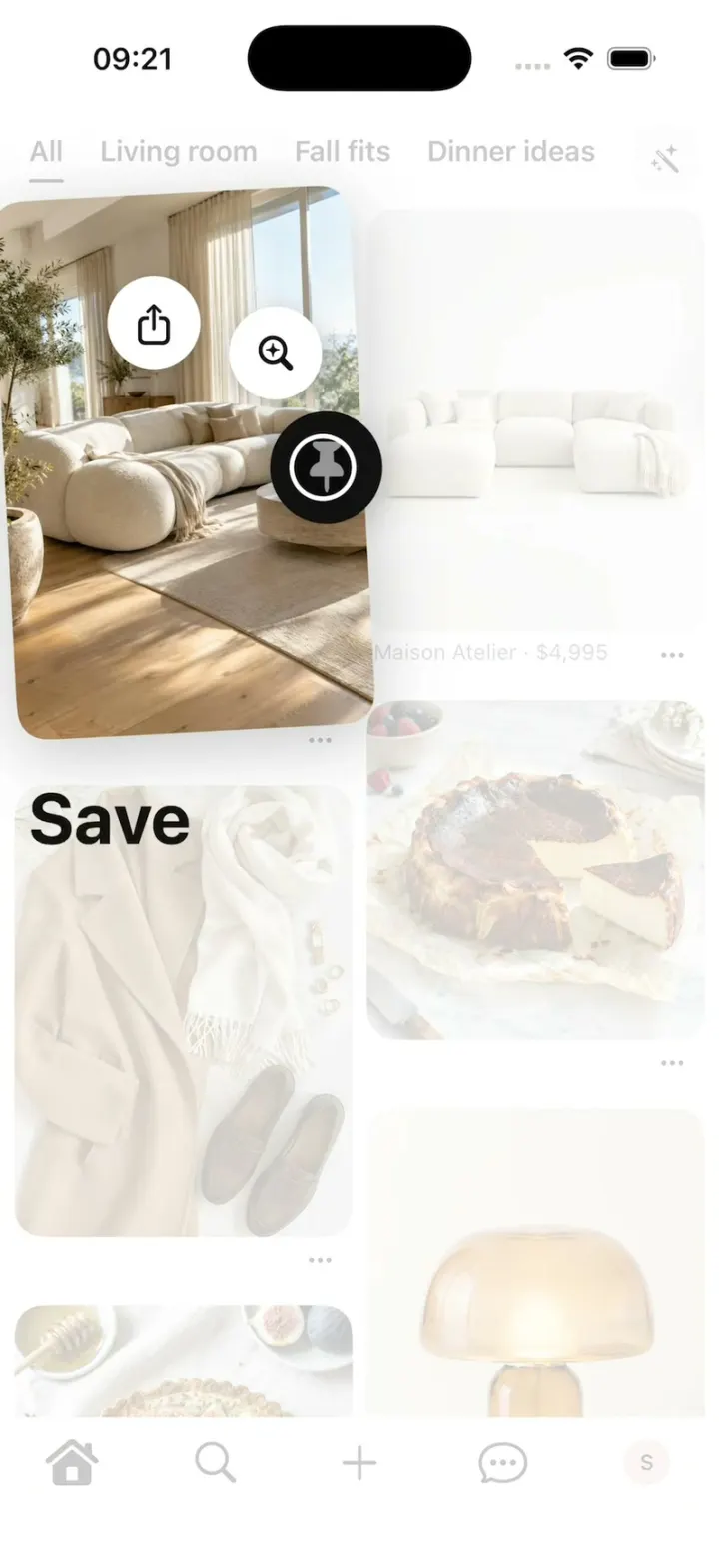
Pinterest Clone
iOSPinterest's long-press save: the lifted Pin, the Save fan, Saved to your board, boards, closeups and Search.
- View template
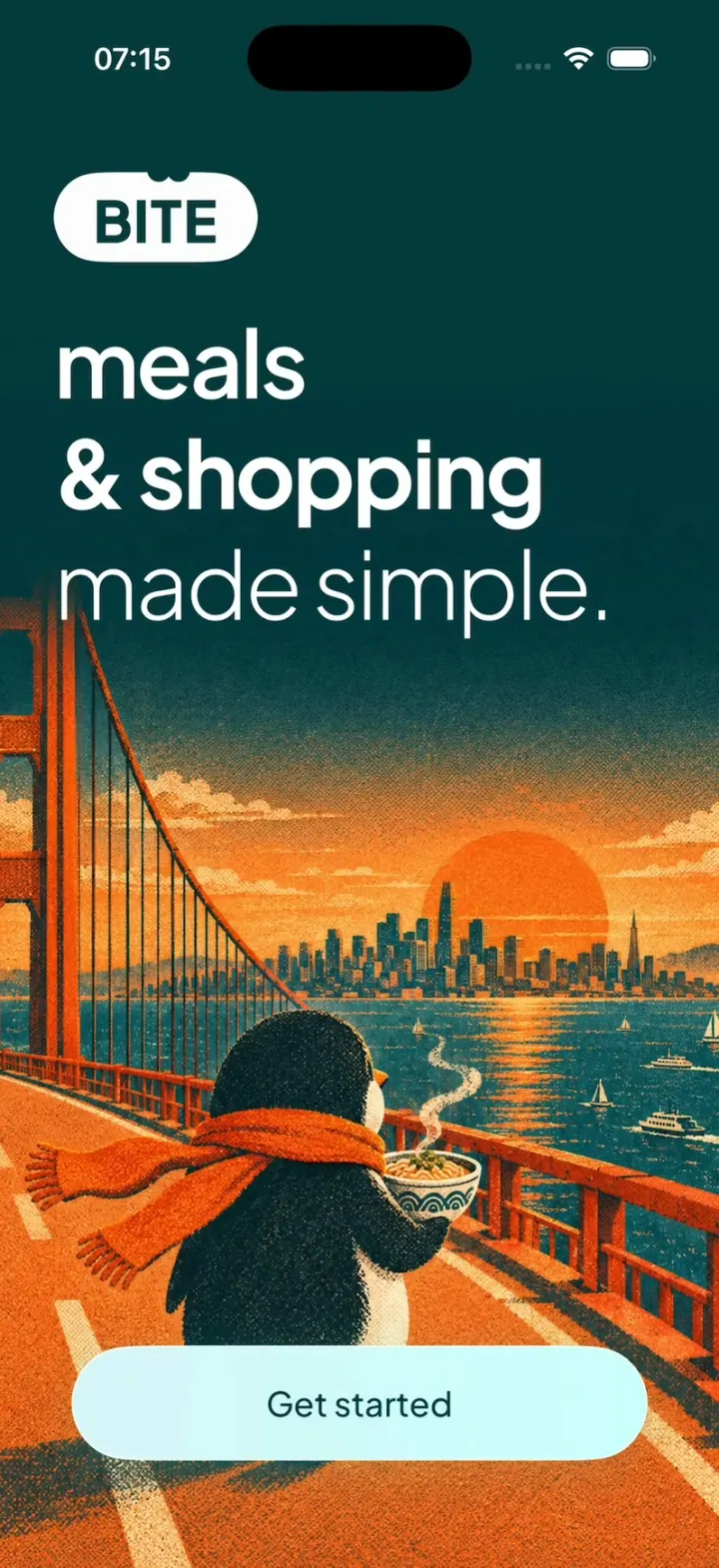
Bite Club
iOSA penguin meal planner: 3-tap quiz, a week you drag dishes around, a tick-off grocery list, cook timer, XP.
- View template
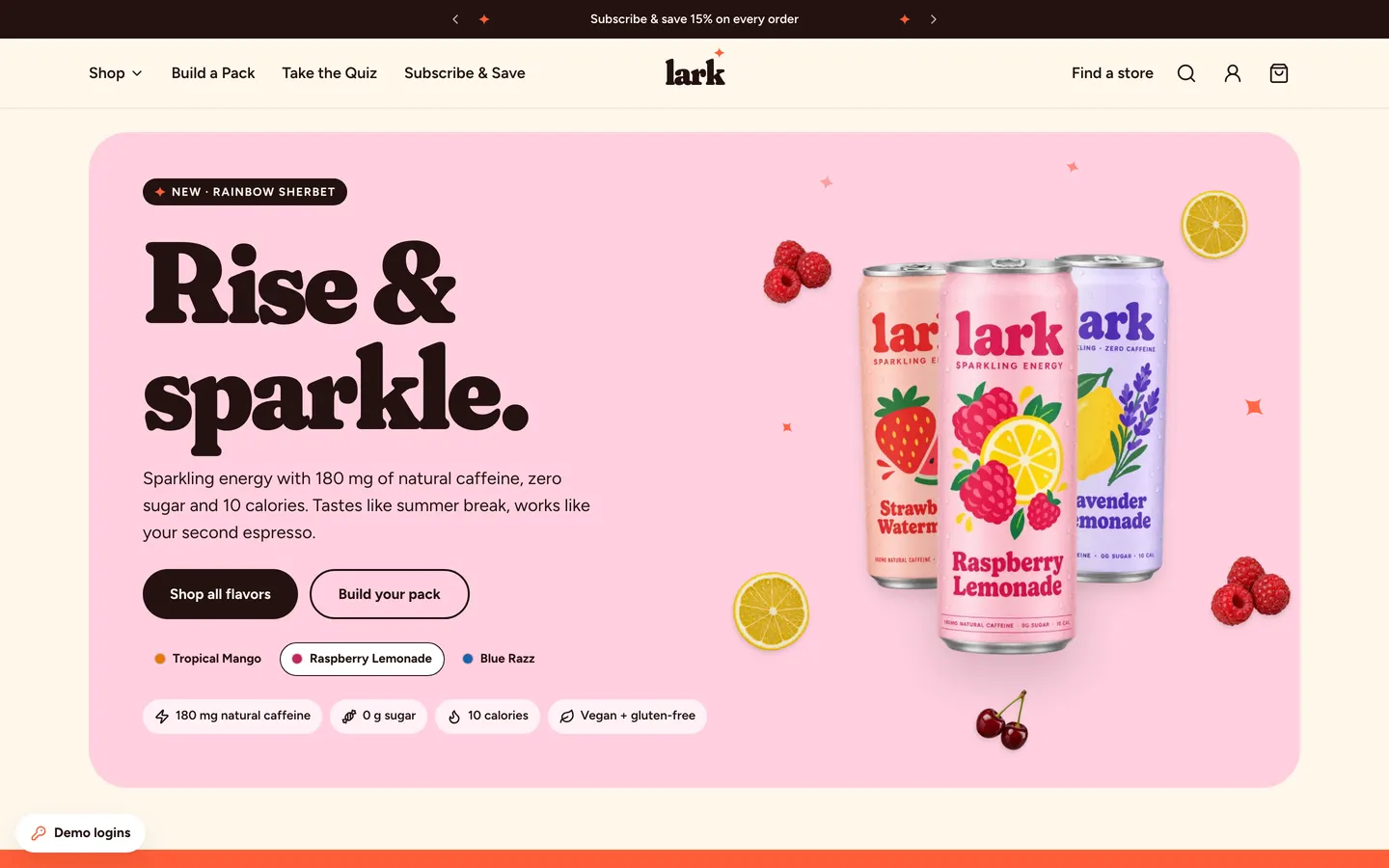
Energy Drink Store
WebPastel energy-drink store with Shopify-style checkout, Subscribe & Save 15%, a pack builder and full admin.
- View template
DoorDash Clone
iOSDoorDash's live tracking: the red Dasher dot, the four-step tracker, drop-off photos, menus and checkout.