DoorDash Clone
Food app · from our videos on X
DoorDash Clone rebuilds DoorDash's iPhone app in its current design, with its real name, red and dash mark. Browse Home's cuisines and local spots, open a store with its hero photo and menu, pick a size and add-ons, and Add to Order brings up the red View Cart bar. Check out with a Dasher tip, then watch the order go from Confirming to Preparing to the Dasher driving a real Brooklyn route on the map, ending in Order Complete with the drop-off photo at your door. Every restaurant, dish and Dasher is fictional, with photos made by gpt-image-2.5-flare, and the README shows where a real backend plugs in.
- iPhone · Swift
- Built in 2 prompts
- Free to remix
Remix copies the working app into your account for free, exactly as we built it. It runs in Vibecode's cloud iOS simulator, in your browser.
Watch the video on X@vibecodeapp · Nov 3, 2026The prompt that builds it
We built DoorDash Clone in 2 prompts. Here they are folded into one, so a single paste into a new app builds the finished version.
Prompt · 2,292 words
Build a polished native iOS clone of DoorDash in SwiftUI: Home, Search, store pages, item options, the cart, checkout with a Dasher tip, live order tracking on a map with the four-step tracker, Order Complete with the drop-off photo, Orders and Account, in DoorDash's current design.

It is DoorDash on screen: its name, its red, the dash mark (exact geometry below) and its own words (quoted). The attached screenshots are the real app: 1 Home, 2 a store page, 3 an item, 4 the cart, 5 tracking, 6 Order Complete. Copy their layouts, sizes and words; every restaurant, dish, person and photo is fictional (below). Light mode only. The user is Sam Rivera at 412 5th Ave, Brooklyn.

SHELL
A NavigationStack rooted at Home, no tab bar (as attached). A floating white "Search DoorDash" capsule sits over Home's bottom edge; once the cart has items a red "View Cart" capsule (count circle, "View Cart", subtotal) rides above it. Opens on Home: no splash, onboarding, login, paywall or permission prompt. The status bar is always visible (white over hero photos).

SCREENS
1. Home (as attached): "412 5th Ave ⌄"; account, bell and cart circles (#F1F1F1; the cart gets a red badge); icons over labels: Grocery, Deals, Reservations, Going Out, Convenience, Retail; "Welcome back, Sam"; two rows of cuisine chips (emoji + label): 🏆 Acclaimed, 🍕 Pizza, 🍣 Sushi, 🍔 Burgers / 🏷️ Deals, 🥟 Taiwanese, 🌮 Mexican, 🥗 Healthy; a wine promo card (#4C0C3A): "Try DashPass free for 30 days" (salmon), "Unlimited $0 delivery fees and up to 10% off.", red pill "Start free trial", a pizza photo; carousels "Your past orders" and "Fastest near you" (photo, name, ♡, "4.8 ★ (2k+) · 0.3 mi · 18 min", a red "$4 off $20+" tag on some); "Most popular local spots" (full-width photo cards, name + DashPass mark, "$0 delivery fee over $12"). Chips open filtered lists; the account circle opens Account.
2. Search: "Recent searches" chips, "Top categories" emoji tiles; typing filters stores and dishes live.
3. Store page (as attached): full-bleed 300 pt hero with a dark fade; white circles back, ♡, share, ⋯; logo circle (initials on the store colour), name (white, bold 30), "DashPass · Pizza · 0.3 mi · Pricing & fees ⓘ"; glass chips "4.8 ★ (2k+) / See reviews", "Customer favorite / See all"; segmented "Delivery Pickup Going Out" + "Group Order"; "DashPass benefits apply on $12+" | "18 min delivery time"; "Deals & benefits"; "Featured Items" (photo cards with a + circle, "👍 98% (412)"); "Most Ordered"; menu rows with photo right. Once the hero scrolls away, a white sticky bar fades in (0.15 s) behind a dark status bar: the back circle, the store name (semibold 17, centred), the ♡, share and ⋯ circles; it fades out when the hero returns.
4. Item sheet (as attached): hero, X and share circles; name (bold 26); "👍 98% (412)"; description; "Your recommended options" ("#1 · Ordered recently by 5+ others"); "Choose your size" (Required) when a dish has sizes; "Add On's · Optional · Select up to 5" rows with ⊕; a quantity stepper; a red "Add to Order" bar with the live total. It closes the sheet and the View Cart capsule springs up (0.9 → 1.06 → 1.0).
5. Cart (as attached): "Cart", X; store card ("18–28 min", subtotal, "Add items"); trash / count / + steppers; purple "Add $2 to save with DashPass" + progress bar; "Complement your cart"; red "Continue".
6. Checkout: Delivery | Pickup; "Address details" (412 5th Ave, Apt 3R, "Leave it at my door"); "Delivery time": Standard 18–28 min / Schedule Ahead; "Cart summary"; "Dasher tip" ("100% of your tip goes to your Dasher", $3 $4 $5 Other); "Price summary" (Subtotal, Delivery Fee $0.00, Service Fee, Estimated Tax, Dasher Tip, Total); a red "Place Order": haptic, the cart empties, the order's tracking slides up.
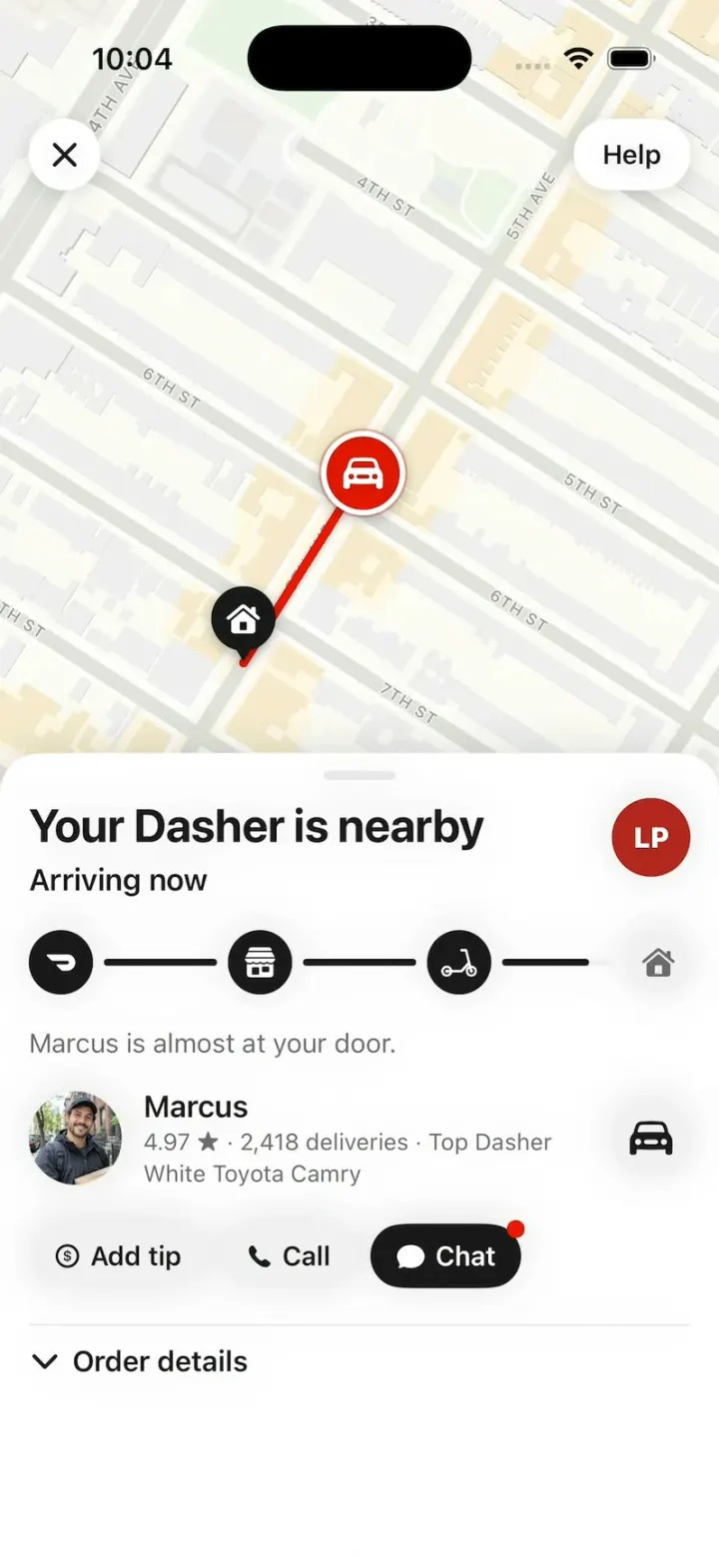
7. Tracking (as attached; the hook lives here): a full-bleed map; X circle top left, "Help" pill top right. Pins: home = black teardrop with a white house; store = black teardrop with a white storefront; the Dasher = a 44 pt #EB1700 circle with a white car, a white ring and a soft pulsing red halo, never rotated, above the pins; a 5 pt red route line from the Dasher to home, shortening as he drives. On arrival the red circle shrinks into the home pin over 0.3 s (scale 1 → 0.4, opacity 1 → 0) while the home pin pops (1 → 1.25 → 1, spring) with the house step. The sheet (grabber; its default height leaves the top 48% of the map visible): title (bold 26), subtitle (semibold 17), the store's logo circle; the tracker: four 36 pt circles (the dash mark, a storefront, a scooter, a house), black when reached, #F1F1F1 when not, joined by 4 pt lines that fill black as the order moves; helper text (15 pt, #6B6B6B); the Dasher row (52 pt photo, name, "4.97 ★ · 2,418 deliveries · Top Dasher", the car); "Add tip", "Call", "Chat" (black, red dot) pills; "⌄ Order details". States: "Confirming order" / "Arrives h:mm–h:mm"; "Preparing your order" ("<store> is preparing your order."); "<Dasher> is heading to you" / "Arrives h:mm" ("<Dasher> picked up your order from <store>."); the drive's last 25% "Your Dasher is nearby" / "Arriving now"; then "Order Complete" / "Arrived at h:mm" ("<Dasher> left your order at your door."), the drop-off photo card (full width, 190 pt, a "Left at your door" chip) under the tracker, and "Rate order" joins the pills. Times = the device clock plus the order's minutes. Between states the words swap in one frame, on the frame the tracker step changes (no fade, never an empty sheet).
8. Order life (compressed): Confirming 2 s, Preparing 5 s, a 14 s drive at constant speed, Order Complete. "Add tip" opens the tip sheet ("Add to tip for your Dasher.", $1 $2 $5 Other, red "Got it"); "Chat" a two-line chat; "Rate order" 5 stars; "Help" a sheet.
9. Orders (from Account): the live order's card ("Track"); "Completed" rows (store + DashPass mark, "$35.24 · 2 items", item names, "Receipt" / "Reorder"). 10. Account: a DashPass purple header (Sam, "You've saved $46.85 in the last 30 days"), tiles Orders, Settings, Profile, Rewards. No dead buttons: rows open small sheets.

STORES (fictional: logo initials + colour, cuisine, distance, minutes, rating, menu)
Lucia's Pizzeria (LP #B3261E) Pizza 0.3 mi 18 min 4.8 (2k+), "20% off, up to $5": Margherita (12" $16 / 14" $19 / 18" $23; add-ons Extra mozzarella +$2.50, Hot honey +$1.50), Pepperoni, Vodka Slice $5.50, Garlic Knots $6.50, Tiramisu $8. Sakura Sushi (SS #2F4858) Sushi 3.4 mi 32 min 4.7: Salmon Avocado Roll $9.50, Spicy Tuna Roll $10, Miso Soup $4. Bao Brothers (BB #E8A33D) Taiwanese 0.6 mi 22 min 4.8: Pork Belly Bao $11, Beef Noodle Soup $17. Smash Club (SC #1F1F1F) Burgers 0.4 mi 16 min 4.6, "$4 off $20+": Double Smash $14, Truffle Fries $7. Taqueria El Sol (TS #F28C28) Mexican 0.5 mi 20 min 4.7: Al Pastor Tacos $12, Chips & Guac $8. Green Fork (GF #2E7D32) Healthy 0.4 mi 15 min: Harvest Bowl $15.
Dashers: Marcus (4.97, 2,418 deliveries, Top Dasher, white Toyota Camry), Priya (4.99, 3,104 deliveries, silver Honda Civic). Past orders: Bao Brothers $35.24 Oct 30, Smash Club $28.10 Oct 24.

ROUTES (lat,lon; home 40.67015,-73.98549)
Lucia's: 40.67440,-73.98195; 40.67015,-73.98549
Sakura (Bay Ridge): 40.63446,-74.02317; 40.63462,-74.02353; 40.63677,-74.02265; 40.63822,-74.02103; 40.63987,-74.02170; 40.64143,-74.02096; 40.66608,-73.99520; 40.67146,-73.99102; 40.66917,-73.98630; 40.67015,-73.98549
Other stores: a smooth arc to home.

MAPS
Every tracking map is an MKMapSnapshotter image (mutedStandard, light, no points of interest), rendered once and cached (the hook's two at launch) and drawn on its first frame; route, pins and the Dasher are SwiftUI on top, projected through the snapshot. Frame the route above the sheet with 40 pt margins; the hook's first order frames only Marcus's last 250 m (his start to home, 50 pt margins), so his drive crosses most of the visible map.

HOOK (the video's first 3 seconds)
- HOOK MODE: tapping an invisible 44x44 pt area centred at the top, just below the status bar, on every screen (above every sheet, banner and map; a tap closes whatever is open) plays this run through the real tracking, banner and order code, identical every time (seconds from the tap): 0.00 order 1 (Lucia's Pizzeria: Margherita 18", Garlic Knots) tracking full screen, "Your Dasher is nearby" / "Arriving now", steps 1-3 black, the last line half-filled, Marcus 250 m up 5th Ave and already moving; 0.00-1.30 he drives home at constant speed, the line filling with him; 1.30 the house step turns black and pops (1.0 → 1.18 → 1.0, 0.25 s), haptic, and "Order Complete" / "Arrived at <now>", "Marcus left your order at your door." take over the sheet in the same frame; 1.50-1.80 the drop-off photo card grows in, fully drawn; 2.20 the banner beat: a white in-app banner slides down from the top (0.3 s spring; 16 pt corners, shadow, 12 pt from the screen sides, 44 pt avatar, semibold 17 title, 17 pt text): "Sakura Sushi 🍣" / "Your second order is on its way"; 2.80 the banner is tapped (pressed 0.96) and leaves, and order 2's tracking fades in on top of order 1 as one image over 0.25 s (order 1 stays fully opaque underneath, so no frame is lighter than either screen), fully drawn on its first frame (map on the whole Bay Ridge route): "Priya is heading to you" / "Arrives <now + 38 min>", Priya's row; 3.10-8.60 Priya drives the whole route at constant speed; 8.60 arrival as above with her drop-off photo; hold to 11.0.
- The banner beat and order 2 are data in DemoScript (store, banner title, text, avatar, Dasher, vehicle, helper text, route, drop-off photo) so a remix can swap them.
- What the eye must see: the Dasher and pins at full size on every frame, never hidden under the sheet; the map never blank or grey; no flash. HOOK MODE uses these times, never the normal delays. Decode every image at launch, off the main thread.

DOORDASH MARK (Simple Icons "doordash", CC0; frame 1.76 wide per 1 tall; white in the tracker's first step; the DashPass mark is the same glyph in #622EEA)
struct DoorDashMark: Shape {
    func path(in r: CGRect) -> Path {
        func pt(_ x: CGFloat, _ y: CGFloat) -> CGPoint { CGPoint(x: r.minX + x * r.width, y: r.minY + y * r.height) }
        var p = Path()
        p.move(to: pt(0.961, 0.237))
        p.addCurve(to: pt(0.736, 0.000), control1: pt(0.917, 0.091), control2: pt(0.831, -0.001))
        p.addLine(to: pt(0.024, 0.000))
        p.addCurve(to: pt(0.002, 0.027), control1: pt(0.014, 0.000), control2: pt(0.006, 0.011))
        p.addCurve(to: pt(0.007, 0.074), control1: pt(-0.002, 0.043), control2: pt(0.000, 0.061))
        p.addLine(to: pt(0.162, 0.348))
        p.addCurve(to: pt(0.214, 0.386), control1: pt(0.176, 0.372), control2: pt(0.195, 0.386))
        p.addLine(to: pt(0.716, 0.386))
        p.addCurve(to: pt(0.781, 0.499), control1: pt(0.752, 0.385), control2: pt(0.781, 0.436))
        p.addCurve(to: pt(0.717, 0.614), control1: pt(0.782, 0.562), control2: pt(0.753, 0.613))
        p.addLine(to: pt(0.371, 0.614))
        p.addCurve(to: pt(0.349, 0.641), control1: pt(0.361, 0.614), control2: pt(0.353, 0.625))
        p.addCurve(to: pt(0.354, 0.687), control1: pt(0.345, 0.657), control2: pt(0.347, 0.675))
        p.addLine(to: pt(0.509, 0.962))
        p.addCurve(to: pt(0.561, 1.000), control1: pt(0.523, 0.986), control2: pt(0.541, 1.000))
        p.addLine(to: pt(0.717, 1.000))
        p.addCurve(to: pt(0.961, 0.237), control1: pt(0.921, 1.000), control2: pt(1.075, 0.617))
        p.closeSubpath()
        return p
    }
}

LOOK
DoorDash red #EB1700 (buttons, the Dasher, tags), ink #191919, chips and pills #F1F1F1, secondary #6B6B6B, hairlines #E7E7E7, DashPass purple #622EEA, promo wine #4C0C3A. SF Pro; titles bold and tight.

RULES
- Native SwiftUI, iOS 26 (keep the template's target), iPhone portrait, light mode.
- Deterministic fixtures. No backend, login, permissions, location, analytics or network calls except map snapshots. No persistence: delete the SwiftData starter, no UserDefaults or files.
- Images with gpt-image-2.5-flare (run env; POST https://api.openai.com/v1/images/generations with the project's OPENAI_API_KEY): a 3:2 hero per store; square photos of each dish listed; portraits of Marcus, Priya and Sam; 3:2 drop-off photos (Marcus: a red insulated delivery bag and a pizza box on a Brooklyn brownstone doormat; Priya: a paper takeout bag on a doormat). Bright, appetising, natural phone-photo look; fictional people; no text, logos or celebrities. A #F1F1F1 tile until each exists.
- Springs under 350 ms, haptics on Add to Order, Place Order and arrival, nothing hidden under the floating bars.
- Files under 300 lines, big bodies split into subviews, no long chained expressions.

REMIX-READY
Theme/Brand.swift (name, a Copy enum with every word), Theme/Theme.swift (role colours, fonts; no colour literals elsewhere), Theme/DoorDashMark.swift, Data/Fixtures.swift (stores with menus, Dashers, past orders, the user; Codable, String ids; a new store = one entry), Data/Routes.swift, Data/DemoScript.swift (HOOK MODE times, the banner beat, order 2), Ordering/OrderEngine.swift (cart, checkout, order life behind an OrderTransport protocol with ScriptedTransport: the seam for a real backend). One AppDataSource protocol (FixtureDataSource) feeding one @Observable AppStore; views never read Fixtures. Features/<Screen>/, Components/. README.md under 80 lines: file map; how to rename, recolour, add a store or dish, change the hook's second order, plug in a real backend; 3 one-prompt remixes ("DoorDash for mom's cooking: Mom's Kitchen, and Dad is the Dasher", "for home cooks in your neighborhood", "for your campus dining hall"). "Read README.md first." atop CLAUDE.md and ios/AGENTS.md; replace ios/CLAUDE.md's structure block with this app's files. No scratch folders.

FILMING
Long-press "412 5th Ave" on Home to reset everything to launch.

BUILD
Theme, Brand, the mark, Fixtures, Routes, then Home, the store page, the item sheet, cart and checkout, then tracking with the order engine, the banner and HOOK MODE, then the rest, in small files with a one-line status per screen; launch in the simulator every two or three files. Start the images as a background job once Home runs; check each file exists, never view them. Walk each flow once and fix what breaks; no pixel measuring or debug modes. Deliver the whole app, not a plan.
More templates
All templates- View template
Mynu
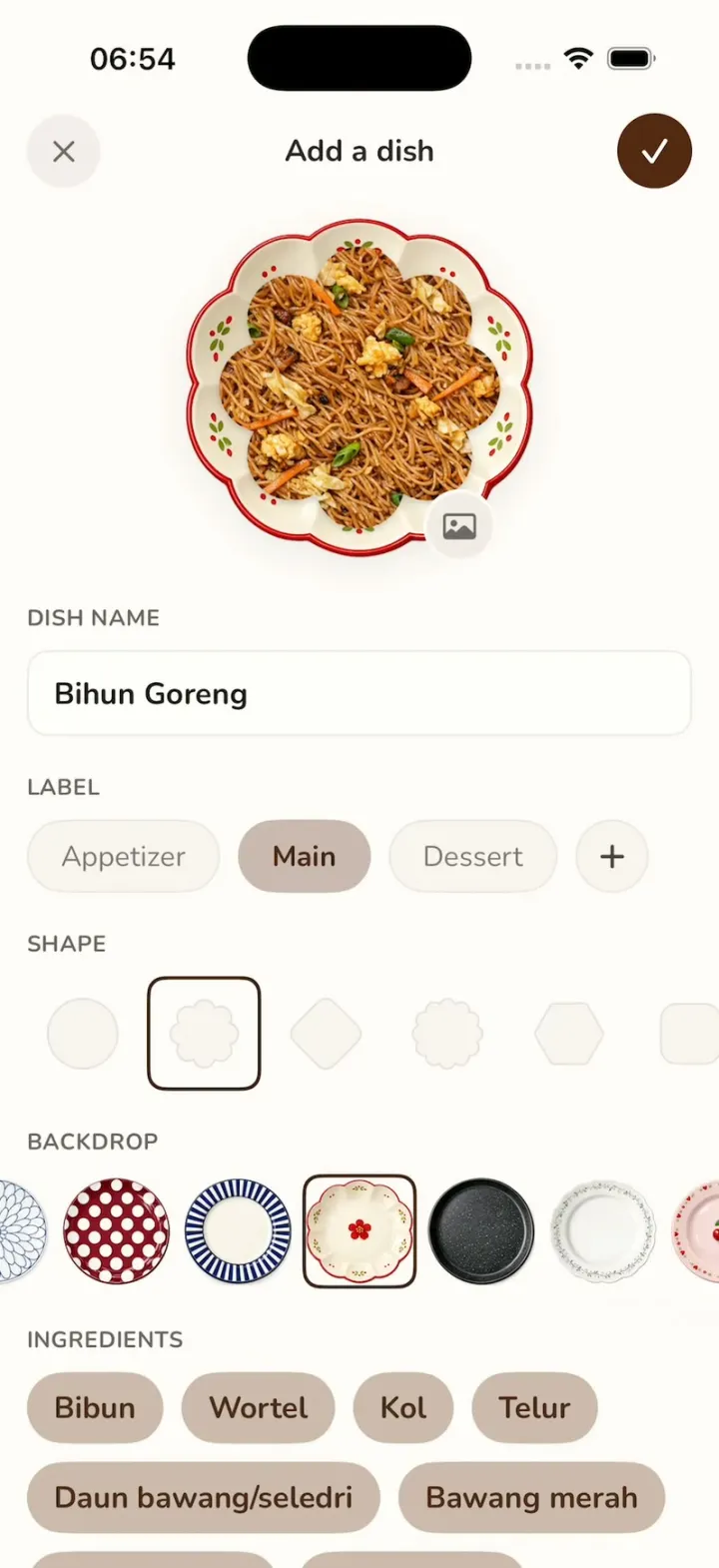
iOSMynu's plate picker: tap a ceramic plate and your flower-cut dish photo lands on it instantly.
- View template
Tesla
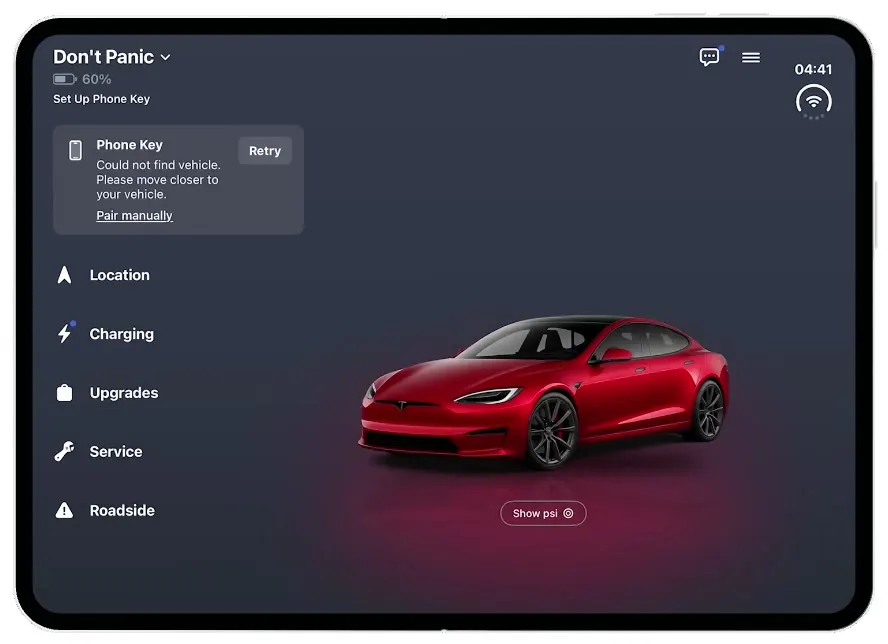
iOSThe Tesla app on the iPhone Duo: a cover-screen Home that unfolds into a red Model S on a lit stage.
- View template
Lightly
iOSA wellbeing journal with a $70K/month onboarding: a cloud mascot, a face that shape-shifts by mood, a plan.
- View template
Milo
iOSAn AI companion onboarding: springy sticky notes, four cartoon companions, a rolling dial and a postage stamp.