Milo
Wellness app · from our videos on X
Milo is the onboarding flow of an AI companion journaling app, cloned from a design concept by Satya. Sticky notes spring in around a hand-drawn arrow, then you pick what's on your mind from rows where little characters peek up, and swipe a carousel of four companions: Bo, Pip, Momo and Kiko. A dial sweeps to 5 minutes a day while the big number rolls, you type a first thought, and a red postage stamp drops in and settles as your first keepsake. Every screen blurs to white and springs the next one in, and Open my space restarts the whole flow.
- iPhone · Swift
- Built in 2 prompts
- Free to remix

Remix copies the working app into your account for free, exactly as we built it. It runs in Vibecode's cloud iOS simulator, in your browser.
Watch the video on X@ios_app_builder · Oct 14, 2026The prompt that builds it
We built Milo in 2 prompts. Here they are folded into one, so a single paste into a new app builds the finished version.
Prompt · 2,082 words
Download/reference the app shown in this post and clone it exactly, including the iPhone visual design, layout, interactions, animations, typography, spacing, and all visible states. Make it functional and runnable in the simulator. Match the reference as closely as possible and include any interaction shown in the source. Reference: https://x.com/heysatya_/status/2110264756187938935.

Build a native SwiftUI iOS app named Milo using Opus 5.5. This is the onboarding flow of "milo", an AI companion journaling app with four cute hand-drawn companion characters, demonstrated on iPhone (portrait). Do NOT put a fake handset frame inside the actual app; the simulator provides that. Use realistic deterministic fixture data so every screen is rich and usable without permissions or backend.

Observed video sequence (0-24s), each screen on a near-white #F7F7F7 background:
0-2s: WELCOME screen; sticky notes slide in, a hand-drawn loop arrow draws itself down toward the button, "Get started" appears and is pressed (soft glow shimmer on the button).
2.25-5s: a white flash/blur crossfade to WHAT'S ON YOUR MIND; the title blurs in, the four rows stagger in, "A clearer head" is tapped and fills purple, "Continue" is pressed.
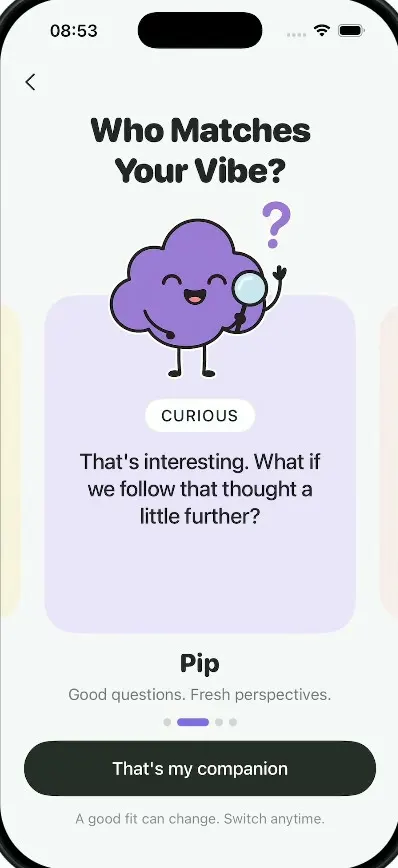
5.25-12.25s: WHO MATCHES YOUR VIBE companion carousel; swipe Bo -> Pip -> Momo -> Kiko (each ~1.75s), "That's my companion" is pressed.
12.5-15.5s: SMALL TIME BIG FEELINGS; the dial arc sweeps clockwise while the big centre number rolls 0 -> 5, then "Set my daily rhythm" is pressed.
16-18.75s: LET'S START WITH YOU; a thought is typed into the field, "Save my thought" is pressed.
19-24s: A GOOD START; the title blurs in, then a red postage stamp drops in rotated and blurred and settles straight; hold.

Visual details (all screens): status bar visible, light. Background #F7F7F7. Titles: very heavy, tight, rounded-geometric display font (use SF Pro Rounded Black/Heavy with tight tracking, ~34pt, two lines, centred, near-black #222). Subtitles: regular grey #6B6B6B ~16pt centred. Primary buttons: full-width (24pt side margins) 56pt tall dark charcoal #232826 capsules with white 18pt medium text, pinned near the bottom; a small grey footnote line under each button. On press a button shows a soft glowing radial shimmer (light green-white glow ring expanding from the touch point) and a slight scale down, then the screen transitions. Screens 2-6 have a thin back chevron "<" top-left (24pt from left, below the status bar) that goes back one step. Transitions between screens: the old screen blurs and fades to white, the new screen's title blurs in (blur 12 -> 0, opacity 0 -> 1) and the rest staggers in with springs. No navigation bar titles, no tab bar.

SCREEN 1: WELCOME.
- Top centre: wordmark "milo" (bold rounded, ~26pt, near-black).
- Four decorative notes slide in from the edges with small rotations and a springy settle, staggered:
  1. Top-left, rotated ~-4deg, partly off the left edge: a yellow #FBEFA6 square sticky note with a curled bottom-right corner and a red pushpin at the top, handwritten text (use a handwriting-style font such as "Noteworthy" or "Bradley Hand", dark brown) "More walks. Less scrolling." on two lines, with a hand-drawn golden squiggle underline.
  2. Right side, rotated ~+5deg, partly off the right edge: a white lined-paper card with a purple paperclip at the top, tiny grey caps label "SMALL WIN", handwriting "Sent that message.", a small yellow star.
  3. Bottom-left, rotated ~+6deg, half off the left edge: a lavender #E5DDF8 note with light purple washi tape at the top, purple handwriting "Something just for fun." (cut off by the screen edge) and a purple outline heart.
  4. Bottom-right, rotated ~-6deg, half off the right edge: a pink #F7DDD8 scalloped-edge sticker with a white border, a red heart on top, red-brown handwriting "slow days count, too." (cut off by the screen edge).
- Centre: "Your thoughts, ideas, and stories. All welcome here." (28pt semibold, near-black, three lines: "Your thoughts," / "ideas, and stories." / "All welcome here.") over a soft warm peach/yellow radial glow.
- Below it a thin (2pt, round caps) black hand-drawn arrow that draws itself (trim animation, ~0.8s): it starts at the upper RIGHT (just below "All welcome here.", right of centre), sweeps left in a shallow curve, makes one small loop near the centre, then drops straight down to an open "V" arrowhead just above the "Get started" button.
- "Get started" primary button; footnote "Already have an account?  Sign in" (grey, "Sign in" slightly darker).

SCREEN 2: WHAT'S ON YOUR MIND.
- Title "What's On Your Mind?" (two lines: "What's On Your" / "Mind?").
- Four rows sitting directly under the title (about 28pt below "Mind?"), top-aligned, not vertically centred with a big gap. Each row 72pt tall (corner radius 24, fill #F0F0F0, 14pt gaps, label 21pt medium near-black left-aligned at 22pt): "A clearer head", "Everyday habits", "A new idea", "My next chapter". On the right of each row a little character (about 64pt wide) peeks up from the row's bottom edge (clipped by the row, only its top half with big cartoon eyes visible): purple #7469E6 cloud blob with raised eyebrows; green #4DB88A rounded star with sleepy half-closed eyes; coral #E96D5E rounded triangle blob winking; yellow #EBC94F toast-shaped block with worried eyebrows.
- Tapping a row toggles selection (max three): the row fills #7469E6 with white text, its character bounces up a few points and its body blends into the purple; unselected rows stay grey.
- "Continue" button; footnote "Choose up to three. Change these anytime."

SCREEN 3: WHO MATCHES YOUR VIBE (camera zoom-in feel: the content scales from 0.94 to 1.0 as it appears).
- Title "Who Matches Your Vibe?" (two lines: "Who Matches" / "Your Vibe?").
- A horizontally paging card carousel (scrollTargetBehavior paging/viewAligned, cards ~78% of the width, the neighbouring cards peeking ~20pt at both edges, faded). Each card: a tall pastel rounded rectangle (corner 32) whose top part is transparent so the full-body character stands above and overlaps the card's top edge; inside the card: a white rounded pill tag with the trait in caps (16pt medium), then the quote (22pt medium, near-black, centred, 4 lines). Below the carousel: the companion name (26pt black heavy rounded), a grey subtitle line, and page dots (inactive = small grey dots, active = a 32x8 capsule in the character colour). The characters are full-body cartoons with thin black stick arms and legs, big white eyes with black pupils, small smile.
  1. Bo: card #F8EDB6 (pale yellow). Character: a yellow toast/bread slice holding a white mug with a red heart, waving. Tag "GENTLE". Quote "No rush. Tell me what's on your mind. We'll take it from there." Subtitle "Calm words. Room to be yourself."
  2. Pip: card #E6E3FA (lavender). Character: a purple #7469E6 cloud-shaped blob, happy closed eyes, open smile, a purple "?" above one hand and a magnifying glass in the other. Tag "CURIOUS". Quote "That's interesting. What if we follow that thought a little further?" Subtitle "Good questions. Fresh perspectives."
  3. Momo: card #F6DDD3 (peach). Character: a coral #E96D5E four-point star blob winking, throwing a paper plane. Tag "PLAYFUL". Quote "Brain full of tabs? Let's close a few. One tiny thought at a time." Subtitle "A little wit. A lighter way through."
  4. Kiko: card #D9E9DA (mint). Character: a green #4DB88A rounded star holding a clipboard checklist. Tag "DIRECT". Quote "Let's get clear. Pick one thing. What's the next step you can take?" Subtitle "Clear answers. A doable next step."
- The current character gently bobs (idle float) and does a little hop when it becomes the current page.
- "That's my companion" button; footnote "A good fit can change. Switch anytime." The chosen companion is remembered for screen 5.

SCREEN 4: SMALL TIME BIG FEELINGS.
- Title "Small Time Big Feelings" (two lines: "Small Time" / "Big Feelings"); subtitle "A few minutes to check in with yourself."
- A 280pt dial: an outer ring of tick marks (60 ticks: thick black 3x14 major ticks every 5, thin grey minor ticks), inside it a thick (~44pt) light grey #EDEDED ring track, and a cyan #8ECFDD arc drawn clockwise from 12 o'clock. A small black capsule knob with a white dot marks the end of the arc. The white centre circle shows a huge rolling number (64pt black heavy, .contentTransition(.numericText()) with a vertical blur roll) over "MIN / DAY" (12pt semibold grey caps, tracked). The dial range is 0-10 minutes (5 = half the ring).
- On appear the arc animates from 0 to 5 minutes over ~1s while the number rolls 0,1,2,3,4,5. Dragging around the dial changes the minutes 1-10 (snaps to whole minutes, light haptic per step).
- Below: a light cyan #E3F3F6 rounded pill (corner 16) showing the number "5" (20pt medium) over "Little reset" (14pt). Labels by value: 1-3 "Quick pause", 4-6 "Little reset", 7-10 "Deep breath".
- A #EFEFEF rounded card (corner 20): bell outline icon, "A little nudge?" (17pt semibold) over "8:30 PM · your call" (grey 14pt), and a toggle on the right (off by default).
- "Set my daily rhythm" button; footnote "Skip for now" (also tappable, goes to screen 5).

SCREEN 5: LET'S START WITH YOU.
- Title "Let's Start With You" (two lines: "Let's Start" / "With You"); subtitle "There's no right place to start."
- A large light grey #EDEDED arch card (top corners fully rounded like a tombstone arch, bottom corner 28) holding: the chosen companion (Pip by default) waving both hands, standing in a white circle at the top; a lavender #E6E3FA circular "Skip" bubble (purple text) floating at the top right of the arch; "What's on your mind?" (22pt heavy rounded); "An idea, a feeling, or how today went." (grey 15pt); a compact white rounded text field card about 150pt tall (corner 20, not stretched, so the arch card stays compact) with a tiny grey caps label "YOUR THOUGHT", a multi-line TextEditor (17pt, near-black) and a character counter "0 / 500" at the bottom right that updates as you type.
- The text field must accept typing from a hardware keyboard. Do not auto-focus it; tapping it focuses it.
- "Save my thought" button (enabled even if empty); footnote "Share as much or as little as you like."

SCREEN 6: A GOOD START.
- Title "A Good Start" (one line) blurs in; subtitle "You turned a thought into a first step."
- ~0.6s later a postage stamp (about 240x290) drops in from above with rotation -14deg, scale 1.3 and blur 10, and springs to 0deg, scale 1, blur 0 (with a light haptic): a pale peach #F6DED3 stamp with perforated (scalloped) edges, an inner red-orange #E0563B panel with tiny cream caps text "MILO / FIRST EDITION" on ONE line top-left and, centred at about 70% of the panel width, a cream #F8DFA5 emblem drawn as one thick (about 16pt) stroke with round caps: a big open loop shaped like a heart/apple outline (a large circle open at the bottom-left), a smaller teardrop-shaped loop curling inside it at the top centre, and a short tail ending in a little hook at the bottom centre, and under the panel "FIRST WORD" (left, caps, medium) and "001" (right, small).
- "Your first stamp" (22pt regular, near-black), then grey two lines "Little moments, worth keeping." / "Your collection grows as you do."
- "Open my space" button; footnote "A small start counts." Tapping "Open my space" restarts the whole flow at SCREEN 1 with all state reset (selections cleared, companion back to Bo, dial back to 0 so it re-animates, text cleared, notes and arrow re-animate).

Characters: draw them as polished flat 2D vector cartoons. Generate the four full-body companions (Bo, Pip, Momo, Kiko as described above, each with thin black stick arms and legs, transparent background) and the four peeking row faces with gpt-image-1 using the project's proxied OPENAI_API_KEY at https://api.openai.com/v1/images/generations (background "transparent"), in one consistent flat sticker style with clean black outlines on the eyes and limbs. If image generation fails, draw them in SwiftUI with shapes, but try it first. The stamp emblem and the notes can be SwiftUI shapes.

Use native spring animations and gestures, not static screenshots. Everything works offline.

Build fully, run compile/build validation, resolve all errors, and launch in the web simulator on iPhone. Prioritize fidelity to the reference and the demo path (Welcome -> Get started -> select "A clearer head" -> Continue -> swipe Bo/Pip/Momo/Kiko -> That's my companion -> dial rolls to 5 -> Set my daily rhythm -> type a thought -> Save my thought -> stamp drops -> Open my space restarts). Deliver complete implementation rather than a plan.
More templates
All templates- View template
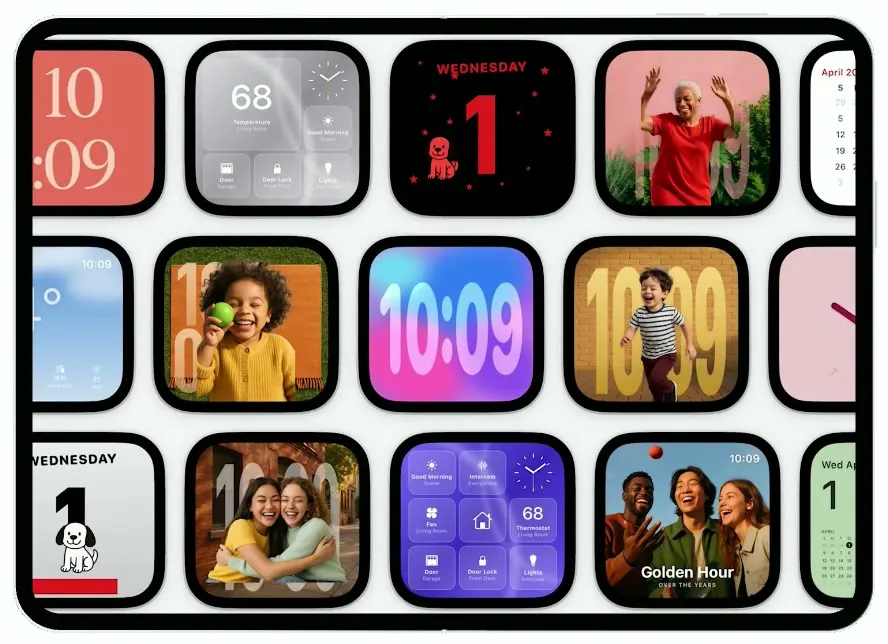
HomeView
iOSA smart-home display on the iPhone Duo: drifting clock faces, face recognition, Siri answers, a 68° dashboard.
- View template
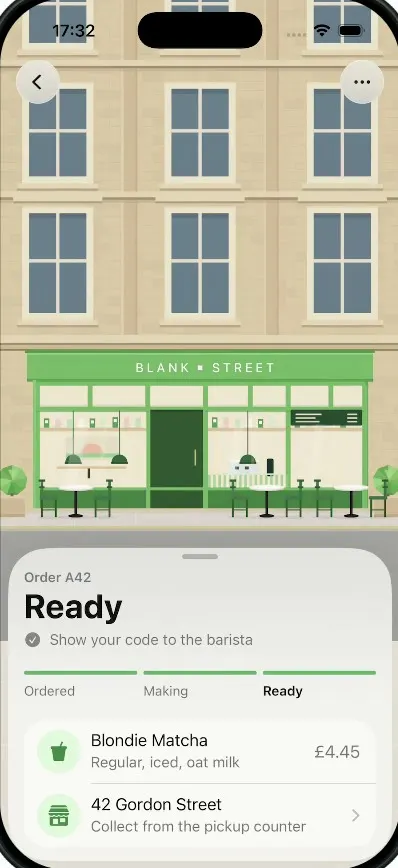
Pickup
iOSA coffee order tracker whose street tilts into a 3D field of QR blocks that flattens into your pickup code.
- View template
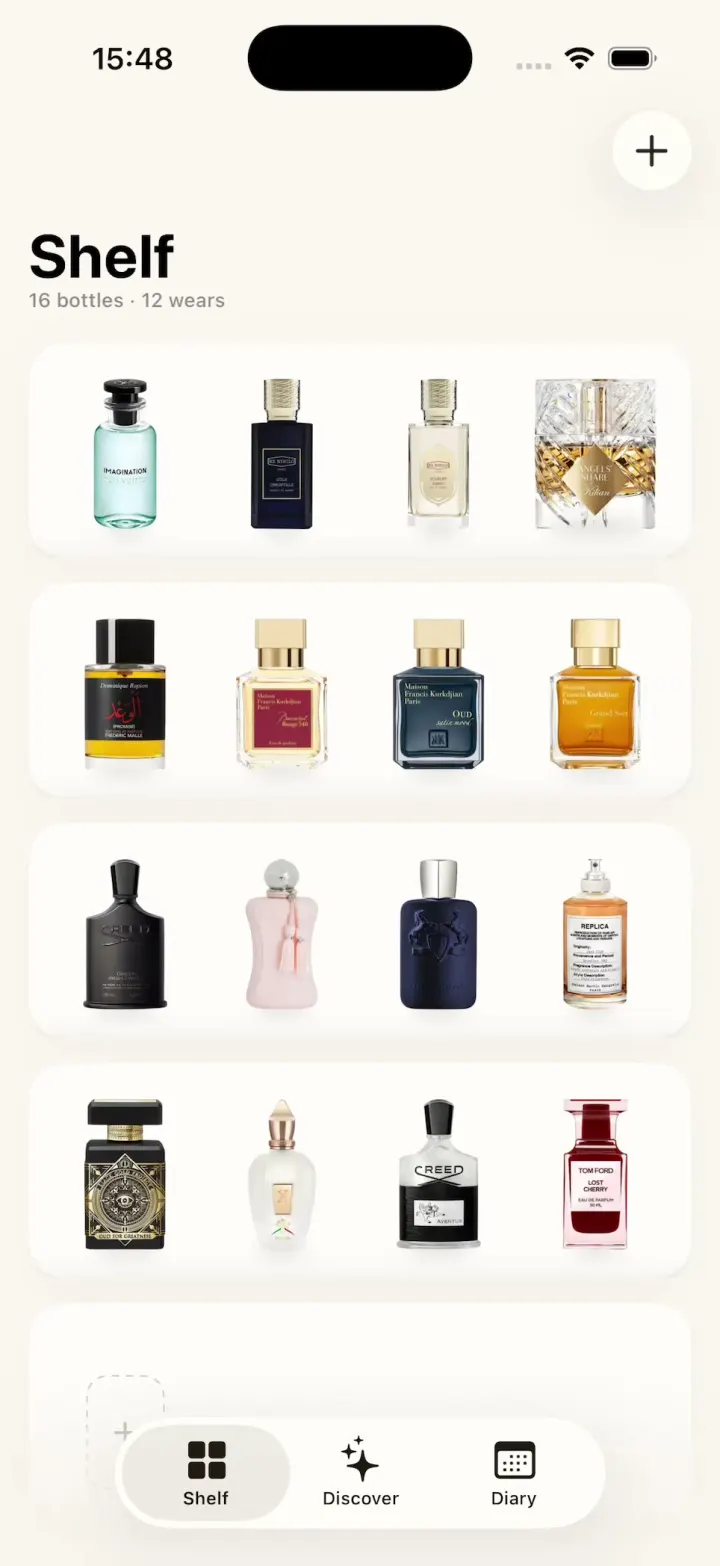
ScentScout
iOSA fragrance tracker with a cream bottle shelf, a bottle zoom transition, a cologne library and a wear diary.
- View template
Breathe
iOSA meditation app with a glowing breathing orb, an aurora sky, mood check-ins, sleep stories and soundscapes.