HomeView
Smart Home app · from our videos on X
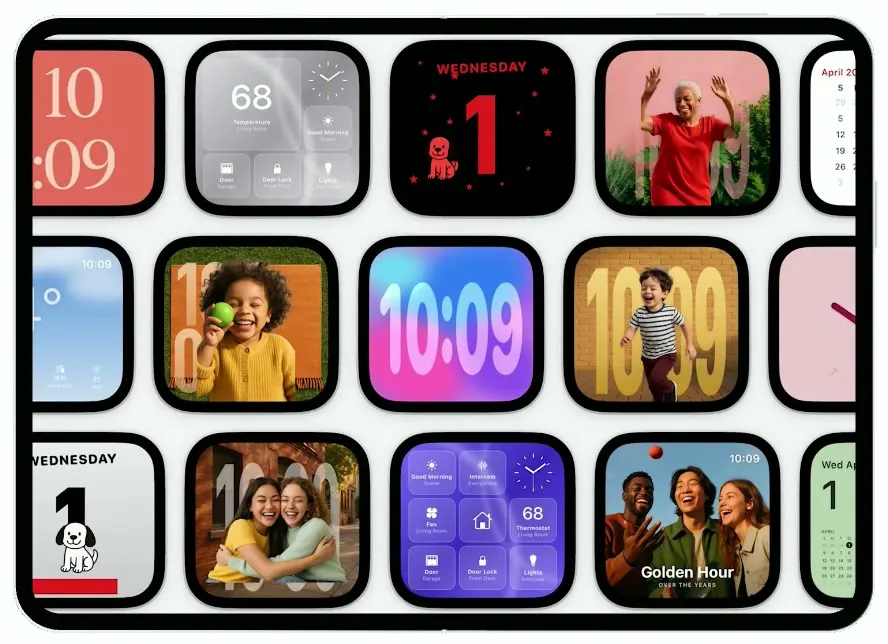
HomeView turns the unfolded iPhone Duo into a smart-home display, modelled on Apple's HomeView launch film. It opens on a drifting gallery of live clock faces; tap one and it zooms to full screen, tap again and it recognizes Sophie and crossfades to her personal home with music, podcasts, weather and her calendar. Ask Siri when to leave for practice and an answer card springs up with a drawn map and an 18 min drive button. The amber Home dashboard rolls the thermostat from 68 to 69 with the chevrons, and Now Playing shows time-synced lyrics while the cookbook opens a butternut squash soup recipe.
- iPhone Duo · Swift
- Built in 2 prompts
- Free to remix
Remix copies the working app into your account for free, exactly as we built it. It runs in Vibecode's cloud iOS simulator, in your browser.
Watch the video on X@ios_app_builder · Oct 13, 2026The prompt that builds it
We built HomeView in 2 prompts. Here they are folded into one, so a single paste into a new app builds the finished version.
Prompt · 2,231 words
Download/reference the app shown in this post and clone it exactly, including the visual design, layout, interactions, animations, typography, spacing, and all visible states. Make it functional and runnable in the simulator. Match the reference as closely as possible and include any interaction shown in the source. Reference: https://x.com/gregjoz/status/2110002304770355506.

Build a native SwiftUI iOS app named HomeView using Opus 5.5. This is the software of Apple HomeView, Apple's new smart-home display (a nearly square 7-inch screen with a black bezel on a speaker base): personalized clock faces, face recognition for up to six people, Siri AI answers, recipes, music and a smart home dashboard. It runs on the iPhone Duo. The UNFOLDED iPhone Duo inner display (landscape) IS the HomeView screen: every screen below is designed for that wide landscape canvas and fills it edge to edge. When the Duo is folded, the cover screen just shows the current clock face full screen. Do NOT put a fake device frame or bezel around the app; the simulator provides that. Use realistic deterministic fixture data so every screen is rich and usable without permissions or backend. The time is always "10:09" and the date is Wednesday, April 1.

Observed video sequence (0-59s), white #F5F5F7 Apple marketing film:
0-3s: titles "HomeView" and "Designed for life at home." 3-6s: a row of five HomeView displays showing different faces.
6-7s: "With the perfect face for any space."
7.2-9.5s: the FACES GALLERY: three rows of face previews (each a small rounded-square screen with a thick black bezel) drifting sideways in a slow endless marquee (top row moves left, middle row right, bottom row left) while the camera slowly pushes in.
9.5-11.5s: "Recognizes up to 6 people. Adapts to each one."
11.5-13.5s: a row of five Memoji avatars in coloured gradient circles, and the screen shows Sophie's personal home: "GOOD MORNING," / "SOPHIE", her Memoji top right, Music and Podcasts app icons and a San Francisco 54° weather widget.
13.5-15.5s: "Siri AI. A more powerful personal assistant."
15.5-17.5s: "Siri, when should I leave for practice?" while the Siri orb appears at the top of the screen over a photo clock face (huge translucent "10:09" numerals behind a dad carrying his son on his shoulders against a blue sky).
17.5-19.5s: Siri's answer card (exact layout below).
19.5-23.5s: "Helps you stay organized and get things done." Calendar, a recipe (Butternut Squash Soup) and Reminders screens.
23.5-28.5s: FaceTime with a family video call.
28.5-33s: "Start on iPhone, continue on HomeView." Music handed off from iPhone to HomeView.
33.5-39.5s: "Incredible audio and stunning visuals." Now Playing "Collect 200" with rainbow artwork; a finger taps the lyrics button and time-synced lyrics show ("Me and you").
39.5-41.5s: "The ultimate dashboard for your smart home."
41.5-43s: the amber Home dashboard with a big "68" thermostat; a finger taps the up chevron.
43-45s: five displays with home controls: a purple home grid, a blue "Cooling to 74" air conditioner going 74 -> 73 -> 72, a doorbell camera, a yellow light-brightness fill going 35% -> 46%, and the amber 68 dashboard.
45-59s: privacy titles, "Welcome, HomeView", Apple logo.

SCREENS AND FLOW (the demo path must work exactly like this):

1. FACES GALLERY (launch screen). Background #F5F5F7. Three rows of face previews, each preview a rounded rectangle (corner ~22% of its width) with a thick black bezel (~7% of its width) and a thin light-grey outer rim, slightly wider than tall (ratio ~1.05:1), about 30% of the screen height each, 16pt gaps. The rows drift continuously in an endless loop (row 1 left, row 2 right, row 3 left, ~25pt/s) and the whole grid scales from 1.0 to 1.08 over 3s on appear. Every preview is a live miniature of a real face (render the same SwiftUI face view scaled down). Faces in order:
Row 1: "10:09" giant condensed serif numerals stacked "10" over ":09" in peach on a coral #E8705A background; "68" Home glass grid (grey frosted tiles: big "68" "Temperature" "Living Room", an analog clock, "Good Morning" "Scene", "Door" "Garage", "Door Lock" "Front Door", "Lights" "Entryway"); "WEDNESDAY" in red hand-drawn caps over a giant red "1" with a cartoon beagle (an original dog character, NOT Snoopy) and little red stars on black; a photo of a smiling older woman in a red dress in a garden with tall translucent "10:09" numerals behind her; a calendar face "April 2026" (red) "10:09" with the month grid S M T W T F S, today "1" circled in navy and a giant red "1" behind the grid; a photo memory face of a boy resting his head on his arms with "Summer" "2024".
Row 2: weather face "Partly Cloudy" "H:57° L:49°" "10:09", giant "54°", bottom row "7:32PM Sunset", "7 mph Wind", "76% Humidity", "21 AQI" on a blue sky photo; a girl in a yellow cardigan lying on an orange blanket holding a green ball with giant "10" "09" numerals; a colourful blobby gradient "10:09" face (pink, blue, purple liquid shapes); a boy running in front of a brick wall with tall gold "10:09" numerals; a pink analog clock with dark-red hands and small numerals; a green face with huge white "9" "12" "3" "6" numerals.
Row 3: grey "WEDNESDAY" "1" face with the beagle on a red doghouse; two women hugging with giant "10:09"; purple Home grid (tiles "Good Morning" "Scene", "Intercom" "Everywhere", analog clock, "Fan" "Living Room", a house icon, "68" "Thermostat" "Living Room", "Door" "Garage", "Door Lock" "Front Door", "Lights" "Entryway"); "Golden Hour" "OVER THE YEARS" photo of three friends laughing with "10:09" top right; light-green face "Wed Apr" "1" with analog clock, a mini April calendar and "San Francisco" "54°" "Partly Cloudy" "H:57° L:49°"; the dad-and-son "10:09" photo face.
Tapping any preview zooms that tile itself up to full screen from where it sits in the marquee (matchedGeometryEffect or a scale/offset from its frame, spring), with the gallery still visible behind it until the face covers the screen, and makes it the current face.

2. FACE (full screen). Shows the current face filling the whole screen. Default face is the dad-and-son photo face: blue sky with clouds, giant translucent frosted-glass "10:09" numerals (very tall, condensed, white with a glassy blur, spanning the full height) behind the people. Tapping anywhere on the face starts RECOGNIZING.

3. RECOGNIZING. The face blurs and dims; across the top, a row of six Memoji avatars in 64pt circles fades in with a stagger: Grandma (white short hair, glasses, pink-magenta gradient circle), Amira (grey hijab, grey gradient), Leo (red curly hair, red-orange gradient), Mei (long black hair, purple gradient), Dev (red glasses, yellow-orange gradient), Sophie (long curly brown hair, green gradient). Centre: a big Memoji in a ring with a rotating gradient arc, "Recognizing..." (bold) and "Keep looking at this screen until you're recognized." (small grey). After 1.2s Sophie's avatar pulses and scales up, the others fade, and it crossfades to SOPHIE'S HOME.

4. SOPHIE'S HOME. Background: a soft, blurred green-tinted portrait photo with a frosted glass sheen. Top left: "GOOD MORNING," (light grey, caps, 26pt medium) over "SOPHIE" (white, caps, 26pt semibold). Top right: Sophie's Memoji in a green gradient circle (72pt). Below, a row of large app icons (squircles ~120pt) and widgets: Music (red-pink gradient, white note), Podcasts (purple gradient, white podcast symbol), a wide blue Weather widget "San Francisco" with a location arrow and a huge "54°"; second row: Home (orange-amber icon with a white house), Cookbook (orange icon with a white fork-and-knife), Siri (a dark glass sphere icon with a rainbow rim light), Calendar widget "WEDNESDAY 1" with "Kai's Birthday" and "Lunch with Nikki and Sandy 12-1pm". Tapping Sophie's avatar resets everything and returns to the FACES GALLERY (this is the restart button).

5. SIRI. Tapping the Siri icon: the screen crossfades to the dad-and-son 10:09 face, a coloured glow pulses around the screen edges, and the Siri orb (a glossy dark-grey sphere ~110pt with a bright white-and-rainbow rim light along its lower edge and a soft shimmer, slowly rotating highlight) drops in at the top centre with a bounce. The transcript "Siri, when should I leave for practice?" appears word by word at the top (white, 30pt semibold, soft shadow). After 1.6s the ANSWER CARD springs up over everything:
White full-screen card. The Siri orb shrinks to 64pt at the top centre. Large black text (34pt regular) "You should leave for Pickleball Practice by 10:42 AM to arrive on time." Under it a rounded card (corner 28, thin grey border) with a map: light green park with trees and paths, a grey road, rooftops at the left, a green circular pin with a pickleball-player glyph and the label "Stern Grove Playground". A frosted info panel at the bottom of the map: "Stern Grove Playground" (bold black), "3.9 mi" (grey), "Take Portola Dr • Moderate Traffic" (orange #F09A1A). Below the map a full-width blue (#1E88F5) capsule button with a white car icon and "18 min". Tapping anywhere outside the button closes Siri back to SOPHIE'S HOME.

6. HOME DASHBOARD. Tapping the Home icon. Wallpaper: a warm amber/orange glossy gradient with soft curved light streaks. A 3x2 grid of translucent frosted tiles (corner 28, 12pt gaps): the top-left tile spans two columns: a huge white "68" (rounded bold, ~150pt), "Thermostat" (white semibold) "Living Room" (white 70%), a down chevron on the left and an up chevron on the right; top right: an analog clock (white hands and ticks, no background) showing 10:09; middle right: "Intercom" "Everywhere" with a waveform glyph; bottom row: "Good Morning" "Scene" (sun icon), "Door Lock" "Front Door" (lock icon), "Lights" "Entryway" (bulb icon). Tapping the up or down chevron changes the temperature by 1 with a numericText rolling transition and a light haptic; a vertical drag on the 68 tile changes it continuously. Door Lock toggles locked/unlocked (icon animates), Lights toggles on (tile fills warm yellow). A small grey "x" button top-left returns to SOPHIE'S HOME. Swiping left on the dashboard pages to: "Bedroom Air" "10:09" screen, bright cyan-blue #19B5F7 background, "Cooling to" over a huge white "74" with down/up chevrons and "74° 47%" with small thermometer/drop icons (tapping down counts 74 -> 73 -> 72); then a "Living Room Lamp" brightness screen: cream background with a yellow #F5D000 fill rising from the bottom to the current percentage and a big black "35%" with a bulb icon; dragging up raises it to 46% etc.

7. NOW PLAYING. Tapping the Music icon. Full-screen artwork: a rainbow arcing across a dark blue-grey sky with two tiny silhouettes on a tightrope, blurred and extended behind. Bottom left "Collect 200" (white, 28pt semibold) and "Collect 200" (white 60%), a "..." button at the right, a progress bar (2:03 elapsed, -0:47 remaining) that advances, and controls: lyrics (speech bubble with quotes), rewind, pause/play, fast-forward, queue. Tapping lyrics slides the artwork up and shows time-synced lyrics on a dark gradient: "Collect 200", "We got love", "Me and you" (current line, bright white bold), "They can't stop us", "Coming through" (dimmed), auto-advancing every 2.5s. Small "x" top-left returns to SOPHIE'S HOME.

8. RECIPE. Tapping Cookbook. Full-bleed photo of a bowl of orange butternut squash soup with a sage leaf on a dark linen cloth. Top left a round glass "x" button (returns home), top right "10:09". Bottom left "Butternut Squash Soup" (white, 36pt bold), "Home Cookbook • 35 min. • Serves 4" (white 80%), and two glass capsule buttons "Ingredients" (list icon) and "Start Cooking" (stove icon). Ingredients opens a frosted sheet with a deterministic list; Start Cooking shows "Step 1 of 6" cards.

Visual details: SF Pro everywhere (big clock numerals in a condensed weight with very tight tracking); frosted glass materials (.ultraThinMaterial) with thin white strokes for tiles and buttons; generous 40pt screen margins; every screen change is clean with no black frames at any point: besides the face zoom, every change (Recognizing to Sophie's home, Siri, Home, Now Playing, Recipe and closing back) is a quick crossfade (about 0.35s) or a subtle zoom, with the incoming screen layered on top of the outgoing one so the outgoing screen stays fully visible underneath until the incoming one is opaque; no .move(edge:) slides, no fades through black, never a navigation push; no status bar, no tab bar, no navigation titles.

Images: generate the photos and Memojis with gpt-image-1 using the project's proxied OPENAI_API_KEY at https://api.openai.com/v1/images/generations (photos: dad with his son on his shoulders against a blue sky; smiling older woman in a red dress in a garden; girl in a yellow cardigan on an orange blanket holding a green ball; boy running in front of a brick wall; two women hugging on a sunny street; three friends laughing at golden hour; a boy resting his head on his arms; blurred green-toned portrait for Sophie's wallpaper; bowl of butternut squash soup with a sage leaf on dark linen; album art of a rainbow over a dark sky with two tightrope walkers; six 3D Memoji-style cartoon avatar heads, transparent background, matching the six people above). If image generation fails, fall back to rich gradients, but try it first.

Use native spring animations and gestures, not static screenshots.

Build fully, run compile/build validation, resolve all errors, and launch in the web simulator on the iPhone Duo, unfolded. Prioritize fidelity to the reference and the demo path (Faces gallery -> face -> Recognizing -> Sophie's home -> Siri answer, Home dashboard 68, Now Playing, Recipe). Deliver complete implementation rather than a plan.
More templates
All templates- View template
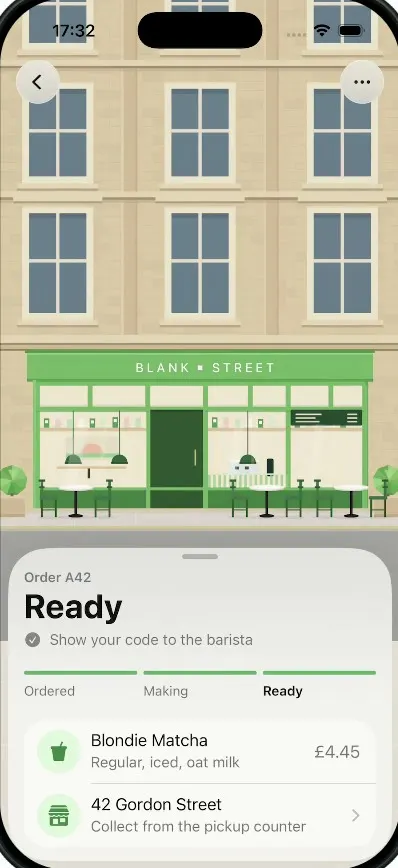
Pickup
iOSA coffee order tracker whose street tilts into a 3D field of QR blocks that flattens into your pickup code.
- View template
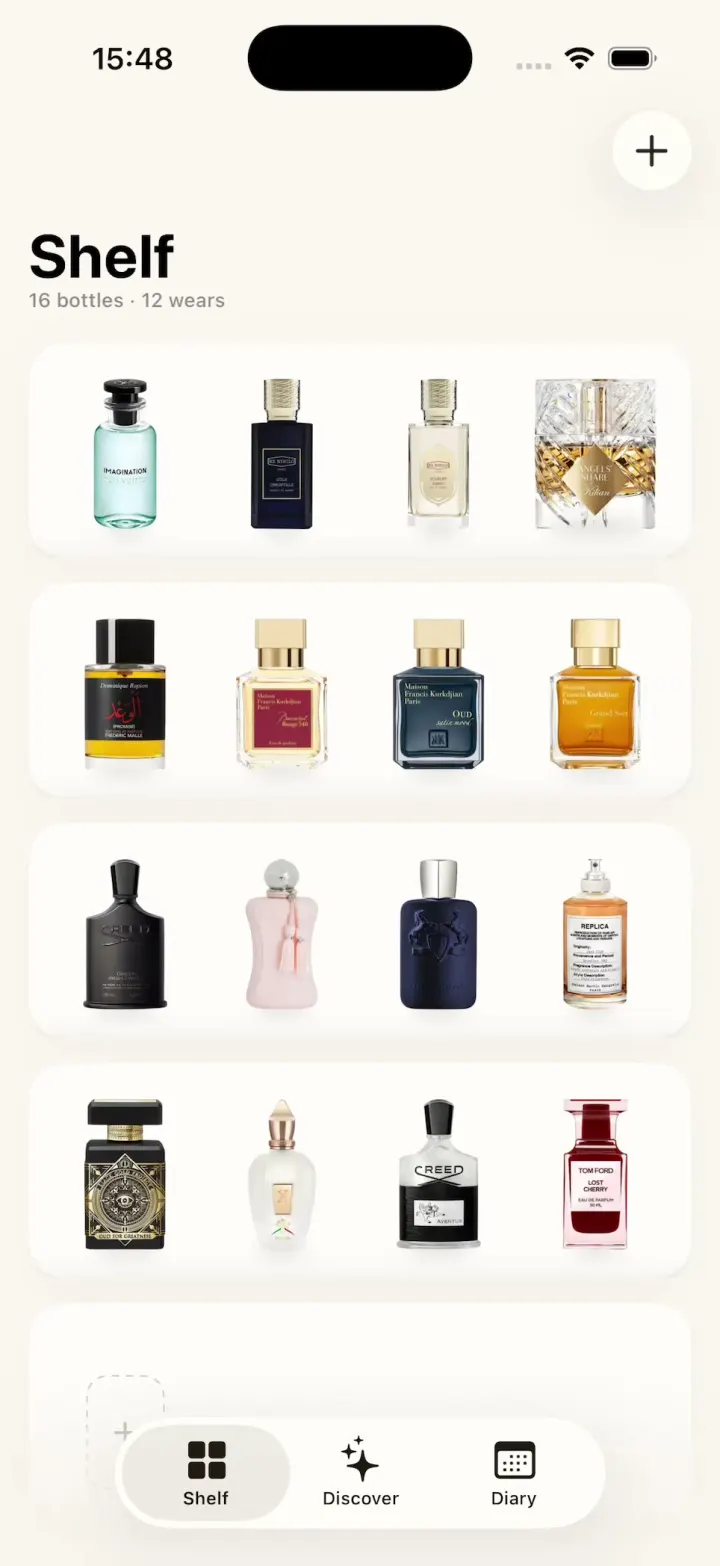
ScentScout
iOSA fragrance tracker with a cream bottle shelf, a bottle zoom transition, a cologne library and a wear diary.
- View template
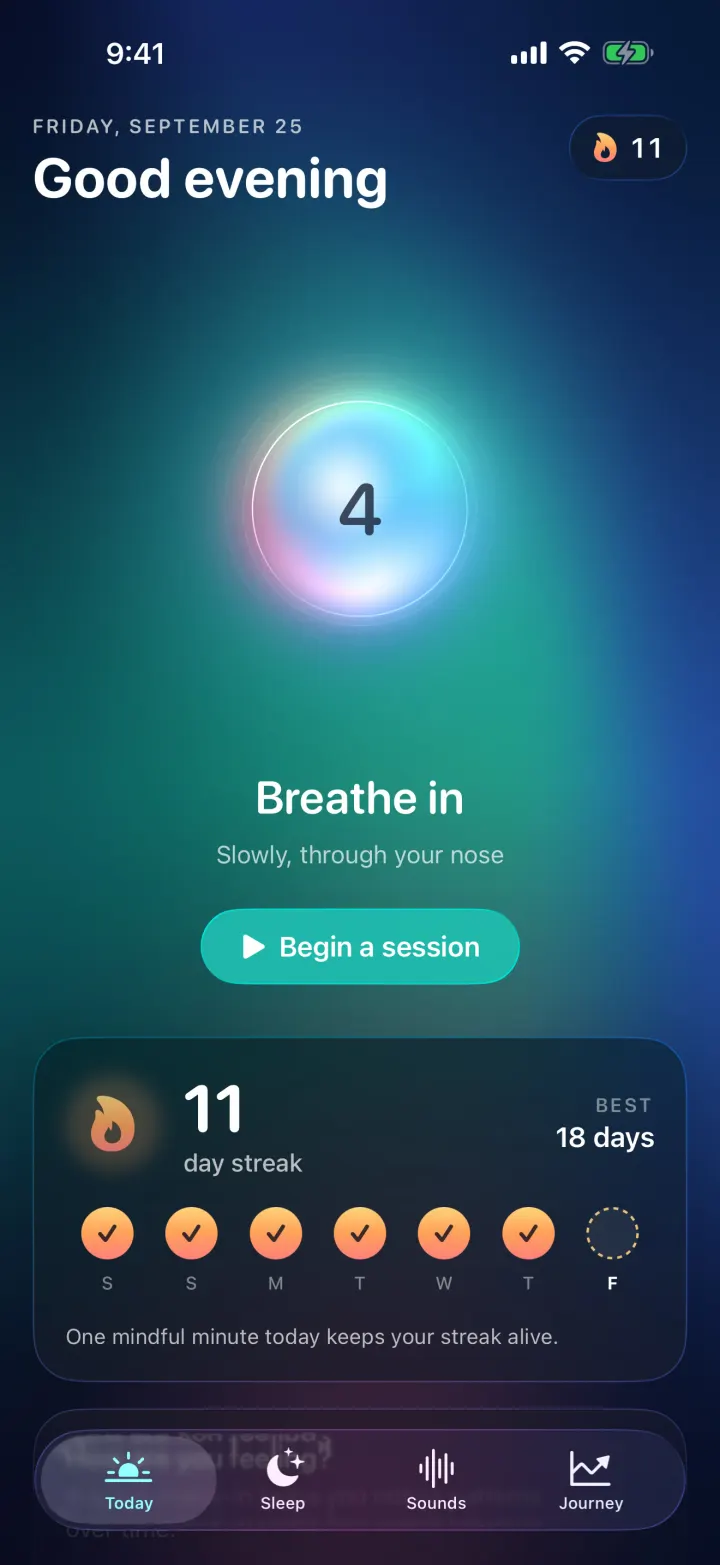
Breathe
iOSA meditation app with a glowing breathing orb, an aurora sky, mood check-ins, sleep stories and soundscapes.
- View template
Duo Fridge
iOSTurns the iPhone Duo into a fridge: folded it is the door with magnets, unfolded it is the stocked shelves.