Mynu
Food app · from our videos on X
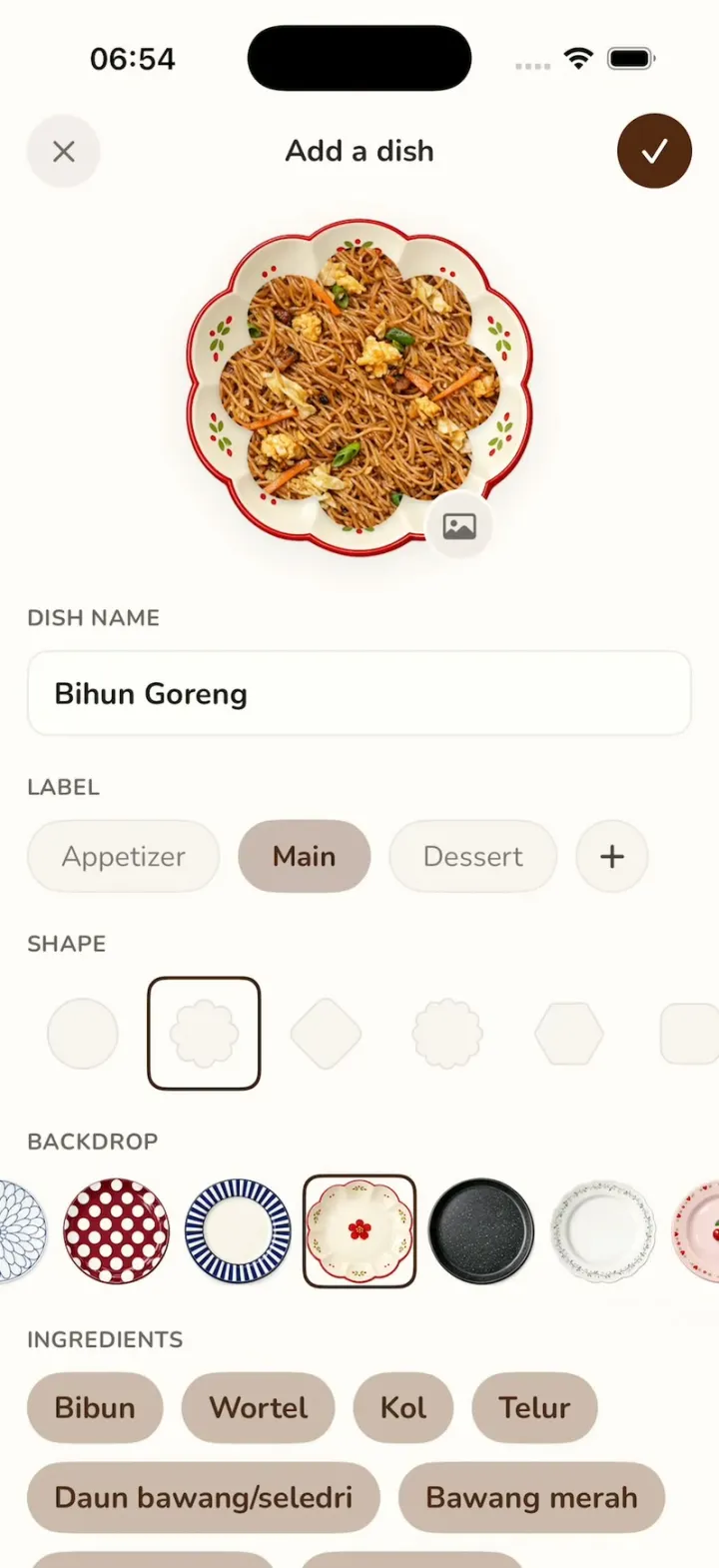
Mynu recreates the "Add a dish" screen of the recipe-keeper app Mynu, where a photo of what you cooked becomes a page in your own cookbook. The dish photo is cut into a shape (a flower by default) and set on a decorative ceramic plate. Tap any of the ten plates in the BACKDROP carousel, from blush-pink dots to a navy sunburst or a scalloped plum-blossom plate, and it swaps under the dish instantly while the carousel glides to centre your pick. Change the cut to a circle, diamond, hexagon, heart or star, add a label and ingredients, then tap the checkmark to save it into My Menu, a grid of Indonesian favourites like Nasi Goreng, Soto Ayam and Rendang.
- iPhone · Swift
- Built in 2 prompts
- Free to remix

Remix copies the working app into your account for free, exactly as we built it. It runs in Vibecode's cloud iOS simulator, in your browser.
Watch the video on X@ios_app_builder · Oct 24, 2026The prompt that builds it
We built Mynu in 2 prompts. Here they are folded into one, so a single paste into a new app builds the finished version.
Prompt · 1,637 words
Download/reference the app shown in this post and clone it exactly, including the iPhone visual design, layout, interactions, animations, typography, spacing, and all visible states. Make it functional and runnable in the simulator. Match the reference as closely as possible and include any interaction shown in the source. Reference: https://x.com/namuggie/status/2113608339624226854.

Build a native SwiftUI iOS app named Mynu using Opus 5.5. Mynu is a recipe keeper / meal log: you save the dishes you cook as photos and it turns them into a cookbook library. The video shows its "Add a dish" screen, where the dish photo is cut into a shape and placed on a decorative ceramic plate you pick from a BACKDROP carousel. Each tap on a plate thumbnail instantly swaps the plate under the dish while the carousel glides to centre the pick. Do NOT put a fake handset frame inside the actual app; the simulator provides that. Use realistic deterministic fixture data so every screen is rich and usable without permissions or backend.

Observed video sequence (0-10.7s), all on the Add a dish screen, which never scrolls vertically: 0.0 plate 1 (blush pink with dots) is selected under the flower-shaped Bihun Goreng photo; 0.40 tap plate 2 (blue-and-white chrysanthemum), it swaps instantly, carousel stays at its left end; 1.48 tap plate 3 (crimson polka dot), swap, carousel glides left so plate 3 is centred; 2.30 tap plate 4 (black radial stripes), swap + glide; 3.02 tap plate 5 (scalloped floral), swap + glide; 3.58 tap plate 6 (black speckled stoneware), swap + glide; 4.27 tap plate 7 (cream with green vine border), swap + glide; 5.97 tap plate 5 again, swap + glide back right; 7.37 plate 6; 8.05 plate 7; 9.57 plate 5. The swap of the big plate is instant (no crossfade, no scale), the dark selection border jumps to the tapped thumbnail at the same moment, and the carousel scroll animates over ~0.3 s ease-out to centre the selected thumbnail (clamped at the two ends, so plates 1-2 never scroll it).

Screen layout, top to bottom (points on a 393 pt wide iPhone; background #FFFAF9 everywhere, warm off-white):
- Nav row centred at y=74: left a 41 pt circular close button (fill #F4EDED, grey #6F6866 "xmark" glyph, medium weight); centre title "Add a dish" (Nunito Bold 17, #2B2726); right a 42 pt circular save button (fill #522812 dark chocolate brown, white "checkmark" glyph, semibold).
- The plate hero, centred horizontally, centre at y=216: the selected plate image 196 pt across (about 48% of the screen width), with the dish photo on top of it, masked to the selected SHAPE, 162 pt across (0.83 of the plate), centred on the plate. The plate photos are top-down, so the plate rim shows around the masked dish. A small 41 pt circular photo button (fill #F2ECE7, grey "photo" glyph) overlaps the plate's lower-right edge (centre about +54 pt right, +74 pt down from the plate centre).
- "DISH NAME" section label (all section labels: Nunito Bold 12.5, #6B6361, uppercase, tracking 0.3, left inset 15 pt), then a full-width text field (inset 15 pt, height 48, corner radius 12, fill #FFFDFC, 1 pt border #EFE7E5) containing "Bihun Goreng" in Nunito Bold 17 #1E1A19 (editable).
- "LABEL": capsule chips 41 pt tall, 10 pt apart: "Appetizer" (fill #F9F4F1, 1 pt border #EDE5E1, text Nunito Regular 16 #807673), "Main" (SELECTED: fill #CAB9AF, no border, text Nunito Bold 16 #4A2A1C), "Dessert" (unselected), then a 41 pt circle chip with a "+" glyph (#4A4442). Tapping a chip selects it.
- "SHAPE": a horizontal scroll row of 64 pt square cells, 68 pt centre to centre, first cell centred at x=46. Each cell shows its shape 39 pt across, filled #F9F4F1 with a 1 pt #E9DFDB outline. Shapes in order: circle; 8-lobe flower (the default and SELECTED: DEEP round petals, the union of 8 circles of radius 0.31R whose centres sit on a ring of radius 0.66R plus a centre disc of radius 0.70R, R = half the shape's width, so each petal is a clear round bump with a deep notch between petals); rounded diamond (a rounded square rotated 45 degrees); scalloped circle (12 small bumps); hexagon (flat top); rounded square; heart; 5-point rounded star. The selected cell has a 2 pt #3B2417 rounded-rect border (corner 10). Tapping a shape changes the mask on the hero dish photo instantly.
- "BACKDROP": a horizontal ScrollView, 64 pt cells, 68 pt centre to centre, first cell centred at x=46. Cell 0 is "none": a 60 pt rounded square (corner 10, fill #FFFDFC, 1 pt #EDE5E1 border) with a thin grey "xmark"; choosing it shows the dish alone with no plate. Cells 1-10 are the plate thumbnails, each the same plate image as the hero at 60 pt. The selected cell gets the same 2 pt #3B2417 rounded-rect border (64 pt square, corner 10) around the plate. Use a ScrollViewReader and on tap do: set selection without animation (instant hero swap), then withAnimation(.easeOut(duration: 0.3)) { proxy.scrollTo(id, anchor: .center) }, plus a light haptic.
- "INGREDIENTS": wrapping capsule chips 40 pt tall, 10 pt gaps, fill #CCBAAB, text Nunito Bold 17 #4A2D20: "Bibun", "Wortel", "Kol", "Telur" (row 1); "Daun bawang/seledri", "Bawang merah" (row 2); "Bawang putih", "Kecap manis", "Saus tiram", then a "+" circle chip (row 3). Below that, "RECIPE" with a soft multi-line text card holding: "1. Rendam bihun di air panas 5 menit, tiriskan. 2. Tumis bawang merah dan bawang putih sampai harum. 3. Masukkan telur, orak-arik. 4. Tambahkan wortel dan kol, aduk sampai layu. 5. Masukkan bihun, kecap manis dan saus tiram, aduk rata. 6. Taburi daun bawang." The screen scrolls vertically to reach these.

The 10 plates, in carousel order (generate each as a photorealistic top-down product photo of a real ceramic plate, centred, filling the square, TRANSPARENT background, soft daylight, subtle glaze highlights):
1. Pale blush-pink glazed plate with about 12 LARGE round terracotta-rose dots (each about 9% of the plate's width) evenly spaced around the rim, hand-painted, slightly uneven.
2. White plate with a blue-outlined chrysanthemum pattern: about 20 long rounded petals radiating from a small centre ring, cobalt-blue line work.
3. Deep crimson-burgundy (#9E1B32) plate densely covered in LARGE white polka dots in a grid (each dot about 14% of the plate's width), the crimson reading as the main colour, glossy.
4. Off-white plate whose wide rim has about 48 BOLD navy radial stripes with equal white gaps between them (50% coverage, like a sunburst), a plain cream centre and a thin navy edge; it must read as black-and-white stripes, not a dark rim.
5. Cream scalloped plate with 8 rounded lobes (not circular), a thin red edge on every lobe, a red five-petal plum blossom in the centre, little red and green leaf accents around the inner rim.
6. Matte charcoal-black speckled stoneware plate with a raised rim.
7. White plate with a delicate, fine dark-green hand-painted vine border (thin stems, tiny leaves and small dots) and a gently scalloped edge; light and airy, not heavy leaves.
8. Pale pink plate with a pair of red cherries in the centre and small red hearts/flowers around the rim.
9. Sand-beige speckled plate with olive and gold flecks.
10. White scalloped plate with a thin grey-blue lace edge.

Dish photo (default fixture): a top-down photo of Bihun Goreng (Indonesian stir-fried rice vermicelli with carrot strips, cabbage, scrambled egg, scallions, glossy soy colour) filling the entire square frame edge to edge, no plate or table visible, so it can be masked by any shape. Generate it the same way (opaque, square).

Generate the images with the image generation available in this sandbox (OpenAI gpt-image-1.5 via the project's proxied OPENAI_API_KEY at https://api.openai.com/v1/images/generations, size 1024x1024, background transparent for plates, quality high; run env to find the key; crop each plate to a tight square so they all render at the same size). Save them as PNGs in the asset catalog. If image generation is unavailable, draw each plate with SwiftUI Canvas using the same colours and patterns instead, so the app still builds.

Typography: Nunito (OFL, Google Fonts) for all text; download the TTFs (Regular, SemiBold, Bold, ExtraBold) into the project, register them in Info.plist and load each weight by its exact PostScript name (Nunito Bold is used almost everywhere: title, dish name, section labels, the selected chip and the ingredient chips); fall back to the system .rounded design if the download fails.

App structure: the app launches straight into the Add a dish screen exactly as at 0.0 s of the video (plate 1 selected, flower shape, "Main" label, Bihun Goreng filled in, carousel at its left end), presented full screen over the library. Behind it is the cookbook library, "My Menu": a 2-column grid of saved dishes, each shown as its photo masked to its shape on its plate with the name underneath (Nunito Bold 15), on the same #FFFAF9 background, with a 52 pt round #522812 "+" button at the bottom right. Library fixtures (generate their photos like the Bihun Goreng one): "Nasi Goreng" (flower shape on plate 5), "Soto Ayam" (circle on plate 2), "Mie Ayam" (scalloped circle on plate 4), "Gado-gado" (rounded diamond on plate 7), "Rendang" (circle on plate 6), "Martabak Manis" (hexagon on plate 8). The checkmark saves the current dish into the library (it appears first in the grid with a soft spring) and dismisses; the X dismisses without saving; "+" opens a fresh Add a dish screen in the launch state (plate 1, flower, Bihun Goreng prefilled). Keep saved dishes in memory only, so every launch starts from the 6 fixture dishes and the Add a dish launch state.

Build fully, run compile/build validation, resolve all errors, and launch in the web simulator. Prioritize fidelity to the reference and functional main interaction flow. Deliver complete implementation rather than a plan.
More templates
All templates- View template
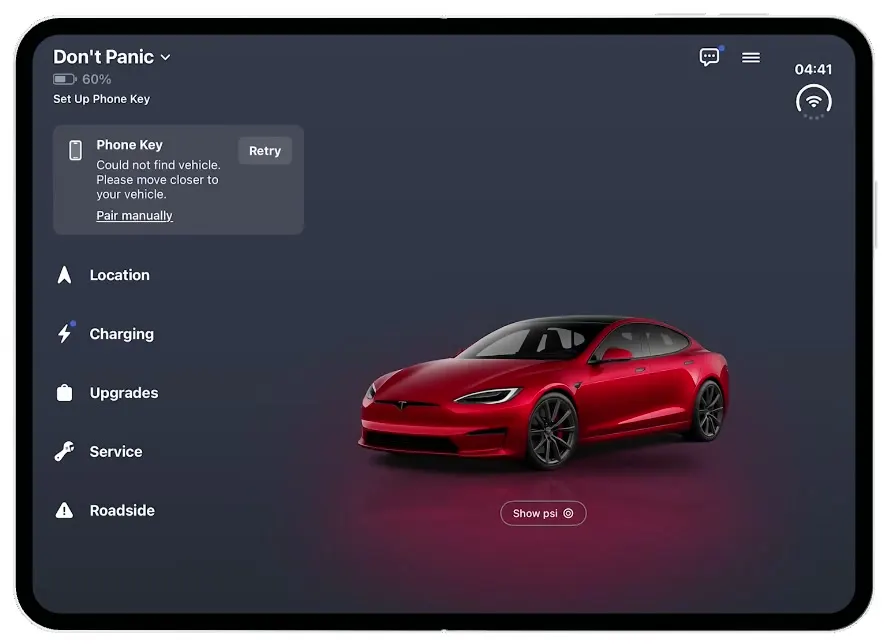
Tesla
iOSThe Tesla app on the iPhone Duo: a cover-screen Home that unfolds into a red Model S on a lit stage.
- View template
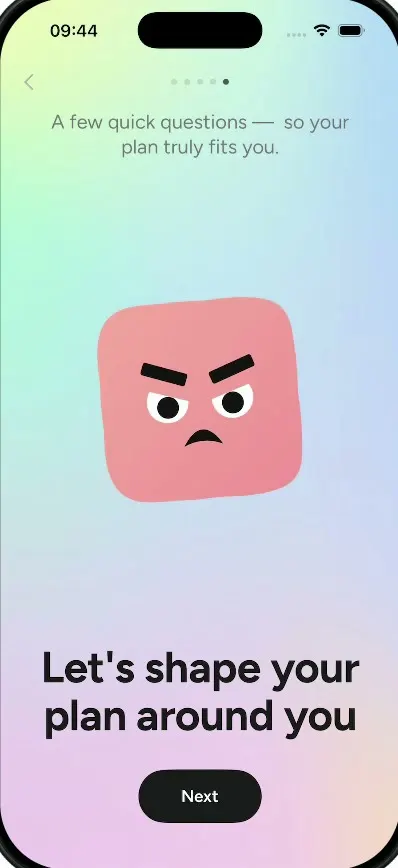
Lightly
iOSA wellbeing journal with a $70K/month onboarding: a cloud mascot, a face that shape-shifts by mood, a plan.
- View template
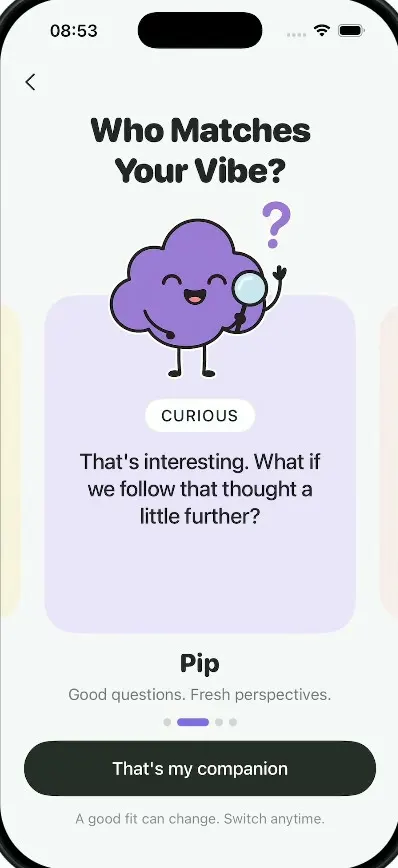
Milo
iOSAn AI companion onboarding: springy sticky notes, four cartoon companions, a rolling dial and a postage stamp.
- View template
HomeView
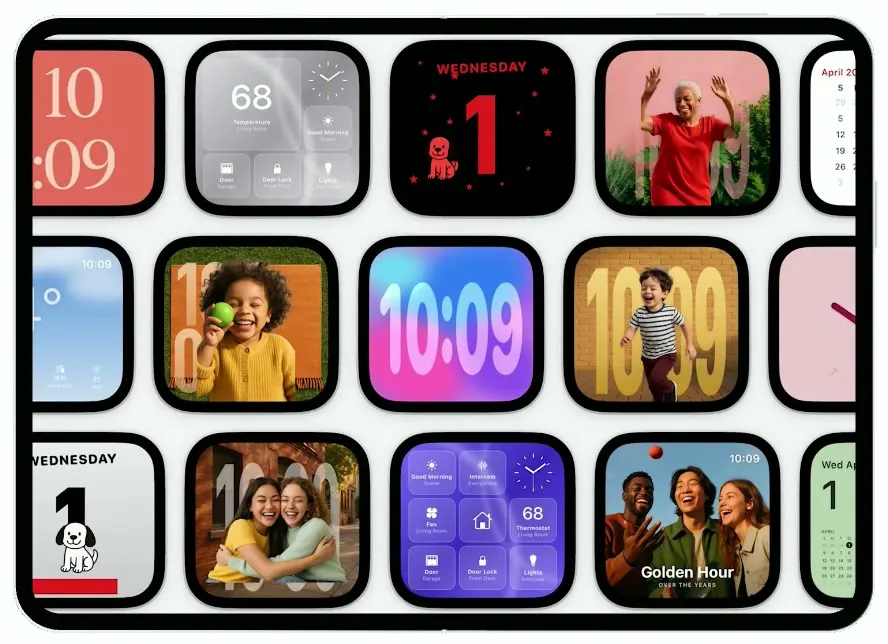
iOSA smart-home display on the iPhone Duo: drifting clock faces, face recognition, Siri answers, a 68° dashboard.