Energy Drink Store
Online store app · built by the Vibecode team
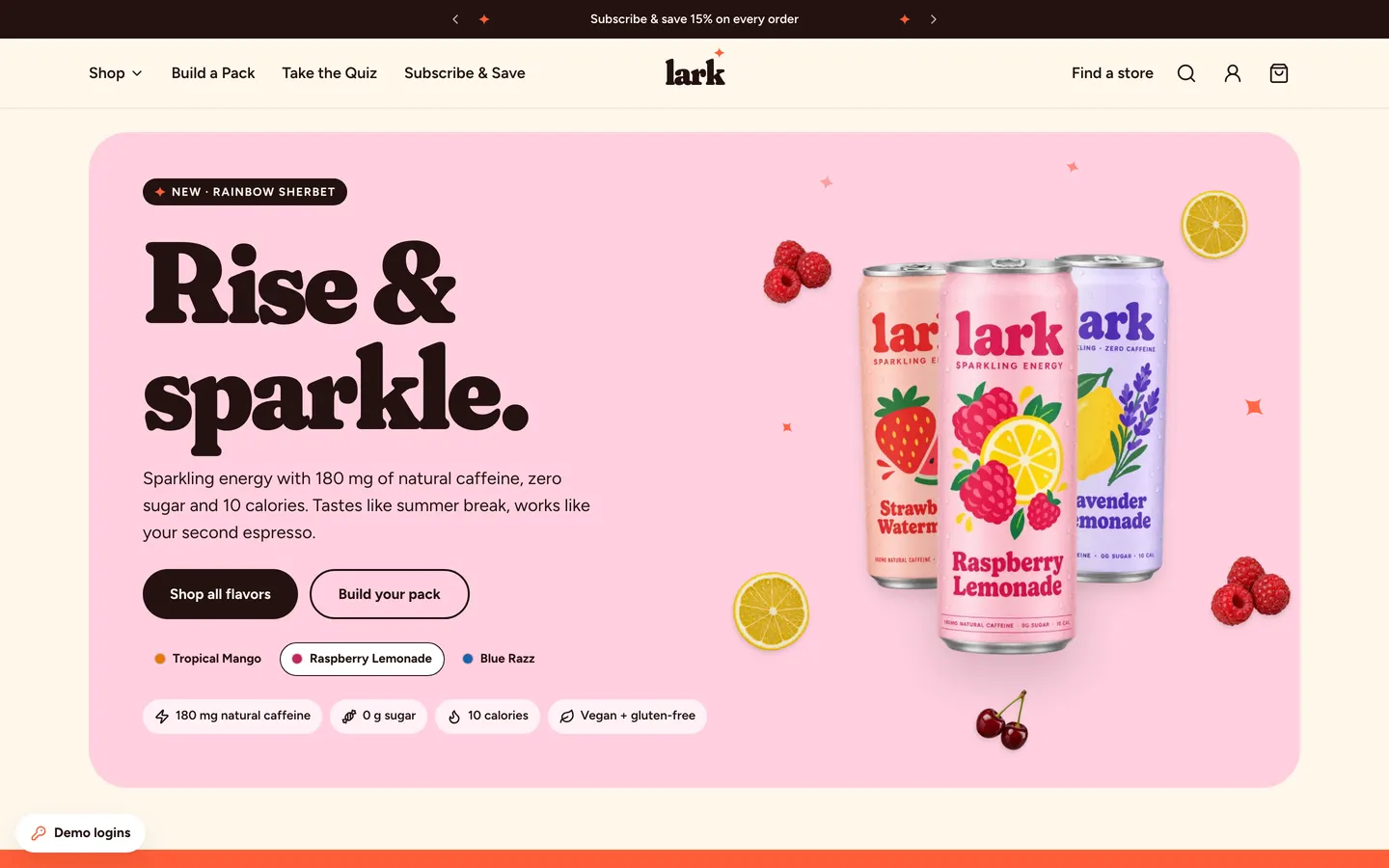
lark is a fictional sparkling energy brand with a complete Shopify-style store. Shoppers browse ten pastel flavors with floating cans, filter the collection, pick 12 or 24 packs with Subscribe & Save 15%, build their own mixed pack or take a flavor quiz, then pay in a Shopify-like checkout with test cards and discount codes. Customers sign in to skip, swap, pause or cancel subscriptions. The owner admin (login shown on first run) covers orders with fulfilment and refunds, subscriptions, products and inventory, discount codes and analytics, and all data is labelled demo data with AI-generated photos.
- Web app
- Built in 5 prompts
- Free to remix
Remix copies the working app into your account for free, exactly as we built it. It runs in your browser.
The prompt that builds it
We built Energy Drink Store in 5 prompts. Here they are folded into one, so a single paste into a new app builds the finished version.
Prompt · 7,332 words
Build "lark", a complete Shopify-style direct-to-consumer web store for a sparkling energy drink brand, using Opus 5.5. Think Bloom Sparkling Energy, Olipop or Poppi: pastel cans, fruity flavors, a wellness-meets-fun Gen Z brand. The brand is our own invention: never use the names, logos, mascots or copy of Bloom, Olipop, Poppi, Shopify or any real retailer. The store mechanics (collection, product variants, cart drawer, checkout, thank-you page, customer accounts, admin) work like Shopify, and the checkout looks like Shopify's checkout.

Design references (the original screenshots are not included; build from these descriptions):
- Reference: announcement bar, nav layout (links left, logo centered, icons right), playful pastel hero with a can.
- Reference: "shop by benefit" image cards with a label strip.
- Reference (Flavor row): a row of colorful cans with small labels under each.
- Reference: collection cards: big can, stars, small eyebrow, name, "Add 12 Pack" quick-add on hover.
- Reference: product page: big image left; right panel with rating pill, title, benefit pills and round flavor swatches.
- Reference (Product purchase panel): purchase panel: flavor select, pack-size pills, One Time vs Subscribe & Save radio cards with strikethrough price, quantity stepper + Add to Cart.
- Reference: a nutrition facts panel tinted in the flavor's colors next to the ingredients list.
- Reference: cart drawer: free-shipping progress bar, line item with "Upgrade to Subscription & Save 15%", upsell carousel, subtotal and checkout button.
- Reference: Shopify checkout: express pay row, Contact, Delivery form, order summary sidebar with discount field.
- Reference: Shopify checkout: shipping method card, Payment radio accordion with card fields, totals with estimated taxes.
- Reference: quiz: split layout, chip label, big question, pill answer buttons, back link, progress bar, "Question 1 of 6".
- Reference (UGC bento store teaser): bento grid of lifestyle tiles plus a bold "find us near you" tile (do NOT show real retailer names or logos).

## Stack and data
- Use the platform stack: React + Vite + Tailwind webapp, Hono backend, and the database-auth skill (Prisma + SQLite + Better Auth) with two roles: `admin` and `customer`. All data below lives in the database and survives reloads. The server recomputes every price, discount, shipping and tax from the database; never trust client totals.
- Seed script (idempotent, runs automatically on backend start when the Product table is empty, so a remixed copy gets the same data). Create the two demo users through Better Auth's own sign-up API so passwords hash correctly, then set roles:
  - Admin: admin@example.com / larkadmin123
  - Demo customer: Jamie Rivera, jamie@example.com / larkdemo123 (has 3 past orders and 2 subscriptions).
- Mark every seeded Order, Subscription, Review, Discount and NewsletterSubscriber with `isDemo = true` and store the seed time in a one-row DemoMeta table (`anchorAt`). Evergreen demo: on backend start, if no non-demo order exists and now − anchorAt > 12 hours, shift every demo timestamp forward by that difference (order/event/fulfilment/refund times, subscription start/next delivery/pause/cancel dates, review dates, discount start/end dates, newsletter dates) and set anchorAt = now. That way a remix always shows orders over the last 90 days, Jamie's next delivery about 3 weeks out and LARKLOVE20 expired about a month ago. Once a real order exists, never shift again.
- Show these logins on first run. Desktop: a compact dismissible card fixed bottom-left with a 16px inset (white, radius 20, soft shadow, width 360px, padding 16px, 13px text) titled "DEMO STORE LOGINS", with two one-line rows: "Admin · admin@example.com / larkadmin123" plus a small "Open" pill (to /admin), and "Customer · jamie@example.com / larkdemo123" plus a small "Sign in" pill. After dismissal it collapses to a small "Demo logins" pill that reopens it (state in localStorage `lark.demoCard.dismissed`). Under 768px never render a floating pill: show the card once as a compact bottom sheet with a "Got it" button. After that, the logins live in a "Demo logins" row at the top of the hamburger menu sheet and in a footer link that reopens the sheet. /admin/login and /account/login also show the matching credentials with a "Use demo login" button that fills the form.
- Models: User (+role), Product, InventoryItem (product × pack size), Review, Order, OrderItem, OrderEvent (timeline), Subscription, Discount, NewsletterSubscriber, BackInStockRequest. Orders and subscriptions also store the customer email, so a guest's orders and subscriptions appear when they later sign in with that email.
- Every form saves to the API first and only then shows success. Every API error shows a toast ("Something went wrong. Try again.") and keeps the user's input.
- Dates are always human-readable: "Mon, Nov 24, 2026", "Oct 28, 2026, 3:14 PM", "in 21 days", "2 days ago". Money is USD with 2 decimals.

## Brand and design system
- Name and logo: lowercase wordmark "lark" in Fraunces 900 with font-variation-settings "SOFT" 100, "WONK" 0, tight letter-spacing (-0.03em), plus a tiny 4-point sparkle (inline SVG, coral) above the "k". Company: Lark Beverage Co. Tagline: "Rise & sparkle."
- Fonts (Google Fonts in index.html): Fraunces (opsz, wght 600–900, SOFT axis) for display headings, flavor names and prices on cards; Figtree (400–800) for all UI and body text. No Inter, no Space Grotesk.
- Colors (CSS variables): page background cream #FFF7EC; cards #FFFFFF; ink #241311 (text, primary buttons); muted text #6B5A54; borders #EADFD2; ONE accent, coral #FF5A36 (soft tint #FFE3D9) used for the free-shipping bar, sale/save badges, active filter chips, quiz progress, cart count bubble, sparkles and focus rings. Success #2B8A3E, error #D92D20. No purple-blue gradients, no glassmorphism, no emoji anywhere (use lucide icons and custom inline SVG sparkles).
- Each flavor owns a pastel background and a deep tone (used for its card, product page background, swatch and text accents):
  1. Raspberry Lemonade — pastel #FFD0E0, deep #C2255C — raspberries + lemon wheel — "Tart raspberry, sunny lemonade."
  2. Strawberry Watermelon — #FFCCC2, #E03131 — strawberry + watermelon wedge — "Juicy watermelon, sweet strawberry."
  3. Peach Mango — #FFDCC2, #E8590C — peach half + mango — "Fuzzy peach meets golden mango."
  4. Tropical Mango — #FFE58F, #E67700 — mango + pineapple — "Ripe mango, pineapple and a squeeze of lime."
  5. Cherry Lime — #E4F5B8, #A61E4D — cherries + lime wheel — "Black cherry with a zesty lime twist."
  6. Sour Watermelon — #C9F2DA, #0B7A43 — sour watermelon candy wedge — "Mouth-puckering watermelon candy." (badge "Sour")
  7. Blue Razz — #CCE6FF, #1864AB — blue raspberries — "Blue raspberry slushie, minus the brain freeze." (badge "Fan fave")
  8. Rainbow Sherbet — pastel stripes #FFD8A8 → #FFC9DE → #C3FAE8 (soft diagonal), deep #D9480F — scoops of orange, raspberry and lime sherbet — "Orange, raspberry and lime sherbet, scooped." (badge "New")
  Off-Duty line, 0 mg caffeine:
  9. Lavender Lemonade — #E5DBFF, #6741D9 — lemon + lavender sprig — "Lemonade with a calm lavender finish."
  10. Coconut Pineapple — #C5F6FA, #0C8599 — coconut half + pineapple — "Piña-colada vibes, zero buzz."
- Spacing scale 4/8/12/16/24/32/48/64/96/128. Radii: cards 24px, hero panels 40px, inputs 12px, buttons fully rounded pills (height 52px desktop, 48px phone). Shadow: 0 1px 2px rgba(36,19,17,.06), 0 12px 32px rgba(36,19,17,.08). Max content width 1320px with 32px side padding (16px on phone).
- Headings: H1 Fraunces 900 SOFT 100, 96–120px desktop / 52px phone, line-height 0.92; H2 Fraunces 800, 56px / 36px; H3 Fraunces 700 28px. Body Figtree 17px/1.6.
- Motion: framer-motion for drawers, dialogs, layout changes and route transitions (fade + 8px rise, 250ms); CSS keyframes for floating cans. Every button and card has hover and press states. Respect prefers-reduced-motion (no floating, instant transitions).
- Favicon: an inline-SVG coral rounded square with a cream lowercase "l" and a tiny sparkle (favicon.svg; remove the template favicon.ico and og-base.png). Title "lark — Sparkling Energy, Zero Sugar". Open Graph image = the generated og image below. Nothing in the favicon, title, meta or share image mentions Vibecode. Also add a 180x180 apple-touch-icon.png and a 32x32 favicon-32.png fallback with the same mark. Every route sets its own document title: "lark — Sparkling Energy, Zero Sugar" (home), "Shop all — lark", "<Product> — lark Sparkling Energy", "Build your own pack — lark", "Flavor quiz — lark", "Find a store — lark", "Cart & checkout — lark", "Order #LK1065 — lark", "Your account — lark", "Sign in — lark", "Page not found — lark", and "Admin · Orders — lark" with the same pattern for each admin page.

## Catalog and pricing (seed exactly)
- Single-flavor products: the 10 flavors above. Sparkling Energy line = 180 mg natural caffeine; Off-Duty line = 0 mg. Each comes in 12 Pack ($35.99, $3.00/can) and 24 Pack ($65.99, $2.75/can). Subscribe & Save = 15% off ($30.59 and $56.09), free shipping, delivery every 2, 4 (default, label "Recommended"), 6 or 8 weeks.
- Variety packs (fixed contents, shown as fanned mini cans):
  - Fan Faves Variety — 12 Pack $35.99 — 3× Raspberry Lemonade, 3× Tropical Mango, 3× Blue Razz, 3× Strawberry Watermelon.
  - Sour Hour Variety — 12 Pack $35.99 — 4× Sour Watermelon, 4× Cherry Lime, 4× Raspberry Lemonade.
  - Off-Duty Duo — 12 Pack $35.99 — 6× Lavender Lemonade, 6× Coconut Pineapple (0 mg).
  - The Everything Pack — 24 Pack $65.99 — 3× each of the 8 Sparkling Energy flavors (badge "Save 8%").
- Benefit tags: Focus (Blue Razz, Peach Mango, Raspberry Lemonade, Cherry Lime), Pre-workout (Tropical Mango, Sour Watermelon, Blue Razz), Mood boost (Raspberry Lemonade, Rainbow Sherbet, Strawberry Watermelon), Zero caffeine (Lavender Lemonade, Coconut Pineapple, Off-Duty Duo).
- Inventory per product × pack: mostly 60–240. Make Cherry Lime 24 Pack = 8 (low stock) and Rainbow Sherbet 24 Pack = 0 (sold out, shows "Sold out" + "Notify me" email capture saved as BackInStockRequest).
- Nutrition (Sparkling Energy, per 12 fl oz can): Calories 10; Total Fat 0g 0%; Sodium 10mg 0%; Total Carbohydrate 3g 1%; Total Sugars 0g; Includes 0g Added Sugars 0%; Erythritol 3g; Protein 0g; Niacin 16mg 100%; Vitamin B6 1.7mg 100%; Vitamin B12 2.4mcg 100%; Biotin 30mcg 100%; Caffeine 180mg. Off-Duty: same but Caffeine 0mg and L-theanine 100mg.
- Ingredients: "Carbonated water, erythritol, citric acid, natural flavors, green tea extract (natural caffeine), green coffee bean extract, L-theanine, malic acid, stevia leaf extract, niacinamide (vitamin B3), pyridoxine hydrochloride (vitamin B6), biotin, cyanocobalamin (vitamin B12), fruit and vegetable juice (color)." Off-Duty drops the two caffeine extracts. Badges row (simple outlined SVG pills, not certification logos): Vegan · Gluten-free · No artificial colors.
- Reviews: 5–7 per product (about 70 total), ratings mostly 5 and 4 with a few 3s, fictional reviewers ("Maya R.", "Jordan E."...), each with title, body, flavor and date. Product averages and counts are computed from these rows, never hard-coded. Everywhere reviews appear, show a small chip "Demo reviews". Every review has a unique title and a unique body, and no sentence is shared or templated with the flavor name swapped. Lengths vary from 1 to 4 sentences, with specific moments (an early nursing shift, finals week, a road trip, gaming, a 6 am lift, a toddler nap window). The 3★ and 4★ ones carry specific mild critiques ("a bit tart for me", "wish there was a 6-pack", "sweeter than I expected"). The home "Sippers are saying" shows 6 reviews from 6 different flavors.
- Seed 24 fictional customers (diverse first names + last initials, emails name@example.com), 64 orders from Aug 5 to Nov 3, 2026 (order numbers #LK1001–#LK1064, newest 6 unfulfilled, 2 refunded, the rest fulfilled/delivered with tracking numbers), 18 subscriptions (14 active, 2 paused, 2 cancelled), and discounts: WELCOME15 (15% off, first order), SUNRISE10 ($10 off orders $60+), FREESHIP (free shipping), LARKLOVE20 (20% off, expired Oct 1, 2026). New orders continue from #LK1065.
- Jamie's subscriptions: Blue Razz 24 Pack every 4 weeks, active, next delivery Mon, Nov 24, 2026; Raspberry Lemonade 12 Pack every 6 weeks, paused until Thu, Jan 8, 2027.

## AI images (generate once with a script, save as static files, commit them)
Write backend/scripts/generate-images.ts and run it. Use model "gpt-image-2.5-flare" with the project's proxied OPENAI_API_KEY from backend/.env (it is a working proxied key inside this sandbox): POST https://api.openai.com/v1/images/generations, and https://api.openai.com/v1/images/edits for shots that must contain our exact can (pass the can PNG as image[]). Run 4 requests in parallel, skip files that already exist, retry failures twice, and save into webapp/public/images/. Start it early in the background and keep building with placeholder can silhouettes until the files land. Shoppers never trigger generation at runtime. All people are AI-generated, fictional adults; no celebrities, no real brands.
1. cans/<slug>.webp — 10 cans, 1024x1536, background "transparent", output_format "webp", quality "high". One consistent design, prompt template: "Studio product render of one slim 12 fl oz aluminum beverage can, perfectly front-facing and centered, the whole can visible with a small margin, transparent background, soft studio lighting, a few cold condensation droplets, realistic silver rim and pull tab. Can design (identical layout for every flavor): the body is {pastel hex} with a soft lighter gradient; at the top the lowercase wordmark 'lark' in a chunky soft rounded serif in {deep hex}; under it small all-caps 'SPARKLING ENERGY' (Off-Duty: 'SPARKLING · ZERO CAFFEINE'); in the middle a large playful flat illustration of {fruits}; below it the flavor name '{Flavor}' in the same rounded serif in {deep hex}; at the bottom a thin band reading '180MG NATURAL CAFFEINE · 0G SUGAR · 10 CAL' (Off-Duty: '0MG CAFFEINE · 0G SUGAR · 10 CAL'). Premium, cheerful Gen Z beverage brand. No other text, no hands, no props."
2. still/<slug>.webp — 10 square 1024x1024 product photos via the edits endpoint with that flavor's can as the reference: "This exact can standing on a seamless {pastel} backdrop with fresh {fruits} cut open around it, a few ice cubes and sparkling water droplets, soft daylight from the left, gentle shadow, minimal premium beverage ad. Keep the can and its label exactly as in the reference."
3. garnish/<name>.webp — 8 transparent 1024x1024 cut-outs: lemon wheel, raspberries, mango cubes, watermelon wedge, cherry pair, lime wheel, peach half, pineapple chunk ("photoreal, isolated, transparent background, crisp edges, no shadow").
4. lifestyle/ugc-1..6.webp — 1024x1280 candid phone-camera photos via edits with the can as reference, natural light, slight grain: (1) young woman with curly dark hair laughing on a sunny boardwalk holding Tropical Mango toward the camera; (2) young Black man in a bright gym after a workout with Blue Razz, towel on shoulder; (3) young South Asian woman with glasses at a sunlit desk with laptop and notebooks, Raspberry Lemonade beside her; (4) young East Asian skateboarder sitting on a ramp at golden hour with Sour Watermelon; (5) two friends' hands and a picnic blanket from above with Peach Mango cans and cut fruit; (6) young woman in a cozy sweater reading on a sofa in warm evening light with Lavender Lemonade.
5. og.jpg — 1536x800 via edits with three cans as references: the three cans floating on cream #FFF7EC with fruit slices and the wordmark "lark" plus "Sparkling energy. Zero sugar." in ink.
Then write backend/scripts/optimize-images.ts (sharp) and replace each file in place, keeping the same name and no second copy: cans 512x768 webp q82 with alpha; stills 1024x1024 webp q80; lifestyle 800x1000 webp q78; garnishes 384x384 webp q80 with alpha; og.jpg 1200x630 q82. Every <img> gets width/height attributes; below-the-fold images get loading="lazy" decoding="async"; the hero cans and the product page's main image get fetchpriority="high". Preload the first hero slide's 3 cans and the 5 quiz images. Keep the home page under ~1.5 MB of images. In the README, add: "To add a flavor: add it to the catalog, then run `bun scripts/generate-images.ts` and `bun scripts/optimize-images.ts`."

## Storefront chrome
- Announcement bar (ink background, cream Figtree 600 13px, 40px tall): rotating messages every 5s with small prev/next chevrons: "Subscribe & save 15% on every order", "Free shipping on orders over $50", "New flavor: Rainbow Sherbet is here". Coral sparkle SVGs either side.
- Header (72px, solid cream, 1px #EADFD2 bottom border, sticky): left links "Shop", "Build a Pack", "Take the Quiz", "Subscribe & Save" (Figtree 600 16px); centered wordmark (36px); right "Find a store" text link, then search, account and cart icon buttons; the cart has a coral count bubble that pops (scale 1→1.3→1) when items are added. Hovering or focusing "Shop" opens a mega menu panel: columns "Sparkling Energy" (8 flavors with color dots), "Off-Duty · 0 mg" (2), "Variety Packs" (4) and a promo tile "Build your own pack" with fanned cans.
- Search overlay (top sheet): autofocused input "Search flavors and packs", instant results with can thumbnails and prices; "No results for 'xyz'. Try 'mango' or 'sour'."
- Footer (ink background, cream text): a huge cropped "lark" wordmark at the bottom edge; columns Shop (All flavors, Variety packs, Build a pack, Flavor quiz, Subscribe & save), Help (FAQ, Shipping & returns, Track an order, "Text us: (512) 555-0199" as sms:+15125550199, "Call: (512) 555-0199" as tel:+15125550199, "WhatsApp us" as https://wa.me/15125550199, hello@example.com as mailto), Company (Our story, Store locator, Wholesale, Store admin → /admin). Bottom row "© 2026 Lark Beverage Co. — demo store with sample data", "Privacy · Terms", Instagram and TikTok SVG icons.

## Home (/) top to bottom
1. Hero: an inset panel (radius 40px, min-height 640px with height auto and 56px bottom padding, so nothing ever clips) filled with the current flavor's pastel. Left column: chip "NEW · RAINBOW SHERBET"; H1 "Rise & sparkle."; sub "Sparkling energy with 180 mg of natural caffeine, zero sugar and 10 calories. Tastes like summer break, works like your second espresso."; buttons "Shop all flavors" (ink pill) and "Build your pack" (outlined pill); a row of 4 fact chips with icons (one row from 1280px up: 36px tall, Figtree 600 13px, gap 8px): "180 mg natural caffeine", "0 g sugar", "10 calories", "Vegan + gluten-free". Right side: three FLOATING cans (center can ~500px tall tilted -6°, two smaller cans behind it at ±12°), plus 4–5 garnish cut-outs and small twinkling sparkles. Each can bobs on its own CSS keyframe (translateY ±14px, rotate ±3°, 5–7s, staggered); the cluster follows the mouse with gentle parallax (max 12px, garnishes move more than cans). The hero cycles every 6s through Tropical Mango → Raspberry Lemonade → Blue Razz: the background color cross-fades, cans slide out down and new cans spring in up, and flavor tabs (dot + name) under the CTAs switch it manually. On load the cans drop in with a spring.
2. Marquee ribbon (coral background, ink Fraunces 800 28px, infinite scroll): "180 MG NATURAL CAFFEINE ✦ ZERO SUGAR ✦ 10 CALORIES ✦ NO CRASH ✦ VEGAN ✦ GLUTEN-FREE ✦" (✦ = inline SVG sparkle, not a character).
3. Flavor carousel "Pick your flavor" with sub "Eight flavors, one rule: no sugar crash." and round prev/next arrow buttons on the right. Scroll-snap row of tall cards (300×420) for the 8 energy flavors: flavor pastel background, can image centered, flavor name (Fraunces 28px in the deep tone), taste note, "12 Pack · $35.99" and a round ink "+" quick-add (adds a one-time 12 Pack and opens the cart). Hover: can lifts 12px and tilts 6°, a garnish pops in. Drag-to-scroll with the mouse.
4. "Shop by benefit": 4 cards (pastel background, custom line icon, two cans peeking from the bottom): Focus "180 mg caffeine with L-theanine for calm, locked-in focus." (#E7F5FF) · Pre-workout "B-vitamins and a fizz of electrolytes for the warm-up and the PR." (#FFF3BF) · Mood boost "Bright fruit and real fizz for the 3 pm slump." (#FFE3EC) · Zero caffeine "All the sparkle, none of the buzz." (#EDE4FF). Each links to /shop?benefit=….
5. "Bundle up & save": the 4 variety packs as white cards with fanned mini cans on a pastel blob, contents line, price and "Add to cart", plus a dashed-outline card "Build your own — Pick any 12 or 24 cans. Start building →". Inside the dashed card, above its title, draw 3 small tilted empty-can outlines (inline SVG, 2px dashed coral stroke, rotated -8°, 0° and 8°).
6. Subscribe & Save band (ink background, cream text, id="subscribe"): H2 "Subscribe & save 15%. Every order." with check-icon list "15% off every delivery", "Free shipping, always", "Skip, swap flavors or cancel in two clicks", "Deliveries every 2, 4, 6 or 8 weeks"; coral pill "Start saving" → /shop; on the right a tilted (-2°) white mock of the account subscription card ("Blue Razz · 24 Pack — Next delivery Mon, Nov 24" with Skip / Swap / Cancel buttons).
7. Reviews "Sippers are saying" + "Demo reviews" chip: left summary (average computed from all reviews, big Fraunces number, stars, "from N demo reviews"), right 6 review cards (stars, bold title, 3-line body, reviewer, flavor chip, date).
8. UGC "#larkseason" with sub "Tag @lark.sips to be featured" and a small "AI-generated demo photos" note: bento grid of the 6 lifestyle images (2 tall, 4 square, radius 24); hover shows a dark overlay with the fictional handle and "Shop Tropical Mango →".
9. Store locator teaser: big sky tile #CCE6FF "Find lark near you" + ZIP input + "Find stores" → shows the 3 nearest stores inline (name, address, distance, "Open until 9 PM", "Call" tel: link, "Directions" link to a Google Maps search); invalid ZIP shows "Enter a 5-digit ZIP code". Right tile: a stylized SVG map (cream streets, pastel blocks) where coral pins drop in. Note "Demo store data." Link "See all stores →" to /stores (12 fictional stores like "Sunny Day Market", "Fieldhouse Fitness Café", "Corner Co-op Grocery", phones (512) 555-01xx).
10. Newsletter card (coral background, ink text): "Get 15% off your first order" / "First dibs on new flavors. No spam, just sparkle." email + "Sign me up". After the API saves: "You're in. Use code WELCOME15 at checkout." with a copy button. Duplicate email: "You're already on the list." Invalid email shows inline error.

## Collection (/shop, plus /collections/variety-packs and /collections/off-duty presets)
- Title band: "Shop all" (H1), "Ten flavors, four variety packs, zero sugar.", three small floating cans on the right.
- Desktop: sticky left filter sidebar (260px) with collapsible groups and counts: Flavor (checkboxes with color dots; a variety pack matches every flavor it contains), Pack size (12 Pack, 24 Pack), Caffeine (180 mg, 0 mg), Type (Single flavor, Variety pack), Benefit (Focus, Pre-workout, Mood boost, Zero caffeine). Top bar: "14 products", active filter chips with × and "Clear all", Sort select (Featured, Best selling, Newest, Price: low to high, Price: high to low, Top rated). Filters and sort live in the URL (?flavor=blue-razz,cherry-lime&pack=24&caffeine=0&type=variety&benefit=focus&sort=price-asc) so reload and back keep them.
- Grid: 4 columns (3 under 1200px, 2 on phone). Card: square pastel image area with the can (variety: fanned cans), badge (New / Best seller / Sour / 0 mg / Sold out), stars + count, eyebrow "SPARKLING ENERGY · 180 MG" or "OFF-DUTY · 0 MG" or "VARIETY · 12 CANS", name (Fraunces), price for the selected pack size (default 12 Pack) and "or $30.59 with Subscribe & Save". Hover shows a full-width "Quick add 12 Pack" ink button over the image. Grid items animate on filter change.
- Empty state: outlined empty-can SVG, "No cans match those filters.", "Clear filters" button. Loading: skeleton cards.

## Product page (/products/:slug)
- Breadcrumb "Shop / Sparkling Energy / Tropical Mango". Page background is a very light tint of the flavor pastel.
- Left gallery (sticky): big square image (still life), thumbnails: still life, can render on its pastel, the matching lifestyle shot if one exists, nutrition panel preview. Phone: swipe with dots.
- Right panel (white card, radius 24): rating pill "★ 4.8 · 6 reviews" (scrolls to reviews); eyebrow "SPARKLING ENERGY"; H1 flavor name; taste note; benefit pills (180 MG NATURAL CAFFEINE · 0 G SUGAR · 10 CALORIES); "Flavor: Tropical Mango" with round swatches (pastel circle, small fruit garnish image, name under it, selected ring in ink) for all 10 flavors; clicking one goes to that flavor keeping pack and purchase choices; "Pack: 12 Pack" pills [12 Pack · $3.00/can] [24 Pack · $2.75/can], sold-out pills disabled with "Sold out" and the "Notify me" email field; Purchase radio cards: "One-time purchase — $35.99" and "Subscribe & Save 15% — $30.59 ~~$35.99~~" which expands to "Deliver every [4 weeks ▾]" plus "Free shipping · Skip, swap or cancel anytime"; quantity stepper + "Add to cart · $30.59" ink pill (price updates live); note "Free shipping on orders over $50"; "Find it in a store near you" link.
- Variety packs: same layout, the swatches are replaced by "What's inside" with mini cans and counts; pack size fixed.
- Below: "Why you'll love it" 3 icon features: "Clean energy" (180 mg caffeine from green tea and green coffee beans, with L-theanine for a smooth lift), "Zero sugar, 10 calories" (sweetened with erythritol and stevia leaf), "Feel-good extras" (B-vitamins and electrolytes).
- "What's inside": left a Nutrition Facts panel drawn in HTML in the classic FDA layout (thick rules, bold calories line) but colored with the flavor's pastel background and deep-tone text and rules, like ref-07; right the ingredients paragraph and the badges row. Under 640px, the "Nutrition Facts" title is Figtree 800 32px on one line.
- FAQs accordion: How much caffeine is in a can? (180 mg, about two cups of coffee; Off-Duty has 0 mg) · When should I drink it? (morning, pre-workout or the 3 pm slump; we suggest no more than two cans a day and none within 6 hours of bedtime) · Is it sugar-free? · Who shouldn't drink it? (not for children, people who are pregnant or nursing, or anyone sensitive to caffeine) · How does Subscribe & Save work? · When will my order ship? (before 2 pm ET ships same business day; standard 3–5 business days) · What if I don't love it? (30-day happiness guarantee).
- Reviews: summary with average, star distribution bars (5→1) and counts, "Demo reviews" chip, sort (Newest, Highest, Lowest), review list with "Show more", and "Write a review" → dialog (name, star picker, title, body, validation) → saved, then the new review appears first with "Just now".
- "Pairs well with": 3 other flavor cards.
- Phone: sticky bottom bar "Add to cart · $35.99" appears when the main button scrolls out of view.

## Build-a-Pack (/build-a-pack)
- Title "Build your own pack" + "Pick any 12 or 24 cans. Mix flavors, caffeine or not." Toggle 12 Pack ($35.99) / 24 Pack ($65.99).
- Left: grid of the 10 flavor tiles (pastel, can, name, caffeine tag, − count + stepper); "+" is disabled when the pack is full.
- Right sticky summary: "Your pack" with 12 (or 24) slots drawn as small can silhouettes that fill with each flavor's color as you add (each new can drops into its slot with a spring); "7 of 12 picked" with a coral progress bar; flavor counts list; buttons "Surprise me" (fills remaining slots randomly) and "Clear"; One-time / Subscribe & Save 15% toggle with frequency select; "Add pack to cart · $35.99", disabled until the pack is full ("Pick 5 more cans"). When the pack becomes full, burst a few SVG sparkles. The cart line reads "Build-Your-Own 12 Pack" with its contents ("3× Blue Razz, 2× Cherry Lime…").

## Flavor quiz (/quiz)
- Split layout like ref-11: left a lifestyle image that changes per question; right a pastel panel with a chip label, the question (Fraunces 44px), pill answer buttons (white, ink border on hover, selected = ink fill), "Back" link, coral progress bar and "Question 2 of 5". Answers slide in/out horizontally.
- Questions: 1 "When do you need a lift?" (Morning wake-up · Pre-workout · The 3 pm slump · Evenings, no caffeine) 2 "Pick a vibe." (Juicy & tropical · Sweet & creamy · Sour & zippy · Crisp & citrusy) 3 "Your go-to fruit?" (Berries · Mango & peach · Watermelon · Citrus) 4 "How much caffeine?" (Full power, 180 mg · Zero, just the sparkle · A bit of both) 5 "How many cans a week?" (1–3 · 4–7 · 8 or more).
- Deterministic scoring with a short explanation. Result screen on the matched flavor's pastel: "Your match: Tropical Mango" with the big floating can, "Why: you picked juicy & tropical and mango", and a recommended pack ("Your 12 Pack: 6× Tropical Mango, 3× Peach Mango, 3× Raspberry Lemonade"; 24 Pack for 8+ cans a week; Off-Duty flavors when no caffeine) with "Add my pack to cart" (Subscribe & Save preselected), "See flavor" and "Retake quiz". Frequency selects (here and on the product page) are at least 220px wide with the labels "2 weeks", "4 weeks (recommended)", "6 weeks", "8 weeks".

## Cart drawer (right sheet, 440px; full width on phone)
- Header "Your cart (3)" + close. Free-shipping bar: "You're $14.01 away from free shipping" with a coral bar that animates; at $50+ (after discounts) or with any subscription line: "You've unlocked free shipping!" plus a small sparkle burst.
- Lines: pastel thumbnail with can, name, variant line ("12 Pack · One-time" or "24 Pack · Every 4 weeks · Save 15%"), quantity stepper, remove icon, price (subscription lines show the strikethrough one-time price). One-time single-flavor lines show a full-width button "Upgrade to Subscribe & Save 15%" that converts the line.
- "Stock up on your faves" upsell row: 3 mini cards for flavors not already in the cart (counting flavors inside Build-Your-Own and quiz pack lines). Each card is a pastel image with the can, and a round ink "+" overlapping the image's bottom-right corner, with the name below in Figtree 600 13px wrapping to 2 lines (never truncated) and the price. The drawer body scrolls. On phone (390x844) the upsell image is 120px tall, so whole cards sit above the sticky footer. While cart pricing loads, compute the free-shipping bar from the client-side catalog prices and show proper line titles ("Build-Your-Own 12 Pack") from the first frame. Never show a slug.
- Footer: Subtotal, "Shipping and taxes calculated at checkout", "Checkout · $45.98" ink pill, "30-day happiness guarantee" line. Cart persists in localStorage. Empty state: "Your cart is empty", empty-can SVG, "Shop flavors" button and 3 best sellers. Add-to-cart anywhere: the button turns into "Added ✓" (lucide check) for 1.2s, a small can image flies to the cart icon, then the drawer opens.

## Checkout (/checkout) — Shopify checkout look
- Its own chrome: white header with the centered wordmark and a bag icon at right, thin bottom border; no storefront nav. Two columns: left form column (white, max 560px, right-aligned inside its half), right order summary sidebar (#FAF5EE background with a #EADFD2 left border, full height, sticky content). Figtree throughout, section headings Figtree 700 20px. Inputs 52px tall, radius 10, border #D9CFC4, Shopify-style floating labels (label sits small at the top inside the field once it has a value), ink focus ring.
- "Express checkout" label, three buttons (Apple Pay black, Google Pay black, PayPal yellow; text and simple glyphs only) that show a toast "Express pay is off in test mode — use the card form below.", then an "OR" divider.
- Contact: heading + "Log in" link at right (signed-in users see their email instead); Email; checkbox "Email me with news and offers".
- Delivery: Country/Region select (United States), First name + Last name, Company (optional), Address, Apartment, suite, etc. (optional), City + State select + ZIP code in one row, Phone (optional) with a help icon; checkbox "Save this information for next time". Signed-in users are prefilled from their profile.
- Shipping method: until the address is complete, a gray box "Enter your shipping address to view available shipping methods."; then radio cards "Standard · 3 to 5 business days · Arrives Wed, Nov 12 – Fri, Nov 14" $5.99 (FREE at $50+ or with a subscription) and "Express · 1 to 2 business days" $12.99. Selected card: ink border + light tint.
- Payment: "All transactions are secure and encrypted." Radio accordion: "Credit card" with VISA / MC / AMEX mini badges and "+3", expanding to Card number (lock icon, groups of 4, brand detection), Expiration date (MM / YY, auto slash, must be future), Security code (help icon), Name on card, checkbox "Use shipping address as billing address" (unchecking reveals a billing form); second option "PayPal" (shows "Not available in test mode"). A small coral "TEST MODE" tag with the hint "Use 4242 4242 4242 4242, any future date, any CVC".
- Stripe test mode. If VITE_STRIPE_PUBLISHABLE_KEY and STRIPE_SECRET_KEY are set, render Stripe's Payment Element (@stripe/stripe-js + @stripe/react-stripe-js, appearance theme "flat" with our ink color and radius 10) inside the Credit card block. Create the PaymentIntent server-side from the re-priced cart, confirm it, then POST /api/orders with paymentIntentId. The server retrieves the PaymentIntent and creates the order only when its status is "succeeded", the amount matches, and it hasn't already paid for another order. Without keys (the default), run a built-in test-mode processor: Luhn check; 4242 4242 4242 4242 succeeds; 4000 0000 0000 0002 fails with "Your card was declined. Try a different card."; 4000 0000 0000 9995 fails with "Your card has insufficient funds.". Store only the brand and last 4. Add README.md at the workspace root covering: what the store is; the demo logins; "Turn on real Stripe test mode" (the two env vars and the 4242 card); and how to change brand colors, flavors and prices (where the catalog and seed live).
- "Pay now" full-width ink button (60px). Click validates with Shopify-style inline errors (red border + message: "Enter an email", "Enter a valid email", "Enter a last name", "Enter an address", "Enter a city", "Select a state", "Enter a ZIP code", "Enter a valid card number", "Enter a valid expiration date", "Enter the CVV or security code on your card", "Enter your name exactly as it's written on your card") and scrolls to the first error; then shows "Processing…" with a spinner; then POST /api/orders. The server re-prices from the database, checks inventory (409 → "Only 8 left of Cherry Lime 24 Pack" shown in the summary), validates the discount, decrements inventory, creates the order, items, timeline event and subscriptions (next delivery = today + frequency), increments discount usage, and returns the order number and a random access token; the client clears the cart and goes to the thank-you page. Footer links "Refund policy · Shipping · Privacy policy · Terms of service" open short policy dialogs.
- Sidebar: line items (64px pastel thumbnail with a gray quantity bubble on its corner, name, variant, "Recurring every 4 weeks" for subscriptions, price), "Discount code or gift card" field + "Apply" (gray until typed; applied code shows as a chip with tag icon and ×; errors "Enter a valid discount code", "This discount code has expired", "Spend $60.00 to use SUNRISE10", "This code has reached its usage limit"), Subtotal · 3 items, Shipping ("Enter shipping address" until known), Discount (−$X with code), Estimated taxes (7.25% of the discounted subtotal once a state is chosen, with a help icon), Total "USD $43.08" (Total in Figtree 700 22px). Under it 3 trust icons: "30-day happiness guarantee", "Free shipping over $50", "Skip or cancel anytime".
- Phone: a cream bar "Show order summary ▾" with the total opens the summary above the form; single column. Under 1000px, also show a compact "Order summary" block right above the Pay now button, with the discount field plus Subtotal, Shipping, Estimated taxes and Total rows, as Shopify does.

## Thank-you page (/orders/:number?token=…)
Shopify-style: left column with a check-circle icon, small gray "Order #LK1065", H1 "Thank you, Jamie!"; a card with a stylized SVG map and pin, "Your order is confirmed", "We're packing your cans. Track it anytime with order #LK1065."; if subscriptions were bought: a pastel card "Subscription active — Blue Razz 24 Pack every 4 weeks. Next delivery Mon, Dec 1, 2026." with "Manage subscription" (to /account, or sign-in/create-account with the email prefilled); "Order details" card: Contact, Payment method ("VISA •••• 4242 — $43.08"), Shipping address, Billing address, Shipping method; "Need help? Text us at (512) 555-0199" (sms: link); "Continue shopping" button. Right column: the read-only order summary.

## Customer account
- /account/login: split screen (left pastel panel with floating cans and "Welcome back"; right form): Email, Password, "Sign in", "Email me a code instead" (the platform's email-code flow), "Forgot password?", "Create account" (/account/register), demo credentials box with "Use demo login". Wrap the email-code sender (`vibecode.email.sendOTP` in auth.ts) in try/catch. On failure, log only "OTP email: Logged, not sent" and throw a generic "We couldn't send a code right now. Sign in with your password instead.". Auth screens show our own copy for any unexpected error, never provider or server text, and email-provider errors are never stored.
- /account: "Hi, Jamie" (Fraunces 48px), email + "Sign out"; tabs Subscriptions · Orders · Profile (tab in the URL).
- Subscriptions: one white card per subscription: pastel can thumbnail, "Blue Razz — 24 Pack", status pill (Active green / Paused amber / Cancelled gray), "Every 4 weeks · $56.09 per delivery · you save $9.90", "Next delivery: Mon, Nov 24, 2026 · in 21 days", "Upcoming: Nov 24 · Dec 22 · Jan 19". Actions: "Skip next delivery" (moves the date one interval; toast "Skipped. Next delivery Mon, Dec 22." with Undo), "Swap flavor" (dialog with the 10 flavor tiles, each showing its can image 90px tall above the name, with a solid selected ring and check → "Swap to Tropical Mango" → card image and name update), "Change frequency" (2/4/6/8 weeks), "Pause" (1, 2 or 3 months → "Paused until …") / "Resume", "Cancel" (dialog "Before you go…" offering "Skip a delivery instead" and "Pause for a month", reason radios Too much product / Too expensive / Not a fan of the taste / Other, then "Cancel subscription" in red → status Cancelled with a "Reactivate" button). Every change persists and survives reload. Empty state: "No subscriptions yet. Subscribe & save 15% on any flavor." + "Shop flavors".
- Orders: newest first; row with number, date, status (Processing / Shipped / Delivered / Refunded), stacked can thumbnails, total; expands to items, address, tracking number; "Buy again" adds the items to the cart and opens the drawer. Empty: "No orders yet — your first can is waiting."
- Profile: name, email (read-only), phone, default shipping address → "Save changes" (saves, then toast "Saved").

## Admin (/admin) — Shopify-admin look, our wordmark
- /admin/login: centered white card on #F1F1F1, wordmark + "Admin" tag, email/password, demo credentials with "Use demo login". A customer account gets "This account doesn't have admin access." Every /admin route and admin API checks role=admin.
- Layout: dark top bar #1A1A1A 56px (cream wordmark + "Admin", centered search "Search orders, products, customers" that jumps to results, "View store ↗", initials avatar "AD"); left sidebar 240px #EBEBEB with icon links Analytics, Orders (count of unfulfilled), Subscriptions, Products, Discounts; content on #F1F1F1 with white cards (radius 12, 1px #E3E3E3 border), text #303030, primary buttons #303030 with white text radius 8. Status badges: Paid #CDFEE1/#0C5132, Unfulfilled #FFEB78/#4F4700 with dot, Fulfilled #E3E3E3/#303030, Refunded #E3E3E3, Active #CDFEE1, Paused #FFEB78, Cancelled #FEE9E8/#8E1F0B, Expired #E3E3E3. A "Demo data" badge sits next to page titles.
- Analytics (/admin, default page): range control 7 / 30 / 90 days; KPI tiles with delta vs previous period: Gross sales, Orders, Average order value, Active subscriptions (+ MRR), Returning customer rate; area chart "Sales over time" (daily), horizontal bars "Units by flavor", stacked bar "One-time vs Subscribe & Save"; "Recent orders" (5 rows) and "Low stock" (under 20 units, each with "+48 restock" that saves). All numbers computed from the database.
- Orders (/admin/orders): tabs All · Unfulfilled · Fulfilled · Refunded, search, table (checkbox, Order, Date, Customer, Total, Payment, Fulfillment, Items, Delivery method), bulk "Mark as fulfilled", 20 per page. Order detail (/admin/orders/:number): header with number, badges and date; "Unfulfilled (3)" card with line items and "Mark as fulfilled" (dialog: carrier USPS/UPS/FedEx + tracking number) → card turns "Fulfilled"; payment card with subtotal/discount/shipping/taxes/total + "Refund" (dialog: amount, default full, "Restock items" checkbox) → Refunded; Timeline card with events and a comment box that adds notes; right column Customer (name, mailto: email, tel: phone, orders count), Shipping address, Billing address. The whole desktop row is clickable (cursor pointer, hover #F7F7F7) and opens /admin/orders/:number. Clicking the checkbox doesn't navigate. On phone, the status tab rows on Orders, Subscriptions and Discounts scroll horizontally (hidden scrollbar, no wrap).
- Subscriptions (/admin/subscriptions): tiles Active, Paused, Cancelled (last 30 days), MRR (price × 4.33 ÷ weeks for active ones); tabs by status; table Customer, Product, Pack, Frequency, Price, Next delivery, Status, Started; row menu Skip next / Pause / Resume / Cancel (persisted).
- Products (/admin/products) with tabs Products · Inventory. Products: image, title, line, status (Active/Draft), price, total stock; "Add product" and row click open the editor (/admin/products/:id or /new): Title, Slug, Description, Line, Caffeine (180/0), Benefits (chips), Badges, 12 Pack and 24 Pack prices, pastel and deep color pickers, image picker from the generated images, Status Active/Draft (Draft hides it from the store), "Save" (saves, then toast). Inventory: one row per SKU ("LK-BRZ-24"), product, pack, Available as a number input with −/+ that saves on change, status In stock / Low stock (<20, coral) / Sold out.
- Discounts (/admin/discounts): table Code, Type (Percentage / Fixed amount / Free shipping), Value, Minimum, Used (e.g. "12 / 100"), Status (Active / Scheduled / Expired / Disabled), Active dates; "Create discount" (Code with "Generate", Type, Value, Minimum subtotal, Usage limit, Starts, Ends, Once per customer) → saved and immediately usable at checkout; enable/disable toggle; delete with confirm.

## States and quality
- Every route loads with zero console errors or warnings. On the shop grid, use framer-motion's default AnimatePresence mode (popLayout makes React warn that `ref` is not a prop).
- Loading skeletons for collection, product page, account and admin tables; a friendly 404 ("This can's empty.") with a link home; toasts for every save; buttons disable while saving.
- Accessibility: visible focus rings, alt text, labelled inputs, Escape closes drawers and dialogs.

## Phone layout (390px)
- Announcement bar shows one message; header 60px with hamburger left, wordmark center, search + cart right. The menu is a full-height cream sheet with big Fraunces links (Shop all, Build a Pack, Take the Quiz, Subscribe & Save, Find a store, Account) and flavor chips.
- Hero: text first (H1 52px), cans below in a 360px stage, CTAs full width, fact chips 2×2. Flavor, benefit, bundle and review rows become swipeable snap carousels; UGC is a 2-column grid; footer columns become accordions.
- Collection: 2-column grid and a sticky bottom pill "Filter & sort (2)" opening a bottom sheet with "Show 9 results".
- Product page, cart, checkout, account and admin as described above (admin sidebar becomes a menu sheet; tables become stacked cards). Nothing may overflow horizontally at 390px.

## Build order (small files, one component per file)
1. Design tokens, fonts, favicon, layout shell (announcement bar, header, footer, demo-logins card), routes with placeholder pages.
2. Prisma schema, Better Auth with roles, seed script, API routes (products, reviews, cart pricing, discounts, orders, account, subscriptions, admin) — test each with curl.
3. Write and start the image script in the background.
4. Home sections, then collection + filters, then product page.
5. Cart context + drawer, then checkout, order API and thank-you page.
6. Account (login, subscriptions, orders, profile).
7. Build-a-Pack and quiz.
8. Admin (login, analytics, orders, subscriptions, products & inventory, discounts).
9. Swap in the generated images, then polish phone layouts, animations, empty/loading/error states.

Build it fully, run it, and fix every error. Then test the real flows in the preview: add to cart, apply WELCOME15, check out with 4242 4242 4242 4242, see the order in /admin/orders and in Jamie's account; skip and swap a subscription; create a discount in admin and use it. Deliver the complete app, not a plan. When everything works, delete refs/ (the reference screenshots) and any QA screenshots or test scripts. Reset the database to the seed: remove test orders, sessions, OTP codes and test users, then run `PRAGMA wal_checkpoint(TRUNCATE); VACUUM;`, so the shipped dev.db holds only demo data.
More templates
All templates- View template
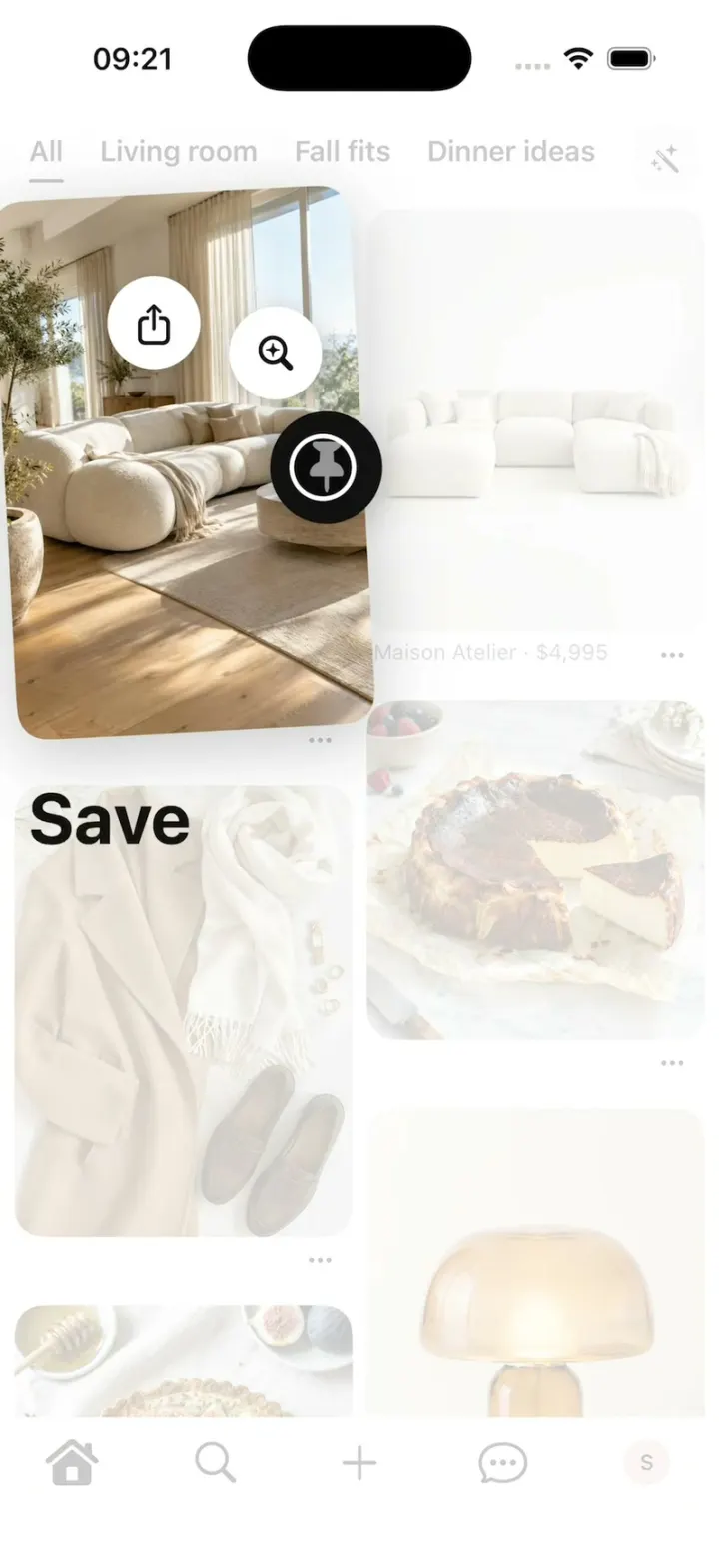
Pinterest Clone
iOSPinterest's long-press save: the lifted Pin, the Save fan, Saved to your board, boards, closeups and Search.
- View template
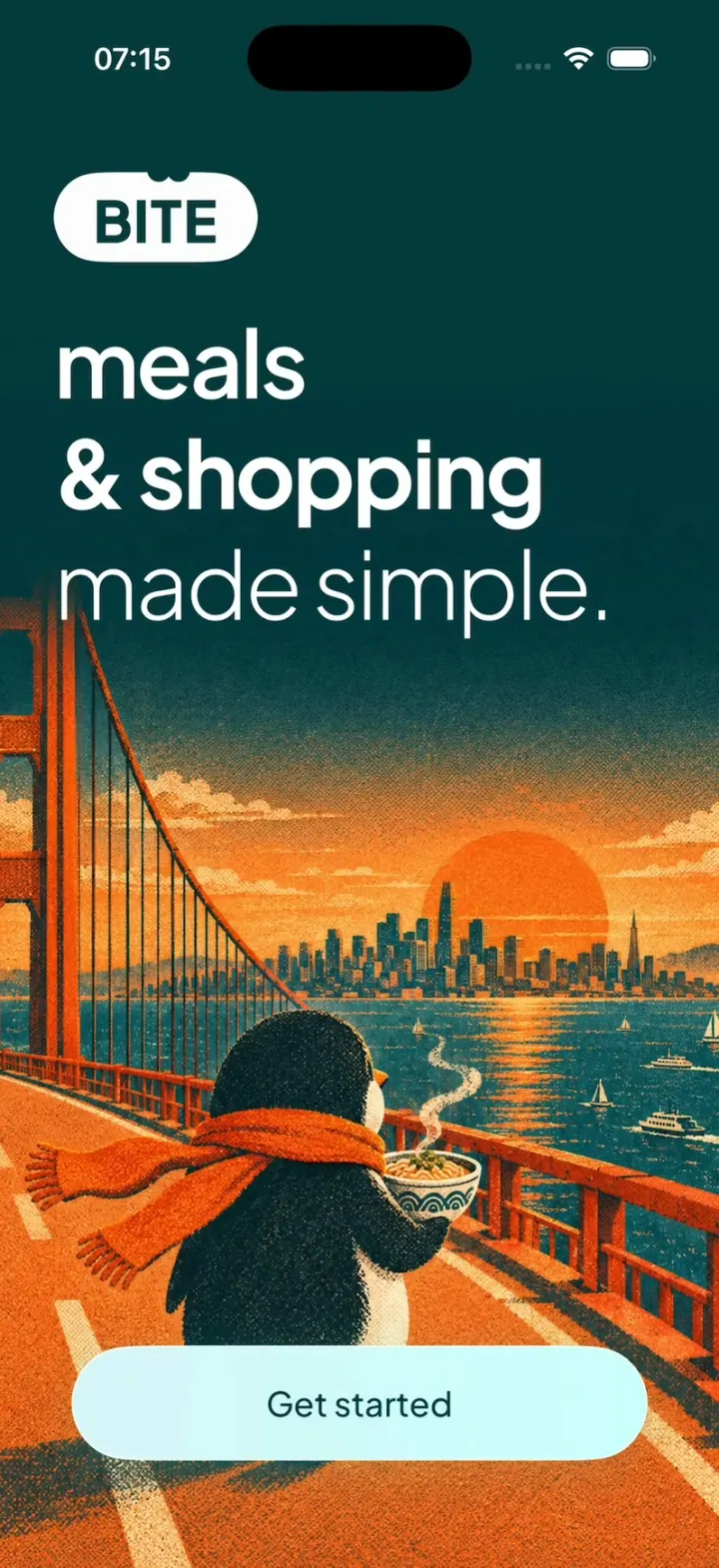
Bite Club
iOSA penguin meal planner: 3-tap quiz, a week you drag dishes around, a tick-off grocery list, cook timer, XP.
- View template
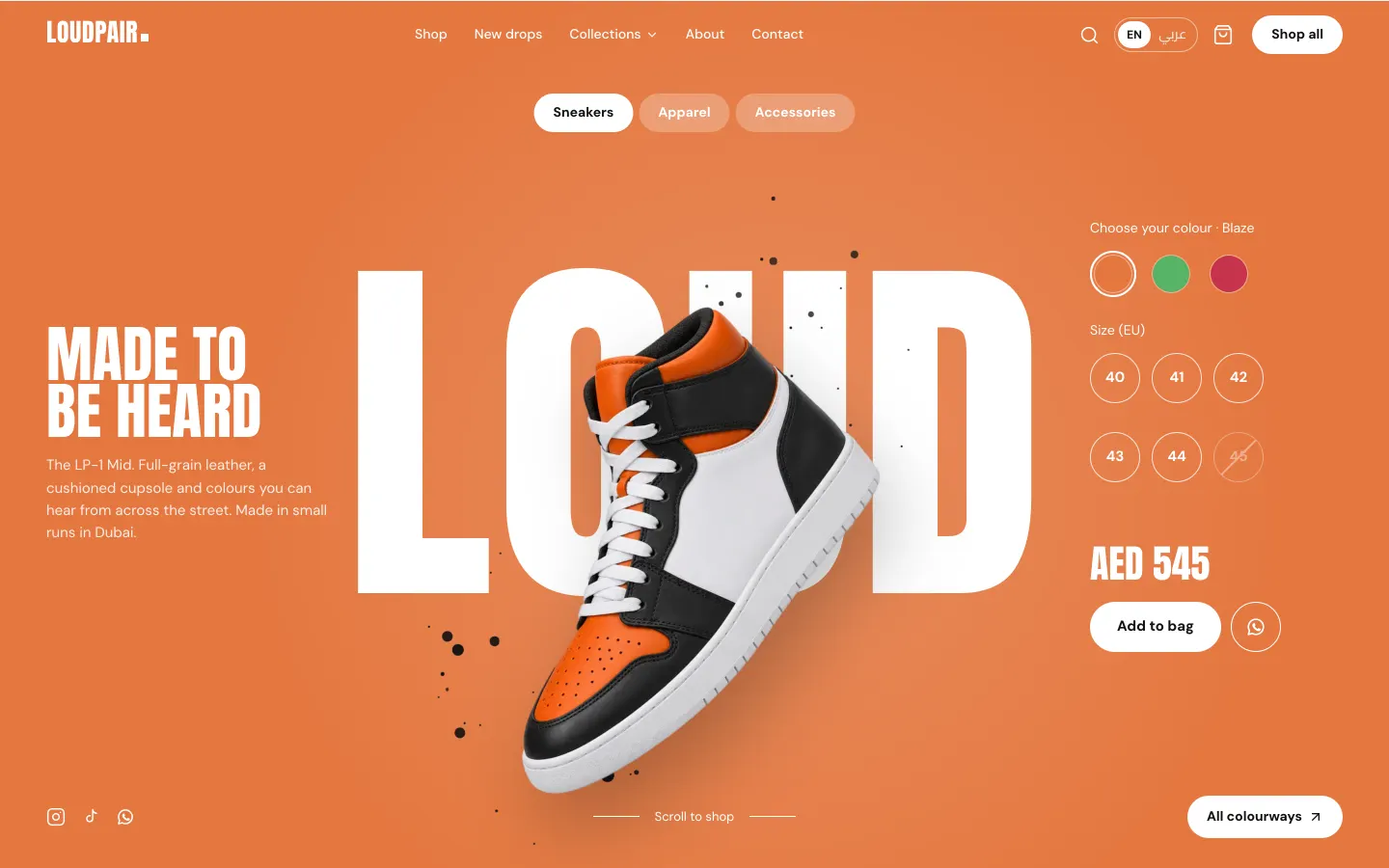
Sneaker Boutique Shop
WebA loud sneaker store with card, cash-on-delivery and WhatsApp checkout, Arabic RTL and a full owner admin.
- View template
DoorDash Clone
iOSDoorDash's live tracking: the red Dasher dot, the four-step tracker, drop-off photos, menus and checkout.