Kickoff
Sports app · from our videos on X
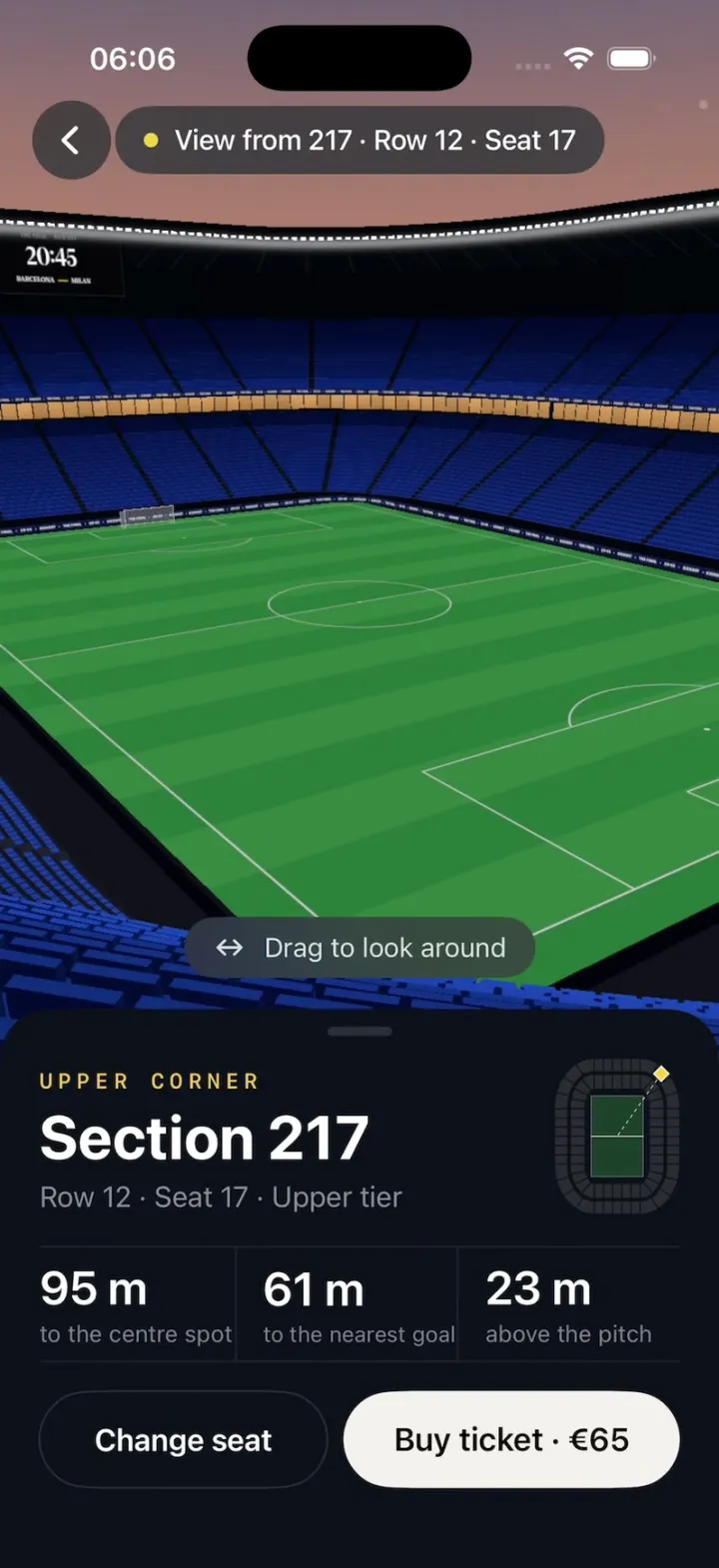
Kickoff sells tickets for the Barcelona – Milan final from a dark stadium map with two rings of numbered sections around the pitch. Tap a section and the map rotates and zooms into its seat map; pick a seat, tap Continue, and the 2D map dissolves into a real 3D stadium as the camera swoops down into your seat. A sheet tells you how far you are from the centre spot and the nearest goal and how high above the pitch you sit, and you can drag to look around the stands, the floodlit roof and the scoreboard. Try the upper corner, behind the goal or the halfway line, then buy the ticket.
- iPhone · Swift
- Built in 1 prompt
- Free to remix
Remix copies the working app into your account for free, exactly as we built it. It runs in Vibecode's cloud iOS simulator, in your browser.
Watch the video on X@ios_app_builder · Nov 17, 2026The prompt that builds it
We built Kickoff in one prompt. Paste it into a new app to build your own copy, or change it first.
Prompt · 3,672 words
[image attached][image attached][image attached][image attached][image attached][image attached][image attached][image attached][image attached][image attached]
Download/reference the app shown in this post and clone it exactly, including the iPhone visual design, layout, interactions, animations, typography, spacing, and all visible states. Make it functional and runnable in the simulator. Match the reference as closely as possible and include any interaction shown in the source. Reference: https://x.com/RaminNasibov/status/2122433340250718529. The attached screenshots are frames of that 29-second screen recording: (1) the stadium map with nothing selected, (2) section 217 tapped and highlighted, (3) the zoomed-in seat map of section 217 with Row 12 Seat 17 selected, (4) the 2D seat map dissolving into the top-down 3D stand, (5) the camera swooping down toward the pitch, (6) the view from 217 with its sheet, (7) the same view dragged to look left, (8) the seat map of section 132 with Row 8 Seat 11 selected, (9) the view from 132 behind the goal, (10) the view from 104 on the halfway line. Look at every screenshot before writing code. (The grey translucent circles in some frames are the recording's touch indicators, not part of the UI.)

Build a native SwiftUI iOS app named Kickoff using Opus 5.5. It is a football ticket app that shows you the view from your seat before you book: you tap a section on a dark 2D stadium map, the map rotates and zooms into that section's seat map, you tap a seat, tap Continue, and the 2D seat map dissolves into a real 3D stadium; the camera flies down into that seat and you see the pitch exactly as you would from there, with a sheet of stats (distance to the centre spot, to the nearest goal, height above the pitch). You can drag to look around. "Change seat" flies back out to the stadium map. Portrait iPhone only, dark mode only. Do NOT put a fake handset frame inside the actual app; the simulator provides that. Use SceneKit for the 3D stadium (SCNView in a UIViewRepresentable) and SwiftUI for everything else. No accounts, permissions, network or backend. Do not publish externally.

Observed video sequence (0-29s), all one flow:
- 0.0-0.8: the stadium map, nothing selected; bottom bar "Choose a section" / "from €65" with a disabled grey Continue.
- 0.8: tap section 217 (upper tier, north-east corner): it fills golden yellow; bottom bar becomes "Section 217 · Upper tier" / "Choose a seat" (Continue still disabled).
- 1.1-2.2: the whole map rotates CLOCKWISE (about 135°) and zooms in until section 217 fills most of the width with the pitch side at the TOP; the other sections dim; section 217 turns into its seat map (a trapezoid wider at the bottom, outlined in muted gold, rows 1-20, small seat squares). Above it "^ LOWER TIER · PITCH"; below it "Section 217" / "Upper tier · North-east corner" and the legend.
- 2.9: tap Row 12 Seat 17 (dead centre of row 12): it turns yellow with a glow; bottom bar "Sec 217 · Row 12 · Seat 17" / "€65" and Continue turns yellow.
- 3.5: tap Continue: header, chips, labels and bottom bar fade out while the 2D seat map cross-fades into the 3D stand seen from straight above (blue seats in the same layout, the chosen seat yellow), then 3.9-4.9 the camera swoops forward and down over the stand, pitching up from looking straight down to looking at the pitch, and settles at eye height in Row 12 Seat 17 looking at the centre spot.
- 4.9-5.3: the top overlay fades in ("View from 217 · Row 12 · Seat 17" pill + round back button), the seat sheet springs up, and a "Drag to look around" pill appears just above the sheet.
- 5.5-8.6: dragging pans the view: turned left you see the curve of the upper tier, the roof edge with its floodlight strip and the scoreboard; then back to the pitch.
- 8.8: tap Change seat: the sheet drops, the camera flies back up to the top-down pose (to 9.6), the 3D cross-fades into the 2D seat map, and the map zooms back out and rotates back to the full stadium (to 10.3). Section 217 stays highlighted and the bottom bar still shows "Sec 217 · Row 12 · Seat 17" / "€65" / Continue.
- 10.6: tap section 132 (lower tier, south end, behind the goal): it turns yellow (217 goes back to normal); the map zooms in WITHOUT rotating (the pitch is already above it): "^ PITCH", rows 1-24, "Section 132" / "Lower tier · South end".
- 12.5: tap Row 8 Seat 11; bottom bar "Sec 132 · Row 8 · Seat 11" / "€120"; 13.2 Continue: the same dissolve and swoop (passing low over the pitch toward the far goal) into Row 8 Seat 11, sheet BEHIND THE GOAL. From there the near goal is big and centred in front, with the whole pitch stretching away to the far goal and the north stand.
- 18.5: Change seat back out to the stadium map.
- 20.2: tap section 104 (lower tier, west stand, by the halfway line): the map rotates COUNTER-CLOCKWISE 90° so the pitch is on top and zooms in; "Section 104" / "Lower tier · West stand". 22.2 tap Row 16 Seat 2 (second seat from the right end of row 16): "Sec 104 · Row 16 · Seat 2" / "€190"; Continue; swoop into it: HALFWAY LINE, looking straight across the halfway line and the centre circle at the east stand.
- 27.3: tap "Buy ticket · €190": the button turns yellow and reads "✓ Added to basket".

MAP SCREEN (screenshots 1 and 2; sizes in points for a 402 pt wide screen, scale proportionally):
- Background #080A0C everywhere.
- Header: a 40 pt round back button (chevron.left, white) on #16181A at the top left; centred title "Barcelona – Milan" (SF Pro Semibold 18, white) with "Final · Sat 23 May · 20:45" (14, #8E8E93) under it; a 40 pt round info button ("info.circle", white) on #16181A at the top right.
- Price chips centred under the header: three capsules ~30 pt tall, fill #0A0C0E, 1 pt stroke #2A2C30, each with a small rounded grey square (#4B4B55), then "Cat 1" (14, #C7C7CC) and "€190" (14 semibold, white); "Cat 2 €120", "Cat 3 €65".
- The stadium map fills the width with 16 pt margins between the chips and the bottom bar: an oval bowl (a rounded rectangle with big rounded corners) around a portrait pitch. Labels just outside it in a monospaced 10 pt font, letter spacing 3, #5A5D63: "NORTH" above, "SOUTH" below, "WEST" and "EAST" rotated vertically at the left and right edges.
- Pitch in the middle (~155 x 237 pt): horizontal mowing stripes #163725 / #143422, thin pitch lines #375745: outline, halfway line, centre circle, both penalty boxes, goal boxes, penalty arcs and tiny goals.
- Two rings of sections separated by gaps of the background colour (2 pt between sections, ~8 pt between the rings): the lower ring (100s) hugs the pitch, the upper ring (200s) is outside it. Each section is a filled block with its number centred in monospaced 10 pt #8A8D93.
- Lower ring, clockwise from the bottom of the west side: west side 101 (bottom) up to 106 (top); north-west corner 107, 108, 109, 110; north end 111, 112, 113, 114, 115 (left to right); north-east corner 116, 117, 118, 119; east side 120 (top) down to 125 (bottom); south-east corner 126, 127, 128, 129; south end 130, 131, 132, 133, 134 (right to left); south-west corner 135, 136, 137, 138.
- Upper ring, same order: west 201-206 (bottom to top), north-west corner 207-210, north end 211-215, north-east corner 216-219, east 220-225 (top to bottom), south-east corner 226-229, south end 230-234 (right to left), south-west corner 235-238.
- Colours: Cat 1 (lower sides 101-106 and 120-125) #494C55; Cat 2 (all other lower sections) #32363C; Cat 3 (every upper section) #24252C. Sold-out sections are drawn as empty black blocks (#080A0C fill, 1 pt #1C1E22 outline, no number) and can't be tapped: 109, 116, 128, 203, 222, 223.
- Prices: Cat 1 €190, Cat 2 €120, Cat 3 €65.
- Selected section: fill golden yellow #E9B930 with its number in dark #3A2E08, a quick scale pop; only one at a time.
- Bottom bar: a panel #0F1113 with 28 pt top corners and a 1 pt #1C1E21 top hairline, ~124 pt tall, pinned to the bottom. Left: a 15 pt #8E8E93 line over a 26 pt bold white line ("Choose a section" / "from €65", "Section 217 · Upper tier" / "Choose a seat", "Sec 217 · Row 12 · Seat 17" / "€65"). Right: a 140 x 50 pt capsule Continue: disabled #1B1D20 with #5B5D61 text; enabled #FFD337 with #1B0C06 text (18 semibold).

SECTION ZOOM AND SEAT MAP (screenshots 2, 3, 8):
- Tapping a section: it turns yellow (0.15 s), then over ~1.0 s (ease in-out) the whole map rotates by the shortest angle that points the direction "section -> pitch centre" straight UP on screen, and scales up around that section until it is ~85% of the screen width, centred ~45% down the map area. The other sections and the pitch dim to dark shapes (#121416 fill, numbers #3A3D42) and stay visible around it; the NORTH/SOUTH labels fade. The selected section's yellow fill fades to #121416 and its seat map fades in (0.3 s), outlined by a 1 pt muted gold line #6E6440.
- Seat map: seats are rounded squares ~7 x 6 pt (1.5 pt corners) on a ~9.5 pt pitch, rows ~16 pt apart, rows following the slight curve of the section (front row slightly concave). Available #5F6168, Taken #26282D, Selected #FFD337 with a soft yellow glow and a 1.0 -> 1.4 -> 1.0 spring pop. Row numbers along the right edge (monospaced 9 pt #6E7076): "1", "2", then every even row.
- Seat numbers run from RIGHT to LEFT (seat 1 is the rightmost seat in each row). Row 1 is the front row, nearest the pitch, at the top.
- Upper corner sections (e.g. 217): 20 rows, a trapezoid wider at the back; rows 1-20 have 27, 27, 28, 28, 29, 29, 30, 30, 31, 31, 32, 33, 33, 34, 34, 35, 35, 36, 36, 37 seats, so Row 12 Seat 17 is exactly in the middle. Other upper sections: 20 rows of 30 seats.
- Lower side and end sections (e.g. 104, 132): 24 rows, nearly rectangular (back only ~8% wider); end sections have 19 seats per row (so 132 Row 8 Seat 11 is just left of centre), side sections 21 (so 104 Row 16 Seat 2 is the second seat from the right end). Lower corners: 24 rows widening from 16 to 24 seats.
- Taken seats: a fixed pseudo-random pattern (seeded per section, ~45% taken, in little clusters like a real sale). The three demo seats 217/12/17, 132/8/11 and 104/16/2 and their immediate neighbours are always available.
- Above the section: a small chevron "^" over "LOWER TIER · PITCH" (upper sections) or "PITCH" (lower sections), monospaced 10 pt, letter spacing 3, #5A5D63.
- Below the section: "Section 217" (19 semibold, white), "Upper tier · North-east corner" (14, #8E8E93), and a legend: small squares + "Available" / "Taken" (13, #8E8E93).
- Area names: west stand 101-106/201-206, north-west corner, north end, north-east corner, east stand, south-east corner, south end, south-west corner (Lower tier / Upper tier).
- Tapping an available seat selects it (only one at a time); tapping it again deselects it; taken seats do nothing. Give every seat a hit area of its full pitch cell, and keep the map free of scroll views.
- In the zoomed state, tapping another section (any dim section) zooms straight over to it. The back button (top left) zooms back out to the stadium map.

3D STADIUM (SceneKit; screenshots 4, 5, 6, 7, 9, 10). Units are metres, pitch centre at the origin, long axis north-south (north = -z).
- Pitch 105 x 68 m: bright mowing stripes running ACROSS the pitch (parallel to the goal lines), 18 stripes alternating #3E9A49 and #308E41, plus 3 m of grass beyond the lines; crisp white lines (touchlines, goal lines, halfway line, 9.15 m centre circle and spot, 16.5 m penalty boxes, 5.5 m goal boxes, penalty spots and arcs, corner arcs). Draw it once into a 4096 x 2731 texture with Core Graphics. Two white goals (7.32 x 2.44 m, round posts and crossbar) with a light grid net 2 m deep (a transparent texture).
- Around it a dark apron (#1A1D24), then LED advertising boards 1 m tall all the way round, 4 m from the lines: dark navy #0B1440 with small white repeated text "KICKOFF  •  THE FINAL  •  20:45  •" (emissive).
- Lower tier: 24 rows in a continuous rounded-rectangle bowl, front row 8 m from the touchlines and 9 m from the goal lines; each row 0.8 m deep and 0.48 m higher than the one in front, front row 1.2 m above the pitch, a 1.2 m dark wall in front of row 1. Radial aisles (dark grey #2B2E36 steps) between sections.
- A band of corporate boxes above the lower tier: a 2.5 m fascia with a continuous row of warm lit windows (emissive amber #C98B4A to #E2A766) separated by thin dark mullions, wrapping the whole bowl (screenshots 6, 9, 10 show it as the gold strip between the tiers).
- Upper tier: 20 rows, steeper (0.85 m deep, 0.6 m rise per row), front row 16 m above the pitch, overhanging the back of the lower tier, front edge ~24 m from the touchlines and ~26 m from the goal lines.
- Roof: a dark ring (#15171C underside with faint truss lines) over the upper tier; its inner edge ~31 m up carries a continuous strip of bright white floodlights (small emissive dashes with a soft glow), as in screenshots 6 and 7.
- Scoreboards: one big black screen hung under the roof above each end (north and south), facing the pitch: small "THE FINAL · KICK-OFF", big white "20:45", "BARCELONA — MILAN" with a yellow dash.
- Sky: a sunset gradient behind everything (scene.background): #2E3F6E at the top, #3D4F7B, then warm peach #A07871 to #C88A6A at the horizon.
- Seats: royal blue plastic seats (#2450C0 lit tops, darker #0A1750 in shade toward the back of each tier, darkest under the roof). Real 3D seats (seat pan + backrest, simple boxes) for the selected section and the two sections on either side of it in the same tier, merged into one geometry and rebuilt when the section changes; everywhere else use stepped tier geometry with a tiling seat-row texture (rows of blue seat backs with dark gaps) so the far stands still read as thousands of seats. The selected seat is the same 3D seat in bright yellow #FFD337 (emissive) so it pops from above.
- The 3D layout matches the 2D map: every section sits at the same place around the pitch, with the same row and seat counts, so the top-down view of a section looks like its 2D seat map.
- Lighting: cheap and bright like the screenshots: one warm directional light from the west, a cool fill, ambient; no shadows.

CAMERA AND THE FLIGHT (the hero animation):
- Eye position: the seat + 1.15 m up. Always look at the centre spot. Horizontal field of view 42° (projectionDirection = .horizontal), so from 132 the near goal fills about two thirds of the width (screenshot 9).
- Continue (~1.6 s total): 0-0.35 s the header, chips, labels and bottom bar fade out and the 2D seat map cross-fades into the 3D view at its top-down pose: the camera straight above the section, looking down, rotated so the pitch is at the top of the screen and framed so the 3D section covers the same area as the 2D section did. 0.35-1.45 s the camera flies on a smooth curved path (ease-in-out) forward and down toward the seat while pitching up from straight down to looking at the centre spot, settling at the eye position. Interpolate position along a bezier and orientation with a quaternion slerp, driven per frame (CADisplayLink), so it is perfectly smooth.
- Then the overlay fades in (0.25 s): a 44 pt round back button (chevron.left on translucent dark #1F232B, 75%) at the top left and a centred capsule pill "● View from 217 · Row 12 · Seat 17" (yellow dot #F3D345, 16 pt medium white, translucent dark #2A2E3A 75% with blur); the seat sheet springs up from the bottom (0.45 s, slight overshoot); a small capsule "↔ Drag to look around" (15 pt, white 85%, on translucent dark) fades in centred ~16 pt above the sheet and fades out after 4 s or at the first drag.
- Drag to look around: horizontal drag turns the camera (yaw, up to ±75° from the centre spot direction), vertical drag tilts it (±20°), with a little momentum; it stays where you leave it.
- Change seat (or the round back button): the sheet drops (0.25 s), the overlay fades, the camera flies back along the reverse path to the top-down pose (0.8 s), the 3D cross-fades into the 2D seat map (0.25 s), then the map zooms back out and rotates back to the full stadium (0.5 s) with the section still yellow and the seat still selected in the bottom bar.

SEAT SHEET (screenshots 6 and 10):
- A bottom sheet #0C111B with 28 pt top corners and a small grabber (#2A2F3A), ~290 pt tall, over the 3D view (the 3D view keeps filling the screen behind it).
- Eyebrow in yellow #F2C94C, monospaced 12 pt semibold, letter spacing 3: "UPPER CORNER", "BEHIND THE GOAL", "HALFWAY LINE" (also "SIDELINE", "LOWER CORNER", "UPPER SIDELINE", "UPPER END" for other sections).
- Title "Section 217" (34 bold white); subtitle "Row 12 · Seat 17 · Upper tier" (16, #8A8F99).
- Top right: a tiny mini-map (~70 x 85 pt): the stadium as two rings of dark section blocks (#2A2D33) around a dark green pitch (#1D3E2A) with a thin white halfway line, the selected seat's position as a small yellow diamond, with a thin dashed line from it to the centre spot.
- A stats row between two hairlines (#1E2330) with vertical dividers: value 26 pt semibold white over a 13 pt #7D8390 label: "95 m" / "to the centre spot", "61 m" / "to the nearest goal", "23 m" / "above the pitch".
- Buttons, 54 pt tall: "Change seat" (outlined capsule, 1 pt #2A2F3A, white 17 semibold, ~45% width) and "Buy ticket · €65" (filled #F4F2EE capsule, black 18 semibold, the rest).
- Exact numbers for the three demo seats: 217 Row 12 Seat 17 = UPPER CORNER, Upper tier, 95 m / 61 m / 23 m, €65. 132 Row 8 Seat 11 = BEHIND THE GOAL, Lower tier, 68 m / 15 m / 5 m, €120. 104 Row 16 Seat 2 = HALFWAY LINE, Lower tier, 54 m / 75 m / 9 m, €190. For every other seat compute them from the 3D geometry (straight-line distance from the eye to the centre spot and to the nearest goal centre, height of the seat above the pitch, rounded to whole metres), keeping those three exactly as listed.
- Buy ticket: the button morphs (spring) into a yellow #FFD337 capsule with a black "✓ Added to basket" and stays that way; light success haptic.

PERFORMANCE (the web simulator renders 3D slowly, so this matters):
- Build the whole stadium at launch on a background queue, then pre-build the SCNView (hidden, alpha 0, already rendering) and call prepare on the scene, so the first Continue never hitches.
- Lambert/blinn materials, no PBR, no shadows, no HDR, bloom or SSAO, antialiasingMode none, SCNView contentScaleFactor 2 at most, one flattened geometry per material, the whole scene under ~200k triangles and ~60 draw calls. Count the real frames per second during a flight (renderer delegate) and print it to the console.

FILMING AIDS (important, I record demo videos of this):
- Launch state = reset state: the full stadium map, nothing selected, the 3D view pre-built and hidden.
- Long-pressing the "Barcelona – Milan" title (0.6 s) or the 3D view's pill resets to that state immediately (deselect everything, hide the sheet and 3D, map zoomed out), no alerts.
- Long-pressing the info button (0.6 s) toggles a hidden slow-motion mode where EVERY animation runs 8x slower: the section pop, the map rotate/zoom, the cross-fades, the camera flight both ways, the overlay and sheet, the Added to basket morph. One global time scale (1 or 8) multiplies every duration, spring response and the flight. The only sign of it is a tiny dim 5 pt dot in the top-right corner. Reset must not turn it off. Taps still respond instantly.
- Sections, seats, Continue, Change seat and Buy respond on touch-up instantly.

Keep every file you create inside /home/user/workspace (fonts, generated images, scripts): tool access to /tmp and other paths outside the workspace is denied in this sandbox.

Build it in small source files (Theme, StadiumModel with the exact sections, seat counts and stats, StadiumMapView (the 2D map with its rotate/zoom), SeatMapView, BottomBar, StadiumScene (SceneKit geometry, textures, lights), StadiumView (UIViewRepresentable + camera flight + look around), SeatSheet, AppState), getting a first version compiling and running before polishing. Keep SwiftUI types simple and split complex view bodies. Build fully, run compile/build validation, resolve all errors, and launch in the web simulator. Test it yourself in the simulator: tap 217, Row 12 Seat 17, Continue, check the flight lands in the seat looking at the centre spot with the sheet, drag to look around, Change seat back, then do 132 Row 8 Seat 11 and 104 Row 16 Seat 2 and Buy ticket. Prioritize fidelity to the attached screenshots and a smooth, convincing camera flight. Deliver complete implementation rather than a plan.
More templates
All templates- View template
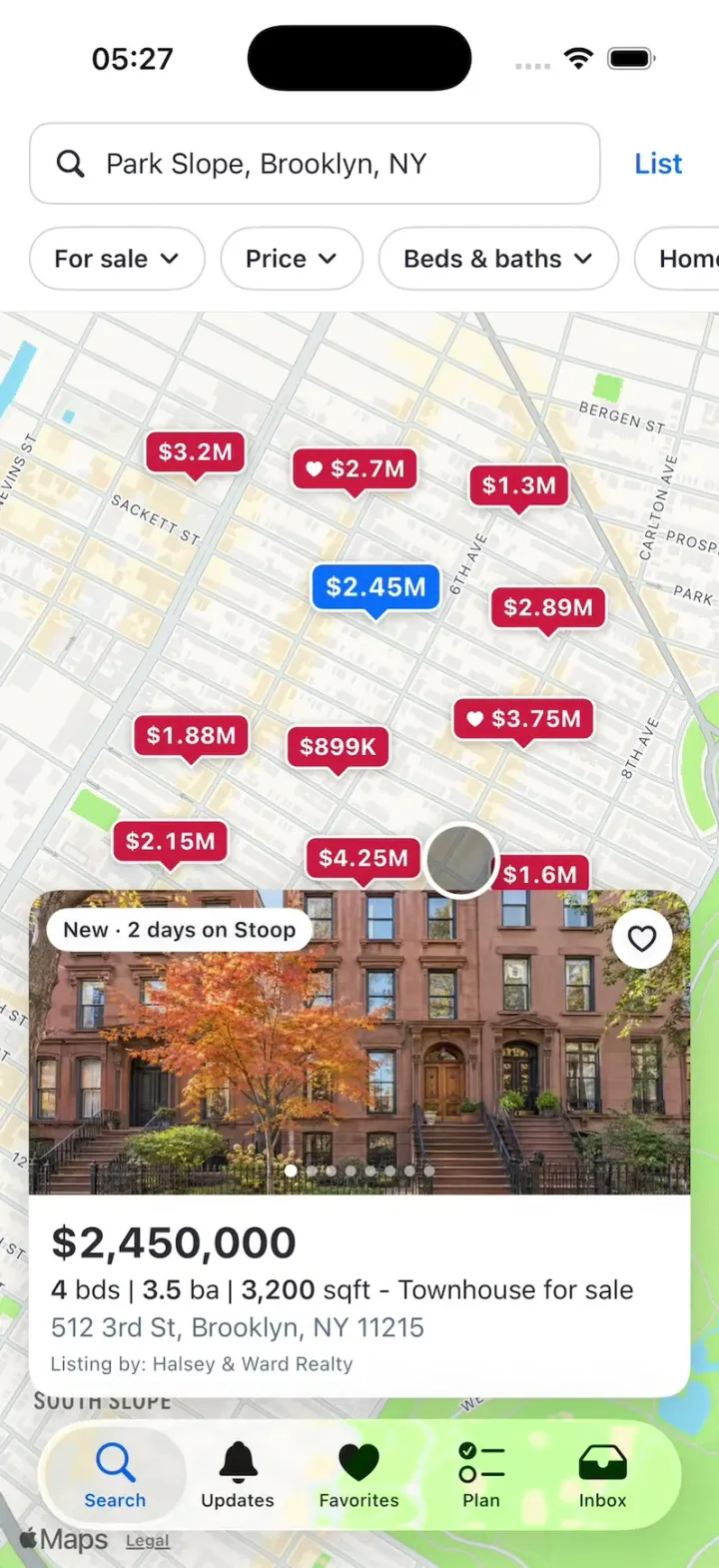
Zillow Clone
iOSA Zillow-style home search: a map of price pins, listing pages, a mortgage calculator and tour requests.
- View template

Tab Glass
iOSA liquid glass tab bar: a thick prismatic pill stretches like liquid as it glides between tabs.
- View template
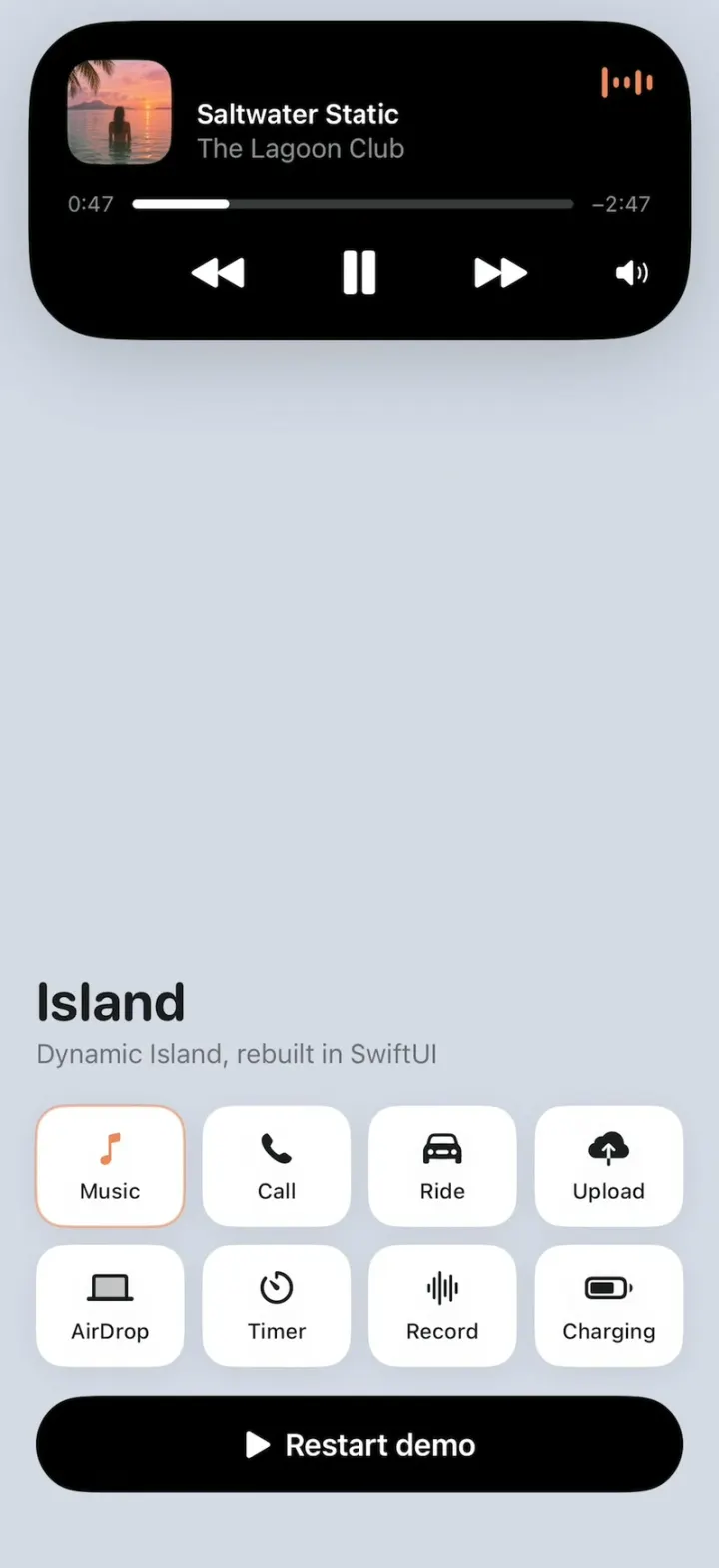
Island
iOSApple's Dynamic Island, rebuilt: one black pill springs into music, calls, rides, uploads, AirDrop and more.
- View template
Humi
iOSA glossy egg in sunglasses checks your mood: turn the wheel and everything recolors, then log it gently.