Island
Personalization app · from our videos on X
Island turns the iPhone's Dynamic Island into a playground. One black shape sits right on top of the real island and morphs with springy, liquid animations between twelve Live Activities: a now-playing pill that opens into a full music player, an incoming call you can accept, a ride arriving in 6 minutes, an upload that fills a progress ring, AirDrop, a timer, a voice recording and charging. Tap a chip to jump to any state, or hit Play demo to watch the whole sequence. Everything is drawn in SwiftUI with local sample data.
- iPhone · Swift
- Built in 1 prompt
- Free to remix

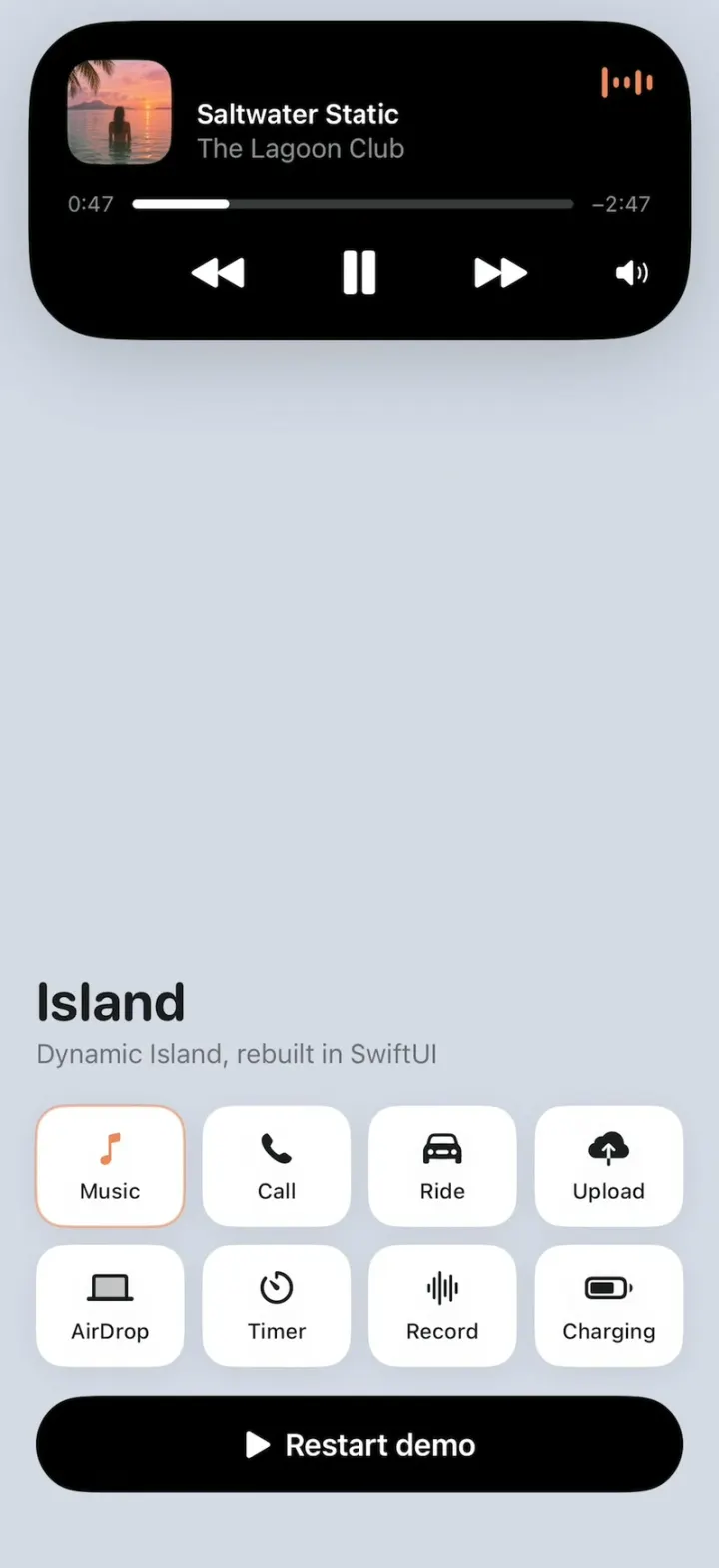
Remix copies the working app into your account for free, exactly as we built it. It runs in Vibecode's cloud iOS simulator, in your browser.
Watch the video on X@ios_app_builder · Nov 14, 2026The prompt that builds it
We built Island in one prompt. Paste it into a new app to build your own copy, or change it first.
Prompt · 1,741 words
[image attached][image attached][image attached][image attached][image attached][image attached][image attached][image attached][image attached][image attached][image attached][image attached][image attached]
Download/reference the app shown in this post and clone it exactly, including the iPhone visual design, layout, interactions, animations, typography, spacing, and all visible states. Make it functional and runnable in the simulator. Match the reference as closely as possible and include any interaction shown in the source. Reference: https://x.com/leodev/status/2121226904418304404. The 13 attached screenshots are frames of the 29-second video, in order (t = 1.0 s, 3.5, 6.5, 8.6, 11.5, 13.4, 15.0, 16.0, 16.8, 19.2, 21.0, 23.5, 26.5). Read every one of them before writing code.

Build a native SwiftUI iOS app named Island using Opus 5.5. The original is islandcn, an open-source recreation of Apple's Dynamic Island: one black island at the top of the screen that morphs with springy, liquid animations between Live Activity states (music, a phone call, a ride, an upload, AirDrop, a timer, a voice recording, charging). Build the same thing as a real iPhone app: the island must sit EXACTLY on top of the iPhone's hardware Dynamic Island, so it looks like the real Dynamic Island is growing out of the phone. Do NOT put a fake handset frame inside the actual app; the simulator provides that. Use deterministic local state, no permissions, no backend, no real Live Activities/ActivityKit (draw it all in the app). Do not publish externally.

Screen layout (portrait, light mode only):
- Whole screen background: flat lavender grey #D6D9E6 (214, 217, 230), edge to edge. Hide the status bar (.statusBarHidden(true)) and ignore the top safe area so nothing but the island is in the top half.
- The top ~55% of the screen is EMPTY lavender with only the island in it (this part gets filmed as a close-up, so no titles, no controls, nothing else up there).
- The bottom ~40% is a small control panel: a large rounded title "Island" (SF Pro Rounded, bold, ~30 pt, near-black #1C1C1E) with a grey subtitle "Dynamic Island, rebuilt in SwiftUI", then a 4 x 2 grid of small white rounded chips (corner 16, subtle shadow), each an SF Symbol plus label: Music (music.note), Call (phone.fill), Ride (car.fill), Upload (icloud.and.arrow.up.fill), AirDrop (laptopcomputer), Timer (timer), Record (waveform), Charging (battery.75percent). Tapping a chip morphs the island straight to that state. Under the grid a full-width black capsule button "Play demo" (white semibold text, play.fill icon) that runs the scripted demo below from the start, resetting every state first (it can be tapped again any time to restart cleanly). Keep everything above the home indicator.

Island geometry (points; the island is always top-anchored and horizontally centred, growing down and out from the hardware island):
- Idle: exactly the hardware island: 126 x 37.33, top edge at y = 11.33, centred on the screen width, pure black, capsule. Read the top safe-area inset at launch; on a Dynamic Island iPhone (inset >= 59) use these numbers. It must line up with the hardware cutout pixel-for-pixel, so that in idle the app's island is invisible on top of the real one.
- Compact states keep height 37.33 and are capsules, wider than the hardware island: compact music 232 wide, compact AirDrop 226, timer 236, recording 250, charging 320.
- Expanded states use width = screen width - 2 x 15.5 (371 on a 402-pt phone), top still at y = 11.33: music player 178 tall (corner radius 46), incoming/ongoing call 81 tall (corner radius 40), ride 157 tall (corner radius 46), upload 82 tall (corner radius 40), AirDrop 82 tall (corner radius 40).
- Expanded states get a soft drop shadow onto the lavender (black 18%, radius ~24, y +10); idle and compact have none.

Motion (this is the whole point of the app, make it feel like Apple's):
- One continuous black shape that morphs its width, height and corner radius with a spring (.spring(response: 0.42, dampingFraction: 0.72)); never cross-fade two shapes. Growing to a big card overshoots slightly and settles. Shrinking from a big card back to a compact pill (the AirDrop collapse) squashes past the target to about 0.7x its final width, then springs back out (bouncy, ~0.6 s total).
- Content inside fades in with a blur (blur 8 -> 0, opacity 0 -> 1, scale 0.92 -> 1) starting ~0.08 s after the shape starts moving, and fades out with blur when leaving. Content never spills outside the black shape (clip it).
- Text: SF Pro, white on black; numbers use monospaced digits and count with .contentTransition(.numericText()).

States and exact content (colours: green #3DEA5C, red #EE2F47, blue #128CFA, orange #F59E11, secondary text grey #8E8E93):
1. Compact music (232 x 37.33): on the left a 24-pt rounded-square (corner 6) album-art thumbnail; on the right an animated waveform of 5 thin rounded vertical bars in salmon orange #F0875A that bounce continuously.
2. Music player (371 x 178): top-left a 58-pt album art square (corner 14) at 22 pt insets; next to it "Saltwater Static" (white, semibold 15) and under it "The Lagoon Club" (grey, regular 15); the same orange animated waveform in the top-right corner. Below: "0:45" (grey, 12, left), a thin capsule progress bar (white fill on #3A3A3C track, about 21% filled) and "−2:49" (grey, right); the elapsed time ticks every second (0:45 -> 0:46 ..., −2:49 -> −2:48) and the fill grows with it. Bottom row: backward.fill, a larger pause.fill (centre), forward.fill, and speaker.wave.2.fill at the far right, all white. Tapping pause toggles play/pause.
3. Incoming call (371 x 81): a 46-pt circular avatar of an orange tabby cat at left; "mobile" (grey, 13) above "Mochi's sitter" (white, semibold 16); on the right two 46-pt circles: red decline (phone.down.fill, white) and green accept (phone.fill, white), 10 pt apart.
4. Ongoing call (same 371 x 81, content cross-fades when accept is tapped or the demo accepts): the green accept button fades and shrinks away, the red end button stays at the far right; "mobile" becomes "0:00" in green (counts up every second: 0:01, 0:02 ...), "Mochi's sitter" stays; a small green animated waveform (6 bars) sits just left of the red button. Tapping the red button ends the call (back to idle).
5. Ride (371 x 157): top-left a green car.fill icon (~30 pt); top-right right-aligned "Kofi A." (white, 16) over "7KXR482" (grey, 15, letter-spaced). Middle row: "Silver estate" (white, 16) at left, and right-aligned "Arriving in " (white) + "6 minutes" (green), 16 pt. Bottom: a full-width capsule button, 44 tall, dark green background #0F4417, with a green message.fill bubble icon and "Message Kofi" in green semibold 18.
6. Upload (371 x 82): a 46-pt rounded-square photo of a sleeping orange cat at left; "mochi-asleep.jpg · 4.8 of 6 MB" (grey, 13) above "Uploading to Family" (white, semibold 16); on the right a 46-pt blue progress ring (blue arc on dark #1C1C1E track, 4-pt stroke, round caps) with the percent "80" in white bold in its centre. The ring and number count up 80 -> 90 smoothly while the size text goes 4.8 -> 5.4 of 6 MB, then it completes: the text becomes "mochi-asleep.jpg · 6 MB" and "Uploaded to Family", and the ring morphs into a solid blue circle with a white checkmark (springy pop).
7. AirDrop (371 x 82): leading icon = a 46-pt dark navy circle (#0B2340) with a blue laptopcomputer symbol, and a 24-pt rounded-square photo of a grey kitten sitting in the sun overlapping its bottom-right corner; "Sending biscuit-in-the-sun.jpg" (grey, 13) above "To Maya's Laptop" (white, semibold 16); on the right a 46-pt blue progress ring with a blue arrow.up in the middle, filling. Then sent: "Sent biscuit-in-the-sun.jpg" and the ring becomes a solid blue circle with a white checkmark.
8. Compact AirDrop (226 x 37.33): a small blue laptopcomputer icon at left, a small solid blue circle with a white checkmark at right.
9. Timer (236 x 37.33): an orange timer / stopwatch.fill icon at left, "0:15" in orange semibold at right, counting DOWN every second (0:14, 0:13 ...).
10. Recording (250 x 37.33): at left a red animated waveform of ~10 thin bars (red #E5383B, heights jittering), at right "0:00" in red counting UP every second.
11. Charging (320 x 37.33): "Charging" (white, semibold 15) at left; at right "42%" (green, semibold) and a green battery icon (outlined, dark green #347D27 body with a bright green fill at 42%).
12. Idle: back to exactly the hardware island.

Scripted "Play demo" timeline (times in seconds after the tap; copy it exactly, it reproduces the original video beat for beat):
- 0.0 idle; 0.07 morph to compact music.
- 2.0 expand to the music player.
- 4.9 morph to incoming call (the card gets shorter, same width).
- 7.8 call accepted -> ongoing call, timer starts at 0:00.
- 10.2 morph to the ride card (taller).
- 12.65 morph to upload at 80 (4.8 of 6 MB); 13.0-14.4 ring counts to 90 (5.4 of 6 MB); 14.6 completes (Uploaded to Family, check).
- 15.55 content cross-fades (same size) to AirDrop sending, ring filling; 16.5 Sent + check.
- 17.95 collapse (bouncy squash) to compact AirDrop.
- 20.4 morph to timer 0:15, counting down.
- 22.85 morph to recording 0:00, counting up.
- 25.25 morph to charging 42%.
- 27.65 back to idle. Stay idle until the next tap.
Also: tapping the island in compact music expands it to the player, tapping the player collapses it back; accept/decline/end on the call work.

Images: generate the four little photos with gpt-image-2.5-flare (run env and use the project's proxied OPENAI_API_KEY with https://api.openai.com/v1/images/generations, square, 1024): album art = a dreamy pink-and-orange sunset over a calm tropical lagoon, a woman standing waist-deep in the water seen from behind, palm fronds hanging into the top-left corner, soft film look; avatar = a fluffy orange-and-white tabby cat face looking at the camera, warm indoor light; mochi-asleep = an orange tabby cat curled up asleep on a beige blanket, cosy close-up; biscuit-in-the-sun = a small grey tabby kitten sitting in a patch of sunlight on a wooden floor. Add them to the asset catalog. If generation fails, use rich gradient placeholders and keep going.

Keep every file you create inside /home/user/workspace (fonts, generated images, scripts): tool access to /tmp and other paths outside the workspace is denied in this sandbox.

Build fully, run compile/build validation, resolve all errors, and launch in the web simulator. Prioritize fidelity to the attached source and the morph animations. Deliver complete implementation rather than a plan.
More templates
All templates- View template
Humi
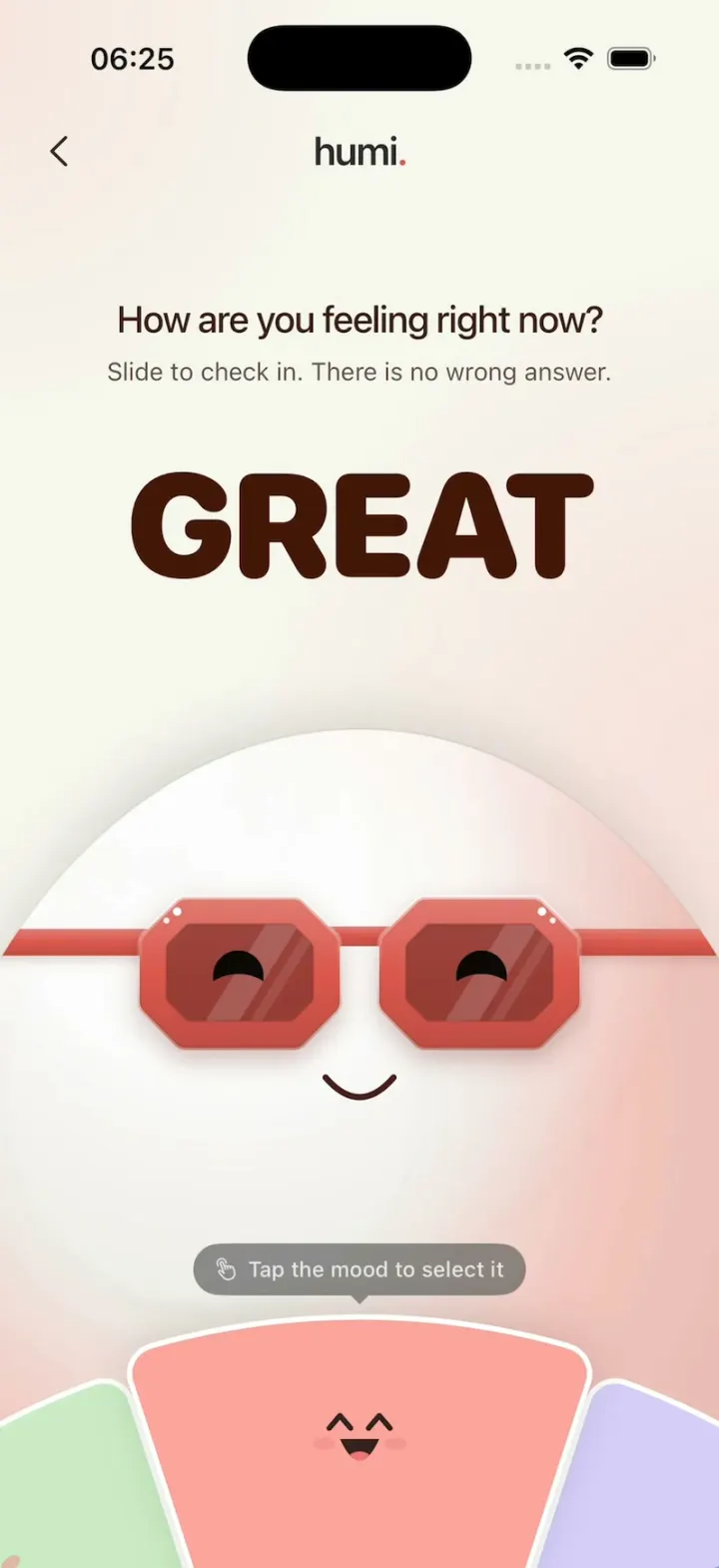
iOSA glossy egg in sunglasses checks your mood: turn the wheel and everything recolors, then log it gently.
- View template
Apple Weather Clone
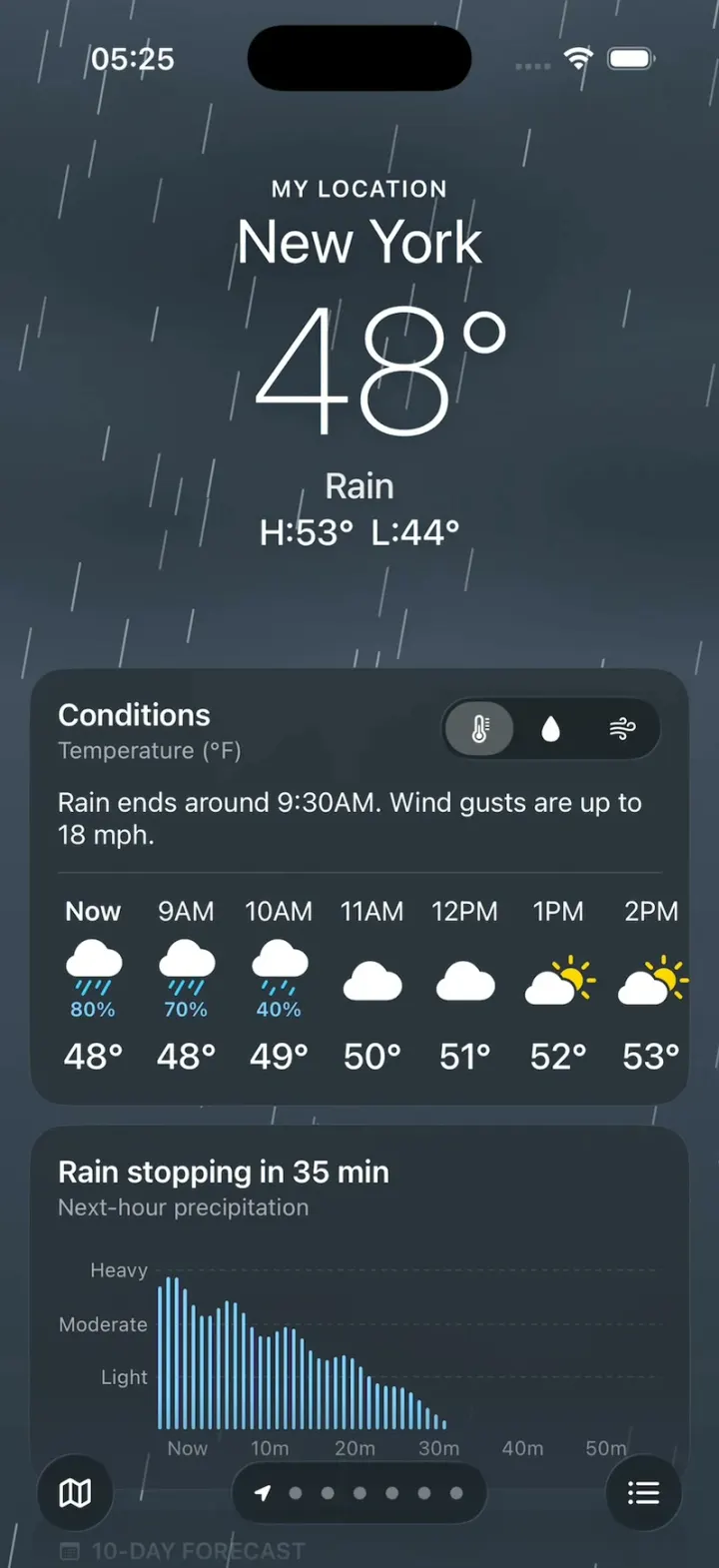
iOSThe iPhone Weather app: live animated skies, hourly and 10-day forecasts, glass tiles and a rain map.
- View template

Temu Clone
iOSA Temu-style deals app: lightning-deal countdowns, a spin-to-win coupon wheel, fly-to-cart and checkout.
- View template
Liquid
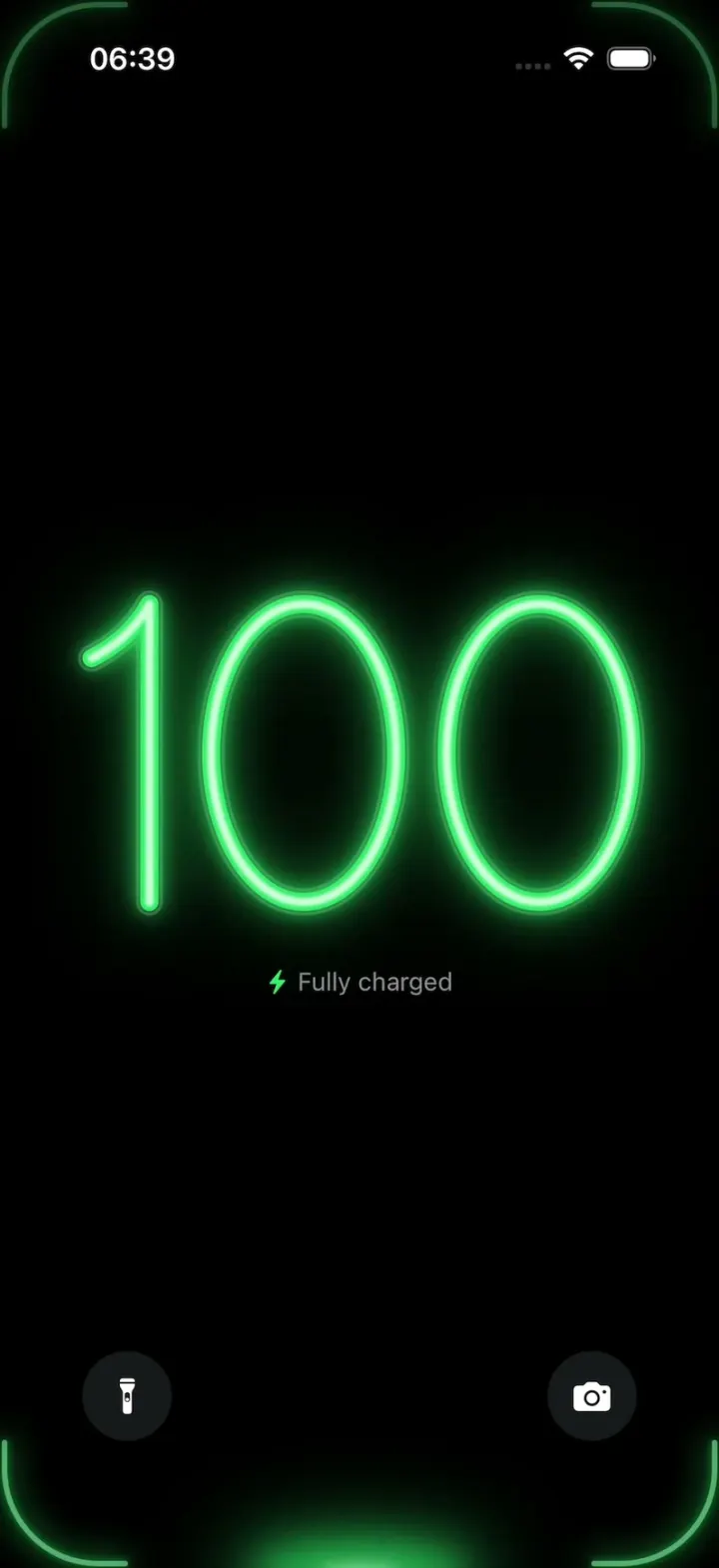
iOSA neon drop falls from the Dynamic Island and fills glass-tube battery digits, from red to amber to green.