Apple Weather Clone
Apple Weather clone · Weather app · from our videos on X
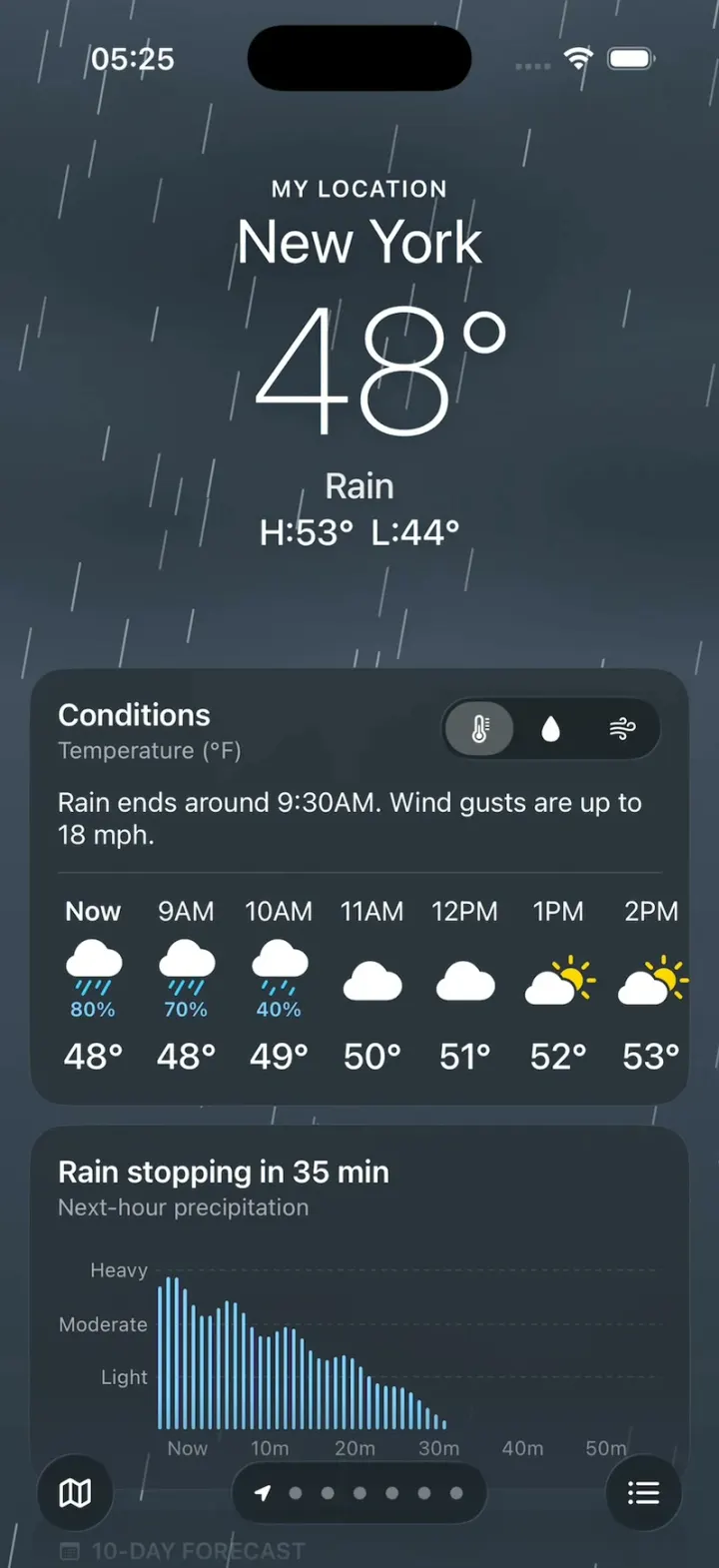
Apple Weather Clone is the iPhone's Weather app rebuilt in SwiftUI: every city sits on its own animated sky (rain over New York, sun in Miami, snow in Denver, stars over Tokyo, lightning in Chicago) under the big thin temperature. Swipe between cities and the skies crossfade; scroll and the header collapses to one line while the glass cards slide under it. The Conditions card switches the hourly row between temperature, rain and wind, the 10-day forecast draws its range bars, and the tiles cover UV, sunset, wind, pressure and more. Open the city list for live sky cards and search, tap a day for its chart, or open the rain map.
- iPhone · Swift
- Built in 1 prompt
- Free to remix

Remix copies the working app into your account for free, exactly as we built it. It runs in Vibecode's cloud iOS simulator, in your browser.
Watch the video on X@vibecodeapp · Nov 12, 2026The prompt that builds it
We built Apple Weather Clone in one prompt. Paste it into a new app to build your own copy, or change it first.
Prompt · 2,845 words
Build Weather, a polished native iPhone weather app in SwiftUI in the iOS 26 system style of the iPhone's built-in Weather app: full-screen animated skies (rain, sun, snow, a starry night, clouds, thunderstorms with lightning), a big thin temperature over the sky, a glass Conditions card with the hourly row, the 10-day forecast with temperature range bars, a grid of glass tiles (UV index, sunset, wind compass, precipitation, feels like, humidity, visibility, pressure), a header that collapses as you scroll, a pager between saved cities, the locations list with live sky cards and search, a day detail sheet with a chart, and a precipitation map. The user's location is New York. It is Thursday, November 12, 2026, 8:41 AM in New York.

ASSETS
curl -L once and unzip flat: https://vibecode-weather-media.beacon.host/weather-brand.zip (weather-icon.png: use it as the app icon). Every sky, icon and chart is drawn in code or with SF Symbols (multicolor). No image generation is needed.

SHELL
Opens straight on the New York page: no splash, onboarding, permission prompts or sign-in. The status bar stays visible and white on every screen. Pages fill the screen edge to edge behind the status bar.

SCREENS
1. Location page (one per saved location, in a horizontal pager; see PAGER):
 a. Sky: the page's SkyView fills the screen behind everything (see SKIES).
 b. Header, centred, white, soft shadow: "MY LOCATION" (13 pt semibold, tracked, only on the first page); the city name (34 pt regular); the temperature (100 pt thin, "48°"); the condition (20 pt medium, "Rain"); "H:53°  L:44°" (20 pt medium). About 300 pt tall at rest.
 c. Collapse on scroll: as the page scrolls up 0 → 190 pt, the temperature, condition and H/L fade out and the city name slides up under the status bar with one line "48° | Rain" (20 pt medium) under it; that compact header stays pinned and the cards scroll under it, clipped by a soft 24 pt fade at its bottom edge. Scrolling back restores it.
 d. Conditions card (glass, see LOOK): a top row "Conditions" (17 pt semibold) with "Temperature (°F)" (13 pt, white 60%) under it and at the right a 3-segment glass picker of icons (thermometer.medium = temperature, drop.fill = precipitation, wind = wind); a summary line (15 pt) "Rain ends around 9:30AM. Wind gusts are up to 18 mph."; a hairline; then a horizontal row of 24 hourly columns (52 pt wide): the hour ("Now" in bold first, then "9AM", "10AM"…), a multicolor SF Symbol (28 pt) with the precipitation % under it in #7FD3FF when ≥30%, and the value (20 pt medium). Sunrise and sunset get their own columns ("6:38AM" sunrise.fill "Sunrise", "4:41PM" sunset.fill "Sunset"). The picker swaps the row's values with a quick crossfade: temperature "48°", precipitation "80%" with drop symbols, wind "12" with a location.north.fill arrow rotated to the wind direction. Tap the card: the day detail sheet.
 e. Next-hour card (only on a page where it is raining or snowing now): "Rain stopping in 35 min" (17 pt semibold) and "Next-hour precipitation" (13 pt, white 60%); a chart of 60 thin bars (one per minute, 2 pt wide, #7FD3FF), heavy at Now, tapering to nothing at 35 min, over three dashed grid lines labelled "Heavy", "Moderate", "Light" at the left; x labels "Now", "10m", "20m", "30m", "40m", "50m".
 f. 10-day card: header "10-DAY FORECAST" with calendar (13 pt semibold, white 60%), then 10 rows (44 pt) separated by hairlines: the day (20 pt medium, "Today" first, then "Fri", "Sat"…), the multicolor symbol (with the precip % under it when ≥30%), the low (20 pt medium, white 60%, right-aligned), the range bar (a 4 pt capsule, 96 pt wide track at white 20%, with a filled segment from the day's low to its high placed on the whole 10 days' range; the fill is a horizontal gradient by temperature: ≤32° #5AC8FA, 45° #63D2A3, 55° #A6E05A, 65° #FFD60A, 75° #FF9F0A, ≥85° #FF453A), the high (20 pt medium, white). Today's bar has a 6 pt white dot with a 1.5 pt dark ring at the current temperature. Tap a row: the day detail sheet on that day.
 g. Tiles: a 2-column grid of square glass tiles (12 pt gaps), each a header (SF Symbol + uppercase 13 pt semibold title, white 60%), a big value and a caption. In order: UV INDEX ("1", "Low", a 4 pt bar with a green→yellow→orange→red→purple gradient and a white dot at 1/11, "Low for the rest of the day."); SUNSET ("4:41PM", a sine curve with a horizon line and a glowing sun dot on it at the current time, "Sunrise: 6:38AM"); WIND (a compass dial: 72 ticks, N E S W, an arrow pointing to the wind direction, "12" over "mph" in the centre; beside it "Wind 12 mph", "Gusts 18 mph", "Direction 40° NE"); PRECIPITATION ("0.4″", "Today", "1.1″ expected in next 24h."); FEELS LIKE ("44°", "Wind is making it feel colder."); HUMIDITY ("93%", "The dew point is 46° right now."); VISIBILITY ("4 mi", "Light rain is reducing visibility."); PRESSURE (a gauge dial of ticks with a needle and an arrow.down "Falling", "29.86" over "inHg"). Values per location come from FIXTURES.
 h. Footer: "Weather for New York" and "Learn more about weather data and map data" (13 pt, white 60%), then space for the bottom bar.
2. Bottom bar (fixed over every page): a 44 pt glass circle with map (left), a glass capsule in the centre with location.fill for the first page then one dot per page (7 pt, current white, others white 40%), a 44 pt glass circle with list.bullet (right). Tapping a dot jumps to that page. The map circle opens the map; the list circle opens the locations list.
3. Locations list (full-screen, zoom transition: the current page shrinks into its card): "Weather" (34 pt bold) and a 36 pt glass circle with ellipsis at the right; a vertical list of 112 pt cards (20 pt corners, 10 pt gaps), each with its own live mini SkyView, the city (24 pt semibold) and under it "My Location" or the local time (15 pt), the condition at the bottom left (15 pt), the temperature at the top right (52 pt light) and "H:53° L:44°" at the bottom right (15 pt). A glass search bar fixed at the bottom: magnifyingglass, "Search for a city or airport", mic.fill. Tap a card: zoom back into that page. Typing in search lists matching cities from FIXTURES' search list; tapping one shows its page as a sheet with "Cancel" and "Add" at the top; Add appends it to the list and the pager. Swipe a card left to delete (not My Location).
4. Day detail sheet (large detent, dark sky-tinted background): "Conditions" title and an xmark; a day strip (Thu 12, Fri 13 … Sat 21: 3-letter day over the date in a 36 pt circle, selected white with dark text); the day's symbol, "48°" (32 pt) and "H:53° L:44°"; a metric menu button ("Temperature" with chevron.up.chevron.down: Temperature, Precipitation, Wind, Feels Like, Humidity) above a Swift Charts line chart of the day's 24 hours (the line coloured with the temperature gradient, a soft area fill, the current hour's dot, hour labels 12AM 6AM 12PM 6PM, the min and max marked "L" and "H"); "Daily Summary" with a sentence for the day. Changing the day or the metric animates the chart.
5. Map (full-screen cover): a SwiftUI Map (standard, muted) centred on the current page's city; an animated precipitation overlay of soft radial blobs (blue #2F8CFF → green #3FD08A → yellow #FFD60A → magenta #E040FB at the core) drifting slowly northeast; the city's temperature pin (a 48 pt glass circle with the symbol and "48°"); a glass legend card at the top left ("Precipitation", Extreme, Heavy, Moderate, Light with a gradient strip); an xmark circle at the top left, a layers circle at the top right; a glass bottom card "Forecast" with a play button and a timeline (7AM … 7PM, "Now" marked) that plays the blobs' drift over 4 s.

PAGER
A custom horizontal pager driven by ONE offset value, so a real drag and HOOK MODE's scripted drag run the same code: the content follows the finger 1:1 and settles with a spring (≤ 0.25 s, no overshoot past the next page); the sky crossfades between the two pages' SkyViews by the drag progress (never a blank or black frame). Each page keeps its own scroll position.

SKIES (Components/Sky/SkyView, Canvas + TimelineView, 60 fps)
Every sky is a vertical gradient plus seeded particles whose positions are pure functions of (seed, time since the sky started), so a run is identical every time, and every sky starts PRE-WARMED: at its first frame the screen is already full of rain or snow mid-fall, never empty.
- rain: #4E5D6E → #2E3946; three soft dark cloud bands drifting left at 8 pt/s; 160 streaks (1.2 x 18–30 pt, white 30–45%, slanted 10°, 1,100–1,500 pt/s); card tint #1F2833.
- clearDay: #2C7BE0 → #6AB6F6; a sun glow at the top left (a 260 pt radial white → clear), three faint lens-flare rings along the diagonal shimmering slowly, two thin high clouds drifting; card tint #1D5FB0.
- snow: #6F8197 → #AFBDCC; 140 flakes (2–5 pt white, 60–85%), 35–80 pt/s, swaying sideways (sine, 20 pt); card tint #4C5D71.
- clearNight: #0A1430 → #1C2B57; 110 stars (1–2 pt) twinkling at random phases, a soft moon glow at the top right; card tint #101C3C.
- cloudy: #6B7C90 → #9AA8B8; big soft cloud shapes (blurred ellipses) drifting at 6–12 pt/s; card tint #4A596B.
- thunderstorm: #262B40 → #474C66; dark cloud bands, the rain particles, and lightning: the whole sky flashes white (opacity 0 → 0.32 → 0 in 0.08 s) twice 0.12 s apart with a jagged white bolt (a 7-segment path from the top, 2 pt, glow) shown for 0.15 s; the first pair fires 0.5 s after its page becomes current, the next 1.0 s later, then every 4 s; card tint #1C1F2E.
Cards on a page use its sky's card tint at 55% over .ultraThinMaterial with a 0.5 pt white 15% border.

FIXTURES (Data/Fixtures.swift; the day is Thursday, November 12, 2026)
Locations, in page order (local time; current; condition; sky; H/L; summary):
1. New York (My Location); 8:41 AM; 48°; Rain; rain; H:53° L:44°; "Rain ends around 9:30AM. Wind gusts are up to 18 mph." Hours from Now: 48 cloud.rain.fill 80%, 9AM 48 cloud.rain.fill 70%, 10AM 49 cloud.drizzle.fill 40%, 11AM 50 cloud.fill, 12PM 51 cloud.fill, 1PM 52 cloud.sun.fill, 2PM 53 cloud.sun.fill, 3PM 53 sun.max.fill, 4PM 51 sun.max.fill, Sunset 4:41PM, 5PM 50 moon.stars.fill, then cooling to 44 at 6AM with sunrise 6:38AM. 10 days (symbol, precip, low, high): Today cloud.rain.fill 80% 44 53; Fri sun.max.fill 41 55; Sat cloud.sun.fill 43 58; Sun cloud.fill 46 57; Mon cloud.rain.fill 70% 45 52; Tue cloud.sun.fill 39 50; Wed sun.max.fill 37 49; Thu cloud.snow.fill 40% 33 42; Fri cloud.sun.fill 35 46; Sat sun.max.fill 38 51. Tiles as in SCREENS 1g.
2. Miami; 8:41 AM; 81°; Sunny; clearDay; H:84° L:72°; "Sunny conditions will continue all day. Wind gusts are up to 14 mph." Hours: 81 sun.max.fill, 9AM 82, 10AM 83, 11AM 84, 12PM 84 cloud.sun.fill, 1PM 84, 2PM 83 cloud.sun.fill, 3PM 82 cloud.bolt.rain.fill 40%, 4PM 81, 5PM 80 sun.max.fill, Sunset 5:32PM. 10 days 72–86, Sat cloud.bolt.rain.fill 40%. UV 6 High, feels like 86°, humidity 74%, wind 9 mph E.
3. Denver; 6:41 AM; 27°; Snow; snow; H:31° L:19°; "Snow will continue until 11AM. 2–4″ expected." Hours: 27 cloud.snow.fill 90% … 31 at 2PM, sunrise 6:43AM. 10 days 19–52, Fri clearing. Next-hour card "Snow stopping in 52 min". Feels like 18°, visibility 1 mi.
4. Tokyo; 10:41 PM; 54°; Clear; clearNight; H:61° L:50°; "Clear conditions tonight, continuing through the morning." Hours: 54 moon.stars.fill, cooling to 50, sunrise 6:11AM sunny 60s. 10 days 47–64.
5. London; 1:41 PM; 50°; Cloudy; cloudy; H:52° L:45°; "Cloudy conditions will continue for the rest of the day." 10 days 41–55 with two rainy days.
6. Chicago; 7:41 AM; 46°; Thunderstorms; thunderstorm; H:49° L:38°; "Thunderstorms until 10AM. Wind gusts are up to 32 mph." Hours: 46 cloud.bolt.rain.fill 90%, 8AM 46 cloud.bolt.rain.fill 80%, 9AM 47 cloud.rain.fill 60%, then clouds and 38 overnight. 10 days 31–49.
7. Sydney; 12:41 AM (Fri); 66°; Partly Cloudy; clearNight with two drifting clouds; H:77° L:63°.
Write fitting hourly (24 h), 10-day and tile values for every location from these anchors. Search list (not saved): Los Angeles 64° Sunny, Paris 47° Cloudy, San Francisco 57° Partly Cloudy, Seattle 49° Rain, Toronto 39° Snow, Mumbai 88° Haze, Dubai 86° Sunny, Reykjavík 34° Snow, Honolulu 82° Sunny, Austin 66° Cloudy.

HOOK (the video's first 3 seconds)
- HOOK MODE: tapping an invisible 24x60 pt strip at the RIGHT edge (x 378–402, y 300–360 pt), drawn in its own window above every sheet, cover and the keyboard (a tap there closes whatever is open), resets everything to this state and plays this run through the real pager code, identical every time (seconds from the tap): 0.00 with no animation: page 1 (New York) current, scrolled to the top, header expanded, every sheet and cover closed, Conditions on Temperature, every page's sky restarted pre-warmed (rain already falling everywhere on the New York sky); 0.90 the touch dot lands at (300, 470) pt; 1.00 → 1.35 it drags to (70, 470), ease-in-out, and the pager follows it 1:1; 1.35 release: the pager settles on page 2 with the normal spring; 1.40–1.60 the dot fades; then hold (page 2's sky runs its own animation; a thunderstorm page fires its lightning on the schedule in SKIES).
- The touch dot: 44 pt, black at 35%, a 3 pt white ring, a soft shadow, drawn above everything; it scales in as it lands, glides with the drag, and fades after release.
- What the eye must see: frame 0 fully drawn (sky, header, Conditions card, bottom bar; no fade-in, no grey placeholder, no empty sky); the incoming page's content slides with the finger while the skies crossfade, never a flash of black or white; flashes ≤ 0.12 s; the status bar never hidden. Waits use these times, not the app's normal delays.

LOOK
Text white (secondary white 60%), SF Pro (no rounded fonts); hairlines white 15%. Glass cards: 20 pt corners, 16 pt padding, 16 pt side margins, 10 pt between cards (sky card tint + .ultraThinMaterial + border, as in SKIES). Glass circles and capsules for the bottom bar and buttons. Springs under 350 ms, light haptics on taps and page changes, pressed states (scale 0.97).

RULES
- Native SwiftUI, iOS 26 (keep the template's target), iPhone portrait. Swift Charts for charts, MapKit for the map.
- Deterministic fixtures. No backend, login, permissions, location services, analytics or network calls at runtime (the map's tiles are the only network use). No persistence: delete the SwiftData starter, no UserDefaults or files.
- Files under 300 lines, big bodies split into subviews, no long chained expressions; draw particles in one Canvas per sky, not one view per particle.
- Keep every file inside /home/user/workspace (/tmp is denied).

REMIX-READY
Theme/Theme.swift (colours, fonts, the temperature gradient stops; no colour literals elsewhere), Theme/Copy.swift (every word), Data/Fixtures.swift, Data/DemoScript.swift (HOOK MODE targets and timings). Codable models with String ids (Location, HourForecast, DayForecast, Tile, SkyKind) behind one WeatherDataSource protocol (FixtureWeatherSource) feeding an @Observable LocationsStore (saved pages, current index, search). Every page renders from ONE value type, ForecastPage (eyebrow e.g. "MY LOCATION", title, bigValue e.g. "48°", condition, hiLoText, sky: SkyKind, summary, conditionsTitle, hours: [HourItem(label, symbol, accentText e.g. "80%", valueText e.g. "48°")], nextHour: optional, daysTitle, days: [DayItem(label, symbol, accentText, lowText, highText, low, high)], tiles: [TileItem(symbol, title, value, unit, caption, style)], footer), built from a Location by ForecastPage(location:); the pager, list cards and views only read ForecastPage, so a remix can add a page that isn't a city (a calendar, a surf report, a hair forecast) by building one ForecastPage. Components/: SkyView, GlassCard, ConditionsCard, HourColumn, NextHourChart, DayRow, RangeBar, TileGrid, CompassDial, SunArc, PressureGauge, PagerView, PageDots, LocationCard, TouchDot. Features/<Screen>/. README.md under 80 lines: file map; how to add a city, add a sky, change units (°C), and how ForecastPage works (one value per page); 3 one-prompt remixes (a surf forecast where wave height is the big number; a hair forecast with a Frizz Index tile; a dog-walk forecast with paw-safe pavement temperatures). "Read README.md first." atop CLAUDE.md and ios/AGENTS.md; replace ios/CLAUDE.md's structure block with this app's files. No scratch folders.

FILMING
Long-press the page dots capsule for 1 s to reset everything to launch (pages, scroll positions, sheets, added cities, picker).

BUILD
Theme, Copy and Fixtures, then each screen in small files, a one-line status per screen; launch in the simulator every two or three files. The location page (sky, header, Conditions card, 10-day, tiles, collapse) first, then the pager and bottom bar, then HOOK MODE, then the locations list and search, then the day detail sheet, then the map. Fetch weather-brand.zip as soon as the shell runs; check the file exists, never view it. Walk each flow once and fix what breaks; no pixel measuring or debug modes. Deliver the whole app, not a plan. Do not publish.
More templates
All templates- View template

Temu Clone
iOSA Temu-style deals app: lightning-deal countdowns, a spin-to-win coupon wheel, fly-to-cart and checkout.
- View template
Liquid
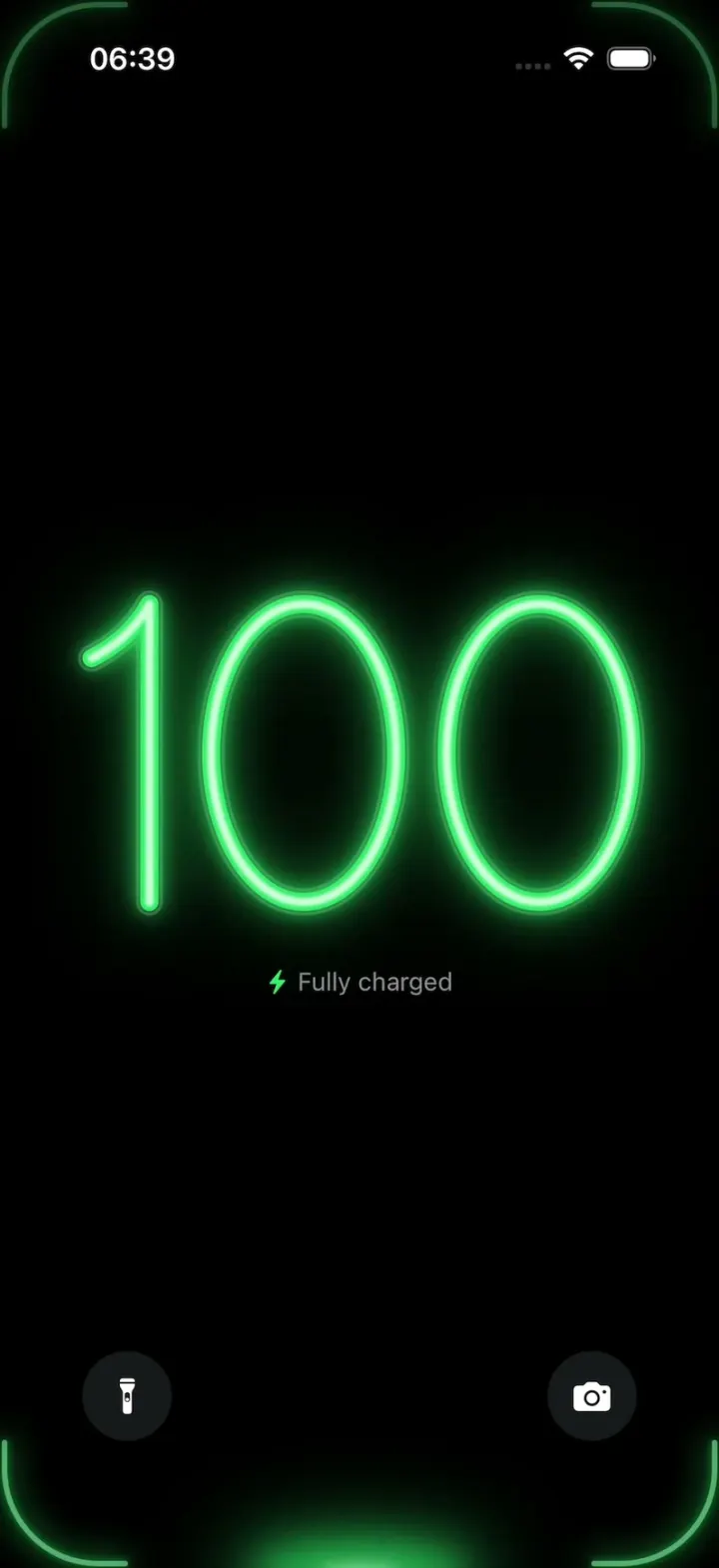
iOSA neon drop falls from the Dynamic Island and fills glass-tube battery digits, from red to amber to green.
- View template
YouVersion Bible App Clone
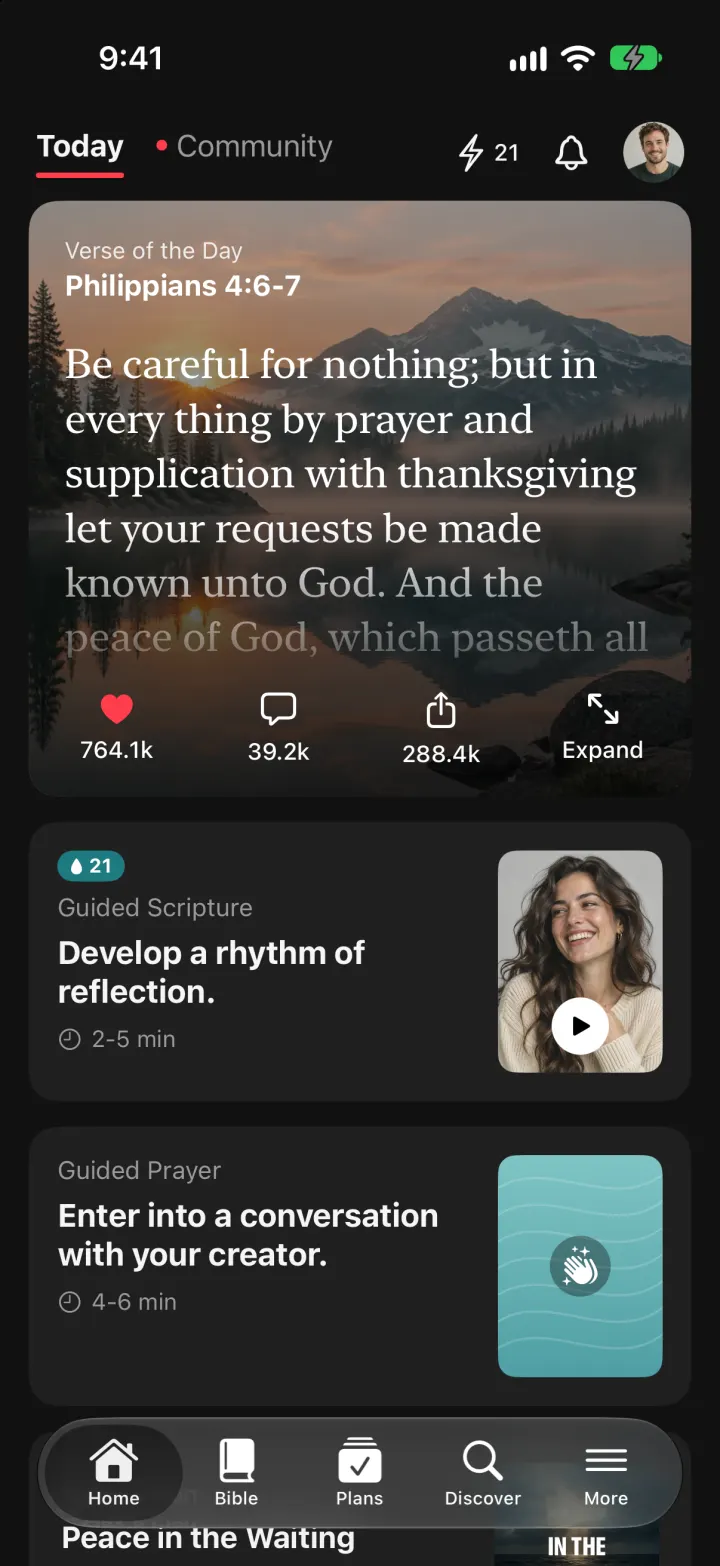
iOSThe whole KJV and WEB Bible: highlight verses, hear them read aloud, and keep a reading plan streak.
- View template

SuperCook Clone
iOSTick what's in your fridge and see only recipes you can cook tonight, with expiry alerts and AI fridge scan.