
Copilot Money Clone
Copilot Money clone · Budgeting app · built by the Vibecode team
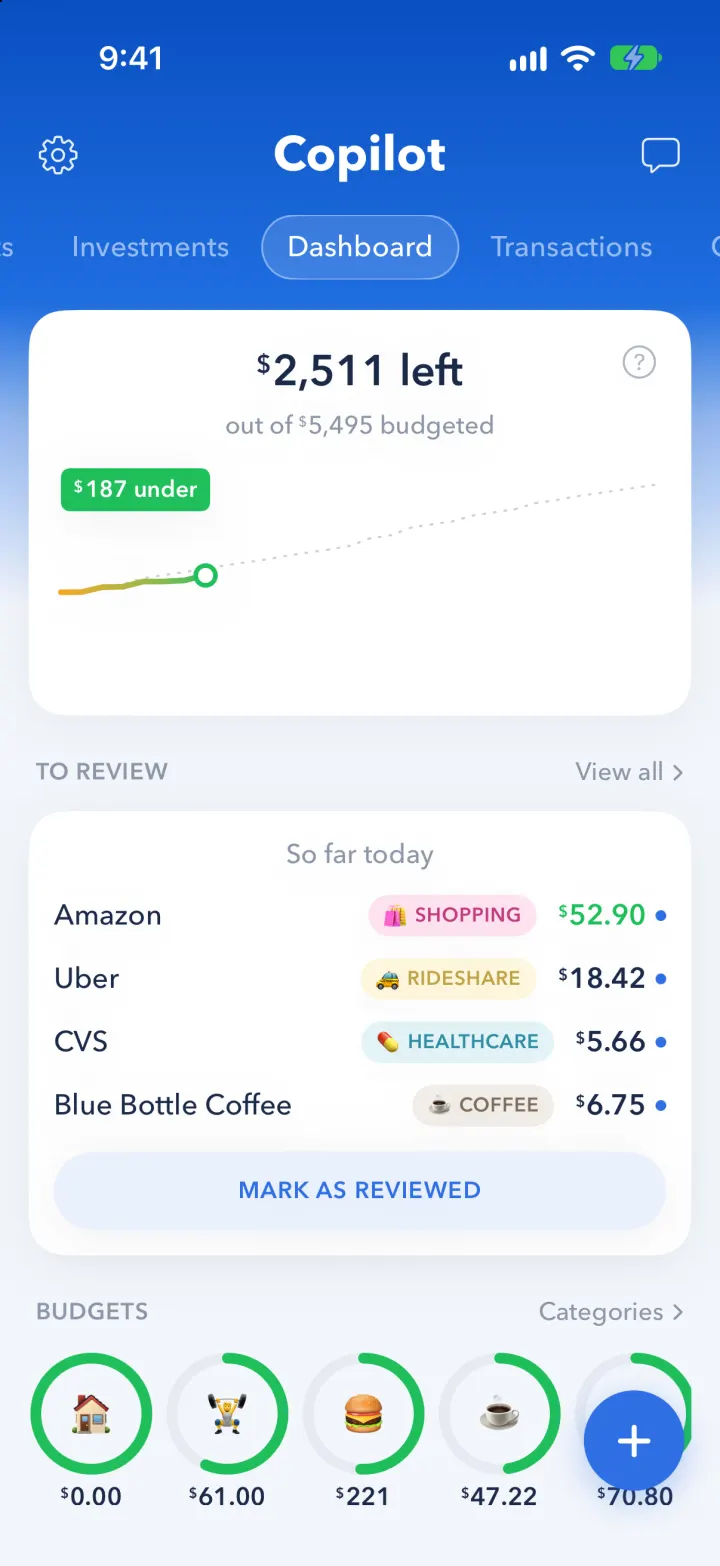
Copilot Money Clone rebuilds Copilot Money, the Editor's Choice budgeting app, with its real name, royal-blue header and swipeable page pills. The Dashboard shows how much is left of the month's budget with a spending line against the pace, a To Review queue, budget rings, a safe-to-spend allowance and upcoming bills. Add an expense in two taps on Copilot's big blue keypad, edit any category's budget against 12 months of bars, and track bills on a paid-so-far donut and a bill calendar. Cash flow, Accounts, Investments and Goals pages fill out the picture, household mode shows who spent what, and the Money Assistant answers questions about your spending with a real AI model.
- iPhone · Swift
- Hand-built
- Free to remix

Remix copies the working app into your account for free, exactly as we built it. It runs in Vibecode's cloud iOS simulator, in your browser.
The prompt that builds it
We wrote Copilot Money Clone by hand. This prompt describes the finished app: paste it into a new app to build your own version, or change it first.
Prompt · 942 words
Build a polished native iOS clone of Copilot Money (the Apple Editor's Choice budgeting app) in SwiftUI with SwiftData: a blue header with swipeable pages for Cash flow, Accounts, Investments, Dashboard, Transactions, Categories, Recurrings and Goals, budget rings, a review queue, bills, and an AI Money Assistant that answers from the user's real numbers.

It is Copilot on screen: its name and its words ("Copilot", "$2,511 left", "out of $5,495 budgeted", "$187 under", "TO REVIEW", "So far today", "MARK AS REVIEWED", "BUDGETS", "UPCOMING", "paid so far", "THIS MONTH", "IN THE FUTURE", "live balance estimate", "Your top movers today", "Net income", "Spend", "Money Assistant", "Analyzed your data", "Ask Copilot"). Type is a geometric sans (Avenir Next: DemiBold numbers, Medium labels). Money is drawn Copilot-style: a small raised dollar sign before big digits. Colours: header royal blue #0A4FC2 to #1F6EE0 fading into a #F3F6FB page, navy text #1B2A4A, grey #8C96A8, green #1FBF5A (under budget, income), orange #F5A623 (close), red #E5484D (over), light blue #EAF1FD buttons with uppercase blue text. Categories are an emoji in a soft tinted rounded square; category pills are emoji + UPPERCASE name on a tint of the category colour.

SHELL
No tab bar. Opens straight on the Dashboard: no splash, onboarding, login, paywall or permission prompt. Header: gear (left, Settings), the white bold "Copilot" wordmark (centre), a chat bubble (right, Money Assistant). Under it a horizontally scrolling row of page pills; the selected one is white in a translucent capsule with a thin white border and stays centred. Pages swipe horizontally (paging) and every page is a vertical scroll of white 20 pt cards with a soft shadow, the first one overlapping the blue. A blue + button (bottom right) on Dashboard, Transactions and Categories adds a transaction.

SCREENS
1. Dashboard: "$X left / out of $Y budgeted" card with the month's cumulative spending line (orange to green) against a dotted pace line (bills land on their due day, the rest of the budget spreads evenly) and a green "$187 under" tag (red "over") above a ringed dot at today. TO REVIEW card: "So far today", new transactions with category pills and a blue unreviewed dot (a refund in green), MARK AS REVIEWED turns it into "All caught up". BUDGETS: a row of rings with the category emoji inside and "$221 left" / "$12 over". SAFE TO SPEND per day for the rest of the month after money set aside for bills, and PROJECTED SAVINGS. WHO SPENT WHAT (household mode): a split bar and each person's total. UPCOMING: bills "in 3 days" as small cards.
2. Transactions: search, filter chips (by person or account), day groups (TODAY, YESTERDAY, WEDNESDAY, NOV 5) with the day's spend, rows with a category tile, the payer's initial, merchant, pill, note, amount. Tap one: recategorise from a menu, change who paid, add a note, mark reviewed, delete.
3. Add transaction (two taps): "NEW TRANSACTION", a big blue amount, category chips, date, Expense/Income, Paid by, note, a blue SAVE bar and Copilot's big light-blue keypad (#A9CCF7 with #E3F1FD keys, letters under digits).
4. Categories: spent vs budget with a bar stacked in category colours; every category with a progress bar, "$X left/over" and "$spent of $budget"; Income. Tap one: "CATEGORIES" caption, big coloured name, top merchants as pills, "Budget for all months", 12 months of bars (green under, orange over) under a navy budget line, a colour strip, SAVE and the keypad to set the budget.
5. Recurrings: a donut of "paid so far", a 3-column grid of bills (emoji, name, amount, "8th", a coloured check corner when paid, + to add), a BILL CALENDAR (bill and payday dots, tap a day, "Set aside $X for bills still due this month"), IN THE FUTURE list. Tap a bill to edit it, mark it paid or delete it.
6. Cash flow: Month/Year; Net income with green/red monthly bars and a % chip "vs $X by this day last month"; Spend as stacked bars by category; By category list; Income bars.
7. Accounts: Net worth line (1M 3M 6M 1Y) and groups (Checking & savings, Credit cards, Investments, Loans) with institution circles, "4821", "5 hours ago", balances and today's change; tapping an account filters Transactions.
8. Investments: "live balance estimate" green area line with 1W 1M 3M YTD 1Y, "Your top movers today" sparkline cards (AAPL, NVDA...), accounts.
9. Goals: total saved with goal rings, goal cards (Dream Wedding, Emergency Fund, Japan Trip) with bars and "Save $812 a month to get there"; a goal sheet with a saved line, dotted projection to the target date, quick +$50/+$100 contributions, goal amount and date.
10. Money Assistant: suggested questions, blue user bubbles, answers with "Analyzed your data", bold lead and bullets, an "Ask Copilot" field. Answers come from a real model through the backend (POST /api/assistant with the chat and a plain-text summary of budgets, spending, top merchants, bills, accounts, goals).
11. Settings: Solo/Household, currency ($, EUR, GBP), Export transactions (CSV) via the share sheet, Import CSV, Reset demo data.

DATA
A fictional couple, Alex and Jordan, in San Francisco: 13 months of transactions generated from today with a fixed seed (rent, paychecks on the 1st/15th and 7th/21st, 11 bills and subscriptions, groceries, restaurants, coffee, rideshare, gas, shopping peaking in December, summer travel), plus a refund and three fresh charges waiting for review. Rebuild the generated rows each new day so it never looks stale, keeping any row the user edited.

REMIX-READY
Brand file (name, colours, fonts, words), a Fixtures file for all demo data, one Ledger file for the money math, one folder per page, files under 300 lines, a README with a file map and remix ideas.
More templates
All templates- View template
Wealthsimple
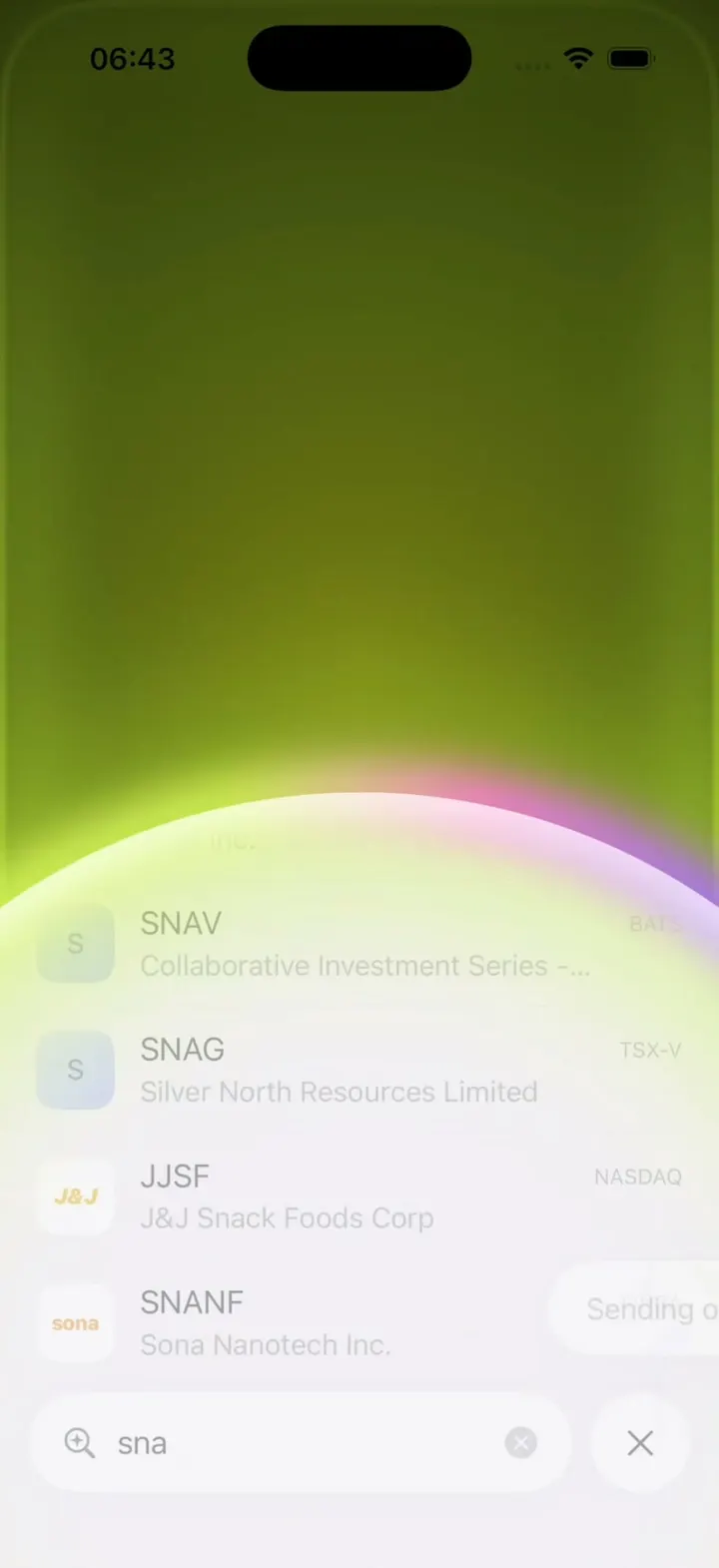
iOSReveal your balance with a red wipe, then swipe up to buy and watch the screen flood with neon lime.
- View template
X Pay
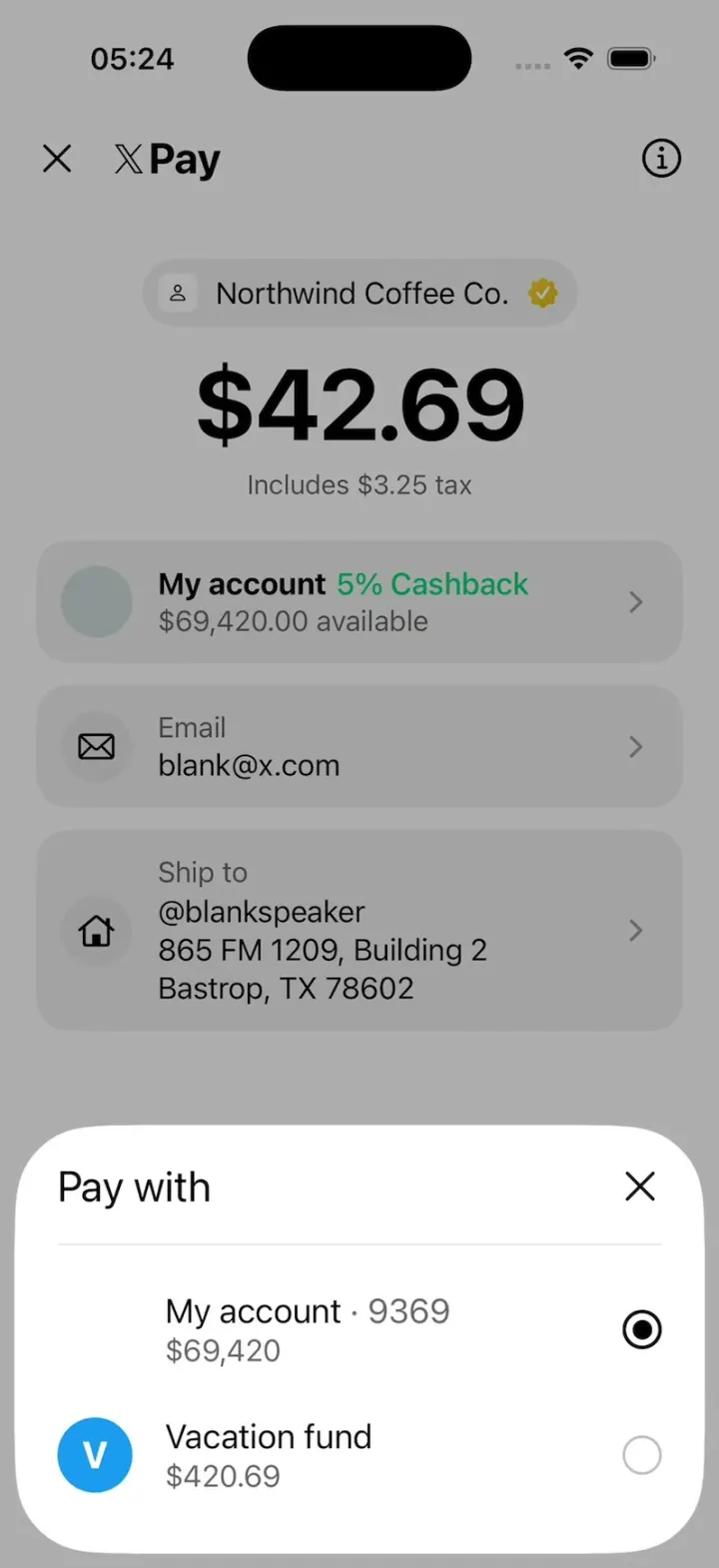
iOSX's new X Pay checkout: X Money with 5% cashback, sheets for privacy, Pay with and Ship to, then Paid $42.69.
- View template

Fomo Thesis
iOSScroll a holder's posts and the coin chart rewinds with you, every post pinned to its moment.
- View template
Aave Bell
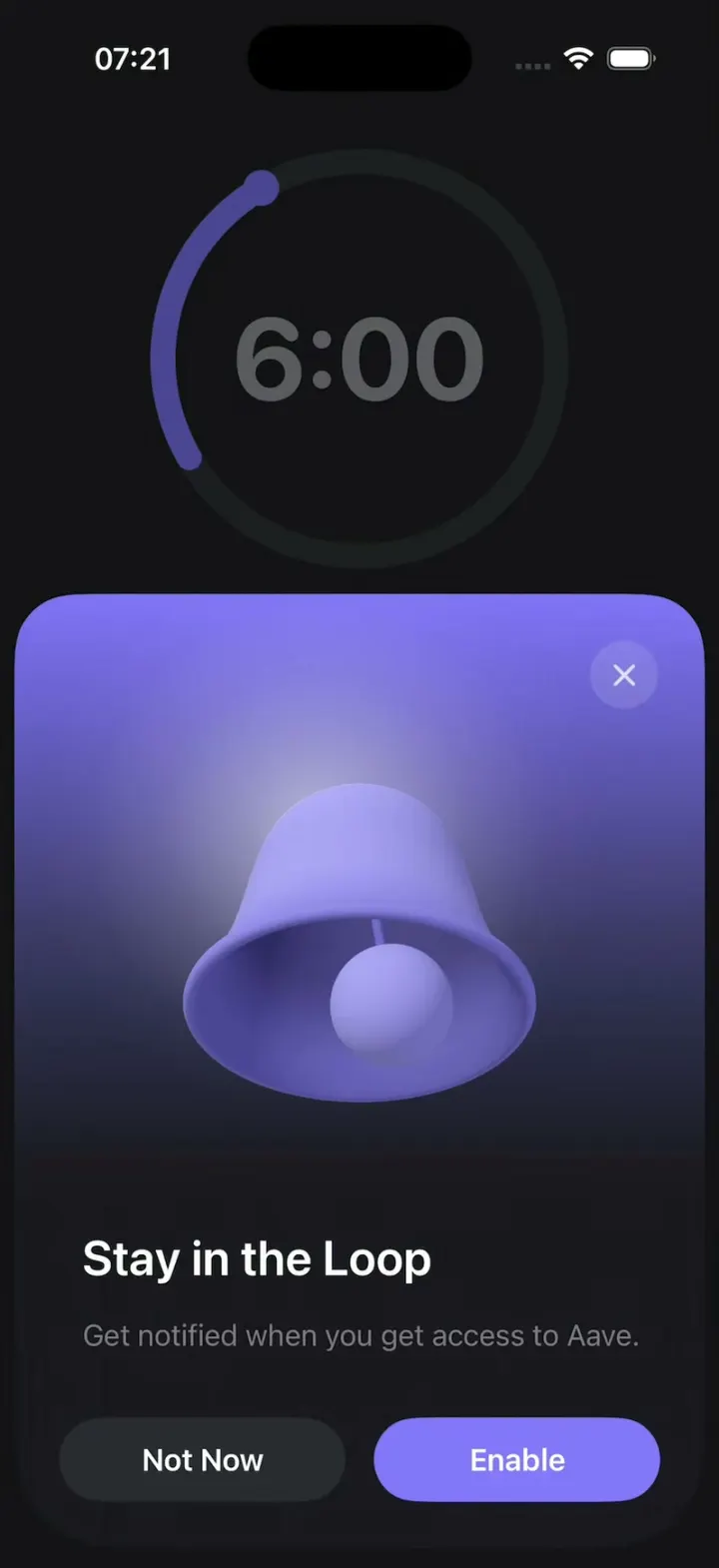
iOSAave's "Stay in the Loop" sheet with a real 3D bell that rings by wobbling around in a circle.