
Cal AI Clone
Cal AI clone · Calorie tracker app · built by the Vibecode team
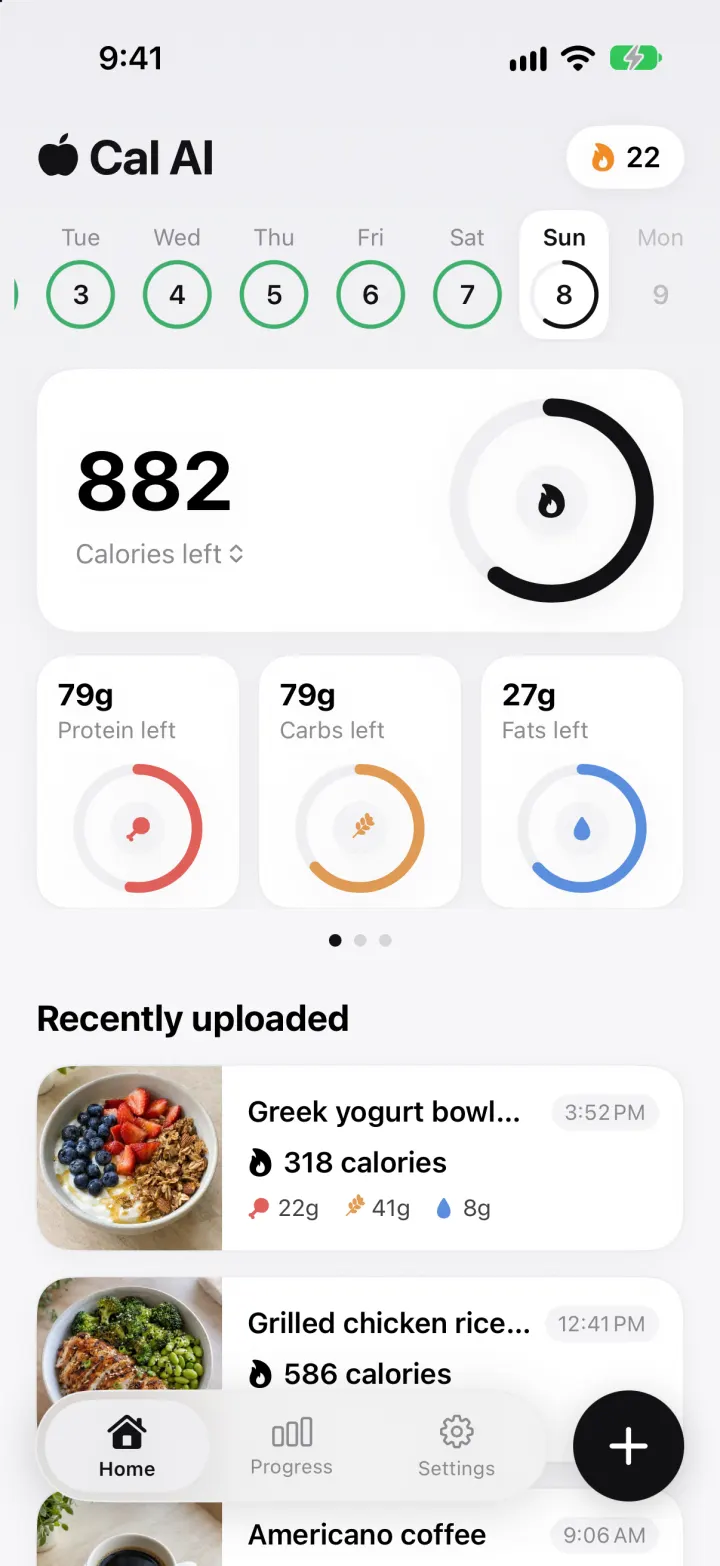
This rebuilds Cal AI, the photo calorie tracker, with its real name, black apple wordmark and clean white cards. Take a photo (or pick a sample on the simulator) and it appears in Recently uploaded with a progress ring while a real vision model works out the dish, ingredients, calories, macros and health score. Home shows calories and macros left against your goals for any day in the week strip, plus fiber, sugar, sodium and water. Progress charts your weight, daily macros and weekly energy, and a short quiz builds your calorie plan. You can fix a result in plain words, search a food database, describe a meal or log a workout.
- iPhone · Swift
- Hand-built
- Free to remix

Remix copies the working app into your account for free, exactly as we built it. It runs in Vibecode's cloud iOS simulator, in your browser.
The prompt that builds it
We wrote Cal AI Clone by hand. This prompt describes the finished app: paste it into a new app to build your own version, or change it first.
Prompt · 904 words
Build a polished native iOS clone of Cal AI in SwiftUI: snap a photo of a meal and a real vision model returns the dish, its ingredients, calories, protein, carbs, fats and a health score. Home tracks the day against your goals, Progress charts weight and nutrition, and a short quiz builds your plan.

It is Cal AI on screen: its name, the black apple wordmark, near-white background (#F7F7F9), white rounded cards with a hairline border, black as the brand colour (calorie ring, buttons, the floating + button), protein red #E0605A with a drumstick icon, carbs orange #E09A55 with a wheat icon, fats blue #5B8FDE with a drop icon. Its words: "Calories left", "Protein left", "Recently uploaded", "Analyzing food...", "We'll notify you when done!", "Scan food", "Barcode", "Food label", "Library", "Nutrition", "Health score", "Fix Results", "Done", "Log Food", "Describe what you ate", "Log exercise", "Saved foods", "Food Database", "Goal Progress", "Nutritions", "Weekly Energy", "Your BMI", "Day streak", "Congratulations, your custom plan is ready!". Draw the apple glyph and macro icons in SwiftUI. US units (lbs, ft/in). The user is Jordan Ellis.

SHELL
A floating white pill tab bar with Home, Progress, Settings (icon over label, selected item in a grey capsule) and a black round + button beside it. + opens four white tiles: Log exercise, Saved foods, Food Database, Scan food. Opens on Home: no splash, onboarding, login or paywall.

SCREENS
1. Home: wordmark + white streak pill (orange flame, day count). A scrollable week strip: weekday over a date circle; dashed grey = nothing logged, green ring = on target, red = over, black partial ring = today, future days faded; the selected day sits in a white tile and the whole screen shows that day. A swipeable pager with dots: (a) big card "882 / Calories left" (tap to flip to "eaten / goal") with a big black ring and a flame, a "+394" burned chip; three macro cards "79g Protein left" with small coloured rings; (b) Fiber / Sugar / Sodium cards and a Health Score card with a green bar; (c) Water with -/+ (8 fl oz cups) and Steps. "Recently uploaded": cards with the photo on the left, name, time pill, flame + calories, macro chips; workouts appear too (Run, 394 calories, Intensity: Medium, 32 Mins). Long-press to save or delete.
2. Scanner (full screen): camera view with white rounded corner brackets, Scanner title, mode buttons Scan food / Barcode / Food label / Library (photo picker), flash and a big white shutter. On the simulator there is no camera, so show sample meal photos to pick from. The shot lands at once at the top of Recently uploaded with the photo dimmed, a white progress ring with %, skeleton bars and "Analyzing food...", then fills in when the model answers.
3. Nutrition: big photo on top, a white sheet with meal tag (Breakfast/Lunch/Snack/Dinner from the time) + time, dish name, servings stepper (- 1 +) that scales everything, Calories card, Protein / Carbs / Fats tiles (tap to edit), Health score x/10 bar, Fiber/Sugar/Sodium, Ingredients with amounts and calories. Bottom: "Fix Results" (sparkles; type a correction, the model recomputes the meal) and black "Done". Menu: Save food, Log again, Delete.
4. Log Food: search "Describe what you ate", All / Saved / Recent; suggestions with calories and serving and a + to quick-add; tap a food for a serving sheet; any typed text offers an AI row that logs the described meal through the model.
5. Log Exercise: Run, Weight lifting (intensity High/Medium/Low + 15/30/60/90 mins, calories from MET x body weight), Describe (model estimate from text), Manual.
6. Progress: My Weight card with goal bar and Log weight sheet; Day streak card; Goal Progress line chart (90 Days / 6 Months / 1 Year / All time); Nutritions stacked protein/carbs/fats bars per day (This wk / Last wk / 2 wk ago / 3 wk ago) with total and daily average; Weekly Energy burned vs consumed; Your BMI with a coloured scale.
7. Settings: profile, Personal details, Adjust macronutrients (rings + steppers, "Auto Generate Goals"), Recalculate my plan, Weight history, toggles Add burned calories / Rollover calories / Show calories left, Reset demo data.
8. Plan quiz: Choose your Gender, workouts per week, Height & weight wheels, birth year, goal, desired weight slider, speed slider, "We're setting everything up for you" with a %, then "Congratulations, your custom plan is ready!" with the daily recommendation rings (Mifflin-St Jeor, 30/40/30 macros).

AI
Backend route POST /api/scan takes a base64 JPEG and/or text (and a previous result for Fix Results) and calls an OpenAI vision model with a JSON schema: name, items (name, amount, calories), calories, protein, carbs, fat, fiber, sugar, sodium, healthScore 1-10, isFood. POST /api/exercise estimates a described workout. Keys come through the Vibecode proxy.

DATA
5 weeks of meals (20 dishes with realistic macros and generated food photos), weigh-ins every 3 days from 182.4 to 171.2 lbs (goal 165), lifts Mon/Wed/Fri and runs Tue/Sat. Built relative to today and rebuilt each new day so the demo never looks stale; your own entries are never touched.

RULES
SwiftData for meals, weights and workouts; goals in UserDefaults. Light mode only. Every button works. Smooth number and ring animations.

REMIX-READY
Brand.swift (name, colours, words), Fixtures.swift (dishes, foods, weight story), features in small files under 300 lines, a README with the file map, and -DemoTour / -DemoScreen launch arguments.
More templates
All templates- View template
Hevy Clone
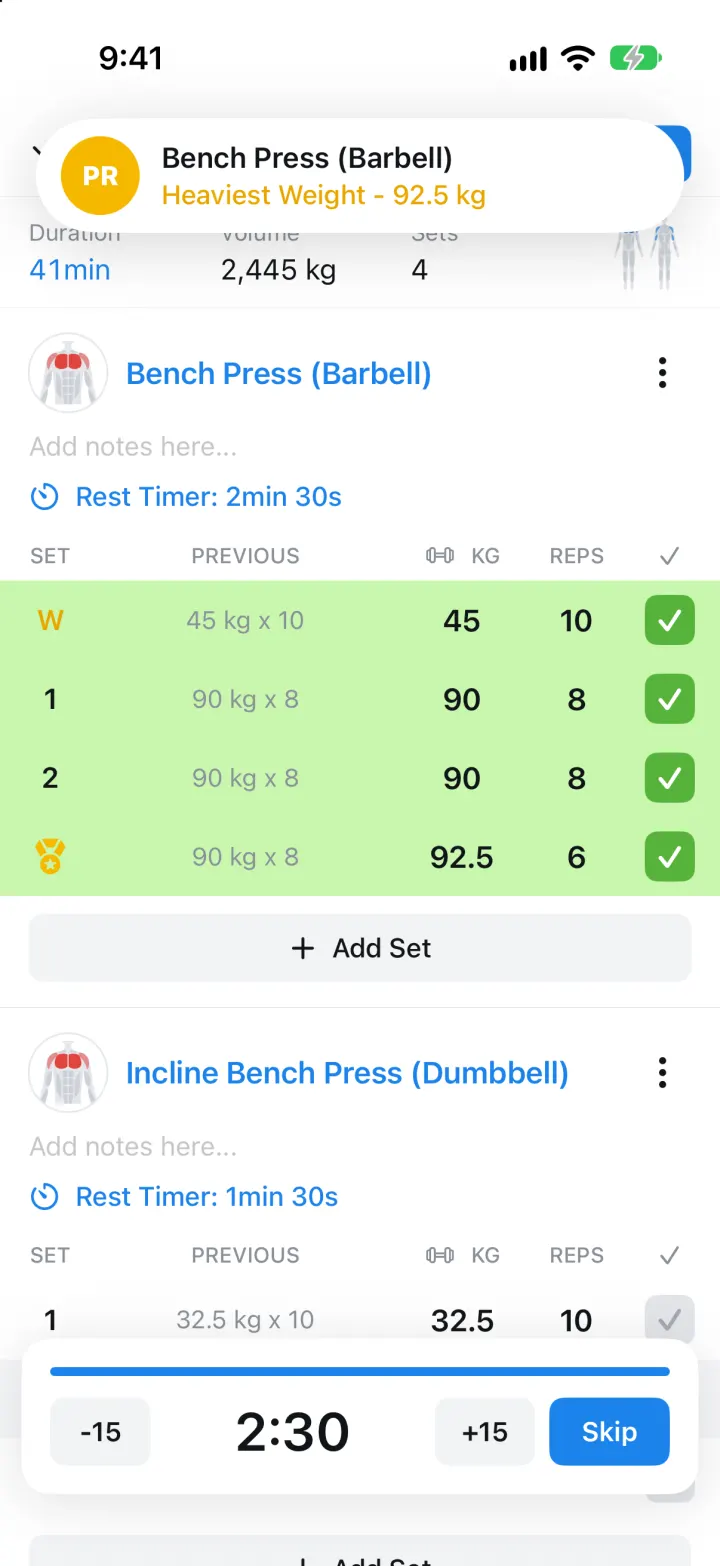
iOSLog sets against last week's numbers, rest on a countdown, and watch a gold PR medal drop in.
- View template
Medisafe Clone
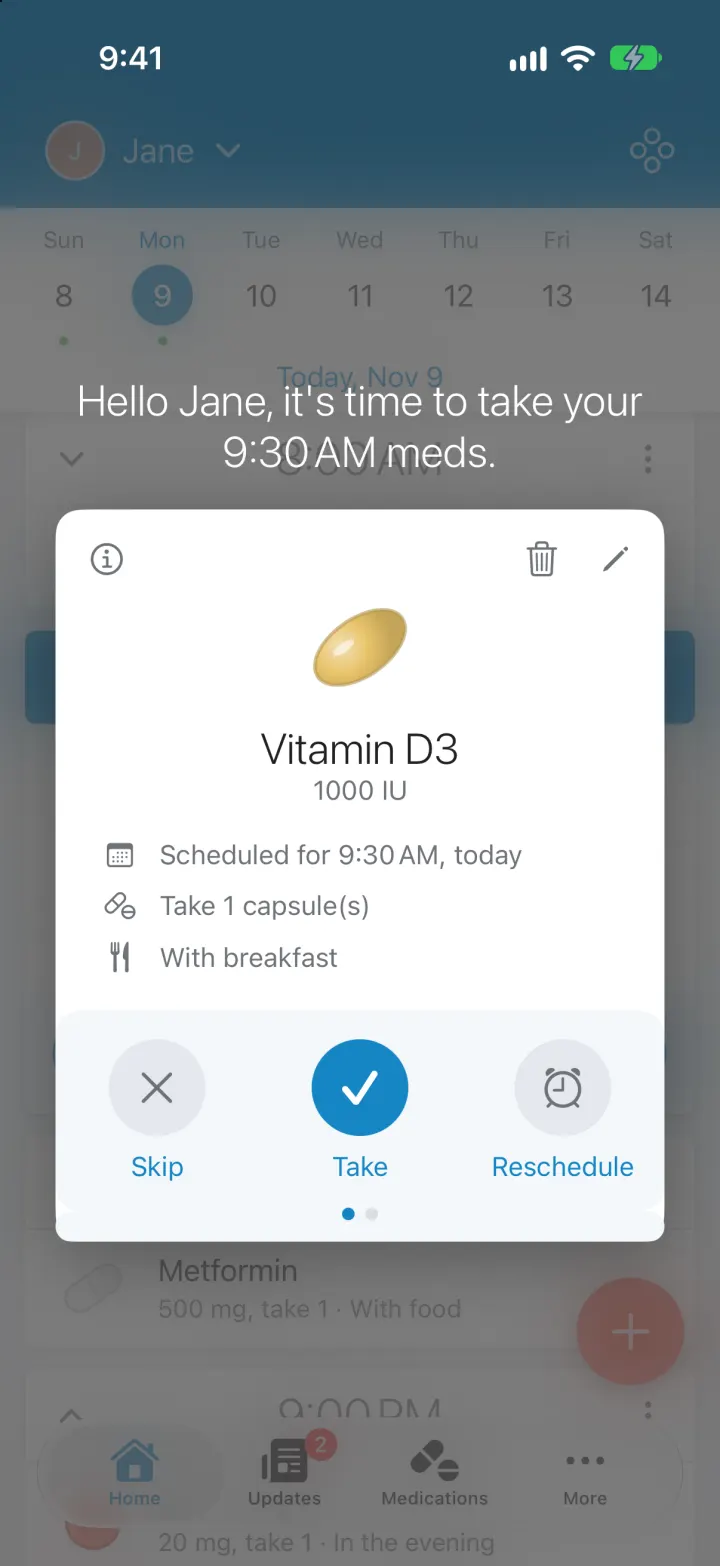
iOSNever miss a med: a dose timeline, Take/Skip/Reschedule card, real reminders, refills and caregiver alerts
- View template
Xeyo
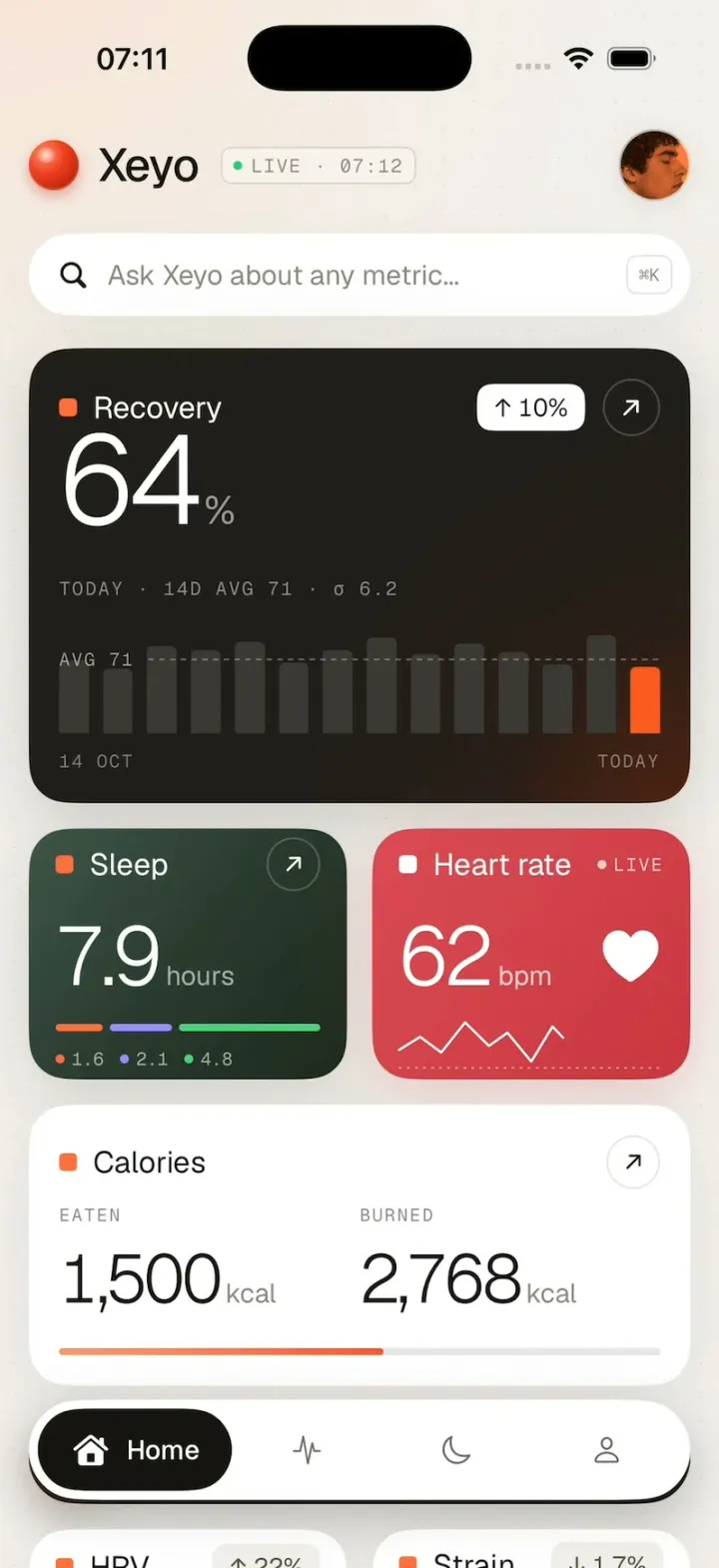
iOSRecovery, sleep and heart rate count up into place on a calm health dashboard, then scroll down to your week.
- View template
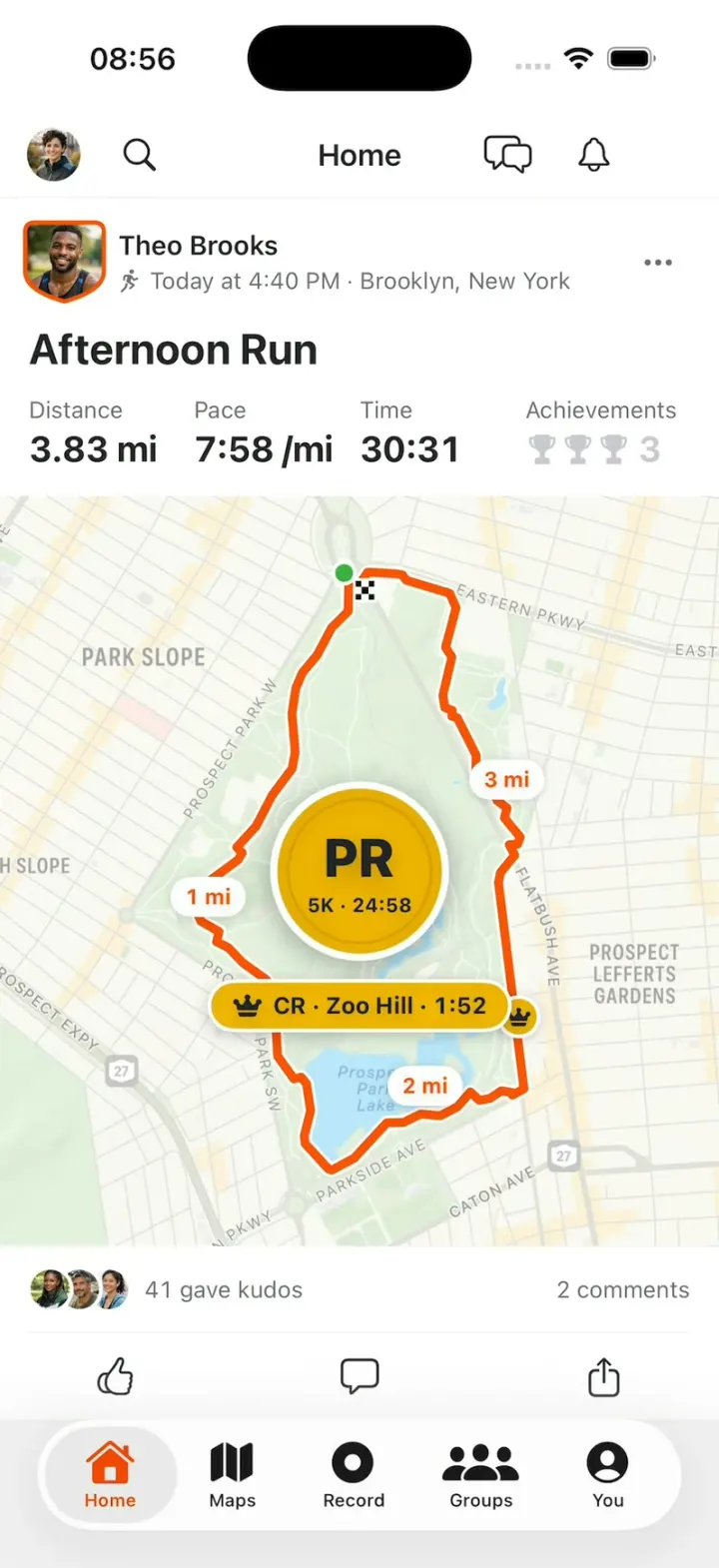
Strava Clone
iOSStrava with its real look: give Kudos, replay a run's route on the map, then chase PRs and Course Records.