Strava Clone
Fitness app · from our videos on X
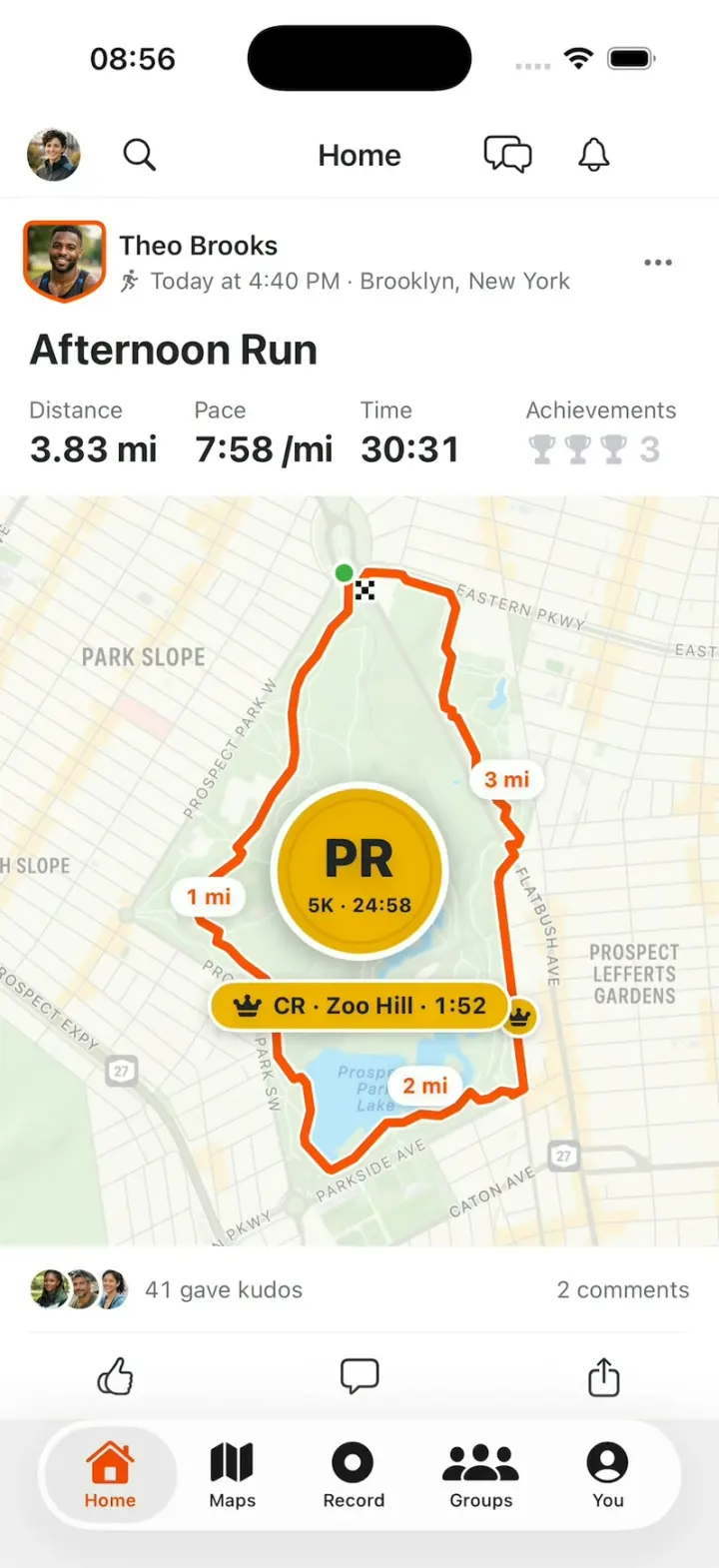
Strava Clone rebuilds Strava with its real name, orange and words, in its light theme. The Home feed shows runs on real-street route maps: tap the thumb to give Kudos, or tap a map to replay the route, with mile pins, a Course Record crown and a PR medal popping as the line draws. Activity details have splits, segments and Best Efforts, and a segment opens its Leaderboards with the crowned Course Record holder. Record draws a live run around Prospect Park through Finish and Save Activity, You has the Progress chart and Best Efforts, and Groups has challenges and clubs.
- iPhone · Swift
- Built in 2 prompts
- Free to remix

Remix copies the working app into your account for free, exactly as we built it. It runs in Vibecode's cloud iOS simulator, in your browser.
Watch the video on X@vibecodeapp · Oct 26, 2026The prompt that builds it
We built Strava Clone in 2 prompts. Here they are folded into one, so a single paste into a new app builds the finished version.
Prompt · 1,457 words
Build a polished native iOS clone of Strava in SwiftUI: the Home feed of activities with route maps and Kudos, activity details with splits, segments and a Course Record leaderboard, Record with a live route, Maps, Groups, and You with Progress.

It is Strava on screen, in its light theme: its name, orange #FC5200 and its own words ("Kudos", "gave kudos", "PR", "CR", "Achievements", "Segment", "Leaderboards", "Choose a Sport", "Resume", "Finish", "Save Activity", "Best Efforts", "Progress"). Copy the real app's layouts and words, built light. Draw the STRAVA wordmark and the two-chevron logo mark in SwiftUI. US units (mi, ft, /mi). The user is Sam Rivera, Brooklyn.

SHELL
Tabs (icon over label, orange selected): Home, Maps, Record, Groups, You. Opens on Home: no splash, onboarding, login, paywall or permission prompt. The status bar stays visible.

SCREENS
1. Home: top bar with Sam's photo, search, "Home", chat bubbles, bell. White cards on #F0F0F0: avatar (subscribers get Strava's shield shape with an orange rim), name, sport icon + "Today at 7:12 AM · San Francisco, California", "•••"; title (bold 24 pt); stats row (grey label over bold value, up to 3, then "Achievements" with gold trophies and a count); a big map (card width, about 4:5); avatar stack + "23 gave kudos", "2 comments"; Kudos thumb, comment, share. Kudos: the outline thumb pops (0.8 to 1.2 to 1.0) and fills orange, the count goes up and Sam's photo joins the front of the stack; tap again to undo. Tapping a map replays its route; tapping the card opens the detail. Activities:
- Maya Chen, Morning Run, Today at 7:12 AM · San Francisco, California: Distance 4.68 mi, Pace 8:21 /mi, Time 39:05; route sf; 23 kudos; achievements 2.
- Theo Brooks, Afternoon Run, Today at 4:40 PM · Brooklyn, New York: Distance 3.83 mi, Pace 7:58 /mi, Time 30:31; route prospect; 41 kudos; markers "1 mi" at 0.26, "2 mi" at 0.52 and "3 mi" at 0.78 of the route, and a small gold disc with a crown and no text at 0.62 (Zoo Hill); medal "PR" / "5K · 24:58", with the chip "CR · Zoo Hill · 1:52" 10 pt below the medal, never touching it; achievements 3.
- Priya Nair, Evening Walk, Yesterday at 7:40 PM · Salem, Massachusetts: 1.84 mi, 41:20; route salem on the night map.
- Jonah Park, Morning Swim (no map): 1,650 yd, 32:10, 1:57 /100yd. Lena Fischer, Weight Training (no map): Elapsed Time 45:30, Total Volume 9,120 lb, Total Sets 18, her gym photo.
2. Replay: the orange route draws from a green start dot to a checkered finish at constant speed along its length in 1.2 s, a white-rimmed orange dot at its head. Each marker pops (0 to 1.15 to 1.0, 0.2 s) the moment the head reaches it, never before: a white pill with orange text or a gold crown pill. Stats marked counting (Distance, Time, Moving Time) run from 0 to their value in step with the line, keeping their format; Pace and Avg Pace never count and show their value from the first frame. Then the finish flag pops, the medal stamps onto the map centre (gold disc, big "PR", subtitle; 1.4 to 1.0 with a small turn, 0.25 s, a few gold confetti, no flash, holds), and Achievements lights up.
3. Activity detail: full-bleed map with round back and bookmark buttons; a sheet (once it scrolls to the top, a white band stays behind the status bar so nothing draws under the clock): athlete, date, place, title, stats grid (Distance, Avg Pace, Moving Time, Elevation, Calories, Achievements), "Splits" (mile, pace, elevation, orange bars), "Segments" (Zoo Hill 1:52 crown "CR", East Drive Sprint "PR"), "Best Efforts", kudos and comments. A segment opens its leaderboard.
4. Leaderboard: "< Segment" "Leaderboards"; pills All-Time, All-Time (Men), All-Time (Women), This Year; the leader's shield photo with gold rays, "1:52", "CR", crown + "Theo Brooks"; RANK / ATHLETE / TIME, SPEED rows (crown at 1, then 2-8); "Theo has the Course Record!".
5. Record: "Hide", "Run", gear over a map of Prospect Park with Sam's blue dot; "Choose a Sport" sheet with "Your Top Sports" circles (Run checked orange, Ride, Walk, Hike, Workout); a big orange START. Recording: huge Time, Distance, Avg Pace; the route draws along prospect at 60x (one minute of run per second). Stop -> "Resume" and orange "Finish" -> "Save Activity" sheet (title, description, orange "Save Activity"); saving puts it atop Home and opens its detail with the replay and "That's your 4th run this week!".
6. Maps: Brooklyn with 3 saved routes in orange, pills Routes, Length, Elevation, Surface, and route cards ("Prospect Park Loop · 3.35 mi · 148 ft · Made for you").
7. Groups: Challenges ("October 5K Challenge" badge, 3 of 5 runs, "Joined") and Clubs ("Brooklyn Run Club", "Golden Gate Striders").
8. You: Sam (Following 128, Followers 141); "Progress": pills Run, Distance, Time, Elevation, "This week 14.2 mi ▲12%", a 12-week chart (orange vs light blue prior); Best Efforts (5K 26:40, 10K 55:12, Half 2:01:33); Trophy Case. Search, chat and bell open small sheets; no dead buttons.

ROUTES (Google encoded polylines, precision 5; draw as a 5 pt orange line with a 1.5 pt white casing):
sf: s|veFh{hjV}@hBFbBxD~l@v@bC[nA~G~dAhCbFAt@oCdd@i@zA^hBg@tBiDrEu@ZkCEcAd@kAfGyBfEPlEwAjBhAzC{@~@z@_AiA{CvAkBQmExBgEjAgGbAe@jCDt@[hDsEbAuElFyDLyEq@iBRcFQ_Af@XX[l@qEIyApBuCzGeFyDgC|BcGuH_Fb@wC{DoClA_GUSVkE_HsJZo@{DuMcCsEcEmo@EaA|@iB
prospect: {{fwFjgnbMLk@vFDpBvCvD~B|BhCfBx@nDb@fG]pBZvDtDrEpCpCnDd@q@n@d@nEtJxBN|As@dAcDdATf@iBfBcCrBsEpAgA|La@zCsCKaAj@o@xDe@lDx@t@GlDsEF]qAkEsFiHAwCy@{CJqD}@}CeBsBx@qAMaBs@eBJaBPAk@iBkk@fFcAQwBaCgAp@CkAo@WcCnCcAWs@xAkDfB]xAmBAaGjDIn@g@CSbAsAPgGqAaAx@oG_BcBx@yAjKc@`@Gv@KbGfA~@t@g@
salem: orobG|zuoLEb@|@RKzEFxEzEdLJYN`@iBjAjCdN{EfA}FdDoC{HzCcBu@aCQ{BU@AsB_@mBoBuGn@NR]~Ik@jAjCkAkCGyEJ{E}@SAiAuCa@WeDaCE?]oABwA}Nq@f@aB`@l@hH

MAPS
Every map is an MKMapSnapshotter image (light, or dark for night activities) rendered once at launch and cached, drawn on its first frame; the route is a SwiftUI Path projected through the snapshot (trim animates the replay).

HOOK (the video's first 3 seconds)
- HOOK MODE: tapping an invisible 44x44 pt area at the top right, just below the status bar, on every screen, plays this run through the real Kudos and replay code, identical every time (seconds from the tap): 0.00 close everything; Home at the top with Maya's card filling the feed exactly (its header just under the top bar, its action row just above the tab bar, nothing of the next card visible), held still; 0.40 her Kudos pops, 23 to 24, Sam's photo in by 0.65; 0.85-1.25 the feed scrolls up exactly one card (one ease-out move, nothing jumps or fades) so Theo's card fills it the same way; 1.35-2.55 his replay; 2.55 finish flag; 2.65 medal; 3.00 the crown chip slides up under it; 3.30 Achievements 3.
- Holds use these times, never the app's normal delays. Motion stays in the middle 80% of the screen. Warm up haptics and snapshots at launch. Every screen is fully drawn on its first frame. Flashes at most 0.12 s at 35%. Decode images off the main thread.

LOOK
Page #FFFFFF, feed #F0F0F0, ink #242428, secondary #6D6D78, hairlines #E6E6EB, orange #FC5200, gold #F5B800 (medals, crowns, trophies), start green #3CB043. SF Pro; numbers bold with monospaced digits.

RULES
- Native SwiftUI, iOS 26 (keep the template's target), iPhone portrait; standard TabView, NavigationStack and sheets.
- Deterministic fixtures. No backend, login, permissions, analytics or network calls except map snapshots. No persistence: delete the SwiftData starter, no UserDefaults or files, so every launch starts the same.
- Photos: every person is fictional, made with gpt-image-1.5 (run env; POST $OPENAI_BASE_URL/images/generations with the project's OPENAI_API_KEY): Maya, Theo, Priya, Jonah, Lena, Sam + 4 kudos givers as candid outdoor portraits, plus Lena's gym photo; ~600 px JPEGs in the asset catalog. No logo, text or celebrity. A grey initial circle until a photo exists.
- Springs under 350 ms, haptics on key taps, pressed states, nothing under the tab bar.
- Files under 300 lines, big bodies split into subviews, no long chained expressions.

REMIX-READY
Theme/Brand.swift (name, wordmark, logo mark, a Copy enum with every word), Theme/Theme.swift (role colours, fonts, map looks; no colour literals elsewhere), Data/Routes.swift (polylines), Data/Fixtures.swift (athletes, activities with stats as label/value/counts items, route id, map look, replay markers as fraction/text/style, medal, crown chip, kudos, comments, splits, segments, leaderboard, routes, clubs, challenges, Sam's weeks), Data/DemoScript.swift (HOOK MODE run and timings, the record script). Codable models with String ids behind one AppDataSource protocol (FixtureDataSource) feeding one @Observable AppStore; views never read Fixtures. Features/<Tab>/, Components/. README.md under 80 lines: file map; how to rename, recolour, swap athletes, change an activity's stats and markers; 3 one-prompt remixes ("Strava for X"). "Read README.md first." atop CLAUDE.md and ios/AGENTS.md; replace ios/CLAUDE.md's structure block with this app's files. No scratch folders.

FILMING
Long-press "Home" in the top bar to reset everything to launch.

BUILD
Theme, Brand, Routes, Fixtures, then each screen in small files, a one-line status per screen; launch in the simulator every two or three files. Start the photos as a background job once Home runs; check each file exists, never view them. Walk each flow once and fix what breaks; no pixel measuring or debug modes. Deliver the whole app, not a plan.
More templates
All templates- View template
Pulse
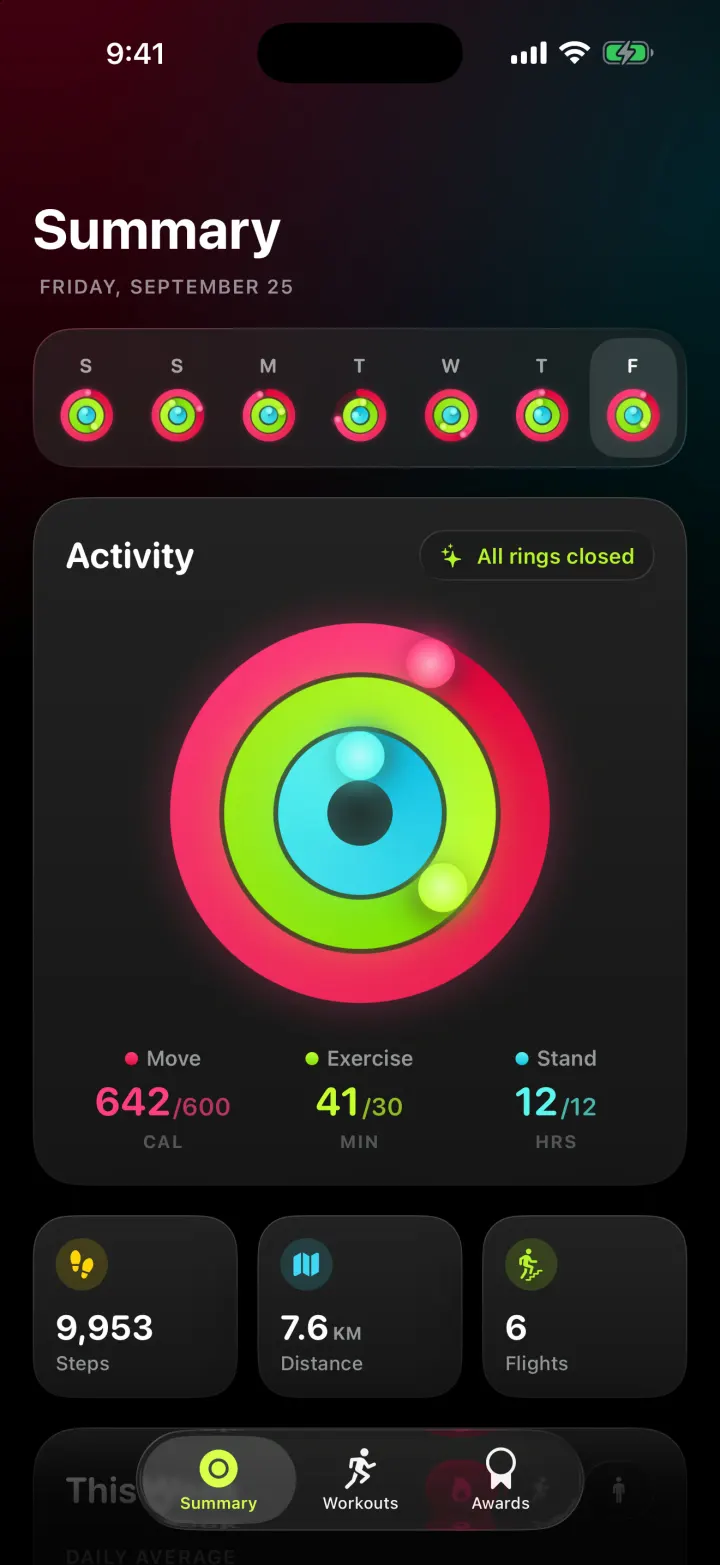
iOSAn Apple Fitness-style tracker with animated activity rings, weekly charts and workouts with a route map.
- View template
Keepy
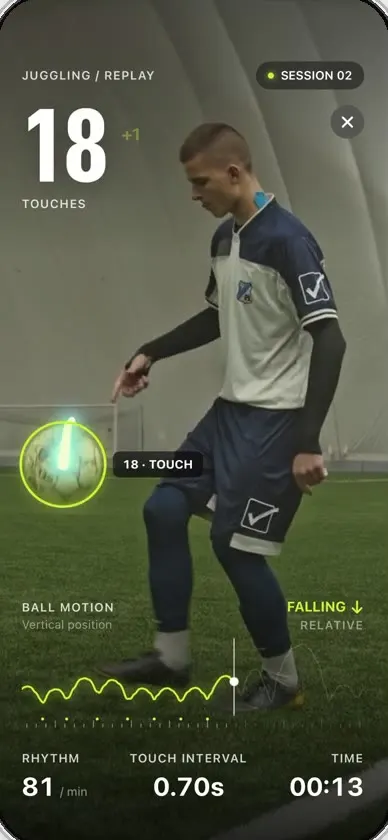
iOSCounts your football juggling touches from a clip or the live camera, with ball tracking and rhythm stats.
- View template
Steps Duo
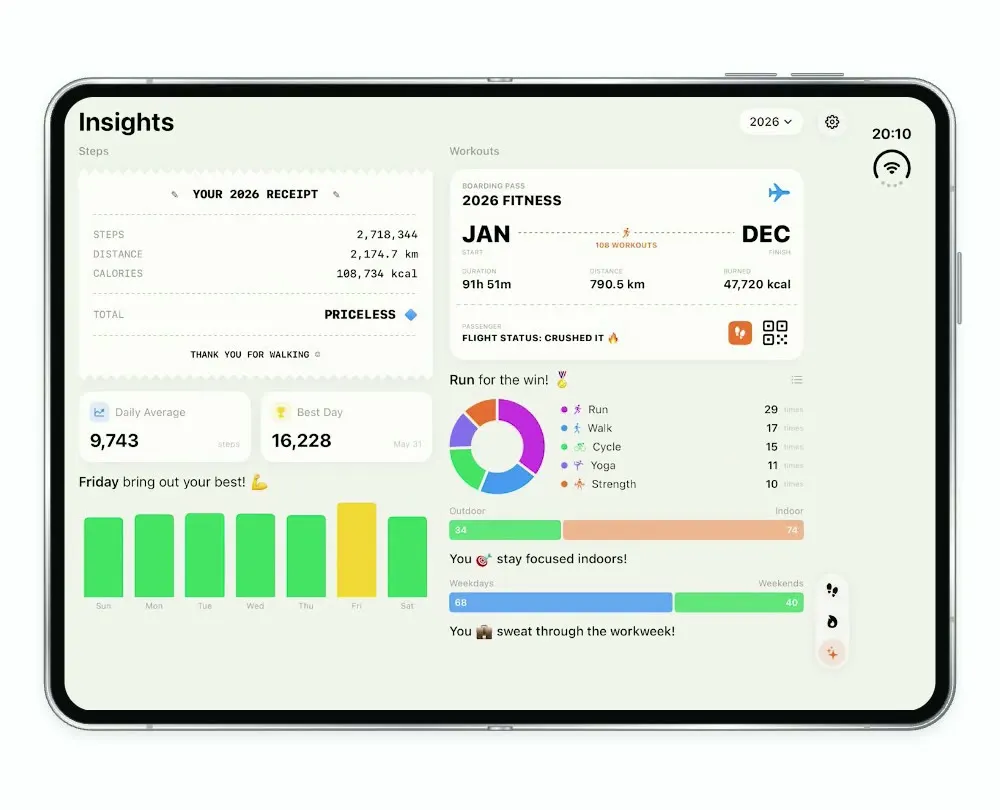
iOSA step and workout tracker for the foldable iPhone Duo, with a calendar, run maps and shareable stat cards.
- View template
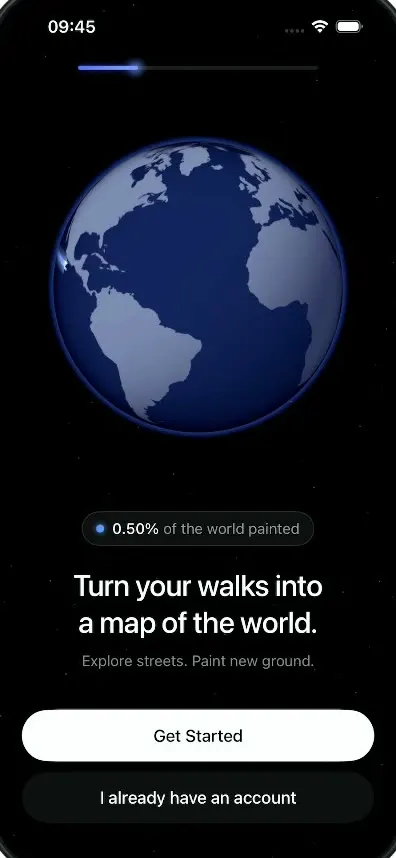
LegWork
iOSOnboarding for a walking app that paints every street you walk onto a spinning globe.