LegWork
Fitness app · from our videos on X
LegWork is a four-screen onboarding for a walking app. A 3D globe spins while the streets you have walked light up, and each step of the intro explains how your walks turn into a map of your city.
- iPhone · Swift
- Built in 2 prompts
- Free to remix

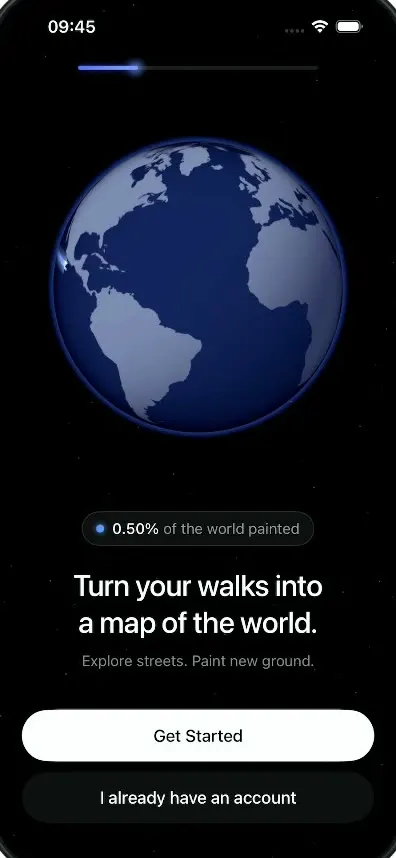
Remix copies the working app into your account for free, exactly as we built it. It runs in Vibecode's cloud iOS simulator, in your browser.
Watch the video on X@anshnanda · Oct 8, 2026The prompt that builds it
We built LegWork in 2 prompts. Here they are folded into one, so a single paste into a new app builds the finished version.
Prompt · 1,585 words
Download/reference the app shown in this post and clone it exactly, including the iPhone visual design, layout, interactions, animations, typography, spacing, and all visible states. Make it functional and runnable in the simulator. Match the reference as closely as possible and include any interaction shown in the video. Reference: https://x.com/BThreeAgency/status/2107861347086270614 (a 20-second video). Inspect it carefully, extracting frames as necessary.

Build a native SwiftUI iOS app named LegWork using Opus 5.5. This is the 4-screen onboarding of a walking app that paints every street you walk onto a map of the world, demonstrated on an iPhone in portrait, all on a black starfield. Do NOT put a fake handset frame inside the actual app; the simulator provides that. Use realistic deterministic fixture data so every screen is rich and usable without permissions or backend. Never trigger the real iOS location permission prompt.

Observed video sequence (0-20s): 0.0 black; 0.3 the top progress bar and a dark 3D globe fade in, the globe brightens as it slowly rotates (Atlantic facing us: the Americas on the left, Africa and Europe on the right). 0.75 "Turn your walks into a map of the world." fades up from a blur, then the subtitle "Explore streets. Paint new ground." and the two buttons fade in. 1.25 a glowing blue walking trail starts painting across the globe from the left limb (over the Pacific) eastward toward Colombia/Venezuela, with a pair of small white footprints stepping at its head; at the same moment a pill "0.16% of the world painted" fades in above the headline and its number counts up steadily (0.16 -> 0.39 -> 0.60 -> 0.83% by 3.9 s). 4.0 tap "Get Started": the headline, pill and buttons crossfade to "Let's find you." with the subtitle "LegWork uses your location to build the map around you" (two centred lines, no period), and the progress bar fills to the second step; a magnifying glass appears over the globe and wanders in a slow searching loop (over Africa, the Atlantic, Brazil, back up) for ~4 s, showing a location pin with a "?" in its centre. 8.3 tap "Allow Location": the text and buttons fade out, the globe rotates to put North America in front, the magnifier glides onto the central USA and its pin becomes a small blue location dot, the lens dissolves into a soft pale halo, and the camera dives into the globe: the globe grows past the screen edges (8.9-9.6), dark billowy clouds sweep over North America (9.6-10.3), then part to reveal a dark street map (10.3-11.0) with the blue dot in the upper-middle; the progress bar moves to step 3. 11.3 "This is your map." and its subtitle fade in with the Continue button; the blue dot gets a pulsing halo ring. 13.8 tap Continue: the map fades to black, "Your first walk makes you a Wanderer." fades in, then the hexagonal Wanderer badge fades and scales in above it (14.2-15.0) with a blue glow behind it, the progress bar fills to 100%; the three sign-in buttons fade up one after another (15.0-15.6) with "Terms & Conditions apply" under them; a light shine sweeps diagonally across the badge (15.8) and small faint achievement badges float slowly upward around it. 19.0 fade to black.

Visual details: pure black background (#000000) on every screen with a sparse static starfield (tiny white dots at 10-35% opacity). Status bar is light content. Progress bar: centred under the status bar, ~60% of the screen width, 4pt tall capsule; track #1C1C1C; fill is a blue gradient #4470F9 -> #7698FA with a soft glow at its leading edge; it animates between 25%, 50%, 75% and 100% for screens 1-4. Typography: SF Pro Display. Headlines white, 30pt, medium weight, tight tracking, centred, two lines; subtitles #818181, 15pt regular, centred. Primary button: white capsule, full width minus 24pt margins, 52pt tall, black 17pt medium text. Secondary button: #121212 capsule, same size, white 17pt text. Buttons sit near the bottom above the home indicator; the secondary button 10pt under the primary.

Globe: a real 3D SceneKit (or RealityKit) sphere, ~290pt diameter, centred in the upper part of the screen (top of globe ~150pt from the top). It should read as a darker night-blue globe overall. Equirectangular texture: deep navy oceans (#0E1838 at the limb to #1A2858 at centre) and flat blue-grey land (#6F7FAA lit, #2C3558 on the night side), no labels, no clouds on the idle globe. Lighting: soft key light from the upper left so the right-lower limb falls into shadow. The limb goes dark with no pale white/grey rim, only a faint blue atmosphere glow (#3D5FD0 at ~25% opacity, 6-8pt outside the edge). It rotates slowly eastward the whole time. Build the land texture from real coastline data: generate the equirectangular land mask at build time from a public-domain Natural Earth 110m land GeoJSON (download it, or if that is not possible generate the world-map texture with your image tool), and bundle the PNG. The walking trail is a thick glowing blue ribbon lying on the globe surface that grows along a great-circle path: a 7pt #4F7BFF core with a ~14pt #7399F3 additive bloom, brightest at the head and fading to transparent along the tail. Two clear white footprints (~7pt each) alternate steps at its head. It starts 1.2 s after screen 1 appears, at the same moment the pill fades in at 0.16%. The pill above the headline: #111111 capsule with a 1pt #2A2A2A border, a #498FFC 8pt dot, then "0.16%" in white 15pt medium and "of the world painted" in #8E8E93; the number ticks up continuously (2 decimals) while screen 1 is showing.

Magnifier (screen 2): a 120pt circular lens with a 3pt light grey rim (#9A9AA0, slight bevel) and a short grey handle at 4-5 o'clock; inside the lens the globe looks darker and magnified (show a 1.6x zoomed, darkened copy of the globe region under it, or a darkened tint if that is not feasible), with a thin ring and a white location-pin glyph with a small "?" at the centre. It moves on a smooth searching path with ease-in-out.

Dive (after Allow Location): animate the globe rotation to North America, move the lens to the central USA, morph the pin into a 10pt blue dot (#0B78FB with a white ring), fade the lens to a pale translucent disc that fades out, then scale the camera into the globe until the screen is filled with North America. Clouds: 2-3 layers of darker, high-contrast, billowy cloud images in blue-grey and slate (#2B313C shadows to #9AA3B2 highlights, never a flat fill, never lighter than #B0B6C2) with visible gaps. The first layer appears over North America while the globe still fills the screen, the layers scale up quickly past the camera, and the street map shows through the gaps before the last wisps clear. Total cloud time ~1.2 s. Street map (screen 3): a dark, label-free city street network drawn procedurally in a Canvas (deterministic seed), as dense as a real city: many small residential blocks (a street every 10-16pt) in 4-6 grid patches at different rotations that meet along curved and diagonal arterials, plus a few irregular curvy suburban areas. Ground #141414, thin streets #2F2F2F at 1pt, arterials #474747 at 2.5-3pt, one diagonal highway #5A5A5A at 4pt; no labels, no POIs; a dark gradient fades the bottom 40% to black behind the text. The blue dot sits at ~35% height with a 70pt translucent halo and a ring that pulses outward every 1.6 s. Do not use MapKit for this map. Text: "This is your map." / "Every street you walk gets painted." / Continue.

Badge (screen 4): generate the badge art with your image generation tool and bundle it: a glossy POINTY-TOP hexagon badge (vertices at the top and bottom) with a thin polished gold rim (#C9A55C to #F2D894), a dark navy inner bevel and dark navy inside, holding two LARGE glossy 3D bright-blue bare footprints (#3FA9F5 to #2A4BD7) that fill most of the hexagon, slightly tilted, the right foot lower than the left, on a transparent background. Show it ~200pt wide at the top third with a radial blue glow (#1E4FD8 at 40%) behind it. "Your first walk makes / you a Wanderer." headline under it. Around it, 8-10 small faint hexagon badges (30-45pt, 15-35% opacity, with flame, globe, binoculars, map pin, footprints and mountain icons) drift slowly upward and fade. Buttons: "Continue with Google" (white capsule, black text, coloured Google G after the text), "Continue with Apple" (white capsule, black text, Apple logo after the text), "Continue with Email" (#121212 capsule, white text), then "Terms & Conditions apply" in #6E6E73 12pt. The shine is a soft white diagonal gradient band masked to the badge that sweeps across once on appear and every 4 s.

Interactions: Get Started -> screen 2 (0.45 s crossfade: old text fades up and out, new text fades up from 8pt below with a blur-to-sharp). "I already have an account" and "Not now" behave the same as the primary button. Allow Location -> the dive, then screen 3 (no system prompt). Continue -> screen 4. Any of the three sign-in buttons fades to black and restarts the onboarding at screen 1 with every state reset (globe rotation, trail, counter), so the flow can be replayed. Use native spring and ease animations, not static screenshots.

Build fully, run compile/build validation, resolve all errors, and launch in the web simulator. Prioritize fidelity to the reference and a functional main interaction flow. Deliver complete implementation rather than a plan.
More templates
All templates- View template
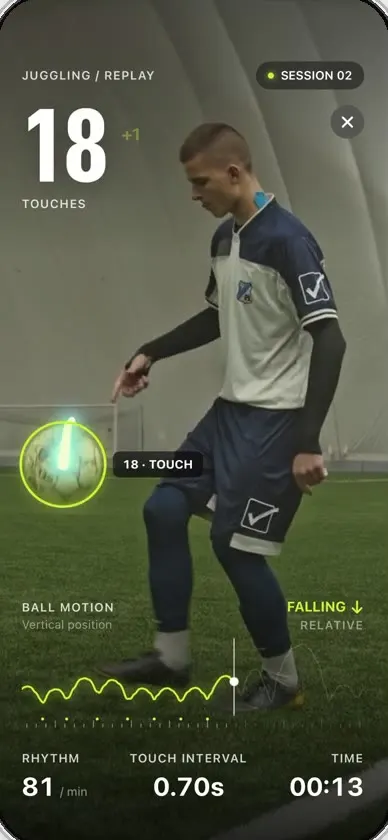
Keepy
iOSCounts your football juggling touches from a clip or the live camera, with ball tracking and rhythm stats.
- View template
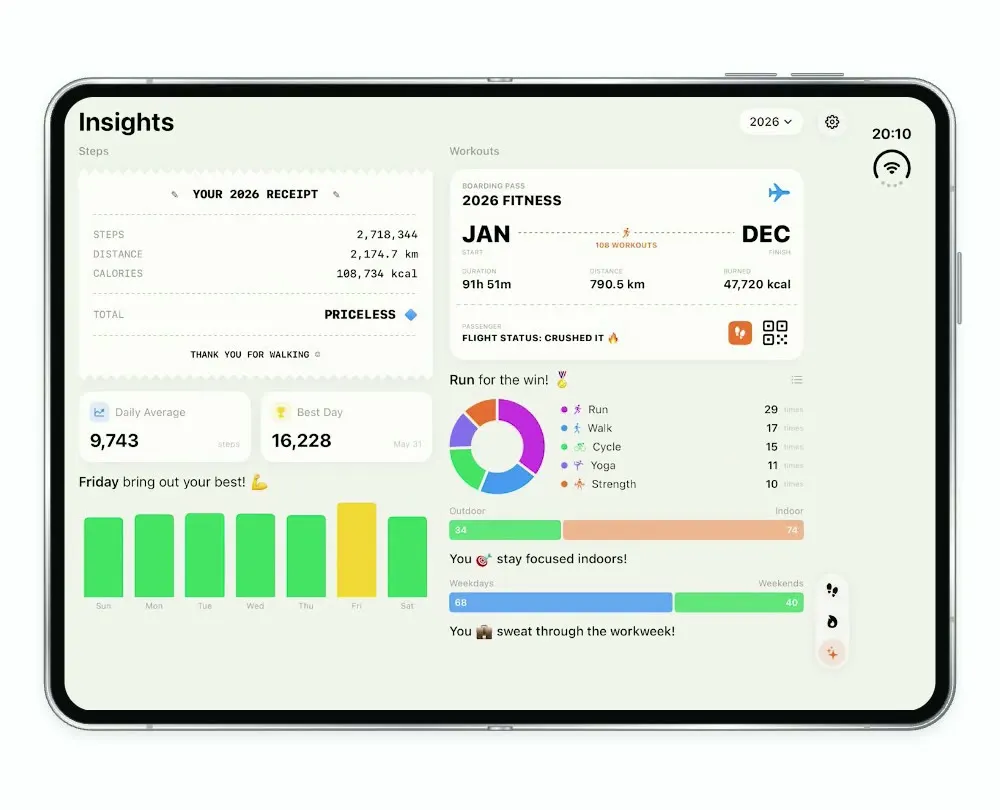
Steps Duo
iOSA step and workout tracker for the foldable iPhone Duo, with a calendar, run maps and shareable stat cards.
- View template
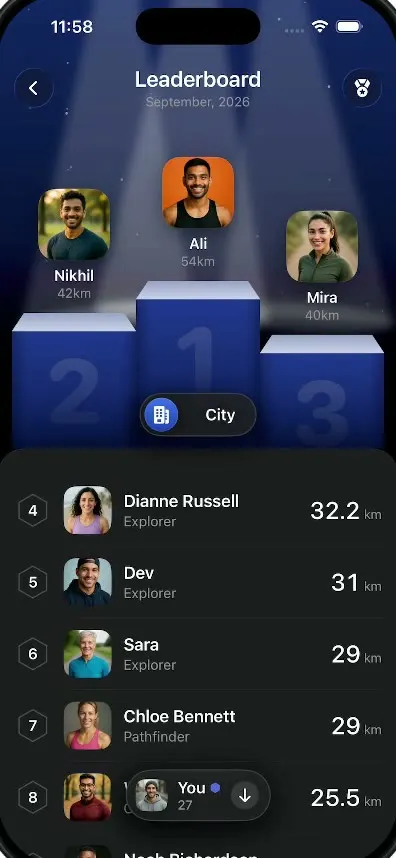
LegWork Leaderboard
iOSA monthly walking leaderboard with a 3D podium, a city or world toggle and your own rank highlighted.
- View template
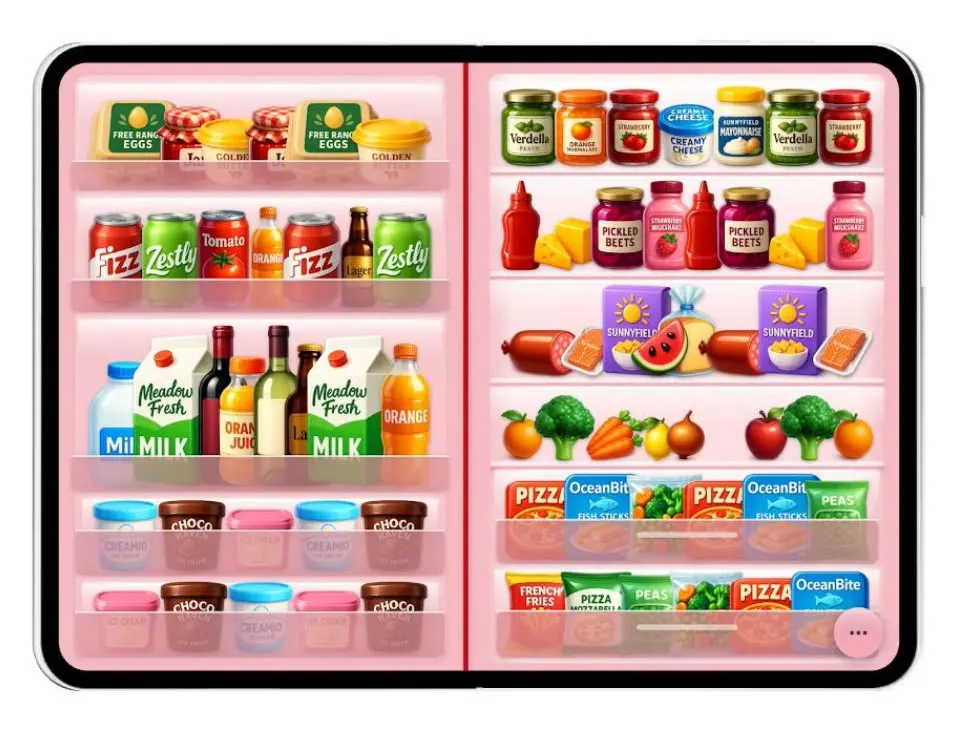
Duo Fridge
iOSTurns the iPhone Duo into a fridge: folded it is the door with magnets, unfolded it is the stocked shelves.