
BeReal Clone
BeReal clone · Photo sharing app · from our videos on X
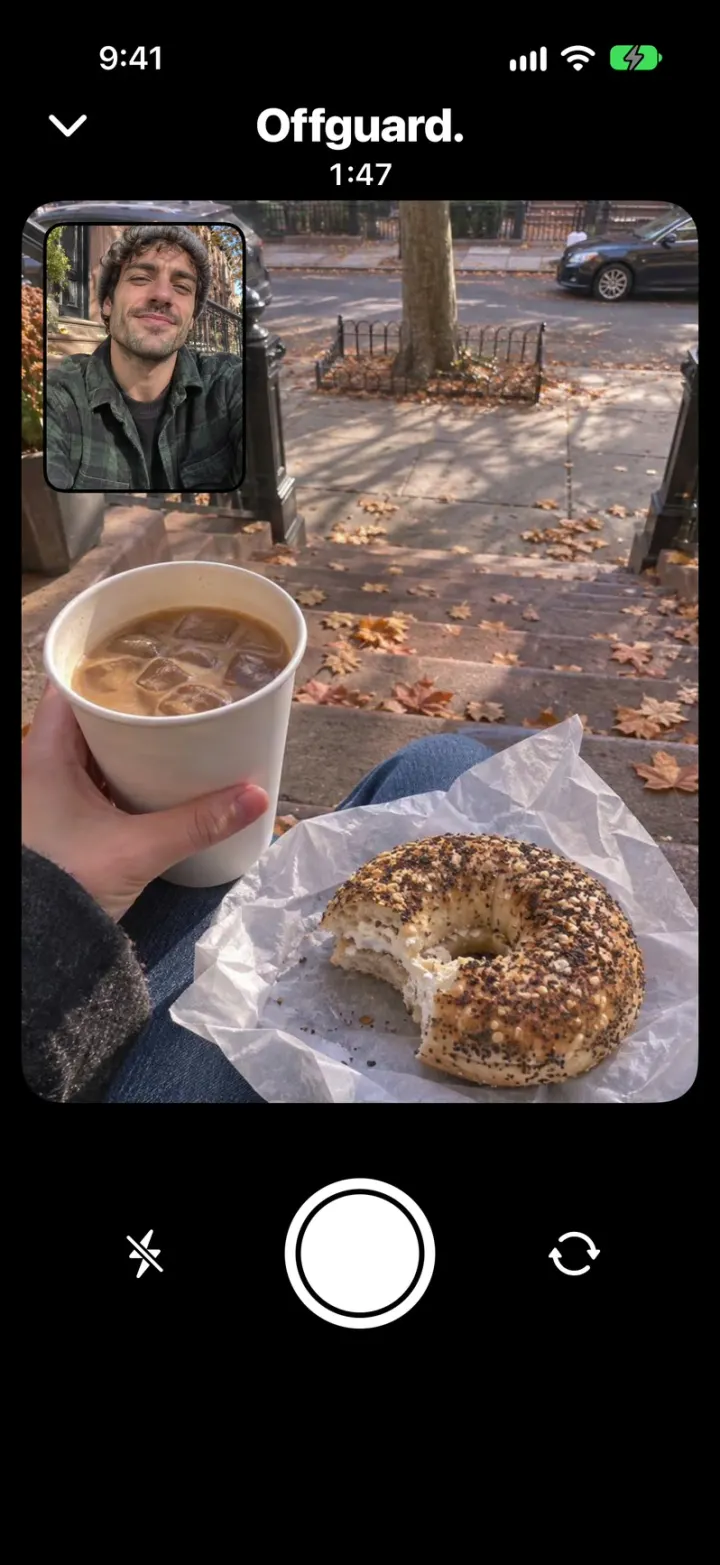
BeReal Clone is a BeReal-style daily photo app rebuilt in SwiftUI as Offguard., with its own name and white period wordmark. Once a day a banner says it's Offguard time and a 2-minute timer starts; the camera shows a dual viewfinder, the back photo big and a selfie in the corner, and the shutter flashes and freezes both. Hit SEND and your photo flies to the top of the feed while your friends' blurred posts unlock and your streak rolls up. Tap any inset to swap the photos, react with your face (FaceMojis), read comments, and browse your Memories calendar. A hidden HOOK MODE replays the capture for videos.
- iPhone · Swift
- Built in 1 prompt
- Free to remix
Remix copies the working app into your account for free, exactly as we built it. It runs in Vibecode's cloud iOS simulator, in your browser.
Watch the video on X@vibecodeapp · Nov 22, 2026The prompt that builds it
We built BeReal Clone in one prompt. Paste it into a new app to build your own copy, or change it first.
Prompt · 2,606 words
Build Offguard., a polished native iPhone app in SwiftUI: a BeReal-style once-a-day photo app. Once a day everyone gets the same 2-minute window to post one dual photo (the back camera big, a front-camera selfie in a small inset), friends' posts stay blurred until you post yours, and friends react with FaceMojis (a photo of their face with an emoji). The simulator has no camera: the viewfinder shows fixture photos with a handheld sway, and the shutter "captures" them. The user is Alex Rivera in Brooklyn. Today is Sunday, November 22, 2026.

ASSETS
curl -L once and unzip flat: https://vibecode-offguard-media.beacon.host/media.zip (offguard-icon.png: the app icon; me-back.jpg + me-front.jpg: today's capture; maya, leo, nina, sam, priya, jordan -back.jpg and -front.jpg: friends' posts; work-back.jpg, work-front.jpg and dave-front.jpg: spare photos the app doesn't show yet, kept for remixes). Photos are 768x1152. Add them all to the asset catalog. No image generation is needed.

SHELL
Opens on the Feed: no splash, onboarding, sign-in or permission prompts. Dark only (force .dark), background #000000, the status bar visible and white on every screen. Root = one ZStack: the Feed (NavigationStack), the banner layer, the Camera overlay (a full-screen view in the same ZStack, not a fullScreenCover), the touch dot, and the HOOK MODE window. The feed under the camera stays rendered at all times.

FORMAT (Format/)
One formatter with Locale(identifier: "en_US"); the simulator's region is not en_US, never use the device locale. Timer "1:47" (m:ss, .monospacedDigit()). Time labels "on time", "12 min late", "2 hr late". Counts "View 3 comments", "View 1 comment".

FIXTURES (Data/Fixtures.swift: ONE list per kind; a new person, post or moment is one entry)
Me: id "me", "Alex Rivera", handle alexr (shown with an @), photo me-front, streak 214.
People (id · name · handle · photo):
maya · Maya Chen · mayachen · maya-front
leo · Leo Park · leopark · leo-front
nina · Nina Okafor · ninaok · nina-front
sam · Sam Weiss · samweiss · sam-front
priya · Priya Shah · priyashah · priya-front
jordan · Jordan Ellis · jordanellis · jordan-front
dave · Dave Miller · davemiller · dave-front (Alex's boss; not shown anywhere yet)
Today's posts, My Friends, in order (id · person · place · time label · caption · FaceMojis person:emoji · comments):
p1 · maya · "Prospect Park, Brooklyn" · "on time" · "sunday reset 🍂" · leo:😍 nina:😃 jordan:👍 · leo "the leash cameo 😭", nina "biscuit looks so proud", maya "he is ALWAYS proud"
p2 · jordan · "Harlem, New York" · "on time" · "4th quarter. don't talk to me" · sam:😂 leo:⚡ · sam "who's winning", jordan "not my team"
p3 · leo · "Bushwick, Brooklyn" · "12 min late" · "pancake #3 is the one" · maya:😂 priya:😲 · maya "rip pancake #1", leo "he tried his best"
p4 · priya · "LaGuardia Airport" · "on time" · "home for thanksgiving ✈️" · maya:😍 nina:😍 sam:👍 · nina "safe flight!!", priya "see you wednesday 🦃"
p5 · nina · "F train" · "38 min late" · "the F train is a lifestyle" · jordan:😂 · jordan "every single day"
p6 · sam · "Astoria, Queens" · "2 hr late" · "he knows what he did" · maya:😂 leo:😂 priya:😲 jordan:😂 · maya "the cushion did not deserve this", leo "lmaooo", priya "he looks so sorry though"
Each post's photos are <person>-back (big) and <person>-front (inset).
Memories (November 2026): days 1-21 posted, thumbnails cycling through me-back, maya-back, priya-back, jordan-back, leo-back, nina-back, except days 6 and 13 (missed); day 22 = today.

SCREENS
1. Feed: header in the safe area: person.2.fill at the left (toast "Friends"), the wordmark "Offguard." in the middle (24 pt .heavy white, tracking -0.5), my 32 pt avatar at the right (pushes Profile). Under it two tabs, "My Friends" and "Friends of Friends" (15 pt semibold; selected white with a 2 pt white underline that slides, matchedGeometryEffect; other #8E8E93). Under the tabs a status capsule (#1C1C1E, 13 pt semibold): while the window is open and you haven't posted "⚠️ Offguard time · 1:47 left" counting down live; at 0:00 "Late · post anyway"; after you post "Posted on time ⚡ · 🔥 215" (the streak rolls 214 → 215 with .contentTransition(.numericText())).
 a. Your Offguard (top, centred): before posting, a 160x213 pt dashed rounded placeholder with camera.fill and "Post an Offguard." (tap: open the camera); after posting, your dual photo at that size (corner 16) with "Your Offguard" (13 pt #8E8E93) and "Add a caption…" (13 pt #636366) under it.
 b. Posts: a header row (36 pt avatar, the name 15 pt semibold over "Prospect Park, Brooklyn · on time" 13 pt #8E8E93, ellipsis at the right); the DualPhoto (full width minus 16 pt, aspect 3:4, corner 18); under it the caption (15 pt white), "View 3 comments" (13 pt #8E8E93, opens Comments) and "Add a comment…" (13 pt #636366).
 c. DualPhoto (one component everywhere): the big photo aspect-filled; the inset at the top-left (12 pt in, 30% of the width, aspect 3:4, corner 12, 2 pt black border); tapping the inset swaps big and small (spring 0.35 s). The FaceMoji stack sits at the bottom-left (34 pt photo circles overlapping by 10 pt, a 2 pt black ring, the emoji 14 pt at each circle's bottom-right); a 44 pt glass circle with face.smiling at the bottom-right opens the FaceMoji picker.
 d. Late posts (1 hr or more late) show StampView("LATE", #FF453A) at the photo's top-right: 22 pt heavy caps inside a 3 pt border with 6 pt corners, rotated -8°, 90% opacity.
 e. The gate: until you post today, every friend's DualPhoto is blurred (radius 24) with captions and FaceMojis hidden, and a centred overlay: eye.slash (30 pt), "Post to view" (17 pt semibold), "To see your friends' Offguards, post yours." (13 pt white 70%), and a white capsule "Post an Offguard." (15 pt semibold black, 44 pt tall) that opens the camera.
 f. Friends of Friends: person.3.fill, "Friends of friends post here too", "Add friends to see their friends' Offguards." and a white "Add friends" capsule (toast).
2. FaceMoji picker: a sheet (.height(230), #1C1C1E): "React with your face" (15 pt semibold); six 56 pt circles of me-front with 👍 😃 😲 😍 😂 ⚡ badges. A tap closes the sheet and my FaceMoji pops into that post's stack (scale 0 → 1.15 → 1 in 0.3 s, light haptic).
3. Comments (.large sheet, black): the post's DualPhoto at 120 pt wide with the caption, then rows (32 pt avatar, name 14 pt semibold, the text 14 pt, "2m" #8E8E93), and a bottom bar: "Add a comment…" field + arrow.up.circle.fill (white). Sending appends my comment with a spring.
4. Profile (pushed): 96 pt avatar, "Alex Rivera" (22 pt bold), "@alexr" (15 pt #8E8E93), "🔥 214 day streak" (215 after posting). "Your Memories": "November 2026", the weekday letters S M T W T F S, a 7-column grid of 44 pt rounded tiles (November 1 is a Sunday): posted days show their thumbnail with the day number in white 11 pt; missed days are #1C1C1E with the number; today has a white ring and stays empty until you post, then shows your photo. Footer "Only you can see your Memories." (13 pt #636366). A tap on a thumbnail opens a full-screen DualPhoto viewer (swipe down closes).
5. Banner (InAppBanner): drops from the top under the status bar (spring), 12 pt side margins, #1C1C1E at 92% with 22 pt corners and a 0.5 pt white 12% border: the app icon (34 pt, 8 pt corners) or the sender's photo circle when the moment has a sender; "Offguard" (13 pt semibold white 60%) with "now" (13 pt #8E8E93) at the right; the moment's title (15 pt semibold white) and body (14 pt white 85%, 2 lines). It stays 4 s or until swiped up; a tap opens the camera on that moment. Live: 1.0 s after launch or a reset, the daily moment's banner drops.

CAMERA (the hero; Capture/)
- Full screen black over everything (banner and tab views too). Top: a chevron.down at the left (close) and the wordmark "Offguard." in the middle (26 pt heavy white); under it the moment's timer: "1:47" (17 pt semibold monospaced white), or the moment's timerLabel and the time in its tint ("WORK CHECK · 1:59").
- The viewfinder: a rounded rect (corner 22), the screen width minus 24 pt, aspect 3:4, top at y ≈ 112 pt, showing the moment's two photos as a DualPhoto (back big, front inset).
- Handheld sway while live: both photos drawn at 1.12x and moved by a pure function of time: x = 6·sin(1.3t) + 3·sin(2.9t), y = 5·sin(1.7t + 1) + 2·sin(3.7t), rotation 0.4°·sin(1.1t); the inset uses the same with t + 2.0 (TimelineView(.animation)). The sway clock is part of the session, so HOOK MODE can start it pre-warmed.
- Bottom row (y ≈ 700 pt): bolt.slash.fill at the left (toggles bolt.fill), the shutter in the middle (an 84 pt white ring, 6 pt, around a 66 pt white disc), arrow.triangle.2.circlepath at the right (swaps big and small, spring).
- Shutter: the disc dips to 0.85x for 0.12 s; a white flash at 30% opacity for 0.10 s (never brighter, never longer); the sway freezes exactly where it is, so the captured photo is the frame on screen; the bottom row crossfades (0.15 s) to "SEND" + arrowtriangle.right.fill (34 pt black-weight white), and "Retake" replaces the chevron (back to live).
- SEND: the label presses to 0.94x; the dual photo flies from the viewfinder into the Your Offguard slot (0.30 s, visible every frame, never fading out) while the camera's black background slides down 40 pt and fades (0.30 s) over the already-rendered feed; 0.15 s after SEND the gate lifts (blur 24 → 0 and the overlay fades, 0.30 s); 0.45 s after SEND the streak rolls 214 → 215 and the status capsule reads "Posted on time ⚡ · 🔥 215". If the moment has a stamp, my landed post gets StampView(stamp) 0.10 s after it lands (slams in: scale 1.6 → 1.0, rotation -8°, spring 0.25 s), and if it has a reactor, that person's FaceMoji pops onto my post 0.25 s later. Success haptic.

MOMENTS ENGINE (Capture/: the seams a remix uses)
- Moment: id, bannerTitle, bannerBody, senderId (nil = the app), timerSeconds, timerLabel (nil = just the time), tint, backPhoto, frontPhoto, stamp (text + colour, optional), reactor (personId + emoji, optional). MomentCatalog.all = [daily]; daily: "⚠️ Offguard time ⚠️", "2 min left to capture an Offguard and see what your friends are up to!", sender nil, 120 s, no label, tint white, me-back / me-front, no stamp, no reactor. A new moment is one entry; the banner, camera, timer, landing, stamp and reactor already read it.
- CaptureSession (@Observable, one, at the root): moment, phase (closed/live/captured/sending), secondsLeft, swayStart, isFrontBig, flash. CameraView draws ONLY from the session and its moment.
- FeedStore (@Observable): posts, myPost (moment id, photos, stamp, FaceMojis), hasPosted, streak, selected tab, sheets, banner, toasts.
- ScriptStep (absolute seconds from the start, action): reset(cameraOpenOn: momentId?, secondsLeft:), dot(to: CGPoint, duration:), dotHide, banner(momentId), tapBanner, openCamera(momentId), shutter, send, react(postId, personId, emoji), hold. ScriptPlayer runs a [ScriptStep] on the main actor against its start time (absolute times, so drift never builds). Scripted steps call the same actions as real taps.
- DemoScript.capture(start:) returns the standard run: +0.00 the dot glides to the shutter (0.12 s), +0.15 shutter, +0.30 the SEND row, +0.40 the dot glides to SEND (0.10 s), +0.55 send, +0.70 dotHide. A remix appends banner, tapBanner, openCamera and another capture(start:) to the hook.
- TouchDot: drawn above everything in HOOK MODE only: a 44 pt circle, white 30% fill, a 3 pt white ring, a soft shadow; scales in as it lands (0.12 s) and glides between points.

HOOK (the video's first 3 seconds)
- HOOK MODE: tapping an invisible 24x60 pt strip at the RIGHT edge (x 378-402, y 300-360 pt), drawn in its own window above every sheet, banner and the camera (a tap there closes whatever is open), resets everything and plays DemoScript.hook through the real ScriptPlayer, CaptureSession, CameraView and Feed, identical every time (seconds from the tap):
 0.00 reset with no animation: the Feed on My Friends scrolled to the top, not posted, the gate on, streak 214, sheets and banner closed; the Camera open on the daily moment, live, 1:47 left, the sway PRE-WARMED mid-motion (never a fade-in), the inset small.
 0.30 the timer ticks to 1:46 (it ticks on whole seconds from the reset).
 capture(start: 0.30): the dot to the shutter 0.30-0.42, shutter 0.45, SEND row 0.60, the dot to SEND 0.70-0.80, send 0.85: the photo lands 0.85-1.15, the gate lifts 1.00-1.30, the streak rolls at 1.30, dotHide 1.00.
 Then hold (real taps work again).
- Every wait uses the step's own time, never the live delays (no banner auto-drop in HOOK MODE).
- What the eye must see: frame 0 fully drawn (wordmark, timer, both photos, shutter; no fade-in, no empty screen); something moves every frame; the flash is one soft frame; the flying photo stays visible the whole flight; the blur lifts smoothly; digits roll, never jump.

LOOK
Black #000000, cards and sheets #1C1C1E, separators #2C2C2E, text white, secondary #8E8E93, tertiary #636366, late red #FF453A, green #30D158. SF Pro (no rounded fonts); the wordmark is SF Pro .heavy with its period. Glass circles: .ultraThinMaterial with a 0.5 pt white 15% border. Springs under 450 ms, light haptics on taps, pressed states (scale 0.97). Photos aspect-filled and decoded at launch off the main thread into one image cache.

RULES
- Native SwiftUI, iOS 26 (keep the template's target), iPhone portrait.
- Deterministic fixtures. No backend, login, permissions, camera, photo library, notifications, analytics or network calls at runtime. No persistence: delete the SwiftData starter, no UserDefaults or files.
- Files under 300 lines, big bodies split into subviews, no long chained expressions; every animation smooth at 60 fps.
- Keep every file inside /home/user/workspace (/tmp is denied).

REMIX-READY
Theme/Theme.swift (colours, fonts, metrics; no colour literals elsewhere), Theme/Copy.swift (every word), Data/Fixtures.swift, Data/DemoScript.swift. Codable models with String ids (Person, Post, FaceMoji, Comment, Moment) behind one OffguardDataSource protocol (FixtureSource) feeding FeedStore. CaptureSession, MomentCatalog, ScriptPlayer, StampView and the reactor are the seams. Components/: DualPhoto, FaceMojiStack, StampView, InAppBanner, TouchDot, GlassCircleButton, Toast, Wordmark; Capture/: CameraView, Viewfinder, ShutterButton, SendRow; Features/Feed, Features/Profile, Features/Comments. README.md under 80 lines: the file map; how to rename the app, restyle it and add a moment; 3 one-prompt remixes (a gym check-in: prove you're at the gym, with a streak and a SKIPPED stamp; a family check-in that sends Grandma one photo of the kids a day; a study group that shows who's really at the library). "Read README.md first." atop CLAUDE.md and ios/AGENTS.md; replace ios/CLAUDE.md's structure block with this app's files. No scratch folders.

FILMING
Long-press the feed's wordmark for 1 s to reset everything to launch (not posted, gate on, 1:47, streak 214, camera, sheets and toasts closed, my FaceMojis and comments removed); the daily banner drops 1.0 s later.

BUILD
Theme, Copy, Fixtures and Format, then the Feed with DualPhoto, the gate and the header (launch and look first), then the CameraView with the CaptureSession, sway, shutter, SEND and the landing, then MomentCatalog, the banner, ScriptPlayer, TouchDot and HOOK MODE, then the FaceMoji picker, Comments and Profile with Memories; a one-line status per screen; launch in the simulator every two or three files. Fetch media.zip as soon as the shell runs; check the files exist, never view them. Walk each flow once and fix what breaks; no pixel measuring or debug modes. Deliver the whole app, not a plan. Do not publish.
More templates
All templates- View template
Apple Find My Clone
iOSThe iPhone Find My app: friends, devices and items on a map, Play Sound, Lost Mode and Precision Finding.
- View template
iMessage Clone
iOSThe iPhone Messages app: blue bubbles, Tapbacks, typing dots and every iMessage effect, Balloons to Lasers.
- View template
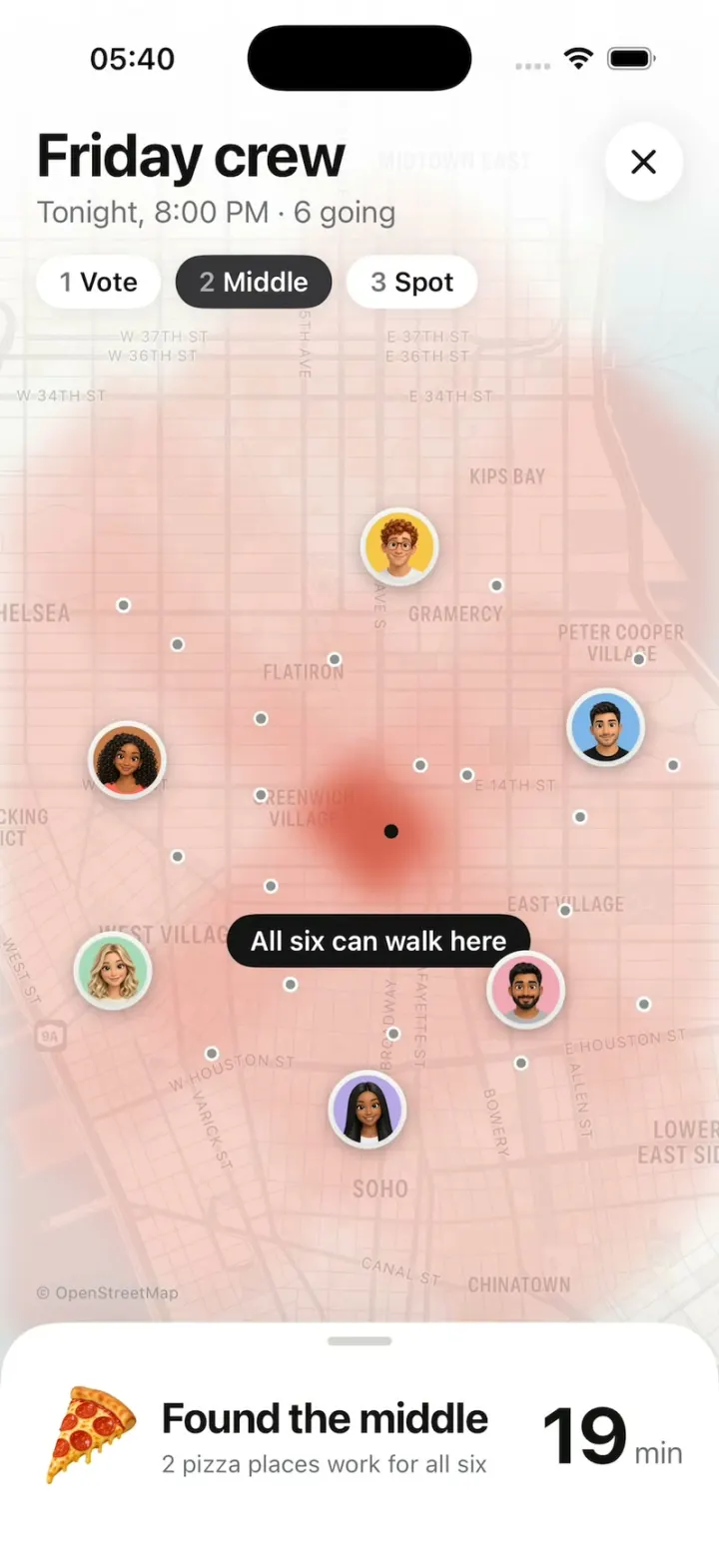
Midway
iOSFriends vote, a walking heat map grows from each of them, and it picks the pizza spot that's fair for all six.
- View template
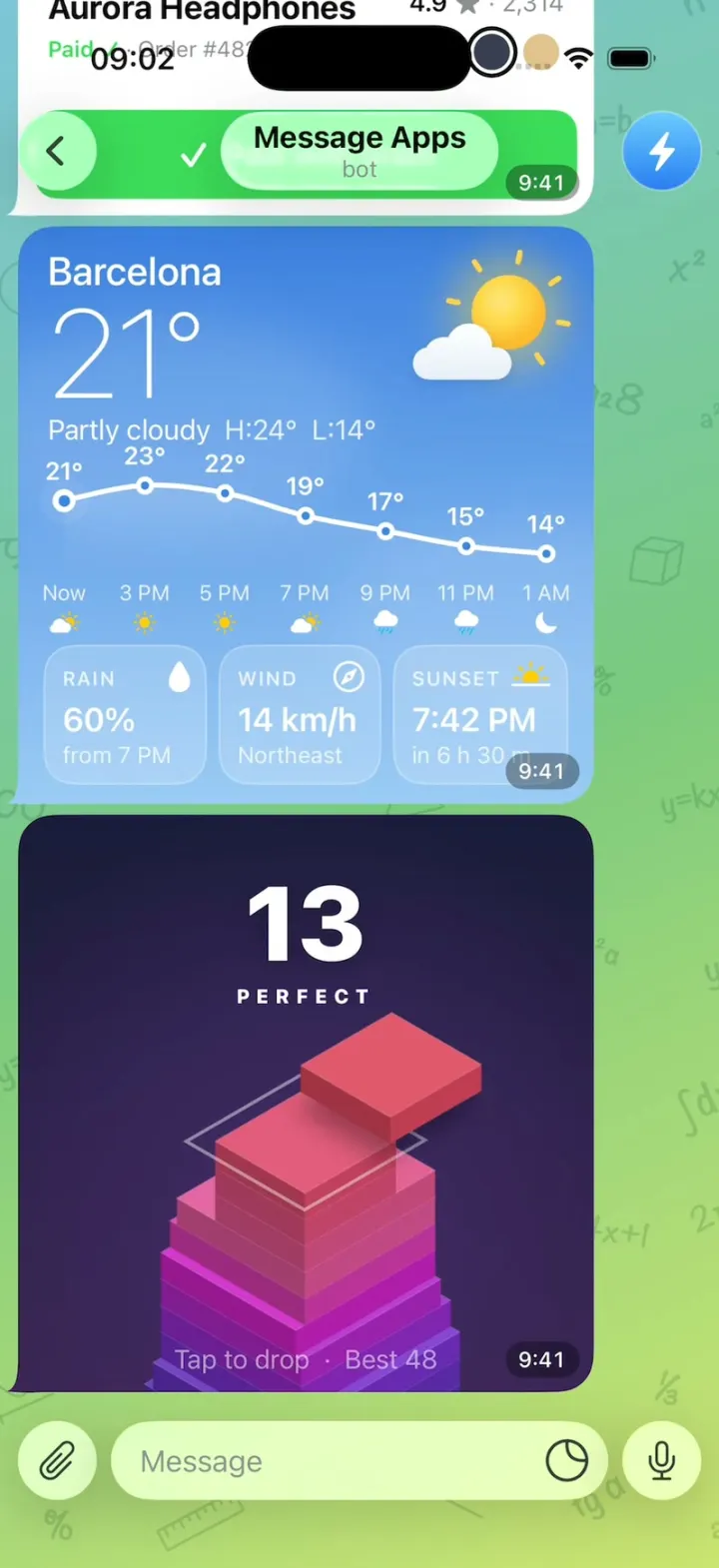
Message Apps
iOSA Telegram chat where every message is a live app: pay for headphones, check weather, play two games.