iMessage Clone
iMessage clone · Messaging app · from our videos on X
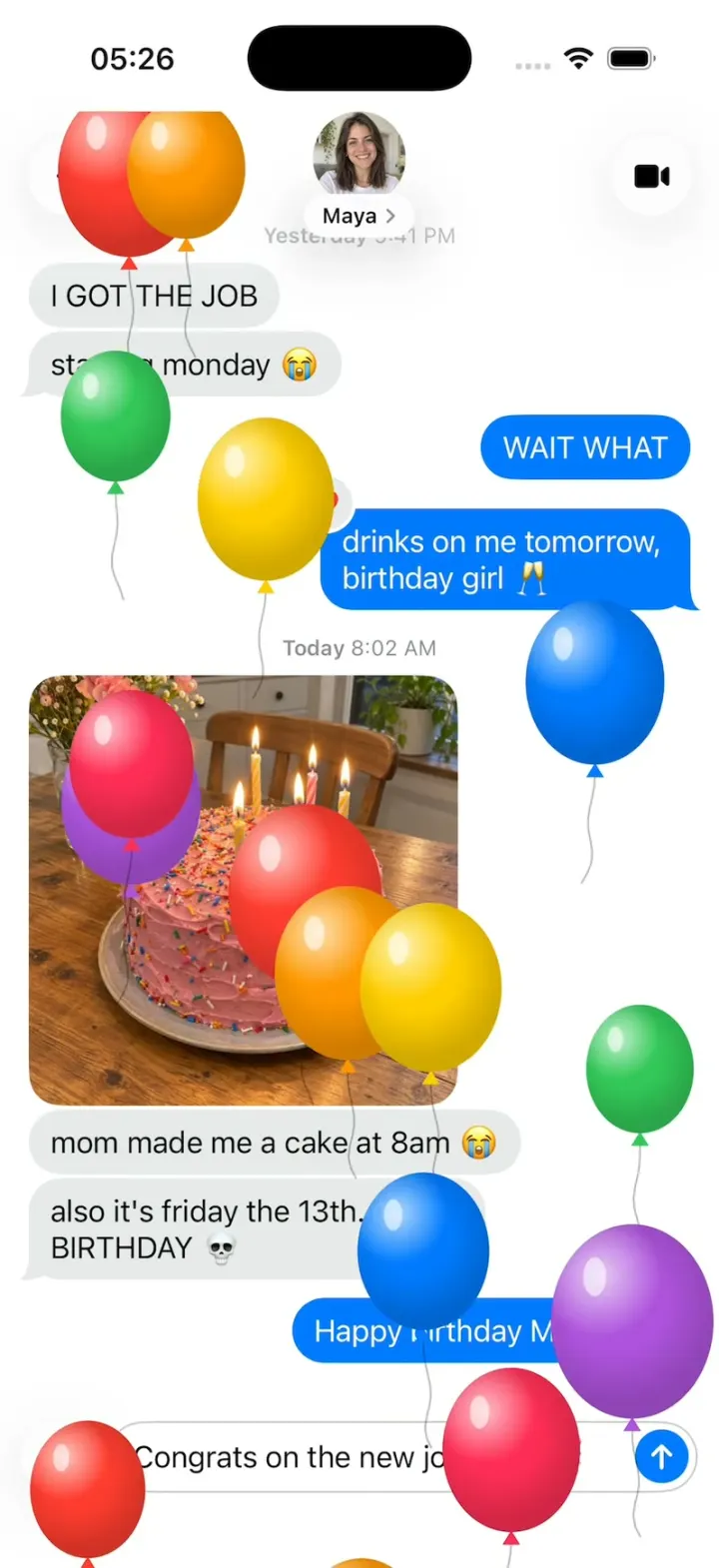
iMessage Clone is the iPhone's Messages app rebuilt in SwiftUI in the iOS 26 style: pinned contacts, chats with blue and grey bubbles and their tails, Delivered and Read, typing dots, and replies that come back. Long-press send for Send with effect: Slam, Loud, Gentle and Invisible Ink on the bubble, or Echo, Spotlight, Balloons, Confetti, Love, Lasers, Fireworks and Celebration across the whole screen. "Happy birthday" sends Balloons by itself, just like the real thing. Double-tap any bubble for a Tapback, and give each chat its own background.
- iPhone · Swift
- Built in 1 prompt
- Free to remix

Remix copies the working app into your account for free, exactly as we built it. It runs in Vibecode's cloud iOS simulator, in your browser.
Watch the video on X@vibecodeapp · Nov 13, 2026The prompt that builds it
We built iMessage Clone in one prompt. Paste it into a new app to build your own copy, or change it first.
Prompt · 3,089 words
Build Messages, a polished native iPhone messaging app in SwiftUI in the iOS 26 system style of the iPhone's built-in Messages app (iMessage): the conversation list with pinned contacts, chats with blue and grey bubbles and their tails, timestamps, Delivered and Read receipts, the typing indicator, photo messages, Tapbacks, Send with effect with all four bubble effects (Slam, Loud, Gentle, Invisible Ink) and all eight full-screen effects (Echo, Spotlight, Balloons, Confetti, Love, Lasers, Fireworks, Celebration), the phrases that trigger screen effects by themselves ("Happy birthday" sends Balloons), Replay, conversation Backgrounds, and scripted replies so every chat feels alive. Light mode. It is Friday, November 13, 2026, 8:13 AM. The user is "Me"; the hook's chat is with Maya Chen, whose birthday is today.

ASSETS
curl -L once and unzip flat: https://vibecode-imessage-media.beacon.host/media.zip (messages-icon.png: use it as the app icon; avatars maya, mom, dad, jordan, priya, leo, sam, nina .jpg; photo messages cake, dog, sunset, cat .jpg). Every other shape, icon and effect is drawn in code or with SF Symbols. No image generation is needed.

SHELL
Opens on the conversation list: no splash, onboarding, permission prompts or sign-in. The status bar stays visible (dark) on every screen.

SCREENS
1. Conversation list (NavigationStack root, white):
 a. Top: a 44 pt glass circle with line.3.horizontal.decrease at the left (a menu: Messages ✓, Unknown Senders, Spam, Recently Deleted), a 44 pt glass circle with square.and.pencil at the right (opens New Message), the large title "Messages" (34 pt bold) under them, and a search field (36 pt, #767680 at 12%, magnifyingglass, "Search", mic.fill) that filters rows by name and text as you type.
 b. Pinned: a 3-column grid of 6 pinned conversations: an 84 pt circle avatar with the name under it (13 pt, #3C3C43 at 60%); a 12 pt #007AFF dot at its upper left when unread; when that conversation has an unread message, its text sits above the avatar in a small grey speech bubble (13 pt, 1 line, max 110 pt); while the person is typing, a small typing bubble sits there instead. A group shows a cluster of 3 small avatars inside its circle.
 c. Rows (76 pt), hairlines inset 80 pt: a 52 pt avatar (photo, or a monogram: white initials 22 pt semibold on a #A5ABB8 → #848A96 gradient circle), the name (17 pt semibold), at the right the time (15 pt #8E8E93) and chevron.right (13 pt, #C4C4C7), the last message under the name (15 pt #8E8E93, 2 lines). A 10 pt #007AFF dot at the far left when unread. Swipe left: Delete (red, trash.fill) and Hide Alerts (#5856D6, bell.slash.fill); swipe right: Pin (#FF9500, pin.fill). Tap: push the chat.
2. Chat (pushed; also what HOOK MODE opens):
 a. Top bar (glass, over a soft white fade so bubbles scroll under it): a 44 pt glass circle with chevron.left at the left; centred, the contact's 52 pt avatar with the name under it in a small glass capsule ("Maya" + chevron.right 9 pt; tap: Contact sheet); a 44 pt glass circle with video.fill at the right.
 b. Messages, a bottom-anchored list that starts scrolled to the bottom. Sent: #007AFF bubbles with white text; received: #E9E9EB bubbles with black text; 17 pt regular, 12 pt horizontal and 8 pt vertical padding, 18 pt corners, max width 72% of the screen; 2 pt between bubbles from the same sender, 10 pt between senders, 16 pt side margins. The last bubble of each run has the classic iMessage tail (a curled hook at its bottom outer corner, one Shape with the bubble). Messages of 1-3 emoji only: 48 pt, no bubble. Photo messages: the image 240 pt wide (1:1), 18 pt corners, no bubble. Centred timestamps (12 pt #8E8E93: the day semibold, the time regular, "Today 8:02 AM") before the first message of a day and after gaps over an hour. Under my last message: "Delivered" (11 pt semibold #8E8E93, right) or "Read 8:13 AM" ("Read" semibold, time regular). Group chats: the sender's name (11 pt #8E8E93) above their first bubble of a run and a 28 pt avatar beside their last bubble.
 c. Input bar (above the keyboard or the home indicator): a 40 pt glass circle with plus at the left; then a capsule field (min 40 pt tall, white, 1 pt #C7C7CC border) with the placeholder "iMessage" (#8E8E93) and a waveform icon at its right; as soon as there is text, the waveform turns into a 30 pt #007AFF circle with a white bold arrow.up. Tap the arrow: send. Long-press it 0.4 s: Send with effect.
 d. Sending: the new blue bubble starts at the field's text position and rises into its place at the bottom of the list while it grows to full width (0.3 s spring, no overshoot past its slot); the field clears in the same frame; the list scrolls so the bubble and "Delivered" are visible; light haptic.
 e. Typing indicator: a #E9E9EB bubble (60 x 38 pt) with three 8 pt #8E8E93 dots that rise and darken in turn (1.2 s loop, 0.15 s apart) and two small tail circles at its bottom left. It scales in from its bottom-left corner in 0.2 s and is replaced in place by the reply bubble.
 f. Replies: after I send in any chat, the other person reads it ("Delivered" → "Read <time>" at +1.2 s), types (indicator at +2.0 s for 1.4 s) and replies with the next line from their reply queue (FIXTURES), with a soft haptic.
 g. Tapbacks: long-press (0.3 s) or double-tap a bubble: the rest of the chat blurs and dims (thin material + black 10%), the bubble lifts (scale 1.04, soft shadow), a white capsule tapback bar appears above it with heart.fill (red), hand.thumbsup.fill, hand.thumbsdown.fill, "HA HA" (two stacked "HA", 9 pt heavy), exclamationmark.2, questionmark, and face.smiling (opens a small grid of 24 emoji); under the bubble a glass menu: Reply, Copy, Translate, and for my messages Undo Send and Edit. Pick one: the overlay clears and the tapback pops (spring) onto the bubble's top outer corner as a 30 pt badge (on received bubbles a #007AFF badge with a white glyph; on mine a #E9E9EB badge with a #8E8E93 glyph; the heart always red; emoji as themselves). Tapbacks from others come from FIXTURES. Undo Send removes my bubble with a 0.3 s puff (scale 0.6 + blur + fade) and shows "You unsent a message." (12 pt #8E8E93, centred).
 h. Replay: under a message sent with a screen effect, "↺ Replay" (11 pt semibold #007AFF, right) for 6 s after it plays; tap: play it again.
3. Send with effect (full-screen overlay over the chat, ultraThinMaterial + white 30%): at the top "Send with effect" (17 pt semibold) and a glass segmented control "Bubble | Screen".
 a. Bubble: my draft bubble at the right at mid-height and, at the right edge, a column of four options, top to bottom Slam, Loud, Gentle, Invisible Ink: each a 13 pt label left of a 30 pt #C7C7CC circle; the selected one's circle holds the blue arrow.up send button and its effect plays on the draft bubble at once (looping every 2.5 s). Tap that arrow: send with that bubble effect.
 b. Screen: the draft bubble at mid-height with the shown effect playing around it, looping every 3.5 s; swipe left/right pages between the eight effects in order (Echo, Spotlight, Balloons, Confetti, Love, Lasers, Fireworks, Celebration); at the bottom the effect's name (17 pt semibold) over one page dot per effect; a 36 pt #007AFF arrow.up circle right of the draft bubble sends with the shown effect. An xmark glass circle at the bottom left cancels.
4. Contact sheet (tap the name capsule; large detent, #F2F2F7): the 100 pt avatar, the name (28 pt bold), a row of four glass action tiles (phone.fill call, video.fill video, envelope.fill mail, info.circle info), then grouped rows: Send My Current Location, Share My Location, Hide Alerts (toggle), Backgrounds (opens 5), Photos (a 3-column grid of the chat's photos).
5. Backgrounds (sheet): a row of 6 round previews: None; Sky (#7EC8F4 → #E6F4FD with three soft drifting white clouds); Ocean (#0A5CC2 → #31C6D4 with slow light caustics); Sunset (#FF7A59 → #FFC46B → #8E5CF7); Midnight (#0B0F2A → #23285A with twinkling stars); Photo (sunset.jpg, blurred 6 pt). Pick one: the chat background crossfades to it (0.4 s); on any background but None, received bubbles turn white 75% glass and timestamps white. Kept per conversation for the session.
6. Plus menu (tap +): a glass panel rising above the bar with rows (a 24 pt coloured icon tile + 17 pt label): Camera, Photos, Stickers, Cash, Audio, Location, Polls, More. Photos opens a sheet with a 3-column grid of cake, dog, sunset, cat; tap one: it is sent as a photo message. The others show a small "Not available in this demo" toast.
7. New Message (sheet from compose): the "New Message" title, a "To:" field with contact suggestions (avatars + names), Cancel. Choosing a contact opens that chat.

EFFECTS (Effects/: one ScreenEffect enum and one EffectRegistry of entries {id, name, keywords, view}; each screen effect is one SwiftUI view drawn in ONE Canvas inside a TimelineView, with particle positions as pure functions of (seed, time since start), so every run looks identical)
Screen effects play over the whole chat (above the bubbles and the input bar, below the status bar, hit-testing off), last about 3.5 s, and a new screen effect fades the running one out in 0.2 s. The sent bubble stays fully visible.
- Balloons: 18 glossy balloons (70-110 pt ovals with a radial highlight at the upper left, a small knot and a thin wavy 1 pt string 60 pt long) in #FF3B30, #FF9500, #FFCC00, #34C759, #007AFF, #AF52DE, #FF2D55, spawned just below the bottom edge over 2.2 s, rising at 380-500 pt/s with a ±16 pt sway; no dimming.
- Confetti: 150 pieces (6x10 pt rectangles and 3x16 pt ribbons) in the same colours, spawned along the top over 1.0 s, falling at 220-340 pt/s, spinning and flipping (scaleX by cos), drifting sideways.
- Love: a big glossy red heart (#FF2D55 → #FF3B30) inflates out of the sent bubble's top right corner from 0 to 200 pt in 0.6 s (spring), wobbles, then floats up and off the top over 1.6 s, with 6 small hearts trailing.
- Lasers: the screen fades to 85% black in 0.2 s (the sent bubble stays bright); 8 laser beams (4 pt with a soft glow; #34C759, #00C7FF, #FF2D55, #AF52DE, #FFD60A) fan out from behind the bubble and sweep side to side; coloured light dots drift; the bubble pulses 1.0-1.04.
- Fireworks: the screen fades to 90% #05070F; five bursts at staggered times and places, 70 sparks each, radiating with gravity and fading trails (gold, pink, cyan, green, white); a soft flash on each burst ≤ 0.12 s at ≤ 30%.
- Celebration: the screen dims to 70% black; golden sparkles (#FFD60A, #FFF3B0) stream from the top right corner down to the left in a cone, twinkling.
- Echo: 28 copies of the sent bubble (same text and colour) fly out from it in two waves to random points and off the edges, at 0.5-1.4 scale.
- Spotlight: the screen goes 80% black except a soft-edged 220 pt circle of light that sweeps in from the left, settles on the sent bubble, holds, then widens and fades.
Bubble effects play on the new bubble as it lands: Slam (it drops from 3x to 1x in 0.18 s with a white shockwave ring, and the bubbles above it jolt down 6 pt and back), Loud (it grows to 2.2x with bold text, shakes ±8° three times in 0.5 s, then settles), Gentle (it lands faint with its text at 0.4x and grows to full over 1.6 s), Invisible Ink (its text hides under shimmering grey-white specks, drawn in a Canvas, until a finger drags over it, which wipes a 60 pt circle clear under the finger, or a tap reveals all of it for 4 s; then it hides again).
Keyword triggers (case-insensitive, checked on send by EffectRegistry): "happy birthday" Balloons; "congrats" or "congratulations" Confetti; "happy new year" Fireworks; "pew pew" Lasers; "happy lunar new year" Celebration. An effect picked in Send with effect wins over a keyword.

FIXTURES (Data/Fixtures.swift)
People: Maya Chen (maya.jpg), Mom (mom.jpg), Dad (dad.jpg), Jordan Ellis (jordan.jpg), Priya Shah (priya.jpg), Leo Martin (leo.jpg), Sam Park (sam.jpg), Nina Brooks (nina.jpg); monograms: Grandma (GM), Alex Kim (AK), Dr. Patel's Office (DP), Coach Rivera (CR).
Pinned, in order: Maya; Mom (unread: "call me when you're up ❤️"); Jordan (typing); Priya; Leo; "Roommates 🏠" (Sam, Nina, Leo).
Rows, in order (name; time; preview): Dad; 7:58 AM; "Did you see the game last night?" (unread). Sam Park; 7:41 AM; "there's one croissant left. it has your name on it 🥐". Nina Brooks; Yesterday; "Loved “see you at 7!”". Book Club 📚 (Priya, Nina, Alex); Yesterday; "Priya: chapter 9 was INSANE" (unread). Grandma; Yesterday; "❤️❤️❤️". Dr. Patel's Office; Wednesday; "Reminder: your appointment is Mon, Nov 16 at 10:30 AM. Reply C to confirm." Alex Kim; Wednesday; "haha ok see you then". Coach Rivera; Tuesday; "Practice moved to 6:30 tonight".
Maya's chat (the hook's chat), oldest first:
 Yesterday 9:41 PM. Maya: "I GOT THE JOB". Maya: "starting monday 😭". Me: "WAIT WHAT". Me: "drinks on me tomorrow, birthday girl 🥂" (Maya's ❤️ tapback on it).
 Today 8:02 AM. Maya: photo cake.jpg. Maya: "mom made me a cake at 8am 😭". Maya: "also it's friday the 13th. on my BIRTHDAY 💀". Me: "Happy birthday Maya!! 🎂" (sent with Balloons by its keyword; "Delivered").
 Maya's reply queue: "THANK YOUUU 🥹", "ok you're the best", "see you at 7!!", "lol stop".
Write 4-8 messages and a 3-line reply queue for every other conversation in the same casual voice (Jordan sends dog.jpg "he came to the party"; Leo sends sunset.jpg; Sam sends cat.jpg "he lives on our fire escape now"; the Roommates group argues about the dishes; Book Club has three senders).

HOOK (the video's first 3 seconds)
- HOOK MODE: tapping an invisible 24x60 pt strip at the RIGHT edge (x 378-402, y 300-360 pt), drawn in its own window above every sheet, overlay and the keyboard (a tap there closes whatever is open), resets everything to this state and plays this run through the real send and effect code, identical every time (seconds from the tap): 0.00 with no animation: Maya's chat open (pushed, no transition), scrolled to the bottom, keyboard down, every overlay closed, Maya's chat exactly as in FIXTURES, the field holding the draft "Congrats on the new job too!! 🎉" with the blue send arrow showing, and the Balloons effect for "Happy birthday Maya!! 🎂" already running PRE-WARMED 1.4 s, so at 0.00 balloons are already spread from the top bar down to the input bar, rising; 0.80 the touch dot lands on the send arrow; 0.95-1.00 press and release: send through the real send path (the bubble rises, "Delivered" moves under it, the Balloons fade out over 0.2 s); 1.10 the keyword effect for the new text starts (Confetti); 1.25-1.45 the dot fades; 2.40 "Delivered" turns into "Read 8:13 AM"; 3.00 Maya's typing indicator; 3.90 her reply "THANK YOUUU 🥹". Then hold.
- The draft text and the reply come from DemoScript (one place), so a remix can change them.
- The touch dot: 44 pt, black at 35%, a 3 pt white ring, a soft shadow, drawn above everything; it scales in as it lands and fades after release.
- What the eye must see: frame 0 fully drawn (the chat filled from the top bar down to the input bar, balloons mid-flight; no fade-in, no empty screen, no keyboard); the sent bubble rising in one piece; effects never cover the status bar; flashes ≤ 0.12 s; waits use these times, not the app's normal delays.

LOOK
iOS 26 Liquid Glass: glass circles and capsules (.glassEffect, or .ultraThinMaterial with a 0.5 pt white 60% border and a soft shadow) for bar buttons, the plus button and menus. SF Pro (no rounded fonts), black text, secondary #8E8E93, hairlines #C6C6C8. Springs under 350 ms, light haptics on send, tapbacks and long-press, pressed states (scale 0.96).

RULES
- Native SwiftUI, iOS 26 (keep the template's target), iPhone portrait, light mode only.
- Deterministic fixtures. No backend, login, permissions, contacts access, analytics or network calls at runtime. No persistence: delete the SwiftData starter, no UserDefaults or files.
- Files under 300 lines, big bodies split into subviews, no long chained expressions; draw particles in one Canvas per effect, not one view per particle; keep the chat and every effect smooth at 60 fps (the simulator streams video).
- Keep every file inside /home/user/workspace (/tmp is denied).

REMIX-READY
Theme/Theme.swift (colours, fonts, bubble metrics; no colour literals elsewhere), Theme/Copy.swift (every word), Data/Fixtures.swift, Data/DemoScript.swift (HOOK MODE text, targets and timings). Codable models with String ids (Person, Conversation, Message with kind text/photo/emoji, Tapback, MessageEffect) behind one ChatDataSource protocol (FixtureChatSource) feeding an @Observable ChatStore (conversations, send, replies, tapbacks, unsend). ScreenEffect + EffectRegistry are the one seam for effects: a new effect is one view file plus one registry entry (name, keywords, view), and it then shows in Send with effect and fires on its keywords. Components/: Avatar, MonogramAvatar, PinnedTile, ConversationRow, MessageBubble, BubbleShape (with tail), TypingIndicator, TapbackBadge, TapbackBar, InputBar, GlassCircleButton, TouchDot. Features/<Screen>/. README.md under 80 lines: the file map; how to rename the app, change the bubble colour and add an effect (one file + one registry line); 3 one-prompt remixes (a team chat where "shipped" fires Fireworks; a dating-app chat with an "It's a Match" effect; a family group chat with a big-text mode for Grandma). "Read README.md first." atop CLAUDE.md and ios/AGENTS.md; replace ios/CLAUDE.md's structure block with this app's files. No scratch folders.

FILMING
Long-press the large title "Messages" for 1 s to reset everything to launch (conversations, drafts, tapbacks, backgrounds, effects, scroll).

BUILD
Theme, Copy and Fixtures, then each screen in small files, a one-line status per screen; launch in the simulator every two or three files. The chat (bubbles, tails, input bar, send, typing, replies) first, then the conversation list, then Balloons, Confetti and HOOK MODE, then Send with effect and the other effects, then tapbacks, then the contact sheet and Backgrounds, then the plus menu and New Message. Fetch media.zip as soon as the shell runs; check the files exist, never view them. Walk each flow once and fix what breaks; no pixel measuring or debug modes. Deliver the whole app, not a plan. Do not publish.
More templates
All templates- View template
Midway
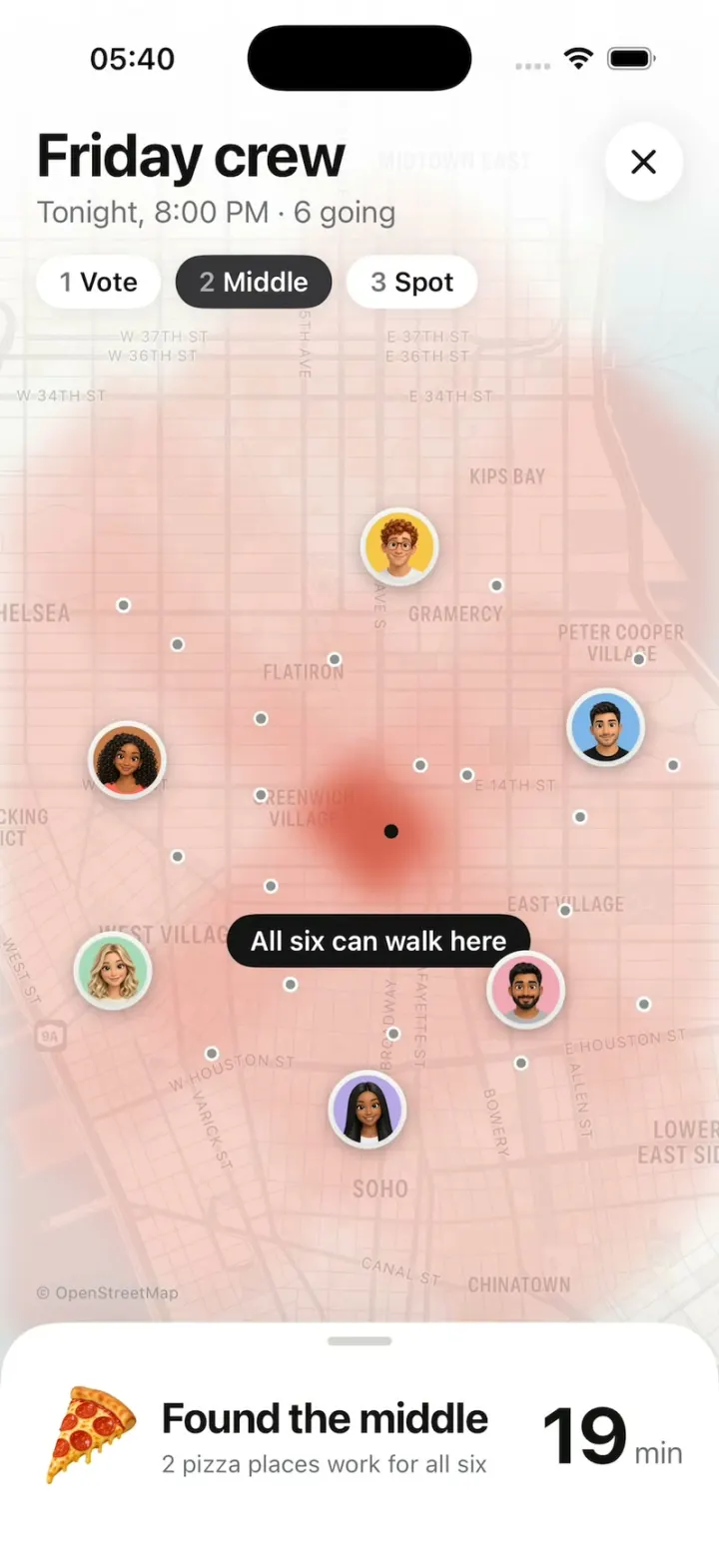
iOSFriends vote, a walking heat map grows from each of them, and it picks the pizza spot that's fair for all six.
- View template
Message Apps
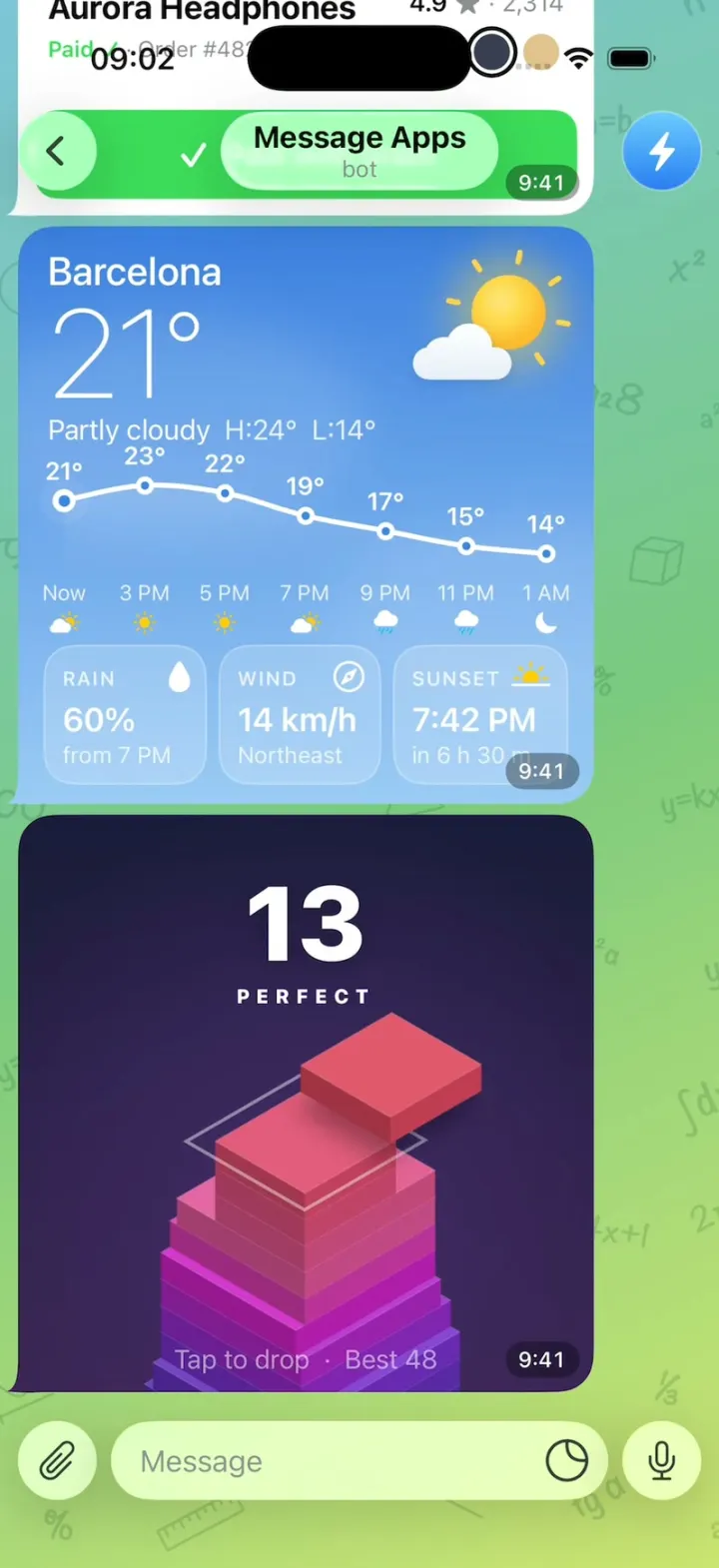
iOSA Telegram chat where every message is a live app: pay for headphones, check weather, play two games.
- View template
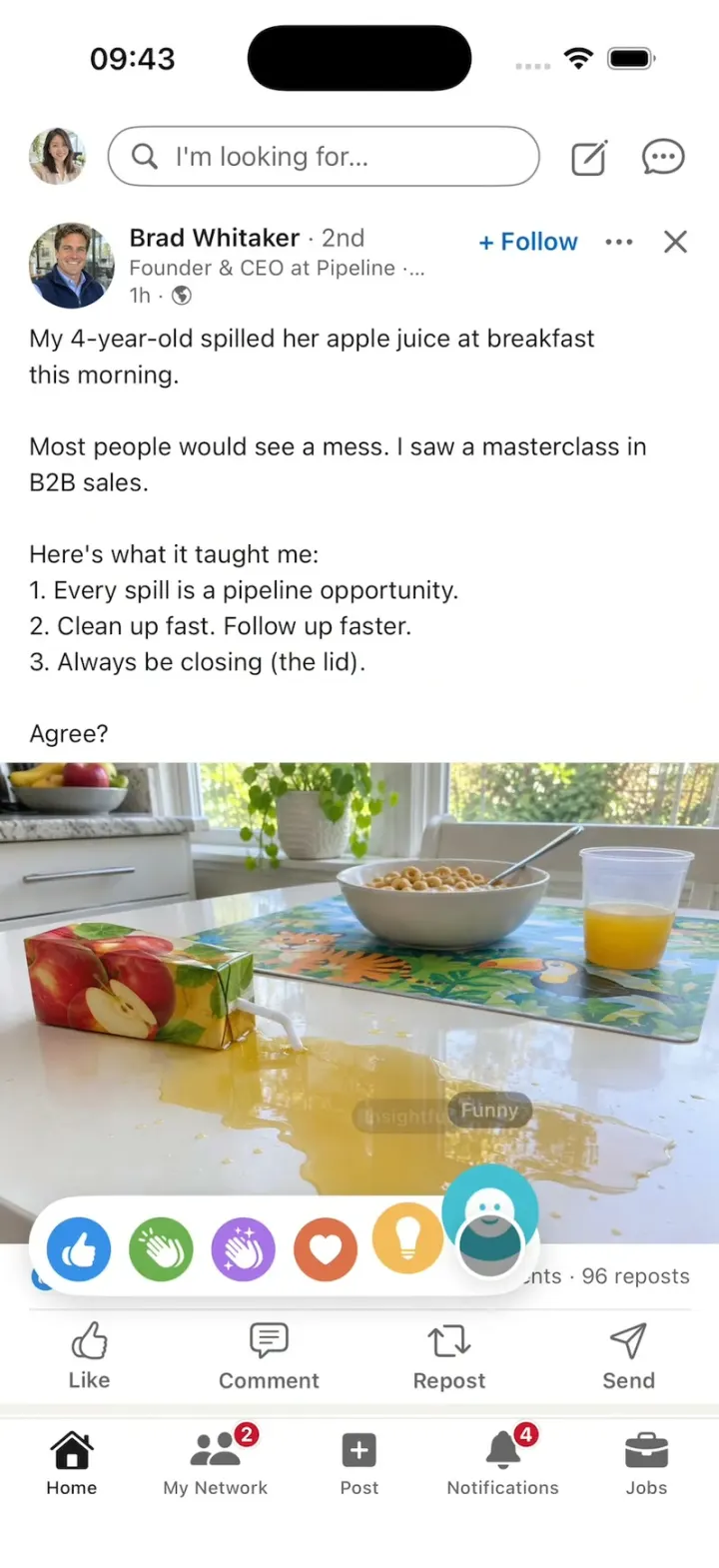
LinkedIn Clone
iOSA LinkedIn-style feed with all six reactions, Connect, Quick Apply and “See translation” on foreign posts.
- View template
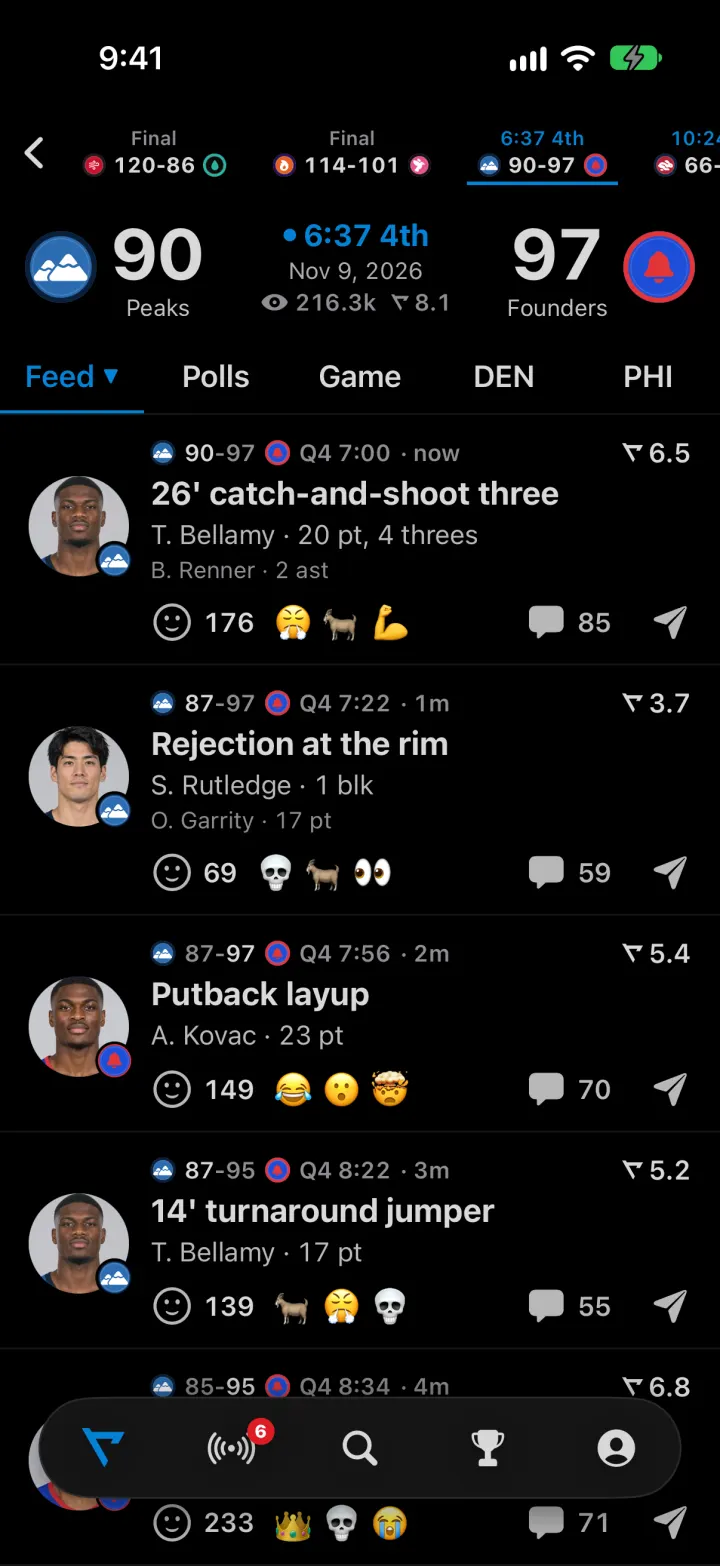
Real Clone
iOSLive games whose rated plays drop into the feed, with fan reactions, polls and an AI sports analyst