Apple Mail Clone
Apple Mail clone · Email app · from our videos on X
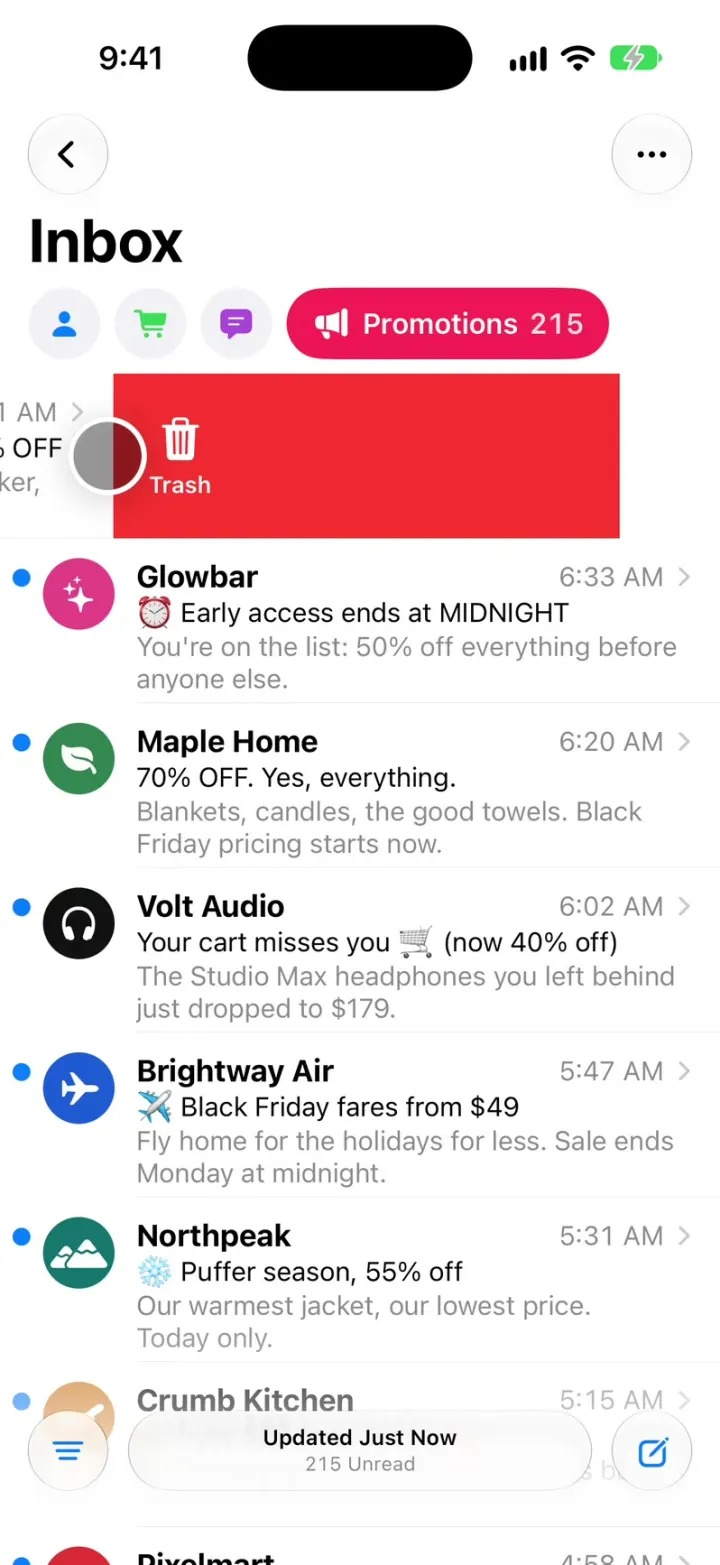
Apple Mail Clone is the iPhone's Mail app rebuilt in SwiftUI in the iOS 26 style. The Inbox splits into Primary, Transactions, Updates and Promotions under a Priority card of summaries, and every row swipes: right to mark it read, left for More, Flag and Trash, or all the way for the red full swipe to Trash. Open Mom's thread, reply and send, and Undo Send waits at the bottom. Transactions groups a store's order emails into one digest, and Promotions is flooded with Black Friday emails whose promo pages count down and let you unsubscribe in one tap. Pull to refresh and two more arrive; Mailboxes and search round it out.
- iPhone · Swift
- Built in 1 prompt
- Free to remix
Remix copies the working app into your account for free, exactly as we built it. It runs in Vibecode's cloud iOS simulator, in your browser.
Watch the video on X@vibecodeapp · Nov 25, 2026The prompt that builds it
We built Apple Mail Clone in one prompt. Paste it into a new app to build your own copy, or change it first.
Prompt · 3,252 words
Build Mail, a polished native iPhone app in SwiftUI in the iOS 26 system style of the iPhone's built-in Mail app: the Inbox with its four category buttons (Primary, Transactions, Updates, Promotions), swipe actions with the full swipe to Trash, Priority summaries, Transactions digests, a promo email with its Unsubscribe banner, threads, reply and compose with Undo Send, Mailboxes and search. The user is Alex Rivera in Brooklyn. Today is Wednesday, November 25, 2026, the day before Thanksgiving, and Promotions is flooded with Black Friday emails.

ASSETS
curl -L once and unzip flat: https://vibecode-mail-media.beacon.host/media.zip (mail-icon.png: the app icon; portraits 640x640: me, mom, grandma, maya, leo, priya, sam, mike, linda, nina (.jpg); product photos 800x800: p-sneakers, p-headphones, p-puffer, p-tv, p-airfryer, p-candles, p-tumbler, p-blanket, p-slippers (.jpg)). Add them all to the asset catalog. Brand logos are drawn in code. No image generation is needed.

SHELL
Opens on the Inbox with Primary selected: no splash, onboarding, sign-in or permission prompts. Light only (force .light), the status bar visible with dark text on every screen. Root = one ZStack: a NavigationStack (Mailboxes → Inbox → Message), the sheet layer (Compose), the notification banner layer, the toast, the touch dot, and the HOOK MODE window. Screens under a sheet or banner stay rendered at all times.

FORMAT (Format/)
One formatter with Locale(identifier: "en_US"); the simulator's region is not en_US, never use the device locale. List times: today "7:02 AM", then "Yesterday", weekday names this week ("Monday"), older "11/20/26". Counts use .monospacedDigit() and roll with .contentTransition(.numericText()).

FIXTURES (Data/Fixtures.swift: ONE list per kind; a new person, brand or message is one entry)
Me: "Alex Rivera", alexrivera@icloud.com, photo me.
People (id · name · photo): mom · Mom · mom; grandma · Grandma Rose · grandma; maya · Maya Chen · maya; leo · Leo Martin · leo; priya · Priya Shah · priya; sam · Sam Park · sam. VIP: mom, grandma.
Brands (id · name · colour · SF Symbol): sneakerhub · Sneakerhub · #FF5A1F · shoeprints.fill; glowbar · Glowbar · #E84A8A · sparkles; maple · Maple Home · #2E7D4F · leaf.fill; volt · Volt Audio · #111111 · headphones; brightway · Brightway Air · #1A5BD8 · airplane; northpeak · Northpeak · #0F6E6E · mountain.2.fill; crumb · Crumb Kitchen · #D9822B · frying.pan.fill; pixelmart · Pixelmart · #E53935 · tv.fill; cozyfeet · Cozyfeet · #8D6E63 · shoe.2.fill; wick · Wick & Co. · #6D4C41 · flame.fill; hydra · Hydra · #0091EA · waterbottle.fill; parcelpost · Parcelpost · #C58B00 · shippingbox.fill; brief · The Morning Brief · #222222 · newspaper.fill; neighbors · Park Slope Neighbors · #4CAF50 · person.3.fill. A brand's avatar = a 40 pt circle in its colour with its symbol in white.
Messages (id · category · from · subject · preview · time · unread · photo for promos):
PRIMARY: mom-thu · mom · "Thursday 🦃" · "Dinner's at 4. Don't forget the pie! Grandma is asking if you're bringing someone 👀" · 7:02 AM · unread; grandma-re · grandma · "Re: Thanksgiving" · "I'm making the green bean casserole. Please do NOT bring a store-bought pie. Love, Grandma" · 6:48 AM · unread; checkin · brightway · "Check in now: JFK → ORD tonight" · "Flight BW 482 departs 6:15 PM from Terminal 4. Your boarding pass is ready." · 6:05 AM · unread · flagged; maya-fg · maya · "Friendsgiving Saturday?" · "I'm bringing mac and cheese. Can you do drinks? Sam says he's handling dessert 😬" · Yesterday; leo-deck · leo · "Q4 deck: final" · "Last tweaks done. Enjoy the long weekend." · Yesterday; priya-photos · priya · "Photos from last year 📸" · "Found these from last Thanksgiving. The turkey incident lives on." · Monday; sam-pie · sam · "Dessert situation" · "Okay I may have bought a pie. Don't tell your grandma." · Sunday.
TRANSACTIONS: parcel-1 · parcelpost · "Delivered: your package is at the front door" · "Order #4471 was left at the front door at 6:20 AM." · 6:21 AM · unread; parcel-2 · parcelpost · "Out for delivery" · "Your package arrives today by 8 PM." · 5:02 AM; parcel-3 · parcelpost · "Your order has shipped" · "Order #4471 is on its way." · Monday; bw-receipt · brightway · "Your receipt: JFK → ORD" · "$248.40 · Confirmation K7Q2XM" · Monday.
UPDATES: brief-1 · brief · "82 million people are traveling this week" · "Your Thanksgiving travel guide: the worst times to drive, and the best." · 6:00 AM · unread; trot · neighbors · "Turkey Trot is Thursday 🏃" · "Prospect Park, 8 AM. Costumes encouraged." · Yesterday.
PROMOTIONS (all unread, 215 in total): bf-1 · sneakerhub · "🔥 BLACK FRIDAY STARTS NOW: 60% OFF" · "Doors are open early, Alex. Every sneaker, every size, while it lasts." · 6:41 AM · p-sneakers; bf-2 · glowbar · "⏰ Early access ends at MIDNIGHT" · "You're on the list: 50% off everything before anyone else." · 6:33 AM; bf-3 · maple · "70% OFF. Yes, everything." · "Blankets, candles, the good towels. Black Friday pricing starts now." · 6:20 AM · p-blanket; bf-4 · volt · "Your cart misses you 🛒 (now 40% off)" · "The Studio Max headphones you left behind just dropped to $179." · 6:02 AM · p-headphones; bf-5 · brightway · "✈️ Black Friday fares from $49" · "Fly home for the holidays for less. Sale ends Monday at midnight." · 5:47 AM; bf-6 · northpeak · "❄️ Puffer season, 55% off" · "Our warmest jacket, our lowest price. Today only." · 5:31 AM · p-puffer; bf-7 · crumb · "Air fryer $59 (was $129) 🍗" · "The doorbuster everyone asked for is back." · 5:15 AM · p-airfryer; bf-8 · pixelmart · "BIGGEST TV DEALS OF THE YEAR 📺" · "65-inch 4K for $299. Doorbusters drop every hour until Friday." · 4:58 AM · p-tv; bf-9 · cozyfeet · "Slippers for the whole family: BOGO 🧦" · "Buy one, get one free. The family photo just got cozier." · 4:40 AM · p-slippers; bf-10 · wick · "🕯️ 3 candles for $20" · "Pumpkin Spice and Cozy Cabin are back for Black Friday." · 4:12 AM · p-candles; bf-11 · hydra · "Tumblers 40% off. TODAY ONLY." · "Every colour, every size, until midnight." · 3:55 AM · p-tumbler. Then PromoFiller makes the other 204 from a seeded RNG (seed 25): 27 more stores named from two word lists (Urban, Cedar, Lumen, Golden, Harbor, Velvet, Summit × Supply, Goods, Market, Outfitters, Co.) plus the 11 promo brands (38 stores in all), subjects from templates ("{n}% OFF EVERYTHING 🔥", "Black Friday early access", "Last chance: Black Friday deals ⏰", "Doorbusters live now", "Your cart is waiting 🛒", "Free shipping + {n}% off"), times going back through Yesterday, Monday, Sunday, Saturday.
ARRIVALS (not in the inbox at launch): bf-new-1 · sneakerhub · "🔥 You left 65% OFF behind" · "Still thinking about it? Your size is almost gone." · 7:10 AM · p-sneakers; bf-new-2 · glowbar · "LAST CHANCE (for real this time) ⏰" · "We mean it. Probably." · 7:10 AM.
Bodies: people write 2-4 short lines plus "Sent from my iPhone"; mom-thu is a thread of 3 (Mom, Alex "I'll bring the pie 🥧", Mom). Promos use PromoBody.

MAIL (Mail/: the seams a remix uses)
- MailStore (@Observable, one, at the root): messages, selected category, unread and Trash state, open swipe row, flags, banner queue, toast, rule banners. Every count on screen (the category capsule's count, the bottom bar's "N Unread", Mailboxes) reads from it and rolls.
- SwipeState: one per row, the row's x offset. Real drags and the script move the same value; release(row) is ONE function both use. trash(ids, stagger) is ONE path: each visible row takes the full-swipe exit (the content and its red Trash slab slide off to the left, 0.16 s), rows start `stagger` seconds apart top to bottom; a single trash then collapses the row's height (0.25 s) as the rows below slide up; a bulk trash removes every matching row at once after the last visible slab is gone. Counts roll down as rows leave (a bulk trash rolls the count to its end value over 1.0 s).
- arrive(ids): new rows slide down into the top of the list (spring 0.3 s, rows below push down), each with its unread dot; counts roll up; the bottom bar reads "2 New Messages" for 1.5 s, then "Updated Just Now".
- MailRule: id, category, keywords (matched in subject + preview, case-insensitive; empty = every message in the category), emoji, title (with {count} and {stores}), subtitle, actionLabel, doneEmoji, doneTitle, doneSubtitle (with {count} and {stores}). MailRuleCatalog.all = [] (empty in this app). When a rule has matches, its RuleBanner sits at the top of its category's list: a card (#F2F2F7, corner 18, 12 pt padding): a 36 pt red circle holding the emoji, title 15 pt semibold, subtitle 13 pt secondary, then a full-width red pill (44 pt, white 16 pt semibold actionLabel); it drops in with a spring (0.3 s) and pushes the list down. The pill runs trash(matches, stagger: 0.08) and then shows the rule's EmptyState: doneEmoji 64 pt popping in (0 → 1.15 → 1, 0.3 s), doneTitle 28 pt bold, doneSubtitle 17 pt secondary, centred in the list area. A category with no messages and no rule shows "No Mail" (22 pt semibold, secondary).
- NotificationBanner: an iOS-style banner drawn in the app: drops from the top under the status bar (spring 0.35 s), 10 pt side margins, Liquid Glass (.glassEffect) or ultraThinMaterial, corner 26: the 38 pt mail-icon (corner 9), sender (15 pt semibold), body (15 pt), "now" at the right (13 pt secondary); stays 3 s or until swiped up; a tap opens the message. notify(message) shows it and adds the message to its category, unread.

SCREENS
1. Inbox (the hero): top bar of Liquid Glass circles (44 pt, .glassEffect): chevron.left at the left (to Mailboxes), ellipsis at the right; the large title "Inbox" (34 pt bold). The category bar under it: four buttons, 40 pt tall: the selected one is a capsule filled with its colour holding its white icon, white label (16 pt semibold) and its unread count (16 pt semibold, white 85%); the others are 40 pt circles (#F2F2F7) holding their icon in their colour. Primary #007AFF person.fill, Transactions #34C759 cart.fill, Updates #AF52DE text.bubble.fill, Promotions #FF2D55 megaphone.fill. Switching morphs the capsule (matchedGeometryEffect, spring 0.35 s). Rows (white, ~92 pt): a 10 pt #007AFF unread dot in the left margin, the 40 pt avatar (photo or brand circle), the sender (17 pt, bold when unread), the time (15 pt secondary) with chevron.right (12 pt #C7C7CC) at the right, the subject (15 pt), the preview (15 pt secondary, 2 lines); an orange flag.fill beside the time when flagged; #E5E5EA separators inset to the text. Pull to refresh in Promotions brings in the two ARRIVALS. A bottom Liquid Glass bar floating 8 pt above the home indicator, 16 pt side margins: a 44 pt glass circle with line.3.horizontal.decrease at the left (Unread filter: fills blue, the status reads "Filtered by: Unread"), the status in the middle ("Updated Just Now", 12 pt semibold, over "215 Unread", 11 pt secondary), a 44 pt glass circle with square.and.pencil (#007AFF) at the right (Compose).
2. Swipe actions on every row: dragging left reveals three full-height actions at the right, 74 pt each: More (#8E8E93, ellipsis.circle.fill), Flag (#FF9500, flag.fill), Trash (#FF3B30, trash.fill), white 22 pt icons over 13 pt semibold labels. Past 60% of the row width the Trash action grows to fill the whole revealed area (the icon rides its leading edge); release there = the trash exit; past 80 pt opens the actions (spring 0.3 s); else it springs back. Dragging right reveals the blue (#007AFF) Unread/Read action (envelope.badge.fill); a full swipe toggles the dot. One row open at a time; scrolling closes it. Flag adds the flag; More opens a menu (Reply, Forward, Mark, Move).
3. Primary: a "Priority" card above the list (#F2F2F7, corner 18, "Priority" with sparkles in a purple-orange gradient) with two summaries: Brightway Air "Check in now for tonight's 6:15 PM flight to Chicago." and Grandma Rose "Making green bean casserole; asks you not to bring a store-bought pie."
4. Transactions: Parcelpost's three messages are ONE digest card (brand circle, name, a "3" capsule, the latest subject, "Your order was delivered to the front door."); a tap expands it into its rows (spring 0.35 s).
5. Message (pushed): Liquid Glass circles: chevron.left (back), chevron.up and chevron.down (previous/next message) at the right. The header: the 44 pt avatar, the sender (17 pt semibold), "To: Alex Rivera" (15 pt secondary) with "Details" in #007AFF, the time at the right; the subject (22 pt bold); a separator; the body (17 pt). A thread shows each message as a card with its sender and time, the newest last. Promos open with Mail's mailing-list banner on top ("This message is from a mailing list." + "Unsubscribe" in #007AFF; a tap asks "Unsubscribe from Sneakerhub?" with an Unsubscribe button, and the banner then reads "You've unsubscribed" with checkmark.circle.fill), then PromoBody: the brand circle + name (22 pt heavy, brand colour), the hero photo (full width, 1:1) or a colour block with the symbol at 96 pt, the subject as a 30 pt black headline, the preview, a countdown box "ENDS IN 16:59:42" ticking every second (monospaced 24 pt, the brand colour), a full-width "SHOP NOW" pill in the brand colour (toast "Opening store…"), and "Unsubscribe" small at the bottom. A bottom glass bar: trash (goes back and that row takes the trash exit), folder (toast "Moved to Archive"), arrowshape.turn.up.left (Reply), square.and.pencil.
6. Compose (sheet .large): an xmark glass circle, "New Message" (17 pt semibold), a 36 pt #007AFF circle with a white arrow.up (grey until there's a recipient). Rows: "To:" (typing suggests people; a pick becomes a blue name), "Cc/Bcc, From: alexrivera@icloud.com", "Subject:", the body with "Sent from my iPhone". Reply prefills To, "Re: <subject>" and the quoted message ("On Nov 25, 2026, at 7:02 AM, Mom wrote:"). Send: the sheet slides down, the bottom bar shows "Sending…" over a thin #007AFF progress line (0.8 s), then "Undo Send" for 4 s (a tap reopens the sheet); the reply joins its thread.
7. Mailboxes (back from the Inbox): "Mailboxes" (34 pt bold), "Edit"; rows with #007AFF symbols and counts: tray.fill All Inboxes (220), envelope iCloud (220), star.fill VIP (2), flag.fill Flagged (1), doc Drafts (1), paperplane Sent, xmark.bin Junk (12), trash Trash (rolls up as you trash), archivebox Archive. A tap opens its list.
8. Search: pulling the list down shows a search field under the category bar; typing filters by sender, subject and preview.

HOOK (the video's first seconds)
- ScriptStep (absolute seconds from the start, action): reset, dot(to: CGPoint, duration:), dotHide, swipe(row, to: x, duration:), release(row), press(CGPoint), arrive([ids]), showRule(id), runRule(id), notify(messageId), select(category), hold. ScriptPlayer runs a [ScriptStep] on the main actor against its start time (absolute times, so drift never builds). Scripted steps call the same MailStore and SwipeState code as real touches. Every wait uses the step's own time, never the app's normal delays.
- DemoScript helpers a remix appends to: swipeTrash(start:row:) = the dot (glides there 0.15 s if it isn't on the row) and the row move left together to -330 pt over 0.26 s (easeIn), +0.28 release (the trash exit); arrive(start:ids:); showRule(start:ruleId:) (the banner drops in); tapRule(start:ruleId:) = the dot glides to the banner's pill (0.18 s), +0.22 press + runRule; notify(start:messageId:).
- HOOK MODE: tapping an invisible 24x60 pt strip at the RIGHT edge (x 378-402, y 430-490 pt), drawn in its own window above every sheet and banner (a tap there closes whatever is open), resets everything and plays DemoScript.hook, identical every time (seconds from the tap):
 0.00 reset with no animation: the Inbox, Promotions selected, the list at the top, every message back to the fixtures (215 unread in Promotions, arrivals undone, Trash empty), sheets, banners, rule banners and toasts closed, the top row (bf-1) ALREADY swiped to -120 pt with its three actions showing, the dot ALREADY VISIBLE on that row at x 270 pt.
 swipeTrash(start: 0.15, row: 0): Trash fills the row by ~0.35, release 0.43, the slab off by 0.59, the row collapses 0.59-0.84, Promotions 215 → 214.
 arrive(start: 0.84, [bf-new-1, bf-new-2]): both slide in at the top, 214 → 216.
 1.20 dotHide. Then hold (real taps work again).
- What the eye must see: frame 0 fully drawn (the title, the pink "Promotions 215" capsule, the rows, the top row's actions, the dot; no fade-in); the Trash slab never vanishes in one frame (it slides off over 5 frames at 30 fps); counts roll, never jump.
- TouchDot: drawn above everything in HOOK MODE only: a 44 pt circle, black 35% fill, a 3 pt white ring, a soft shadow; scales in as it lands (0.12 s) and glides between points.

LOOK
iOS 26 system style: white backgrounds, #F2F2F7 grouped surfaces, label #000000, secondary #8A8A8E, tertiary #C7C7CC, separators #E5E5EA, blue #007AFF, red #FF3B30, orange #FF9500, grey #8E8E93, green #34C759, purple #AF52DE, pink #FF2D55. SF Pro (no rounded fonts). Liquid Glass (.glassEffect) on the top circles, the bottom bar and the notification banner. Springs under 450 ms, light haptics, pressed states (scale 0.97). Photos decoded at launch off the main thread into one image cache.

RULES
- Native SwiftUI, iOS 26 (keep the template's target), iPhone portrait.
- Deterministic fixtures. No backend, login, permissions, notifications, analytics or network calls at runtime. No persistence: delete the SwiftData starter, no UserDefaults or files.
- The list is a custom LazyVStack in a ScrollView (not List), so swipes and exits are ours.
- Files under 300 lines, big bodies split into subviews, no long chained expressions; every animation smooth at 60 fps.
- Keep every file inside /home/user/workspace (/tmp is denied).

REMIX-READY
Theme/Theme.swift (colours, fonts, metrics; no colour literals elsewhere), Theme/Copy.swift (every word), Data/Fixtures.swift, Data/PromoFiller.swift, Data/DemoScript.swift. Codable models with String ids (Person, Brand, Message, Thread, MailCategory, Mailbox, MailRule) behind one MailDataSource protocol (FixtureSource) feeding MailStore. MailStore, SwipeState, MailRuleCatalog, RuleBanner, EmptyState, NotificationBanner and ScriptPlayer are the seams. Components/: MessageRow, SwipeableRow, SwipeActionTile, Avatar, BrandAvatar, CategoryBar, GlassCircleButton, BottomStatusBar, RuleBanner, EmptyState, NotificationBanner, TouchDot, Toast, PromoBody, Countdown; Features/Inbox, Features/Message, Features/Compose, Features/Mailboxes, Features/Search. README.md under 80 lines: the file map; how to rename the app, restyle it, add a person, a brand, a message or a mail rule; 3 one-prompt remixes (a support inbox for a small shop with canned replies; a newsletter reader with a reading queue; a family inbox where kids' emails need a parent's OK). "Read README.md first." atop CLAUDE.md and ios/AGENTS.md; replace ios/CLAUDE.md's structure block with this app's files. No scratch folders.

FILMING
Long-press the large title "Inbox" for 1 s to reset everything to launch (Primary, fixtures, sheets, banners and toasts closed).

BUILD
Theme, Copy, Format and Fixtures, then the Inbox with the category bar, rows and the bottom bar (launch and look first), then SwipeableRow with SwipeState and the trash exit, then the Message view with PromoBody and threads, then Compose with Undo Send, then Priority, the digest, Mailboxes and search, then ScriptPlayer, TouchDot, arrivals, RuleBanner, EmptyState, NotificationBanner and HOOK MODE; a one-line status per screen; launch in the simulator every two or three files. Fetch media.zip as soon as the shell runs; check the files exist, never view them. Walk each flow once and fix what breaks; no pixel measuring or debug modes. Deliver the whole app, not a plan. Do not publish.
More templates
All templates- View template
UI Moments
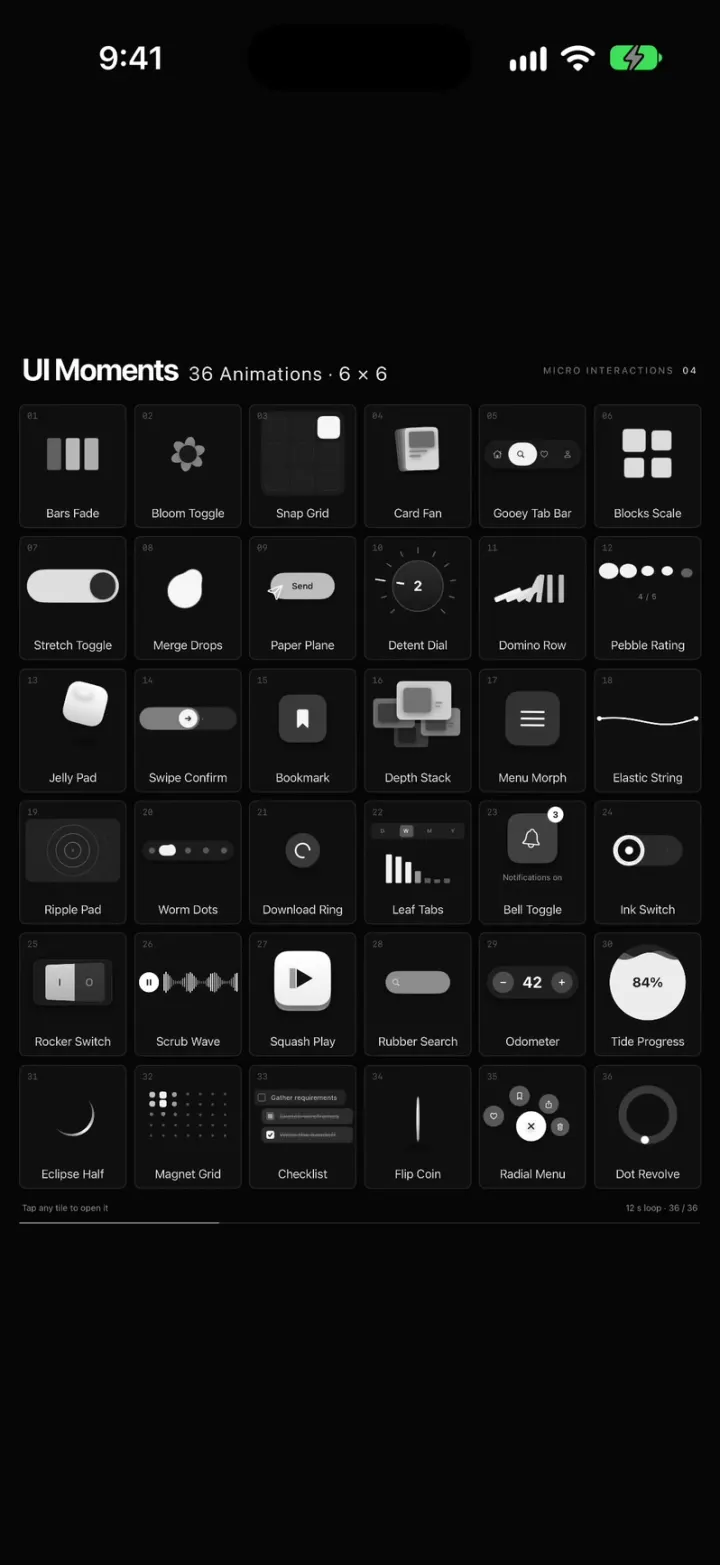
iOS36 micro-interactions on one dark board, all looping in sync. Tap any tile to open it big.
- View template
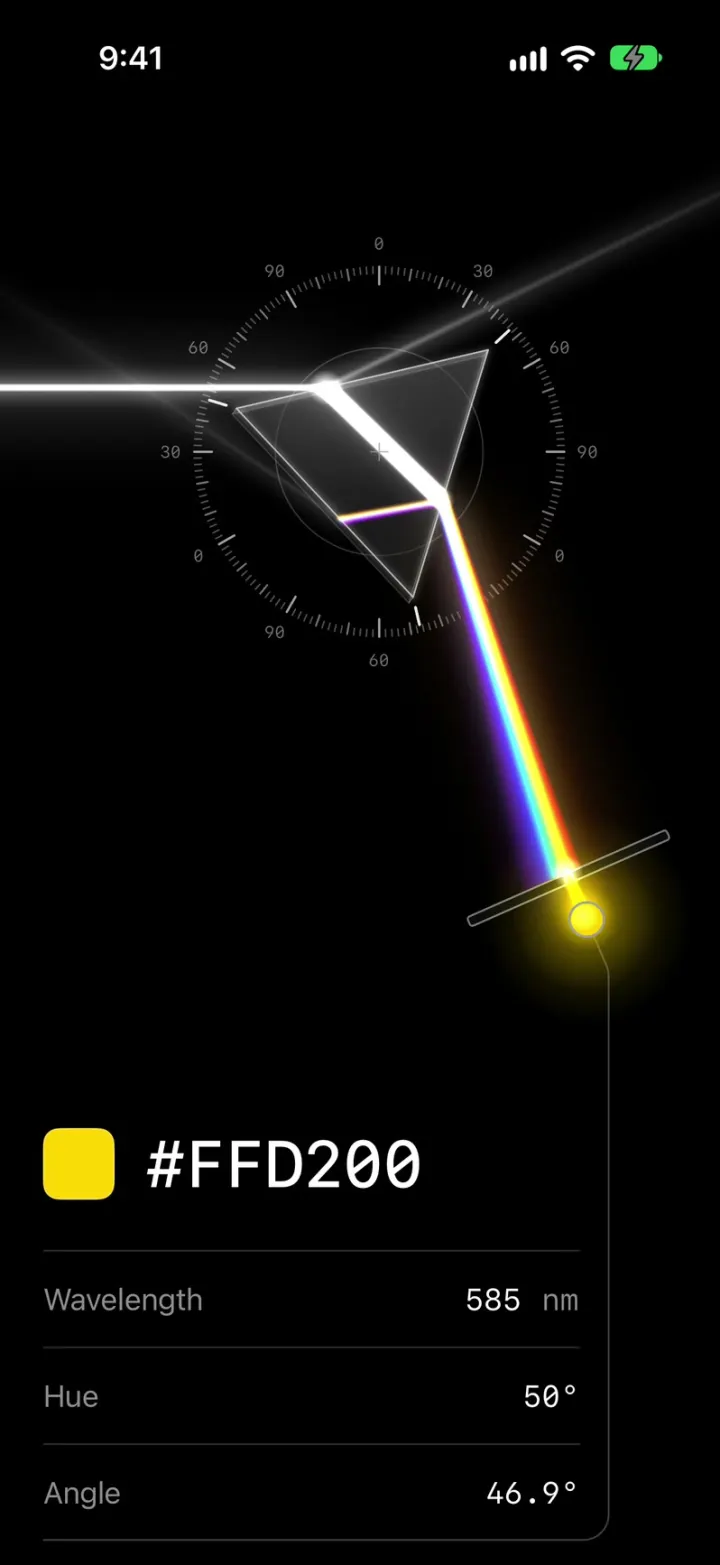
Prism
iOSA color picker made of real light: turn a glass prism and the rainbow slides across a slit to pick your color.
- View template
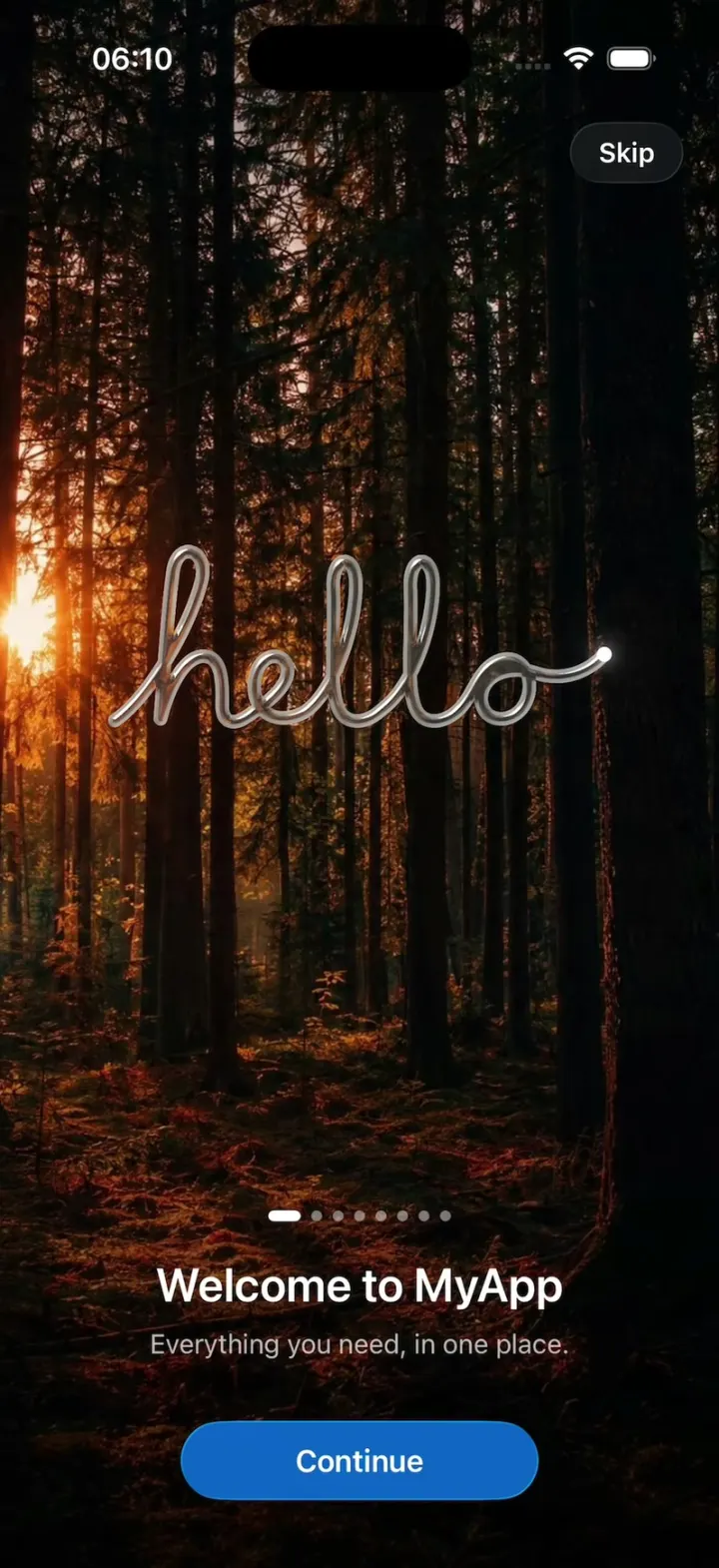
Glass Intro
iOSA Liquid Glass first-launch intro: hello written in glass, a 3D cube, falling nodes and a mark that lights up.
- View template
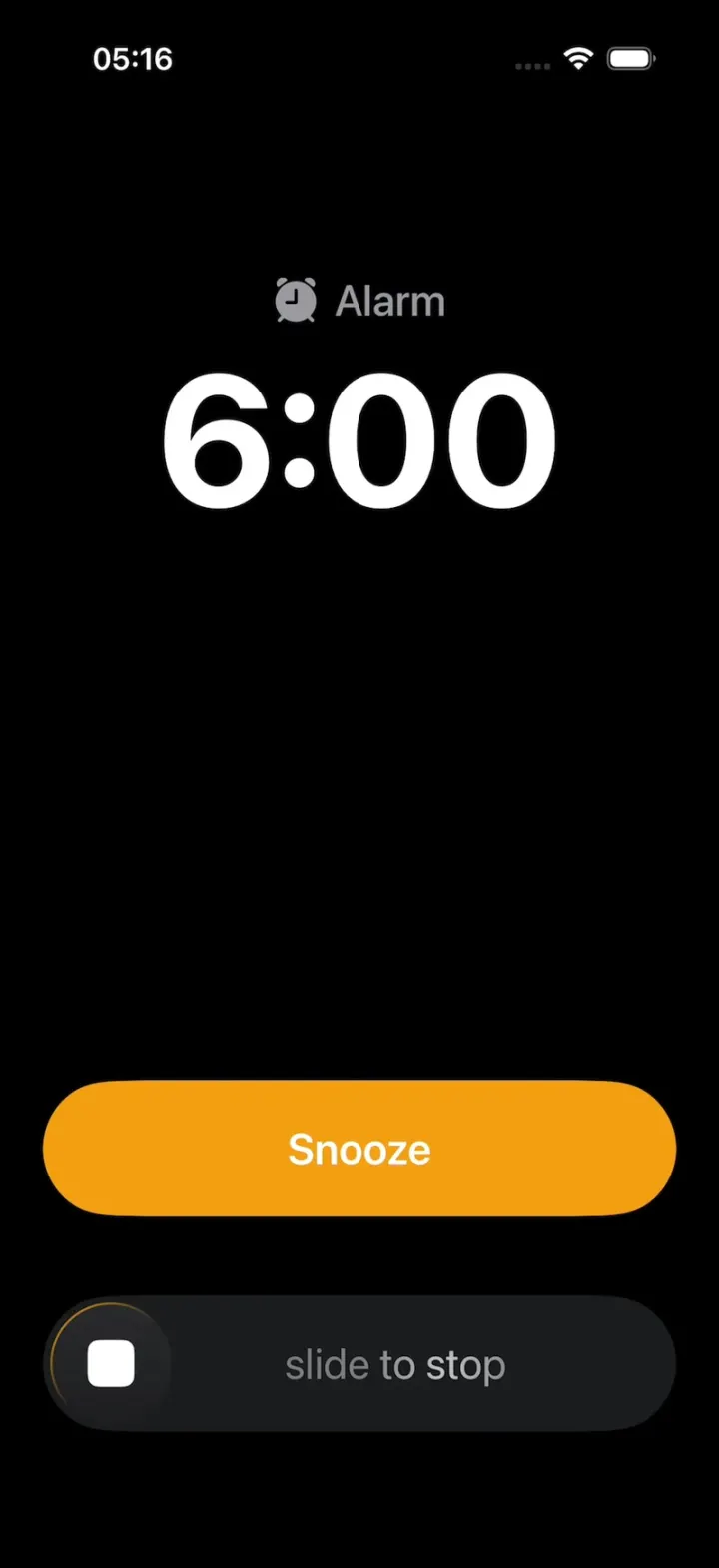
Apple Clock Clone
iOSThe iPhone Clock app: the iOS 26 alarm with slide to stop, a snooze countdown, laps, timers and world clocks.