
Table of contents
TL;DR
- Rork wins for a native Swift iPhone app you describe in chat. FlutterFlow Studio wins if you'd rather design every screen yourself.
- FlutterFlow is now two products. Its new AI builder submits to the App Store for you, but you can't export its code.
- As of November 25, 2026, Rork's own pages disagree on who submits your app. Its FAQ says Rork does when you confirm. Its App Store guide has you do it in App Store Connect.
- Building for iPhone first? Vibecode writes native Swift, runs it in a live iOS Simulator in your browser and sends it to Apple for review.
- Vibecode Plus and Rork Max are $20 a month, about half of FlutterFlow's $39. Your first Vibecode build is free!
Rork vs FlutterFlow comes down to one choice: describe your app, or design it. Both can put an iPhone app on the App Store, and both have a catch.
Only need an iPhone app? There's a third option, Vibecode. We'll show you where each one wins, with a source for every fact.
Build your first iPhone app freeIs Rork or FlutterFlow better for an iPhone app?
As of November 2026, Rork wins for a native Swift app you build by chat. FlutterFlow wins if you'd rather design every screen yourself, or run one Flutter app on both phones.
Here's the pick for each kind of builder:
- You want to describe the app, not design it. Pick Rork. Its agent writes Swift with SwiftUI, Apple's own framework.
- You want to place every button yourself. Pick FlutterFlow Studio, its visual editor. You can download the Flutter code from $39 a month.
- You like FlutterFlow, but you'd rather chat. Its new AI builder builds the app from a description and sends it to Apple and Google for review. You can't export its code, though.
- You need Android too. Both cover it. Rork adds a separate Kotlin app. FlutterFlow runs the same Flutter app on both phones.
- You only need an iPhone app. Pick Vibecode. It writes native Swift and submits your app for review. Your first build is free.
The code differs too. FlutterFlow apps are Flutter apps written in Dart, in both of its products. Rork writes a separate native app for each platform: Swift for iPhone, Kotlin for Android.
Rork vs FlutterFlow at a glance
Rork and Vibecode write native Swift from a chat, from $20 a month. FlutterFlow's two products, the AI builder and Studio, make Flutter apps from $39. Every cell links its source, checked on November 25, 2026.
All of them need Apple's Developer Program to publish, at $99 a year.
Can Rork or FlutterFlow publish to the App Store for you?
FlutterFlow's AI builder submits for you, while Studio makes you finish in App Store Connect. Rork's own pages disagree on whether Rork submits or you do. Vibecode submits Swift apps for you.
Rork: its FAQ says yes, its guide says you submit
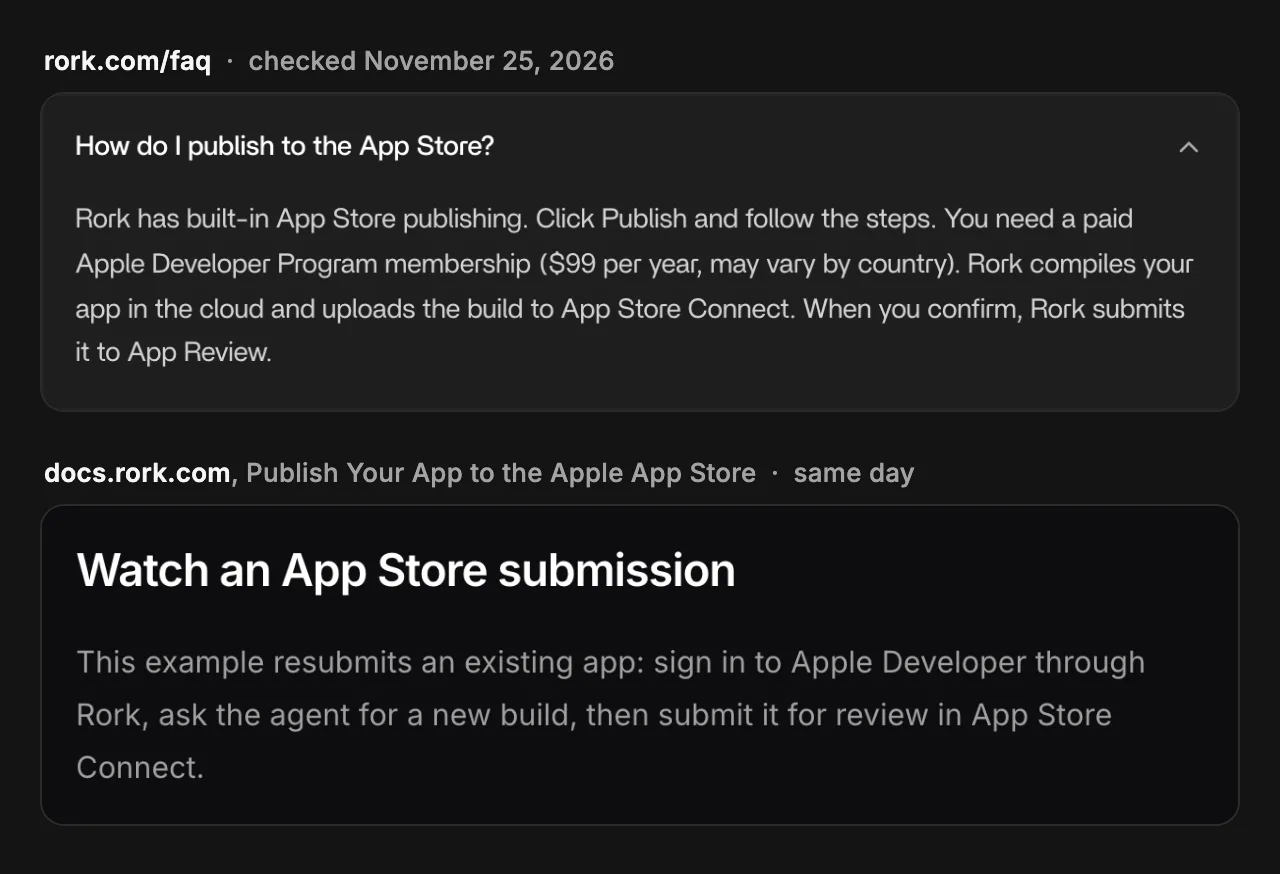
Rork's FAQ says Rork uploads your build to App Store Connect. Then it says, "When you confirm, Rork submits it to App Review."
Rork's App Store guide says otherwise. Its walkthrough has you "submit it for review in App Store Connect." Its last step agrees. You finish your Product Page there, "then you can finally submit to the App Store!"
We checked both on November 25, 2026. Until they match, check what Publish offers in your own Rork project.
FlutterFlow: yes in the AI builder, no in Studio
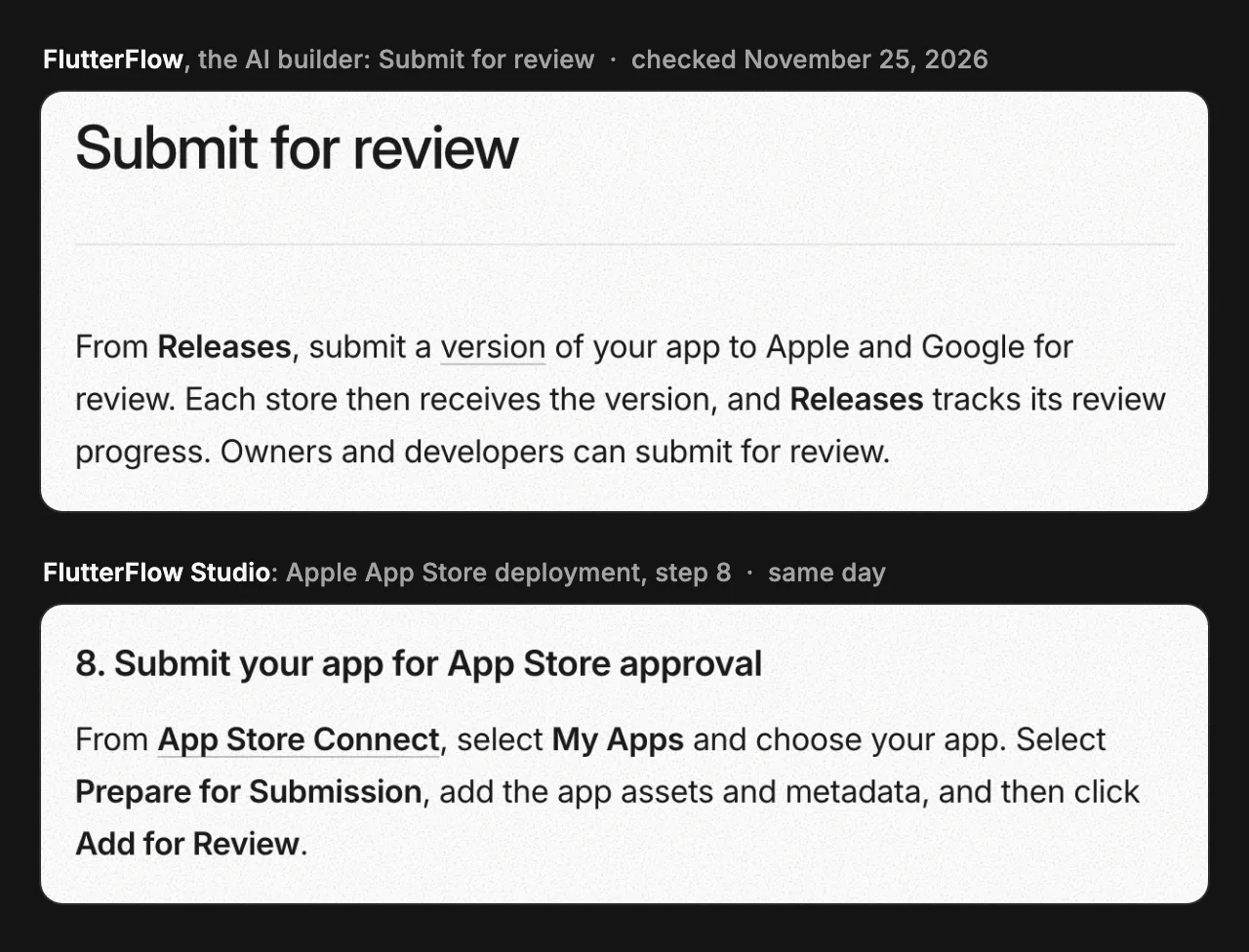
The new FlutterFlow submits for you. Its docs say, "From Releases, submit a version of your app to Apple and Google for review."
FlutterFlow Studio stops one step short. It builds your app and uploads it. Then its App Store guide has you add your details in App Store Connect and click Add for Review.
Vibecode: it submits your Swift app for review
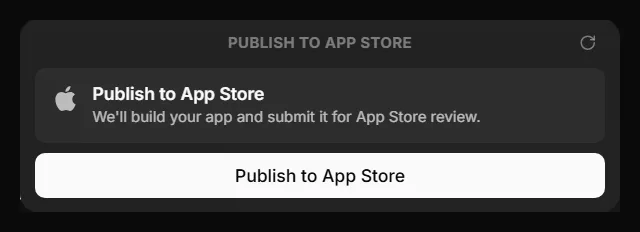
No clicking Add for Review yourself. Press Publish, then Publish to App Store, and Vibecode builds, signs, uploads and submits your Swift app for review with your Apple Developer account.
App Store submission comes with Plus. Our App Store guide walks you through it.
Rork vs FlutterFlow for a beginner
For a beginner, Rork is easier than FlutterFlow Studio. You chat in plain English instead of learning widgets, actions and app state.
FlutterFlow's new AI builder chats too. Here's what trips up beginners on each:
- Rork. The free plan only designs. To build a working app, you need Rork Max, from $20 a month.
- FlutterFlow's AI builder. You can't export the code, and it has no in-app purchases through the App Store. It takes payments through Stripe Checkout instead.
- FlutterFlow Studio. You place the widgets and wire the actions yourself, with some AI help. Testing on an iPhone with Local Run needs a Mac with Xcode.
Vibecode gives beginners the same chat, without Rork's design-only free plan. You describe your app, the agent writes it in Swift and tests it in the simulator, and your first build is free.
Is there something made just for iPhone?
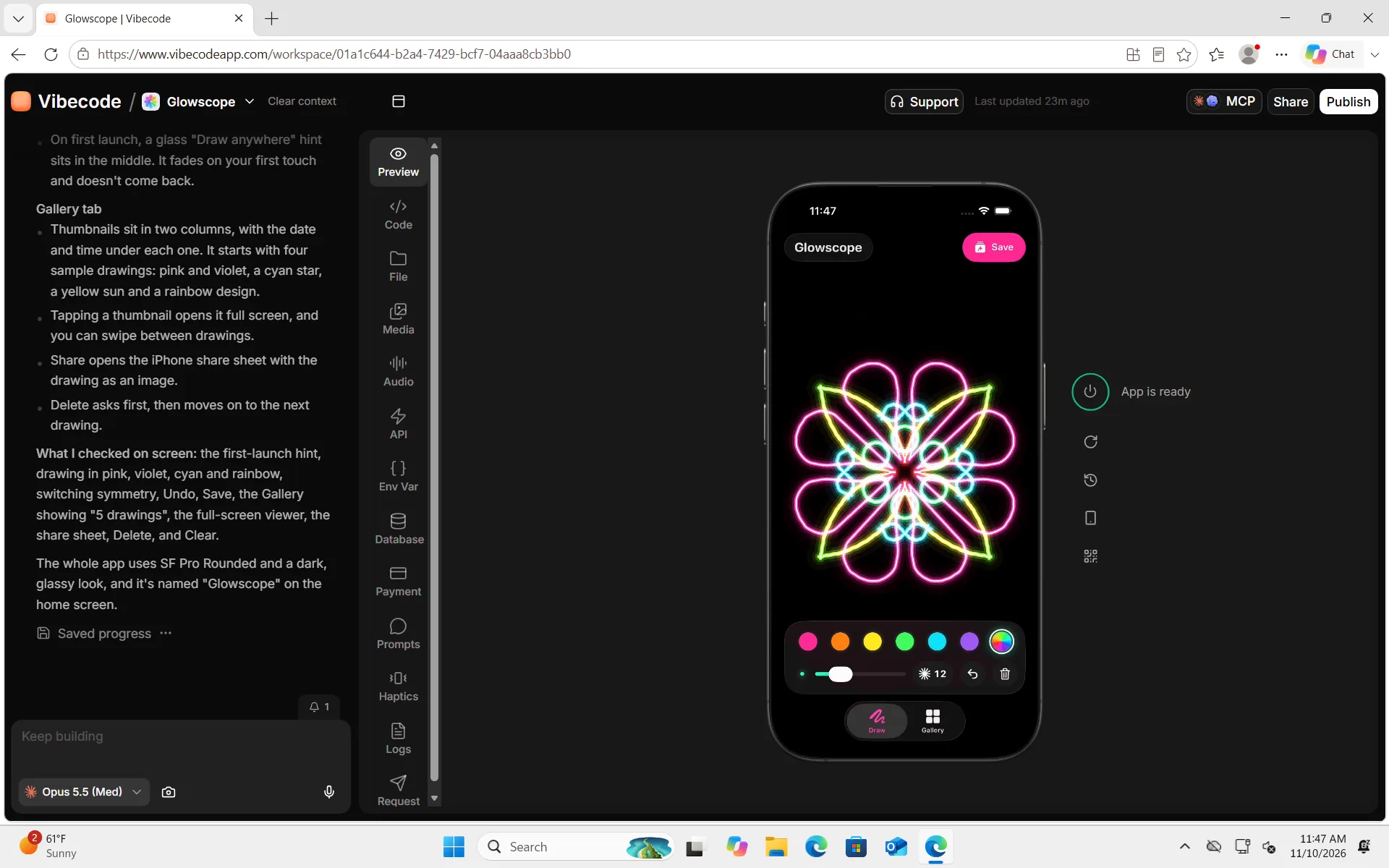
Yes. Pick iOS app in Vibecode, and it builds a native Swift app in SwiftUI, Apple's own toolkit, not Flutter or a web view.
Why iPhone-first builders pick Vibecode:
- Your first build is free. It's a working Swift app, not a design. Rork's free plan only designs.
- No Mac. Your app runs in a live iOS Simulator in your browser, even on Windows.
- App Store review, handled. Vibecode builds, signs, uploads and submits Swift apps with your Apple Developer account.
- $20 a month, about half of FlutterFlow's $39. Plus includes App Store submission, at the same price as Rork Max.
- Credits that roll over. Rork's unused plan credits don't carry over. Vibecode's monthly AI credits do.
- Android later? Start a React Native project instead. It runs on iPhone and Android. Google Play isn't built in: on Pro ($50 a month), you download the Expo project and publish it yourself.
Rork vs FlutterFlow pricing
Vibecode Plus and Rork Max start at $20 a month, about half of FlutterFlow's $39 Basic plan. Your first Vibecode build is free, while Rork's free plan only designs.
Here's every plan, checked on each vendor's own page on November 25, 2026:
| Free | First paid plan | Bigger plans | |
|---|---|---|---|
| Rork | Design mode only | Rork Max, $20 a month for 100 credits | $200, $500, $900 or $1,800 a month, for more credits |
| FlutterFlow | A free AI allowance, and 2 projects in Studio | Basic, $39 a month ($29 a month billed yearly) | Pro $80 and Max $150 a month |
| Vibecode | First app build free | Plus, $20 a month ($200 a year) | Pro $50 and Max $200 a month |
A few things the prices don't show:
- FlutterFlow is one plan for both products. In Studio, code download starts on Basic, and GitHub starts on Pro.
- Rork changed its plans on November 23, 2026. New buyers get Rork Max from $20, which now includes iPad, Apple Watch and Vision Pro apps. Rork Pro stays for people who already have it.
- Vibecode Plus includes App Store submission. Code download starts on Pro, at $50 a month.
Which should you pick?
- Pick Rork if you want to describe the app and get native Swift and Kotlin code, with GitHub export.
- Pick FlutterFlow Studio if you want to design every screen, and one Flutter app on iPhone, Android and the web.
- Pick FlutterFlow's AI builder if you want FlutterFlow by chat, with store submission, and you don't need the code.
- Pick Vibecode if iPhone comes first. You get native Swift, a live browser simulator with no Mac, and App Store submission for $20 a month. Your first build is free.
Want more detail? See Vibecode vs Rork, Vibecode vs FlutterFlow, the best FlutterFlow alternatives and the best Rork alternatives.
Build your first app freeFrequently asked questions
Is Rork better than FlutterFlow?
For a native iPhone app, yes. Rork writes Swift with SwiftUI, while FlutterFlow makes Flutter apps in Dart. Pick FlutterFlow to design screens visually or ship one app to iPhone, Android and the web. For iPhone first, Vibecode also builds native Swift, and your first build is free.
Does Rork use Flutter?
No. Rork builds iPhone apps in Swift with SwiftUI, and Android apps in Kotlin with Jetpack Compose. Rork's own Rork vs FlutterFlow guide says it can import a FlutterFlow project from GitHub and rebuild it as native Swift and Kotlin apps.
Can FlutterFlow make a native iPhone app?
It makes a real iPhone app that people install from the App Store. But the app is written in Flutter and Dart, not Swift. For a Swift and SwiftUI app, use Rork or Vibecode.
Is FlutterFlow free?
Partly. As of November 25, 2026, the free plan gives you a free first version in the AI builder, then a few changes a week, plus 2 projects in Studio. Store deployment from Studio starts on Basic, at $39 a month.
Do I need a Mac for Rork or FlutterFlow?
Not to build or publish. Rork's guide says it builds the app on its own machines, so you don't need Xcode or a Mac. FlutterFlow builds the app for you too. Studio's Local Run is the exception: testing on an iPhone with it needs a Mac with Xcode.
Which is cheaper, Rork or FlutterFlow?
Rork, by about half. Rork Max starts at $20 a month, and FlutterFlow Basic is $39 ($29 a month billed yearly). Vibecode Plus is $20 a month too, and your first build is free. Rork's free plan only designs.
Is Vibecode a Flutter app builder?
No. Vibecode's iOS app projects are native Swift and SwiftUI, not Flutter, React Native or a web view. For one app on iPhone and Android, Vibecode builds React Native (Expo) projects.
About the editorial team
Vishal is a product engineer at Vibecode. Before Vibecode he did product engineering at EarnIn and co-founded Ivella (YC S21), a banking app for couples. He studied computer science at Duke.

More from the Vibecode blog
Tutorial
How to turn a Blink.new project into a mobile app
Rebuild a Blink.new project as a mobile app in Vibecode. Map the Blink SDK calls, connect the backend, and test the new app in TestFlight.
Tutorial
How to move a Draftbit app to Vibecode
Move a Draftbit app to Vibecode by mapping its screens, API requests, and login flow. Test the rebuild before updating your App Store listing.
New to AI app building? Read what vibe coding means or compare the best AI mobile app builders. Have an idea? See if you can vibe code it.