Uber Clone
Travel app · from our videos on X
Uber Clone rebuilds Uber's rider app with its real name, black-and-white look and words. Search "Where to?" and Choose a ride draws the real route across San Francisco, with UberX, Comfort, UberXL, Black, Uber Pet and Electric at upfront prices; picking one pops the map's cars into that ride. Confirm pickup, watch "Looking for nearby drivers", then follow your driver's car up Dolores St as the ETA counts down. The trip runs to the Ferry Building with Share trip status, and Rate your trip fills five gold stars and adds a tip.
- iPhone · Swift
- Built in 2 prompts
- Free to remix

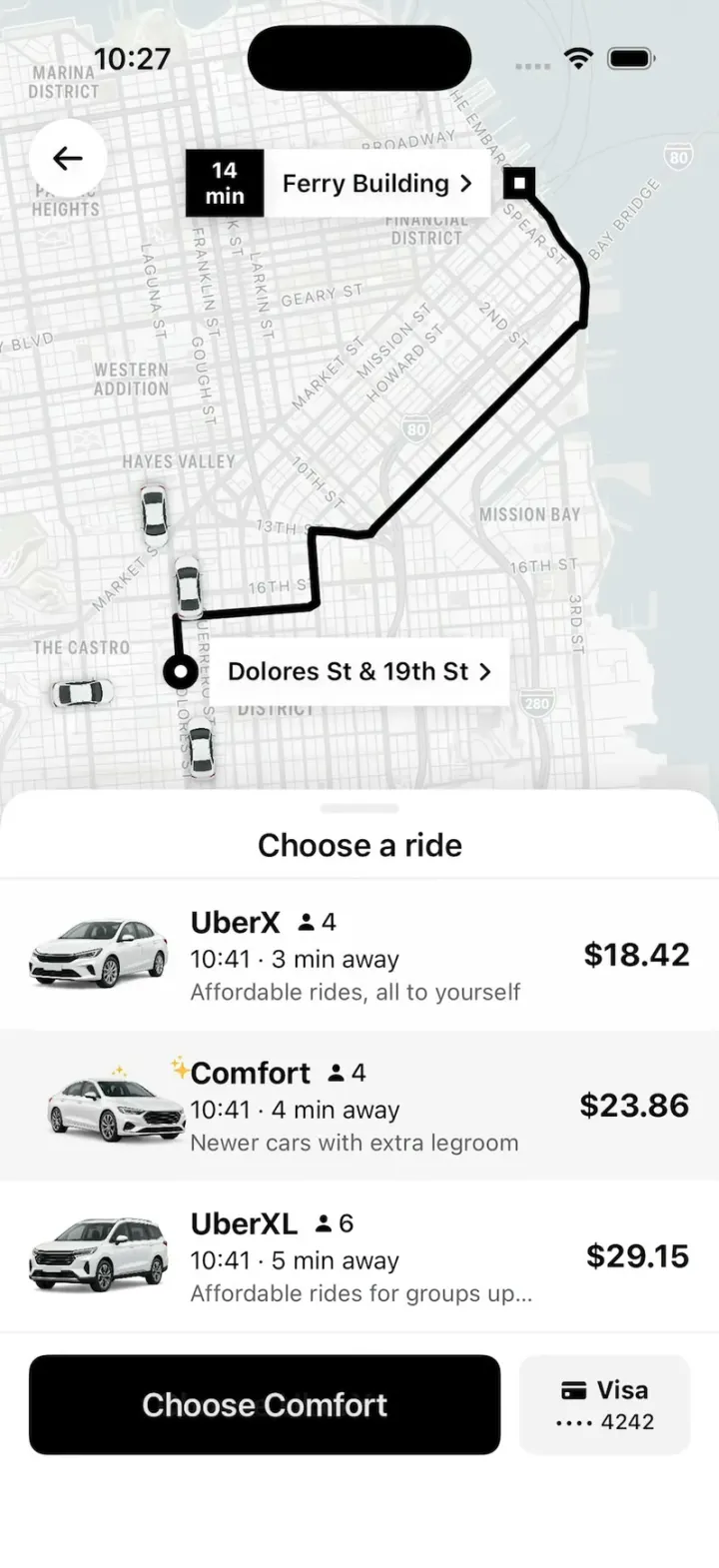
Remix copies the working app into your account for free, exactly as we built it. It runs in Vibecode's cloud iOS simulator, in your browser.
Watch the video on X@vibecodeapp · Oct 29, 2026The prompt that builds it
We built Uber Clone in 2 prompts. Here they are folded into one, so a single paste into a new app builds the finished version.
Prompt · 1,468 words
Build a polished native iOS clone of Uber in SwiftUI: Home with "Where to?", destination search, Choose a ride with upfront prices over a route map, Finding your ride, the driver arriving live on the map, the trip, Rate your trip with a tip, Activity, Services and Account.

It is Uber on screen, in its light theme: its name, black and white, and its own words ("Where to?", "Now", "Suggestions", "Choose a ride", "UberX", "Comfort", "UberXL", "Black", "Uber Pet", "Electric", "Choose UberX", "Confirm pickup", "Looking for nearby drivers", "Meet at your pickup spot", "Top-rated driver", "Send a message", "Share trip status", "Rate your trip", "Add a tip", "Enter Custom Amount", "Submit", "Uber One"). Copy the real app's layouts and words. Draw the "Uber" wordmark as text (bold, tight). The rider is Mia Chen in San Francisco; US units.

SHELL
Tabs: Home, Services, Activity, Account (black selected, grey others). Opens on Home: no splash, onboarding, login, paywall or permission prompt. The status bar stays visible.

SCREENS
1. Home: "Uber" wordmark; a big grey "Where to?" bar with a white "Now" pill; "Suggestions" + "See all" with tiles Ride, Reserve, Courier, Hotel (SF Symbols on light grey, label under); recents (Ferry Building · 1 Ferry Building; Tartine Bakery · 600 Guerrero St; Chase Center · 1 Warriors Way); a black "Uber One" promo card.
2. Where to?: back arrow, "For me" pill; a stacked "Current location" / "Where to?" pair joined by a dot and a square, a "+" for stops; Home / Work / Saved chips; recents with clock icons. Typing filters 8 SF places. Picking one opens Choose a ride.
3. Choose a ride: the route map on top, a sheet with a grab handle, rows: car render, name + person icon + seats, "10:58 · 3 min away" (drop-off = now + trip minutes, so it matches the status bar), a grey blurb, price on the right. UberX 4 $18.42 3 min "Affordable rides, all to yourself"; Comfort 4 $23.86 4 min "Newer cars with extra legroom"; UberXL 6 $29.15 5 min "Affordable rides for groups up to 6"; Black 4 $41.70 3 min "Luxury rides with professional drivers"; Uber Pet 4 $22.10 6 min "Affordable rides for you and your pet"; Electric 4 $19.36 4 min "Eco-friendly". The selected row has a #F3F3F3 fill; tapping a row moves the fill (0.2 s spring), nudges its car 10 pt right and back, and the black button becomes "Choose <name>", with a payment chip "Visa •••• 4242" beside it. Every car icon on the map shows the selected product's top-down icon; a change pops them (0.7 → 1.0, 0.25 s, never above 1.0).
4. Confirm your pickup spot: blue bubble "Dolores St Pickup" over the pin, "Meet at the corner of Dolores St & 19th St", black "Confirm pickup".
5. Finding your ride: the sheet's top edge carries a thin black bar sweeping left to right; "Looking for nearby drivers"; a soft ring pulses from the pickup. Coming from Choose a ride, the list fades out completely in 0.12 s while the sheet shrinks, then this content fades in over 0.15 s; text from two screens is never on screen together (every sheet change and Submit back to Home work the same way).
6. Driver arriving: "Meet at your pickup spot" + "3 min" (counts down); driver photo with a "4.96 ★" badge, the product's car render, big plate "8MRC215", "Marcus · Toyota Camry · Silver", "Top-rated driver"; a "Send a message" field and a phone button. The car drives the approach route at constant speed (12 s normally), rotating to its heading, with a black line from it to the pickup that shortens as it goes; at the pin: "Your Uber is here".
7. On trip: "Heading to Ferry Building" + arrival time; the car drives the trip route (20 s); "Share trip status" sheet with contacts (initial circles), "Copy share Link", black "Save".
8. Rate your trip: driver photo, "Rate your trip", "Thursday to Ferry Building", 5 grey stars that fill gold left to right as one tap lands; "Add a tip", "Your trip was US $18.42", $1 $3 $5 pills (black when chosen), "Enter Custom Amount", black "Submit" -> Home.
9. Activity: "Past" trips with map thumbnails, date, price. Services: grid of service tiles. Account: Mia Chen, 4.92 ★, Help / Wallet / Activity tiles, Uber One, settings rows. Search, chips and settings open small sheets; no dead buttons.

ROUTES (lat,lon; draw as a 5 pt black line):
trip (pickup Dolores St & 19th St to Ferry Building): 37.75903,-122.42579; 37.76303,-122.42617; 37.76379,-122.41371; 37.76411,-122.41303; 37.76877,-122.41347; 37.76947,-122.41340; 37.76939,-122.41131; 37.76912,-122.40923; 37.76924,-122.40790; 37.76970,-122.40748; 37.78470,-122.38848; 37.78473,-122.38790; 37.78762,-122.38769; 37.78885,-122.38794; 37.78975,-122.38850; 37.79081,-122.38980; 37.79155,-122.39039; 37.79264,-122.39106; 37.79436,-122.39303; 37.79524,-122.39390
approach (driver to pickup): 37.75529,-122.42117; 37.75504,-122.42540; 37.75903,-122.42578
Other places get a smooth arc between the two points.

MAPS
Every map is an MKMapSnapshotter image (mutedStandard, light) rendered once at launch and cached, drawn on its first frame. Route, pins (pickup: white dot in a black ring; destination: black square; white label chips with a black ETA box) and vehicles are SwiftUI drawn on top, projected through the snapshot. Frame each route in the area above its sheet with 40 pt margins. Vehicles are top-down renders 40 pt long (keep their shape) with a soft shadow (black 30%, radius 3, y 1); four idle on streets 40 to 90 pt from the pickup on Choose a ride, never under the pin or its chip.

HOOK (the video's first 3 seconds)
- HOOK MODE: tapping an invisible 44x44 pt area at the top right, just below the status bar, on every screen, plays this run through the real selection, request and tracking code, identical every time (seconds from the tap): 0.00 close everything; Choose a ride for Ferry Building, route drawn, the sheet at its default height showing UberX (selected), Comfort and UberXL, held still; 0.35 tap Comfort; 0.65 tap UberXL; 0.90-1.25 the list scrolls up exactly three rows (one ease-out move) so Black, Uber Pet and Electric fill it; 1.40 tap Black (the map's cars pop to black ones by 1.70); 1.80 tap Choose Black (skips Confirm pickup); 1.80-2.40 Finding your ride; 2.40 matched, 0.2 s cross-fade to the approach map, Black's driver (Daniel · Lincoln Aviator · Black · 7BLK904 · 4.98); 2.50-4.30 the car drives the approach; 4.40 "Your Uber is here".
- Holds use these times, never the app's normal delays. A vehicle moves at constant speed along its route, always on the line, turning smoothly (never more than 15° in one frame). Motion stays in the middle 80% of the screen. Warm up haptics and snapshots at launch. Every screen is fully drawn on its first frame. Decode images off the main thread.

LOOK
Black #000000, white #FFFFFF, selected rows and fields #F3F3F3, dividers #EEEEEE, secondary #5E5E5E, Uber blue #276EF1 (pickup bubble, links, location dot), star gold #FFC043, green #05A357 (Electric's leaf). SF Pro; names and prices bold.

RULES
- Native SwiftUI, iOS 26 (keep the template's target), iPhone portrait; standard TabView, NavigationStack and sheets.
- Deterministic fixtures. No backend, login, permissions, analytics or network calls except map snapshots. No persistence: delete the SwiftData starter, no UserDefaults or files.
- Images with gpt-image-2.5-flare (run env; POST https://api.openai.com/v1/images/generations with the project's OPENAI_API_KEY, background transparent): a 3/4 front studio render per product (white sedan, white newer sedan, white SUV, black luxury SUV, white sedan with a golden retriever, white EV with a small green leaf), top-down icons (white sedan, black SUV, white SUV), and photos of fictional people (Marcus, Daniel, Mia). No logos, text or celebrities. A grey placeholder until each exists.
- Springs under 350 ms, haptics on key taps, pressed states, nothing under the tab bar.
- Files under 300 lines, big bodies split into subviews, no long chained expressions.

REMIX-READY
Theme/Brand.swift (name, wordmark, a Copy enum with every word), Theme/Theme.swift (role colours, fonts; no colour literals elsewhere), Data/Routes.swift, Data/Fixtures.swift (rider, places, products as name/seats/blurb/price/eta/render/mapIcon/driver, drivers, past trips, services, contacts), Data/DemoScript.swift (HOOK MODE timings). Codable models with String ids behind one AppDataSource protocol (FixtureDataSource) feeding one @Observable AppStore; views never read Fixtures. Features/<Tab>/, Components/. README.md under 80 lines: file map; how to rename, recolour, add or change a product (one Product fixture + its images); 3 one-prompt remixes ("Uber for X"). "Read README.md first." atop CLAUDE.md and ios/AGENTS.md; replace ios/CLAUDE.md's structure block with this app's files. No scratch folders.

FILMING
Long-press the "Uber" wordmark on Home to reset everything to launch.

BUILD
Theme, Brand, Routes, Fixtures, then each screen in small files, a one-line status per screen; launch in the simulator every two or three files. Start the images as a background job once Home runs; check each file exists, never view them. Walk each flow once and fix what breaks; no pixel measuring or debug modes. Deliver the whole app, not a plan.
More templates
All templates- View template
Dar Ride
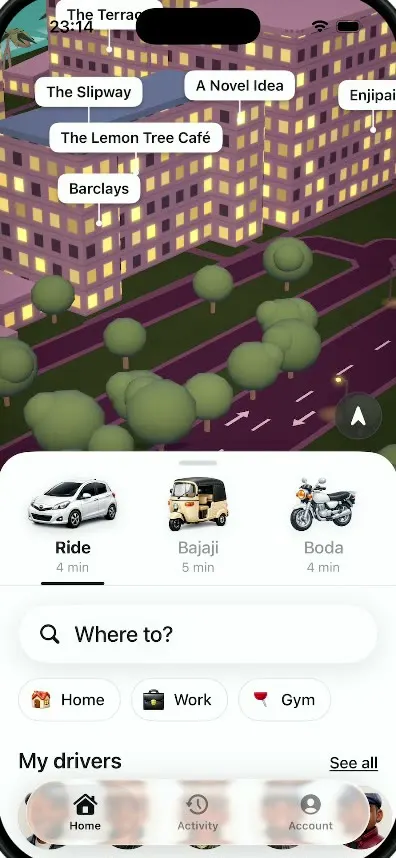
iOSA ride-hailing app for Dar es Salaam with cars, bajajis and boda bodas, a 3D night map and fares in shillings.
- View template
Passport
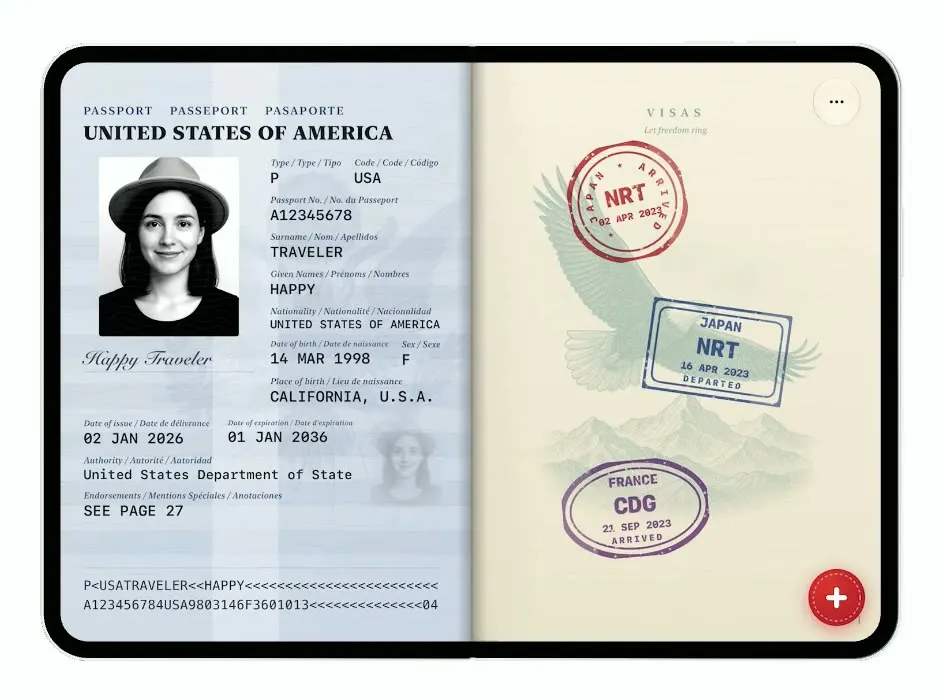
iOSTurns the iPhone Duo into a US passport: folded it is the cover, unfolded you flip pages and stamp your trips.
- View template
Platform
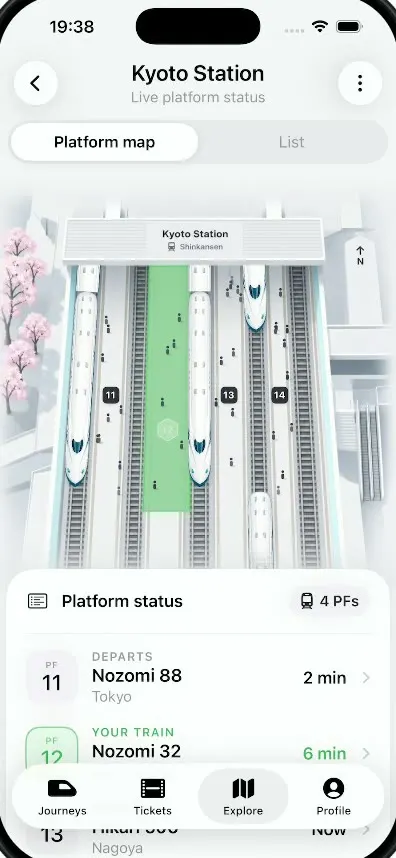
iOSA live platform view for Kyoto Station: trains glide in and out of a 3D map and your platform glows green.
- View template
Are.na
iOSAre.na on the folded iPhone Duo: channels of art, a swipeable block viewer, full-screen images and details.