Claude Duet
AI assistant app · built by the Vibecode team
A full clone of Anthropic's Claude Duet, the proactive assistant app that launched as a waitlist-only preview. A real agent on Claude Opus 5.5 runs on the backend: it scans your connected Gmail, Calendar and Drive on day one and tells you what it learned, sends a morning brief, and checks in through the day. Ask for something big and it answers "On it", spins up a task you can watch step by step, and comes back ready for review. Anything that sends, pays or deletes waits on an approval card you can edit by chat. The Make tab builds live dashboards, docs and decks from your data, and Claude gets its own cloud computer for the web. Remixes start without keys: add your own Composio and Orgo keys in Env Vars.
- iPhone · Swift
- Built in 7 prompts
- Free to remix

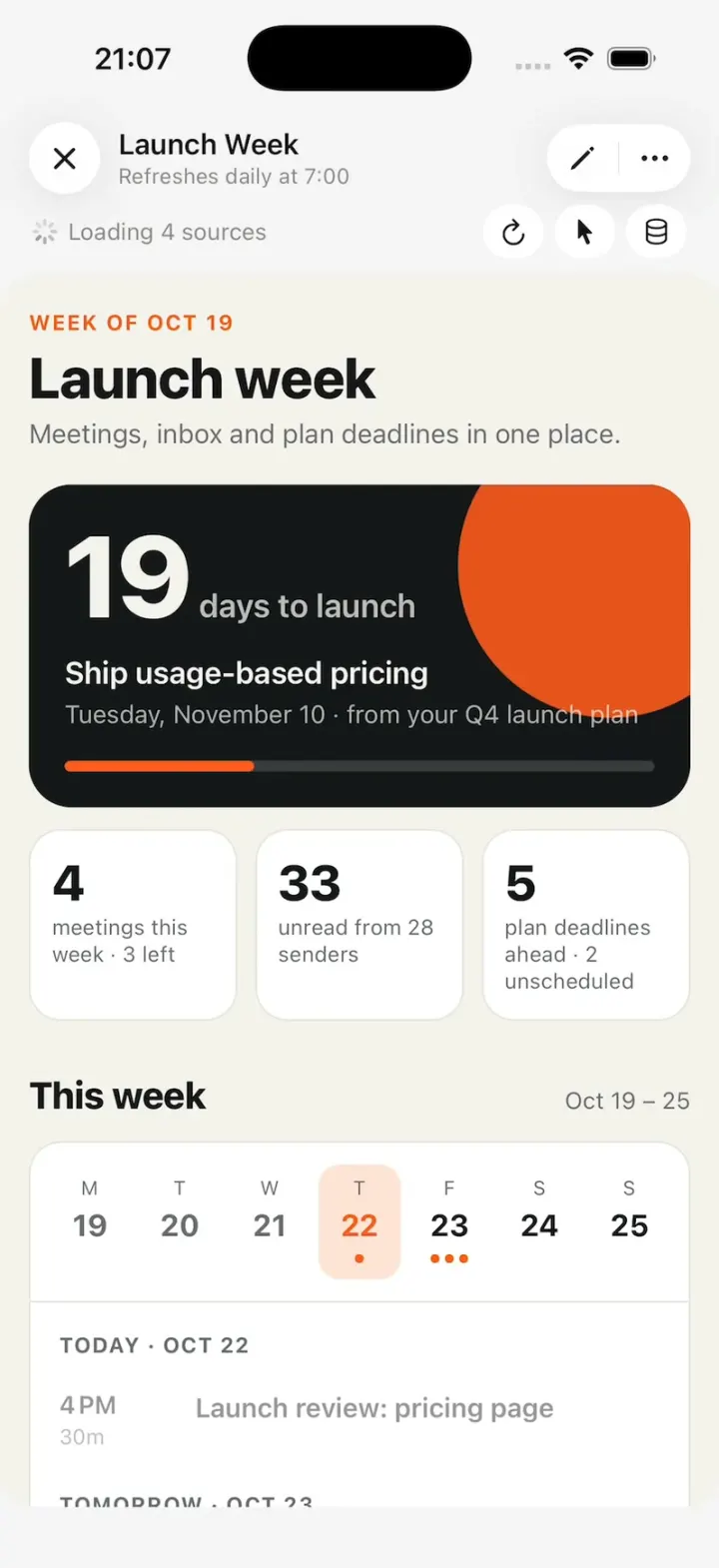
Remix copies the working app into your account for free, exactly as we built it. It runs in Vibecode's cloud iOS simulator, in your browser.
The prompt that builds it
We built Claude Duet in 7 prompts. Here they are folded into one, so a single paste into a new app builds the finished version.
Prompt · 6,474 words
Build Claude Duet: a pixel-faithful, fully working clone of Anthropic's Claude Duet (research preview, Oct 2026), using Opus 5.5. Native SwiftUI iOS app plus the project's Bun + Hono backend. It has three parts: the onboarding (PART A), the real app with its agent (PART B) and the Make tab plus Claude's own cloud computer (PART C). Build it in small source files, backend first, getting a first version compiling and running before polishing.

PART A: ONBOARDING

Download/reference the app shown in this post and clone it exactly, including the iPhone visual design, layout, interactions, animations, typography, spacing, and all visible states. Make it functional and runnable in the simulator. Match the reference as closely as possible and include any interaction shown in the source. Reference: https://x.com/chrisflores_us/status/2113101611669307727.

Build a native SwiftUI iOS app named Claude Duet using Opus 5.5. This is the onboarding of Anthropic's new Claude Duet app (a proactive assistant): six animated onboarding pages, an iOS notification permission step, a check-mark celebration and a first chat screen, shown on an iPhone in portrait. Do NOT put a fake handset frame inside the actual app; the simulator provides that. Use realistic deterministic fixture data so every screen is rich and usable without permissions or backend (only the real notification permission prompt).

Observed video sequence (0-56s):
0-9s page 1 "24/7 proactive help that keeps tasks moving": a clock dial whose hand sweeps clockwise; as it passes each of 4 orange dots on the rim, the dot pulses and a task chip fades in ("Finished your report", then "Prepped your 2 PM", "Drafted a reply", "Reviewed a PR").
9s tap Next -> page 2 "Already knows your setup": small app pills fly one after another along a dotted arc from the Claude logo tile (left) to the Duet mascot tile (right); as each lands, its labeled chip pops into a centered list below; at ~13.5s a green check badge pops onto the mascot tile.
16s Next -> page 3 "It gets things done on the web, too": a user bubble "Sign my team up for the conference", then a mini browser card; an orange "Claude" cursor glides field to field and types Name "Alex Kim", Team "Product design", Dates "May 12 to 14" (17.5-21s), then a grey reply bubble "The form's filled in. Take a look before I send it."
29s Next -> page 4 "Safe, private, and in your control": a white card with 3 rows slides in over a grey phone silhouette.
36s Next -> page 5 "Connect your apps": one Slack row, Continue / Not now.
44.5s Continue -> page 6 "Get notified": a notification banner drops onto a grey phone silhouette. 49s Turn on notifications -> iOS permission alert -> Allow -> button turns green "Notifications on" -> 51.5s screen clears to a big orange circle with a black hand-drawn check that pops in -> 52.5s chat screen: mascot avatar with a cycling status pill, two welcome bubbles appear with typing dots.

Visual details (all pages): background #F7F7F7 (#F9F9F9 at top fading to #F3F3F3 at the bottom). Titles in a heavy, compact serif: .system(size: 26, weight: .semibold, design: .serif), tracking -0.2, #141413, centered, with these exact line breaks: "24/7 proactive help that\nkeeps tasks moving", "Already knows your setup" (one line), "It gets things done\non the web, too", "Safe, private,\nand in your control", "Connect your apps", "Get notified". Body text under titles: SF Pro 14.5pt #3D3D3A, centered, line spacing 2, 18pt side margins, 8pt below the title; break page 1 as "Claude Duet notices what needs doing, does it\nin the background, and reaches out when it needs you.", page 3 as "Claude Duet works in its own browser. This lets Claude open\nsites and fill out forms for your to-do list." and page 4 as "Claude Duet checks with you before big steps and stops\nwhen something looks wrong." Top: 6 short rounded progress dashes centered (22x3pt, 6pt gap), active one #141413, others #D6D6D6; pages 2-6 also show a 44pt white circular back button with a chevron at the top left. Primary button: black #141413 capsule, 56pt tall, full width minus 20pt each side, white 17pt medium label "Next". Secondary button: white capsule with a #E3E3E3 hairline border, label "Not now". Accent orange #C6624B (dots, cursor, mascot). Page change: old content fades out 0.2s, new title/body fade in 0.35s, and the new page's illustration starts its animation from the beginning every time the page appears (also when going Back).

Page 1: small grey pill "Research preview" (12pt, #ECECEC fill) above the title "24/7 proactive help that keeps tasks moving". Body: "Claude Duet notices what needs doing, does it in the background, and reaches out when it needs you." Clock: 290pt circle, fill #FAFAFA with a very soft shadow, centered ~120pt below the body. Ticks: dark #333 short thick ticks at 12/3/6/9, light grey thin ticks every 15 degrees between. A small crescent-moon outline icon just below 12 inside the dial and a small sun outline icon just above 6, both grey. Hand: thin #C6624B line from a small center dot to the rim, rotating CLOCKWISE at 40 degrees per second (one turn ~9s), looping forever; it starts at 20 degrees (just before 1 o'clock) on appear. Behind the hand a soft peach wedge (#E9B5A6, ~35% opacity at the rim fading to 0 toward the center and toward its tail) trails ~70 degrees counter-clockwise behind the hand. Four orange rim dots (12pt) at 32, 122, 227 and 300 degrees (0 = 12 o'clock, clockwise). When the hand reaches a dot, that dot gets a soft expanding halo pulse and its chip fades+scales in (0.9 -> 1.0) and stays until the next dot is reached, when it fades out as the next one appears: dot 32 -> "Finished your report" (Google Drive tri-colour triangle icon) centered above-right of the center; dot 122 -> "Prepped your 2 PM" (blue Google Calendar "31" tile) right-below center; dot 227 -> "Drafted a reply" (Gmail M) below-left of center; dot 300 -> "Reviewed a PR" (black GitHub cat circle) above-left of center. Chips: white capsules, hairline border, soft shadow, 13pt text with the 14pt icon on the left.

Page 2: title "Already knows your setup", body "Your tools, projects, chats, memory, and skills come with your Claude account." Logo row centered ~60pt below the body text: left a 60pt rounded-square tile (corner 16) in #C6624B with Claude's white spark/starburst logo (about 12 irregular tapered rays), its center 70pt from the left screen edge; right a 60pt white rounded-square tile with the Duet mascot, its center 70pt from the right edge; between them a dotted grey arc that bulges upward. Mascot (used everywhere): an orange-red #C6624B circle with a black hand-drawn squiggle line that crosses it horizontally, making two small loops (like a cursive "ee") and sticking out past the circle on both sides. Animation (~3.5s): small white pills (icon + short label, 12pt text, 26pt tall) leave the Claude tile one at a time every ~0.25s and travel along the arc to the mascot in ~0.7s; as each lands, its chip pops into the list below (0.85 -> 1.0 scale, soft spring, no overshoot above 1.03). The list starts 34pt below the tiles (white capsules with icon, 14pt text, 32pt tall, 8pt gaps, centered flow rows): row 1 "Gmail", "Calendar", "Drive"; row 2 "Cloudflare Developer Platform"; row 3 "Cloudinary", "Excalidraw"; then one per row with a speech-bubble icon: "Finance Manager", "Friend's mobile app analysis", "Storage cleanup on mini"; then with a skill (branch) icon: "Google voice navigator", "Studio image gen" on one row, "X navigator" on the last. After the last chip a 22pt green check badge springs onto the mascot tile's top-right corner. Footer above the button: "Claude Duet uses your plan's usage limits." (12pt grey).

Page 3: title "It gets things done on the web, too", body "Claude Duet works in its own browser. This lets Claude open sites and fill out forms for your to-do list." Sequence: 0.4s a right-aligned white bubble "Sign my team up for the conference" fades in; 1.0s a browser card fades/scales in below it (16pt side margins, 18pt corners, #EFEFEF top bar with three grey dots and a pill "cloud icon + Claude's own computer", white body). Body: "Conference sign-up" (semibold 13pt) then fields Name, Team, Dates (11pt grey labels over light-grey 30pt rounded fields with 13pt text, 10pt between field groups). The user bubble is 15pt in a white capsule 40pt tall, its right edge aligned with the card's right edge. The Claude cursor (an orange #C6624B arrow pointer with a small orange capsule label "Claude" in white text just below-right of its tip) glides to each field in ~0.5s; the field gets a 1pt orange border and the text types in at ~14 chars/s: "Alex Kim", then "Product design", then "May 12 to 14"; then the cursor drifts to the card's bottom-right corner and a left-aligned grey #ECECEC bubble fades in under the card: "The form's filled in. Take a look before I send it."

Page 4: title "Safe, private, and in your control", body "Claude Duet checks with you before big steps and stops when something looks wrong." Illustration: the top half of a light-grey phone silhouette (rounded top corners, a grey pill at its top, fading to transparent downward); over it a white rounded card (16pt from the screen edges, hairline border, soft shadow) whose three rows slide up and fade in 0.2s apart: yellow pause icon "Pauses when something looks unsafe" / "Claude Duet stops and checks with you first."; purple toggles icon "You set the permissions" / "Choose what Claude Duet can and can't do."; green lock icon "Private and secure" / "Your messages and data stay protected." (15pt titles and 12.5pt grey subtitles, each on ONE line, 26pt icon squares, 12pt vertical padding per row, dividers). Fine print above Next (11pt grey, centered): "Claude Duet works in the background. It reads your connected apps and can act in them on its own, without you asking. It can make mistakes, so check its work. You can turn off any connected app in Settings."

Page 5: title "Connect your apps", body "This way Claude can read what's new across apps, take action for you, and make sure you never miss a beat, with many more connectors available." One white rounded row (hairline border) with the 4-colour Slack logo, "Slack", and a "+" on the right; tapping + toggles it to a green check. Buttons "Continue" and "Not now" (both go to page 6).

Page 6: title "Get notified", body "Allow notifications so Claude Duet can tell you when tasks are done or your input is needed." Illustration: a light-grey phone silhouette (rounded bottom corners, top fading out) with a row of 4 white rounded squares as a dock; at 0.6s a notification banner springs down into it: white rounded card, mascot icon tile, "Claude Duet" bold 13pt, "now" grey on the right, "Your prep for Launch review is ready." Buttons "Turn on notifications" and "Not now". Turn on notifications: the button dims with a small spinner left of its label and the real iOS UNUserNotificationCenter permission alert appears; after the user answers (or immediately if already decided), the button becomes a light-green capsule (#DFF3DA) with a green check and "Notifications on" (green #2E7D32 text); 1.0s later all page content fades out and a 96pt #C6624B circle pops in at screen center (spring from 0.3 scale) while a thick black hand-drawn check stroke draws across it; hold 0.9s, then crossfade to Chat. "Not now" goes straight to the check celebration.

Chat: top bar with a 44pt white circle "≡" (left-aligned lines) button on the left, a 64pt white circle avatar at top center holding the mascot, which animates the whole time (gentle bob, the circle squashes and the squiggle wiggles), a small white status pill under it cycling every 2s with a crossfade: "Thinking it through", "Checking memory", "Searching your email", "Checking recent files"; a 44pt white circle "CF" on the right. Messages: left-aligned grey #EDEDED bubbles, 17pt #141413, 16pt corners, max 85% width. 0.6s typing dots (three bouncing grey dots in a small bubble), 1.6s bubble 1: "Hi Chris, welcome! Today's our first day working together. I'm going to help you stay on top of your work and life. Every day I'll get to know you a little better. Over time, I'll start spotting what you need before you even ask." 3.2s bubble 2: "I'm going to check your apps to determine who you are and how I can help. Be right back!" then typing dots stay. At 12s a longer bubble arrives: "You run a small product studio juggling a lot at once: two client launches, your own apps and a newsletter about to go out. Your calendar shows you plan in hard deadlines and reshuffle on purpose." then "How I'll help:" with 3 bullets: "Keep this week's three deadlines in view and flag a slip early", "Take drafting and prep off your plate so build days stay for building", "Park new ideas somewhere you can find them without derailing a launch". Bottom: white capsule composer "+  Message Claude Duet" with a mic icon and a black circle waveform button; under it a floating white capsule tab bar: "Chat" (selected, light grey highlight), "Tasks", "Make" with icons.

Restart for demos: long-press the "CF" button on the chat screen restarts the whole flow from page 1 with every state reset (no permission request again). Back on any page returns to the previous page and replays its animation.

Build it in small source files: theme and fixtures, then the shared components (mascot, logos, check mark, buttons), then the six page illustrations, then onboarding, celebration and chat. Build fully, run compile/build validation, resolve all errors, and launch in the web simulator. Prioritize fidelity to the reference and functional main interaction flow. Deliver complete implementation rather than a plan.

PART B: THE APP

Turn this project into the full Claude Duet app: a pixel-faithful, fully working clone of Anthropic's Claude Duet (research preview, Oct 2026), a proactive assistant where Claude comes to you with what needs your attention, completes tasks you ask of it in the background, keeps working when you step away, and checks with you before it acts on your behalf. The onboarding is specified in PART A below; it ends on the real app specified here. Use Claude Opus 5.5 (claude-opus-5-5) for every model call.

NOTHING IS FAKED. Every message, task, status, brief and check-in comes from the real agent running on the backend against the user's real connected apps. No scripted demo conversations, no fixture tasks, no hardcoded profile reads. If something can't be done for real, stop and tell me why before substituting anything.

ARCHITECTURE (backend in backend/, Bun + Hono; iOS in ios/, SwiftUI)
- Persistence: Prisma + SQLite with a migration for every model. Models: User (name, firstName, email, timezone, briefTime, checkinMinute, weekendsOn, onboardedAt), Channel (main thread + channels: name, icon, colorHex, purpose, archived), Message (channelId, role, kind, text, payload JSON, status sent/seen), Task (channelId, title, prompt, description, status working | needs_input | ready_for_review | scheduled | resolved, steps JSON, updates JSON, resources JSON, noticedAt, source user|proactive, schedule), Approval (kind email | payment | sign | delete | action, toolSlug, arguments JSON, preview JSON, status pending | approved | declined | expired, taskId, messageId), Memory (one document per user plus dated facts), ToolPolicy (userId, toolSlug, mode ask | always), Run (kind chat | task | brief | checkin | scan, startedAt, status, tokens), Usage, DeviceToken.
- Auth: Better Auth with email + password, cookie sessions shared with the app's URLSession. Also wire "Continue with Apple" (native Sign in with Apple, verified on the backend) and "Continue with Google" (Better Auth Google provider, active when GOOGLE_CLIENT_ID is set; otherwise the button shows a short "Google sign-in isn't set up yet" toast).
- Agent runtime (backend/src/agent/): an Anthropic Messages tool loop through @vibecodeapp/proxy (the project's ANTHROPIC_API_KEY is a proxied key that only works inside the backend process), model claude-opus-5-5, adaptive thinking, streaming. Every turn gets: the user's memory document, the channel's name and purpose, today's date and time in the user's timezone, and the last messages of the thread. Tools:
  * Connectors through Composio (set COMPOSIO_API_KEY in backend/.env; use the current @composio/core SDK and the official Composio skill: npx skills add ComposioHQ/composio --skill composio -y). Composio user id = our User.id. Give the agent the tool-router meta tools (search tools, execute, manage connections) so it can use Gmail, Google Calendar, Google Drive, Slack, Notion, GitHub, HubSpot, Stripe and the rest of Composio's catalog. ENFORCE ToolPolicy on the server: before executing any tool whose policy is "ask" (default "ask" for anything that sends, posts, creates, pays, signs or deletes; "always" for reads), create an Approval and render an approval card instead of executing; on Approve, execute exactly the stored arguments and report the result.
  * Anthropic server tools web_search and web_fetch.
  * remember(fact) and search_past_chats(query) over this user's messages.
  * start_task(title, prompt, channelId): creates a Task and runs it in the background as its own agent session with the same tools; it writes steps (planned, current, done), "Decisions and updates" (text, source label, time) and "Resources" (title, type, link) as it goes, sets needs_input when it waits on an approval or the user, and ready_for_review when done. Only the user can mark a task complete (resolved).
  * propose_tasks(list) and propose_task(one), quick_replies(options), set_reminder(at, text), send_feedback(text).
  * Status: every tool call maps to a Duet status string streamed to the app: "Thinking it through", "Checking memory", "Searching your email", "Checking recent files", "Checking your calendar", "Searching the web", "Looking something up", "Writing a draft", "Starting a task", "Working on your tasks", "Working on it", "Checking".
- Streaming to the app: POST /api/channels/:id/messages answers with SSE events status, typing, message, task, approval, done. The app also keeps GET /api/events (SSE) open while in the foreground for background results.
- Proactive engine (backend/src/scheduler.ts): per user, a morning brief at User.briefTime (seed a random time between 7:00 and 8:59 with an odd minute, e.g. 8:19, in the user's timezone) and 5 check-ins a day roughly 3 hours apart at a per-user minute (e.g. 10:49, 1:49, 4:49, 7:49, 10:49 PM). Weekdays only until the user says yes to weekends. The brief reads email + calendar + open tasks and posts "Morning, {First}! For today: A. B. C." followed by "Updates:" with a numbered list of bold run-ins, and can start first steps (draft replies) as tasks. A check-in stays silent (logged Resolved) unless something needs the user: then it posts in the main thread, creates Up next items, or proposes a task. Each run is a Run row; the schedule and run history show in Tasks > Scheduled.
- First-day scan: right after onboarding, run the scan for real: memory, then Gmail, then Calendar and Drive recent files, ending in a profile read of the user, "How I'll help:" with 3 bullets, "If any of these sound off, just let me know and I'll learn." and quick replies "Sounds right" / "Something's off"; then "Here's what looks like it's on your plate:" and "A few places I can start" with 3 task suggestion cards. With no apps connected yet, it says so and offers to connect Gmail and Calendar.
- Notifications: register the APNs token (POST /api/devices) and send real APNs pushes when APNS_KEY_ID, APNS_TEAM_ID, APNS_KEY (p8) and APNS_TOPIC are set. Always also deliver locally so notifications show in the simulator: when an event arrives (brief ready, task ready for review, needs input, approval, one-off alert) while the app is inactive or the event's channel isn't on screen, post a UNNotification with title "Claude Duet", e.g. "Morning, Chris! For today: Launch review. Hiring. Northfield renewal." or "Your prep for Launch review is ready."; keep the event stream alive in the background with a background task and catch up on launch. Tapping a notification opens its thread or task.
- Usage: count input+output tokens per Run; Usage screen shows a 5-hour current session and a weekly limit (configurable, default 2,000,000 tokens/week) and one free "Full reset".

DESIGN SYSTEM (light and dark, following the system)
- Background light #F4F4F4, dark #0C0C0C. Claude bubble light #E7E7E7 / dark #1E1E1E, text #141413 / #F2F2F2, 17 pt, 20 pt corners, max 80% width, consecutive bubbles 6 pt apart. User bubble right-aligned peach #F4D0BE (dark maroon #461A16, text #F3E3DD) with an iMessage-style tail; under the newest one "Seen" or "Delivered" in small grey.
- Serif titles: the onboarding's serif (.serif, semibold). UI text SF Pro. Accent orange #C7604A; badges #C34929 with white text; Ready for review green #1C760E (dark #38C845); Needs input amber #D79100; Working blue #5B86D3 with a moving shimmer.
- The mascot (reuse the onboarding's DuetMascot): an orange-red circle with a hand-drawn squiggle line through it that sticks out both sides; the line is #141413 in light and white in dark. The squiggle MORPHS by state over ~0.5 s (redraw/morph the path, never a crossfade of two images): idle gentle wave; "Working on it" wave; "Working on your tasks" tighter zigzag; "Writing a draft" loopy cursive "ee"; "Thinking it through" the line retracting to a short dash plus a dot; "Looking something up"/"Searching the web" a ring orbiting the circle like Saturn; "Starting a task" horizontal speed streaks. The circle also squashes and bobs gently.

APP SHELL (every main screen)
- Floating header, no navigation bar: left a 44 pt circle with ≡ (white with a soft shadow in light, #333333 in dark; red count badge for unread channels); centre a 64 pt circle holding the animating mascot, with a small status pill (white, hairline #E4E4E4, 13 pt) overlapping its bottom edge; right a 44 pt circle with the user's initials ("CF"). Content scrolls under the header behind a soft fade. In the main thread the pill is hidden when idle and shows the live status while working; in a channel it always shows the channel icon + "#name" and adds the status as a second line when working. Pill text crossfades.
- Floating composer capsule above the tab bar: "+" | placeholder | mic | a filled waveform circle (black in light, white in dark). Placeholder "Message Claude Duet" (main), "Message #name" (channel), "Reply to Claude" (task detail). Typing grows it to multiple lines and the waveform turns into a ↑ send circle. The mic does dictation (SFSpeechRecognizer). Under the last message, small grey "Claude Duet is AI and can make mistakes." A ↓ scroll-to-bottom circle appears when scrolled up.
- Floating tab bar capsule (~75% width): Chat (speech bubble with a squiggle), Tasks (checklist), Make (square with + and pencil), icon over label; the selected segment's rounded grey pill slides between tabs; Tasks shows a red count badge of tasks needing the user. The keyboard hides the tab bar.

CHAT (main thread and channels): message kinds, all real
1. Claude bubbles with markdown: bold run-ins, numbered/bulleted lists, blue links, inline task links (status glyph + blue title in a subtle pill; spinner while working), long replies split into several bubbles.
2. User bubbles with Seen/Delivered; three-dot typing indicator; small grey status bubble ("Checking", "Reading now").
3. Delegation: a substantial request gets a short "On it" bubble plus a task spawn chip under the user's message joined by a curved connector line (spinner + truncated task title, tappable to the task); the chat stays free.
4. Task suggestion list: lead bubble, then stacked bordered cards (square icon tile, bold title, grey quoted prompt); tapping sends the prompt and starts the task; the card dims and shows a green ✓.
5. Proactive suggestion card: "A task I could help with:" then a bordered card with a lightbulb, bold title, body, Hide (outline) and Start (filled). SWIPE RIGHT on the card to start it: it drags and tilts, revealing a green panel with a ▶ circle and "Start"; on release it flies off and collapses into a one-line row "◯ <title> See all tasks ›".
6. Quick-reply chips: outlined capsules with a ↪ icon under Claude's question; tapping sends the text.
7. Approval cards (inline, nothing happens until tapped; deferred approvals stay pending while the task continues):
   - Email: header with the Gmail M tile + "Email", copy and pencil icons on the right; "To: ..." and "Subject: ..." rows in grey with a divider; the full body in 17 pt; Not now (outline) | Send (filled; black in light, white in dark). After Send, a "Sent" state. Editing by chat ("add a line saying how excited I am") updates the card in place and highlights the changed text in accent orange for a few seconds. A "↪ Shorten" chip under it.
   - Payment: "$640.00" bold, "Expires in 8 min" right, merchant, description; Approve / Not now; after approval "Paid". (Test mode: no real money moves; say so in the card's fine print.)
   - Sign and Delete: same card pattern with a header icon + "Signature request" / "Delete", the details, Not now / Approve.
   - Any other "ask" tool: a generic card with the tool's human name and arguments.
8. Confirmation cards ("Evals review booked / Tue Oct 20, 1:45 to 2:30pm with ..."), single-action alert cards ("One thing needs you / ..." + a full-width black button such as "Open Slack"), and "Your plate today" cards with a row per item and an outline action pill (Draft / Book / Start) that sends the action.
9. System lines centred in small grey: date separators ("Today 8:47 AM"), "Claude set a reminder for Oct 26 at 10:00 AM.", "Thanks for the feedback"; and a "New" unread divider: a wavy grey squiggle line across the chat with an orange "New" label in the middle.
10. Usage-limit line "⏱ Usage limit reached · resumes Thursday at 11:00 am" with a "Get more usage" button that opens Usage.
11. Swipe the thread left to reveal per-message times on the right edge.

TASKS TAB
- Same header. Big segmented title "Active" | "Up next" (~28 pt; selected primary, the other grey) with sort ⇅ and search icons on the right. Scoped to the current channel or Everything.
- Active, grouped with counts: "Ready for review 8" (with "Updated 1 min. ago" on the right), "Needs input 1", "Working 1", "Scheduled 1" (collapsible), "Resolved" (collapsed). Row: rounded-square checkbox (tap = mark complete), title ~20 pt up to 2 lines, then a coloured status word + " · " + latest update ("Working · Just started" with shimmer), and a channel tag line when outside the scope. Scheduled rows show a clock icon + "Morning brief" / "Daily at 8:19 AM · next run tomorrow at 8:19 AM" and "Check-in" / "Next run today at 4:49 PM"; tapping Check-in shows its times ("At 10:49 AM, 1:49 PM, 4:49 PM, 7:49 PM and 10:49 PM, every day"), the run history ("Today at 1:49 PM · Resolved") and a "Run now" button.
- Up next: "From your connectors" suggestions with an "Add" action; empty state with three app icons, "What can I take off your plate?", "I'll check your tools for work I can handle and bring you a short list." and a white "Show me" capsule that runs a scan.
- Orange #D65A45 "+" FAB bottom-right: add a task (a sheet with one text field and Start).
- Task detail: back circle, centre capsule (doc tile + truncated title + "Working · 2 updates"), "⋯" (Mark complete, Archive, Copy link). Body: title 22 pt semibold + ↻; Claude's description paragraph; "Noticed 8:44 AM" for proactive tasks; a wavy grey squiggle divider; "What Claude is doing" checklist (current step a blue spinning arc, pending dashed circles, done checks); "Decisions and updates" rows (↗, text, source, time); "Resources" rows (icon tile, title, type, tappable). Composer "Reply to Claude", no tab bar. Replies go into the task's own session.

SIDE MENU, CHANNELS, PROFILE, CONNECTORS, USAGE
- ≡ slides a menu in from the left (~80% width) while the chat shifts right with rounded corners and a dimmed edge: mascot + "Claude Duet" (22 pt), divider; "Everything" (orange stacked-layers icon, "All chat context across every channel"); channels nested under it with grey tree connector lines (tinted icon, name, truncated purpose; selected channel in a grey pill); "+ New channel"; "Archived".
- New channel sheet: Cancel | "New channel" | Create (disabled until named, spinner while creating); a big tinted icon preview with "Change icon" revealing a 3×8 icon grid (checkbox, calendar, mail, dollar, bar chart, globe, map pin, house / cube, play screen, folder, pencil, magnifier, heart, people, briefcase / book, plane, car, scissors, shopping bag, gift, sprout, music note) and 9 colour swatches #B54C76 #E5C0C5 #E0BCAD #E69F4E #CAD0BA #5D927A #BECDDA #6290C2 #C1BDD3 that re-tint everything live; Name ("Q4 planning") and Purpose ("What should Claude know about this channel?"). A new channel opens with Claude's real "Hello, here in channels we can focus on specific topics or work streams. Want me to suggest tasks I can do here?" and Yes / No / Not now.
- Tapping the centre mascot opens "Claude": a large mascot, title "Claude", "What Claude has access to": Files and docs (Can't read your files yet), Mail (Can't see your mail yet), Calendar (Can't see your schedule yet), Team chat (Can't see your team chat yet), Payments (Can't make purchases yet), More apps ›; each with a dashed "+" button; connected rows say what it reads ("Reads your Gmail").
- Connecting opens Composio's real hosted OAuth in ASWebAuthenticationSession with a callback back into the app (custom URL scheme), then refreshes. Connector detail sheet: logo, name, description, accounts card (each connected account + "+ Add account"), "All tools" with a Custom picker, and every tool of the toolkit with an Ask / Always picker saved to ToolPolicy; Disconnect at the bottom. The onboarding's "Connect your apps" page and page 2's chips use the real connections too.
- Initials circle opens the profile sheet: name/email, Usage, Connected apps, Memory (view and edit the memory document), Notifications (brief time, weekends), Payments (test mode), Send feedback, Sign out.
- Usage screen: back, "Usage", refresh + ⓘ; "Current session 0% used" with a thin blue bar and "Starts when a message is sent"; "Weekly limits" / "All models" with a bar (red at 100%) and "Resets in 13 hr"; "Limit resets" / "Full reset ⓘ Expires Nov 30" with "Reset for free".

SIGN-IN (before onboarding): the mascot with its line swooping in, serif "Welcome to Claude Duet", "Always-on assistance for life and work. Text Claude your task, and it will come back to you for next steps.", small grey "Sign in with your Claude account", white full-width capsules "Continue with Google", "Continue with Apple", an email field "Personal or work email" (then password), and the footer "By continuing, you agree to Anthropic's Consumer Terms and Usage Policy, and acknowledge their Privacy Policy." Sessions persist.

BUILD ORDER: the backend first (schema + migration, auth, agent loop with Composio + policy, SSE, tasks, approvals, scheduler, notifications), checking each route with curl; then the iOS shell and Chat, then Tasks and task detail, then side menu/channels, then Claude/connectors/profile/usage, then sign-in. Keep SwiftUI views small and split files. Never put API keys in code or chat; read them from env. Test the whole loop for real in the simulator: sign up, finish onboarding, watch the first-day scan (with no apps connected), ask Claude something that needs the web and something that should become a task, see the task run with its steps, and check that a Composio connect link opens for Gmail. You can't finish a Google sign-in yourself; I'll connect Gmail afterwards and test the email flow. Build fully, fix every error, launch in the simulator, and tell me exactly what you verified live.

PART C: MAKE AND CLAUDE'S OWN COMPUTER

1. CLAUDE'S OWN COMPUTER (Orgo; set ORGO_API_KEY and ORGO_WORKSPACE_ID in backend/.env)
- One Orgo Linux computer per user (https://www.orgo.ai/api, Bearer key): create lazily on first need (POST /computers {workspace_id, name: "duet-<userId8>-<ts>", ram: 4, cpu: 2, os: "linux"}), poll until running, start it when frozen, stop it after 30 minutes idle. While it boots, the status is "Waking Claude's workspace".
- Agent tools on it: browser (Claude computer use driven through Orgo's screenshot, click, type, key and scroll endpoints; Chrome launched with --no-sandbox on the computer's display), bash for code (git, Python, Node), and files saved to the channel's shared files. Status pill "Working in your browser" while browsing. It's Claude's own browser, not signed in to the user's accounts.
- Sign-in card: when a site needs the user's password, Claude posts an in-chat card (site favicon + domain, "Sign in to <site>", email and password fields, "Send to Claude's browser"). The backend types the password into the computer through Orgo's type endpoint; the password never enters the model's context, the database or the logs.
- Screenshots on request ("If you want to see what's on a page, I can send you screenshots as I go"): image bubbles in chat.
- The user can't take over the browser (same as Duet); Claude explains that if asked.

2. MAKE TAB
- Gallery: a hero card at the top (rounded, tinted by type, dismiss ✕) with a big outline illustration of the type and an inline composer: a type chip ("⊕ Web page" orange, "▢ Docs" blue, "▭ Slides" orange) + a prompt that auto-types example ideas ("A booking page for my bike shop", "A one-page brief", "A pitch deck for the bakery") + a round ↑ send button; it cycles between types with a crossfade. Sections: "Changed today" (2-column grid: 2-line title, type icon + "2 hr ago", a live thumbnail), "Designs" (horizontal row), "Pages" with "See all ›", "Earlier 6". A new item gets an orange border and an orange "Just made" badge with "this minute". Empty state: "Templates" (horizontal cards with a 💡 icon and +: "Daily todo / Today's list, refreshed every morning", "Email triage / What needs a reply, sorted by urgency", "Calendar prep / What's coming up and what to prepare") and the centred "Everything Claude makes shows up here".
- Orange #D65A45 "+" FAB: tapped, it turns into ✕ and fans out right-aligned capsules over a dimmed, blurred background, each with a tinted icon: Design System (purple), Design (purple), Dashboard (purple chart), Slides (orange), Docs (blue), Web page (red globe).
- Describe sheet: full screen, mascot top-centre, ✕ top-right, a large outline illustration of the type with a caption ("A dashboard"), composer with the type chip + "Describe what to build" + mic; the ↑ send turns orange with text.
- Build view (signature): mascot top-centre (animating), ✕ right; title "Make an AI2SQL funnel..." (semibold); status "Starting up" → "Waking Claude's workspace" → the real build steps; an elapsed timer on the right (0:01, 0:02...); a large rounded skeleton card (pulsing grey blocks shaped like the type) whose border is traced by an orange progress line running around the perimeter; the composer replaced by a disabled pill "Claude is working on it..." with a spinner. The tab bar stays; the user can leave and the build continues, landing in "Changed today" with "Just made".
- Artifacts are real: Claude builds them on its computer as self-contained HTML (dashboards, docs, slides, web pages, designs, design systems) from the user's real connector data, stored with their sources and an optional refresh schedule ("Refreshes daily at 5:30 AM"), rendered in a WKWebView. Dashboards are live: toolbar under the header "Loading 2 sources" ◌ → "Refreshing..." → "Updated now" + ↻ refresh + a pointer (select-to-comment) + a database icon (sources). Viewer: ✕ left, a pill on the right with ✎ edit (asks Claude for changes) and ⋯ (Share, Comment, Add to tab bar).
- Add to tab bar: the artifact becomes a 4th tab; the tab bar switches to 4 icon-only segments and the artifact opens inside the shell. Long-press the 4th tab: "− Remove from tab bar".
- In chat, artifacts post as cards: a live preview area (e.g. a 2×2 metric grid that ticks up to the latest values while on screen) and a footer row (type icon, title, "Updated now", pin, ›), plus "Claude made a page." system lines. "Your ◈ Monday brief is ready" inline artifact links.

3. MORE CHAT
- Skills: typing "/" in the composer lists the user's skills; Claude can propose "Save this as a skill?" cards (name "/my-writing-style", description, "View skill ›", Not now / Save skill); saved skills are instructions injected when used.
- Reactions: long-press a message for a menu (👍 ❤️ ⭐ and Copy, Good response / Bad response feedback); reactions hang as small white circular badges off the bubble's bottom-left; Claude can react to the user's messages too.
- Payments: a Link-style spend request: card "$16.49" + "Expires in 14 min", merchant, "Order summary / <item>" ›, full-width "Approve in Link ↗"; it opens a sheet ("Claude is requesting to spend $16.49", "Expires in 29 min", merchant + Inspect, description, card row, the fine print "By approving this hold, you take responsibility for any agent purchases. Your real payment details are never shared.", Decline / Approve). Test mode: nothing is charged; label it.

DETAILS THAT MATTER (learned while building it)
- Floating tab bar: 82% of the screen width, 64 pt tall (54 pt segments), bottom edge 30 pt above the screen bottom, composer 8 pt above it, an opaque background fade behind both so chat text never shows under them; the orange + FAB 16 pt above the bar, right-aligned with it.
- The chat always keeps the newest message in view unless the user scrolled up themselves (track it with scroll geometry, not a lazy sentinel row); every send from the thread (composer, cards, chips, Start, approvals) jumps back to the bottom. The keyboard dismisses on a tap outside the composer, on scroll, after Send and on tab switches.
- Edits by chat scroll the updated approval card into view and glow the changed text accent orange for ~3 s.
- The Make build view replaces the shell header (one mascot, no ≡ or initials).
- One timezone everywhere: the app sends TimeZone.current with every request and every time the agent writes uses it.
- Usage defaults SESSION_TOKEN_LIMIT 3,000,000 and WEEKLY_TOKEN_LIMIT 30,000,000; old usage-limit lines collapse to "Usage limit lifted" once usage is available.
- Connected accounts show the real email address; tool permissions are grouped Read (Always) / Write (Ask) with the common tools first.
- App icon: a white square, a centred orange-red #C7604A circle and the mascot's black hand-drawn "ee" squiggle through it, 1024x1024 opaque.
- Ask for notification permission at launch if it was never decided (a returning user on a fresh install never sees onboarding page 6).
- Never commit the SQLite database (gitignore *.db, *.db-shm, *.db-wal): it holds users' chats.
- Check light and dark mode on every screen.
More templates
All templates- View template
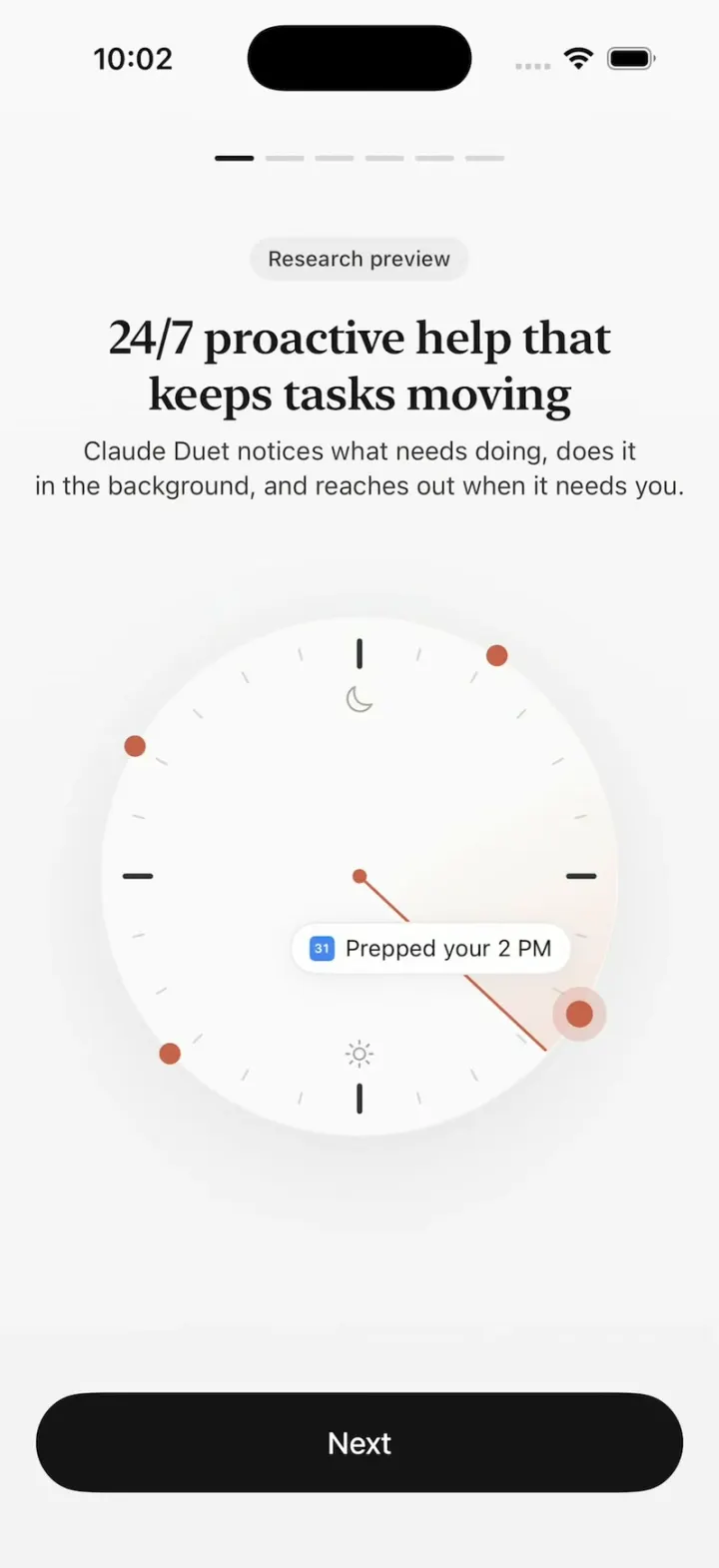
Claude Duet
iOSClaude Duet's onboarding: a clock sweeping through your day, tools flying in, Claude filling out a form.
- View template
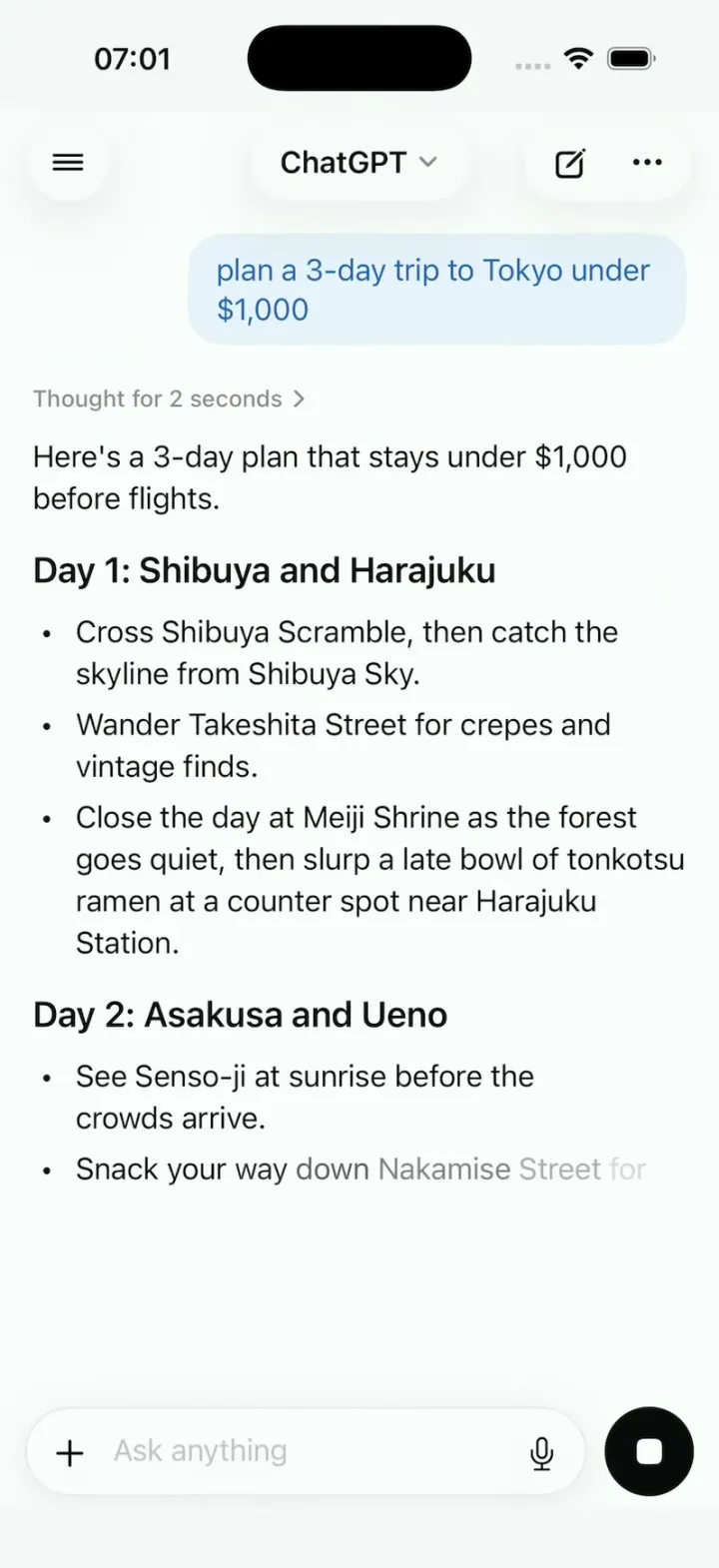
ChatGPT Clone
iOSChatGPT on iPhone: answers stream in word by word, a Tokyo map sharpens from a blur, and voice mode breathes.
- View template
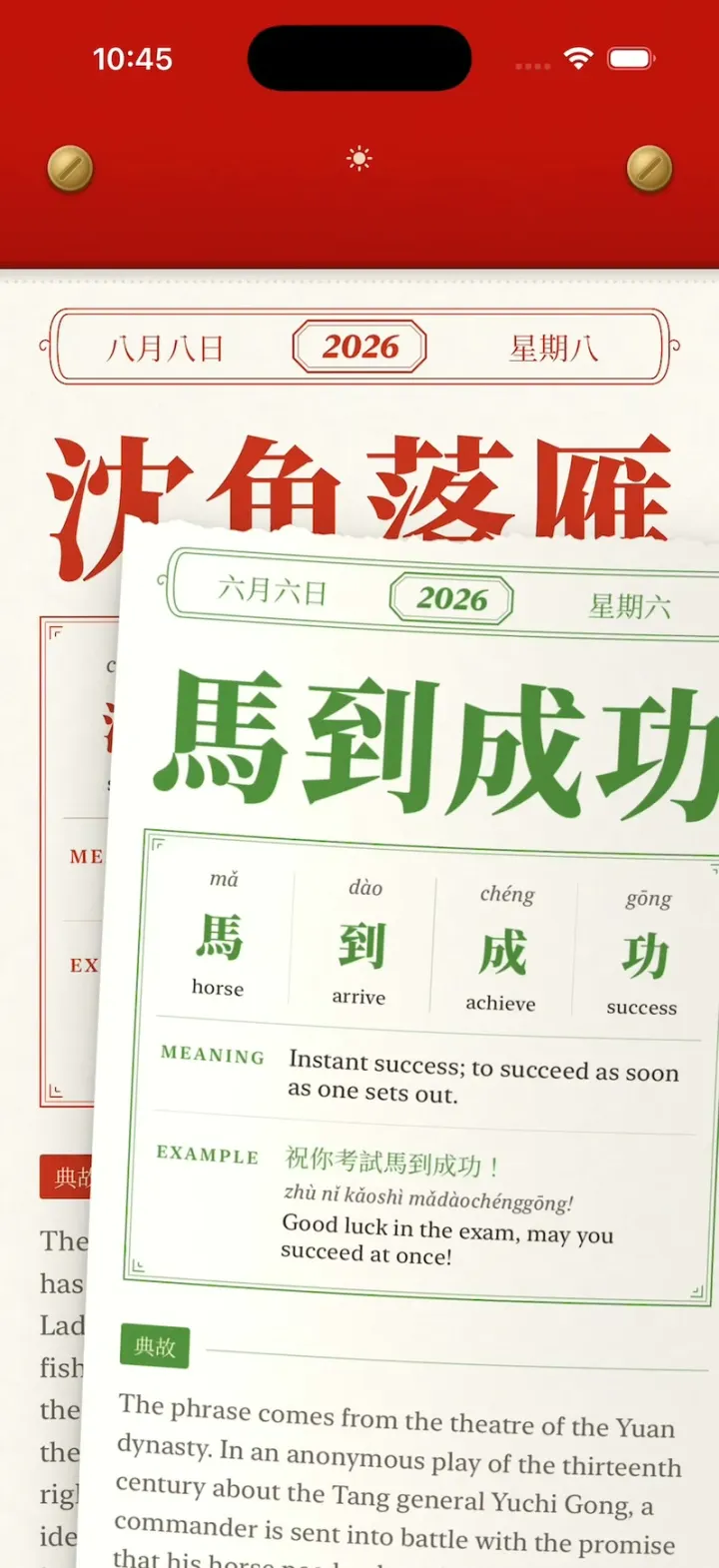
Chengyu Calendar
iOSA Chinese tear-off calendar: peel today's idiom with your finger, tear it off, flip through every torn page.
- View template
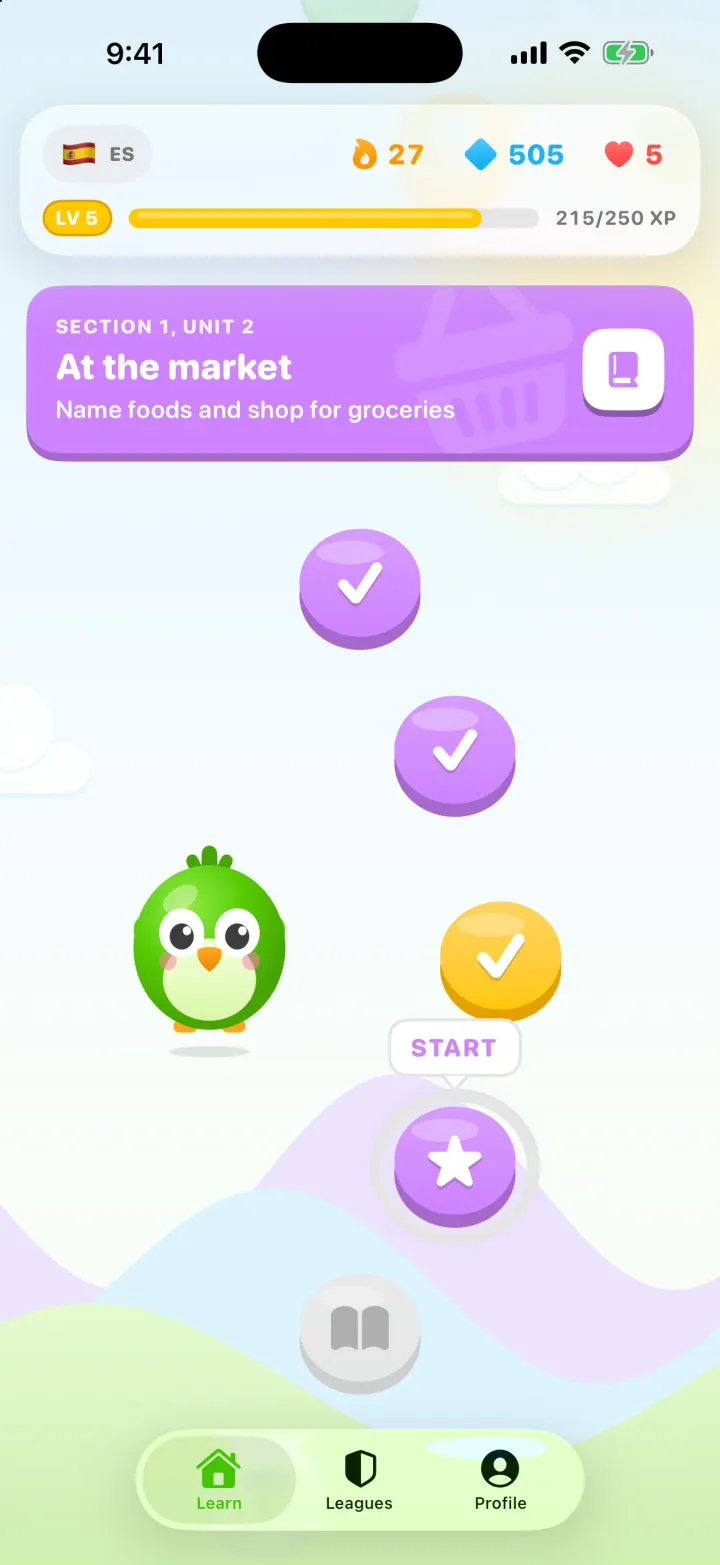
Lingo
iOSA Duolingo-style Spanish app with a winding lesson path, a bouncing mascot, flip-in word cards and confetti.