Claude Duet
Onboarding app · from our videos on X
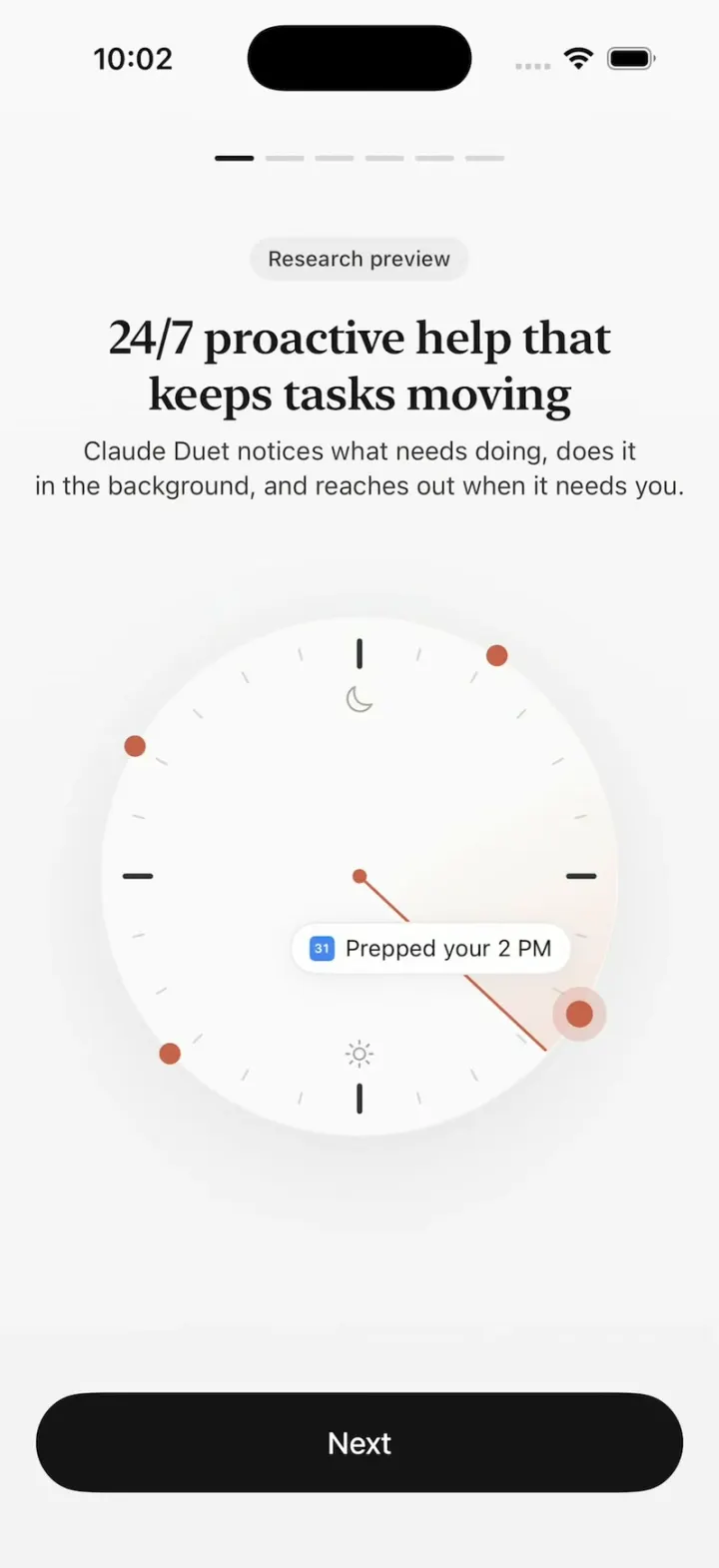
Claude Duet recreates the onboarding of Anthropic's new proactive assistant app, six animated pages on a soft off-white canvas. A clock dial sweeps clockwise and pops a task chip at each orange dot ("Finished your report", "Prepped your 2 PM"), your tools fly along an arc from the Claude logo to the Duet mascot and stack into a list, and an orange Claude cursor types a conference sign-up form in its own browser. After the safety and connect-your-apps pages, Turn on notifications shows the real iOS permission prompt, a check mark pops, and the first chat opens with the mascot thinking through your apps. Long-press CF on the chat screen to restart the flow.
- iPhone · Swift
- Built in 2 prompts
- Free to remix

Remix copies the working app into your account for free, exactly as we built it. It runs in Vibecode's cloud iOS simulator, in your browser.
Watch the video on X@ios_app_builder · Oct 22, 2026The prompt that builds it
We built Claude Duet in 2 prompts. Here they are folded into one, so a single paste into a new app builds the finished version.
Prompt · 2,236 words
Download/reference the app shown in this post and clone it exactly, including the iPhone visual design, layout, interactions, animations, typography, spacing, and all visible states. Make it functional and runnable in the simulator. Match the reference as closely as possible and include any interaction shown in the source. Reference: https://x.com/chrisflores_us/status/2113101611669307727.

Build a native SwiftUI iOS app named Claude Duet using Opus 5.5. This is the onboarding of Anthropic's new Claude Duet app (a proactive assistant): six animated onboarding pages, an iOS notification permission step, a check-mark celebration and a first chat screen, shown on an iPhone in portrait. Do NOT put a fake handset frame inside the actual app; the simulator provides that. Use realistic deterministic fixture data so every screen is rich and usable without permissions or backend (only the real notification permission prompt).

Observed video sequence (0-56s):
0-9s page 1 "24/7 proactive help that keeps tasks moving": a clock dial whose hand sweeps clockwise; as it passes each of 4 orange dots on the rim, the dot pulses and a task chip fades in ("Finished your report", then "Prepped your 2 PM", "Drafted a reply", "Reviewed a PR").
9s tap Next -> page 2 "Already knows your setup": small app pills fly one after another along a dotted arc from the Claude logo tile (left) to the Duet mascot tile (right); as each lands, its labeled chip pops into a centered list below; at ~13.5s a green check badge pops onto the mascot tile.
16s Next -> page 3 "It gets things done on the web, too": a user bubble "Sign my team up for the conference", then a mini browser card; an orange "Claude" cursor glides field to field and types Name "Alex Kim", Team "Product design", Dates "May 12 to 14" (17.5-21s), then a grey reply bubble "The form's filled in. Take a look before I send it."
29s Next -> page 4 "Safe, private, and in your control": a white card with 3 rows slides in over a grey phone silhouette.
36s Next -> page 5 "Connect your apps": one Slack row, Continue / Not now.
44.5s Continue -> page 6 "Get notified": a notification banner drops onto a grey phone silhouette. 49s Turn on notifications -> iOS permission alert -> Allow -> button turns green "Notifications on" -> 51.5s screen clears to a big orange circle with a black hand-drawn check that pops in -> 52.5s chat screen: mascot avatar with a cycling status pill, two welcome bubbles appear with typing dots.

Visual details (all pages): background #F7F7F7 (#F9F9F9 at top fading to #F3F3F3 at the bottom). Titles in a heavy, compact serif: .system(size: 26, weight: .semibold, design: .serif), tracking -0.2, #141413, centered, with these exact line breaks: "24/7 proactive help that\nkeeps tasks moving", "Already knows your setup" (one line), "It gets things done\non the web, too", "Safe, private,\nand in your control", "Connect your apps", "Get notified". Body text under titles: SF Pro 14.5pt #3D3D3A, centered, line spacing 2, 18pt side margins, 8pt below the title; break page 1 as "Claude Duet notices what needs doing, does it\nin the background, and reaches out when it needs you.", page 3 as "Claude Duet works in its own browser. This lets Claude open\nsites and fill out forms for your to-do list." and page 4 as "Claude Duet checks with you before big steps and stops\nwhen something looks wrong." Top: 6 short rounded progress dashes centered (22x3pt, 6pt gap), active one #141413, others #D6D6D6; pages 2-6 also show a 44pt white circular back button with a chevron at the top left. Primary button: black #141413 capsule, 56pt tall, full width minus 20pt each side, white 17pt medium label "Next". Secondary button: white capsule with a #E3E3E3 hairline border, label "Not now". Accent orange #C6624B (dots, cursor, mascot). Page change: old content fades out 0.2s, new title/body fade in 0.35s, and the new page's illustration starts its animation from the beginning every time the page appears (also when going Back).

Page 1: small grey pill "Research preview" (12pt, #ECECEC fill) above the title "24/7 proactive help that keeps tasks moving". Body: "Claude Duet notices what needs doing, does it in the background, and reaches out when it needs you." Clock: 290pt circle, fill #FAFAFA with a very soft shadow, centered ~120pt below the body. Ticks: dark #333 short thick ticks at 12/3/6/9, light grey thin ticks every 15 degrees between. A small crescent-moon outline icon just below 12 inside the dial and a small sun outline icon just above 6, both grey. Hand: thin #C6624B line from a small center dot to the rim, rotating CLOCKWISE at 40 degrees per second (one turn ~9s), looping forever; it starts at 20 degrees (just before 1 o'clock) on appear. Behind the hand a soft peach wedge (#E9B5A6, ~35% opacity at the rim fading to 0 toward the center and toward its tail) trails ~70 degrees counter-clockwise behind the hand. Four orange rim dots (12pt) at 32, 122, 227 and 300 degrees (0 = 12 o'clock, clockwise). When the hand reaches a dot, that dot gets a soft expanding halo pulse and its chip fades+scales in (0.9 -> 1.0) and stays until the next dot is reached, when it fades out as the next one appears: dot 32 -> "Finished your report" (Google Drive tri-colour triangle icon) centered above-right of the center; dot 122 -> "Prepped your 2 PM" (blue Google Calendar "31" tile) right-below center; dot 227 -> "Drafted a reply" (Gmail M) below-left of center; dot 300 -> "Reviewed a PR" (black GitHub cat circle) above-left of center. Chips: white capsules, hairline border, soft shadow, 13pt text with the 14pt icon on the left.

Page 2: title "Already knows your setup", body "Your tools, projects, chats, memory, and skills come with your Claude account." Logo row centered ~60pt below the body text: left a 60pt rounded-square tile (corner 16) in #C6624B with Claude's white spark/starburst logo (about 12 irregular tapered rays), its center 70pt from the left screen edge; right a 60pt white rounded-square tile with the Duet mascot, its center 70pt from the right edge; between them a dotted grey arc that bulges upward. Mascot (used everywhere): an orange-red #C6624B circle with a black hand-drawn squiggle line that crosses it horizontally, making two small loops (like a cursive "ee") and sticking out past the circle on both sides. Animation (~3.5s): small white pills (icon + short label, 12pt text, 26pt tall) leave the Claude tile one at a time every ~0.25s and travel along the arc to the mascot in ~0.7s; as each lands, its chip pops into the list below (0.85 -> 1.0 scale, soft spring, no overshoot above 1.03). The list starts 34pt below the tiles (white capsules with icon, 14pt text, 32pt tall, 8pt gaps, centered flow rows): row 1 "Gmail", "Calendar", "Drive"; row 2 "Cloudflare Developer Platform"; row 3 "Cloudinary", "Excalidraw"; then one per row with a speech-bubble icon: "Finance Manager", "Friend's mobile app analysis", "Storage cleanup on mini"; then with a skill (branch) icon: "Google voice navigator", "Studio image gen" on one row, "X navigator" on the last. After the last chip a 22pt green check badge springs onto the mascot tile's top-right corner. Footer above the button: "Claude Duet uses your plan's usage limits." (12pt grey).

Page 3: title "It gets things done on the web, too", body "Claude Duet works in its own browser. This lets Claude open sites and fill out forms for your to-do list." Sequence: 0.4s a right-aligned white bubble "Sign my team up for the conference" fades in; 1.0s a browser card fades/scales in below it (16pt side margins, 18pt corners, #EFEFEF top bar with three grey dots and a pill "cloud icon + Claude's own computer", white body). Body: "Conference sign-up" (semibold 13pt) then fields Name, Team, Dates (11pt grey labels over light-grey 30pt rounded fields with 13pt text, 10pt between field groups). The user bubble is 15pt in a white capsule 40pt tall, its right edge aligned with the card's right edge. The Claude cursor (an orange #C6624B arrow pointer with a small orange capsule label "Claude" in white text just below-right of its tip) glides to each field in ~0.5s; the field gets a 1pt orange border and the text types in at ~14 chars/s: "Alex Kim", then "Product design", then "May 12 to 14"; then the cursor drifts to the card's bottom-right corner and a left-aligned grey #ECECEC bubble fades in under the card: "The form's filled in. Take a look before I send it."

Page 4: title "Safe, private, and in your control", body "Claude Duet checks with you before big steps and stops when something looks wrong." Illustration: the top half of a light-grey phone silhouette (rounded top corners, a grey pill at its top, fading to transparent downward); over it a white rounded card (16pt from the screen edges, hairline border, soft shadow) whose three rows slide up and fade in 0.2s apart: yellow pause icon "Pauses when something looks unsafe" / "Claude Duet stops and checks with you first."; purple toggles icon "You set the permissions" / "Choose what Claude Duet can and can't do."; green lock icon "Private and secure" / "Your messages and data stay protected." (15pt titles and 12.5pt grey subtitles, each on ONE line, 26pt icon squares, 12pt vertical padding per row, dividers). Fine print above Next (11pt grey, centered): "Claude Duet works in the background. It reads your connected apps and can act in them on its own, without you asking. It can make mistakes, so check its work. You can turn off any connected app in Settings."

Page 5: title "Connect your apps", body "This way Claude can read what's new across apps, take action for you, and make sure you never miss a beat, with many more connectors available." One white rounded row (hairline border) with the 4-colour Slack logo, "Slack", and a "+" on the right; tapping + toggles it to a green check. Buttons "Continue" and "Not now" (both go to page 6).

Page 6: title "Get notified", body "Allow notifications so Claude Duet can tell you when tasks are done or your input is needed." Illustration: a light-grey phone silhouette (rounded bottom corners, top fading out) with a row of 4 white rounded squares as a dock; at 0.6s a notification banner springs down into it: white rounded card, mascot icon tile, "Claude Duet" bold 13pt, "now" grey on the right, "Your prep for Launch review is ready." Buttons "Turn on notifications" and "Not now". Turn on notifications: the button dims with a small spinner left of its label and the real iOS UNUserNotificationCenter permission alert appears; after the user answers (or immediately if already decided), the button becomes a light-green capsule (#DFF3DA) with a green check and "Notifications on" (green #2E7D32 text); 1.0s later all page content fades out and a 96pt #C6624B circle pops in at screen center (spring from 0.3 scale) while a thick black hand-drawn check stroke draws across it; hold 0.9s, then crossfade to Chat. "Not now" goes straight to the check celebration.

Chat: top bar with a 44pt white circle "≡" (left-aligned lines) button on the left, a 64pt white circle avatar at top center holding the mascot, which animates the whole time (gentle bob, the circle squashes and the squiggle wiggles), a small white status pill under it cycling every 2s with a crossfade: "Thinking it through", "Checking memory", "Searching your email", "Checking recent files"; a 44pt white circle "CF" on the right. Messages: left-aligned grey #EDEDED bubbles, 17pt #141413, 16pt corners, max 85% width. 0.6s typing dots (three bouncing grey dots in a small bubble), 1.6s bubble 1: "Hi Chris, welcome! Today's our first day working together. I'm going to help you stay on top of your work and life. Every day I'll get to know you a little better. Over time, I'll start spotting what you need before you even ask." 3.2s bubble 2: "I'm going to check your apps to determine who you are and how I can help. Be right back!" then typing dots stay. At 12s a longer bubble arrives: "You run a small product studio juggling a lot at once: two client launches, your own apps and a newsletter about to go out. Your calendar shows you plan in hard deadlines and reshuffle on purpose." then "How I'll help:" with 3 bullets: "Keep this week's three deadlines in view and flag a slip early", "Take drafting and prep off your plate so build days stay for building", "Park new ideas somewhere you can find them without derailing a launch". Bottom: white capsule composer "+  Message Claude Duet" with a mic icon and a black circle waveform button; under it a floating white capsule tab bar: "Chat" (selected, light grey highlight), "Tasks", "Make" with icons.

Restart for demos: long-press the "CF" button on the chat screen restarts the whole flow from page 1 with every state reset (no permission request again). Back on any page returns to the previous page and replays its animation.

Build it in small source files: theme and fixtures, then the shared components (mascot, logos, check mark, buttons), then the six page illustrations, then onboarding, celebration and chat. Build fully, run compile/build validation, resolve all errors, and launch in the web simulator. Prioritize fidelity to the reference and functional main interaction flow. Deliver complete implementation rather than a plan.
More templates
All templates- View template
ChatGPT Clone
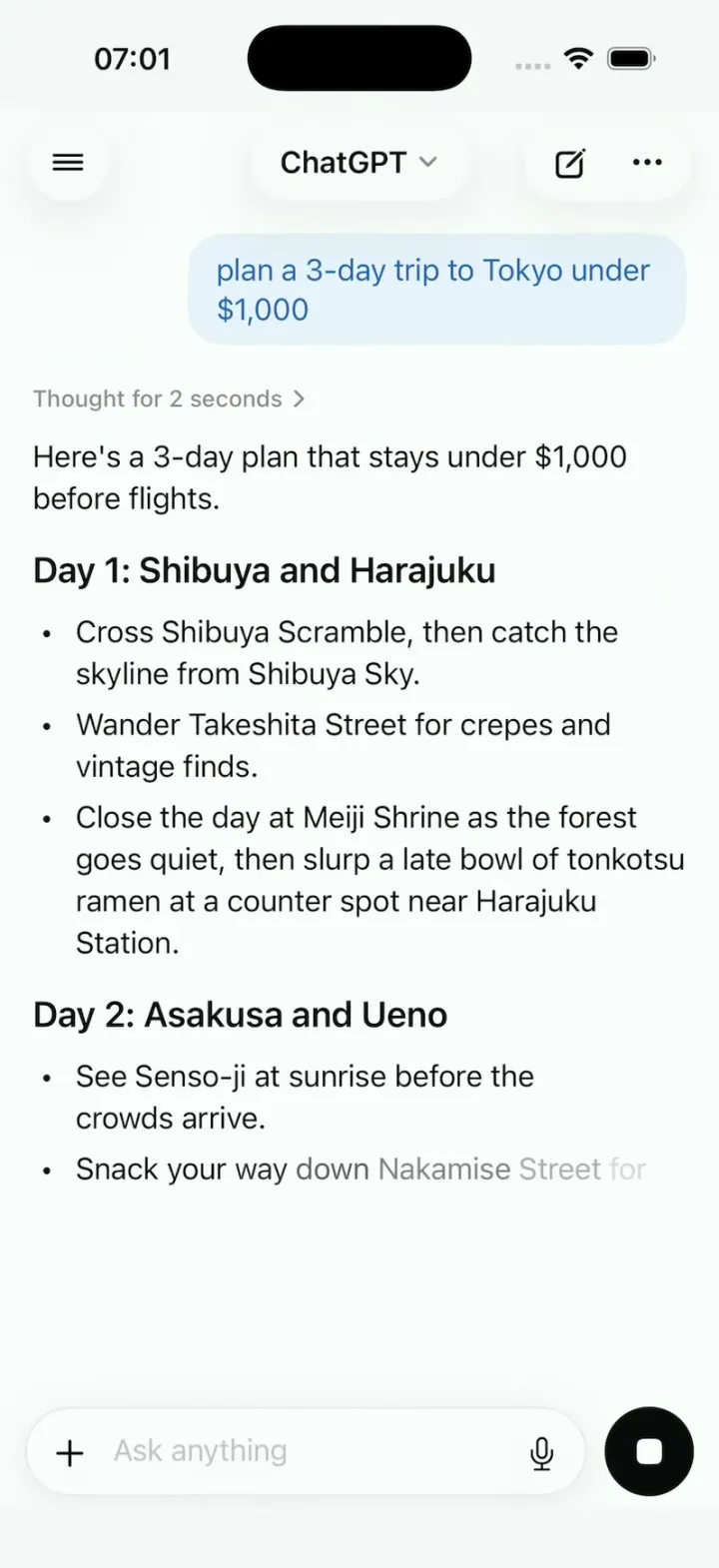
iOSChatGPT on iPhone: answers stream in word by word, a Tokyo map sharpens from a blur, and voice mode breathes.
- View template
Chengyu Calendar
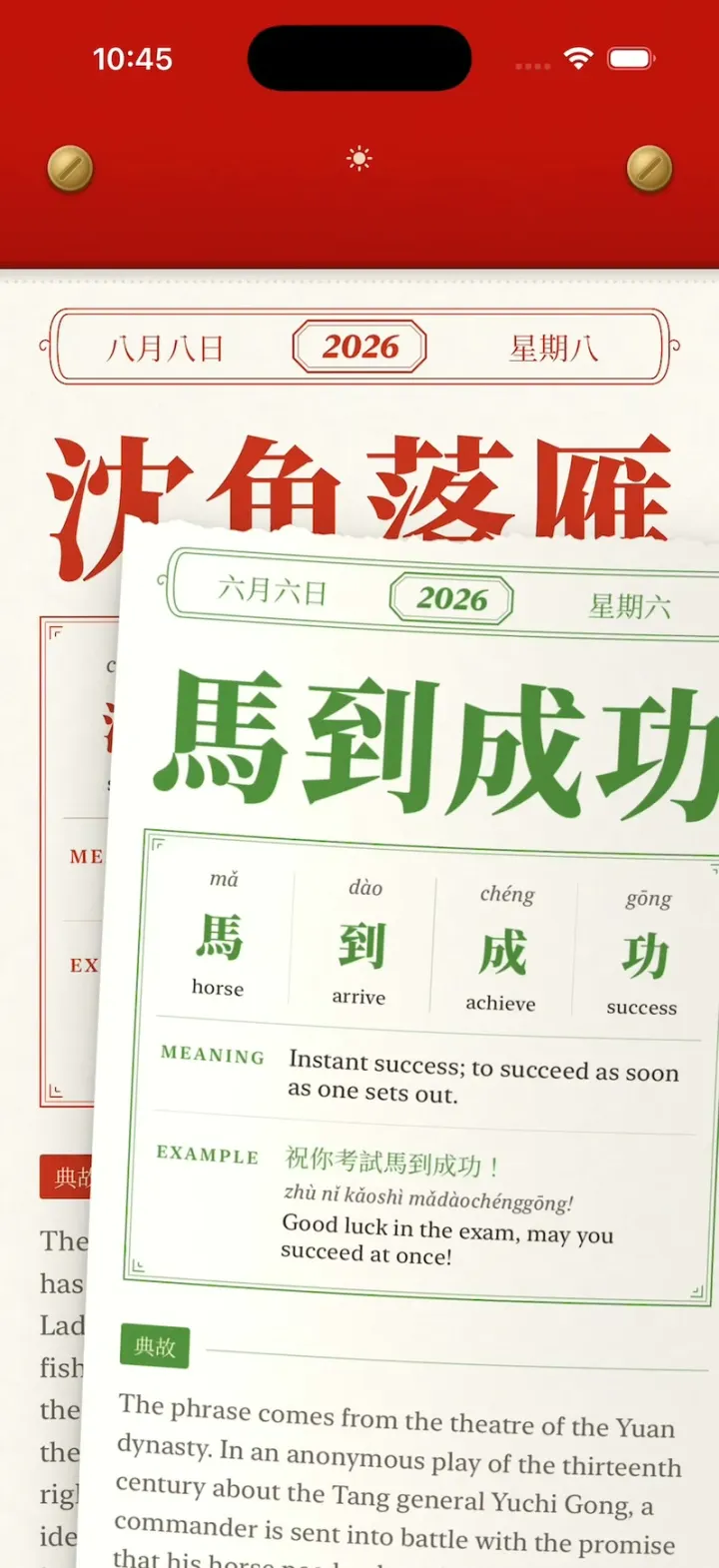
iOSA Chinese tear-off calendar: peel today's idiom with your finger, tear it off, flip through every torn page.
- View template
Lingo
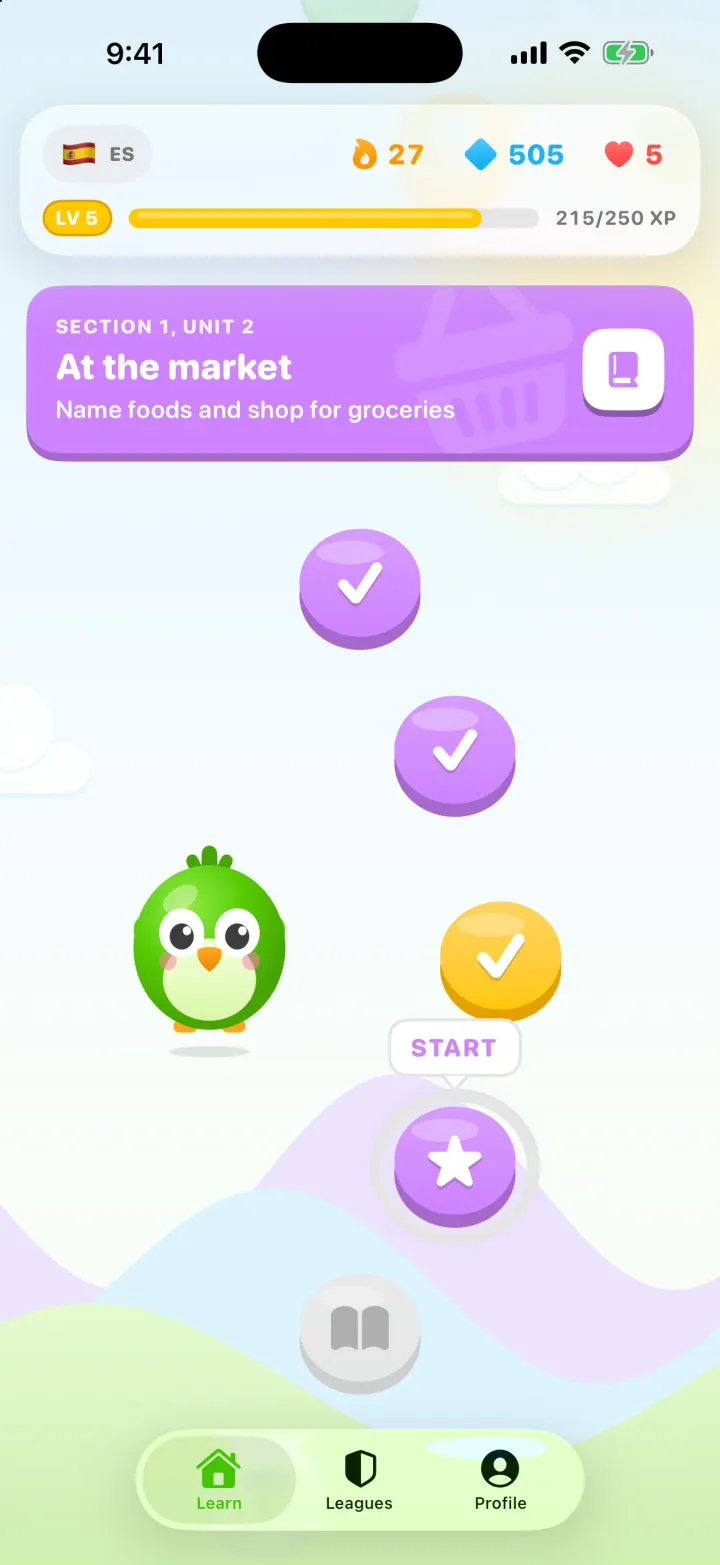
iOSA Duolingo-style Spanish app with a winding lesson path, a bouncing mascot, flip-in word cards and confetti.
- View template
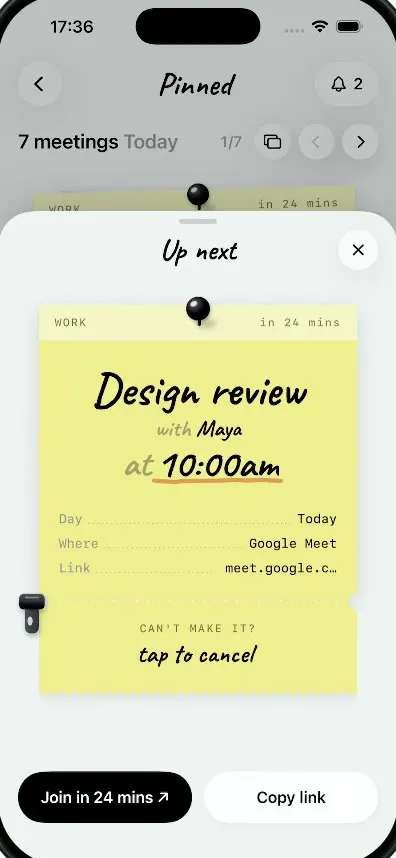
Pinned
iOSMeetings as sticky notes: tear off a note's ticket stub to cancel it and a red CANCELLED stamp slams down.