Pinned
Productivity app · from our videos on X
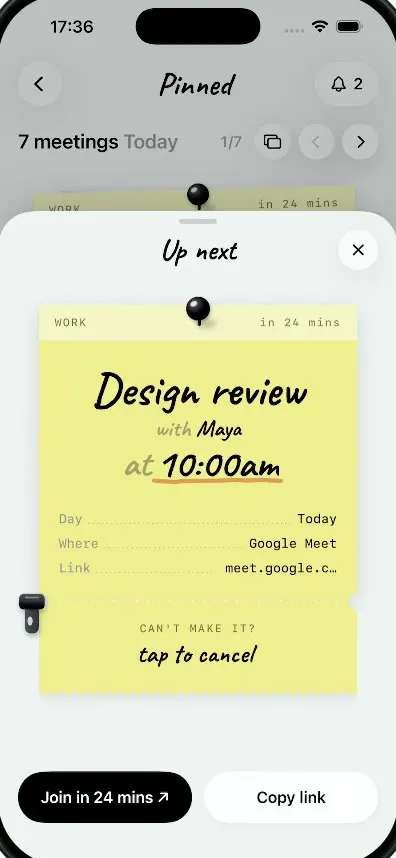
Pinned shows today's meetings as a stack of handwritten sticky notes. Tap one for the details, then tear off its ticket stub to cancel: a zipper rips the stub away and a rubber CANCELLED stamp lands on the note.
- iPhone · Swift
- Built in 2 prompts
- Free to remix

Remix copies the working app into your account for free, exactly as we built it. It runs in Vibecode's cloud iOS simulator, in your browser.
Watch the video on X@anshnanda · Oct 9, 2026The prompt that builds it
We built Pinned in 2 prompts. Here they are folded into one, so a single paste into a new app builds the finished version.
Prompt · 1,809 words
Download/reference the app shown in this post and clone it exactly, including the iPhone visual design, layout, interactions, animations, typography, spacing, and all visible states. Make it functional and runnable in the simulator. Match the reference as closely as possible and include any interaction shown in the video. Reference: https://x.com/rehanxahmed/status/2108153244908482987 (the LEFT phone of the two; ignore the right "Kyoto Station" phone), a 10-second video. Inspect it carefully, extracting frames as necessary.

Build a native SwiftUI iOS app named Pinned using Opus 5.5. It is a meetings app where each of today's meetings is a sticky note pinned to a board; the money moment is tearing off a ticket stub to cancel a meeting, which slams a red CANCELLED rubber stamp onto the note. Portrait iPhone, light mode only. Do NOT put a fake handset frame inside the actual app; the simulator provides that. Use realistic deterministic fixture data so every screen is rich and usable without permissions or backend.

Observed video sequence (0-10s): 0.0 home screen with the yellow "Design review" note on top of a messy stack of sticky notes. 1.9 the user taps the note: the background dims and an "Up next" sheet springs up from the bottom (2.0-2.4) holding a larger detailed version of the same note with a perforated ticket stub at its bottom. 4.1 the user taps the stub ("tap to cancel"): a black zipper pull that sits at the left end of the perforation slides right along it (4.17-4.70), tearing the stub off as it goes; the torn part hinges at the zipper and its free left end sags down further the further the zipper travels; at 4.70 the zipper reaches the right edge and fades, and the loose stub drops and slides down-right out of the sheet (4.73-4.90). 4.87 a red "CANCELLED" rubber stamp slams onto the note (appears large and faint, then snaps down to size in about 0.1 s with a tiny bounce), the note's text fades to grey, the header's "in 24 mins" becomes "cancelled", and both bottom buttons fade to a disabled grey. 6.6 the user taps the dimmed area above the sheet: the sheet slides down and the dim lifts; on the home board the yellow note now shows each title line struck through with a hand-drawn line, grey ink, header "cancelled". 8.7 the user taps the ">" button next to "1/7": the yellow note is ripped off the board, staying fully opaque as it rotates about -25 degrees and flies out to the left in about 0.3 s while the black push pin stays where it is; underneath, the green note becomes the top card (it is revealed blank and its text fades in about 0.15 s after it is fully uncovered) and the counter becomes "2/7".

Visual details. Typography: a casual handwritten marker script for the app title, the "Up next" title, note titles and "tap to cancel": bundle the Google font "Caveat" (Bold and SemiBold, OFL, download it from Google Fonts into the app bundle and register it in Info.plist); if the download is impossible use Noteworthy-Bold. Use SF Pro for UI text and the monospaced design (.monospaced) for note headers, detail rows and links. App background #F0F1F3, near-white with a very faint vertical gradient.

Home screen, top to bottom:
- Header row: a 44pt round frosted-glass button with a chevron.left on the left, the title "Pinned" centred in the handwriting font (about 30pt, black), and on the right a frosted capsule button with a bell icon and "2".
- Row: "7 meetings" (SF semibold 20, black) + " Today" (same size, grey #8E8E93) on the left; on the right "1/7" (grey, 15pt), then three 36pt round frosted buttons: a card/stack icon (rectangle.on.rectangle style), chevron.left, chevron.right.
- The note stack (about 324x324pt, centred): the top note is yellow #F0E681 with a lighter header strip #F4F2BD about 34pt tall across its top; it is rotated about -1.5 degrees with a soft drop shadow and a slightly curled bottom-right corner (a small lighter triangle with a shadow). A glossy black push pin (a black sphere with a white highlight on a short black stem, with a small shadow) sits at the top centre, overlapping the header strip. Header strip: "WORK" on the left and "in 24 mins" on the right, both monospaced 11pt, letter-spaced, grey-olive #6F6A45. Title in the handwriting font, three centred lines, big enough that "Design review" spans about two thirds of the note's width: "Design review" (black, about 42pt), "with" (olive-grey #9A9461, 35pt) + " Maya" (black 35pt), "at" (olive-grey) + " 10:00am" (black, about 38pt) with an orange marker underline #E08A3C under "10:00am". Every note uses the same size and title scale. Bottom-left: "Join in 24 mins ↗" (monospaced bold 13, black) and below it "meet.google.com/xpk-rmqa-zte" (monospaced 12, grey, underlined). Behind the top note: a mint-green note #C1F7AC rotated about -5 degrees peeking out on the left and bottom, and a salmon-pink note #F3BAAF rotated about +4 degrees peeking out on the right and bottom.
- A segmented filter in a light grey capsule track #DDE2E9: "All" (selected: white pill with a soft shadow, black semibold), "Work", "School", "Personal" (grey). Tapping filters the list.
- A white rounded card (radius 20, soft shadow) with two rows separated by a hairline: a small tilted orange sticky square #EFCB99 with "11:00" in the handwriting font, then "Book club" (semibold 16) over "Personal · Google Meet · 1 hr" (grey 13), chevron.right on the far right; a light-blue sticky square #BBE4F4 "16:00", "Group project sync" over "School · Zoom · 45 min", chevron.
- Section header "Monday" (semibold) + " 28 Sep" (grey), then another card: a lavender sticky "09:30", "Team standup" over "Work · Slack huddle · 15 min".

Today's 7 meetings for the stack (">" and "<" page through them with the rip-off animation; the stack under the top note always shows the next two notes' colours peeking out): 1 Design review with Maya at 10:00am, yellow, WORK, in 24 mins, Google Meet, meet.google.com/xpk-rmqa-zte. 2 Study group with Kabir at 11:30am, green #C1F7AC with header #DEF7CF and a green underline #6CC35E, SCHOOL, in 1h 54m, Zoom, zoom.us/j/7730418265 (behind it peek a salmon-pink note on the right and a pale blue #C9D8F2 note at the bottom). 3 Book club with Ana at 11:00am... use any plausible times for 3-7 (Book club, Group project sync, Gym with Leo, Dinner with Priya, Call with Mom), colours salmon pink, light blue, orange, lavender, yellow.

"Up next" sheet: the background dims with a black 25% overlay; a sheet with radius 36 top corners, colour #EEF2F3, grabber capsule at the top, rises to cover about the lower 80% of the screen with a spring (response 0.42, damping 0.82). Title "Up next" in the handwriting font (28pt) centred; a 40pt round frosted X button at the top-right. Inside, the note at full width (about 300pt wide, rotated 0 degrees, shadow): push pin at top centre; header strip "WORK" / "in 24 mins"; the three-line title at the same large size as on home; then three monospaced detail rows with dotted leader lines: "Day ........ Today", "Where ...... Google Meet", "Link ....... meet.google.co…" (labels grey, values black). Then the tear line: a horizontal perforation made of a row of small sheet-coloured dots, with semicircle notches cut into both side edges. Below it the stub (same yellow, about 95pt tall) with a pinking-shear zigzag bottom edge: "CAN'T MAKE IT?" (monospaced 11, letter-spaced, grey) and below it "tap to cancel" in the handwriting font (26pt, black). The zipper pull sits at the left end of the perforation, overhanging the note's left edge: a black #292A30 rounded slider about 26x16pt with a pull tab hanging below it (rounded rectangle 14x30pt with a small white oval highlight), with a shadow. Pinned to the sheet bottom: two capsule buttons 52pt tall side by side: "Join in 24 mins ↗" (black fill, white text) and "Copy link" (white fill, black text).

Cancel interaction: tapping anywhere on the stub runs the tear automatically (dragging the zipper to the right also works and scrubs it). Zipper slides left to right along the perforation in 0.55 s (easeInOut). Render the stub as a separate layer clipped by a moving tear: the part left of the zipper is detached and rotates about the zipper point so its free left end sags (0 degrees at the start, about 10 degrees when the zipper is halfway, 14 at the end); the part right of the zipper stays attached. When the zipper reaches the right edge: the zipper fades out in 0.15 s and the whole stub drops and slides down-right out of the sheet with extra rotation (0.3 s, easeIn). Then the stamp: "CANCELLED" in heavy condensed caps (SF Pro Black, compressed width, 30pt, letter-spaced) in red #B5402F, inside a rounded rectangle with a double red border, rotated -8 degrees, centred over the "with Maya" and "at 10:00am" lines (not over "Design review"), with a slightly rough ink look (a mask of small random specks so the ink is uneven). It starts at scale 1.7 and opacity 0.25 and snaps to scale 1.0, opacity 0.9 in 0.12 s, overshooting to 0.96 and settling at 1.0 (spring). At the same moment: the title text animates to grey 35% opacity, the header's "in 24 mins" cross-fades to "cancelled", the note's height shrinks smoothly where the stub was, and both buttons fade to disabled (Join fill #ADAEB4 with white 70% text, Copy link text grey #B0B0B5). Light haptic on the stamp.

Dismiss: tapping the X or the dimmed area above the sheet slides the sheet down (0.3 s). The home top note then shows the cancelled state: header "cancelled", title lines in grey ink each struck through by a hand-drawn dark grey line (slightly wavy, drawn left to right in 0.25 s right after the sheet closes).

Page interaction: ">" rips the current top note off as described (the pin stays put; the card stays fully opaque the whole time, with no fade, while it rotates -25 degrees and flies out left with a small upward arc, 0.3 s easeIn). The next note is revealed blank, slides up a little and straightens into the top position, and its text fades in about 0.15 s after it is fully uncovered; the counter increments ("2/7"). "<" brings the previous note back in (reverse animation). Swiping the note left/right does the same.

Reset: tapping the chevron.left button at the top-left of the header resets ALL state to the launch state (page 1/7, Design review not cancelled, sheet closed) with a quick crossfade. This must work every time.

Use native spring animations and gestures, not static screenshots.

Build fully, run compile/build validation, resolve all errors, and launch in the web simulator. Prioritize fidelity to the reference and a functional main interaction flow. Deliver complete implementation rather than a plan.
More templates
All templates- View template
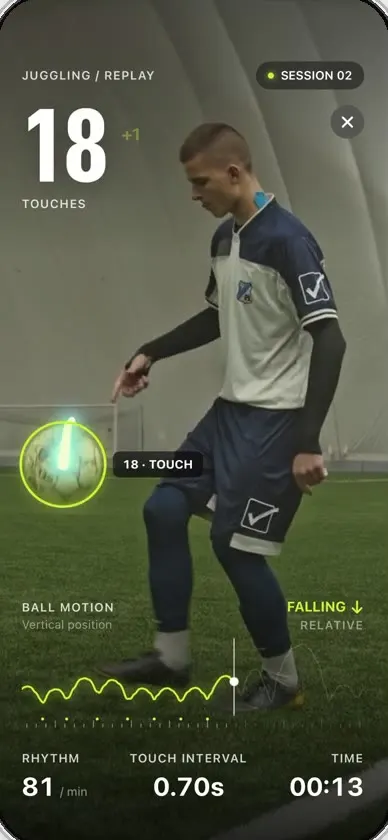
Keepy
iOSCounts your football juggling touches from a clip or the live camera, with ball tracking and rhythm stats.
- View template
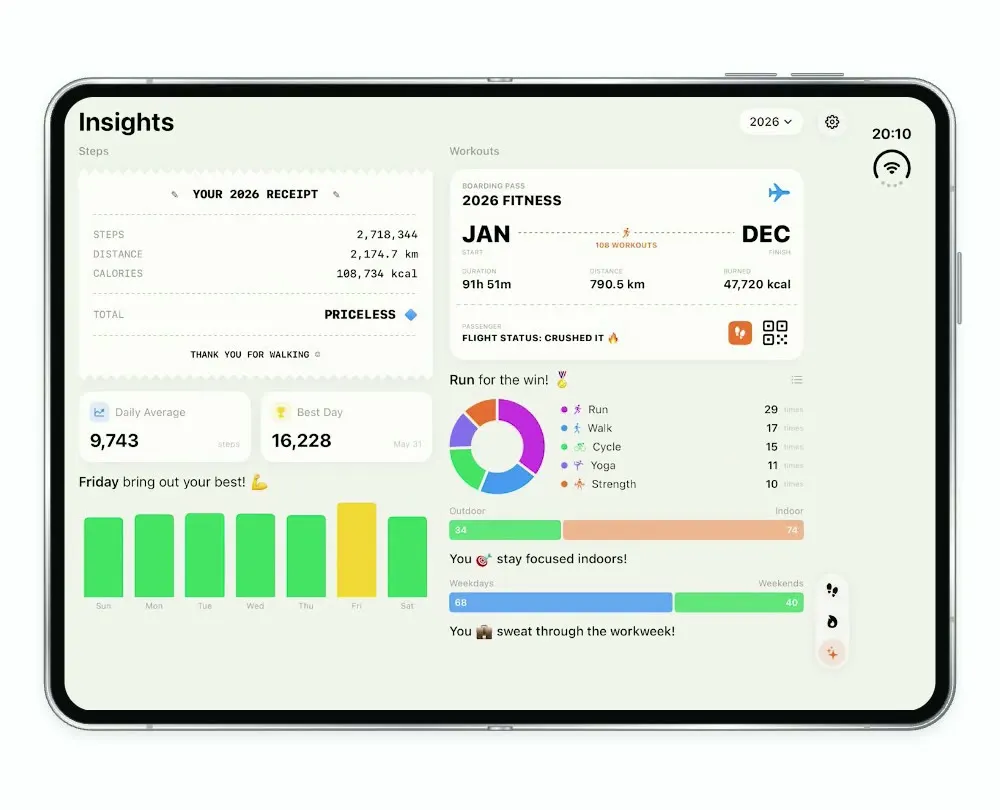
Steps Duo
iOSA step and workout tracker for the foldable iPhone Duo, with a calendar, run maps and shareable stat cards.
- View template
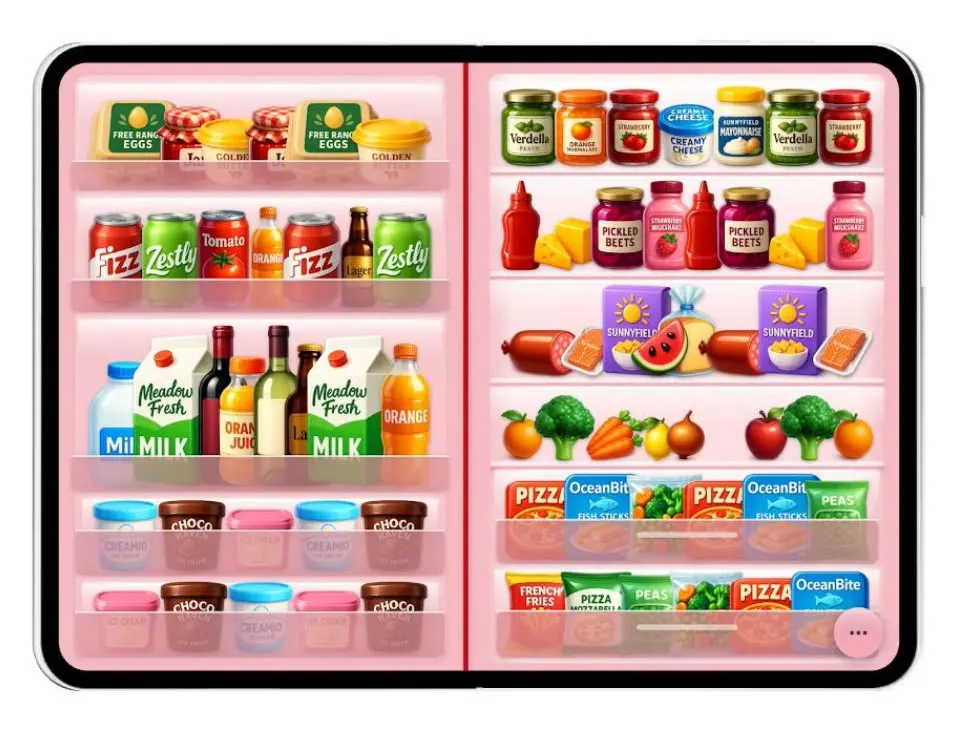
Duo Fridge
iOSTurns the iPhone Duo into a fridge: folded it is the door with magnets, unfolded it is the stocked shelves.
- View template
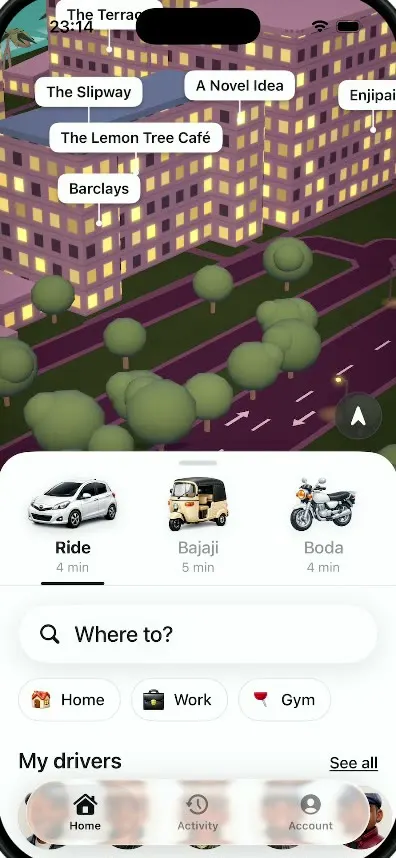
Dar Ride
iOSA ride-hailing app for Dar es Salaam with cars, bajajis and boda bodas, a 3D night map and fares in shillings.