Chess.com 3D Clone
Game app · built by the Vibecode team
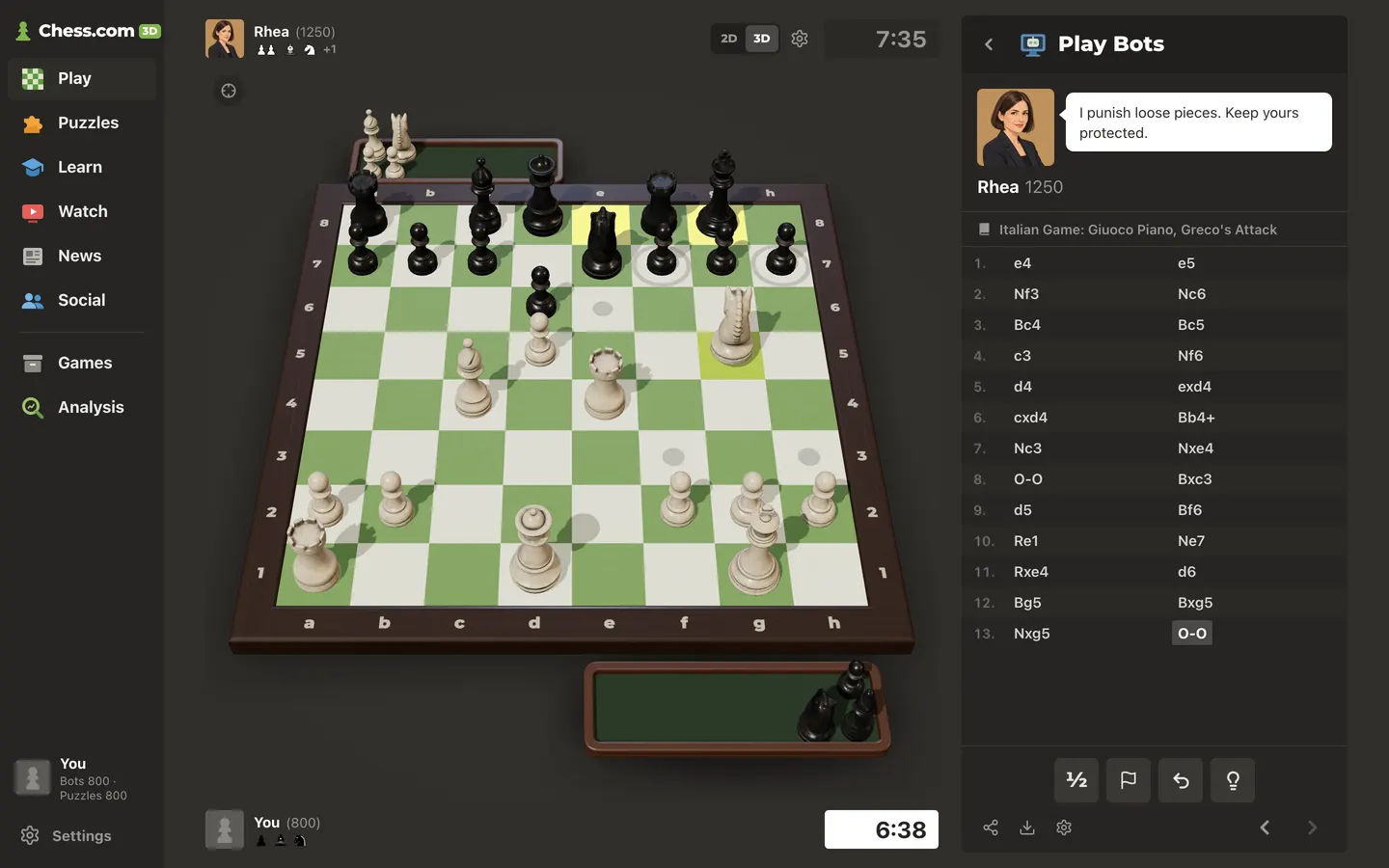
Chess.com's dark play screen rebuilt around a real-time 3D board: textured wooden pieces arc between squares, cast soft shadows and land in felt capture trays, and you can orbit the camera or switch to 2D. Pick one of 8 bots from Penny (250) to Atlas (2600), each with its own Stockfish strength, avatar and chat lines, and play with clocks, hints, takebacks and premoves. After every game, Game Review runs Stockfish on each move for accuracy, an eval graph and Brilliant-to-Blunder labels you can step through. There are also 60 real Lichess puzzles with a rating and streaks, Pass and Play, an analysis board with PGN import, opening lessons and four classic games to replay. Ratings, games and puzzle progress are saved in the browser.
- Web app
- Built in 4 prompts
- Free to remix
Remix copies the working app into your account for free, exactly as we built it. It runs in your browser.
The prompt that builds it
We built Chess.com 3D Clone in 4 prompts. Here they are folded into one, so a single paste into a new app builds the finished version.
Prompt · 6,162 words
Build "Chess.com 3D": a web clone of Chess.com's play experience (its real name, dark UI, green-and-cream board, bots screen, move list, evaluation bar, Game Review and Puzzles), except the board is a gorgeous real-time 3D board made with three.js / react-three-fiber. Players play real games against 8 Stockfish bots, pass-and-play with a friend, solve 60 real Lichess puzzles, and get a Stockfish Game Review after every game. Use Opus 5.5. Match Chess.com's look closely: dark warm-grey UI, green CTA buttons, chunky white headings. Bot names, avatars and personalities are our own (Chess.com's bot characters are their IP, so never copy them).

Design references (the original screenshots are not included; build from these descriptions):
- Reference: Chess.com "Play Chess" hub (left nav, classic green board, right panel of big cards)
- Reference: the "Play Bots" selection panel (selected bot with speech bubble, bot groups, New Game / Continue buttons)
- Reference: a game in progress (player bars, opening name, move list, Resign/Undo/Hint buttons, yellow last-move squares, blue hint square)
- Reference: the "Are you sure you want to resign?" popover
- Reference: the game-over modal ("Zach Won / by resignation", Miss/Book/Great counts, New Bot / Rematch). Ignore the advertisement box beside it.
- Reference: the Puzzles page ("White to move" bubble, Hint button)
- Reference: the Analysis page with the vertical evaluation bar left of the board
- Reference: Chess.com at phone width (390 px): top bar and stacked cards
- Data (use these exact files, do not invent puzzles or openings):
  - https://vibecode-template-data.beacon.host/chess-3d/puzzles.json: 60 real puzzles from the Lichess puzzle database (CC0), already validated. Each has `id, fen, moves (UCI), san, rating, themes, title, playerColor, url`. The FEN is the position BEFORE the opponent's first move: moves[0] is the opponent's move (auto-played), then the solver plays moves[1], the opponent replies moves[2], and so on.
  - https://vibecode-template-data.beacon.host/chess-3d/openings.json: 3,236 named openings from lichess-org/chess-openings (CC0): `{eco, name, san}` where san is a space-separated move list. Use them for the live opening name above the move list and for "Book" moves in Game Review (longest matching prefix wins).
  - https://vibecode-template-data.beacon.host/chess-3d/classic-games.json: 4 famous historical games (public-domain move records) with PGN, title, year, players and a one-line blurb, for the Watch page.
  - 2D pieces: https://vibecode-template-data.beacon.host/chess-3d/pieces/{wK,wQ,wR,wB,wN,wP,bK,bQ,bR,bB,bN,bP}.svg and pieces/LICENSE.txt (Cburnett set by Colin M.L. Burnett, Wikimedia Commons). Save them to webapp/public/pieces/.

## Stack and assets

- Work in webapp/ (Vite + React 18 + TypeScript + Tailwind). No backend or database is needed: everything persists in the browser with zustand `persist` (localStorage key `chess3d-v1`). Say "Saved in this browser" in the Settings dialog.
- Install: `three`, `@react-three/fiber@^8` and `@react-three/drei@^9` (React 18 compatible), `chess.js@^1.4.0`, `zustand`, `@fontsource/montserrat` (700, 800). Use chess.js for every rule: legal moves, check, checkmate, stalemate, castling, en passant, promotion, threefold repetition, 50-move rule, insufficient material, SAN, FEN and PGN.
- Engine: download Stockfish 19 "lite single-threaded" (no SharedArrayBuffer or COOP/COEP needed, works inside an iframe) into webapp/public/engine/: https://unpkg.com/stockfish@19.0.1/bin/stockfish-19-lite-single.js and https://unpkg.com/stockfish@19.0.1/bin/stockfish-19-lite-single.wasm (the .js loads the .wasm next to it). Run it as `new Worker('/engine/stockfish-19-lite-single.js')` and speak UCI over postMessage. Wrap it in a small promise-based class with a command queue: `init()` (uci → uciok, isready → readyok), `bestMove(fen, opts)`, `analyse(fen, {depth, multiPv})` returning `{bestMove, pv, lines:[{cp|mate, pv}]}`, `stop()`. Use two workers: one for bot moves/hints, one for Game Review analysis.
- 3D pieces: the CC0 "Chess Set" by Riley Queen from Poly Haven. Download the 1k glTF and every file it includes into webapp/public/models/chess_set/ (keep the relative `textures/` paths): get the file list from https://api.polyhaven.com/files/chess_set (key `gltf` → `1k` → `gltf` → `url` plus its `include` map), e.g. https://dl.polyhaven.org/file/ph-assets/Models/gltf/1k/chess_set/chess_set_1k.gltf, chess_set.bin and the 9 JPG textures (about 7 MB in total). The file has one mesh per piece named `piece_{king|queen|rook|bishop|knight|pawn}_{white|black}[_NN]`, plus `board`. Each piece geometry is centred at its origin with its base at y = 0. Squares in the model are 0.058 m apart, so scale pieces by 1/0.058 ≈ 17.24 when one square = 1 world unit. The white knights' heads already point +z and the black knights' point −z. Clone the geometry/material per piece type and colour. Do not use the model's own board except for the "Tournament Wood" theme below.
- Images: generate with `gpt-image-2.5-flare` through the project's proxied `OPENAI_API_KEY` (run `env` to find it) at `https://api.openai.com/v1/images/generations`, size 1024x1024, then downscale to 256 px WebP in webapp/public/bots/. Generate:
  - 8 bot avatars, one per bot below. Style for all 8: "illustrated head-and-shoulders portrait, friendly semi-flat vector illustration with soft shading, three-quarter view, looking at the viewer, solid flat background colour <hex>, no text, no border". Every bot is a fictional adult (Atlas is a robot).
  - The OG share image (1536x1024 → webapp/public/og.jpg): "A cinematic 3D chess board with cream and green squares and polished wooden Staunton pieces mid-game, soft studio light, warm dark grey background, shallow depth of field, no text".
- Favicon: our own SVG of a green (#81b64c) pawn on transparent. Remove any vibecode favicon/og-base references. `<title>Chess.com 3D: Play Chess in 3D vs Bots</title>`, meta description "Play chess on a 3D board against 8 bots, solve puzzles and review every game with Stockfish.", og:image /og.jpg. No Vibecode branding anywhere in the app.
- Credits (Settings → About): "Engine: Stockfish 19 (GPLv3) via stockfish.js by Nathan Rugg · 3D pieces: Chess Set by Riley Queen, Poly Haven (CC0) · Puzzles: Lichess puzzle database (CC0) · Openings: lichess-org/chess-openings (CC0) · 2D pieces: Cburnett by Colin M.L. Burnett (CC BY-SA 3.0 / GFDL / BSD / GPL)". This is a fan-made clone, so add "Not affiliated with Chess.com" in small text there.

## Look (match the references)

- Colours: page #302e2b; left nav and panels #262522; panel header strip #21201d; cards #343331 (hover #3d3b38); hairlines #3c3a37; text #ffffff, secondary #989795, muted #706e6b.
- Board ("Green", default): light #ebecd0, dark #739552. Coordinates in the opposite square colour, 12 px weight 700: rank numbers top-left of the a-file squares, file letters bottom-right of the first-rank squares (as in ref-01).
- Square highlights: last move and selected square: light #f5f682 / dark #b9ca43. Hint: #59abc0 at 80%. Premove: #e85b5b at 60%. Check: a radial red glow on the king's square (#ff0000 centre → #e70000 at 25% → transparent at 89%). Legal-move dot: black at 14% opacity, 33% of the square. Capture target: a ring, black at 14%, 8% of the square thick. Drag hover: 4 px inset white outline at 65%.
- Primary button: bg #81b64c, hover #a3d160, bottom edge `box-shadow: 0 5px 0 #45753c`, radius 8 px, white text Montserrat 800, 24 px on the big "Play"/"Start" buttons and 16 px on small ones. Pressing moves it down 2 px. Secondary button: bg #3a3835, hover #45423e, shadow 0 4px 0 #2a2826, text #ffffff at 85%. Danger (confirm resign): bg #e02828, shadow 0 4px 0 #a61d1d.
- Type: headings Montserrat 800 ("Play Chess" 42 px, panel titles 20 px), UI text system-ui/-apple-system/"Segoe UI"/Roboto 14–16 px, clocks tabular-nums 24 px weight 700. Radius 6 px on panels, 4 px on squares/chips. Spacing scale 4/8/12/16/24/32. One accent colour (#81b64c). No purple/blue gradients, no glassmorphism, no emoji anywhere: every icon is an inline SVG (lucide-react is fine for UI glyphs; draw our own small coloured SVGs for the nav icons).
- Game Review classification colours and badges (18 px circles with a white glyph): Brilliant "!!" #26c2a3, Great "!" #749bbf, Best (star) #81b64c, Excellent (thumbs-up) #96bc4b, Good (check) #95b776, Book (open book) #d5a47d, Inaccuracy "?!" #f7c631, Mistake "?" #ffa459, Miss (x) #ff7769, Blunder "??" #fa412d.

## Layout

Desktop (1440x900): left nav 170 px (#262522), then a centred row: [eval bar 22 px, only in review/analysis] [board column] [24 px gap] [right panel 400 px, #262522, radius 6 px, full height minus 16 px margins].
- Left nav top to bottom: logo (our green pawn SVG + "Chess.com" wordmark in white, Montserrat 800 22 px, plus a small "3D" pill #81b64c), then items with a 28 px coloured icon and 17 px bold label, 44 px rows, hover #2f2d2a: Play (/), Puzzles (/puzzles), Learn (/learn), Watch (/watch), News (/news), Social (/social), then a divider and Games (/games), Analysis (/analysis). Bottom: a profile chip (grey pawn avatar #5d5b58, display name, "Bots 800 · Puzzles 800" in #989795) and a Settings button.
- Board column: player bar on top (opponent) and bottom (you), 48 px each: 40 px square avatar (radius 4), name 15 px bold white, rating "(1250)" #989795, under the name a row of captured-piece icons (16 px 2D pieces overlapping by −6 px, grouped by type) plus "+2" material lead in #989795; clock box on the right (inactive: bg #2b2926 text #989795; active: bg #ffffff text #262522; under 20 s and active: bg #e02828 text white with a subtle pulse). Board size = min(100vh − 140 px, available width), centred. A gear button and a 2D/3D segmented toggle sit at the board's top-right corner (as the gear in ref-03).
- Phone (390 px wide): a 52 px top bar (#262522): hamburger opening a left drawer with the same nav, centred logo, 2D/3D toggle and gear on the right. Pages stack vertically: opponent bar, board at full width (the 3D canvas 390x420 with the board fitting the width), your bar, a horizontally scrolling move strip (one row of SAN moves, current move highlighted), then the panel content. In games, a fixed bottom action bar (64 px plus safe-area padding) holds Draw, Resign, Takeback, Hint and ‹ › as icon buttons with small labels. Whenever the bot speaks (greeting, capture, check, game end), its line shows in a compact white bubble (#ffffff, text #312e2b, 13 px, one line with an ellipsis) just under the opponent bar for 4 s, then fades out. No horizontal overflow at 390 px, tap targets ≥ 44 px, text ≥ 13 px.

## The 3D board (the hero)

- Canvas fills the board column between the two player bars; transparent background over the page colour, with a soft radial pool of light on the "table" (#3a3733 centre fading to #302e2b).
- Board: our own model. An 8x8 playing surface drawn from a 2048 px CanvasTexture (square colours from the current theme plus a very faint grain so it reads as a satin lacquered surface, roughness 0.55) on a 0.35-thick slab, framed by a 0.55-wide dark walnut border (#3b2a1e, bevelled, clearcoat 0.3). Print a–h along both the near and far edges of the frame and 1–8 along both the left and right edges, in #ebecd0 at 70% (Montserrat 800), every label upright when read from the current viewing side (all of them rotate 180° when the camera sits on Black's side). In 3D there are no labels on the squares themselves (those stay in 2D only). The whole board receives shadows.
- Pieces: the Poly Haven wooden pieces with their PBR textures (diffuse, normal, ARM), cast and receive shadows. Second piece style "Marble": the same meshes with MeshPhysicalMaterial, white #f2efe8 with faint grey veins (procedural canvas texture), black #1d1d20 with clearcoat 1.0, roughness 0.25.
- Lighting: ACES filmic tone mapping, sRGB, `shadows="soft"`, dpr [1, 2] (phone [1, 1.5]). Ambient 0.35; key DirectionalLight from front-left above at (-6, 12, 7), intensity 2.2, casting 2048 px shadows (bias −0.0004, normalBias 0.02, shadow camera ±7); warm fill from the right 0.5; cool rim light from behind 0.8. Use drei `<Environment resolution={256}>` with `<Lightformer>` softboxes for reflections (no HDRI download), and `<ContactShadows>` under the board (opacity 0.55, blur 2.5).
- Camera: PerspectiveCamera fov 32. Default view from the player's side at about 50° elevation, looking at the board centre, distance computed from the canvas aspect so the board, frame and both tray areas fit tightly with about 3% margin on every side (portrait phones get a slightly steeper, more top-down angle, and the frame spans the phone width minus 8 px on each side; the canvas is only as tall as the board plus trays need, so the "You" bar sits directly under it). In attract mode, fit instead to the circle around the whole frame (radius = half the frame's diagonal) plus 4%, so no part of the board ever leaves the canvas during the orbit. drei OrbitControls: damping 0.08, no pan, polar angle 0.15–1.2 rad, distance 9–22. Desktop: left-drag on empty space or the frame orbits, wheel zooms, right-drag orbits. Touch: one finger is for pieces only (`touches.ONE = null`), two fingers rotate and pinch-zoom. A "Reset view" button (crosshair icon) at the canvas's top-left returns smoothly to the default view.
- Auto-flip: when you play Black, the camera swings 180° around the board to Black's side (1.1 s ease-in-out) at game start. In Pass and Play it swings to the side to move after every move (Settings toggle "Auto-flip board", on by default). The Flip button does the same.
- Moves: the moving piece glides on an arc: x/z easeInOutCubic over 360 ms (Settings "Animation speed": Fast 220 ms / Normal 360 ms / Slow 520 ms), y = h·sin(πt) with h = 0.55 (knights 1.0), then a tiny landing squash (scale y 0.94 → 1 over 120 ms) and the move sound. A captured piece shrinks and fades from the square as the mover lands, then reappears on a tray beside the board on its capturer's right-hand side (White's tray in front of the board at the right, Black's behind it at the left), standing at 70% scale in two neat rows (pawns behind, pieces in front) and gliding in with the same arc. Each tray stays hidden until its first capture, then fades in over 300 ms, and looks like a real tray: walnut rim #5a3d2b with a raised lip, dark green felt floor #2f3d2c, rounded corners and a soft contact shadow. Castling moves the rook 80 ms after the king. Promotion: the pawn sinks and the new piece pops up (scale 0 → 1.08 → 1).
- Interaction: hovering a piece you can move lifts it 0.08 and shows a pointer cursor. Click-to-move: click a piece → it lifts 0.15, its square turns the selected colour, legal targets show dots (empty squares) or rings (captures); click a target to move, the piece again or empty space to cancel. Drag-and-drop: press on a piece (this disables OrbitControls until release), the piece floats 0.4 above the board following the pointer projected on the board plane, the square under it gets the white hover outline, release on a legal square to move, anywhere else to glide back. Highlights are thin planes 0.002 above the squares in the colours listed under Look. The checked king's square gets the red glow, and the king tilts 4° once (a tiny shake).
- Promotion picker: an HTML overlay (drei `<Html>`) anchored at the promotion square: a white vertical column of Queen, Knight, Rook, Bishop (2D icons, 56 px) plus an "×" to cancel, exactly like Chess.com's.
- Premove: while the bot is thinking you may pick one premove (click/drag as usual). It shows in the premove colour and plays the instant the bot's move lands, if it is still legal. Any click on an empty square or right-click clears it.
- Loading: on the first load of the 3D assets in a session, show the 2D board at once with a small "Loading 3D pieces… 42%" chip (drei useProgress), then cross-fade to 3D. Once they have loaded, every later board mount goes straight to 3D: the canvas fades in from the page background (#302e2b) over 150 ms with no 2D board in between. Until a piece texture has loaded (or if it fails), draw the piece in a solid base colour (white #e9dcc5, black #2a2420) so Black never renders white. If WebGL is unavailable, stay in 2D and show a toast "3D isn't supported on this device, so we're showing the 2D board."
- 2D board (the 2D/3D toggle, also the fallback): a flat Chess.com-style board with the Cburnett SVG pieces, coordinates in the square corners, the same highlights, click-to-move and drag-and-drop (pointer events, the piece follows the cursor at 110% scale), 150 ms slide animations. Both views share one game controller, so you can switch mid-game.
- Board themes (Settings): Green (#ebecd0 / #739552, default), Brown (#f0d9b5 / #b58863), Ice (#dee3e6 / #8ca2ad), Marble (#e9e7e2 / #9a9ea3 with faint veins), and "Tournament Wood" (3D only: the Poly Haven board mesh scaled to the same square size).

## Sounds

Synthesise every sound with WebAudio (no audio files). Move: a wooden "tock" (a 45 ms noise burst through a 1.8 kHz band-pass with Q 6, plus a 35 ms 220 Hz sine thump). Capture: a sharper, louder tock and a second click 40 ms later. Castle: two tocks 90 ms apart. Check: a move tock plus a short 880 Hz ping. Promote: a rising two-note chime (660 → 990 Hz). Game start: a soft two-note chime (523 → 784 Hz). Game end: a three-note descending chime. Puzzle correct: a bright two-note rise. Puzzle wrong: a low 160 Hz buzz for 150 ms. Clock under 10 s: a soft tick each second. Settings has Sounds on/off and volume. Resume the AudioContext on the first user gesture.

## Screens (exact copy in quotes)

### 1. Play hub `/` (ref-01)
Board column: the 3D board in "attract mode": starting position, camera slowly orbiting (one turn every 60 s), no interaction. Right panel (a #262522 panel with 6 px radius, its header in a #21201d strip): header with our hand-holding-pawn icon and "Play Chess" (Montserrat 800, 42 px, #ffffff at 85%), then 5 cards (each #343331, radius 8, 100 px tall, 64 px coloured SVG icon, title 24 px Montserrat 800, subtitle 15 px #989795):
- "Play Bots": "Challenge a bot from Easy to Master" → /play/computer
- "Pass and Play": "Two players, one device" → /play/local
- "Puzzles": "Solve real puzzles and raise your rating" → /puzzles
- "Game Review": "See your best moves and blunders" → review of your latest game (if you have none: "Play a game first, or review a famous one" plus a link to review The Opera Game from classic-games.json)
- "Analysis Board": "Import a PGN or FEN and explore" → /analysis
Under the cards, a "Continue your game" banner (green left border) appears if a game is in progress.

### 2. Play Bots `/play/computer` (ref-02, then ref-03 once a game starts)
Before the game the board shows the starting position (you at the bottom) and the right panel shows:
- Header "Play Bots" with our robot-monitor icon.
- Selected bot: 96 px avatar, a white speech bubble (#ffffff, text #312e2b 15 px, radius 8, tail pointing at the avatar) with the bot's greeting, then "Penny 250" (name bold 18 px, rating #989795).
- Bot groups, each a card (#2b2926, radius 6) with title and "2 bots" on the right, and a grid of 56 px avatar tiles (selected tile: 3 px #81b64c border). Clicking a tile selects the bot, updates the bubble, and swaps the opponent bar above the board.
  - "Beginner": Penny 250, Bram 450
  - "Intermediate": Nia 700, Oskar 950
  - "Advanced": Rhea 1250, Teo 1550
  - "Master": Vera 1900, Atlas 2600
- An "Options" row (collapsible, chevron) containing: "Time control" pills "No timer" (default), "3 | 2", "5 | 0", "10 | 0"; "I play as" with three square buttons (white king, a "?" for random, black king; default white); toggles "Show legal moves" (on) and "Allow hints & takebacks" (on).
- Big green "Play" button at the bottom (as in ref-02). If a game is in progress, show "New Game" (secondary) above a green "Continue" instead, like ref-02.

The 8 bots (all fictional; avatar background colours in brackets; the avatar prompt describes the person):
1. Penny, 250 [#e9b949]: cheerful young woman with round glasses and a yellow beanie. Greeting "Hi! I just learned how the horsey moves. Go easy on me?" Capture "Ooh, can I keep this one?" Check "Check! Did I say that right?" Win "I won?! Wait till I tell my cat." Lose "Good game! Show me that trick again sometime."
2. Bram, 450 [#7fa6c9]: retired mail carrier in his 60s with a white moustache and a flat cap. "I delivered mail for 30 years. Checkmate takes me a little longer." / "Special delivery!" / "Knock knock. Check." / "Signed, sealed, delivered." / "Well played. Return to sender, I suppose."
3. Nia, 700 [#d98a6c]: grad student in her 20s with braids and headphones around her neck. "I play between lab experiments. Let's make this quick." / "Data point collected." / "Check. Hypothesis confirmed." / "Results are in: I win." / "Fascinating. I need to study that."
4. Oskar, 950 [#8fb07a]: park chess regular in his 50s with a grey beard and a wool sweater. "Twenty years of park chess. I never trade queens." / "In the park we call that a gift." / "Check, my friend." / "Same time tomorrow?" / "Hah! You'd do fine in the park."
5. Rhea, 1250 [#c99a5b]: tournament player in her 30s with a sharp bob and a blazer. "I punish loose pieces. Keep yours protected." / "Loose piece. Told you." / "Check. Your king looks cold." / "Clean game. Well, my side was." / "Strong play. I'll remember that."
6. Teo, 1550 [#5f9ea0]: club champion in his 20s with curly hair and a denim jacket. "Club champion three years running. Bring a plan." / "That piece was doing nothing anyway." / "Check. Plan B?" / "Plans beat hope." / "Okay, that was a real plan. Respect."
7. Vera, 1900 [#a35d5d]: elegant woman in her 60s with silver hair and pearl earrings. "I study endgames for fun. Try not to reach one with me." / "Thank you, darling." / "Check. Mind your king." / "As the endgame foretold." / "Bravo. Truly."
8. Atlas, 2600 [#2f3b2f]: a sleek matte-graphite robot head with two soft green (#81b64c) eyes. "Engine online. I calculate twenty moves ahead." / "Material advantage acquired." / "Check." / "Checkmate. Calculation complete." / "Unexpected result. Recalibrating."

Bot strength (Stockfish): Penny skill 0, depth 1, 40% random legal move; Bram skill 0, depth 2, 25% random; Nia skill 2, depth 3, 15% random; Oskar skill 4, depth 5, 8% random; Rhea UCI_LimitStrength true + UCI_Elo 1350, movetime 400; Teo UCI_Elo 1600, movetime 500; Vera UCI_Elo 2000, movetime 700; Atlas full strength (Skill Level 20), movetime 1200. Bots "think" for a natural 0.6–1.6 s (Masters 0.8–2.2 s), and with a timer the delay comes off their clock. The bot speaks its greeting at the start and its other lines on a capture of a piece worth 3 or more, on giving check, and at the end.

In game (ref-03): the panel shows the header, the bot avatar with its latest line in the bubble, the current opening name (longest openings.json prefix match, e.g. "Caro-Kann Defense: Gurgenidze System") with a book icon, the move list (two SAN moves per row with the move number; rows alternate #262522 / #2a2926; the current move is a chip bg #4b4847 radius 3 with white bold text; it auto-scrolls; click any move to view that position read-only, and a "Back to game" chip returns), then the action row of four 46 px square secondary buttons with tooltips: "Draw" (½ glyph), "Resign" (flag), "Takeback" (curved arrow), "Hint" (light bulb). Below them small icon buttons: "Share" (copies the PGN), "Download" (downloads `chess3d-<date>.pgn`), "Settings" (gear), plus ‹ › to step through moves. Keyboard: ← → step moves, F flips.
- Hint: Stockfish depth 14 from your position; turns the best move's from-square blue and draws a translucent blue arrow (3D: a flat arrow mesh just above the board; 2D: an SVG arrow) for 3 s. Counts "hints used".
- Takeback: undoes your last move and the bot's reply. Counts "takebacks used". Hidden when assistance is off.
- Resign: the popover from ref-04 ("Are you sure you want to resign?" with "Cancel" and a red "Resign").
- Draw: the bot accepts if it's move 20 or later and the eval is within ±0.5, or if the position is a dead draw; otherwise it says "Let's keep playing." in its bubble.
- Game end: checkmate, resignation, timeout (a draw if the side with time left lacks mating material), stalemate, insufficient material, threefold repetition, 50-move rule, agreement. Then a short game-end chime and the modal from ref-05 over the board: header "You Won!", "Penny Won" or "Draw" (Montserrat 800 26 px) with a subtitle "by checkmate" / "by resignation" / "on time" / "by stalemate" / "by insufficient material" / "by repetition" / "by the 50-move rule" / "by agreement"; a quick summary row with counts of three classifications (from a fast depth-8 pass, e.g. "1 Miss · 2 Book · 0 Great" style icons); your bot rating change ("Bots rating 812 (+12)" in green, or red when negative); a big green "Game Review" button, then "New Bot" and "Rematch" secondary buttons; × closes it. Winning adds a subtle gold crown badge on the winner's king and a red flag on the loser's (as in ref-05). These badges always sit under modals, dialogs and popovers (drei Html zIndexRange ≤ [20, 0], modals at z-50) and hide while the game-over modal is open. The camera never zooms at game end; the whole board and frame stay in view.
- Bots rating: starts at 800 and moves by Elo against the bot's rating (K = 32, draws count 0.5). It is stored with its history.
- The game in progress is saved after every move, so a reload brings you back to it (with the "Continue" button). Finished games are saved to the archive with the PGN, result, termination, clocks, the date and time, hints and takebacks used.

### 3. Pass and Play `/play/local`
The panel shows "Pass and Play", two name inputs ("White" default "Player 1", "Black" default "Player 2"), the same time-control pills, the "Auto-flip board" toggle and a green "Start Game". In game the panel shows the move list and buttons ("Offer draw" opens a confirm: "<Black name>, accept a draw?" with "Accept" / "Decline"; "Resign" resigns for the side to move). The game-over modal shows "<name> Won", "Game Review" and "Play Again".

### 4. Game Review `/review/:gameId`
- On open, if the game has no saved analysis, run Stockfish (second worker) on every position at depth 12 with MultiPV 2. Show a progress panel "Analyzing your game…" with a green bar and "34 of 68 moves" while the board steps through the positions. Save the result on the game so reopening is instant.
- Maths: convert each eval to White's win chance, winPct = 50 + 50·(2/(1 + e^(−0.00368208·cp)) − 1), with mate = ±100%. The mover's loss = their win% before the move minus after. Move accuracy = 103.1668·e^(−0.04354·loss) − 3.1669, clamped to 0–100. Game accuracy per side = the mean of its move accuracies, shown with one decimal.
- Classification for each move, checked in this order: "Book" if the line still matches openings.json; "Brilliant" if it is the engine's best (or within 2%), gives up material of 2 or more points (the moved piece can be captured with a net loss, or a capture of lower value), and the mover stays ≥ 50% afterwards; a sacrifice that keeps or creates a forced mate counts even when the mover was already winning (The Opera Game's 16. Qb8+ is Brilliant, as on Chess.com); "Great" if it is the engine's best and the second-best move is at least 10% worse; "Best" if it equals the engine's best move; "Miss" if the opponent's previous move was a Mistake/Blunder and this move fails to keep at least half that gain; otherwise by loss: < 2% "Excellent", < 5% "Good", < 10% "Inaccuracy", < 20% "Mistake", else "Blunder".
- Summary view (right panel): header "Game Review" with a magnifier icon; the opponent bot's avatar (or a neutral coach icon for pass-and-play) with a bubble summarising the game in one or two plain sentences built from the data, e.g. "Your opening was solid, but 21. Qxb7?? let Rhea back in. You found the best move 14 times."; an eval graph (SVG, full panel width, 80 px tall, the white area above a dark #403d39 ground shows White's advantage, a mid line, coloured dots at Brilliant/Great/Mistake/Miss/Blunder plies, hover shows "21. Qxb7 −3.4", click jumps to that move); the two players with "Accuracy" boxes (White: white box with dark text, Black: #403d39 box with white text, e.g. 78.4 and 64.1); a table of all 10 classifications with icon, label in its colour and the count for each player; a "Phases" row (Opening / Middlegame / Endgame accuracy for you, each with a green, yellow or red mark); a big green "Start Review".
- Step-through view: back arrow + "Game Review" header; a bubble with the current move's classification icon and text ("Nf3 is best", "Qxb7 is a blunder" + "The best move was Rd1."), an eval chip ("+0.35" / "M3"); buttons "Best" (plays the best move on the board as a green arrow and animation, then returns) and "Retry" (lets you try another move from the position before; any move within 2% of best counts as "Correct!"); the move list with a small classification icon after every move; controls |‹ ‹ › ›| and a play/pause autoplay (1.2 s per move). The board shows the move's classification badge (22 px) at the top-right of the destination square (3D: an HTML badge floating above the piece), the best move as a green arrow when the played move wasn't best, and the vertical eval bar left of the board (white from the bottom vs #403d39 from the top, animating 300 ms, label "+1.2" / "M3" in 11 px bold at the leading end, as in ref-07).

### 5. Puzzles `/puzzles` (ref-06)
- Right panel header: our orange puzzle-piece icon, "Puzzles" (Montserrat 800 30 px), a sound toggle icon, and your puzzle rating (starts at 800) with the last change (+12 green / −9 red).
- Coach row: a neutral coach icon with a bubble showing a square swatch in the side's colour and "White to move" / "Black to move", then "Find the best move for white." Under it the puzzle's info: "Rating 1381 · Deflection" and "Puzzle #0pT9G from the Lichess database" linking to the puzzle's url (new tab).
- Flow: pick the unsolved puzzle whose rating is closest to yours (ties random, ±150). Load the FEN with the board oriented to the solver (3D camera swings if needed), wait 600 ms, animate the opponent's first move, then let the user move. A correct move (equal to the expected UCI, or any checkmating move when the expected move mates) turns green with a check badge and the opponent's reply plays after 400 ms. When the line ends: bubble "Correct!" in green, rating +N, puzzle-correct chime, streak +1, a green "Next Puzzle" button. A wrong move: the piece goes there, the square flashes red with an "×" badge, the buzz sounds, the piece slides back after 500 ms, the bubble says "Incorrect. Try again!", and the rating drops at once (only on the first mistake of a puzzle). Then buttons "Retry", "Solution" (plays the rest of the line slowly; the puzzle counts as failed) and "Next Puzzle".
- Rating: Elo, expected = 1/(1 + 10^((puzzleRating − yourRating)/400)), K = 32 for your first 20 puzzles and 20 after.
- Bottom of the panel: a big secondary "Hint" button (as in ref-06; it highlights the piece to move in blue; using it means no points), a streak counter with a flame SVG ("Streak 4 · Best 9"), and the last 10 results as small green-check / red-x squares.
- Everything persists: rating and history, solved/failed ids, streak, best streak.

### 6. Analysis `/analysis` (ref-07)
Board with the eval bar on its left; you can move both sides freely. Right panel: header "Analysis"; a textarea "Paste a PGN or FEN…" with a "Load" button (shows "That doesn't look like a valid PGN or FEN." on error); the top 3 engine lines (eval chip + the first 8 SAN moves, depth shown) updating live as you move; the move list (moving from an earlier position replaces the moves after it); buttons "Flip board", "Reset", "Download PGN" and a green "Review this game" (saves an imported game to the archive and opens its review).

Games, Learn, Watch, News and Social sit in a centred content column (max-width 1080 px) in the area right of the left nav.

### 7. Games `/games`
Header "Game History" and a table: a result square (W green #81b64c, L red #e02828, D grey #706e6b), the opponent's avatar, name and rating, the mode ("vs Bot", "Pass and Play", "Imported"), the time control, the result text ("Won by checkmate"), accuracy if reviewed, moves, the date as "Nov 3, 2026 · 4:12 PM", and actions "Review", "Download PGN", "Delete" (with a confirm). Empty state: "No games yet" / "Play a bot and your games will show up here." with a green "Play Bots" button. Phone: rows become cards.

### 8. Learn `/learn`
"Learn Openings": 8 cards (Italian Game, Ruy Lopez, Sicilian Defense, French Defense, Caro-Kann Defense, Queen's Gambit, King's Indian Defense, London System), each with a static mini 2D board of the line's final position, the name, the moves (wrapped onto as many lines as needed, 13 px #989795, never clipped) and one sentence. A card opens a trainer: the board plays the line one move at a time (Next / Back buttons, auto-advance 1.5 s) with a short plain explanation for every move (write these yourself, 1 sentence each), then "Practice vs Oskar" starts a bot game from that position.

### 9. Watch `/watch`
"Classic Games": the 4 games from classic-games.json as cards (title, "Paris, 1858", the players, the blurb). Opening one replays it on the 3D board: autoplay at 1.6 s per move with play/pause, speed 1x / 2x, ‹ ›, the move list and the eval bar (engine depth 10 per position, computed on the fly), and the camera slowly orbiting during autoplay. The last move shows "1-0 · Checkmate".

### 10. News `/news`
"Chess Guides": 4 evergreen articles we write ourselves (never fake news), each with a title, "4 min read", a 2–3 paragraph body and one static mini board diagram: "How the evaluation bar works", "What Brilliant, Best and Blunder mean", "Five opening principles that win games", "Castling, en passant and promotion in 60 seconds".

### 11. Social `/social`
"Your Profile": the avatar, an editable display name (saved on blur, default "You"), "Member since Nov 3, 2026", rating cards for Bots and Puzzles with a sparkline of their history, games played and W/L/D, then "Bot Ladder": all 8 bots with your record against each ("2W · 1L · 0D") and a green "Beaten" badge once you've won, and "Pass and Play Friends": every name you've played on this device with your head-to-head record. Empty states say what to do next.

### Settings dialog (gear, any page)
Sections: "Board": 2D / 3D; board theme swatches (Green, Brown, Ice, Marble, Tournament Wood); piece style (Wood, Marble). "Gameplay": Show legal moves, Show coordinates, Highlight last move, Premoves, Auto-flip board (Pass and Play), Animation speed (Fast / Normal / Slow). "Sound": on/off + volume. "Data": "Saved in this browser", "Export all games (PGN)", "Reset all data" (confirm). "About": the credits above. Changes apply live and persist.

## States
- Loading: skeleton blocks in #2b2926 for panels; the 3D loader chip above; the engine shows "Starting engine…" in the panel until uciok (the board is still usable). Engine failure: "The chess engine couldn't start. Reload to try again." and pass-and-play still works.
- Empty states as written per screen. Errors as plain one-line messages in #ff7769, never raw exceptions.
- No console errors.

## Build order (small source files, one component per file; get a first version running before polishing)
1. Download the refs and data files and look at the screenshots; download the engine files, the Poly Haven model and textures, and the 2D pieces; generate the 8 bot avatars and the OG image; add the favicon and meta tags.
2. src/lib/chess/ (game controller wrapping chess.js: moves, premove, promotion, clocks, results, PGN), src/lib/engine/ (worker wrapper, bot move picker, analysis + classification), src/data/ (bots.ts, puzzles/openings/classic loaders), src/store/ (zustand persist: settings, profile, games, current game, puzzles).
3. The app shell: theme tokens, left nav, phone top bar + drawer, routes, Settings dialog.
4. The 2D board, then Play Bots with the full game panel and the game-over modal. Play a whole game against Penny in the browser and fix what breaks.
5. The 3D board: scene, lights, board, pieces, camera and controls, highlights, arc animations, drag/click, captured tray, promotion picker, auto-flip, loading and fallback.
6. Game Review, then Puzzles, then Pass and Play, Analysis and Games, then Learn, Watch, News and Social.
7. Phone layout pass at 390 px for every page, then a final pass for console errors.

Build it fully, run it, and fix every error at 1440x900 and 390x844. When you're done, delete refs/ and any test screenshots, tools or research files from the workspace so remixes stay clean.
More templates
All templates- View template
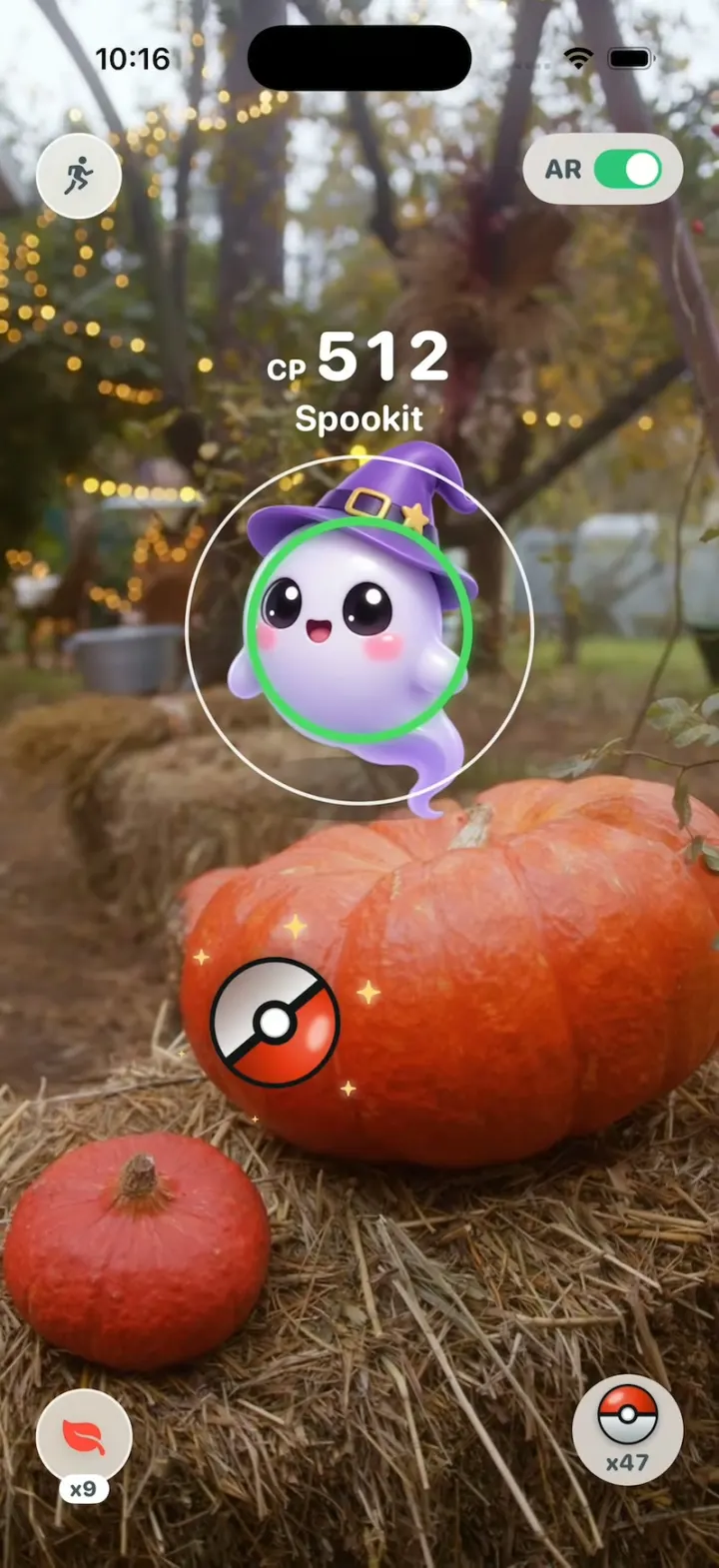
Pokémon GO Clone
iOSPokémon GO's real catch: flick a Poké Ball, Excellent!, three shakes, Gotcha!, then spin PokéStops and evolve
- View template
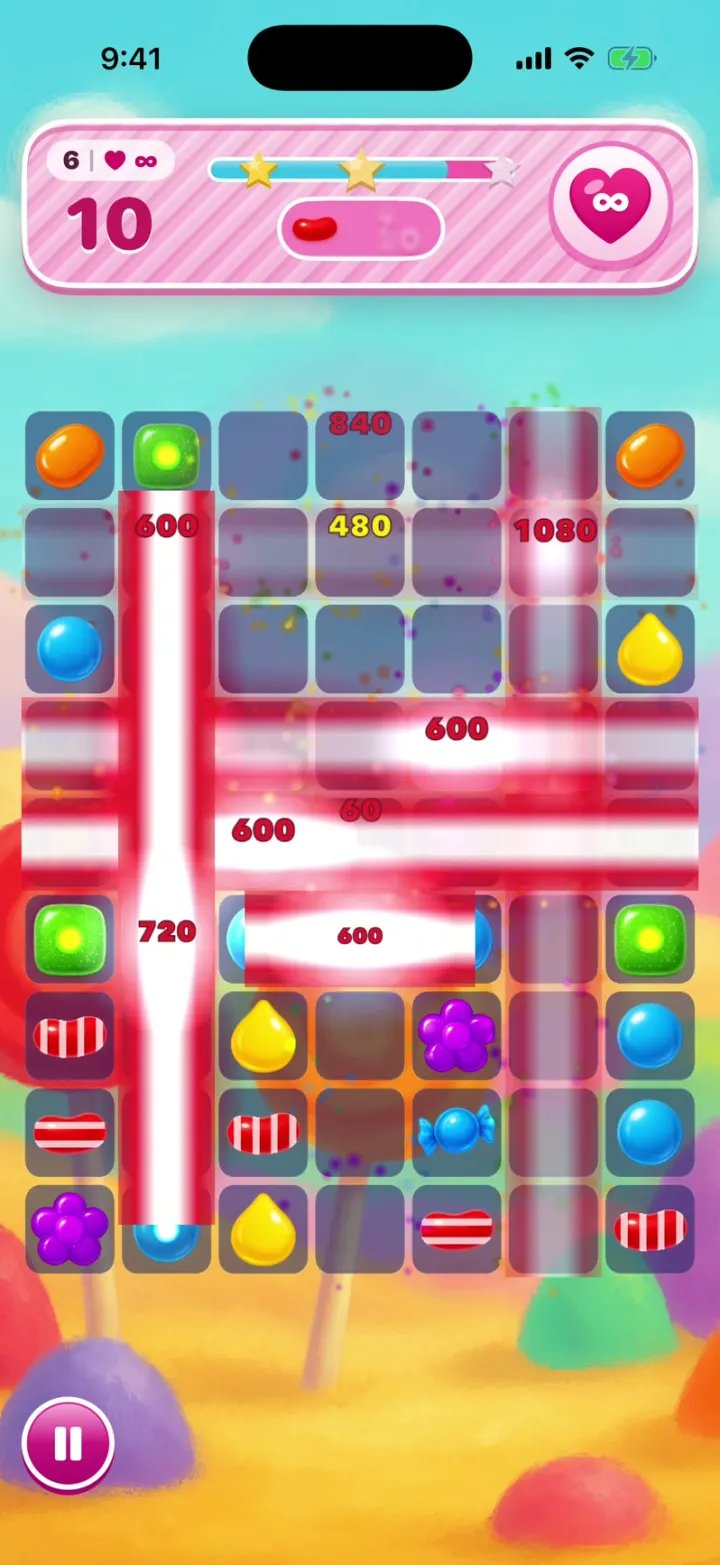
Candy Crush Clone
iOSCandy Crush with no lives and no ads: drag a Colour Bomb into a Striped Candy and the whole board clears.
- View template
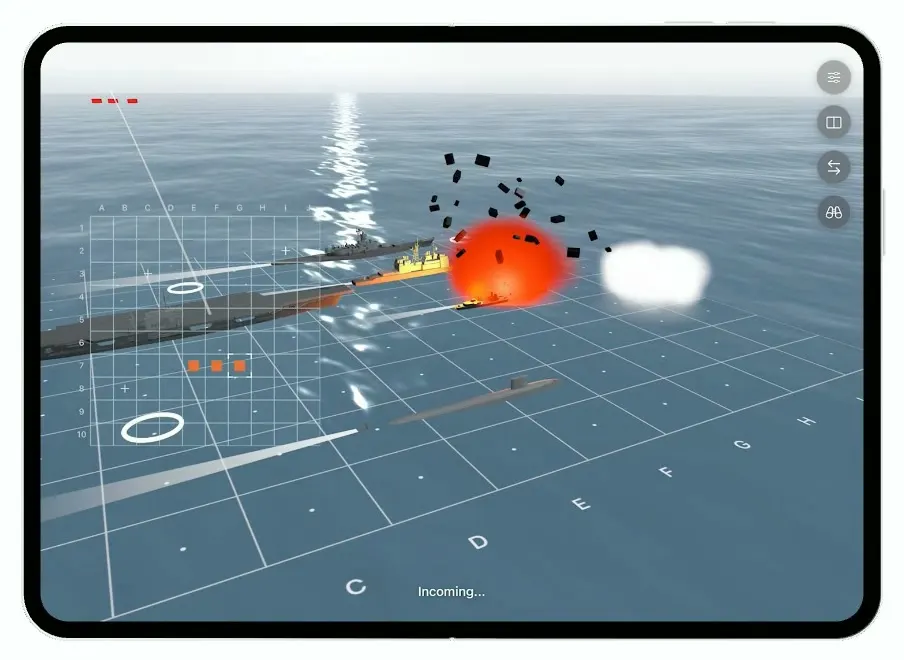
Battlefleet
iOSBattleship for the foldable iPhone Duo, with a realistic 3D ocean, jet strikes and a two-panel board.
- View template
Hearthguard
iOSA 3D tower defense game where your hero cuts through hordes of hundreds, grabs their gold and builds towers.