Calendly Clone
Scheduling app · built by the Vibecode team
Maya Chen, a fictional product designer, shares booking links for 15, 30 and 60 minute meetings. Invitees open Calendly's two-pane booking page, pick a day and a time in their own time zone, fill in the details and land on a confirmation with Google Calendar, Outlook and .ics buttons plus reschedule and cancel links. Behind it, a real availability engine applies weekly hours, date-specific overrides, buffers and minimum notice, and refuses double bookings across every event type. Maya logs in with the demo account shown on the login page to edit event types, set her hours and manage meetings, contacts and analytics, and every email is recorded with an honest status.
- Web app
- Built in 5 prompts
- Free to remix
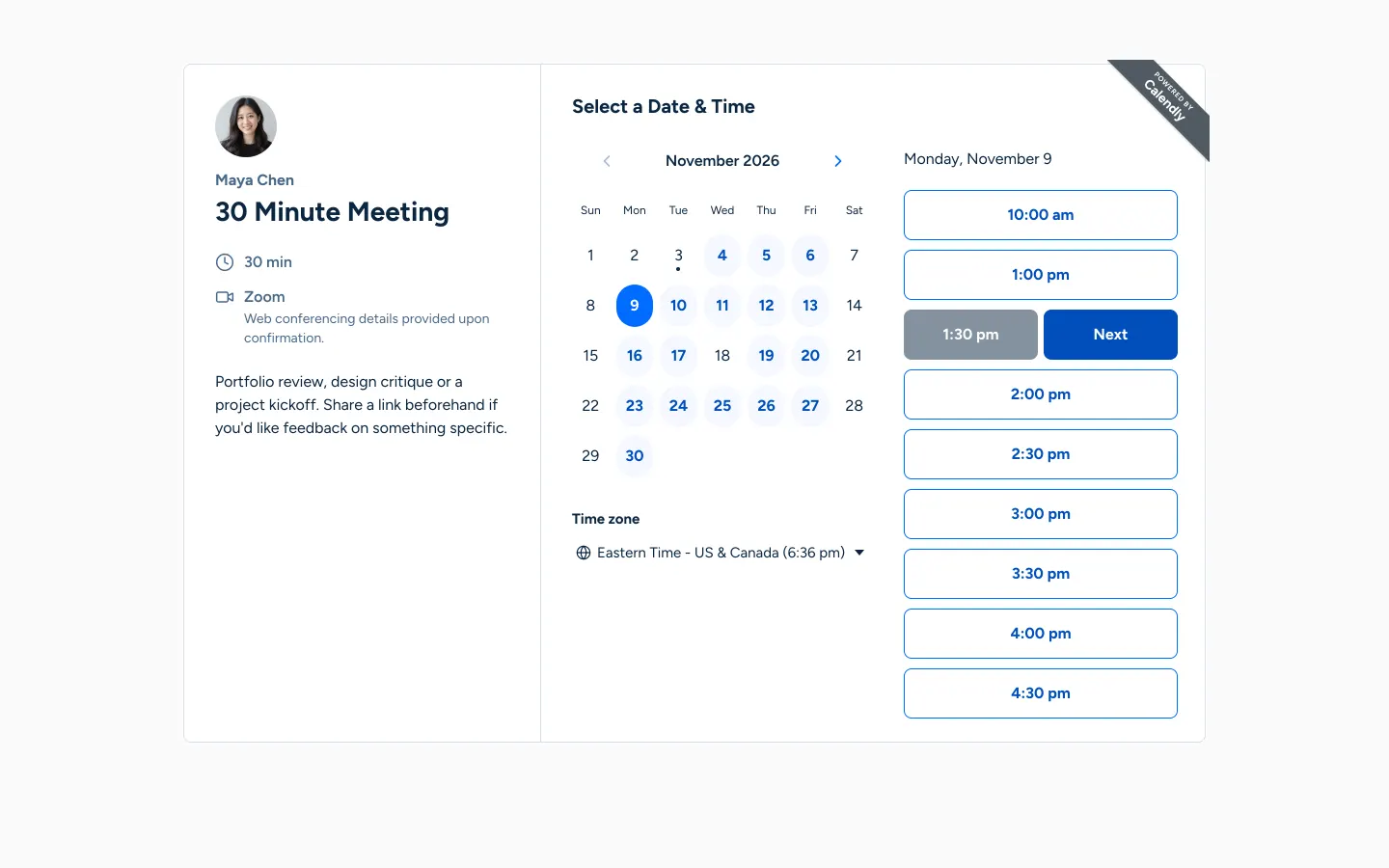
Remix copies the working app into your account for free, exactly as we built it. It runs in your browser.
The prompt that builds it
We built Calendly Clone in 5 prompts. Here they are folded into one, so a single paste into a new app builds the finished version.
Prompt · 4,921 words
Build a faithful, fully working web clone of Calendly (current 2026 design) named "Calendly", using Opus 5.5. It has two sides: the host's logged-in scheduling app, and the public booking pages invitees use without logging in. The host is a fictional product designer, Maya Chen. Use Calendly's real name, colours and wording; every person, photo and data point is fictional demo data.

Design references (the original screenshots are not included; build from these descriptions):
- Reference: host Scheduling page: sidebar, header, event type cards (15/30/60 Minute Meeting)
- Reference (Host event editor): event type editor side panel open next to the list
- Reference (Host availability calendar): availability, Calendar view (month grid with hours per day)
- Reference (Host availability list): availability, List view (weekly hours + date-specific hours)
- Reference (Host meetings chrome): meetings page chrome (search, filter, chips, count, empty state)
- Reference (Host contacts): contacts table
- Reference (Book landing): public landing page listing a host's event types (ignore the dog content)
- Reference: public booking page, two panes, month calendar with available days in blue
- Reference (Book time next): date picked: card widens, time column, selected slot split into grey time + blue "Next"
- Reference (Book details): "Enter Details" form step
- Reference: booking page at 390 px (single column)
- Reference (Book phone times): phone time step with split slot + Next
The booking refs come from Calendly's own dog-grooming demo account: copy the layout, type and colours exactly, never the dog content, emoji avatar, prices or its form fields. Replace with Maya Chen's data below.

## Stack and architecture
Use the project's standard stack: webapp (React + Vite + Tailwind + React Router) and the Hono backend with Prisma + SQLite and Better Auth (email + password) for the host login. All times are stored in UTC; use Luxon for every timezone conversion (host zone and invitee zone). Shared Zod schemas in backend/src/types.ts. Use lucide-react line icons (stroke 1.75); no emoji anywhere in the UI.

Data model:
- HostProfile: userId, slug "maya-chen" (unique), name "Maya Chen", title "Product designer", welcomeMessage "Welcome to my scheduling page. Please follow the instructions to add an event to my calendar.", avatarUrl, timezone "America/New_York", timeFormat "12h" | "24h".
- EventType: name, slug, durationMin, color, locationType (zoom | google_meet | phone | in_person), locationValue, description, bufferBeforeMin, bufferAfterMin, minNoticeMin, dateRangeDays (null = indefinitely), incrementMin, active, position, questions (JSON: [{id, label, type: "short"|"long"|"phone"|"select", required, options[]}]).
- WeeklyInterval (weekday 0-6, startMin, endMin) and DateOverride (date "YYYY-MM-DD" in host zone, intervals JSON; empty = unavailable all day).
- Meeting: eventTypeId, startUtc, endUtc, status (confirmed | canceled), inviteeName, inviteeEmail, inviteePhone, inviteeTz, guests JSON, answers JSON, notes, noShow, canceledBy (host | invitee), cancelReason, canceledAt, rescheduledFromUtc, rescheduleCount, rescheduleReason, token (unique random, used in manage links), contactId, createdAt.
- Contact: name, email (unique per host), phone, company, jobTitle, timezone, notes, createdAt.
- EmailLog: meetingId, to, subject, kind (confirmation | host_new | cancellation | host_cancellation | reschedule | reschedule_request), html, status (sent | logged | failed), providerId, error, createdAt.

## Availability engine (the core — make it correct)
One function computes open slots for an event type and a UTC window:
1. For each calendar day in the HOST zone: use the DateOverride intervals if that date has one, else the WeeklyInterval rows for that weekday.
2. Candidate starts every incrementMin from each interval start while start + duration <= interval end.
3. Drop starts earlier than now + minNoticeMin, and days beyond today + dateRangeDays.
4. No double booking ACROSS ALL event types: drop a start if [start - bufferBefore, end + bufferAfter) overlaps any confirmed meeting's [start - its type's bufferBefore, end + its type's bufferAfter).
5. When rescheduling, ignore the meeting being moved.
6. Return UTC ISO strings; the client groups them by day in the INVITEE's zone.
Public API: GET /api/public/hosts/:slug, GET /api/public/hosts/:slug/event-types/:eventSlug, GET /api/public/slots?eventTypeId=&month=2026-11&tz=Europe/London (returns { days: { "2026-11-05": [isoUtc...] } } keyed by invitee-local date), POST /api/public/bookings, GET /api/public/bookings/:token, POST /api/public/bookings/:token/cancel, POST /api/public/bookings/:token/reschedule, GET /api/public/bookings/:token/ics.
POST /api/public/bookings validates with Zod, then inside ONE Prisma transaction re-runs the engine for that exact start; if it is no longer free, return 409 and the page shows "Sorry, that time is no longer available. Please choose a different time." and reloads slots. The meeting (and contact upsert) is saved FIRST; emails are attempted AFTER the save, so an email failure never loses a booking. Double-clicking "Schedule Event" must create one meeting.

Emails: build simple Calendly-style HTML emails (event name, date/time in the recipient's zone, location, Reschedule and Cancel links). Only attempt a real send when BOTH RESEND_API_KEY and EMAIL_FROM (a verified sender such as "Maya Chen <bookings@yourdomain.com>") are set: then send via https://api.resend.com/emails and store status "sent" + id, or "failed" + a short friendly reason. Otherwise never call the provider and store status "logged". Never store or show raw provider errors: replace any email address inside an error with "[hidden]". Seeded meetings get status "logged" and never send. Never claim an email was sent when it was not. Document EMAIL_FROM in the README.

## Seed data (idempotent, runs on first backend start when no host exists, all dates RELATIVE to now so a remix months later still has upcoming meetings)
The SQLite file ships with the project, so add HostProfile.demoPristine (true right after a seed or "Reset demo data") and HostProfile.seededAt. Any write made through the app (invitee booking, cancel or reschedule; any host create, edit or delete) sets demoPristine=false. On backend start, if demoPristine is true and seededAt is more than 24 hours old, re-run the seed relative to now. Never re-seed when demoPristine is false.
Host login: maya.chen@example.com / calendly-demo (create via Better Auth so the hash is valid). Avatar: generate one photorealistic portrait with gpt-image-2.5-flare via the project's proxied OPENAI_API_KEY (POST https://api.openai.com/v1/images/generations): "Professional headshot of a fictional East Asian woman in her early 30s, a product designer, warm friendly smile, shoulders up, soft natural window light, plain light grey background, photorealistic". Save it as webapp/public/maya-chen.jpg. AI person only; no stock photos of real people.
Weekly hours (America/New_York): Sun unavailable; Mon 9:00am-12:00pm and 1:00pm-5:00pm; Tue, Wed, Thu 9:00am-5:00pm; Fri 9:00am-3:00pm; Sat unavailable. Overrides: the Friday of next week 10:00am-1:00pm; the Wednesday 2 weeks out unavailable all day.
Event types (Calendly palette colours):
1. "15 Minute Meeting", slug 15min, 15 min, #8247F5, Google Meet, description "A quick intro call to see if we're a good fit. Bring one question.", buffers 0/5, minimum notice 4 hours, date range 60 days, increments 15 min, no extra questions.
2. "30 Minute Meeting", slug 30min, 30 min, #0099FF, Zoom, description "Portfolio review, design critique or a project kickoff. Share a link beforehand if you'd like feedback on something specific.", buffers 0/10, notice 12 hours, range 60 days, increments 30 min, questions: "What would you like to cover?" (long, required), "Company" (short, optional).
3. "60 Minute Meeting", slug 60min, 60 min, #17E885, In person at "Maya's studio, 88 Orchard Street, New York, NY 10002", description "A working session for workshops, deep dives and design sprints.", buffers 15/15, notice 24 hours, range 30 days, increments 60 min, questions: "Phone number" (phone, required), "What should we prepare?" (long, optional).
25 meetings, placed THROUGH the engine so none overlap: 12 confirmed upcoming over the next 3 weeks (at least 2 tomorrow), 1 canceled upcoming (canceled by invitee, reason "Something came up at work, I'll rebook next week."), 9 completed past over the last 3 weeks, 1 past no-show, 2 past canceled (one by host, reason "Out sick, sorry! Please grab another time."). 2 confirmed meetings have rescheduleCount 1 with rescheduledFromUtc set. Invitees (fictional, @example.com, phones only from the fiction ranges 555-01xx / 020 7946 0xxx): Priya Raman (Lumen Health, Head of Product, Europe/London, +44 20 7946 0123), Jordan Ellis (Fieldnote, Founder, America/Los_Angeles, +1 415 555 0142), Sofia Alvarez (Brightside Studio, Design Lead, America/Mexico_City), Marcus Lee (Parcelpoint, CTO, America/Chicago, +1 312 555 0187), Hannah Okafor (Kitebird, Product Manager, Africa/Lagos), Diego Moreno (Copperleaf, UX Researcher, Europe/Madrid), Aiko Tanaka (Hoshi Labs, Engineering Manager, Asia/Tokyo), Liam Becker (Nordwind, Product Owner, Europe/Berlin), Nora Whitfield (Whitfield & Co, Recruiter, America/New_York, +1 646 555 0119), Ethan Brooks (Gradient Bank, Senior Designer, America/Denver), Grace Kim (Seoul Supply, Founder, Asia/Seoul), Omar Haddad (Sandstone Ventures, Partner, Asia/Dubai), Chloe Martin (Atelier Rive, Brand Manager, Europe/Paris), Ben Carter (Tidewater Apps, iOS Developer, Australia/Sydney), Isla Novak (Pinecrest School, Program Director, America/Toronto), Ravi Patel (Monsoon Analytics, Data Scientist, Asia/Kolkata). Priya, Jordan and Marcus have 2-3 meetings each. Give every meeting realistic answers (e.g. "Feedback on our onboarding redesign before Thursday's launch review."). Create a Contact per invitee plus 2 added by hand (Lena Fischer, Sam Rivera) with no meetings, and one EmailLog row per seeded confirmation/cancellation (status logged). Settings has "Reset demo data", which re-seeds relative to now.

## Visual system
Host app (refs 01-06): font Geist (Google Fonts, 400/500/600), 14px base, line-height 1.5. Page background #F8F9F9; main content sits in a white panel, radius 16px, inset 16px from the right and bottom, top at 64px. Text #0B0D0F, secondary #545F69, tertiary #81909C, borders #E4E6E9. Headings Geist 500: page title 22px, card title 18px. Primary buttons navy #071A31 with white text, 40px tall, radius 16px, padding 8px 16px. Outline buttons white with 1px #545F69 border, same size; small outline buttons 32px tall, radius 12px. Inputs 40px, 1px #81909C border, radius 16px, search icon inside. Links, active tab underline (3px), active nav text/icon and dropdown links: #1E5EA7. Active nav item background #D5E8FE with a 4px #1E5EA7 bar at the far left screen edge. Hovered card background #F4F9FF; hovered "Copy link" button background #C1DEFE. Selected filter chip: #0B0D0F background, white text and a white check icon, radius 8px, 32px tall; unselected chips 1px #545F69 border. Segmented controls: #E4E6E9 track, white selected segment. Yellow notice: #FFF5D2 with a #E5B800 border. Focus ring 2px #006BFF. Toast: #071A31, white 14px text, radius 12px, bottom centre, check icon, slides up and fades out after 3 s.
Public booking pages (refs 07-12): font Figtree (stand-in for Proxima Nova), text #0A2540, secondary #476788, page background #FAFAFA, card white with 1px #D4E0ED border, radius 8px, shadow 0 1px 8px rgba(0,0,0,.08), a 1px #D4E0ED divider between panes, and the dark grey diagonal "POWERED BY Calendly" ribbon in the card's top-right corner. Brand blue #006BFF.
Brand assets: favicon = a blue (#006BFF) rounded "C" ring mark as SVG (replace any default or Vibecode favicon). <title> per page ("Scheduling - Calendly", "30 Minute Meeting | Maya Chen | Calendly"). og:title "Calendly - Book time with Maya Chen", og:description, og:image = /og.png (1200x630, white background, blue C mark, "Calendly" wordmark, "Book time with Maya Chen"). No Vibecode branding anywhere.

## Routes
/ redirects to /app/scheduling when logged in, else /login. Host: /login, /app/scheduling, /app/meetings, /app/availability, /app/contacts, /app/analytics, /app/notifications, /app/settings (all require login). Public: /maya-chen (landing), /maya-chen/30min (booking), /maya-chen/30min/:startIso (details step), /booking/:token (confirmation + manage), /reschedule/:token, /cancel/:token. Reserve app, login, booking, reschedule, cancel and api as slugs.

## Host screens
Login (/login): Calendly C mark + "Calendly" wordmark centred at the top; white card (radius 16px) "Log into your Calendly account", fields "Email" and "Password", navy "Log in" button full width. Under the form, a light blue (#EAF2FF) panel: "Demo host account" / "Email: maya.chen@example.com" / "Password: calendly-demo" and an outline "Use demo account" button that fills and submits. Below the card: "Booking as an invitee? View Maya's booking page" linking /maya-chen. Wrong password shows "Incorrect email or password." under the fields.

App shell (ref 01): 256px left sidebar on the grey page background. Top: account button (32px round avatar photo, "Maya Chen" 14px/500, chevron) opening a menu (Account settings, View booking page, Copy booking link, Log out), plus a collapse-sidebar icon button next to it. Then a full-width outline "+ Create" button with chevron, opening a menu: "Event type" (new event type in the editor) and "Add contact". Nav items 48px tall, 20px icon + label: Scheduling (calendar-clock), Meetings (calendar), Availability (clock), Contacts (users), Analytics (bar chart), Notifications (mail). Bottom: "Settings" (gear). No upgrade or paywall UI. Top right of the page: a square outline "?" button opening "About this demo": "Maya Chen, her invitees and all meetings are fictional demo data. Emails are recorded under Notifications and are only sent when an email provider is connected."

Scheduling (ref 01): header "Scheduling" with a help icon; right side "Manage availability" outline button (calendar icon, goes to Availability) and navy "+ Create" with chevron. One tab "Event types" with the blue underline, then a 1px divider. Search "Search event types" (320px). Host row: avatar 32px + "Maya Chen" 14px/500; right "View landing page" link with external icon (opens /maya-chen in a new tab) and a kebab (Copy link, Edit profile). Section label "EVENT TYPES" (12px uppercase/500) with a collapse chevron. Each event type is a full-width white card (1px #E4E6E9, radius 8px, about 104px tall) with a 6px left colour bar in the event colour: checkbox, title 18px/500, "30 min • Zoom • One-on-One" (14px #545F69), and the schedule summary ("Mon-Fri, hours vary"). Right: small outline "Copy link" (link icon), external-link icon button (opens the public page) and a kebab (Edit, Duplicate, Turn off/Turn on, Delete with confirm). Copy link copies the absolute URL (window.location.origin + "/maya-chen/30min"), falls back to a hidden textarea + execCommand inside iframes, and toasts "Link copied". Off event types are faded with an "Off" label. Search filters live. Clicking a card opens the editor panel.

Event type editor (ref 02): the list narrows to the left and a separate white 440px panel (radius 16px) slides in from the right (250 ms). Phone: full-screen sheet. Header: small "Event type" label, colour dot (click opens a popover with Calendly's 9 colours #FF4F00 #FF758E #E55CFF #8247F5 #0099FF #0AE8F0 #17E885 #CCF000 #FFA600), event name (click to edit), "One-on-One", kebab, close X. Accordion sections with 1px dividers and chevrons, 200 ms height animation:
- Duration (summary "30 min" with clock icon): chips 15 / 30 / 45 / 60 min + custom minutes.
- Location (summary with the location icon): Zoom, Google Meet, Phone call, In person; extra field per type (meeting link, phone number, or address).
- Availability (open by default): sentence "Invitees can schedule [60 days v] into the future with at least [12 hours v] notice", where the bracketed parts are blue inline dropdowns (date range 7, 14, 30, 60, 90 days or Indefinitely; notice 0 min, 30 min, 1 hour, 4 hours, 12 hours, 24 hours, 48 hours). "Schedule: Working hours (default)" and a "View calendar" button, followed by a read-only weekly hours summary (black day circles S M T W T F S with their times) and an "Edit availability" link.
- Buffer time: "Before event" and "After event" dropdowns (0, 5, 10, 15, 30, 45, 60 min) and "Start time increments" (15, 30, 60 min).
- Description: textarea "Description/Instructions".
- Invitee questions: locked "Name" and "Email" rows, then custom questions (type, required toggle, edit, delete) and "+ Add new question".
- Event link: "/maya-chen/" + slug input with the full URL preview.
Sticky footer: "Preview" (eye icon, opens the public page), outline "More options" (Duplicate, Delete) and navy "Save changes". Saving persists, toasts "Changes saved" and updates the card. Closing with unsaved edits asks "Discard unsaved changes?". "+ Create > Event type" opens the same panel with defaults ("New Meeting", 30 min, Zoom) and creates on save. Validate: name required, slug unique ("That link is already taken.").

Availability (refs 03-04, a full page here): header "Availability". "SCHEDULE" label, "Working hours (default)" in 20px/600 blue, "Active on: 3 event types". Right: List | Calendar segmented control and a kebab. List view: left column "Weekly hours" (repeat icon) / "Set when you are typically available for meetings"; seven rows, each a 28px black circle with a white day letter, then interval pairs as borderless #F8F9F9 time boxes (96x40, radius 8px, 15-minute dropdown) "9:00am - 5:00pm", an X to remove, a (+) to add an interval and a copy icon that opens "Copy times to..." with day checkboxes and "Apply". Days without hours read "Unavailable" with the (+) right after the text (8px gap). Inline error for overlaps: "Times overlap with another set of times." Under the list, a blue timezone dropdown "Eastern Time - US & Canada". Right column: "Date-specific hours" (calendar icon) / "Adjust hours for specific days" and an outline "+ Hours" button that opens a modal: "Select the date(s) you want to assign specific hours" (month calendar, multi-select), then "What hours are you available?" with intervals or an "Unavailable all day" option, "Cancel" / navy "Apply". Saved overrides list below ("Fri, Nov 13 · 10:00am - 1:00pm", "Wed, Nov 18 · Unavailable") with a trash icon each. Changes auto-save with a small "Saved" indicator and change the booking pages at once. Calendar view (ref 03): month grid with prev/next arrows and the timezone link; each day cell shows its hours ("9:00am - 5:00pm"), a repeat icon for weekly hours, override days highlighted in light blue, past days greyed; clicking a day opens a popover to edit that date only or all of that weekday.

Meetings (ref 05 chrome): header "Meetings" with an Export icon button (CSV download). Toolbar: "Search meetings" (invitee name or email), "Filter" dropdown (event types, status). Chips "Upcoming" (default), "Past", "Canceled", "Date range" (from/to picker) and on the right "Displaying 12 of 25 meetings". List grouped by day: header rows "Wednesday, November 4, 2026" (14px/600 on #F8F9F9, 1px borders), "Today" and "Tomorrow" labels where they apply. Each 72px row: a 24px circle in the event colour, "9:00am - 9:30am" (host zone), invitee name 14px/600 with "Event type 30 Minute Meeting" under it, "1 host | 0 non-hosts" in grey, and "Details" with a chevron on the right. Details expands (200 ms) into two columns. Left: outline buttons "Reschedule" and "Cancel", then links "Edit Event Type", "Filter by Event Type", "Schedule Invitee Again" (copies the booking link with ?name=&email=). Right: EMAIL (mailto), PHONE (tel: link plus "Text" via sms: and "WhatsApp" via https://wa.me/<digits>), LOCATION (Zoom/Meet link, or the address with a Google Maps link), INVITEE TIME ZONE ("Europe/London, 2:00pm their time"), QUESTIONS (bold question + answer), MEETING HOST (avatar + Maya Chen), "Add meeting notes" (saved to the meeting), "Mark as no-show" for past meetings, and "Created Oct 28, 2026" footer. Canceled rows carry a red "Canceled" pill and "Canceled by Jordan Ellis: <reason>". Host Cancel opens "Cancel event" with a summary, "Reason for canceling (shared with invitee)" and "Nevermind" / navy "Yes, cancel"; it logs the emails and toasts "Event canceled". Host Reschedule opens "Request to reschedule": "Priya will get an email with a link to pick a new time." plus an optional message and "Send request" (logs a reschedule_request email carrying /reschedule/:token), with "Or pick a new time yourself" opening that page. Empty: calendar illustration, "No Upcoming Events", "Share Event Type links to schedule events."

Contacts (ref 06): header "Contacts" + navy "+ Add contact". Search "Search by name and email"; chips "All contacts", "Upcoming meetings", "No meetings in next 30d". Table with sticky header: checkbox, Name (24px coloured initial circle + bold name), Email, Phone number, Company, Last meeting date, Next meeting date, Meetings. Clicking a row opens a right drawer: name, title and company, Email (mailto), Call (tel:), Text (sms:), WhatsApp (wa.me), time zone, editable notes (saved), and a meeting history list (upcoming and past with status), plus "Copy booking link" prefilled with their name and email. "+ Add contact" modal: Name*, Email*, Phone, Company, Job title, Notes; save, edit and delete (with confirm) all persist.

Analytics: header "Analytics". Filters: "Last 7 days / Last 30 days / Last 90 days" chips and an event type dropdown. Four KPI cards: "Created events", "Completed events", "Rescheduled events", "Canceled events", each with a change vs the previous period. Charts in clean SVG (no gradients) using event colours and #006BFF, with round y-axis ticks (0, 2, 4, 6 or 0, 5, 10, the max rounded up to the next tick): "Scheduled events" (bars per week), "Popular events" (horizontal bars per event type), "Popular day of week" (Sun-Sat bars), "Popular time of day" (hour bars in the host zone) and "Top invitee time zones" (list). All numbers are computed live from the meetings table; caption "Based on the meetings in this workspace."

Notifications: header "Notifications" and subtitle "Every email this app sends or would send." When sending is off, a neutral notice under the subtitle (light grey #F8F9F9 box, info icon): "Email sending is off. Every message is recorded here. Add EMAIL_FROM with a verified domain to send real emails." Table: Time ("Today, 9:42am"), To, Subject (e.g. "Confirmed: 30 Minute Meeting with Maya Chen on Thursday, November 5, 2026", "New Event: Priya Raman - 9:00am Thu, Nov 5, 2026 - 30 Minute Meeting"), Type chip and a short Status chip: green "Sent", grey "Logged — not sent", red "Failed". The reason appears only in the drawer, which opens on row click and renders the email HTML. On phone the rows become cards.

Settings: Profile (avatar, Name, Title, Welcome message, Time zone, Time format 12h/24h, booking link slug with "maya-chen is available" check), Save with a toast. "Reset demo data" with confirm.

## Public booking pages
Landing /maya-chen (ref 07): the card centred, 1060px wide; 64px avatar, "Maya Chen" (16px/700 #476788), "Product designer" and the welcome message centred (#476788, max 420px). Divider, then event types in a 2-column grid: each item has a top divider, a 32px circle in the event colour, the name (16px/700 #0A2540), a caret pointing right, and a two-line description excerpt. Off types are hidden.

Booking page /maya-chen/30min (ref 08): card 800px wide, about 700px tall, centred 66px from the top. Left pane (about 400px, 32px padding): 64px avatar, "Maya Chen" (16px/700 #476788), event name (28px/700 #0A2540), then icon rows in #476788 16px/600: clock "30 min"; location icon + "Zoom" with "Web conferencing details provided upon confirmation." (Google Meet the same; phone "Phone call"; in person the address); then the description (16px #0A2540). Right pane: "Select a Date & Time" (20px/700), month nav ("November 2026" 16px with grey/blue chevrons; previous disabled for the current month, next disabled past the date range), weekday header "Sun Mon Tue Wed Thu Fri Sat" in title case (12px, #0A2540, weight 400), 44px circular days. Available days: background #F4F8FF, text #004EBA, weight 700, hover #E0EBFF. Unavailable days: plain #0A2540 at weight 400, not clickable. Today has a small dot under the number. Selected day: solid #006BFF with white bold text. Below: "Time zone" (bold) and a globe icon + "Eastern Time - US & Canada (11:51am)" with a caret: a searchable dropdown grouped US/CANADA, AMERICA, EUROPE, ASIA, AFRICA, AUSTRALIA, UTC, each zone showing its current local time, plus an "am/pm | 24h" toggle at the top. Detect the invitee's zone with Intl.DateTimeFormat().resolvedOptions().timeZone and preselect it; changing it re-groups the slots at once. If the month has no slots, show "No times available in November" and a "View next month" button. The first month with availability is opened automatically.

Picking a day (ref 09): the card animates to 1060px (300 ms) and a third column shows "Thursday, November 5" (16px) with a scrollable list of slot buttons (about 280px wide, 52px tall, 1px #006BFF border that thickens to 2px on hover, text #004EBA 16px/700, radius 8px, 10px apart). Clicking a slot splits it (200 ms): the left half turns rgba(10,37,64,.5) with white time text and a "Next" button (#004EBA, white, 16px/700, radius 8px) slides in on the right. The URL keeps ?month=&date= so reload restores the state. Loading: shimmering circles and slot skeletons, never a blank card.

Details /maya-chen/30min/:startIso (ref 10): left pane gains a round back-arrow button at the top and two more rows: calendar icon "9:00am - 9:30am, Thursday, November 5, 2026" and globe "Eastern Time - US & Canada". Right pane: "Enter Details" (20px/700), "Name *", "Email *", an outline pill "Add Guests" (reveals "Guest Email(s)" for up to 10 comma-separated emails), the event's custom questions (required ones starred), then "Please share anything that will help prepare for our meeting." (textarea), fine print "By proceeding, you confirm that you have read and agree to Calendly's Terms of Use and Privacy Notice." (blue links), and "Schedule Event": a #0069FF pill (radius 40px, white 16px/600) with a spinner while saving. Inputs: 1px #A6BBD1 border, radius 8px, 46px tall, focus border #006BFF. Errors inline in red: "Can't be blank.", "Please enter a valid email address." Prefill name and email from ?name=&email=.

Confirmation /booking/:token: centred 1060px card. Small avatar; a green (#00A36C) check circle beside "You are scheduled" (24px/700); "A calendar invitation has been sent to your email address." only when the email status is sent, otherwise "Your meeting is booked. Add it to your calendar so you don't miss it." Then a 1px bordered box (radius 8px, 24px padding): event name (18px/700), person icon "Maya Chen", calendar icon "9:00am - 9:30am, Thursday, November 5, 2026", globe "Eastern Time - US & Canada", location icon + location. "Add to calendar": "Google Calendar" (https://calendar.google.com/calendar/render?action=TEMPLATE&text=...&dates=YYYYMMDDTHHMMSSZ/YYYYMMDDTHHMMSSZ&details=...&location=...), "Outlook" (outlook.live.com deeplink) and "Download .ics" (valid VCALENDAR/VEVENT with UID, DTSTAMP, UTC DTSTART/DTEND, SUMMARY, DESCRIPTION holding the reschedule and cancel links, LOCATION, ORGANIZER). Then "Need to make a change?" with "Reschedule" and "Cancel" links. This page works any time from its link; canceled meetings show "This event was canceled" with the reason, past ones "This event has already happened".

Cancel /cancel/:token: two panes. Left: "Cancel Event" plus the event details. Right: "Reason for canceling" textarea and a "Cancel Event" pill button. Success: "Cancellation Confirmed" / "Maya Chen has been notified." and "Schedule another event" (back to /maya-chen). Already canceled or past: an explanatory message.

Reschedule /reschedule/:token: the booking page with a "Former Time" block in the left pane showing the old time struck through, and the calendar/slots (which ignore this meeting's own time). The details step prefills name and email read-only, adds "Reason for rescheduling", and the button reads "Reschedule Event". It updates the same meeting (rescheduleCount + 1, rescheduledFromUtc), logs emails and lands on the confirmation with a "Rescheduled" note.

Event type turned off or unknown slug: card with "Maya Chen" / "This calendar is currently unavailable." Unknown host: a simple 404 card.

## Phone layout (390 px) — must be clean
Booking (refs 11-12): no outer card margin; one column: centred avatar, host name, event name centred (22px/700), detail rows, description collapsed behind "SHOW MORE"; divider; "Select a Day" (20px/700, centred) with the calendar (40px circles) and time zone. Tapping a day goes to a full-screen time step: back arrow, weekday (24px/700) and "November 5, 2026", time zone, divider, "Select a Time", "Duration: 30 min", full-width slots, split + Next as on desktop. Scroll to the top (window.scrollTo({ top: 0 })) whenever the step changes (day -> times, times -> details, and back) so the header is always visible. Details and confirmation: single column, full-width inputs and buttons. The ribbon stays in the corner.
Host app: the sidebar becomes a 56px top bar (C mark, page title, avatar) with a hamburger opening a 280px drawer over a dim overlay; content panel full width with 16px padding; event cards stack the title and meta with the actions in a row underneath; editor = full-screen sheet; meeting rows stack the time above the name; Contacts and Notifications tables become card lists and filter chips wrap onto a second line; analytics charts in one column with KPIs 2x2. No horizontal scrolling on any page.

## Reliability
- One shared API helper for every request (host and public pages). On a network error (fetch TypeError) or HTTP 429, 502, 503 or 504, retry up to 3 times with 0.8 s, 1.6 s and 3.2 s backoff, for reads and writes.
- Every POST, PUT, PATCH and DELETE sends an Idempotency-Key header (one UUID per user action, reused across retries). Backend middleware caches the status and body of each write by key for 10 minutes and returns the cached response for a repeat, so a retried create, cancel, booking or save never applies twice.
- When a read fails, show an inline error card instead of a blank page or endless skeleton: "Something went wrong loading this page." with an outline "Try again" button that refetches.
- When a write still fails, keep the dialog or panel open, re-enable its button, show an inline red "Couldn't save. Check your connection and try again." plus an error toast, and catch the error so nothing is logged as an uncaught promise rejection. Availability autosave shows "Couldn't save" in red where "Saved" appears.

## Dates and quality
Human-readable dates everywhere ("Thursday, November 5, 2026", "Today", "Tomorrow", "2 days ago"), times like "9:00am" (or 24h when chosen). Every form saves to the database before any notification, and every list survives a reload. No console errors. Keep the UI restrained: no gradients, glassmorphism, emoji or default shadcn look.

Build it in small source files, in this order, and get each step running before the next: 1) Prisma schema, seed and the availability engine; 2) the public API plus the booking flow end to end (landing, booking, details, confirmation, .ics, cancel, reschedule); 3) host auth, login page and app shell; 4) Scheduling + event type editor; 5) Availability; 6) Meetings; 7) Contacts; 8) Analytics; 9) Notifications and Settings; 10) phone layout pass on every page. Get a first version running before polishing. Test the APIs with curl against $BACKEND_URL, then book, reschedule and cancel a meeting yourself to confirm no double booking.

Build it fully, run it, and fix every error. When the app is finished, delete refs/ (the screenshots are only for reference). Deliver the complete app, not a plan.
More templates
All templates- View template
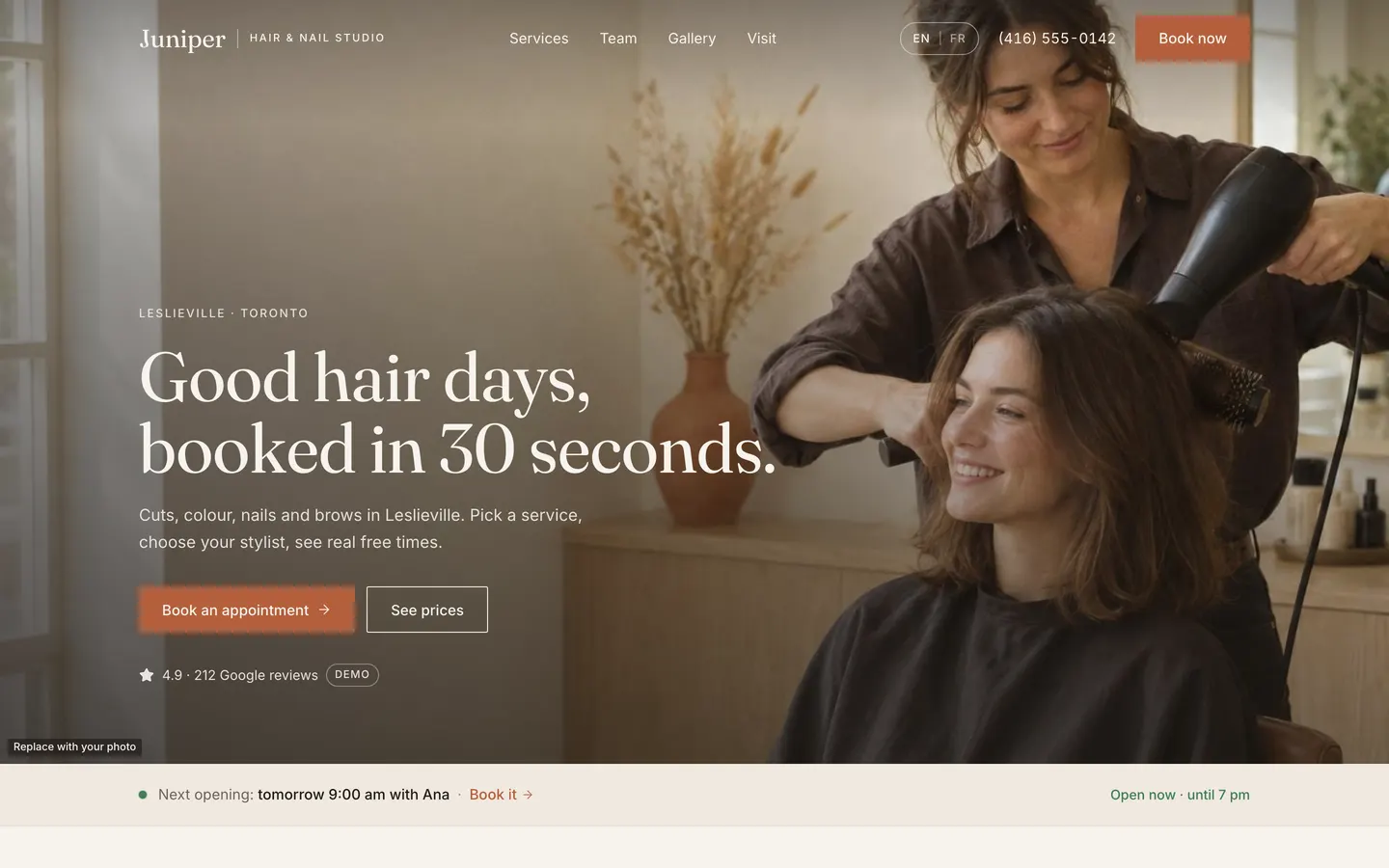
Studio Booking
WebA salon site where clients book real free times in 30 seconds, plus an owner admin that runs the day.
- View template
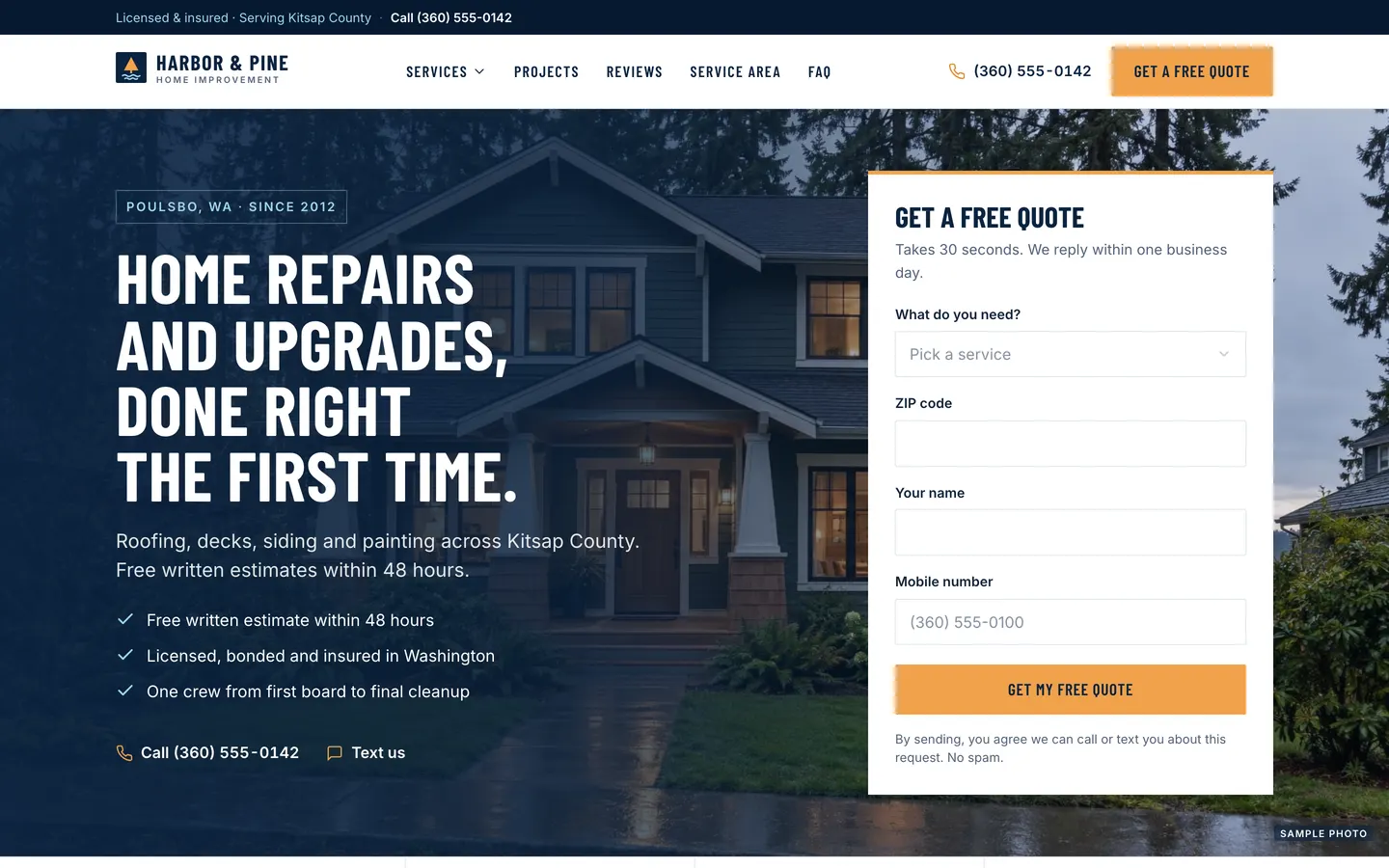
Local Pro Quotes
WebContractor website with a quote form in the hero, a project map, a ballpark estimator and a built-in lead CRM.
- View template
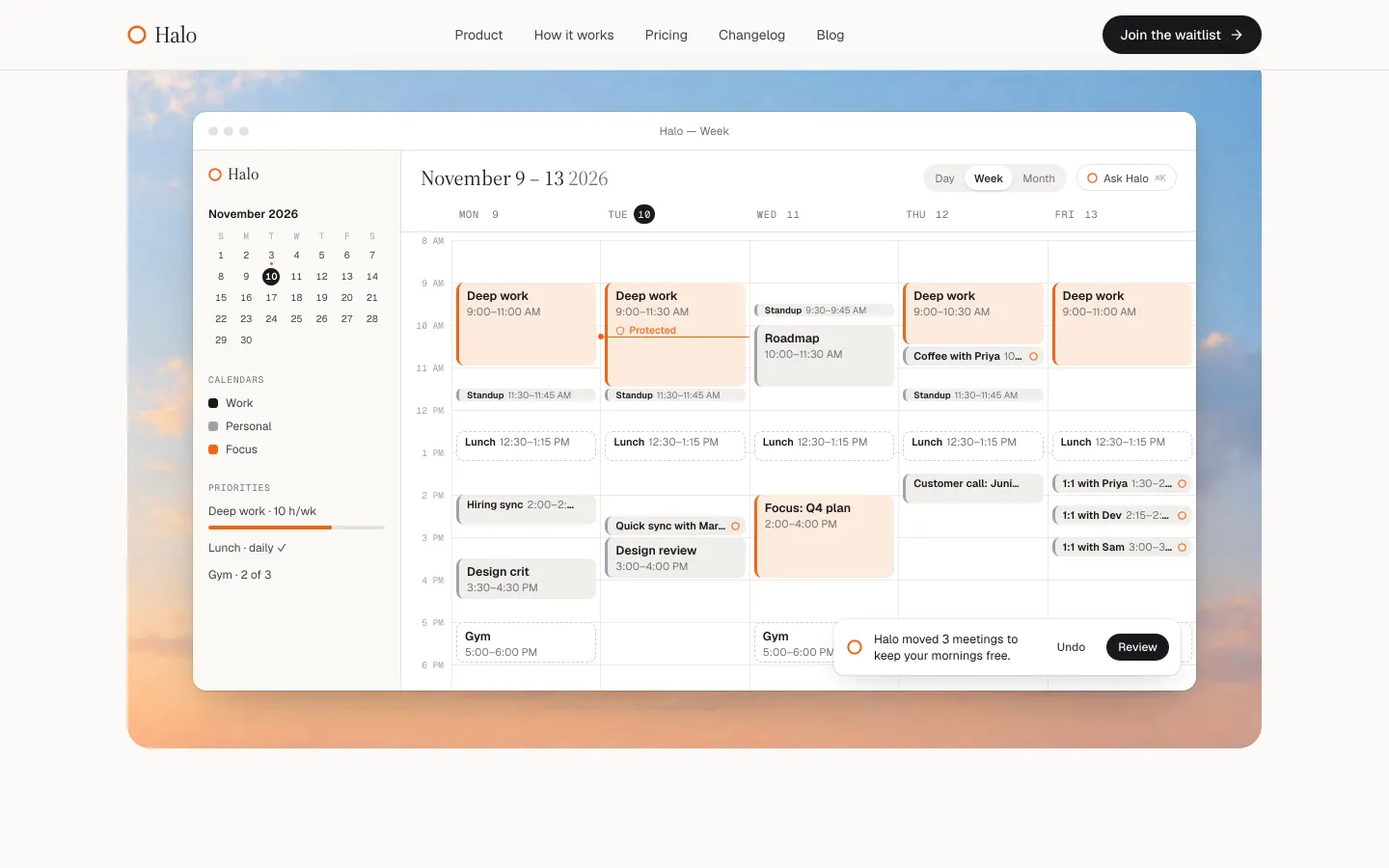
Launch Page
WebAn editorial launch page with a real waitlist: live spot numbers, referral boosts, owner admin and CSV export.
- View template
Sheet to Dashboard
WebDrop in a CSV, Excel file or Google Sheet and get a live dashboard: KPIs, click-to-filter charts, share links.