App Console
Admin dashboard app · built by the Vibecode team
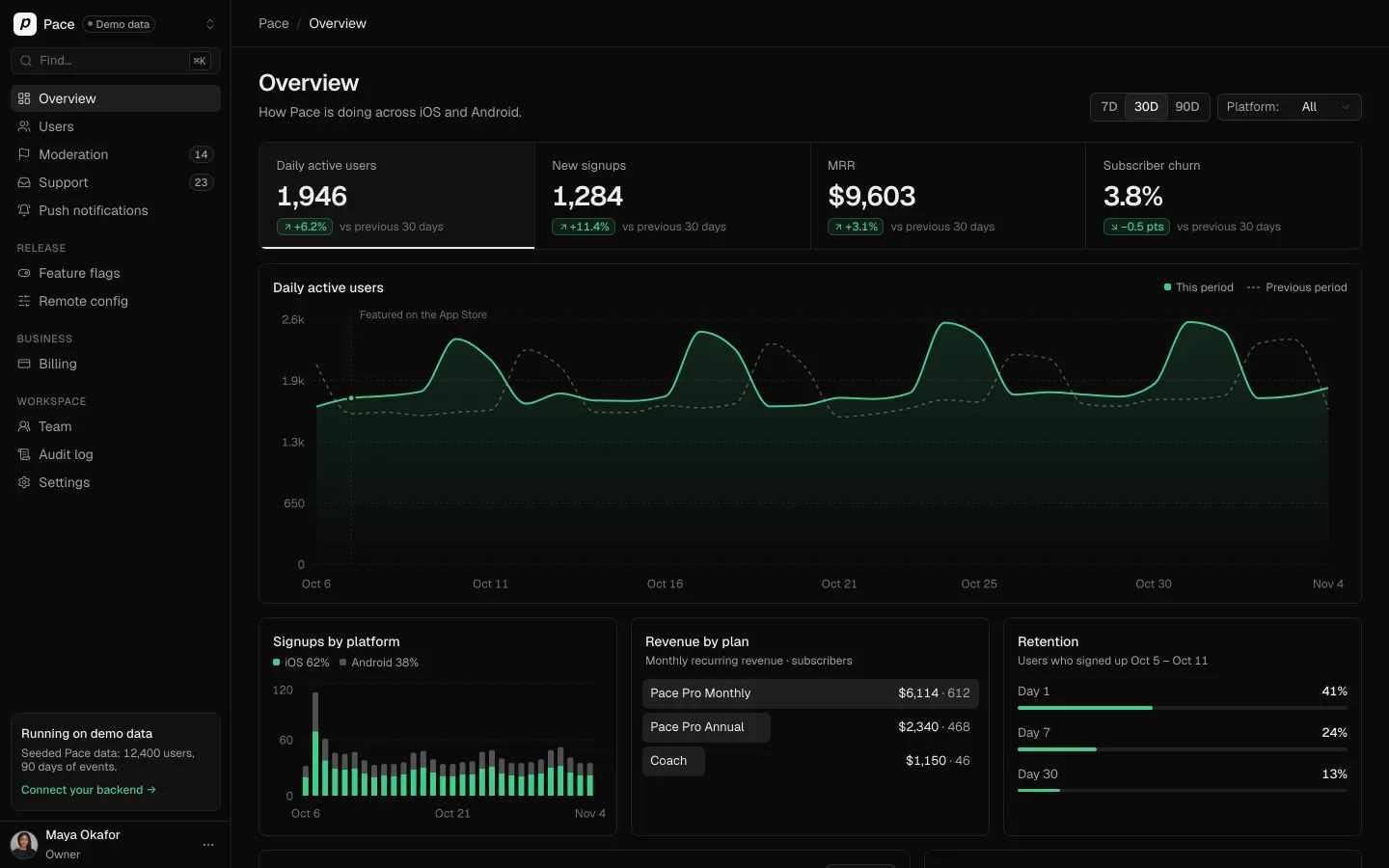
App Console is the web dashboard a founder runs next to their iOS and Android app, seeded with Pace, a fictional running app with 12,400 users and 90 days of data that stays current whenever you open it. Sign in with one of four demo roles (Owner, Admin, Support, Viewer) to see DAU, signups, MRR and churn charts above a live event stream. Search users, open a profile to grant credits, refund, ban or leave a note, and export everyone to CSV. Work the moderation queue and the support inbox, write a push with a live lock-screen preview, and change feature flags and remote config, with every action in an audit log. Settings connects your real Supabase or Vibecode backend and only says Connected after a test passes.
- Web app
- Built in 5 prompts
- Free to remix
Remix copies the working app into your account for free, exactly as we built it. It runs in your browser.
The prompt that builds it
We built App Console in 5 prompts. Here they are folded into one, so a single paste into a new app builds the finished version.
Prompt · 7,076 words
Build "App Console", a web admin console for a mobile app, using Opus 5.5. It is the web dashboard a founder runs next to their iOS/Android app: owner metrics, users, content moderation, support inbox, push notifications, feature flags, remote config, team roles with an audit log, billing, and a "Connect your app's backend" settings page. It ships with its own database seeded with a fictional demo app called "Pace" (a running app with 12,400 users, 90 days of events, reports and tickets), so every screen is full on first run.

The look is Vercel / Supabase / Linear dashboards: dark mode first with a light toggle, dense tables, Geist type, neutral greys and ONE green accent. It must look designed, not AI-made: no purple or blue gradients, no glassmorphism, no emoji icons, no default shadcn look (restyle every shadcn component with the tokens below).

Design references (the original screenshots are not included; build from these descriptions):
- Reference (Vercel dark analytics): the Overview look. KPI strip of bordered cells with a white underline on the selected cell, big area chart, lists with background bars.
- Reference (Supabase dark home charts): dark project home with small bar-chart cards.
- Reference (Supabase dark table editor): the density and colours for every data table (header row, row borders, toolbar, pager footer, green Insert button).
- Reference (Vercel dark deployments list): dense dark list rows with status dots.
- Reference (Vercel dark theme menu): the sidebar, and the account menu with the System / Light / Dark theme switch.
- Reference (Supabase logs explorer): event histogram plus log rows (events stream).
- Reference (Vercel activity audit log): the Audit log layout (rows grouped by date, actor avatar, sentence, relative time).
- Reference (Vercel members roles): the Team page (Invite members card, role dropdown with descriptions, members list, pending invitations tab).
- Reference (Vercel invoice detail): invoice detail layout.
- Reference (Stripe transactions table): status filter cards above a table, dashed filter chips, status badges. Use for Users and Invoices.
- Reference (Stripe home widgets): billing widgets (status bars, small charts).
- Reference (Supabase api keys): settings form cards for keys (Settings > Backend).
The light-mode refs are for layout and density only; build everything dark first with the palette below.

Keep every file you create inside the workspace (scripts, generated images, fonts, seed data); tool access to /tmp is denied.

## Stack and data
- Use the workspace template as it is: webapp/ (React + Vite + Tailwind + shadcn) and backend/ (Bun + Hono + Zod). Use the database-auth skill for the database (Prisma) and real email + password sign-in (Better Auth), with roles enforced on the server for every write. Sign-in is email + password only: leave out the email OTP plugin, and nothing in the app sends email or calls an email provider.
- Everything persists in the database: actions, notes, replies, flags, config, invites, settings, audit log. Reloading the page must show the change. Save first, then show the toast.
- Pace's 12,400 users are data rows (an AppUser table), not console accounts. Only the team members below sign in to the console.
- Write a deterministic seed (seeded PRNG, fixed seed 2026) that runs automatically when the database is empty and finishes in under 20 seconds. Dates are relative to the moment of seeding, so the data always looks current: the example dates in this brief assume today is Nov 3, 2026, so compute each one as an offset from today. Keep the database small: store daily aggregate metrics for charts, store notable events (not every run), and generate a user's run history deterministically from their user ID when their page opens. The reseed script and Settings > "Reset demo data" also empty the Session table.
- Keep the demo data current whenever the app is opened, even months after seeding. Store the seed time in a Kv table as `demoAnchor`. On every server start, if now − demoAnchor is at least 1 hour, move the demo data forward by delta = now − demoAnchor in one transaction and set demoAnchor = now (never while the server runs). Move every date column, past or future (created, sent, scheduled, expires, trial end, renewal, last active, banned at…), of every row that existed at the last anchor, in every app table; rows created after the anchor keep their real times; never touch Session, Account or Verification. Push campaigns scheduled on a wall-clock time move to the next future date with the same weekday and time. Store each DailyMetric row's date as the seed instant minus N whole days (not midnight), so the newest row always falls on today: charts end today and no day is ever empty or drops to zero, even right after midnight UTC.
- The numbers in this brief are targets for the seed. Compute every number on screen from the database so they stay consistent after actions (a refund lowers MRR, a ban moves a user to Banned).
- Demo sign-ins, all with password `pace-demo-2026`:
  - Owner: owner@pace.example (Maya Okafor)
  - Admin: admin@pace.example (Daniel Reyes)
  - Support: support@pace.example (Priya Raman)
  - Viewer: viewer@pace.example (Chloe Martin)
- All people, emails and photos are fictional. User emails use example.com / example.org / example.net; team emails use pace.example. Never use real people's names or photos.

## Generated images
Run env, then use the project's proxied OPENAI_API_KEY with https://api.openai.com/v1/images/generations and model `gpt-image-2.5-flare`. Write a small script that generates these in the background while you build, and save them as static files in webapp/public/demo/ (they are template fixtures, not user uploads). Realistic photos, natural light, no text unless stated, no brand logos, AI-generated people only:
- Team avatars (square headshots, plain neutral background): maya-okafor (Nigerian-British woman, 30s, founder), daniel-reyes (Mexican-American man, 30s), priya-raman (Indian woman, late 20s), jonas-weber (German man, 40s, beard), chloe-martin (French woman, 30s).
- Featured user avatars (casual, outdoors or gym): lena-hart (Portuguese woman, 30s, runner), mila-novak (Croatian woman, 20s), arjun-mehta (Indian man, 30s), sofia-lindqvist (Swedish woman, 40s, running coach), kwame-asante (Ghanaian man, 20s), hannah-becker (German woman, 30s), diego-alvarez (Mexican man, 30s), yuki-tanaka (Japanese man, 20s).
- Post media: sunrise-river-run (runner from behind on a riverside path at sunrise), finish-line-selfie (the Mila Novak woman holding a medal at a half-marathon finish), muddy-trail-shoes (muddy trail running shoes on a rock), treadmill-display (close-up of a treadmill console reading 5.00 km and 21:30), spam-shoe-promo (a garish sale flyer with generic unbranded sneakers and the text "70% OFF"), route-map-home-pin (a stylised street map screenshot with a green route loop that starts at a house pin, fictional streets), club-run-group (a group of about 20 runners at dawn in a city park, small figures), race-bib (a race bib reading "PACE 10K 1207" pinned to a running shirt).
- wallpaper-dawn-road (portrait 1024x1536, misty road at dawn in muted green-grey tones) for the phone lock screen in the push preview.
Everyone else (12,400 users) gets an initials avatar: 1px #2E2E2E ring, #1F1F1F fill, #EDEDED letters.

## Design system
Fonts: Geist (400/500/600) and Geist Mono (400/500) from Google Fonts. Body 14px/20px, tables 13px/18px, captions 12px/16px, group labels 11px uppercase with 0.04em letter spacing. Page titles 24px, weight 600, letter-spacing -0.02em. Every number uses tabular figures. IDs, keys, invoice numbers, timestamps and code in Geist Mono 12px.

Dark theme (default):
- --bg #0A0A0A (page and sidebar)
- --bg-subtle #111111 (cards, inputs, table hover)
- --bg-raised #171717 (menus, dialogs, sheets, toasts, tooltips in light mode)
- --bg-hover #1A1A1A; --bg-active #1F1F1F (selected nav item, selected row)
- --border #1F1F1F (dividers, row borders, card edges); --border-strong #2E2E2E (inputs, buttons, popovers)
- --text #EDEDED; --text-muted #A1A1A1; --text-faint #707070
- --accent #3ECF8E (the only accent: links, active toggles, chart series 1, focus ring, positive deltas, unread dots)
- primary button: background #006239, 1px border rgba(62,207,142,0.5), text #FFFFFF, hover background #007A47. Exactly like the Supabase "Insert" button.
- accent-muted: background rgba(62,207,142,0.10), border rgba(62,207,142,0.30), text #3ECF8E (Pro plan badges, "Paid" badges, positive delta pills)
- danger: text #F2555A, background rgba(242,85,90,0.10), border rgba(242,85,90,0.30); destructive confirm buttons are solid #E5484D with white text
- warning (status only: trial, pending, unsaved): #F5A524
- chart series: 1 = #3ECF8E, 2 = #737373, 3 = #404040; gridlines #1F1F1F dashed; axis labels 12px #707070
Light theme: --bg #FFFFFF, --bg-subtle #FAFAFA, --bg-raised #FFFFFF with a shadow, --bg-hover #F4F4F5, --bg-active #EDEDED, --border #EAEAEA, --border-strong #D4D4D4, --text #171717, --text-muted #666666, --text-faint #8F8F8F, accent #0E9F6E (text #0B7F55), primary button background #0E9F6E with white text.
- Radius: 6px for buttons, inputs and badges; 8px for cards and tables; 12px for dialogs and sheets. No card shadows. Popovers and dialogs: 1px --border-strong plus shadow 0 16px 40px rgba(0,0,0,0.5).
- Spacing scale 4 / 8 / 12 / 16 / 20 / 24 / 32 / 48. Page padding 24px 32px.
- Buttons are 32px high (28px small), 13px medium text, 12px horizontal padding. Secondary buttons: --bg-subtle, 1px --border-strong, --text. Ghost buttons: no border.
- Badges are 20px high with 12px text. Status uses a 6px dot plus a label (Active green, Trial amber, Banned red, Churned grey).
- Tables: 36px header row on --bg with 12px medium --text-muted labels; 44px body rows with a 1px --border bottom; hover --bg-subtle; numbers right-aligned; sticky header; wrapped in a 1px --border card with 8px radius.
- Icons: lucide-react only, 16px, stroke width 1.5. Tooltips are inverted (light on dark, 12px). Focus ring 2px rgba(62,207,142,0.5).
- Motion: 150-200ms ease-out for hovers, menus and sheets; charts draw in over 600ms; list items enter with 8px slide + fade; removed queue items collapse in 200ms.
- Dates are always human-readable: "Nov 3" (this year), "Mar 3, 2026", "2 hours ago" inside 24 hours, and the full "Monday, November 3, 2026 at 2:41 PM" on hover. Never show ISO strings in the UI. Money looks like "$9,603" and "$59.99".
- Brand: the App Console mark is a 20px rounded square (radius 5px) in #3ECF8E with a black 2px-stroke ">_" prompt glyph. Use it as the SVG favicon too. The Pace app icon is a rounded square, #F5F5F5 background, a black bold italic lowercase "p". Page title "Pace · App Console". Replace the template favicon.ico and og-base.png: create og.png (1200x630, #0A0A0A, the mark, "App Console" in 64px Geist 600, "The admin console for your mobile app" in 28px #A1A1A1) and set it as og:image. No Vibecode branding anywhere.

## App shell
- Left sidebar 240px, --bg, 1px --border right edge (ref 05):
  - Top row (56px): app switcher button with the Pace icon (24px), "Pace" 14px medium, a "Demo data" pill (11px, 1px --border-strong, --text-muted, grey dot) and a chevrons-up-down icon. The menu shows "Apps", "Pace — iOS & Android · Demo database" with a check, and "+ Connect your app" (goes to Settings > Backend).
  - "Find…" search button (32px, --bg-subtle, kbd "⌘K") that opens the command palette.
  - Nav items are 32px high: 14px --text-muted with a 16px icon; hover --bg-hover and --text; active --bg-active and --text. Overview (LayoutDashboard), Users (Users), Moderation (Flag) with a count badge "14", Support (Inbox) with "23", Push notifications (BellRing). Group "RELEASE": Feature flags (ToggleRight), Remote config (SlidersHorizontal). Group "BUSINESS": Billing (CreditCard). Group "WORKSPACE": Team (UsersRound), Audit log (ScrollText), Settings (Settings). Badges show live counts.
  - Above the user row, a callout card (--bg-subtle, 1px --border, 8px radius, 12px padding): "Running on demo data" (13px medium), "Seeded Pace data: 12,400 users, 90 days of events." (12px muted), and the link "Connect your backend →" in green. Once a backend is connected it reads "Connected to Supabase" with a green dot.
  - User row (56px): avatar 28px, "Maya Okafor", role "Owner" (12px muted), and a "⋯" button. Its menu: a "Theme" row with a 3-segment icon switch (Monitor / Sun / Moon) exactly like ref 05, "Keyboard shortcuts", "Sign out". The theme persists in localStorage and defaults to dark.
- Content top bar (56px, 1px --border bottom, sticky): breadcrumb "Pace / Users / Lena Hart" (14px, "/" in #3A3A3A) on the left, derived from the current route so it changes on the click, even while the page is still loading; page-specific controls on the right, plus a "Viewer · read-only" pill when the signed-in role is Viewer.
- Page header under the bar: 24px title plus a 14px --text-muted description, actions on the right.
- Command palette (⌘K or "/"): 560px dialog, input "Search pages, users and actions…", groups Pages, Users (server search, top 5 with avatar and email), and Actions ("New push notification", "Invite a team member", "Export users CSV", "Switch theme"). Arrow keys and Enter work. Names that start with the query rank first ("lena" lists Lena Hart before Elena Ricci); a failed search shows "Couldn't search users. Try again."; the dialog has a visually hidden DialogTitle "Search".
- Toasts bottom-right (--bg-raised, 1px --border-strong, 13px), with a green CheckCircle2 or red XCircle icon and an optional action ("Undo", "View").
- Loading uses skeleton rows (#141414 to #1C1C1C shimmer). Empty states use a lucide icon, one line of copy and an action. Errors read "Couldn't load users." with a "Try again" button.
- Pages are lazy-loaded. Retry a failed page import 3 times with a fresh URL (0.8 s, 1.6 s, 3.2 s); if it still fails, show an inline card in the content area with an AlertTriangle icon, "This page didn't load." and a "Reload" button. React Query retries GET queries 3 times with backoff (1 s, 2 s, 4 s) on network errors, timeouts and rate limits, but not on 4xx answers.

## Sign in (/login)
Full screen --bg. A centred 400px card: the mark, "Sign in to App Console" (20px 600), "Admin console for Pace" (muted), Email and Password fields (password show/hide), a full-width primary "Sign in" button. Under it a "Demo accounts" divider and a box (--bg-subtle, 1px --border, 8px radius) with four rows: role badge + email (mono) + name + a "Use" button that fills the form and signs in: Owner owner@pace.example Maya Okafor; Admin admin@pace.example Daniel Reyes; Support support@pace.example Priya Raman; Viewer viewer@pace.example Chloe Martin. Then "Password for all demo accounts: pace-demo-2026" (mono) with a copy button, and the footnote "Demo data only. Change these passwords before you invite real admins." A wrong password shows "Email or password is incorrect." under the form. Unauthenticated routes redirect here; after sign-in go to /overview.

## Roles (enforced on the server; disabled buttons show a tooltip naming the role needed)
- Owner: everything, including Billing providers, Connect backend and Reset demo data.
- Admin: everything except Owner-only settings and changing the Owner.
- Support: view everything; moderate content; reply, assign and close tickets; ban/unban, warn, grant credits and reset users. No refunds, push, flags, config, team or settings changes.
- Viewer: read-only everywhere, no exports.

## Overview (/overview), the main screen
- Header "Overview", description "How Pace is doing across iOS and Android." Right: segmented "7D | 30D | 90D" (default 30D) and a "Platform: All" select (All, iOS, Android). All numbers come from the server for the chosen range and platform.
- KPI strip (ref 01): one bordered container (8px radius) split into 4 equal cells by 1px borders. Each cell has a 13px --text-muted label, a 28px 600 tabular value, a delta pill and the caption "vs previous 30 days" (12px --text-faint). The cells: "Daily active users" 1,946 (+6.2%), "New signups" 1,284 (+11.4%), "MRR" $9,603 (+3.1%), "Subscriber churn" 3.8% (−0.5 pts, green because lower is better). The selected cell has --bg-subtle and a 2px --text bar at the bottom; clicking a cell switches the main chart.
- Main chart card, 300px tall: the selected metric as an area chart. Green 2px line, green fill fading from 25% to 0, the previous period as a dashed #525252 line, dashed horizontal gridlines, compact y labels ("2k"), x labels like "Oct 5". Hover shows a crosshair and a tooltip card ("Sat, Nov 1", "2,388 daily active users", "Previous: 2,051"). Legend: "This period" and "Previous period". The data has weekly seasonality (Saturday and Sunday long-run peaks), steady growth, and a signup spike on Oct 6 annotated "Featured on the App Store".
- Row of three cards:
  - "Signups by platform": stacked daily bars, iOS #3ECF8E and Android #525252, legend "iOS 62% · Android 38%".
  - "Revenue by plan": Vercel-style list with background bars: "Pace Pro Monthly $6,114 · 612", "Pace Pro Annual $2,340 · 468", "Coach $1,150 · 46".
  - "Retention": "Day 1 41%", "Day 7 24%", "Day 30 13%" with thin green progress bars and the caption "Users who signed up Oct 4 – Oct 10".
- Bottom row, 2fr / 1fr:
  - "Recent events" with a pulsing 6px green dot and "Live" (tooltip "Demo stream: new events are simulated"), filter chips (All, Signups, Billing, Reports, Support, Runs) and a Pause button. 12 rows of 40px: mono time "14:32:08" in --text-faint, a mono event-type badge (`subscription.started`, `user.signed_up`, `run.completed`, `subscription.canceled`, `refund.issued`, `report.created`, `ticket.opened`, `trial.started`), a 13px sentence ("Lena Hart started Pace Pro Annual · $59.99"), an "iOS" or "Android" tag and a relative time. The backend inserts a plausible new event every 6-10 seconds while someone is viewing, and new rows slide in at the top. Clicking a row with a user opens that user.
  - "Needs attention" rows with an icon, text, count and chevron: "Reports waiting for review — 14 · oldest 3h" (→ Moderation), "Open support tickets — 23 · 5 urgent" (→ Support), "Failed renewals this week — 9" (→ Billing filtered to Failed), the next scheduled push with its time as "Wed, Nov 4 · 9:00 AM local time" (→ Push), "new-onboarding-v2 is at 25% rollout" (→ Flags).

## Users (/users)
- Header "Users", description "12,400 people have signed up for Pace." Right: "Export CSV" (secondary, Download icon).
- Status filter cards like ref 10, each selectable: "All 12,400", "Paying 1,126", "Trialing 214", "Churned 1,903", "Banned 37".
- Toolbar: a 320px search "Search name, email or user ID" (server-side, 250ms debounce, "/" focuses it); dashed filter chips Plan, Platform, Country, Signed up (active ones become solid chips like "Plan: Pro +1" with an ×); right side "Sort: Last active" and "12,400 results".
- Table columns: checkbox | User (24px avatar, name 13px medium, email 12px muted under it) | User ID (mono, e.g. usr_8K2F9Q, copy on hover) | Plan badge (Free grey; Pro Monthly, Pro Annual and Coach in accent-muted) | Platform ("iOS 18.1" / "Android 15") | App version (mono "4.12.0") | Country ("PT Portugal") | Runs (right-aligned) | Signed up ("Mar 3, 2026") | Last active ("2 hours ago") | Status (dot + label) | ⋯ menu (View profile, Grant credits, Copy user ID, Ban user). Sortable Signed up, Last active and Runs headers. Rows open the user page.
- Pager footer: "Showing 1–50 of 12,400", "Rows per page 50", Previous / Next, "Page 1 of 248". Pagination, search, filters and sort all run on the server.
- Selecting rows shows a floating bar at the bottom centre: "3 selected · Grant credits · Export · Ban · ×".
- Export CSV downloads the current filtered set as "pace-users-2026-11-03.csv" (user_id, name, email, plan, status, platform, os_version, app_version, country, runs, signed_up_at, last_active_at, credits). All 12,400 must export in a couple of seconds. Toast "Exported 12,400 users".

## User detail (/users/:id)
- Header: 56px avatar, name (24px 600), plan and status badges, then the email, a mono user ID chip with copy, and "Joined Mar 3, 2026". Actions on the right: "Grant credits" (Coins), "Refund" (RotateCcw), "Reset" dropdown ("Send password reset email", "Reset run streak", "Sign out of all devices"), and "Ban user" (danger outline, Ban icon). When banned, a red-tinted banner: "Banned Nov 3, 2026 by Maya Okafor · Reason: Spam" with an "Unban" button.
- Left column (2fr):
  1. Four stat tiles: Runs 184, Distance 1,206 km, Current streak 12 days, Credits 250.
  2. "Activity" timeline with a 1px line and 24px icon circles; tabs All / Runs / Billing / Support / Admin; entries like "Completed a 10.2 km run — 52:14 · 5:07 /km · Lisbon — Oct 31, 7:12 AM", "Started Pace Pro Annual — $59.99 — Mar 3", "Opened ticket #1042 Watch sync stopped after 4.12 update", "Reported a post", "Maya Okafor granted 500 credits — Bug compensation". "Show more" loads older entries. Times are in the Pace user's own timezone from their profile (seeded runs start between 6:00 and 8:30 AM or 6:00 and 8:00 PM local time), with "Times in Lisbon time" (12px, muted) in the card header; the hover tooltip keeps the full date and time in the admin's timezone.
  3. "Subscription": "Pace Pro Annual", Active, "$59.99 / year", "Renews Mar 3, 2027", "Store: App Store", "Started Mar 3, 2026", and a Payments table (date, amount, status, mono invoice number, a "Refund" link).
  4. "Devices": iPhone 15 Pro · iOS 18.1 · 4.12.0 · Push enabled · 2 hours ago; Apple Watch Series 9 · watchOS 11.1 · 4.12.0 · 2 hours ago.
- Right column (1fr):
  1. "Profile" definition list: Name, Email, User ID, Location "Lisbon, Portugal", Timezone "Europe/Lisbon", Units "Metric", Signup source "Instagram ad".
  2. "Notes": earlier notes (author avatar, name, time, text; e.g. "Asked about watch sync on Oct 28, sent the troubleshooting steps. — Priya Raman"), a textarea "Add a note for your team…" and an "Add note" button.
  3. "Support tickets" with links into Support, and "Reports" ("Reported 1 post · Reported by others 0 times").
- Dialogs, each saving to the database, adding a timeline entry and an audit-log entry, then a toast:
  - Grant credits: "Grant credits to Lena Hart"; chips 100 / 250 / 500 / 1,000 and Custom; Reason (Goodwill, Bug compensation, Promotion, Other) plus a note; primary "Grant 500 credits". The balance updates in place.
  - Refund: "Refund a payment"; radio list of the user's paid charges; amount prefilled to the full charge; reason (Requested by customer, Duplicate, Accidental purchase, Fraudulent); an info line "Demo mode: no money moves. Connect Stripe or RevenueCat in Settings to issue real refunds."; primary "Refund $59.99". The invoice becomes Refunded, the subscription "Canceled · refunded", and MRR recalculates.
  - Ban: "Ban Lena Hart?"; "They'll be signed out and blocked from posting, commenting and joining challenges."; Reason (Spam, Harassment, Cheating on leaderboards, Fraud, Other); note; checkbox "Also hide their posts (3)"; destructive "Ban user". The toast "Lena Hart was banned" has "Undo".
  - Reset actions confirm in a small popover, then toast e.g. "Password reset email queued for lena.hart@example.com (demo: no email is sent)".

## Moderation (/moderation)
- Header "Moderation", description "Posts and comments reported by Pace users.", a hint "A approve · R remove · W warn" in kbd style.
- Tabs: "Pending 14" · "Approved" · "Removed" · "Warned" · "All".
- Split view: a 380px queue list on the left, the detail on the right. List items: 48px thumbnail (text posts get a Quote icon tile), author · "Post" or "Comment" · time, a one-line excerpt, reason badges and "3 reports". The selected item has --bg-active and a 2px green left bar.
- Detail: "Reported post", mono "post_7Q2LMX", "Reported 3 times · first 3h ago"; the post as it looks in the app (author row, image up to 420px tall with 8px radius, caption, run stats strip "10.2 km · 52:14 · 5:07 /km", "12 likes · 4 comments"); a "Reports" list (reporter, reason, note, time); "Author history" ("Joined Oct 30, 2026 · 2 posts · 0 prior warnings · 5 reports received", "View user →"); and a sticky action bar: "Approve" (Check, A), "Warn author" (AlertTriangle, W), "Remove post" (danger, Trash2, R). Remove asks to confirm, with an optional "Also ban @runr_deals" checkbox. Warn opens a prefilled, editable message ("Hi Tom, one of your comments was reported for harassment. Please keep it supportive. Repeated reports can lead to a ban.") with "Send warning".
- After an action the item collapses out, the next one is selected, counts update (tab and sidebar), the toast has "Undo" for 5 seconds, and resolved items show "Removed by Maya Okafor · Nov 3, 2:44 PM". An empty queue shows CheckCircle2, "Queue is clear" and "New reports will show up here."
- Seed 14 pending items plus 30 resolved ones:
  1. @runr_deals (new account) · Post · Spam · 6 reports · "70% OFF running shoes this week only at runr-deals.shop, link in bio!!" · spam-shoe-promo
  2. Tom Becker @tempo_tom · Comment on Mila Novak's post · Harassment · 3 reports · "lol 7 min/km isn't running, that's walking. just quit"
  3. Mila Novak · Post · Inappropriate · 1 report · "First half marathon done! 1:58:42 and I cried at the finish line" · finish-line-selfie
  4. Arjun Mehta · Post · Privacy · 2 reports · "Morning loop from home, 8.4 km" · route-map-home-pin · reporter note "The map shows exactly where he lives"
  5. @crypto_strides · Post · Spam · 4 reports · "Earn crypto for every km you run. DM me to join early"
  6. Sofia Lindqvist · Post · Misinformation · 2 reports · "Drinking 4 litres of water right before a race prevents cramps, 100%"
  7. Kwame Asante · Post · Spam · 1 report · "Treadmill PR: 5K in 21:30" · treadmill-display
  8. @bib_reseller · Comment · Spam · 2 reports · "selling bibs for the city marathon cheap, msg me"
  9. Diego Alvarez · Post · Inappropriate · 2 reports · "Club run this morning, 22 of us!" · club-run-group
  10. Hannah Becker · Comment · Harassment · 2 reports · "nobody cares about your splits"
  11. @fastfeet_giveaway · Post · Spam · 5 reports · "Free race entries giveaway, click pace-giveaway.win"
  12. Yuki Tanaka · Post · Cheating · 3 reports · "New 10K PR: 31:05!" · run stats 10.0 km · 31:05 · 3:06 /km · note "GPS shows car speeds on the main road"
  13. Lena Hart · Post · Inappropriate · 1 report · "Bib pickup done, see you Sunday" · race-bib
  14. @leaderboard_king · Post · Cheating · 4 reports · "Ran 42 km in 1:40 lol" · run stats 42.2 km · 1:40:12 · 2:22 /km

## Support (/support)
- Three panes under the top bar ("Support"):
  - Views (220px): Open 23, Assigned to me 6, Unassigned 9, Urgent 5, Pending 11, Solved, Closed.
  - Ticket list (380px): "Search tickets" and "Newest" sort. Items: 28px avatar, requester name and time ("12m"), subject (bold with a green dot when unread), one-line preview, then a priority dot (Urgent red, High amber, Normal grey), a status badge and the assignee's 16px avatar or "Unassigned".
  - Conversation: subject (16px 600) with mono "#1042"; a controls row with Status (Open, Pending, Solved, Closed), Assignee (team avatars and names, "Unassigned"), Priority, Tags and a "Mark solved" button. The thread: customer messages and agent replies as cards (--bg-subtle, 1px --border, 8px radius) with avatar, name and time; agent replies carry a faint green left border; internal notes have a dashed --border-strong border, a Lock icon and "Internal note"; system lines are centred 12px ("Priya Raman assigned this to Jonas Weber · 2h ago").
  - Below 1600 px wide: views column 184px, ticket list 340px, and the requester panel starts collapsed and opens as a 320px sheet from the right (panel button in the conversation header), so the conversation is at least 600px wide at 1440px. Above 1600px all four columns show.
  - Requester panel (260px, collapsible): avatar, name, email, plan badge, "iOS 18.1 · Pace 4.12.0 · iPhone 15 Pro", "Customer since Mar 2026", "Lifetime value $59.99", "Open user profile", and other tickets.
- Composer pinned at the bottom: tabs "Reply" / "Internal note", a textarea "Reply to Lena… (⌘↵ to send)", a "Canned replies" button (MessageSquareText) that opens a searchable popover and inserts the text with {{first_name}} filled in, and a split button "Send" / "Send and mark solved". Helper text: "Replies are saved here. Connect email or in-app chat in Settings to deliver them." Sending saves first, then shows the message and toast "Reply saved"; the status moves to Pending. Status, assignee and priority changes save at once and write the audit log.
- Seed 8 canned replies with full text: "Watch sync troubleshooting", "Refund policy (App Store)", "Refund policy (Google Play)", "Cancel subscription (iOS)", "Cancel subscription (Android)", "GPS accuracy tips", "Export your runs (GPX)", "Account deletion confirmed".
- Seed 60 tickets (23 open, 11 pending, the rest solved or closed), each with 2-6 messages, e.g. "#1042 Watch sync stopped after 4.12 update" (Lena Hart, Urgent, Jonas Weber), "Charged twice for the annual plan" (High), "GPS drift on my long run", "How do I export my runs as GPX?", "Can't sign in with Apple", "Cancel my subscription", "Streak reset even though I ran yesterday", "Audio cues not playing on Android 15", "Please delete my account", "Coach plan invoice for my running club".

## Push notifications (/push and /push/new)
- List: header "Push notifications", description "Send messages to Pace users on iOS and Android.", primary "New notification". Tabs "Scheduled 2", "Sent 12", "Drafts 3". Table: title with a two-line message preview, audience ("Pro · Active in last 7 days"), status ("Scheduled · Sun, Nov 9 · 7:00 AM local time", "Sent", "Draft"), Sent "8,920", Opened "1,604 · 18.0%", creator avatar, date.
- Composer: form on the left, a sticky 360px preview on the right.
  1. "Message": Title (counter "24/50"), Message (counter "/150"), optional image chosen from 4 seeded photos, Deep link ("Open app home", "Start a run", "Weekly challenge", "Upgrade screen", "Custom URL…" with a pace:// input).
  2. "Audience": "All users" or "Segment", with filter rows (Platform, Plan, Last active, Country, App version, Push enabled) and "+ Add filter". "Estimated reach: 3,214 users" is computed on the server from the seeded users and animates when it changes; note "Only users with push enabled are counted."
  3. "Delivery": "Send now" or "Schedule" (date, time, and a "Deliver in each user's local time" switch). A local-time schedule is stored as the wall-clock date and time plus the local-time flag, not a UTC instant, and reads "Wed, Nov 4 · 9:00 AM local time" everywhere (Overview, the Push list, the campaign page, the audit log); fixed-time schedules read "Wed, Nov 4 · 9:00 AM" in the admin's timezone.
  - Sticky footer: "Save draft", "Send test" (toast "Test sent to Maya's iPhone (demo)"), and the primary "Send now" or "Schedule". The confirm reads "Send to 3,214 users now?" After sending, the campaign shows sent, delivered (97%) and opened (climbing to about 18% over a minute), labelled "Demo delivery: no devices are contacted."
- Preview: a CSS iPhone 15 frame (300x620, 48px radius, 10px #1F1F1F bezel, dynamic island) over wallpaper-dawn-road, lock-screen time "9:41" and date "Monday, November 3", and a notification card (rgba(38,38,38,0.85), 20px radius) with the Pace icon, "PACE", "now", the bold title and the message. An "iOS | Android" switch above it changes to an Android notification-shade style. It updates live while typing.
- Seed campaigns. Scheduled: "Long run Sunday?" / "Your plan has 14 km this weekend. Start early and beat the heat." (Pro · active in last 7 days, Sun 7:00 AM local) and "The November 100 km challenge starts now" / "Join 2,300 runners and earn the November badge." (All users, Nov 4 at 9:00 AM). Sent ones include "We miss your runs", "Pace 4.12 is here" and "Your weekly summary is ready". Drafts: "Black Friday: 40% off Pace Pro Annual", "New: heart-rate zones", "Enjoying Pace?".

## Feature flags (/flags)
- Header "Feature flags", description "Roll features out to a share of users, by platform, plan or country.", primary "New flag". An environment switch "Production | Staging".
- Table: Flag (name 13px medium, mono key under it), Status switch (green when on), Rollout (inline 120px slider plus "25%" in mono, disabled when off), Targeting chips ("iOS ≥ 4.12", "Pro only", "US, CA"), Updated ("Oct 30 by Daniel Reyes"), ⋯.
- Changes are staged, not saved at once: the row shows an amber "Unsaved" dot and a sticky bottom bar reads "2 unsaved changes · Discard · Review and save". The review dialog lists each change ("new-onboarding-v2: rollout 25% → 50%", "android-home-widgets: Off → On · rollout 0% → 100%") with a required Reason, then saves, writes the audit log and toasts "Saved 2 flag changes".
- Switching a flag On while its rollout is 0% also sets the rollout to 100% (in the table and in the sheet), and both changes show in the review dialog; switching it back Off undoes both.
- Clicking a row opens a 480px sheet: name, key with copy, description, status, a rollout slider with presets 0 / 5 / 10 / 25 / 50 / 100 and a 10x10 grid of squares that fills green to show "25 of every 100 users", targeting (Platform, Minimum app version, Plan, Countries, allowlisted user IDs) and a History list from the audit log.
- Seed: new-onboarding-v2 (On, 25%, iOS ≥ 4.12), live-route-sharing (On, 100%), ai-coach-beta (On, 10%, Pro only), android-home-widgets (Off), annual-plan-discount (On, 50%, US, CA), gpx-import (On, 100%), heart-rate-zones-v2 (Off), dark-map-tiles (On, 75%).

## Remote config (/config)
- Header "Remote config", description "Change how the app behaves without shipping an update.", "Add parameter".
- When there are unpublished edits, a banner shows "2 unpublished changes" with "Discard" and the primary "Publish changes"; the confirm shows the diff and the new version "v15".
- Table: Key (mono), Type badge (String, Number, Boolean, JSON), Value (mono; booleans as a switch; JSON truncated with an expand), Description, Updated. Clicking a row opens an editor for its type; JSON shows "Valid JSON" or a red parse error.
- A "Version history" card: "v14 · Published Oct 30, 2026 by Maya Okafor · 1 change", each with "View changes" and "Roll back" (Admin and Owner).
- Seed: min_supported_version "4.8.0"; latest_version "4.12.1"; force_update_message "Update Pace to keep syncing with your watch."; paywall_variant "annual_first"; free_route_limit 3; weekly_challenge_km 25; maintenance_mode false; onboarding_steps ["goal","weekly_distance","notifications","watch"]; support_email "help@pace.example".

## Team (/team)
- Header "Team", description "People who can sign in to this console."
- "Invite members" card like ref 08: Email, Role (Admin, Support, Viewer; each option has a one-line description), "+ Add more" and a primary "Invite". Tabs "Members 5" · "Pending invitations 1".
- Member rows: 32px avatar, name and email, role dropdown (Owners and Admins can change roles; nobody can change their own role or the Owner's), "Last active 2 hours ago", ⋯ "Remove from team" with a confirm.
- Inviting creates a pending invite and a dialog "Invitation created" with a copyable invite link and "Email delivery is off in demo mode. Share this link." The /invite/:token page lets the invitee set a name and password and join with that role. Pending rows: email, role, "Invited by Maya Okafor · expires in 6 days", "Copy invite link", "Revoke".
- A "Roles and permissions" card: rows View dashboards, Moderate content, Reply to tickets, Ban and grant credits, Refund payments, Send push, Change flags and config, Manage team, Billing and backend settings; columns Owner, Admin, Support, Viewer with Check icons.
- Team: Maya Okafor (Owner), Daniel Reyes (Admin), Priya Raman (Support), Jonas Weber (Support), Chloe Martin (Viewer). Pending: sam.ito@pace.example (Support).

## Audit log (/audit)
- Header "Audit log", description "Every change made in this console, newest first.", "Export CSV".
- Filters: search, "All members", "All actions" (Users, Moderation, Support, Push, Flags, Config, Team, Billing, Settings, Sign-ins) and "Last 30 days".
- Rows grouped under day headers ("Today", "Yesterday", "Saturday, Nov 1") like ref 07: 20px avatar, a sentence with the actor and target in --text and the rest muted ("Maya Okafor banned Lena Hart (usr_8K2F9Q) · Reason: Spam"), the time on the right. Clicking a row expands a mono before/after diff ("status: active → banned"). Consecutive sign-ins by the same member on the same day collapse into one row, "Maya Okafor signed in 4 times · from a browser", which expands to each time.
- Every write in the app adds an entry on the server; seed about 150 entries over 30 days.

## Billing (/billing)
- Header "Billing", description "Subscriptions and revenue across the App Store, Google Play and Stripe.", a "Demo data" pill.
- KPI strip of 5 cells: MRR $9,603 (+3.1%), Active subscribers 1,126 (+42), Trials 214, Trial to paid 38.2%, Refunds in 30 days $412.
- Plan cards: Free $0 · 11,274 users; Pace Pro Monthly $9.99/mo · 612 subscribers · $6,114 MRR; Pace Pro Annual $59.99/yr · 468 · $2,340 MRR; Coach $24.99/mo · 46 · $1,150 MRR. Each has a share bar and a ⋯ menu with the note "Prices are set in App Store Connect, Google Play Console or Stripe."
- "Subscribers by plan": stacked area over 90 days with legend and tooltip: Monthly #3ECF8E with a 25% fill, Annual #A1A1A1 with a 15% fill, Coach #525252 with a 35% fill, each with a 1.5px top line in its own colour. Total subscribers grow visibly from about 930 to 1,126, with a small step up after the App Store feature date; today stays 612 / 468 / 46.
- "Invoices", Stripe style (ref 10): status cards All / Paid / Refunded / Failed / Open with server counts, dashed chips (Date, Amount, Store, Plan), "Export". Columns: Amount ("$59.99" plus muted "USD"), Status badge (Paid green with Check, Refunded grey, Failed red, Open outlined), Invoice (mono "PACE-2026-0412"), Customer (name and email), Plan, Store (App Store, Google Play, Stripe), Date ("Nov 2, 9:14 AM"), ⋯ (View invoice, Refund, Copy ID). About 2,100 invoices over 90 days.
- Invoice detail opens in a 520px sheet like ref 09: "Invoice PACE-2026-0412", status, "$59.99", customer link, plan, billing period, store, payment method, line items, subtotal, tax, total, amount paid, a timeline (created, paid, refunded with who), and "Refund" plus "Print / Save as PDF" (print stylesheet).

## Settings (/settings), with a left sub-nav: General, Backend, Notifications, Billing providers, Danger zone
Each section is a card with a footer bar (helper text on the left, "Save" on the right), like Vercel settings.
- General: App name "Pace", app icon, iOS bundle ID com.pace.running, Android package com.pace.running, Timezone, Support email.
- Backend, titled "Connect your app's backend":
  - A status card at the top. Not connected: grey dot, "Not connected", "App Console is running on its own demo database, seeded with Pace data: 12,400 users, 90 days of events, 44 reports and 60 tickets." Connected: green dot, "Connected to Supabase · your-project.supabase.co", "Last checked 2 minutes ago", "Disconnect".
  - Provider radio cards: "Supabase" (Postgres + Auth), "Vibecode backend" (your Vibecode app's API), "Demo database" (current).
  - Supabase form: Project URL (placeholder https://your-project.supabase.co), Service role key (password field with reveal; helper "Find it in Supabase → Project Settings → API Keys. It's stored on the server and never sent back to the browser."), Users table (default public.profiles). "Test connection" makes a real server-side request to {url}/rest/v1/ with the apikey and Authorization headers and reports the truth: "Connection works · Found 7 tables: profiles, runs, posts…" or "Couldn't connect: 401 Invalid API key" or "Couldn't reach your-project.supabase.co". "Save connection" is enabled only after a passing test. Saved keys show only as "••••••••3f9a".
  - Once connected, a "Read users from Supabase" switch makes the Users page list rows from that table through the REST API (columns mapped to ID, Email, Name, Created at) and shows a "Live · Supabase" pill instead of "Demo data".
  - Vibecode backend form: API URL and optional admin key; "Test connection" requests {url}/api/health and shows the real status code and latency.
  - Never show "Connected" unless the last real test passed.
- Notifications: APNs (Key ID, Team ID, .p8 key) and FCM (service account JSON), each "Not connected", fields and Save. Note: "Push sends are simulated until these are connected."
- Billing providers: Stripe secret key (Test connection calls https://api.stripe.com/v1/balance for real) and RevenueCat API key. Both start "Not connected".
- Danger zone (Owner only): "Reset demo data" ("Deletes all changes and reseeds the Pace demo data."), confirmed by typing "reset".

## Phone layout (390px)
- No sidebar: a 52px top bar with a Menu button, the compact Pace switcher, and search and avatar buttons. Menu opens a 280px left drawer with the full nav and the user row; it closes on navigation.
- Page padding 16px, titles 20px. No horizontal page scroll on any screen.
- Overview: KPI cells in a 2x2 grid, the chart 220px tall with 4 x labels, cards stacked, event rows wrap to two lines.
- Users and Invoices: status cards become a horizontally scrolling chip row; table rows become stacked cards (avatar, name and email, plan badge on the right, then "iOS · 2 hours ago · Active"). The pager reads "Previous · 1 of 248 · Next". Export becomes an icon button.
- User detail: header stacks, actions go into one "Actions" menu button, single column with Profile first.
- Moderation and Support: list first; tapping opens the detail full screen with a back button ("← Queue", "← Tickets"); Moderation keeps a sticky 3-button action bar; Support views become a select ("Open (23)"), the requester panel becomes a collapsible "Customer" section, and the composer stays pinned.
- Push composer: the preview sits under the form in an open "Preview" section, with the phone at 260px wide.
- Flags, config, team, audit and billing lists become stacked cards.
- Settings: the section tabs become one row that scrolls sideways, with a 24px fade on the right edge.

## Build order
Write small source files (under about 250 lines each) and get a first version running end to end before polishing:
1. Database and auth with the database-auth skill, the Prisma schema, roles, the seed (run it), and the image-generation script started in the background.
2. Theme tokens (CSS variables for dark and light), fonts, favicon and og image, the app shell (sidebar, top bar, mobile drawer, command palette), sign-in with the demo accounts, route guards.
3. Overview with its server aggregates, charts and live events.
4. Users list, CSV export, user detail and all four actions.
5. Moderation. 6. Support. 7. Push. 8. Feature flags and Remote config. 9. Team with invites, then Audit log. 10. Billing. 11. Settings and the backend connection.
12. Loading, empty and error states, then the 390px pass on every page.
Test every API with curl against $BACKEND_URL, then click through each flow in the preview.

Build it fully, run it, and fix every error. Deliver the complete app, not a plan. When it's done, delete refs/ and any scratch files, reseed so the database holds only the clean demo data (no sessions), and compact it with `PRAGMA wal_checkpoint(TRUNCATE); VACUUM;`.
More templates
All templates- View template

Studio Booking
WebA salon site where clients book real free times in 30 seconds, plus an owner admin that runs the day.
- View template
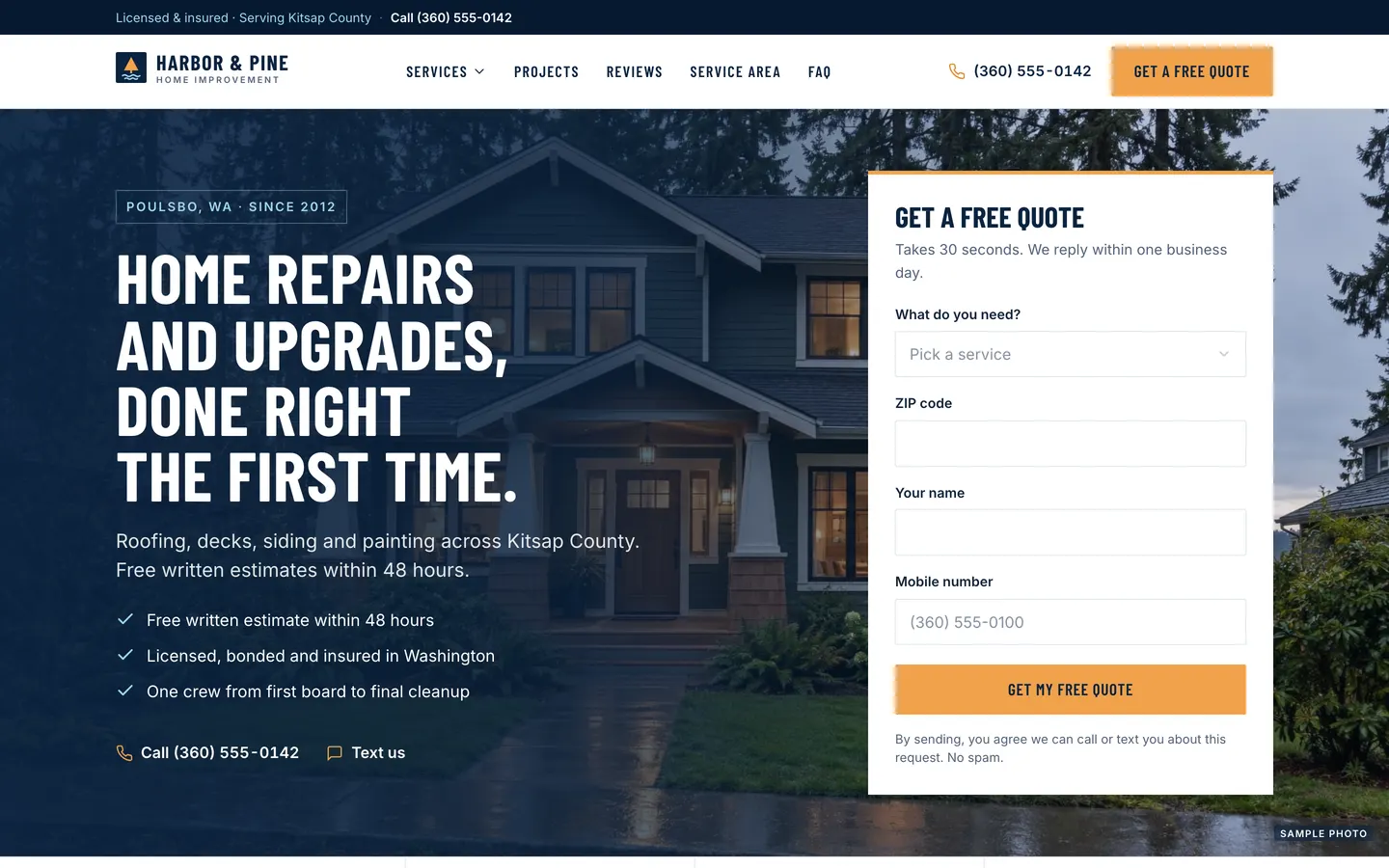
Local Pro Quotes
WebContractor website with a quote form in the hero, a project map, a ballpark estimator and a built-in lead CRM.
- View template
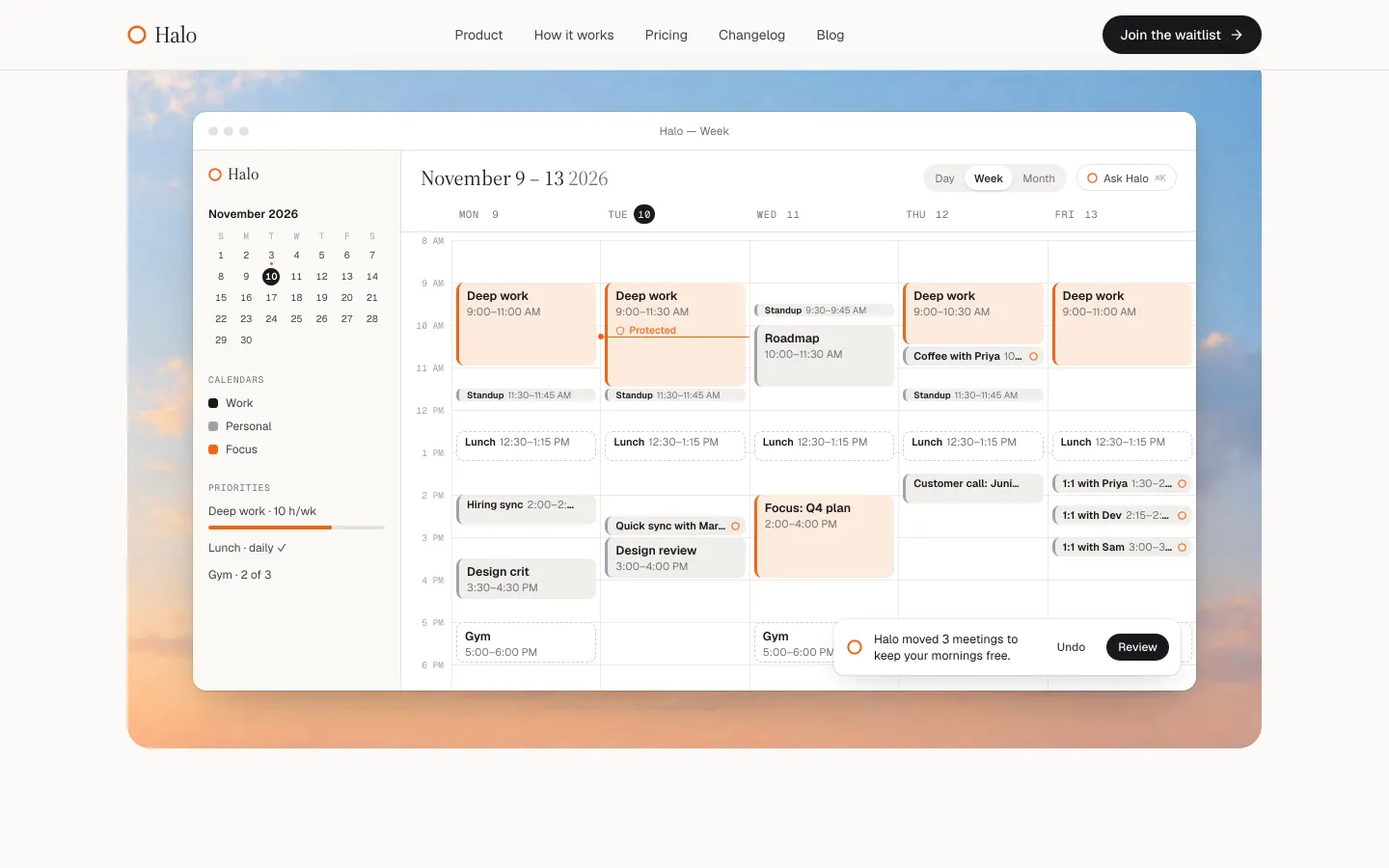
Launch Page
WebAn editorial launch page with a real waitlist: live spot numbers, referral boosts, owner admin and CSV export.
- View template
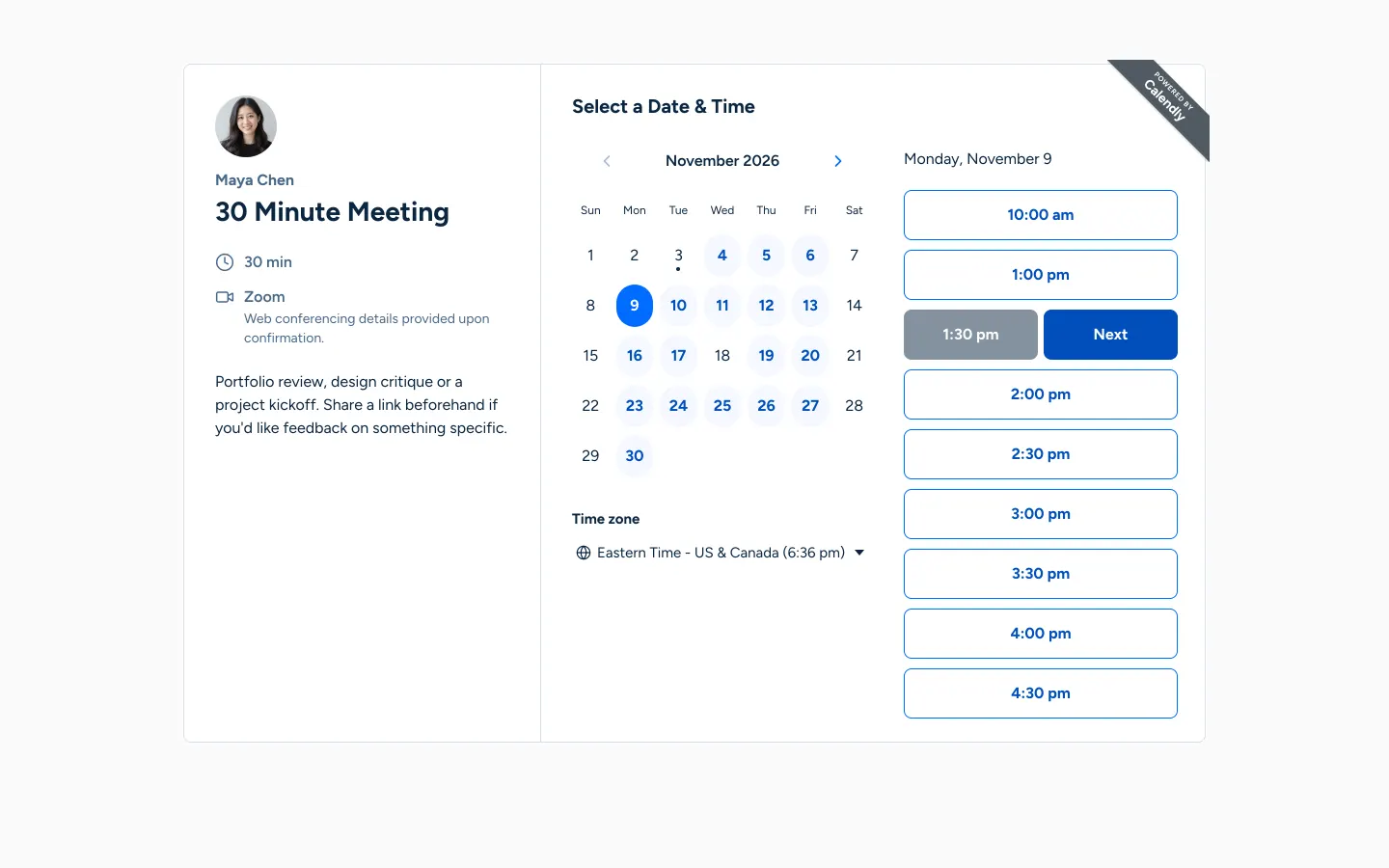
Calendly Clone
WebYour own Calendly: booking links that respect weekly hours, buffers and time zones, and never double-book.