
Table of contents
TL;DR
- Start with a React Native project in Vibecode and download the Expo code on Pro or higher.
- Run the project locally with Expo to test it on Android, or build a shareable APK with an EAS preview profile.
- Build an AAB for Google Play. An APK is the file you can install directly on Android.
To install your Vibecode app on Android as an APK, build a React Native project and download its Expo code. Expo can compile a debug build locally or produce a signed APK that testers can install directly. For a new app on Google Play, build an Android App Bundle instead.
Download your Expo project
- In Vibecode, choose New app, open Legacy, and select Mobile app (Legacy). Build and preview the first version.
- Open the project's code controls and choose Download code. The full project download is available on Pro and higher. Vibecode code download guide
- Unzip the project and install dependencies using the package manager indicated by its lockfile. In
app.jsonor the project's Expo config file, check the app name andandroid.package, an identifier such ascom.example.liftbook.
If the app is already on Google Play, use its existing package name and check the upload key before making a build. For a new listing, pick a package name you control. Google Play app signing
Test the build on Android
For a local test, install Android Studio and its Android SDK. Start an emulator or connect an Android device with USB debugging enabled. From the project directory, run:
npx expo run:androidExpo compiles a debug APK, installs it, and starts the development server. Try one full task in the app. Check that data stays saved after you close and reopen it. Expo local development guide
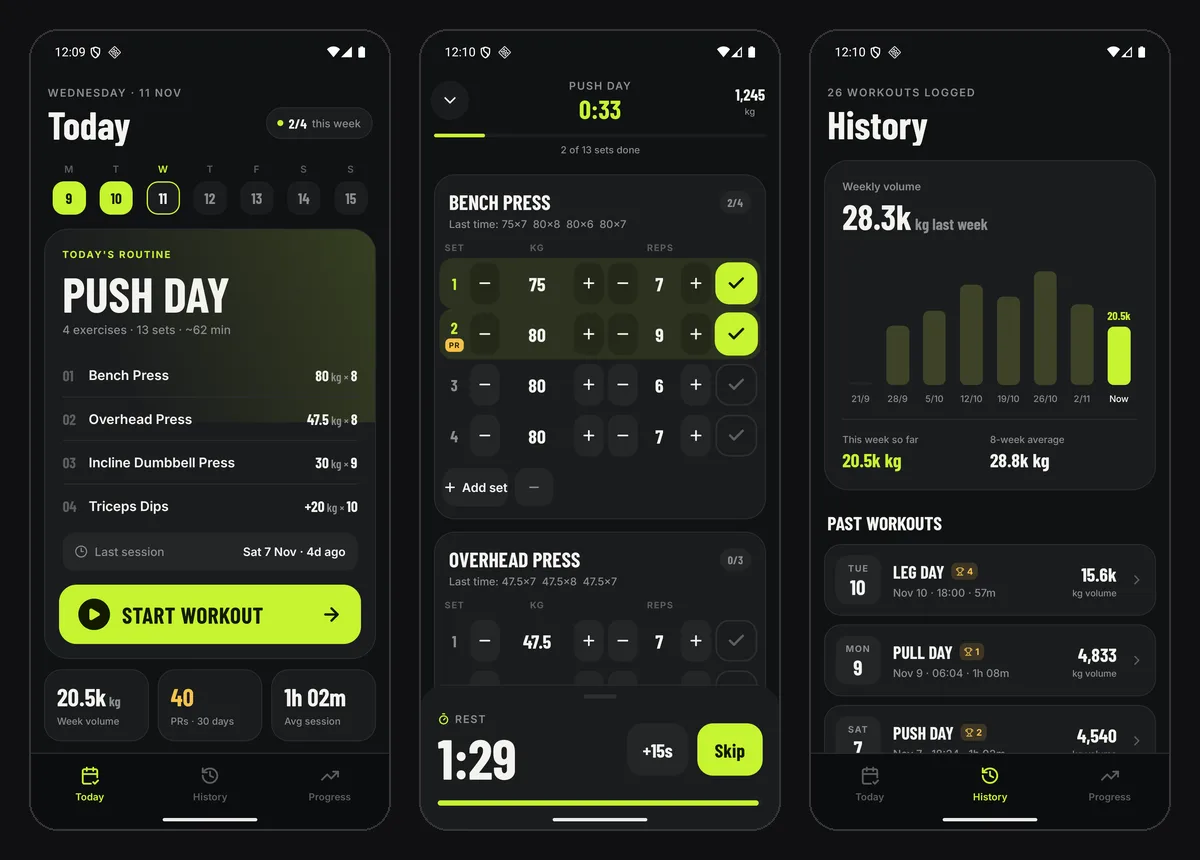
We used that flow with Liftbook, a workout log built in Vibecode. After downloading the Expo project, we set its app name and Android package name and ran it on an Android 16 emulator. The rest timer, personal-record badge, and history charts worked. Full Liftbook test
Build an APK to send to testers
For a build your testers can install without a local development server, sign in to Expo and configure EAS Build:
npx eas-cli@latest login
npx eas-cli@latest build:configure
In eas.json, add or update the preview profile under build. Keep the project's other profiles and any settings it already needs.
{
  "build": {
    "preview": {
      "distribution": "internal",
      "android": { "buildType": "apk" }
    },
    "production": {
      "android": { "buildType": "app-bundle" }
    }
  }
}
Build the preview and download the APK from its build page. For a new app, EAS can generate the signing credentials when it asks.
npx eas-cli@latest build --platform android --profile previewOpen the APK on an Android test device to install it. If Android asks for permission, allow installs for the app opening the file. Only share builds with the intended testers. Expo APK build instructions
Use an AAB for Google Play
When the test build works, create the store artifact:
npx eas-cli@latest build --platform android --profile productionDownload the signed .aab and upload it to your own Google Play Console. Start with an internal test. Personal developer accounts created after November 13, 2023 need a closed test with at least 12 testers continuously opted in for 14 days before they can apply for production access. Expo Google Play guide · Google Play testing requirements
Frequently asked questions
What's the difference between an APK and an AAB?
An APK is an Android package you can install on a device. An AAB is a build artifact you upload to Google Play for a new app. Play uses the bundle to generate APKs for different devices.
Do I need Android Studio to build an APK?
You can use EAS Build in the cloud. Install Android Studio and the Android SDK if you want to compile locally or run Google's Android Emulator.
Can I build an APK from a Swift project?
Swift projects in Vibecode target Apple devices. Start a React Native project to build for Android and iPhone from one codebase.
Which Vibecode plan includes the Expo export?
Code download is available on Pro and higher. Build the APK from the exported project with Expo.
About the editorial team
Vishal is a product engineer at Vibecode. Before Vibecode he did product engineering at EarnIn and co-founded Ivella (YC S21), a banking app for couples. He studied computer science at Duke.

More from the Vibecode blog
Tutorial
How to turn a Blink.new project into a mobile app
Rebuild a Blink.new project as a mobile app in Vibecode. Map the Blink SDK calls, connect the backend, and test the new app in TestFlight.
Tutorial
How to move a Draftbit app to Vibecode
Move a Draftbit app to Vibecode by mapping its screens, API requests, and login flow. Test the rebuild before updating your App Store listing.
New to AI app building? Read what vibe coding means or compare the best AI mobile app builders. Have an idea? See if you can vibe code it.